
This guide documents how participants built and submitted an app - from running Archestra to getting a demo into the public gallery. The same steps still work for building a dashboard, workflow tool, game, or beautiful nonsense. Apps that use MCP servers to work with real data are especially encouraged.
Describe your app in chat, and Archestra generates the interface. It can connect to Jira, GitHub, Slack, your CRM, and other tools through MCP servers using your credentials. Browse our MCP Catalog with over 900 MCP servers. There's no deployment, hosting, or login flow to build.
Star the Archestra repo on GitHub to help more people discover the project.Got questions? Ask in #general in our Community Slack.
App submissions are closed. The deadline was July 29 at 23:59 UTC. Already submitted? Community Buzz post entries remain open until August 3 at 12:00 UTC.
Run Archestra
Pull the latest version of Archestra from the GitHub repository, then follow the Archestra quickstart guide to run it with Docker.
Add an LLM API key
In Settings → LLM API Keys, add a key for a supported provider. No paid key? Try Cerebras or local Ollama.
Install MCP servers
In MCP Registry, install the servers your app needs - such as GitHub, Jira, Slack, Linear, or Google Calendar. Browse the catalog of 900+ servers. Skip this step for games and pure visualizations.
Build the app in chat
Go to Chat and describe what you want:
“Build me an app that shows all open pull requests across our repos as a review queue, sorted by how long they've been waiting.”
Archestra asks up to three clarifying questions, scaffolds the app, and renders it in the conversation. Keep talking to refine it: “group by reviewer,” “flag anything older than 3 days,” or “add a button to ping the reviewer in Slack.”
Watch an app get built end to endShow video
Submission requirements
App submissions are no longer accepted. The requirements below remain available so participants can review the process used for submitted entries.
We recommend watching this first. It includes the full recording and submission walkthrough.
- 1
Record. Entries were built and recorded in the same chat session, then showed the finished app.
- Stay in the chat where you built the app. Starting a new session will leave the building process out of the recording.
- Show the app's main workflow by clicking through it like a real user.
- Keep it short. Up to 20 seconds is usually enough.

- 2
Review. Stop and review the recording. Make sure it clearly shows how the app works and contains no sensitive data; if it does not, record it again.
Check that the build history and finished app are both included and no sensitive data is visible. Narration and PR creation are not required. - 3
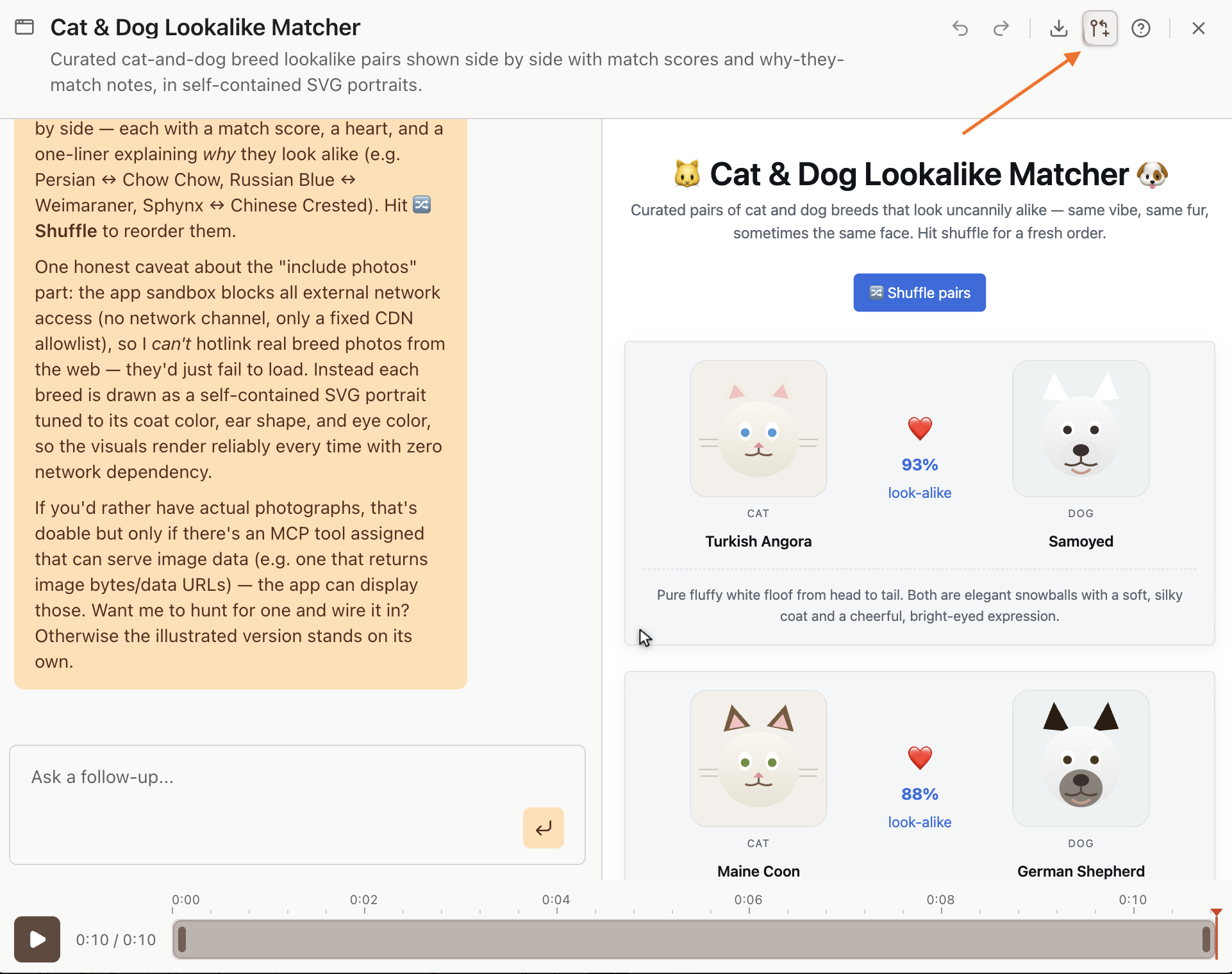
Submit. Participants continued directly from the recorder flow, reviewed their submission details, connected a GitHub account, and clicked Submit. Archestra opened a pull request to the Hackathon repo. Once merged, the app appeared in the gallery. You can return to the flow from the Apps Hackathon button in the upper-right corner of your app.
- 4
Final review. Submissions were final, so the app name, description, and recording had to be reviewed first.
- 5
Star the repo. Once you have submitted, star the Archestra repository on GitHub to help more developers discover the project.
Choose the category that best fits: Dashboards & Reports, Workflow Tools, or Fun & Weird.
Community Buzz · $500 + swag
Share your app publicly, tag @archestra_ai or link to the gallery, then submit one post per app via the Typeform. The post with the most likes wins.
Submit your community postNeed an idea?Show ideas
Think of something you do every week that requires opening three tabs - and turn it into one app.
Project management
Standup dashboard, sprint health monitor, or a “what’s blocked and why” board
Finance
Invoice tracker, budget vs. actuals dashboard, or expense approval queue
Legal
Contract review pipeline or NDA request tracker
Development
PR review queue, deployment and incident dashboard, or flaky test leaderboard
AI
Shared prompt library or LLM cost dashboard
Marketing
Content calendar, campaign dashboard, or social mention triage
Sales
Follow-up reminders, deal pipeline, or a meeting-notes-to-CRM helper
Or ignore all of that and build the thing nobody asked for.
More inspiration: the gallery and the Apps announcement.
Official rulesShow rules
The hackathon ran from July 22 to 29. Submissions closed at 23:59 UTC on July 29, when we snapshot the repository. Changes made after that do not count. Winners will be announced August 4.
Anyone aged 18 or older can participate, provided participation and receiving prizes are legal in their location. Enter solo or as a team, but each app must have one pull request and the PR author is treated as the entrant. You may submit multiple apps; each is judged separately.
Prizes
- $1,000 · Most Useful App. Judged on whether it addresses a recurring workflow, works as shown, and would be useful to someone other than the builder.
- $750 · Best Weird App. Our judgment, no appeals. 🙂
- $500 + Archestra swag · Community Buzz. Highest eligible public engagement count.
Community Buzz
Share your app online to compete for the Community Buzz prize. Supported platforms are X, LinkedIn, Reddit, Hacker News, Bluesky, and YouTube. We count likes, reactions, upvotes, or points respectively. Ask in Slack before using another platform. Submit your post through the Typeform. Organic engagement only - purchased or bot engagement disqualifies the entry at our discretion. Our count is final.
Enter your best-performing post before the August 3, 12:00 UTC snapshot - one entry per app, no changes after submitting.
Payouts
Prizes are paid via GitHub Sponsorship to the winner's GitHub account. If you haven't joined GitHub Sponsors yet, register now so you can receive a payout. Before submitting, check that GitHub Sponsors is available in your country.
Sensitive data
Your video, prompt, and description will be published on archestra.ai and stored in a public GitHub repository. Don't include customer data, internal numbers, credentials, colleagues' names, or anything else you wouldn't share publicly. Review the video and use test data where possible. We can remove reported content from the gallery, but cannot fully erase it from Git history. You are responsible for everything you submit.
Fair play. We may reject or remove submissions that are spam, abusive, infringe someone else's rights, or game the rules. Judges' decisions are final.