# Managing the Policy
> Change the Guardrails policy with the APPA Keeper, include batteries, and validate it
> **Beta feature.** Policy syntax and behavior may change as OpenAPPA evolves.
You manage the policy by chatting with the APPA Keeper: change rules in plain words, add [batteries](#batteries) for your MCP servers, check the policy with [validations](#validating-the-policy), and fix what keeps agents [stuck](#yells).
## Changing the Policy
You change the policy by chatting with the APPA Keeper, the built-in agent that writes the rules for you. On **Overview**, click **Chat with APPA Keeper**, or pick one of the suggested questions next to it.
Ask it in plain words, for example:
- "Require a review before anything is posted to Slack."
- "After the agent reads a web page, block sending email outside the company."
To see your policy, open the **Policy** tab, or ask the APPA Keeper to explain it.
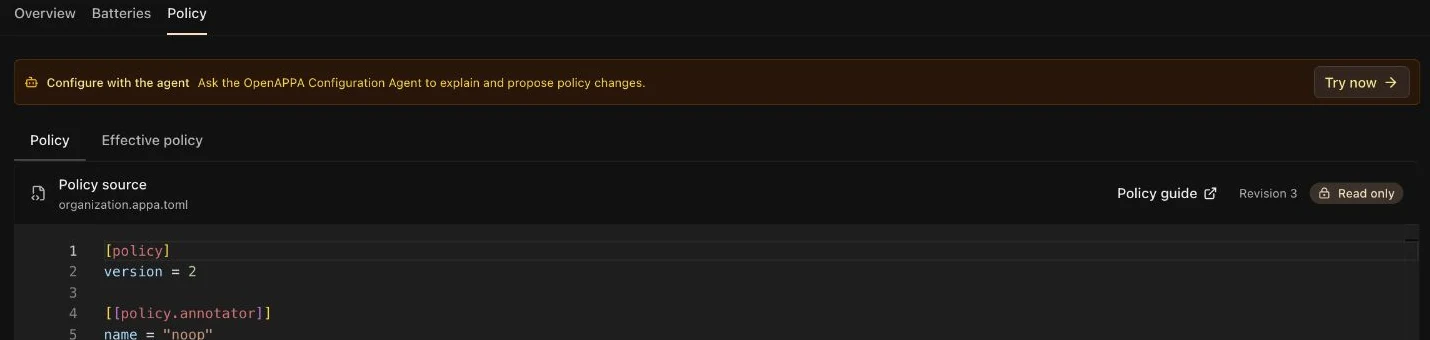
A change that cannot be applied never turns Guardrails off. The last working policy stays enforced, and the **Policy** tab shows why the change was refused.
## Batteries
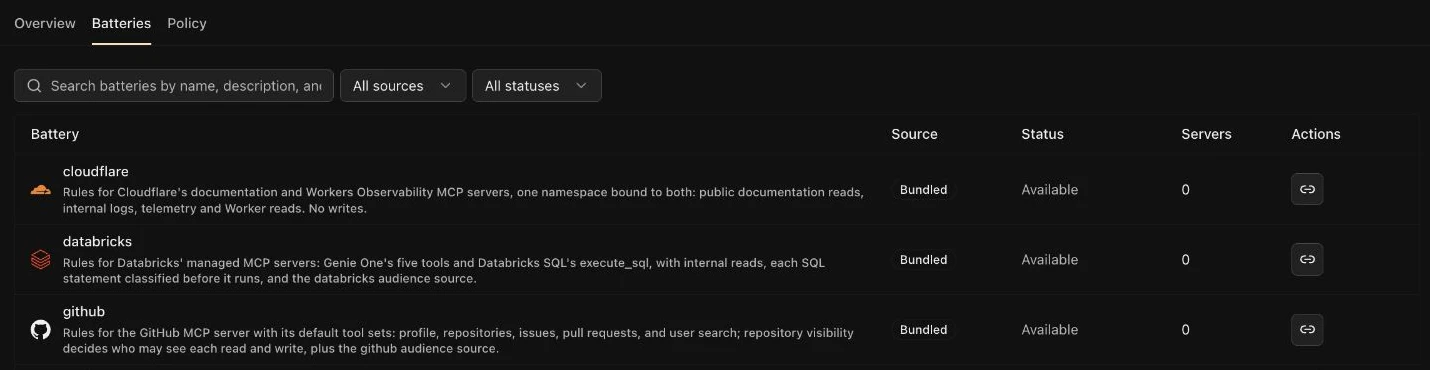
A [battery](https://www.openappa.com/batteries) is a ready-made set of rules for one MCP server, such as GitHub, Linear, or Google Workspace. Include one, and that server's tools are covered without writing rules.
Ask the APPA Keeper, for example "Cover my GitHub server with a battery". It proposes the batteries that fit your MCP servers, and you approve the change.
Some batteries call an API to decide, for example to check if a repository is public. Such a battery needs a token: the APPA Keeper asks you to set one up in the chat. You can also add it on the **Batteries** tab: open the battery and set its token under **Credentials**.
## Validating the Policy
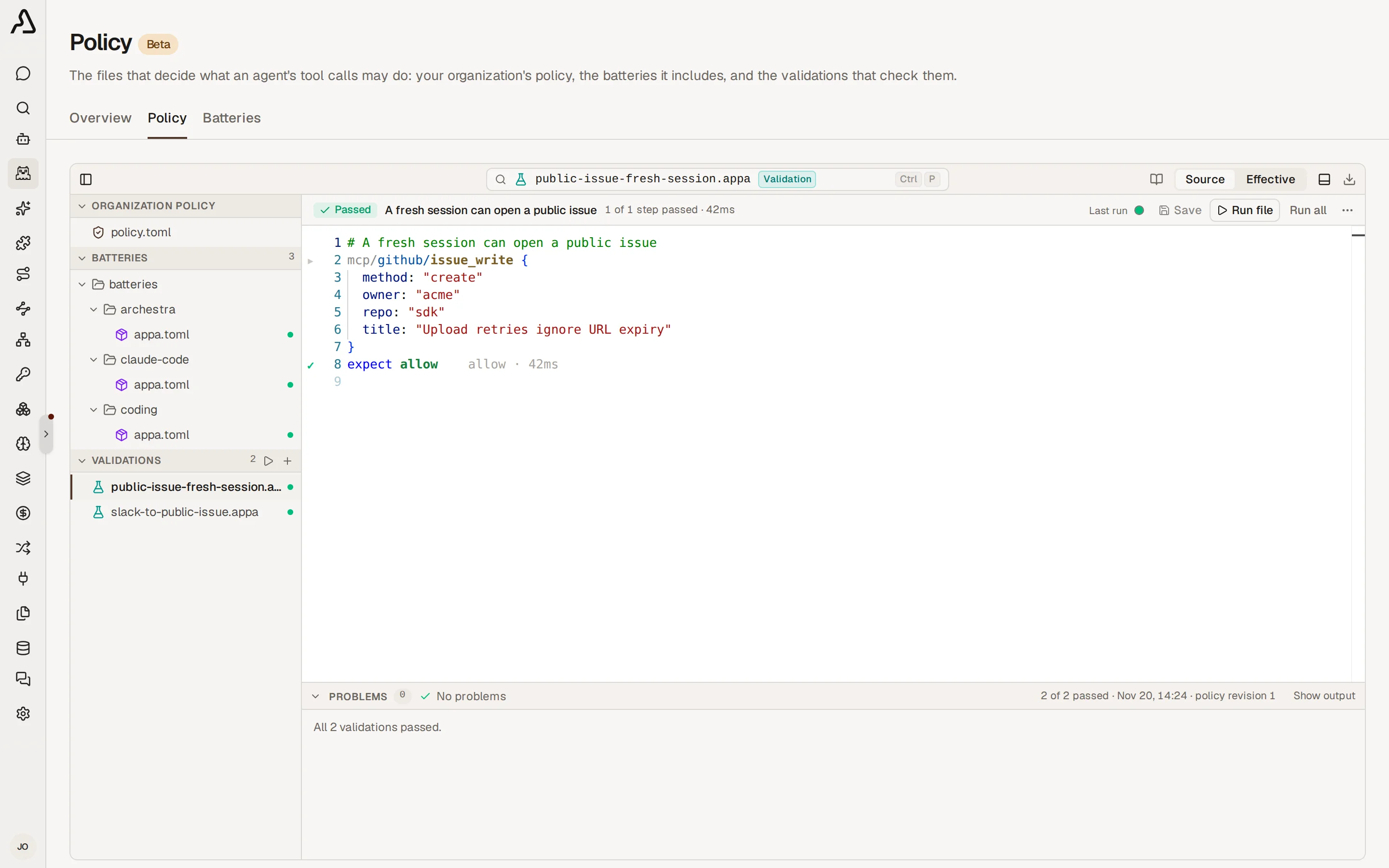
A validation keeps one policy scenario checked over time, such as "refuse an email after the agent reads an untrusted page". The APPA Keeper runs your validations before every policy change, so a change that quietly weakens the policy shows up as a failed validation.
Validations are files on the **Policy** page, listed under **Validations** beside the policy they check. Open one to read its scenario with the result of its last run marked on each step.
### Write a Validation
Click **New validation** in the Validations header. It opens a chat with the APPA Keeper: tell it the case, for example "check that the agent cannot email outside the company after it reads a web page". Review the scenario it proposes, and approve it.
For more details about validations, check the [OpenAPPA validation guide](https://www.openappa.com/validation).
### Run Validations
Click **Run all** to check every saved file, or **Run file** on an open validation to check that one. Every accepted policy change also runs them all.
A step that decided otherwise explains itself under its line, and the **Problems** panel under the editor lists every failure across files. The dots in a validation's header are its last runs: click one to see that run's result.
What to know:
- A run executes no tools, but asks the policy's annotators and models live, with your organization's credentials. So a run can spend model tokens.
- A run asks no person. A step that expects human review passes when the call offers it.
Required permissions:
- [`guardrailsPolicy:update`](https://archestra.ai/docs/reference/permissions#guardrailsPolicy:update) to run validations.
## Yells
When the agent can't achieve its task because of the policy, it reports the problem via a special yell tool call. The reports are listed in **Logs → Guardrails**, in one timeline with the Guardrails consults. Set the type filter to **Yells** to see only the reports.
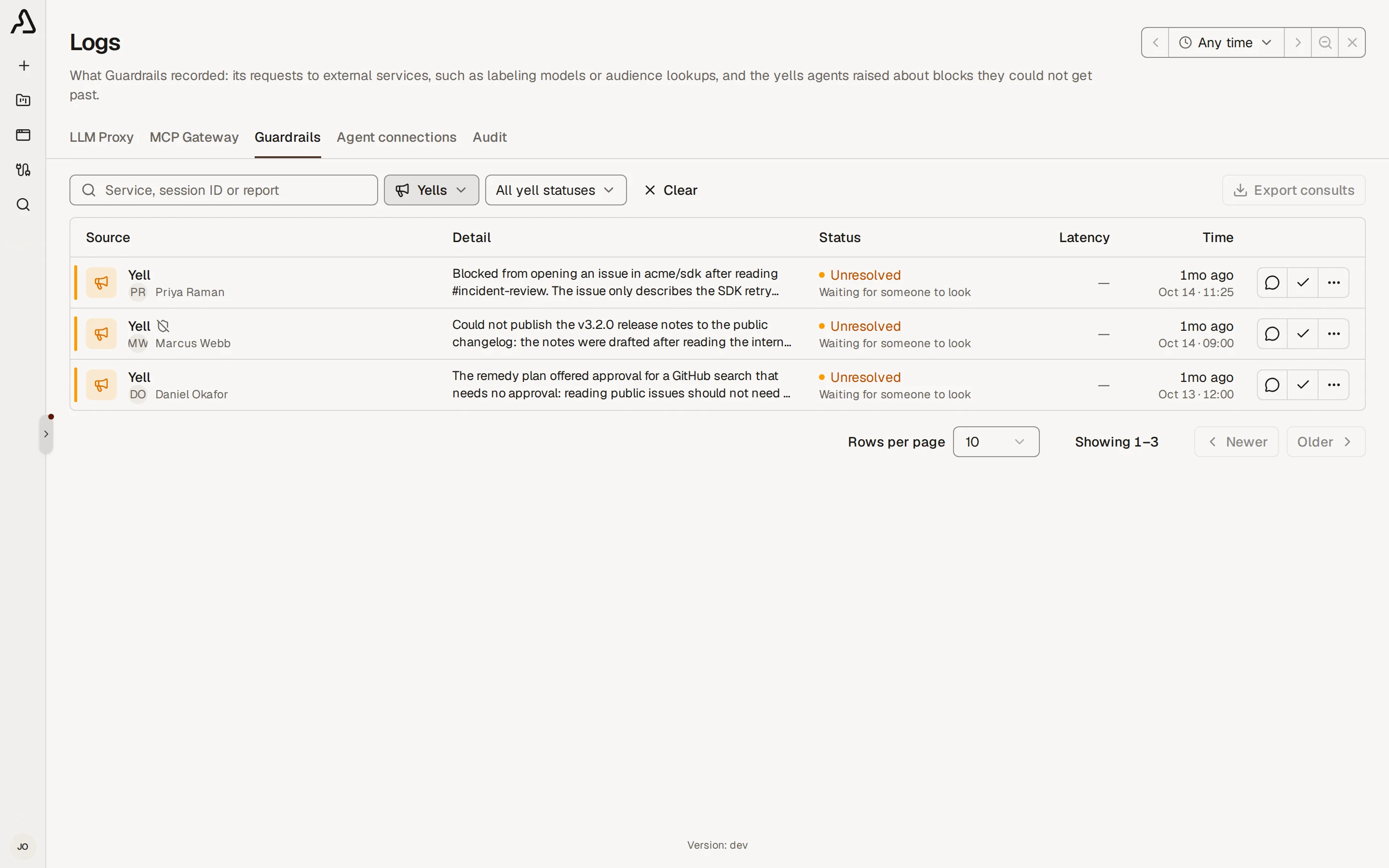
Open a report and click **Investigate in chat**. The agent compares the report with the policy and the [validations](#validating-the-policy), and proposes a fix.
What to know:
- The Break the glass settings in **Settings → Guardrails** can let a blocked call through and record the yell for you. **Human approval** keeps the review by default. Set to **Waive in unattended sessions** (Agent Runtimes, Scheduled tasks, or any client sending `X-Archestra-Unattended: 1`; a remedy plan a workload runs counts too), a call that waits for a person runs, and a remedy plan that needs a person is approved for the agent. It can also be waived everywhere. **Other blocked calls**, set to **Waive the block**, releases soft refusals across calls, results, subagent returns, runtime exports, peer messages, and session admission. The first waiver turns Guardrails off for the session. Disabled or failed yell reporting does not prevent the waiver. An explicit `blocked` refusal cannot trigger a waiver. Once a soft refusal turns Guardrails off, subsequent operations bypass all policy checks, including explicit `blocked` marks. [`ARCHESTRA_OPENAPPA_HUMAN_APPROVAL_MODE`](https://archestra.ai/docs/admin/deployment/configuration#ARCHESTRA_OPENAPPA_HUMAN_APPROVAL_MODE) and [`ARCHESTRA_OPENAPPA_SOFT_BLOCK_MODE`](https://archestra.ai/docs/admin/deployment/configuration#ARCHESTRA_OPENAPPA_SOFT_BLOCK_MODE), while set, override these two settings, and the settings page shows them locked. OpenAPPA does not see a waived call: its result is not checked, and its labels and effects are skipped.
- **Yell tool**, set to **Record only**, keeps enforcement on after agent reports and human-approval waivers. **Other blocked calls**, set to **Waive the block**, always turns enforcement off for the session, regardless of the yell setting.
- Reports stay in your deployment unless you [enable external diagnostic forwarding](https://archestra.ai/docs/admin/deployment/configuration#ARCHESTRA_OPENAPPA_YELL_FORWARDING_ENABLED) to the shared OpenAPPA reporting service. To turn reports off, set [`ARCHESTRA_OPENAPPA_YELL_ENABLED=false`](https://archestra.ai/docs/admin/deployment/configuration#ARCHESTRA_OPENAPPA_YELL_ENABLED).
Required permissions:
- [`guardrailsYell:read`](https://archestra.ai/docs/reference/permissions#guardrailsYell:read) to see and resolve the yells from your own sessions.
- [`guardrailsYell:admin`](https://archestra.ai/docs/reference/permissions#guardrailsYell:admin) to see and resolve every yell in the organization. It does not open anyone's LLM or MCP logs, which stay under [`log:admin`](https://archestra.ai/docs/reference/permissions#log:admin).