# Knowledge Settings
> Set the embedding model, search ranking, contextual retrieval, and OCR for Knowledge Bases
Admins tune search for every Knowledge Base under **Settings → Knowledge**. Only the embedding model is required.
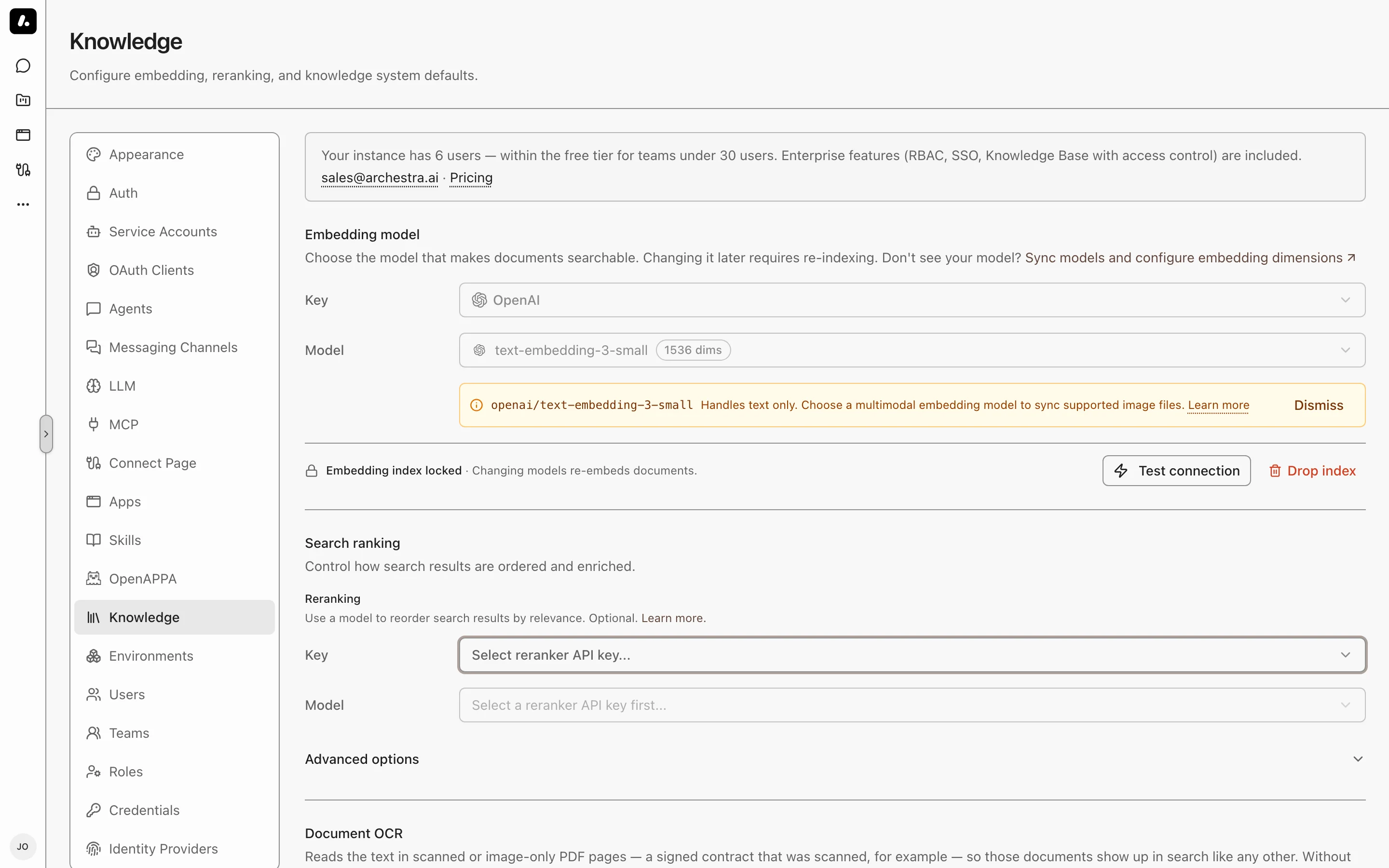
| Setting | Required | What it does |
| --- | --- | --- |
| [Embedding model](#embedding-model) | Yes | Turns passages into numbers that search compares. |
| [Search ranking](#search-ranking) | No | Puts the best passages first. |
| [Contextual retrieval](#contextual-retrieval) | No | Finds passages whose subject is named elsewhere in the document. |
| [Document OCR](#document-ocr) | No | Makes scanned PDFs searchable. |
| Available connectors | No | Hides the sources your company does not use from **Create Connector**. Existing connectors of a hidden type keep syncing. |
## Embedding Model
Required. It turns every passage into numbers that search compares.
1. Pick an API key and an embedding model. Subscription sign-ins do not work here.
2. Click **Test connection**, then save.
A model is missing? Sync its provider's models under **LLM Providers → Models**. Then check the model's [modalities](https://archestra.ai/docs/llm-proxy/providers#model-pricing-limits-and-modalities): they decide which models you can pick here. Set the model's dimensions there too. Supported dimensions are 384, 768, 1024, 1408, 1536, and 3072.
### Changing the Model
After you save, the model is locked, because indexing and search must use the same model. To change it, click **Drop index**.
- **Drop index** clears the model and the whole index.
- Later syncs embed every document again.
### Image Embedding
Standalone images are searchable only when the embedding model accepts images.
- The model's [modalities](https://archestra.ai/docs/llm-proxy/providers#model-pricing-limits-and-modalities) decide which formats work. Other images are skipped.
- A text-only model can still search scanned PDFs through [Document OCR](#document-ocr).
## Search Ranking
A reranker reads the top passages and puts the best answers first. Without one, search still combines meaning and keyword results.
1. Pick a chat model or a supported Cohere Rerank model. A chat model must return structured JSON.
2. Click **Test connection**, then save.
### Keyword Settings
Under **Advanced options**, two keyword settings change the next search, with no reindex:
| Setting | Default | Change it when |
| --- | --- | --- |
| **Term Saturation** | 1.2 | Lower it when long, repetitive text crowds out short answers. |
| **Length Normalization** | 0.75 | Raise it to favor shorter passages. |
## Contextual Retrieval
Finds a passage whose subject is named only elsewhere in the document. Example: a step says "restart it", under a heading that names the service.
Archestra writes a short context for each passage and matches on it. The agent still reads the original passage.
Under **Search ranking → Advanced options**, pick a mode:
| Mode | Use it when |
| --- | --- |
| **Disabled** | You do not need it. |
| **Per document** | You want lower cost. |
| **Per passage** | You want more precise context. |
- It needs a chat reranker. Cohere Rerank models cannot write context.
- To apply it to documents already indexed, use **Force Re-sync** on each connector.
## Document OCR
Makes scanned PDFs searchable. A vision model reads each PDF page that has no text layer. OCR does not read standalone image files.
1. Pick an API key and a vision model that accepts PDF input.
2. Click **Test connection**. It sends a test PDF page to the model.
3. Save. The first save resets each connector's checkpoint, so the next sync reads PDFs it skipped before.
Before you turn it on:
- Cost: each page is a model call, and the provider charges for it.
- Page limit: at most 100 pages per document, by default. Change it with [`ARCHESTRA_KNOWLEDGE_BASE_OCR_MAX_PAGES_PER_DOCUMENT`](https://archestra.ai/docs/admin/deployment/configuration#ARCHESTRA_KNOWLEDGE_BASE_OCR_MAX_PAGES_PER_DOCUMENT). The run details show the pages left unread.
- Self-hosted model missing? Set its input types under **LLM Providers → Models**.