# GitHub Copilot
> Connect models from a personal GitHub Copilot seat or share an organization enterprise plan.
GitHub Copilot gives you models from OpenAI, Anthropic, and Google, but GitHub does not provide standard API keys. Archestra bridges this gap so you can run Copilot models in chat, background agents, and local tools without managing raw keys.
Connect in one of two ways:
- **[Personal sign-in](#personal-sign-in):** sign in with your GitHub account to bring your own Copilot seat. The connection stays private to you.
- **[Enterprise plan](#enterprise-plans):** connect your organization's Copilot Business or Enterprise plan through a GitHub App. Your whole team and CI pipelines share models without buying individual seats for everyone.
Archestra handles the token exchange and refreshes credentials automatically.
## Personal Sign-In
Bring your individual Copilot subscription into Archestra for personal chats, coding agents, and local tools.
On **Model Providers**, connect **GitHub Copilot** under **Personal subscriptions** and authorize Archestra on GitHub with the one-time device code.
Your sign-in belongs only to you and is never shared across your organization. If you set up Copilot CLI with [Connect](https://archestra.ai/docs/get-started/connect), you can sign in there: **Model routing** in **Setup options** offers the same two choices, personal sign-in and enterprise plan. With both connected, you pick the account the setup bills.
## Enterprise Plans
Share your organization's Copilot Business or Enterprise models across teams, agents, and CI pipelines without purchasing per-user seats. Requests consume the organization's Copilot AI credits.
To connect a plan, your Archestra account needs permission to create provider keys and credentials ([`llmProviderApiKey:create`](https://archestra.ai/docs/reference/permissions#llmProviderApiKey:create) and [`credential:create`](https://archestra.ai/docs/reference/permissions#credential:create)).
On **Model Providers**, connect **GitHub Copilot** under **Enterprise plans**. Create a new GitHub App or connect using existing App credentials. The App requires the **Copilot Requests (Read-only)** permission on your GitHub organization (see [App access to Copilot](https://docs.github.com/en/copilot/how-tos/administer-copilot/manage-for-organization/manage-app-copilot-access)). Install it on the organization, including one in an Enterprise Managed Users enterprise. An installation on the enterprise cannot make Copilot requests.
A connected plan is named after its GitHub organization, as GitHub shows the organization's name: **GitHub Copilot Acme Inc** for an organization named Acme Inc. Without a name on GitHub, the organization's login is used.
Once connected, Copilot models are available in Chat, agents, and the LLM proxy with a [virtual key](https://archestra.ai/docs/llm-proxy/authentication#standard-virtual-keys) (and on the [Unified Model API](https://archestra.ai/docs/llm-proxy/unified-model) as `github-copilot:`):
```bash
curl "https:///v1/github-copilot/chat/completions" \
-H "Authorization: Bearer $ARCHESTRA_VIRTUAL_KEY" \
-H "Content-Type: application/json" \
-d '{
"model": "gpt-4.1",
"messages": [{"role": "user", "content": "Hello"}]
}'
```
### Connect Several GitHub Organizations
Connect one plan for each GitHub organization that pays for Copilot, such as each organization of an Enterprise Managed Users enterprise. Each plan bills its own organization and serves the models that the organization's Copilot policy allows.
1. Connect the first organization's plan as described above.
2. Under **Enterprise plans**, click **Connect** on the **Connect other GitHub Copilot organization** card and enter the next organization.
3. Pick an App already installed on that organization under **Use an App I already have**, or create a new App for it. An App created here is private, so GitHub installs it only on the organization that owns it.
The new plan appears under **Enterprise plans**, named after the organization.
- Archestra keeps one plan per organization. To change an organization's App, open **Manage** on its plan.
- A chat, agent, or virtual key uses the plan it names, and its model picker shows the models of that plan. A virtual key holds one plan, so create one virtual key for each organization that your pipelines bill.
## Offer Only One Way to Connect
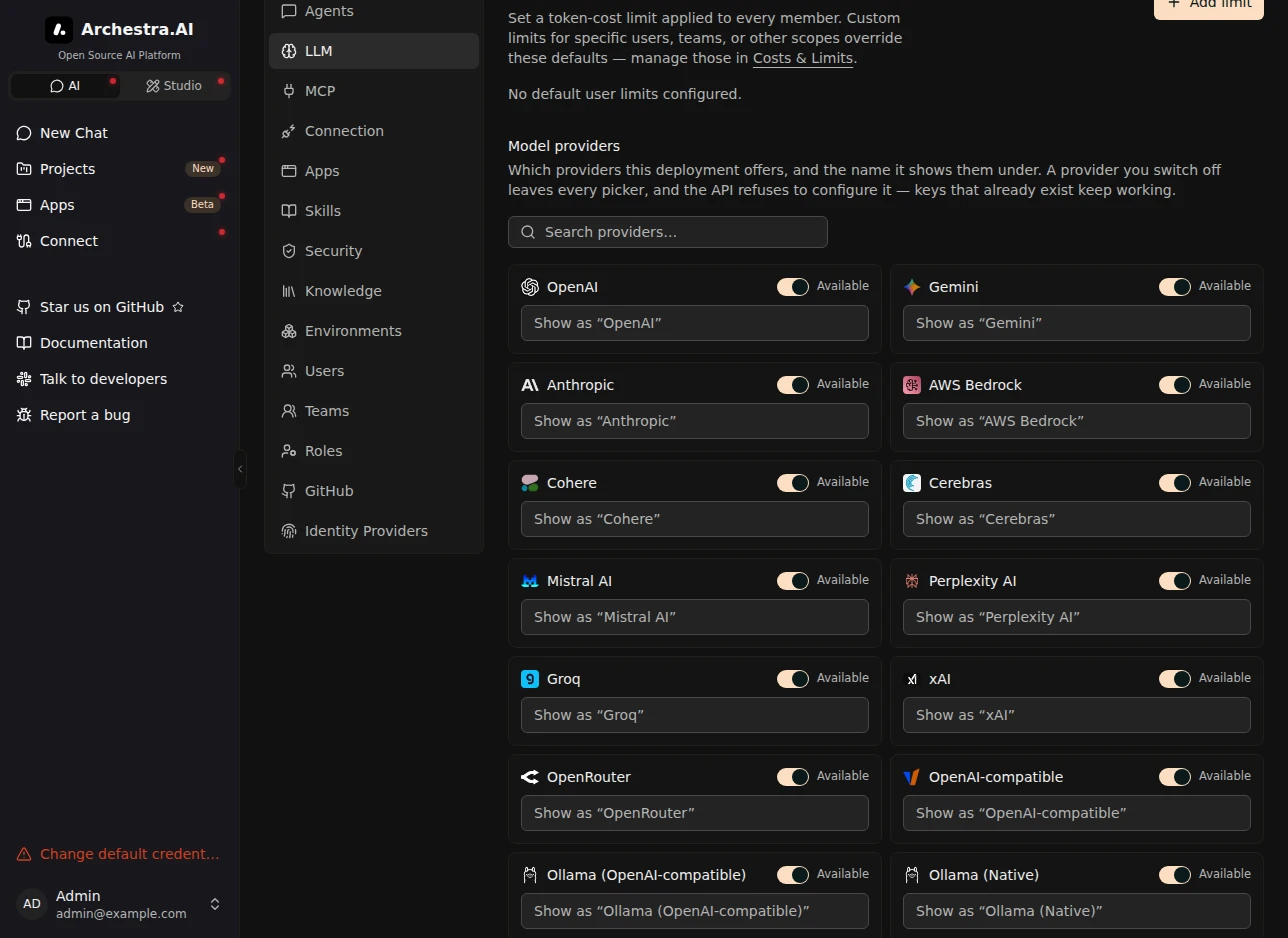
Keep Copilot billing on the organization's plan, or on each person's own seat. Go to **Settings → LLM → Model providers**. GitHub Copilot has one card for **Personal subscription** and one for **Enterprise plan**. Switch off **Available** on the card you do not offer.
- Each card's switch decides only its own plan. The other plan stays on.
- The plan you switch off leaves **Model Providers**, the chat menu and **Connect**. Nobody can set it up again, and Connect does not prepare a new setup with an account of that plan.
- Connections that already exist keep working, and you can still delete them.
## Native Anthropic Messages
Claude clients can send the native Messages wire format directly to Copilot without a model pool. Set the client's Anthropic base URL to `https:///v1/github-copilot` (or append `/` for a specific LLM proxy). The client appends `/v1/messages`.
Use an Archestra virtual key linked to your Copilot credential, and a model ID available to that credential. Requests keep native thinking/signatures, tool history, structured-output parameters and cache fields rather than translating through Chat Completions. Archestra applies its normal key access, budgets and interaction logging under the GitHub Copilot provider.
This endpoint does not add capabilities to Copilot: model, beta and server-side tool support depend on the upstream service. Upstream rejections are returned to the client. Token counting (`/v1/messages/count_tokens`) uses the same Copilot credential and model access checks. Counts are estimates, not generated usage, and do not debit Archestra generation budgets. There is no automatic fallback to Anthropic or another paid provider.