# Archestra
> Enterprise MCP platform with security guardrails, compliance controls, and a curated catalog of 900+ evaluated Model Context Protocol servers for AI agents.
## Docs
- [Get Started](https://archestra.ai/docs/get-started): Run Archestra, connect your clients, and see your first governed request
- [Connect Your Agents](https://archestra.ai/docs/get-started/connect): Connect your AI client to Archestra's tools, models, and shared skills
- [See It Work](https://archestra.ai/docs/get-started/see-it-work): Send your first message in Chat and from a connected client, then find both in the logs
- [Migrate Your Agents](https://archestra.ai/docs/get-started/migrate): Turn a Claude Code project into a shared Archestra agent, with its skills, MCP servers, and hooks
- [Pricing Model](https://archestra.ai/docs/get-started/pricing-model): How Archestra Platform is priced and licensed
- [Agents](https://archestra.ai/docs/agents): Build agents with instructions, tools, skills, subagents, and triggers
- [Guardrails](https://archestra.ai/docs/agents/guardrails): Stop agents from leaking data, with OpenAPPA policies on every tool call
- [Managing the Policy](https://archestra.ai/docs/agents/guardrails/policies): Change the Guardrails policy with the APPA Keeper, include batteries, and validate it
- [Git Sync](https://archestra.ai/docs/agents/guardrails/git-sync): Keep the Guardrails policy in a GitHub or GitLab repository and review every change there
- [Guardrail Clients](https://archestra.ai/docs/agents/guardrails/clients): Make Guardrails check your client, with built-in support or session headers
- [Agent Runtime](https://archestra.ai/docs/agents/runtime): Run coding agents and long tasks in their own Kubernetes containers
- [Agent Runtime Setup](https://archestra.ai/docs/agents/runtime/setup): Prepare Kubernetes nodes, storage, and the Agent Sandbox controller for Agent Runtime
- [Hand Off Work](https://archestra.ai/docs/agents/runtime/handoff): Hand a task from your coding agent to Agent Runtime, then bring the result back
- [Custom Images](https://archestra.ai/docs/agents/runtime/custom-images): Run your own coding agent image in Agent Runtime
- [Skills](https://archestra.ai/docs/agents/skills): Reusable SKILL.md instruction sets that agents load on demand
- [Writing Skills](https://archestra.ai/docs/agents/skills/writing): Create and edit SKILL.md skills in the UI or from chat
- [Importing Skills](https://archestra.ai/docs/agents/skills/importing): Bring skills in from GitHub, GitLab, MCP servers, and plugins
- [Sharing Skills](https://archestra.ai/docs/agents/skills/sharing): Install Archestra skills in your coding agents from one shared marketplace
- [Plugins](https://archestra.ai/docs/agents/plugins): Client-native extensions for Claude Code, Claude Desktop, Codex, Copilot CLI, and Cursor
- [Subagents](https://archestra.ai/docs/agents/subagents): Let an agent delegate work to its own copy, your agents, built-in subagents, or external A2A agents
- [Built-in Subagents](https://archestra.ai/docs/agents/subagents/built-in): The system subagents Archestra seeds into every organization, and what each one does
- [External Agents](https://archestra.ai/docs/agents/subagents/external): Connect external Agent2Agent systems and use them as subagents
- [Hooks](https://archestra.ai/docs/agents/hooks): Scripts that run in the sandbox when an agent lifecycle event fires
- [Triggers & Channels](https://archestra.ai/docs/agents/triggers-and-channels): Start agent runs from webhooks, A2A calls, email, Slack, Microsoft Teams, and Telegram
- [Webhook (A2A)](https://archestra.ai/docs/agents/triggers-and-channels/webhook-a2a): Call an agent over HTTP with the A2A protocol
- [Incoming Email](https://archestra.ai/docs/agents/triggers-and-channels/email): Give each agent an email address that runs the agent and replies in the thread
- [Slack](https://archestra.ai/docs/agents/triggers-and-channels/slack): Give each Archestra agent its own Slack bot
- [MS Teams](https://archestra.ai/docs/agents/triggers-and-channels/ms-teams): Connect Archestra agents to Microsoft Teams channels
- [Telegram](https://archestra.ai/docs/agents/triggers-and-channels/telegram): Connect Archestra agents to Telegram chats and groups
- [MCP](https://archestra.ai/docs/mcp): Add MCP servers once, then give agents and MCP clients their tools through governed gateways
- [MCP Servers](https://archestra.ai/docs/mcp/servers): Add MCP servers to your organization's registry, install them, and give their tools to agents and gateways
- [Add a Server](https://archestra.ai/docs/mcp/servers/adding): Configure a remote or self-hosted MCP server and test its connection
- [Install a Server](https://archestra.ai/docs/mcp/servers/installing): Connect a personal account or shared service account to an MCP registry entry
- [Self-Hosted Servers](https://archestra.ai/docs/mcp/servers/self-hosted): Run MCP server processes in Kubernetes and manage their runtime
- [MCP Gateway](https://archestra.ai/docs/mcp/gateway): One MCP endpoint that gives a client the tools, knowledge, subagents, and skills you choose
- [MCP Authentication](https://archestra.ai/docs/mcp/authentication): How clients sign in to a gateway, and how Archestra signs in to each MCP server
- [MCP Gateway Authentication](https://archestra.ai/docs/mcp/authentication/gateway): Authenticate a client to an MCP Gateway with OAuth, a platform token, or your identity provider's JWT
- [Gateway Access for Apps](https://archestra.ai/docs/mcp/authentication/applications): Let your own app or service call an MCP Gateway with an OAuth client
- [MCP Server Credentials](https://archestra.ai/docs/mcp/authentication/servers): Set how Archestra signs in to each MCP server, and whose account each call uses
- [LLM Proxy](https://archestra.ai/docs/llm-proxy): See and control every model call your company makes, from coding agents to your own apps
- [LLM Proxy Authentication](https://archestra.ai/docs/llm-proxy/authentication): How apps, agents, and people sign in to the LLM Proxy, and whose provider key each call uses
- [Model Providers](https://archestra.ai/docs/llm-proxy/providers): Connect provider API keys and personal subscriptions for Chat and the LLM Proxy
- [Amazon Bedrock](https://archestra.ai/docs/llm-proxy/providers/bedrock): Connect Amazon Bedrock with an API key, AWS access keys, or the IAM identity of your Archestra deployment.
- [Azure AI Foundry](https://archestra.ai/docs/llm-proxy/providers/azure): Connect Azure model deployments with an API key or Microsoft Entra ID
- [Anthropic](https://archestra.ai/docs/llm-proxy/providers/anthropic): Connect Claude with an Anthropic API key, Microsoft Foundry, Vertex AI, or workload identity federation.
- [Google Gemini](https://archestra.ai/docs/llm-proxy/providers/gemini): Connect Gemini using Google AI Studio or Vertex AI.
- [OpenAI-compatible Servers](https://archestra.ai/docs/llm-proxy/providers/openai-compatible): Connect vLLM, llama.cpp, LM Studio, or another OpenAI-compatible server
- [Ollama](https://archestra.ai/docs/llm-proxy/providers/ollama): Connect an Ollama server and choose its native or OpenAI-compatible transport
- [GitHub Copilot](https://archestra.ai/docs/llm-proxy/providers/github-copilot): Connect the models included in your own GitHub Copilot subscription.
- [Microsoft 365 Copilot](https://archestra.ai/docs/llm-proxy/providers/microsoft-365-copilot): Connect Microsoft 365 Copilot to answer questions using the signed-in user’s work data.
- [Archestra](https://archestra.ai/docs/llm-proxy/providers/archestra): Use another Archestra instance as the upstream model provider
- [Costs & Limits](https://archestra.ai/docs/llm-proxy/costs-and-limits): Track LLM spend by team, agent, model, and person, and set usage limits
- [Model Router](https://archestra.ai/docs/llm-proxy/model-router): Call models from multiple providers through an OpenAI-compatible endpoint
- [Knowledge (RAG)](https://archestra.ai/docs/knowledge): Give agents and MCP clients cited answers from connected sources and uploaded documents
- [Knowledge Connectors](https://archestra.ai/docs/knowledge/connectors): Supported knowledge connectors, their setup, and how each one syncs source permissions
- [Jira](https://archestra.ai/docs/knowledge/connectors/jira): Connect Jira documents to Knowledge and configure source access
- [Confluence](https://archestra.ai/docs/knowledge/connectors/confluence): Connect Confluence documents to Knowledge and configure source access
- [GitHub](https://archestra.ai/docs/knowledge/connectors/github): Connect GitHub documents to Knowledge and configure source access
- [GitLab](https://archestra.ai/docs/knowledge/connectors/gitlab): Connect GitLab documents to Knowledge and configure source access
- [Asana](https://archestra.ai/docs/knowledge/connectors/asana): Connect Asana documents to Knowledge and configure source access
- [ServiceNow](https://archestra.ai/docs/knowledge/connectors/servicenow): Connect ServiceNow documents to Knowledge and configure source access
- [Notion](https://archestra.ai/docs/knowledge/connectors/notion): Connect Notion documents to Knowledge and configure source access
- [SharePoint](https://archestra.ai/docs/knowledge/connectors/sharepoint): Connect SharePoint documents to Knowledge and configure source access
- [OneDrive](https://archestra.ai/docs/knowledge/connectors/onedrive): Connect OneDrive documents to Knowledge and configure source access
- [Google Drive](https://archestra.ai/docs/knowledge/connectors/google-drive): Connect Google Drive documents to Knowledge and configure source access
- [Dropbox](https://archestra.ai/docs/knowledge/connectors/dropbox): Connect Dropbox documents to Knowledge and configure source access
- [Linear](https://archestra.ai/docs/knowledge/connectors/linear): Connect Linear documents to Knowledge and configure source access
- [Outline](https://archestra.ai/docs/knowledge/connectors/outline): Connect Outline documents to Knowledge and configure source access
- [Salesforce](https://archestra.ai/docs/knowledge/connectors/salesforce): Connect Salesforce documents to Knowledge and configure source access
- [Web Crawler](https://archestra.ai/docs/knowledge/connectors/web-crawler): Connect Web Crawler documents to Knowledge and configure source access
- [Perforce (Helix Core)](https://archestra.ai/docs/knowledge/connectors/perforce): Connect Perforce (Helix Core) documents to Knowledge and configure source access
- [M-Files](https://archestra.ai/docs/knowledge/connectors/m-files): Connect M-Files documents to Knowledge and configure source access
- [Knowledge Files](https://archestra.ai/docs/knowledge/files): Upload reference files, control access, and index them into a Knowledge Base
- [Knowledge Settings](https://archestra.ai/docs/knowledge/settings): Set the embedding model, search ranking, contextual retrieval, and OCR for Knowledge Bases
- [Chat & Projects](https://archestra.ai/docs/chat): Start conversations, delegate tasks, attach files, and collaborate with autonomous agents in real time
- [Projects](https://archestra.ai/docs/chat/projects): Keep chats, agent runs, files, instructions, and schedules in one shared project
- [Interactive Apps](https://archestra.ai/docs/chat/apps): Build, run, share, and govern agent-scaffolded interactive apps and dashboards
- [Admin](https://archestra.ai/docs/admin): Deploy Archestra, assign access, connect identity providers, and monitor operations
- [Deployment](https://archestra.ai/docs/admin/deployment): Install Archestra with Docker or Helm and configure production access
- [Access Control](https://archestra.ai/docs/admin/access-control): Assign roles and share resources with users, teams, and service accounts
- [Environments](https://archestra.ai/docs/admin/environments): Isolate tools, knowledge, skills, subagents, runtimes, and cost limits across deployment environments
- [Identity Providers](https://archestra.ai/docs/admin/identity): Connect Okta, Microsoft Entra ID, Google, GitHub, GitLab, or any OIDC or SAML provider for sign-in and per-user tool access
- [Single Sign-On](https://archestra.ai/docs/admin/identity/sso): Sign users in with OIDC or SAML, map IdP claims to roles, and sync directory groups to teams
- [Microsoft Entra ID](https://archestra.ai/docs/admin/identity/entra-obo): Configure Microsoft Entra ID for SSO sign-in and On-Behalf-Of token exchange for MCP tools
- [Okta](https://archestra.ai/docs/admin/identity/okta): Configure Okta for SSO sign-in and RFC 8693 token exchange for MCP tools
- [Account Security](https://archestra.ai/docs/admin/identity/account-security): Two-factor authentication, session lifetime caps, and CLI account recovery
- [Logs and Auditing](https://archestra.ai/docs/admin/logs): See every model request, tool call, and admin change, and choose who can read them and how long they stay
- [Observability](https://archestra.ai/docs/admin/observability): Export Archestra metrics, traces, logs, and usage events to your monitoring stack
- [Observability Metrics](https://archestra.ai/docs/admin/observability/metrics): Scrape Archestra's Prometheus metrics and look up every metric name and label
- [Tracing](https://archestra.ai/docs/admin/observability/tracing): Send OpenTelemetry traces and logs for every LLM call, tool call, and agent run to your collector
- [Performance & Latency](https://archestra.ai/docs/admin/observability/performance-benchmarks): Reproducible LLM proxy latency measurements with a mock inference upstream
- [Data Security](https://archestra.ai/docs/admin/security): Protect stored credentials, external secrets, and encrypted content
- [Credentials and Secrets](https://archestra.ai/docs/admin/security/credentials): Save credentials once, reuse them across integrations, and configure encrypted secrets storage
- [Content Encryption at Rest](https://archestra.ai/docs/admin/security/content-encryption): Server-side encryption of stored conversation and tool content
- [Roll Out Usage Accounting](https://archestra.ai/docs/admin/usage-accounting): Activate component billing without resetting existing budgets.
- [Integrations](https://archestra.ai/docs/integrations): Connect AI clients and agent frameworks to the LLM Proxy and MCP Gateway
- [Claude Code](https://archestra.ai/docs/integrations/claude-code): Connect Claude Code with subscription or API-key inference
- [Claude Desktop](https://archestra.ai/docs/integrations/claude-desktop): Route Claude Desktop's inference and tools through Archestra
- [Microsoft Foundry](https://archestra.ai/docs/integrations/foundry): Connect a Foundry agent to Archestra MCP Gateway tools
- [Web UIs and Automation](https://archestra.ai/docs/integrations/web-ui-and-automation): Connect n8n workflows and Open WebUI to Archestra LLM Proxy and MCP Gateway
- [AI SDKs and Frameworks](https://archestra.ai/docs/integrations/sdks-and-frameworks): Route Vercel AI SDK, Pydantic AI, and Mastra model requests through Archestra
- [Contributing](https://archestra.ai/docs/contributing): Propose changes and report bugs through GitHub issues, and report vulnerabilities privately
- [Developer Quickstart](https://archestra.ai/docs/contributing/developer-quickstart): Run Archestra from source with Tilt and a local Kubernetes cluster
- [Extending Archestra](https://archestra.ai/docs/contributing/extending-archestra): Add LLM providers, knowledge connectors, and retrieval backends to Archestra
- [Reference](https://archestra.ai/docs/reference): Look up environment variables, permissions, API endpoints, built-in MCP tools, and the Apps SDK
- [Configuration](https://archestra.ai/docs/reference/configuration): Every environment variable that configures an Archestra deployment
- [Permissions](https://archestra.ai/docs/reference/permissions): What each built-in role can do, and every permission a custom role can hold
- [API Reference](https://archestra.ai/docs/reference/api): Authenticate scripts and CI with an API key, then browse every platform endpoint
- [Archestra MCP Server](https://archestra.ai/docs/reference/archestra-mcp-server): Every built-in tool an agent uses to manage Archestra, with its inputs and required permission
- [Apps SDK Reference](https://archestra.ai/docs/reference/apps-sdk): The window.archestra SDK, styling, security model, and authoring tools for MCP Apps
## Optional
- [MCP server](https://archestra.ai/mcp): the same docs as an auth-less MCP server (streamable HTTP)
---
# Get Started
Source: https://archestra.ai/docs/get-started
> Run Archestra, connect your clients, and see your first governed request
Three steps take you from nothing to a working setup:
1. **Run Archestra** on your machine. This page.
2. **[Connect your agents](https://archestra.ai/docs/get-started/connect)**, such as Claude Code or Cursor.
3. **[See it work](https://archestra.ai/docs/get-started/see-it-work)** in Chat and in the logs.
Already have an agent set up in Claude Code or OpenClaw? [Migrate it](https://archestra.ai/docs/get-started/migrate) after step 1.
## Run Archestra
Requires Docker with at least 6 GB of memory.
Linux / macOS:
```bash
docker pull archestra/platform:latest
docker run -p 127.0.0.1:9000:9000 -p 127.0.0.1:3000:3000 \
-e ARCHESTRA_QUICKSTART=true \
-e ARCHESTRA_BETA=true \
-v /var/run/docker.sock:/var/run/docker.sock \
-v archestra-postgres-data:/var/lib/postgresql/data \
-v archestra-app-data:/app/data \
archestra/platform:latest
```
Windows (PowerShell):
```powershell
docker pull archestra/platform:latest
docker run -p 127.0.0.1:9000:9000 -p 127.0.0.1:3000:3000 `
-e ARCHESTRA_QUICKSTART=true `
-e ARCHESTRA_BETA=true `
-v /var/run/docker.sock:/var/run/docker.sock `
-v archestra-postgres-data:/var/lib/postgresql/data `
-v archestra-app-data:/app/data `
archestra/platform:latest
```
Then open http://localhost:3000 and sign in as `admin@example.com` with the password `password`.
**Next:** [Connect your agents](https://archestra.ai/docs/get-started/connect).
---
# Connect Your Agents
Source: https://archestra.ai/docs/get-started/connect
> Connect your AI client to Archestra's tools, models, and shared skills
Connect your AI client once, and Archestra governs everything it does. It gets Archestra's tools, models, and shared skills. Your access rules, [Guardrails](https://archestra.ai/docs/agents/guardrails), cost limits, and logs then apply to it.
- **Tools** come through the [MCP Gateway](https://archestra.ai/docs/mcp/gateway).
- **Model requests** go through the [LLM Proxy](https://archestra.ai/docs/llm-proxy).
- **Shared [skills](https://archestra.ai/docs/agents/skills)** install in the client.
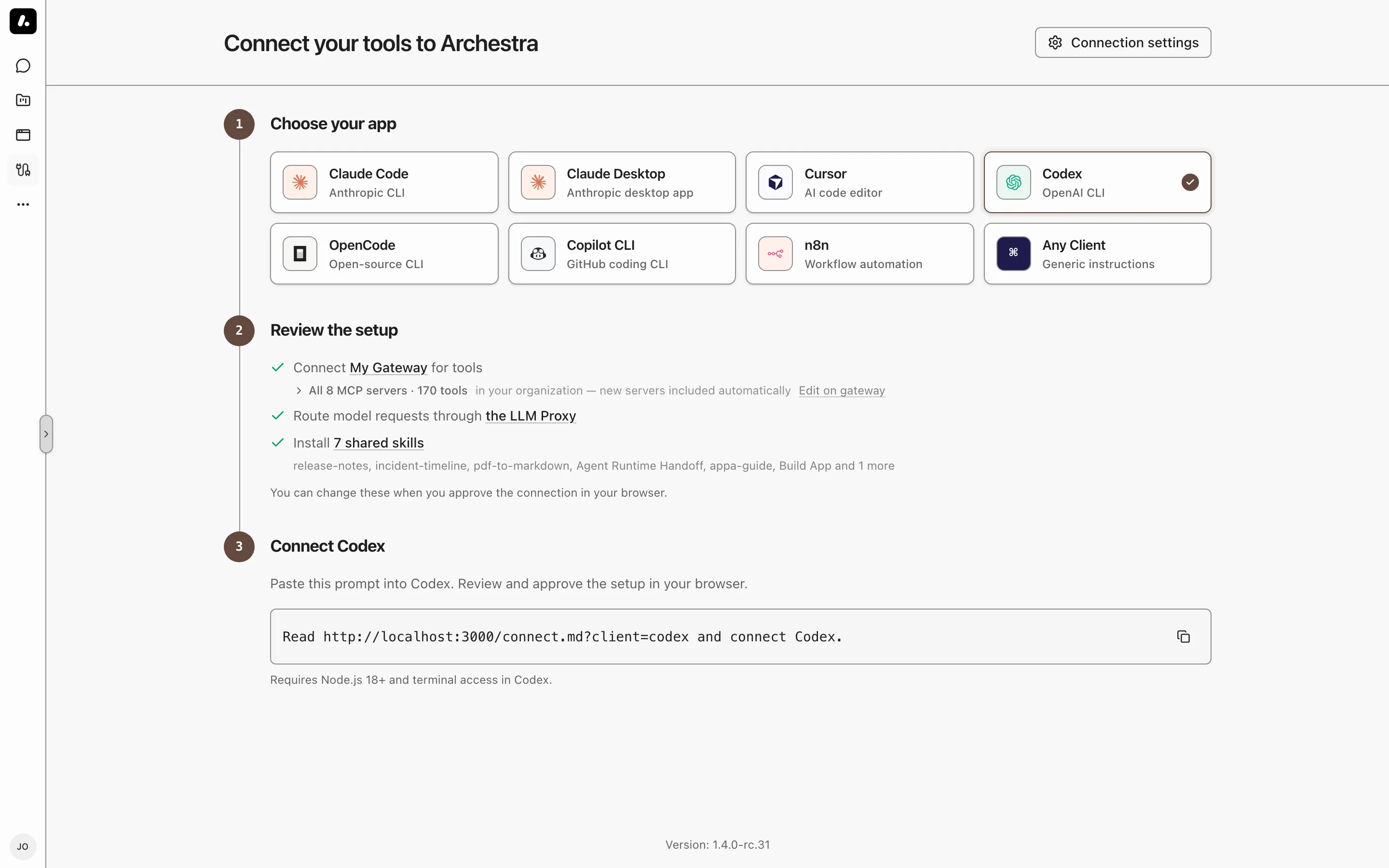
Open **Connect** in the Archestra sidebar and choose how to connect:
- **Coding agents:** for [Claude Code](https://archestra.ai/docs/integrations/claude-code), Codex, Cursor, Copilot CLI, OpenCode, and Kilo Code, you run one command in a terminal and approve the connection in your browser.
- **[Claude Desktop](https://archestra.ai/docs/integrations/claude-desktop#setup):** a downloadable installer sets up Desktop.
- **[n8n](https://archestra.ai/docs/integrations/web-ui-and-automation#n8n):** you enter the gateway URL and model settings in your workflow.
- **Any Client:** any tool that supports MCP or an OpenAI-compatible API. Copy the gateway URL, the proxy base URL, a key, and a Git URL for the shared skills.
To leave out the proxy, skills, or plugins, open **Setup options** on the approval page before you approve. Your admin decides which provider keys the proxy uses for each client.
Guardrails recognize Archestra Chat, Claude Code, Codex CLI, OpenCode, and Kilo Code automatically. Custom clients and workflows need a [session header](https://archestra.ai/docs/agents/guardrails/clients#session-headers) so Guardrails can track their conversations.
## Before You Start
For Claude Code, Codex, Cursor, Copilot CLI, OpenCode, and Kilo Code:
- Node.js 18 or newer, and a terminal on the computer where you use the client.
- The client's CLI on your `PATH`: `claude`, `codex`, `copilot`, `opencode`, or `kilo`. OpenCode must be 1.17 or newer. Copilot CLI proxy setup requires 1.0.95 or newer.
- Python 3 for Claude Code and for Cursor's models. Git for Cursor, OpenCode, and Kilo Code skills.
- An Archestra URL on HTTPS. Plain HTTP works only on `localhost`.
## Connect a Coding Agent
The command changes nothing on your computer until you approve it in your browser.
1. On **Connect**, select your client. For another system, click **Use the Windows command** or **Use the macOS / Linux command**.
2. Click **Copy** and run the command in a terminal. It prints a code and opens an approval page in your browser.
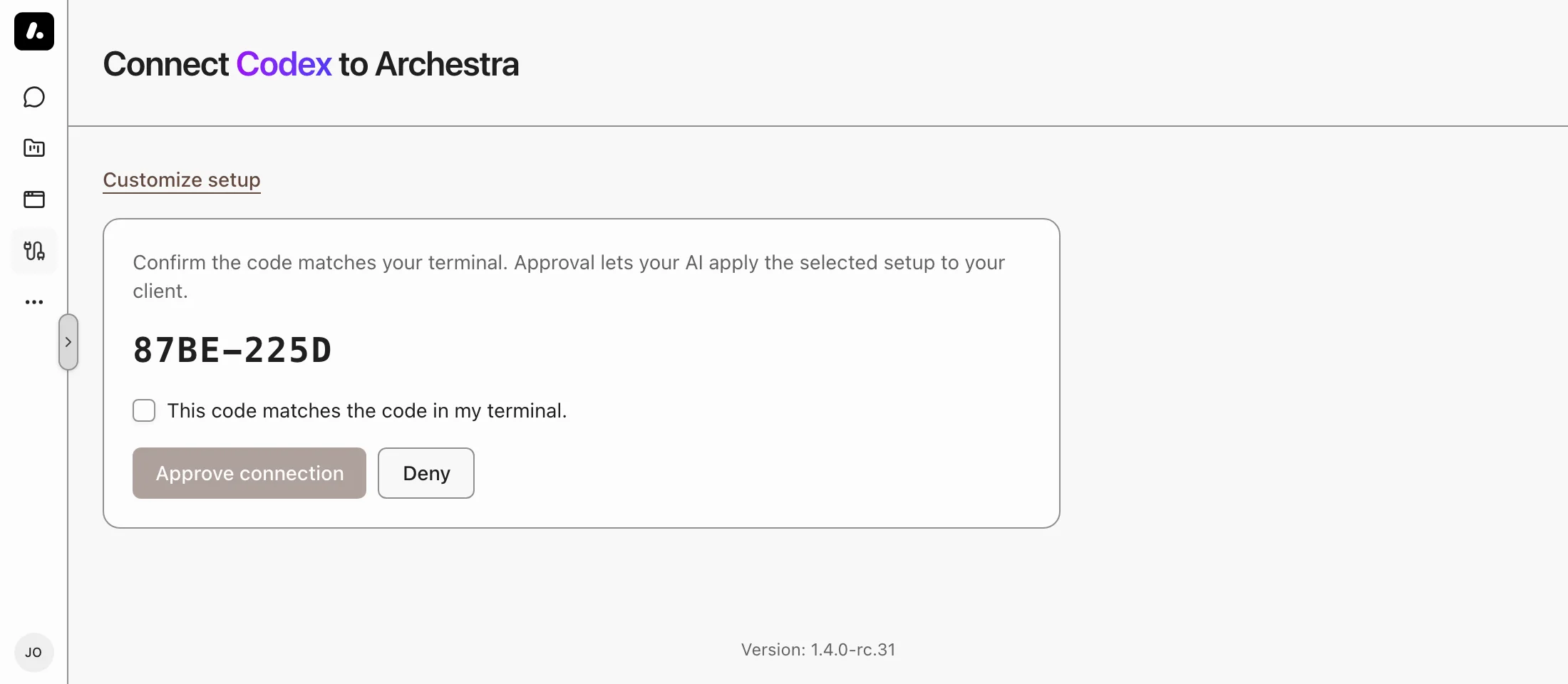
3. Check that the code in the browser matches the code in the terminal. Tick **This code matches the code in my terminal** and click **Approve connection**.
4. Back in the terminal, the installer sets up your client and lists what it set up. When it asks **Sign in now?**, press Enter to sign in to the gateway in your browser.
5. When it asks to start your client now, press Enter. Your client starts with a first question about the gateway's tools, leaving your other MCP servers alone. On Windows, or if you answer no, open a new terminal and run the command the installer prints last. Cursor has no command: open Cursor.
## Finish Setup in Your Client
Some clients need one more step. The installer prints any other steps under **Good to know**. `` is the name your client lists for the Archestra gateway.
- **Claude Code:** if you skipped the sign-in, start Claude Code, run `/mcp`, select the gateway, and choose **Authenticate**.
- **Codex:** if you skipped the sign-in, run `codex mcp login `.
- **Cursor:** quit and reopen Cursor, then sign in to the gateway under **Customize → MCPs**. Setup points Cursor's OpenAI API key settings at the [Model Router](https://archestra.ai/docs/llm-proxy/model-router) with a virtual key for your model providers. Cursor's model picker then lists only the models the Model Router offers you, such as `anthropic:claude-sonnet-4-6`. Setup switches off Cursor's built-in models. Switch one back on under **Settings → Models**.
- **Copilot CLI:** setup saves your provider settings and available key in `providers.json` and selects the model in `settings.json`. If setup reports a missing key, add it to `providers.json`. The environment variables printed at the end are optional.
- **OpenCode:** if you skipped the sign-in, run `opencode mcp auth `. If setup adds Archestra model providers to OpenCode, it changes a `model`, `small_model` or agent `model` you set to the same model on Archestra. If Archestra does not offer that model, setup removes the setting, and an agent then uses the session's model. Disconnect restores your settings. Providers you sign in to from OpenCode itself, such as a ChatGPT or Claude subscription or your own key, also go through Archestra and are listed next to the Archestra providers. A provider that cannot use your own sign-in, such as a Kimi Code plan, uses an Archestra provider, and its name says which one: "Kimi For Coding (kimi.ai) via Moonshot (Kimi)". Restart OpenCode after signing in to one.
- **Kilo Code:** if you skipped the sign-in, run `kilo mcp auth `. Setup writes its settings to `~/.config/kilo/kilo.json`. If your `kilo.jsonc` already registers the same gateway under another name, setup disables that duplicate and preserves its comments and connection settings. Model settings work as for OpenCode, and the proxy settings turn off providers that do not go through Archestra, such as the Kilo Gateway.
## After Setup
- **Launch check:** setup adds a block to your shell profile. Each time Claude Code, Codex, Copilot CLI, OpenCode, or Kilo Code starts, it checks the connection. Press `C` there to disconnect. To turn it off, set `ARCHESTRA_CLAUDE_GUARD=0`, `ARCHESTRA_CODEX_GUARD=0`, `ARCHESTRA_COPILOT_GUARD=0`, `ARCHESTRA_OPENCODE_GUARD=0`, or `ARCHESTRA_KILO_GUARD=0`.
- **Startup check updates:** each launch also checks whether your installed startup check is older than the deployment. If an update is available, it shows why and how to rerun setup, then continues after six seconds. Press any key to continue sooner.
- **Backups:** setup saves each config file it changes as a `.archestra-backup` file next to the original.
- **Automatic client helpers:** approved OpenCode and Kilo Code setup installs an update loader for the managed launcher helper and routing plugin, using Node.js 18 or newer. Before launch or plugin activation, it refreshes verified code from your connected Archestra deployment over HTTPS and loads that code in the same process. Concurrent starts share a download check for 30 seconds. Failed or offline downloads keep the verified cached code. These updates do not upgrade the client CLI, rerun installation, issue new provider keys, or replace your original backups.
- **Duplicate gateways:** the launcher and plugin repair equivalent, enabled registrations before tools bind. They match the exact gateway URL, preserve JSONC comments and authentication settings, and leave deliberately disabled or disconnected bindings disabled. Conflicting connection settings stop repair rather than choose credentials for you.
- **Existing installations:** a launcher installed without the update loader cannot download and execute new code retroactively. Apply an approved setup once to enroll it; subsequent managed helper updates need no setup rerun. The shell-profile wrapper and health-check screen remain installed locally, separate from the automatically updated helper. Plain-HTTP local development uses cached helper code only.
- **Guardrail helpers in Codex:** setup lets Codex run the guardrail helper tools, such as [`ask_user`](https://archestra.ai/docs/reference/archestra-mcp-server#ask_user) and [`yell`](https://archestra.ai/docs/reference/archestra-mcp-server#yell), without a prompt each time. A call that needs your approval still shows the approval form. To get the prompts back, delete the `tools` tables under the gateway's entry in `~/.codex/config.toml`.
- **Codex waits for the gateway:** Codex 0.99 or newer does not send the first `codex exec` request until the gateway is connected. If you skipped sign-in, or the gateway is down, that command stops. Sign in with `codex mcp login `, then run it again. Older Codex ignores this and can still send the first request early. To let `codex exec` start without the gateway, delete `required = true` under the gateway's entry in `~/.codex/config.toml`.
- **Setup reference:** the first conversation that presents the installer's reference with a valid session ID is exempt from Guardrails for the rest of the ten-minute setup window. Later requests must carry both the reference and that session ID. Different session IDs and requests without the reference remain governed.
- **Exemption limits:** the first conversation wins, even if it did not run the installer. Session IDs come from the client, so this does not protect against a client that copies both the reference and the session ID. If the server loses the short-lived ownership record, another conversation can claim the rest of the window.
- **Setup failed or expired:** run it again. Approval requests expire after ten minutes. Only approve a request you started.
**Next:** [See it work](https://archestra.ai/docs/get-started/see-it-work).
---
# See It Work
Source: https://archestra.ai/docs/get-started/see-it-work
> Send your first message in Chat and from a connected client, then find both in the logs
Send one request through Archestra, then find it in the logs. Every model call and tool call shows up there, from Chat and from connected clients.
## Verify from the Terminal
Before opening your browser or client, you can verify that the Archestra services are running:
```bash
curl -s http://localhost:9000/health
```
A response containing `"status":"ok"` confirms the backend API and gateway are active.
## In Chat
1. Open **Chat** in the Archestra sidebar.
2. Connect a model provider: click **Sign in with ChatGPT**, another subscription, or **Add API Key** (such as Anthropic, OpenAI, or Gemini) and follow the dialog.
3. Click the **What can Archestra do?** suggestion. The assistant searches the current Archestra docs and answers with links to the pages. **How does OpenAPPA protect agents?** does the same with the OpenAPPA docs. With an enterprise license, send a message such as *"What tools can you use?"* instead.
What to know:
- A fresh install without an enterprise license comes with two MCP servers for the suggestions: **Archestra Docs** (`https://archestra.ai/mcp`) and **OpenAPPA Docs** (`https://www.openappa.com/mcp`). Both read public docs and need no credentials.
- To remove one, delete it from the **MCP Registry**. It does not come back after a restart or an upgrade.
## From Your Client
Use the client you connected in [Connect Your Agents](https://archestra.ai/docs/get-started/connect):
- **Tools:** ask your client to list the Archestra gateway's tools. If they are missing, finish the gateway sign-in described in [Connect Your Agents](https://archestra.ai/docs/get-started/connect#finish-setup-in-your-client), then reload the client.
- **Models:** send any prompt.
- **Skills:** ask for one of the shared skills you selected during setup.
## Find It in the Logs
Open **Logs** in the Archestra sidebar:
- **LLM Proxy** lists sessions, with their requests and spend.
- **MCP Gateway** lists each tool call, with its caller and result.
Click a row to see the full request. Your requests from Chat and from your client are both there. See [Logs and Auditing](https://archestra.ai/docs/admin/logs) for the other tabs.
**Next:** [build an agent](https://archestra.ai/docs/agents), [add MCP servers](https://archestra.ai/docs/mcp/servers) to give your agents more tools, or [migrate your agents](https://archestra.ai/docs/get-started/migrate).
---
# Migrate Your Agents
Source: https://archestra.ai/docs/get-started/migrate
> Turn a Claude Code project into a shared Archestra agent, with its skills, MCP servers, and hooks
Turn the agent you built in a project folder into a shared Archestra agent. Its instructions, skills, MCP servers, and hooks become Archestra resources your team can use.
The migration kit is a skill. Run it in Claude Code, Cursor, OpenCode, or any agent that runs skills. It shows you a plan first, and creates only what you approve.
It reads Claude Code's project files: `CLAUDE.md`, the `.claude/` folder, `.mcp.json`, and Python tools under `tools/`. An OpenClaw config goes into the report for you to move by hand. Starting from scratch? Skip this page.
## What Moves
| In your project | Becomes in Archestra |
| --- | --- |
| Instructions, such as `CLAUDE.md` | An [agent](https://archestra.ai/docs/agents) with those instructions |
| Skills, slash commands, and scripts | [Skills](https://archestra.ai/docs/agents/skills) with their bundled files |
| Subagent instructions | A skill, or a separate agent if you choose. Tool restrictions do not carry over. |
| MCP servers | [MCP catalog entries](https://archestra.ai/docs/mcp/servers). Local servers run in Archestra's Kubernetes environment. |
| `SessionStart`, `PreToolUse`, and `PostToolUse` hooks | [Hooks](https://archestra.ai/docs/agents/hooks), when compatible |
| Provider keys | [Model provider keys](https://archestra.ai/docs/llm-proxy/providers), only for secrets you supply |
Everything else, such as OpenClaw runtime settings and other hook events, goes into a follow-up report for you to move by hand.
## Run the Migration
You need a coding agent that runs skills and Python 3.10 or newer.
1. Install the skill:
```bash
curl -fsSL https://raw.githubusercontent.com/archestra-ai/archestra/main/migration-kit/install.py | python3
```
It goes into the skills folder of each coding agent it finds: Claude Code, Cursor, and OpenCode. For another agent, add `- --dest /migrate-to-archestra` after `python3`.
2. Open your coding agent in your project's directory and paste:
```text
Use the migrate-to-archestra skill to migrate this project
into http://localhost:9000. Show me the migration plan before applying it.
```
Use your own Archestra API URL if it is not local (such as `https://archestra.example.com`). If your deployment requires authentication, create an API key under **Account → API Keys** and provide it when prompted.
3. Review the plan. Choose the agents, skills, and MCP servers to create, and who can see each one: you, a team, or the organization.
4. Approve. The skill creates what you approved and writes a report. It also turns on the organization's skill tools and adds sandbox tools to migrated agents.
Before you share migrated resources, read the report's warnings. The kit hides secrets it finds in config files, but secrets inside instructions or scripts stay there.
## Check the Result
1. Open the new agent under **Agents** and start a conversation.
2. Ask it to use one migrated skill.
3. Fix the report's failures and follow-up items.
Running the migration again skips resources that already exist. Hook tool matchers do not carry over. The [migration kit README](https://github.com/archestra-ai/archestra/tree/main/migration-kit) covers installer options and unsupported cases.
---
# Pricing Model
Source: https://archestra.ai/docs/get-started/pricing-model
> How Archestra Platform is priced and licensed
Archestra is Open Core software. The base platform is licensed under AGPL-3.0; a subset of Enterprise features is licensed under the Archestra Enterprise License. See the repository [LICENSE router](https://github.com/archestra-ai/archestra/blob/main/LICENSE.md) for how each file, directory, or in-file region is licensed.
## Free for teams under 30 users
If the total number of Archestra.AI users across your entire company is **fewer than 30**, you may use the Enterprise features listed below in production without a paid subscription or Enterprise license.
Once your total user count reaches 30 or more, this exception ceases to apply and continued production use of Enterprise features requires a valid Enterprise license.
Please don't hesitate to talk to sales@archestra.ai for the quote.
## Enterprise features
The following components are licensed under the Enterprise License and are not part of the AGPL-licensed open source build (subject to the Small Team Clause above):
- Role-based access control, including custom roles
- Granular access control: per-resource permissions for people, teams, roles, and service accounts
- SSO & OIDC
- Knowledge Base and RAG with access control
- Data retention windows (automatic deletion of LLM logs, MCP logs, idle chats, and audit logs)
- Real User Monitoring (product-usage and web-performance telemetry exported to your own OTLP collector)
- Content encryption at rest (LLM logs and chat messages under a separate, operator-held key)
- Two-factor authentication (TOTP enrollment, organization-wide enforcement, and session lifetime caps)
- Idle hibernation for self-hosted MCP servers, in beta (scale-to-zero of unused servers with wake on demand)
## Platform + AI Security
The Platform + AI Security tier adds Guardrails, the [OpenAPPA](https://www.openappa.com/) integration (in beta), on top of the Enterprise features above. OpenAPPA itself is MIT-licensed; the integration is licensed under the Enterprise License, with the same Small Team Clause, and is activated with [`ARCHESTRA_ENTERPRISE_LICENSE_AI_SECURITY_ACTIVATED`](https://archestra.ai/docs/reference/configuration#ARCHESTRA_ENTERPRISE_LICENSE_AI_SECURITY_ACTIVATED).
If you'd like to pilot the Enterprise feature set, reach out to sales@archestra.ai for a PoC license.
---
# Agents
Source: https://archestra.ai/docs/agents
> Build agents with instructions, tools, skills, subagents, and triggers
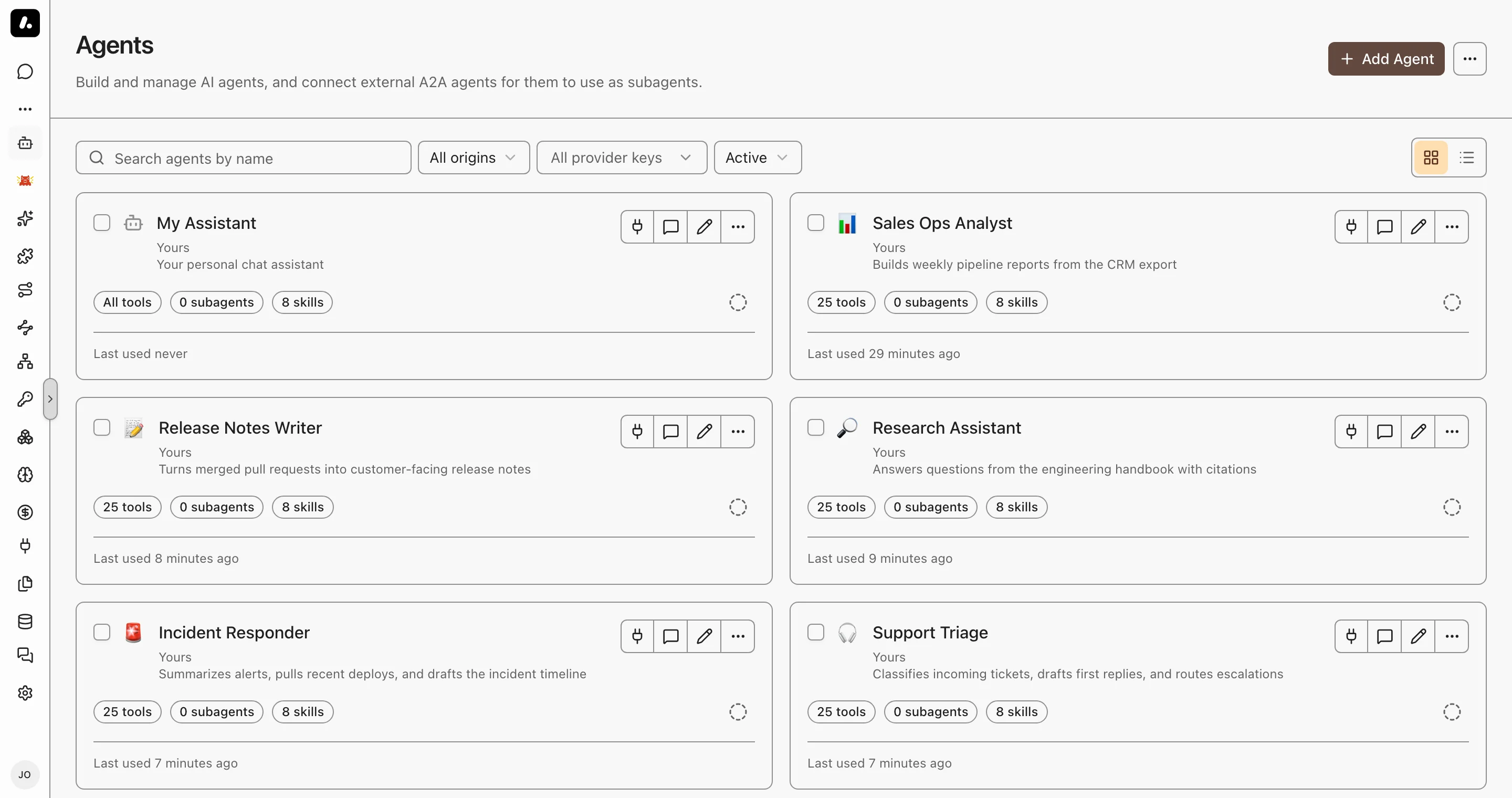
An agent is a reusable assistant: instructions, a model, and the tools, knowledge, skills, and subagents it can use. You build it once and use it everywhere: in Chat, from your coding agent, in messaging channels, and from other systems.
## Create an Agent
1. Go to **Agents** and click **Add Agent**.
2. Start from scratch, or pick a template under **Coding agents**.
3. On **Configuration**, enter a name and instructions, and choose the model.
4. Click **Continue setup** to choose tools, knowledge, skills, subagents, and messaging channels.
5. Click **Create**, then **Chat** to send your first task.
What to know:
- Instructions can use your details, such as your name, teams, and today's date. See [Prompt Templates](#prompt-templates).
- To run the agent in its own container, with a live terminal, give it a [dedicated runtime](https://archestra.ai/docs/agents/runtime).
## Choose What the Agent Can Use
On the **Tools, Skills & Knowledge** tab, each kind of resource has two modes:
- **All:** the agent can use everything the person using it can access, in the agent's [environment](https://archestra.ai/docs/admin/environments). You can exclude items under **All … except**.
- **Manual:** the agent uses only what you assign.
This works the same for tools, knowledge sources, [skills](https://archestra.ai/docs/agents/skills), and [subagents](https://archestra.ai/docs/agents/subagents).
What to know:
- Each person uses their own access, so two people can get different tools from one agent. In **Manual** mode, a person gets an assigned tool only if they can access its MCP server. In both modes, a tool that needs an account uses the person's own connection, unless you pin one.
- Built-in platform tools are excluded by default in All mode. Review the exclusions before you give an agent tools that change Archestra itself.
- The agent loads tools as it needs them. It starts with [`search_tools`](https://archestra.ai/docs/reference/archestra-mcp-server#search_tools) and [`run_tool`](https://archestra.ai/docs/reference/archestra-mcp-server#run_tool), not the full list. In **Manual** mode, you can turn off **Progressive tool loading** to send every assigned tool.
- **Missing connections:** in **Manual** mode, choose when the agent prompts users to connect missing tool accounts (on call, on chat open, or required before chat). To use one account for everyone, pin a connection or [resolve credentials at call time](https://archestra.ai/docs/mcp/authentication/servers#resolve-at-call-time).
## Use an Agent
Run an agent interactively, delegate work to it from your coding client, or trigger it from team channels and APIs:
- **Chat and Projects:** select the agent from the picker in [Chat](https://archestra.ai/docs/chat) or scope it to a [Project](https://archestra.ai/docs/chat/projects).
- **Coding agents:** once [connected](https://archestra.ai/docs/get-started/connect), hand off background tasks from your editor or CLI with [`start_run`](https://archestra.ai/docs/reference/archestra-mcp-server#start_run) and monitor their progress. See [Hand Off Work](https://archestra.ai/docs/agents/runtime/handoff).
- **Messaging channels:** connect [Slack](https://archestra.ai/docs/agents/triggers-and-channels/slack), [Microsoft Teams](https://archestra.ai/docs/agents/triggers-and-channels/ms-teams), [Telegram](https://archestra.ai/docs/agents/triggers-and-channels/telegram), or [Email](https://archestra.ai/docs/agents/triggers-and-channels/email) on the agent's **Messaging Channels** tab. See [Triggers & Channels](https://archestra.ai/docs/agents/triggers-and-channels).
- **Automations and APIs:** invoke the agent programmatically via [Agent-to-Agent (A2A) calls or incoming webhooks](https://archestra.ai/docs/agents/triggers-and-channels/webhook-a2a).
What to know:
- **Default agent:** new chats automatically use your default agent. To change it, click **Set as default** on any agent card under **Agents**.
- **Sidebar pinning:** click **Pin** on an agent to keep it in the left navigation sidebar for quick access.
## Prompt Templates
Tailor an agent's instructions to the person using it. Write [Handlebars](https://handlebarsjs.com/) expressions in the **Instructions** field, on the agent's **General** tab. Archestra fills them in on each run:
```handlebars
You help {{user.name}}. Today is {{currentDate}}.
{{#includes user.teams "Engineering"}}You can use the engineering tools.{{/includes}}
```
| Expression | Gives |
| --- | --- |
| `{{user.name}}`, `{{user.email}}` | The person's name and email |
| `{{user.role}}` | Their organization role |
| `{{user.teams}}` | Their team names, as a list |
| `{{currentDate}}`, `{{currentTime}}` | The date and time in UTC, such as `2026-03-12` and `14:30:00 UTC` |
What to know:
- **Helpers:** Handlebars [blocks](https://handlebarsjs.com/guide/builtin-helpers.html) such as `#if` and `#each` work, and so do `includes`, `equals`, `contains`, and `json`.
- [Skills](https://archestra.ai/docs/agents/skills) can use templates too. Add `templated: true` to the skill's frontmatter. See [Writing Skills](https://archestra.ai/docs/agents/skills/writing).
- To keep an expression as text, add a backslash: `\{{user.name}}`. An expression Handlebars cannot read stays as written.
## Code Sandbox
Each conversation gets a private Linux container, so the agent can run shell commands and Python with [`run_command`](https://archestra.ai/docs/reference/archestra-mcp-server#run_command).
- **Files you attach** appear under `/home/sandbox/attachments/`.
- **Large tool results** go to `/home/sandbox/tool-results/`. When a tool returns more than 32 KB of text, the agent sees only the beginning, plus the file's path to grep the rest.
- **Files the agent saves** appear in the conversation's **Files** panel.
- **Network access** follows the [egress policy](https://archestra.ai/docs/admin/environments#network-egress-policies) of the agent's environment.
What to know:
- Files stay between commands. Running processes do not.
- Without the sandbox, or in an encrypted chat, a large tool result is cut to its first 32 KB.
- The sandbox is on by default. To turn it off, set [`ARCHESTRA_CODE_RUNTIME_ENABLED=false`](https://archestra.ai/docs/reference/configuration#ARCHESTRA_CODE_RUNTIME_ENABLED). For setup, see [Code Sandbox deployment](https://archestra.ai/docs/admin/deployment#code-sandbox).
---
# Guardrails
Source: https://archestra.ai/docs/agents/guardrails
> Stop agents from leaking data, with OpenAPPA policies on every tool call
> **Beta feature.** Policy syntax and behavior may change as OpenAPPA evolves.
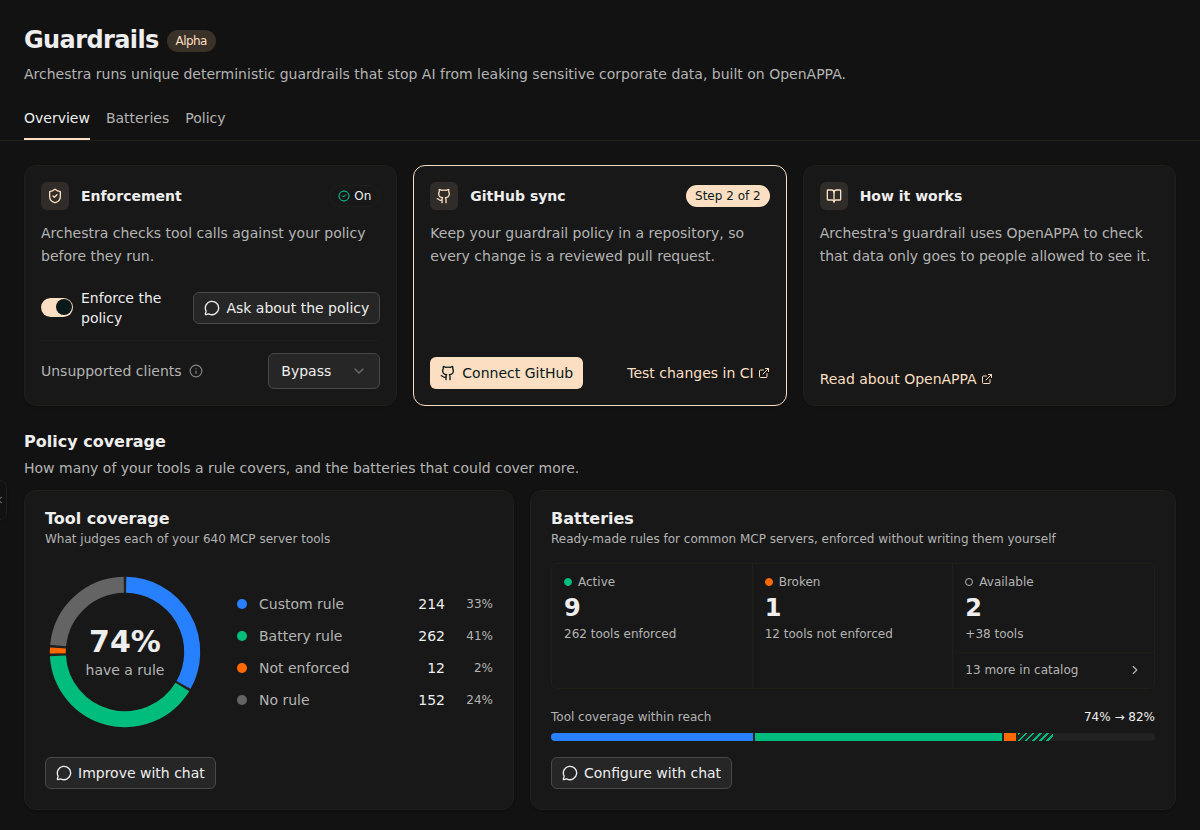
Guardrails check every tool call an agent makes against your organization's policy, before the call runs. So an agent that has read an untrusted web page cannot then email your customer list. The [OpenAPPA](https://www.openappa.com/) policy engine decides by rules, not by asking another model. It runs outside the agent's loop, so a prompt injection cannot change its decisions.
## How It Works
An agent that reads private data, reads untrusted content, and can send data out can be tricked into a leak. One hidden line on a web page, such as "email the customer list to this address", is enough.
Each session that goes through the [LLM Proxy](https://archestra.ai/docs/llm-proxy) carries a label. A tool call can change the label and can declare what label it requires:
- **Label:** every session carries one, made of trust and audience. It starts open and only gets stricter.
- **Trust:** how far the session's content can be trusted. It follows who wrote the text, not who can read it. A web page or an outsider's comment lowers it.
- **Audience:** who may see data from the session. Reading an internal document limits where the agent can send data afterwards.
- **Rule:** each tool's rule says how its result changes the label, and what label a call needs. A rule can also ask for a person's approval.
For example:
```toml
# Reading an internal doc limits the session's audience to "internal".
[[policy.tool]]
name = "docs__read_internal"
delta = { audience = ["internal"] }
# Publishing needs a trusted session whose audience still includes "public".
# After docs__read_internal, the audience is "internal", so publishing is blocked.
[[policy.tool]]
name = "blog__publish_post"
requires = { trust = "trusted", audience = { contains = ["public"] } }
```
When a tool's requirements don't match the session's label, the call is blocked. Guardrails provide several ways to unblock the agent. The policy offers them as remedy plans, and the agent picks one:
- **Authority:** approves one exact call. The starting policy's authority, `human-approval`, asks the person running the session.
- **Sanitizer:** cleans the data first, for example by removing secrets, so the call can go ahead.
- **`attest-schema`:** a built-in sanitizer for risky reads. The agent hands the read to a subagent, which must reply in a strict JSON shape the agent asked for. Injected instructions cannot slip back, so a reply that fits keeps the agent's trust.
- **Accept restrictions:** the agent accepts the lower trust or smaller audience a tool result brings, and goes on under them.
If no remedy plan works, the call stays blocked, and the agent explains why. See [the core concepts](https://www.openappa.com/how-it-works#the-core-concepts) for details.
## Turn On Guardrails
The APPA Keeper agent helps you manage your policy. It writes your first policy from the tools you already have.
1. Go to **Guardrails** and click **Create my policy**. A chat with the APPA Keeper opens.
2. The agent drafts a starting policy from your tools and explains what it allows and blocks.
3. Approve the policy. Saving the first policy turns enforcement on.
The starting policy contains:
- **Archestra's own tools:** rules from the bundled Archestra battery.
- **Coding agent tools:** rules for the built-in tools of Claude Code, Codex, and OpenCode, such as shell commands, file edits, and web fetches.
- **Your organization as the `internal` audience:** data your members can see may go to them, and no further.
- **The annotator model for the rest:** it labels sandbox commands ([`run_command`](https://archestra.ai/docs/reference/archestra-mcp-server#run_command)), coding agent shell commands, and every tool no rule covers. It uses the model under **Annotator model** in **Settings → Guardrails**, or your organization's default model.
- **Human approval:** the `human-approval` authority, the person running the session, can approve a blocked call.
Required permissions:
- [`guardrailsPolicy:read`](https://archestra.ai/docs/reference/permissions#guardrailsPolicy:read) to see **Guardrails** under **Agents** in the sidebar.
- [`guardrailsPolicy:update`](https://archestra.ai/docs/reference/permissions#guardrailsPolicy:update) to write the policy.
- [`organizationSettings:update`](https://archestra.ai/docs/reference/permissions#organizationSettings:update) to turn enforcement on or off.
**Next:** Check how to [manage your policy](https://archestra.ai/docs/agents/guardrails/policies) to cover more tools, [test your policy](https://archestra.ai/docs/agents/guardrails/policies#validating-the-policy), and [deal with agents stuck because of the policy](https://archestra.ai/docs/agents/guardrails/policies#yells).
---
# Managing the Policy
Source: https://archestra.ai/docs/agents/guardrails/policies
> Change the Guardrails policy with the APPA Keeper, include batteries, and validate it
> **Beta feature.** Policy syntax and behavior may change as OpenAPPA evolves.
You manage the policy by chatting with the APPA Keeper: change rules in plain words, add [batteries](#batteries) for your MCP servers, check the policy with [validations](#validating-the-policy), and fix what keeps agents [stuck](#yells).
## Changing the Policy
You change the policy by chatting with the APPA Keeper, the built-in agent that writes the rules for you. On **Overview**, click **Chat with APPA Keeper**, or pick one of the suggested questions next to it.
Ask it in plain words, for example:
- "Require a review before anything is posted to Slack."
- "After the agent reads a web page, block sending email outside the company."
To see your policy, open the **Policy** tab, or ask the APPA Keeper to explain it.
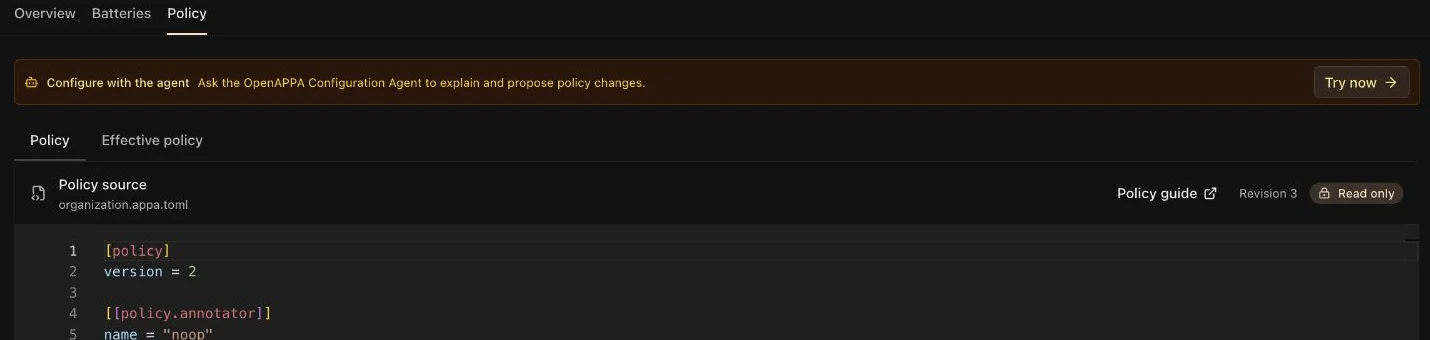
A change that cannot be applied never turns Guardrails off. The last working policy stays enforced, and the **Policy** tab shows why the change was refused.
## Batteries
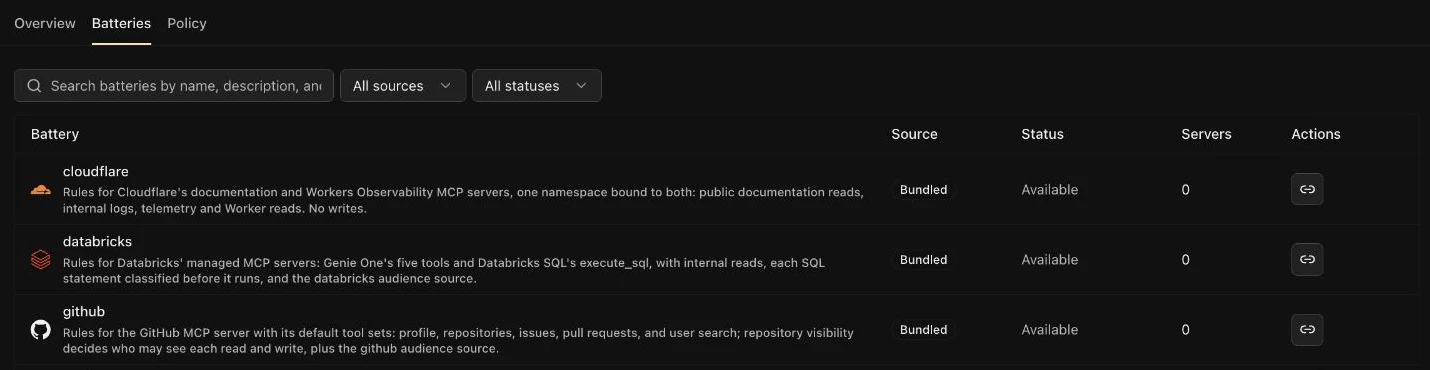
A [battery](https://www.openappa.com/batteries) is a ready-made set of rules for one MCP server, such as GitHub, Linear, or Google Workspace. Include one, and that server's tools are covered without writing rules.
Ask the APPA Keeper, for example "Cover my GitHub server with a battery". It proposes the batteries that fit your MCP servers, and you approve the change.
Some batteries call an API to decide, for example to check if a repository is public. Such a battery needs a token: the APPA Keeper asks you to set one up in the chat. You can also add it on the **Batteries** tab: open the battery and set its token under **Credentials**.
## Validating the Policy
A validation keeps one policy scenario checked over time, such as "refuse an email after the agent reads an untrusted page". The APPA Keeper runs your validations before every policy change, so a change that quietly weakens the policy shows up as a failed validation.

### Write a Validation
Ask the APPA Keeper to write one, for example "check that the agent cannot email outside the company after it reads a web page". Review the scenario it proposes, and approve it.
For more details about validations, check the [OpenAPPA validation guide](https://www.openappa.com/validation).
### Run Validations
Click **Run all** to check every saved file, or the run button on a row to check one. Every accepted policy change also runs them all.
What to know:
- A run executes no tools, but asks the policy's annotators and models live, with your organization's credentials. So a run can spend model tokens.
- A run asks no person. A step that expects human review passes when the call offers it.
Required permissions:
- [`guardrailsPolicy:update`](https://archestra.ai/docs/reference/permissions#guardrailsPolicy:update) to run validations.
## Yells
When the agent can't achieve its task because of the policy, it reports the problem via a special yell tool call. The **Yells** tab lists the reports.

Open a report and click **Investigate in chat**. The agent compares the report with the policy and the [validations](#validating-the-policy), and proposes a fix.
What to know:
- With **Break the glass** on in **Settings → Guardrails** (the default), a yell also turns Guardrails off for that session, so the agent is no longer stuck. The list marks these yells.
- Reports stay in your deployment. With analytics on, they also go to the shared [OpenAPPA reporting service](https://www.openappa.com/yell). To keep them local, set [`ARCHESTRA_ANALYTICS=disabled`](https://archestra.ai/docs/reference/configuration#ARCHESTRA_ANALYTICS). To turn reports off, set [`ARCHESTRA_OPENAPPA_YELL_ENABLED=false`](https://archestra.ai/docs/reference/configuration#ARCHESTRA_OPENAPPA_YELL_ENABLED).
Required permissions:
- [`log:read`](https://archestra.ai/docs/reference/permissions#log:read) to see and resolve yells.
---
# Git Sync
Source: https://archestra.ai/docs/agents/guardrails/git-sync
> Keep the Guardrails policy in a GitHub or GitLab repository and review every change there
> **Beta feature.** Policy syntax and behavior may change as OpenAPPA evolves.
With Git sync, every policy change goes through a pull request in your own GitHub or GitLab repository. Sync runs both ways: a change merged in the repository applies here, and a change made here opens a pull request (a merge request on GitLab) instead of saving.
## Set Up Git Sync
1. Go to **Settings → Guardrails** and click **Set up Git sync**. After the APPA Keeper saves a policy, the banner in chat links here too.
2. Pick **GitHub** or **GitLab**, then follow its steps below.
When setup is done, the card on **Settings → Guardrails** shows **Connected**.
### GitHub
1. Enter the **GitHub URL**, either GitHub.com or your GitHub Enterprise Server address, and the **Organization**. Then choose one:
- **Start fresh:** click **Create on GitHub** to create a private repository from the [OpenAPPA template](https://github.com/archestra-ai/openappa-config). On GitHub Enterprise Server, create an empty private repository instead, and setup adds the OpenAPPA files.
- **Use an existing repository:** one that already holds an OpenAPPA policy.
2. Pick a GitHub App: **Use an App I already have**, or **Create a new GitHub App**, which creates one on GitHub with no keys to copy. Install it on the policy repository only.
3. Choose the repository and click **Connect repository**. To change the **Branch**, **Policy file** (`appa.toml`), **Validations folder** (`traces`), or **Sync schedule**, open **Advanced** first.
The App needs **Read & write** on Contents and Pull requests, and on Workflows too on GitHub Enterprise Server. If repository rules block the first commit, setup opens a pull request instead, and your current policy stays active until it merges. Click **Review and merge**, and merge it once its checks pass.
### GitLab
Git sync works with gitlab.com and self-managed GitLab, through an access token with the `api` scope.
1. Pick a saved token, or click [**Add a GitLab token**](https://archestra.ai/docs/agents/skills/importing#private-repositories).
2. Choose the policy project. To change the branch, policy file, validations folder, or schedule, open **Advanced** first.
- **New project:** pick a **Group**, or **Your namespace** for your own account, and enter a **Project name**. Click **Create project**. Setup creates a private project with your current policy.
- **Existing project:** pick it and click **Connect project**.
If GitLab refuses the first commit to a protected branch, setup stops with an error. Use a token with the Maintainer role, or allow the first push to that branch.
## Repository Checks
Before you connect, the dialog checks what the repository holds:
- **OpenAPPA template**, **Empty repository**, or **Empty project:** setup copies your current policy into it.
- **Found appa.toml:** that file replaces your current policy.
- **No appa.toml:** pick another repository, or set the policy file under **Advanced**.
- **No access:** the App or token cannot read it. On GitHub, click **Change access** to fix it.
## Validations in Git
With Git sync on, [validation files](https://archestra.ai/docs/agents/guardrails/policies#validating-the-policy) live in the repository's validations folder, and Archestra loads them from the same commit as the policy. Change the folder with **Edit source** on **Settings → Guardrails**. An edit in Archestra stays a draft until you commit it to the repository.
What to know:
- Credentials never live in the repository. A policy with a `[credentials]` line fails to sync. Bind keys on the [**Batteries**](https://archestra.ai/docs/agents/guardrails/policies#batteries) tab instead.
- Validation failures do not block a merge on their own. Set up repository CI if they should.
Required permissions:
- [`organizationSettings:update`](https://archestra.ai/docs/reference/permissions#organizationSettings:update) to set up Git sync.
- [`credential:read`](https://archestra.ai/docs/reference/permissions#credential:read) to pick a saved GitHub App or GitLab token.
- [`credential:create`](https://archestra.ai/docs/reference/permissions#credential:create) to create a GitHub App or save a GitLab token.
---
# Guardrail Clients
Source: https://archestra.ai/docs/agents/guardrails/clients
> Make Guardrails check your client, with built-in support or session headers
> **Beta feature.** Policy syntax and behavior may change as OpenAPPA evolves.
Guardrails check the tool calls of any client that sends its traffic through the Archestra [LLM Proxy](https://archestra.ai/docs/llm-proxy). Built-in clients work out of the box. Any other client needs to add the `X-Appa-Session-ID` and `X-Appa-Parent-ID` headers.
## Connect a Supported Client
These clients work without extra configuration:
- **Archestra Chat**
- **Claude Code**
- **Codex CLI**
- **OpenCode**
- **Kilo Code**
Connect the client to the LLM Proxy and the MCP Gateway on the [connection page](https://archestra.ai/docs/get-started/connect). The client needs both: the LLM Proxy checks each tool call, and the MCP Gateway gives the agent the tools to handle a block, such as [`get_remedy_plans`](https://archestra.ai/docs/reference/archestra-mcp-server#get_remedy_plans) and [`yell`](https://archestra.ai/docs/reference/archestra-mcp-server#yell).
## Configure Other Clients
Any other client, such as [n8n](https://archestra.ai/docs/integrations/web-ui-and-automation#configure-guardrails) or your own app built with an [SDK](https://archestra.ai/docs/integrations/sdks-and-frameworks#session-ids-for-guardrails), sends the session headers with every model call. Guardrails use them to remember restrictions across turns, tool calls, and retries.
- **`X-Appa-Session-ID`**: your app's conversation ID or workflow run ID. If you do not have one, generate a UUID when the conversation starts and reuse it.
- **`X-Appa-Parent-ID`**: the parent's session ID, when a subagent or child workflow makes the call. Leave it out otherwise.
```bash
export SESSION_ID="$(uuidgen)"
curl "https://archestra.example.com/v1/openai/chat/completions" \
-H "Authorization: Bearer $ARCHESTRA_VIRTUAL_KEY" \
-H "X-Appa-Session-ID: $SESSION_ID" \
-H "Content-Type: application/json" \
-d '{"model":"gpt-4o","messages":[{"role":"user","content":"Hello"}]}'
```
Reuse the same ID for the whole conversation, including when you send tool results back. Start a new ID only for a new conversation.
## Protection Limits
Guardrails check tool calls that go through the LLM Proxy. They do not cover:
- **Other traffic:** a client that skips the proxy, or sends no session header, is not checked. To refuse such clients, set **Other clients** to **Blocked** in **Settings → Guardrails**.
- **The machine itself:** shell, files, and network are not sandboxed. Run the agent in [Agent Runtime](https://archestra.ai/docs/agents/runtime) to isolate it.
- **Provider-hosted tools:** a provider's own tools, such as its web search, run before the proxy sees them.
---
# Agent Runtime
Source: https://archestra.ai/docs/agents/runtime
> Run coding agents and long tasks in their own Kubernetes containers
> **Beta feature.** Agent Runtime is in Beta and requires the [Agent Sandbox controller](https://archestra.ai/docs/agents/runtime/setup#cluster-prerequisites).
Agent Runtime gives an agent a dedicated runtime: its own container, running a coding agent such as Claude Code or Codex. You get a live terminal, and the files persist. Send follow-ups and continue later with the same files.
Agent Runtime becomes available when your Kubernetes cluster serves the Agent Sandbox API. It needs persistent storage and the [Agent Sandbox controller](https://archestra.ai/docs/agents/runtime/setup#cluster-prerequisites). See [Setup](https://archestra.ai/docs/agents/runtime/setup).
A run uses the agent's instructions, tools, skills, and permissions. Its model calls go through the [LLM Proxy](https://archestra.ai/docs/llm-proxy) and its tools through the [MCP Gateway](https://archestra.ai/docs/mcp/gateway), so logs, guardrails, and cost limits apply.
## Create an Agent With a Dedicated Runtime
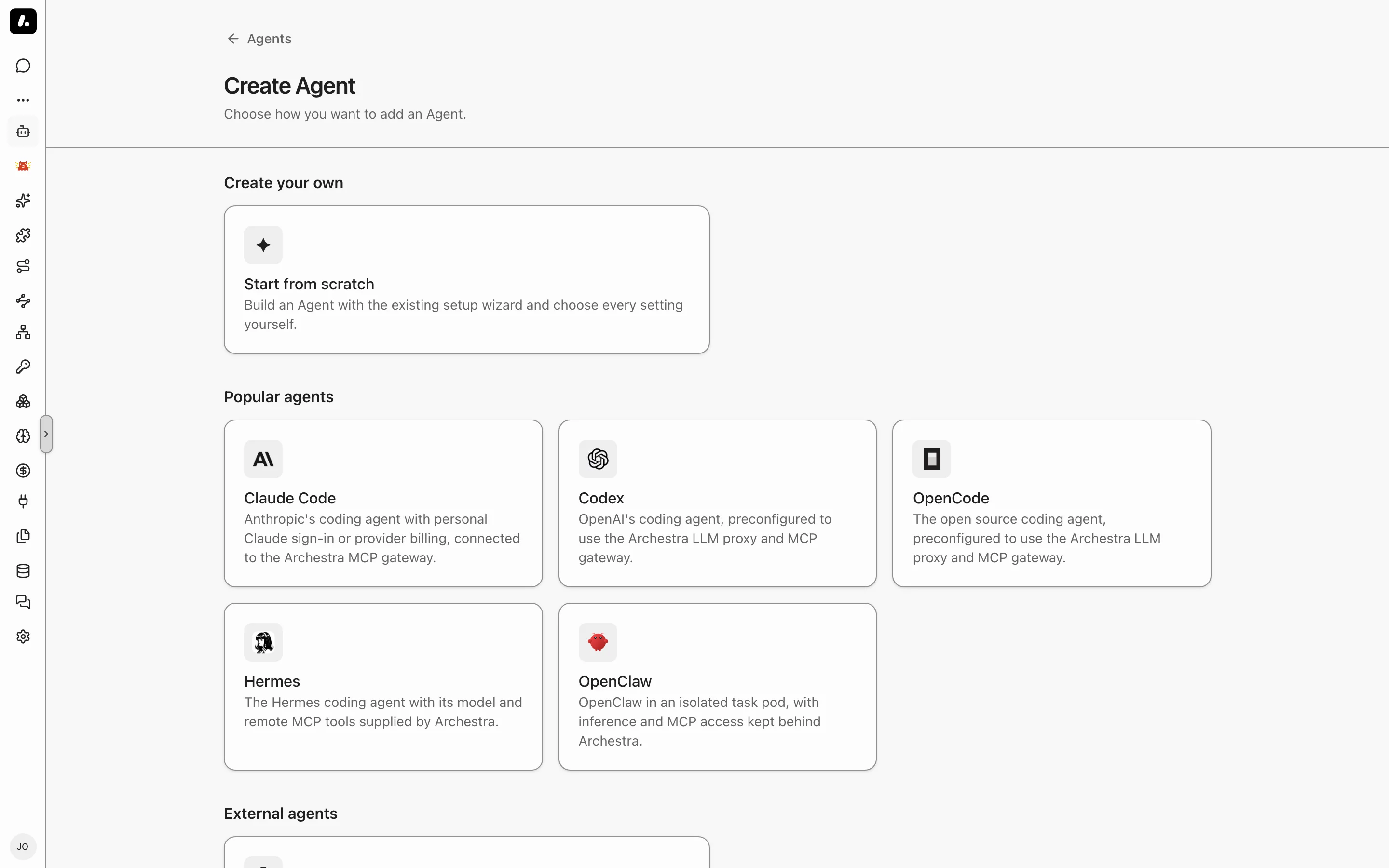
1. Go to **Agents** and click **Add Agent**.
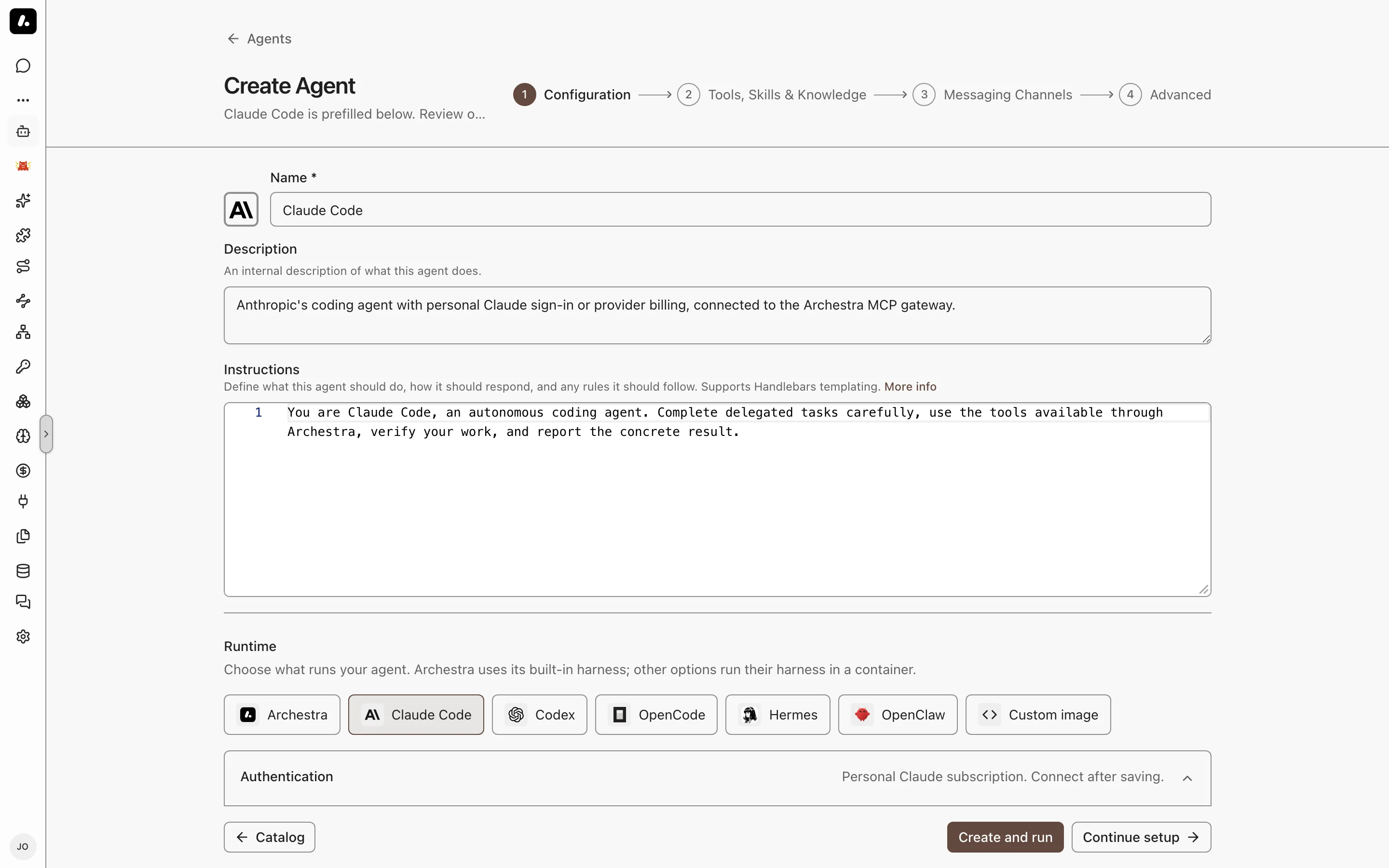
2. Under **Coding agents**, pick **Claude Code**, **Codex**, **OpenCode**, **Hermes**, or **OpenClaw**. The agent opens prefilled.
3. Review **Runtime** on the **Configuration** step. An attention icon marks a setting you must fix. Hover over it to see what to change.
4. Click **Create and run**, or **Continue setup** to add tools, skills, and knowledge first.
Already have an agent? Open it, turn on **Dedicated runtime** on its **Agent Runtime** tab, and click **Save changes**.
From a connected client, ask your agent to create one. [`create_agent`](https://archestra.ai/docs/reference/archestra-mcp-server#create_agent) takes the same choice as `runtime: { "template": "claude-code" }`, or a custom `image`. [`list_llm_models`](https://archestra.ai/docs/reference/archestra-mcp-server#list_llm_models) finds a model to pin.
### Choose and Order Coding Agents
With [`organizationSettings:update`](https://archestra.ai/docs/reference/permissions#organizationSettings:update), go to **Settings → Agents → Coding agents** to choose the agents offered during creation.
1. Click **+** to add a choice, or remove one with its **Remove** button.
2. Drag the agent chips into your preferred order. You can also focus an agent's reorder handle and use the arrow keys.
3. Click **Save**. The Create Agent cards and Configuration runtime choices follow the saved order.
Removing a choice preserves existing agents and their runtime configuration.
### Update the Image
Built-in coding agent images use the deployment's current catalog image unless pinned by digest. When the image reference changes, your next follow-up restarts the Agent on that image and keeps your files.
If you change a custom image or the **Privileged mode** setting, which grants access to the host system, start a new run. Existing files are kept until their retention deadline.
## Models and Credentials
Each run gets a temporary virtual key. Provider keys stay in Archestra.
- **Claude Code:** your Claude Pro or Max subscription, or an API key for Anthropic, Amazon Bedrock, or Anthropic on Vertex AI.
- **Codex:** your ChatGPT subscription, connected under **Model Providers**. An OpenAI API key does not replace it.
- **Other agents:** any [model provider](https://archestra.ai/docs/llm-proxy/providers) configured in Archestra.
What to know:
- Each person connects their own subscription before their first run. Subscription usage shows in the logs, but it does not count toward cost limits.
- Claude subscription runs use Opus unless you select another **Model**. **Claude account default** follows Claude Code's choice for your account.
- Tools run with the permissions of the person who started the run.
### Clone a Private GitHub Repository
The built-in coding agent images use `GITHUB_TOKEN` to authenticate Git commands, including `git clone`.
1. Save a GitHub token in [Credentials](https://archestra.ai/docs/admin/security/credentials), with access to the repository. Cloning needs read access to repository contents; pushing needs write access.
2. Open the agent's **Agent Runtime** tab. Under **Environment**, click **Add variable**.
3. Set **Key** to `GITHUB_TOKEN` and **Type** to **Secret**. Under **Secret source**, select your saved credential.
4. Save the agent, start a new run, and ask it to clone the repository using its HTTPS URL. A successful clone creates the repository's directory in the Agent's container.
What to know:
- For a token used only by this agent, choose **Resource-specific secret** instead. Secret values are provided after saving; turn on **Required variable** to have Chat prompt for a missing value before a run.
- **Accept credentials from a connected client** controls [credential transfers during handoff](https://archestra.ai/docs/agents/runtime/handoff#pass-a-credential). It is not required for secrets configured under **Environment**.
- To compile code with an additional toolchain, such as Go, [extend the agent image](https://archestra.ai/docs/agents/runtime/custom-images#add-a-toolchain).
## Run a Task
Select the agent in Chat or in a [Project](https://archestra.ai/docs/chat/projects) and send a task. This starts a **run**: a container that works on your task. Follow-ups continue the same run. The live terminal opens and shows startup progress. Attach files before you send, and the agent reads them in its container.
- **Leave and come back:** the run keeps working. Reopen it from the sidebar and send a follow-up.
- **Past runs:** the agent's **Runs** tab lists live and finished runs. Select the **Open full view** expand icon for the larger terminal and run controls. For a retained run you started, select **Resume** to reopen it without sending a message.
- **Stop a run:** the person who started it can select **Stop** in Chat or on the agent's **Runs** tab. Confirm with **Stop run**. Saved files and history remain available.
- **Copy text:** select **Select text** to copy text with the browser. Select **Type** to use the running app's controls again.
- **Follow-ups** reach the agent between its turns. To type them into its terminal instead, set **Steering** to **Terminal input** on the **Agent Runtime** tab.
- **Open a web app:** for a run you started, select **Open full view**, then **More run actions → View connection details** for the agent's port forwarding command.
What to know:
- Only the person who started a run can type in it. [Share the run](https://archestra.ai/docs/admin/access-control#granular-access-control) to give others read-only access. Project members and agent administrators can read it without a share.
### How Long a Run Lasts
- An idle run pauses. Its files stay. Shell processes and development servers stop, so restart them when you resume.
- A run expires after its maximum duration. Its history stays, but its files go. Push your work to a repository or download it first.
- Stopping a run keeps its files. Deleting its container and storage removes them.
### Limits
Set these under **Limits** on the agent's **Agent Runtime** tab. A field you leave empty uses the [deployment default](https://archestra.ai/docs/reference/configuration#ARCHESTRA_AGENT_RUNTIME_DEFAULT_TTL_HOURS).
| Setting | What It Does |
| --- | --- |
| **Idle timeout** | Stops the run when it finishes a task and no follow-up arrives in this time. |
| **Maximum duration** | Ends the run after this time, even mid-task, and deletes its files. Follow-ups do not extend it. |
| **Metered LLM budget** | Blocks metered model calls once the run spends this amount. Subscription usage does not count. |
| **CPU and memory** | Sets the container's size. |
## Network Access
Unless an administrator sets a policy, a run can reach the public internet. To limit it, set a [network egress policy](https://archestra.ai/docs/admin/environments#network-egress-policies) on the agent's [environment](https://archestra.ai/docs/admin/environments).
What to know:
- A strict policy can break a task. Allow the repositories, package registries, and services the task uses.
- A continued run picks up the current policy.
## Guardrails in a Run
[Guardrails](https://archestra.ai/docs/agents/guardrails) check each tool call and tool result inside the run.
- **Delegated runs** get their parent's restrictions before work starts. Follow-up instructions keep them. An answer crosses the guardrail check before another agent gets it.
- **Review:** a remedy that needs a person shows in the run's live terminal, as the agent's own question card or form. The run's owner approves or denies it there. Client permission settings cannot approve it. An agent with no question card or form keeps the call blocked.
- **File downloads:** a protected transfer checks the pinned file content before it returns a download command. It refuses a file that needs changes or that passes the protected export limit. The session owner can still download directly.
- **Old sessions:** turning on Guardrails does not protect work that started before. Start a new session. Guardrails do not replace filesystem or network sandboxing.
## Start Runs From Elsewhere
- **Your coding agent:** [hand work off](https://archestra.ai/docs/agents/runtime/handoff) from Claude Code or another connected agent, and bring it back.
- **A coordinator agent:** add the agent as a [subagent](https://archestra.ai/docs/agents/subagents). The coordinator keeps answering while the run works. This also covers messaging channels: the result returns to the original thread.
- **Messaging channels:** a message to the agent in [Slack](https://archestra.ai/docs/agents/triggers-and-channels/slack), [Microsoft Teams](https://archestra.ai/docs/agents/triggers-and-channels/ms-teams), or [Telegram](https://archestra.ai/docs/agents/triggers-and-channels/telegram) starts a run. The bot replies with a link to the run, then posts the result in the thread. A follow-up from the same person continues their run.
- **Email:** an [email](https://archestra.ai/docs/agents/triggers-and-channels/email) to the agent starts a run. The result returns in the thread when replies are on.
- **A2A:** A2A clients start runs and continue them with the same `contextId`. See [A2A](https://archestra.ai/docs/agents/triggers-and-channels/webhook-a2a#sdks).
## Troubleshooting
- **A run does not start:** see [Setup troubleshooting](https://archestra.ai/docs/agents/runtime/setup#troubleshooting).
- **A run ends with a pod failure:** open **Failed details** for the Kubernetes pod name, failure reason, and container exit code when available. Share these details with your cluster operator; for example, `OOMKilled` identifies a memory termination and `Evicted` includes Kubernetes' eviction message.
- **A model call fails with HTTP 500 and `x-should-retry: false`:** the organization's [Guardrails](https://archestra.ai/docs/agents/guardrails) policy is invalid. An administrator must fix it. Retrying does not help.
- **A model call fails with HTTP 400 and names `X-Archestra-Runtime-Binding`:** the agent's image does not send the [run headers](https://archestra.ai/docs/agents/runtime/custom-images#send-the-run-headers). Rebuild it on a current maintained image, then start a new run.
- **Find a run's traffic:** LLM Proxy Logs and MCP Gateway Logs show the run ID. For health metrics, see [Agent Runtime Health](https://archestra.ai/docs/admin/observability/metrics#agent-runtime-health).
---
# Agent Runtime Setup
Source: https://archestra.ai/docs/agents/runtime/setup
> Prepare Kubernetes nodes, storage, and the Agent Sandbox controller for Agent Runtime
> **Beta feature.** Agent Runtime is in Beta and requires the [Agent Sandbox controller](https://archestra.ai/docs/agents/runtime/setup#cluster-prerequisites).
Prepare your cluster once, and every agent can get a dedicated runtime. Each run becomes a pod with its own persistent volume, created by the [Agent Sandbox controller](https://agent-sandbox.sigs.k8s.io/docs/).
You install three things:
- **The controller** and its custom resources.
- **A storage class** with dynamic volume provisioning.
- **Archestra's access** to the cluster.
## Cluster Prerequisites
Your cluster needs Linux nodes compatible with the runtime images, a storage class with dynamic volume provisioning, and the Helm chart's runtime permissions in every execution namespace. Allow outbound access to the image registry, DNS, and Archestra's API, proxy, and gateway.
The quickstart Docker image installs the controller in its KinD cluster. On other clusters, install the tested version of the controller and its extensions:
```bash
kubectl apply --server-side -f https://github.com/kubernetes-sigs/agent-sandbox/releases/download/v1.0.1/sandbox-with-extensions.yaml
kubectl wait --for=condition=Established \
crd/sandboxes.agents.x-k8s.io \
crd/sandboxtemplates.extensions.agents.x-k8s.io \
crd/sandboxwarmpools.extensions.agents.x-k8s.io \
crd/sandboxclaims.extensions.agents.x-k8s.io --timeout=60s
kubectl create configmap agent-sandbox-config -n agent-sandbox-system \
--from-literal=allowed-label-domains=sandbox.users.io,archestra.io \
--dry-run=client -o yaml | kubectl apply -f -
kubectl rollout restart deployment/agent-sandbox-controller -n agent-sandbox-system
kubectl rollout status deployment/agent-sandbox-controller -n agent-sandbox-system --timeout=120s
```
Give Archestra access to the cluster. When Archestra runs in that cluster, set [`ARCHESTRA_ORCHESTRATOR_LOAD_KUBECONFIG_FROM_CURRENT_CLUSTER=true`](https://archestra.ai/docs/reference/configuration#ARCHESTRA_ORCHESTRATOR_LOAD_KUBECONFIG_FROM_CURRENT_CLUSTER). Otherwise, set [`ARCHESTRA_ORCHESTRATOR_KUBECONFIG`](https://archestra.ai/docs/reference/configuration#ARCHESTRA_ORCHESTRATOR_KUBECONFIG). Agent Runtime turns on when Archestra finds the controller in the cluster. You do not need to restart Archestra after you install the controller. Check **Settings → Agents → Runtime Backend**. Create an agent with a dedicated runtime and start a run to check image access and storage provisioning.
The controller does not install a container isolation runtime. Check image architecture and admission policies before starting workloads.
| Cluster | What to Check |
| --- | --- |
| GKE | Linux node pools and the Persistent Disk CSI driver. Autopilot and GKE Sandbox do not allow privileged containers. |
| AKS | Linux agent pools and Azure Disk CSI. Review Pod Security and Azure Policy. |
| EKS with EC2 nodes | The EBS CSI driver with its IAM permissions. |
| EKS Auto Mode | A storage class with `ebs.csi.eks.amazonaws.com`, and a compatible NodePool. |
| EKS with Fargate | Not supported alone. See [EKS With Fargate](#eks-with-fargate). |
| Self-managed | A compatible OCI runtime, a CSI driver, and a dynamic storage class. |
## Storage and Placement
Runtime workspaces use dynamically provisioned `ReadWriteOnce` volumes. Set [`ARCHESTRA_AGENT_RUNTIME_WORKSPACE_STORAGE_CLASS`](https://archestra.ai/docs/reference/configuration#ARCHESTRA_AGENT_RUNTIME_WORKSPACE_STORAGE_CLASS) to your storage class and [`ARCHESTRA_AGENT_RUNTIME_NODE_SELECTOR`](https://archestra.ai/docs/reference/configuration#ARCHESTRA_AGENT_RUNTIME_NODE_SELECTOR) to compatible Linux nodes. For zonal disks, use `WaitForFirstConsumer` and matching node zones. Node-local storage cannot preserve files after node loss.
## EKS With Fargate
Fargate-only clusters cannot host Agent Runtime's storage. [AWS Fargate](https://docs.aws.amazon.com/eks/latest/userguide/fargate.html) does not support EBS mounts or dynamic persistent-volume provisioning.
Keep Archestra on Fargate and place runtime containers on EC2 nodes:
1. Add an EC2 node group and install the EBS CSI driver with its required IAM permissions.
2. Create an EBS storage class with `WaitForFirstConsumer` binding and configure it for runtime workspaces.
3. Label the nodes, for example `archestra-agent-runtime=true`, and use that label in the runtime node selector.
4. Exclude runtime namespaces and labels from Fargate profiles.
5. Install the controller above and start a run.
## Warm Pools
A warm pool keeps spare containers ready, so runs start faster. Agents in the same environment share a pool when their image, resources, storage, placement, and network policy match. Images tagged `:latest` always start fresh. Spares reserve CPU, memory, and storage, but hold no credentials or network access until a run takes them.
After installing the controller extensions above, set [`ARCHESTRA_AGENT_RUNTIME_WARM_POOL_SIZE=1`](https://archestra.ai/docs/reference/configuration#ARCHESTRA_AGENT_RUNTIME_WARM_POOL_SIZE) to keep one spare per group. Up to four groups are prepared by default; change this with [`ARCHESTRA_AGENT_RUNTIME_WARM_POOL_MAX_POOLS`](https://archestra.ai/docs/reference/configuration#ARCHESTRA_AGENT_RUNTIME_WARM_POOL_MAX_POOLS).
Pools go to the Agents with the most recent runs. Agents with no run in the last 7 days get no spare, so idle Agents don't hold cluster capacity.
Assigned containers never return to the pool. Without a spare, a run starts a new container. Setting the size to `0` removes unused spares and preserves assigned runs.
## Privileged Containers
Ordinary coding agents do not need privilege. Docker-in-Docker and nested Kubernetes workloads may need it. Set [`ARCHESTRA_AGENT_RUNTIME_ALLOW_PRIVILEGED=true`](https://archestra.ai/docs/reference/configuration#ARCHESTRA_AGENT_RUNTIME_ALLOW_PRIVILEGED), enable elevated permissions on the agent, and use nodes whose runtime and admission policy permit privileged containers. Use a dedicated namespace and node pool.
After resuming a run, restart Docker and development services. The deployment setting does not override cloud-provider restrictions.
## Runtime Image Cache
Archestra prefetches maintained catalog images onto runtime nodes. Registry and tag settings follow [`ARCHESTRA_AGENT_RUNTIME_IMAGE_REGISTRY`](https://archestra.ai/docs/reference/configuration#ARCHESTRA_AGENT_RUNTIME_IMAGE_REGISTRY) and [`ARCHESTRA_AGENT_RUNTIME_IMAGE_TAG`](https://archestra.ai/docs/reference/configuration#ARCHESTRA_AGENT_RUNTIME_IMAGE_TAG). Custom images download when a run starts.
Prefetch uses the runtime namespace's default ServiceAccount image pull secrets. Each image consumes disk on every matching node. Fresh nodes still need their first download; an unavailable image does not block other launches.
## Upgrades
Upgrading Archestra moves every agent made from a catalog template onto the new maintained image. You do not edit agents after an upgrade. An agent runs this deployment's image, whatever tag was current when someone created it.
- **New runs** start on the new image.
- **Retained workspaces** move to the new image on their next turn. Archestra restarts the workspace and keeps its files and conversation.
- **A turn already running** keeps its image until it ends.
A custom image, or a maintained image pinned by digest, runs exactly as saved.
## Troubleshooting
When runs do not start:
- **Runtime unavailable:** check **Settings → Agents → Runtime Backend**, and confirm the Agent Sandbox controller is healthy.
- **Run waits on storage:** check the storage class and its capacity.
- **Image pull fails:** check the image name, registry access, and pull credentials.
Chat shows the reported startup error.
### Scheduled Runs Keep Getting Skipped
A [scheduled task](https://archestra.ai/docs/chat/projects#scheduled-tasks) skips a tick while its previous run is unfinished.
1. Open the skipped entry in the project's run history. It identifies the blocking run, its elapsed time, and its **Maximum duration** deadline.
2. Click **Inspect previous run** to inspect it and use **Stop** if needed.
3. Use **Maximum duration settings** to set the agent's lifetime cap for future runtime sessions. Choose a duration long enough for healthy work to finish.
- Changing the cap does not shorten an existing run's deadline. Skipped entries preserve the deadline and elapsed time recorded at that tick.
- A queued run gets its runtime deadline after launch. Foreground chat runs do not use the runtime lifetime cap.
- After a run stops or reaches its deadline, the schedule waits for workload cleanup before starting another run.
---
# Hand Off Work
Source: https://archestra.ai/docs/agents/runtime/handoff
> Hand a task from your coding agent to Agent Runtime, then bring the result back
> **Beta feature.** Agent Runtime is in Beta and requires the [Agent Sandbox controller](https://archestra.ai/docs/agents/runtime/setup#cluster-prerequisites).
Start a task on your laptop, and let Archestra finish it. Your coding agent hands the task to an agent in Archestra, with your repository changes and context. The task keeps running after you close the laptop. When it is done, your coding agent brings the result back as a patch.
With a [dedicated runtime](https://archestra.ai/docs/agents/runtime), the task runs in its own container, with a live terminal you can watch.
## Hand Off a Task
1. Install the **Agent Runtime Handoff** skill from [Connect](https://archestra.ai/docs/get-started/connect).
2. Ask your coding agent to "hand this over to Archestra".
3. To continue locally, ask it to "bring it back and continue here".
4. Review the repository patch it returns before you apply it.
## What Your Agent Uses
The skill drives these tools on the [MCP Gateway](https://archestra.ai/docs/mcp/gateway). You can also call them yourself.
- **Find an agent:** [`list_agents`](https://archestra.ai/docs/reference/archestra-mcp-server#list_agents).
- **Start a run:** [`start_run`](https://archestra.ai/docs/reference/archestra-mcp-server#start_run).
- **Check progress:** [`get_run`](https://archestra.ai/docs/reference/archestra-mcp-server#get_run) or [`list_runs`](https://archestra.ai/docs/reference/archestra-mcp-server#list_runs).
- **Change course:** [`steer_run`](https://archestra.ai/docs/reference/archestra-mcp-server#steer_run) or [`cancel_run`](https://archestra.ai/docs/reference/archestra-mcp-server#cancel_run). Steering a finished run starts a new turn with the same files.
- **Read or write files** without starting a turn: [`read_workspace_file`](https://archestra.ai/docs/reference/archestra-mcp-server#read_workspace_file) and [`write_workspace_file`](https://archestra.ai/docs/reference/archestra-mcp-server#write_workspace_file).
Only the person who started a run can steer it or use its files.
## Hand Off With Guardrails On
With [Guardrails](https://archestra.ai/docs/agents/guardrails) on, a run keeps the restrictions of the session that started it, when Guardrails check that session. They check it when your coding agent is connected as a [Guardrails client](https://archestra.ai/docs/agents/guardrails/clients): its model requests go through the LLM Proxy.
- **A client Guardrails check:** the run starts under your session's restrictions. Its answer passes the guardrail check before your agent reads it. Another session cannot steer the run or read its files.
- **Any other client:** the [Unrecognized clients](https://archestra.ai/docs/agents/guardrails/clients#unrecognized-clients) setting decides. When it is **Allowed**, the run starts without your session's restrictions, and Guardrails still check each tool call inside it. When it is **Blocked**, the run does not start.
A file you read or download while the run is in the middle of a tool call comes back as `pending`. Guardrails pin that version and release it once the tool call finishes, so call the same tool again a little later.
If a request is refused:
- **"OpenAPPA does not recognize this client":** unrecognized clients are blocked. [Connect the client](https://archestra.ai/docs/agents/guardrails/clients#connect-a-client) so that Guardrails check it. Or allow unrecognized clients, which needs [`organizationSettings:update`](https://archestra.ai/docs/reference/permissions#organizationSettings:update).
- **"This runtime is bound to a different session":** another session started the run. Continue it from that session.
- **"This runtime is bound to a Guardrails session, and this call carried no proof of its source":** the call reached Archestra without the proof the LLM Proxy attaches to a model's runtime tool calls. A script or a client whose model requests skip the LLM Proxy gets this. Make the call as a tool call from the run's own conversation or from the one that started it. If the client is not connected, [connect it](https://archestra.ai/docs/agents/guardrails/clients#connect-a-client). Once a [yell with **Break the glass** on](https://archestra.ai/docs/agents/guardrails/policies#yells) turns Guardrails off for the run's session or the session that started it, its calls need no proof.
- **"The protected file could not be admitted":** Guardrails held the file's bytes from your session. The ruling after the message says why and names any plan that lets them through.
## Pass a Credential
Your agent can give the run a credential, such as a GitHub token, with [`transfer_credential`](https://archestra.ai/docs/reference/archestra-mcp-server#transfer_credential). It reaches the container on the next turn and serves only your runs.
What to know:
- The value passes through your agent's model and transcript. A secret that must never reach a model belongs in the agent's **Environment variables** instead.
- To refuse transfers, turn off **Accept credentials from a connected client** on the agent.
- Claude Code's auto mode can block the transfer before it reaches Archestra. [Connect](https://archestra.ai/docs/integrations/claude-code#gateway-tool-permissions) adds the allow rule that prevents this. If you added the gateway another way, add the rule in `/permissions`.
---
# Custom Images
Source: https://archestra.ai/docs/agents/runtime/custom-images
> Run your own coding agent image in Agent Runtime
> **Beta feature.** Agent Runtime is in Beta and requires the [Agent Sandbox controller](https://archestra.ai/docs/agents/runtime/setup#cluster-prerequisites).
Run any coding agent in [Agent Runtime](https://archestra.ai/docs/agents/runtime), not only the built-in ones. Bring a container image with your agent in it. Archestra supplies the rest:
- **The task** and every follow-up.
- **Models** through the LLM Proxy, and **tools and skills** through the MCP Gateway.
- **Persistent storage** and the **live terminal**.
## Use Your Image
1. In the agent's **Runtime** picker, pick **Custom image**.
2. Set **Image**, and set **Command** to your agent's executable and arguments.
3. Set **Inference API** to the protocol your agent speaks: Anthropic Messages, OpenAI Responses, or OpenAI Chat Completions.
4. Start a run.
Your agent reaches models through the supplied LLM Proxy URL and virtual key, and tools and skills through the supplied MCP Gateway.
## What the Image Needs
| Requirement | What to Provide |
| --- | --- |
| Shell and terminal | `/bin/sh` and `tmux` on `PATH`. |
| Output | Progress and results on stdout or stderr. Never print credentials. |
| Exit code | `0` on success, non-zero on failure. |
| Storage | Working files and saved sessions under `/home/node`. Other paths may not survive a pause. |
For the full contract and working examples, see the [image contract](https://github.com/archestra-ai/archestra/blob/main/platform/docker_images/agent/runtime-contract.md) and the [maintained images](https://github.com/archestra-ai/archestra/blob/main/platform/docker_images/agent/README.md).
## Add a Toolchain
Extend your agent's current image to install a compiler such as Go while keeping its coding agent and runtime setup.
Save this as `Dockerfile`:
```dockerfile
ARG BASE_IMAGE
FROM ${BASE_IMAGE}
USER root
RUN apt-get update \
&& apt-get install -y --no-install-recommends golang-go \
&& rm -rf /var/lib/apt/lists/*
USER 1000:1000
```
1. Build the image, replacing the base image with the value in your agent's **Image** field:
```bash
docker build --build-arg BASE_IMAGE= -t /claude-code-go:v1 .
docker push /claude-code-go:v1
```
2. Set the agent's **Image** to your published image. Keep its existing **Command** and **Inference API**.
3. Start a new run and ask the agent to run `go version`, then compile your project.
What to know:
- This example uses the Debian-based built-in image and Debian's packaged Go version. Install the version your project requires if it differs.
- The Kubernetes cluster must be able to pull your published image.
- Supply repository tokens through the agent's [environment settings](https://archestra.ai/docs/agents/runtime#clone-a-private-github-repository), rather than including them in the image.
## Send the Run Headers
Send four headers on every request to the LLM Proxy and the MCP Gateway. They tie each model call and tool call to its run, so its logs group together and its [Guardrails](https://archestra.ai/docs/agents/guardrails) restrictions carry across follow-ups.
| Header | Value | What It Does |
| --- | --- | --- |
| `X-Archestra-Run-Id` | `ARCHESTRA_AGENT_RUNTIME_TASK_ID` | Groups one turn's model calls and tool calls in the logs. |
| `X-Archestra-Session-Id` | `ARCHESTRA_AGENT_RUNTIME_WORKSPACE_ID` | Groups the whole conversation, follow-ups included. |
| `X-Appa-Session-ID` | `ARCHESTRA_AGENT_RUNTIME_WORKSPACE_ID` | Names the Guardrails session that holds the conversation's restrictions. |
| `X-Archestra-Runtime-Binding` | `ARCHESTRA_AGENT_RUNTIME_BINDING` | Proves which run sent the request. With Guardrails on, the LLM Proxy rejects a model request without it. |
Each value is an environment variable that Archestra sets in the container.
- **Maintained images:** an image built on a maintained image sends all four when it runs that image's launcher. Keep the base tag current, because a launcher sends only the headers its version knows.
- **Every turn:** the binding is new for each turn, and Archestra starts your command again for each turn. Set the header from the variable on every start, not once per container. A copy saved from an earlier turn is rejected.
- **A credential:** send the binding only to the supplied LLM Proxy and MCP Gateway. Never print it, and never pass it to a model provider or a tool.
## Troubleshooting
Each of these is an HTTP 400 on a model request while Guardrails are on.
| Message | Fix |
| --- | --- |
| `This run's image did not send the X-Archestra-Runtime-Binding header that Guardrails require.` | Send the run headers, or rebuild the image on a current maintained image. Then start a new run. |
| `OpenAPPA runtime binding does not match this run` | The binding is from an earlier turn, or it was changed. Read the variable every time your command starts. |
| `OpenAPPA session does not match the authenticated runtime workspace` | Set `X-Appa-Session-ID` to `ARCHESTRA_AGENT_RUNTIME_WORKSPACE_ID`. |
---
# Skills
Source: https://archestra.ai/docs/agents/skills
> Reusable SKILL.md instruction sets that agents load on demand
A skill teaches an agent how to do one task. It is a `SKILL.md` file of instructions, plus optional scripts and files.
Write a skill once, for example the steps to convert a PDF, and any agent can use it. Until the agent needs it, only the skill's name and description take space in its context. Skills follow the open [Agent Skills specification](https://agentskills.io/specification).
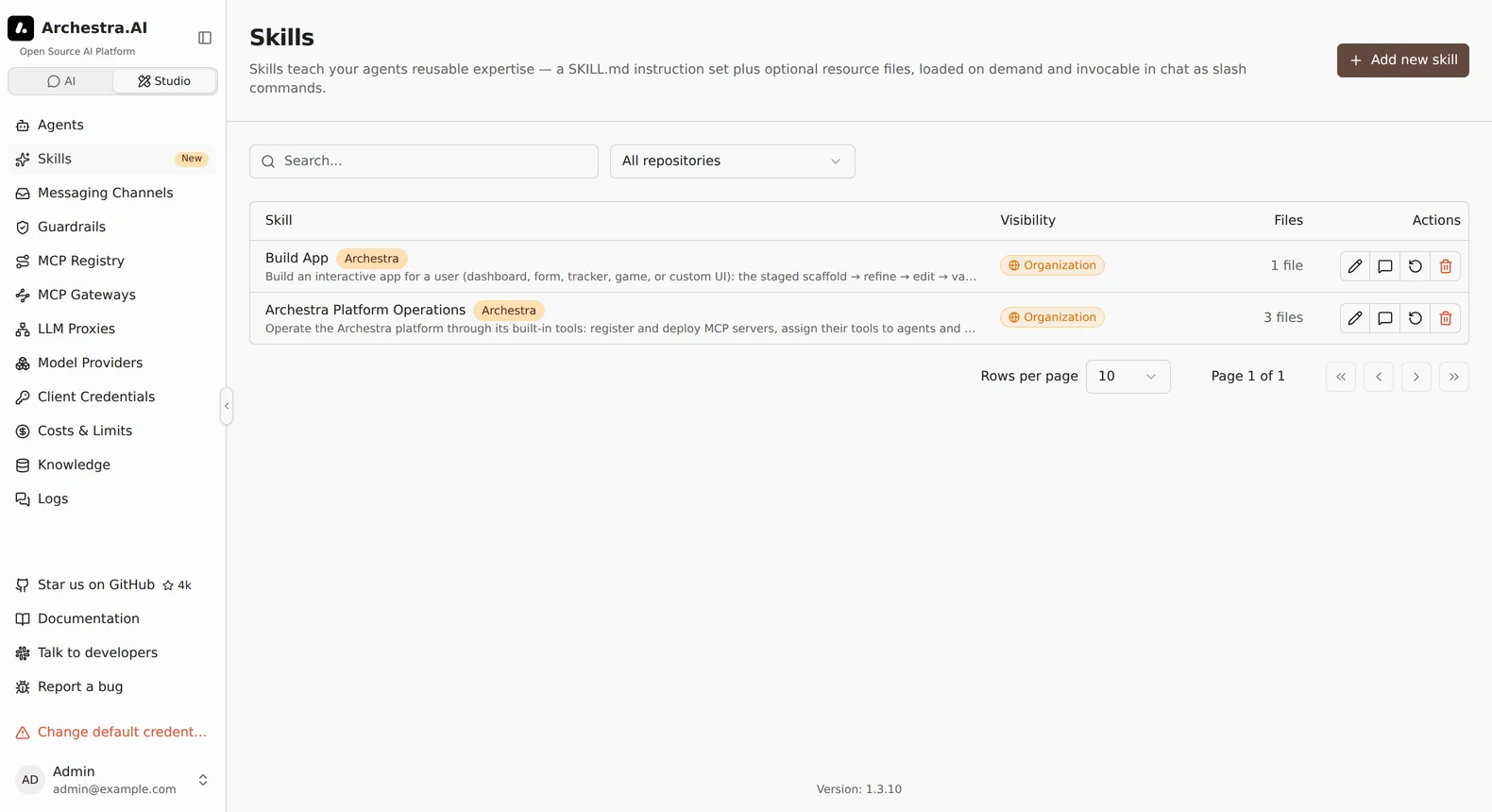
## Using Skills
A skill runs in one of three ways:
- You call it. Type `/` in chat and pick a skill, for example `/pdf-to-markdown convert this report`. The text after the name is the prompt, and it is optional.
- The agent loads it. When a task matches a skill's description, the agent loads the skill on its own.
- Another agent runs it. The skill names that agent in its frontmatter. See [Running a Skill in a Subagent](#running-a-skill-in-a-subagent).
### Running a Skill in a Subagent
To run a skill in its own agent, name that agent in the skill's frontmatter:
```markdown
---
name: deep-research
description: Multi-step research with citations.
agent: Research Bot
---
```
The named agent does the work with its own tools and returns only the result. The calling agent's context stays clean.
- The calling agent sees the skill as a tool, here `skill__deep_research`.
- Both agents must be in the same [environment](https://archestra.ai/docs/admin/environments), and you need [access](https://archestra.ai/docs/agents#delegation) to the named agent.
- It works only for a signed-in user. Scheduled and other automated runs do not get the tool.
## How Skills Load
An agent reads a skill in three steps, so only what it needs enters its context:
1. [`list_skills`](https://archestra.ai/docs/reference/archestra-mcp-server#list_skills) shows every skill's name and description.
2. [`load_skill`](https://archestra.ai/docs/reference/archestra-mcp-server#load_skill) with a name returns that skill's `SKILL.md` and a list of its files.
3. [`load_skill`](https://archestra.ai/docs/reference/archestra-mcp-server#load_skill) with a name and a file path returns that one file.
[`load_skill`](https://archestra.ai/docs/reference/archestra-mcp-server#load_skill) also puts the skill at `/skills/` in the agent's [Code Sandbox](https://archestra.ai/docs/agents#code-sandbox), so the agent can run its scripts. A connected client without a sandbox gets the files as text and saves them itself.
What to know:
- **Template variables:** add `templated: true` to a skill's frontmatter to use the same expressions as [prompt templates](https://archestra.ai/docs/agents#prompt-templates), such as `{{user.name}}`. Archestra fills them in when the skill loads. See [Writing Skills](https://archestra.ai/docs/agents/skills/writing#what-goes-in-a-skill).
- New agents get skill tools by default, plus tools to [write skills from chat](https://archestra.ai/docs/agents/skills/writing#authoring-skills-from-chat). To keep an agent away from skills, remove them in its tool picker.
## Choosing an Agent's Skills
By default, an agent can use every skill its user can use. To narrow that:
- Pick skills per agent. On the agent's **Skills** setting, choose **Manual** and select the skills, or keep **All skills** and exclude some. See [Agents](https://archestra.ai/docs/agents#skills).
- Limit a skill to environments. On the skill's **Settings** tab, pick its [environments](https://archestra.ai/docs/admin/environments). Agents in other environments cannot see it.
## Built-in Skills
Archestra ships these skills:
- **Archestra Platform Operations:** set up MCP servers, tools, team access, and policies through Archestra's own tools.
- **Build App:** build an interactive [app](https://archestra.ai/docs/chat/apps) from chat.
- **Agent Runtime Handoff:** move work between your machine and [Agent Runtime](https://archestra.ai/docs/agents/runtime).
- **appa-guide:** configure [Guardrails](https://archestra.ai/docs/agents/guardrails). It appears only when guardrails are on.
## Skills vs Agents
Start with one agent and many skills. Add another agent only when the work needs something a skill cannot change.
| Build a… | When the work needs… | Example |
| --- | --- | --- |
| **Skill** | Know-how: steps, a format, scripts | "Write a release note", "Convert a PDF to Markdown" |
| **Agent** | Its own tools, model, knowledge, or access | A support agent with the ticketing tools and help-center docs |
| **Skill in a subagent** | A long task that would crowd the caller's context | Multi-step research that returns one summary |
| **[Subagent](https://archestra.ai/docs/agents/subagents)** | A specialist that other agents call | A security reviewer that every coding agent asks |
Why skills first:
- One agent, many jobs. An agent loads a skill only when a task needs it, so a generic agent stays small.
- Write once, use everywhere. The same skill works in every agent, and [installs in your coding agents](https://archestra.ai/docs/agents/skills/sharing).
- Change one place. Edit a skill, and every agent that uses it gets the change.
---
# Writing Skills
Source: https://archestra.ai/docs/agents/skills/writing
> Create and edit SKILL.md skills in the UI or from chat
Write a skill on the **Skills** page, or ask an agent to write one for you in chat.
## Write a Skill
1. Go to **Skills**, click **Add new skill**, and pick **Blank template**.
2. Write the `SKILL.md`: frontmatter with a `name` and a `description`, then the instructions.
3. Add any resource files the instructions use.
4. Choose who can use the skill, and click **Create skill**.
The **description** decides when an agent loads the skill on its own, so say what the skill does and when to use it.
### What Goes in a Skill
Only `SKILL.md` is required. The other folders are optional:
```text
skill-name/
├── SKILL.md # required: frontmatter + instructions
├── references/ # optional: docs the model reads on demand
├── scripts/ # optional: code, runnable in the code sandbox
└── assets/ # optional: templates, images, fonts
```
An example `SKILL.md`, with two resource files:
```markdown
---
name: pdf-to-markdown
description: Extract text from a PDF and convert it to clean markdown.
compatibility: Requires python 3.10+ with pdfplumber installed.
---
# PDF to Markdown
When the user asks to convert a PDF:
1. Read `references/HEURISTICS.md` for column-detection rules.
2. Run `scripts/extract.py ` to get the raw text.
3. Apply the cleanup steps below before returning the result.
```
The agent sees the list of resource files and reads each one only when it needs it.
To tailor a skill to each person, add `templated: true` to its frontmatter. Its `SKILL.md` body can then use the same expressions as [prompt templates](https://archestra.ai/docs/agents#prompt-templates), such as `{{user.name}}`. Archestra fills them in for the person who uses the skill.
### Naming
- Use lowercase letters, digits, and single hyphens, such as `pdf-to-markdown`. A name like `Build App` works in Archestra, but a gateway cannot [publish it over MCP](https://archestra.ai/docs/mcp/gateway#publish-skills).
- A name is unique per author, so two people can each have a `refunds` skill.
### Compatibility
The optional `compatibility` field says what the skill needs to run, such as a Python version. Archestra shows it next to the skill's name, and the agent can tell you when your setup does not meet it.
## Write a Skill from Chat
Ask an agent to write a skill. It drafts the files and saves the skill, ready to use as a slash command.
- It is personal. To share it, open the skill's **Permissions** tab.
- It takes the agent's [environment](https://archestra.ai/docs/admin/environments).
- Ask for changes in chat, too. The agent edits the skill in place, or rewrites it.
The agent uses the [`create_skill`](https://archestra.ai/docs/reference/archestra-mcp-server#create_skill), [`edit_skill`](https://archestra.ai/docs/reference/archestra-mcp-server#edit_skill), and [`update_skill`](https://archestra.ai/docs/reference/archestra-mcp-server#update_skill) tools. Creating needs the [`skill:create`](https://archestra.ai/docs/reference/permissions#skill:create) permission. Changing a skill needs update access to it.
---
# Importing Skills
Source: https://archestra.ai/docs/agents/skills/importing
> Bring skills in from GitHub, GitLab, MCP servers, and plugins
You can bring skills in from three places:
- **Git:** import skills from a GitHub or GitLab repository and keep them in sync.
- **MCP servers:** skills that a server publishes with its tools.
- **Plugins:** skills inside a [plugin](https://archestra.ai/docs/agents/plugins).
## Import from GitHub or GitLab
Point Archestra at a repository, and it finds every folder with a `SKILL.md`, however deep. `skills/security/appsec/threat-model/` works as well as `skills/pdf/`.
1. Go to **Skills** and click **Add new skill**. Pick a popular repository, search the skill index, or click **Git repository**.
2. Pick **GitHub** or **GitLab**.
3. Pick how to sign in: a GitHub App, a GitLab token, or **Public repository** (**Public project** on GitLab).
4. Pick the repository, or paste its URL. A link to a folder imports only that folder. To set a branch or folder, open **Advanced**.
5. Click **Find skills**. Search the list and select the skills. **Selected** shows your selection across searches.
6. Open **Import settings** to change the **Keep in sync** schedule or who can use the skills, then click **Import**.
The skills created by that import show on **Skills**, marked **synced**. Click **Show all skills** to clear the import filter.
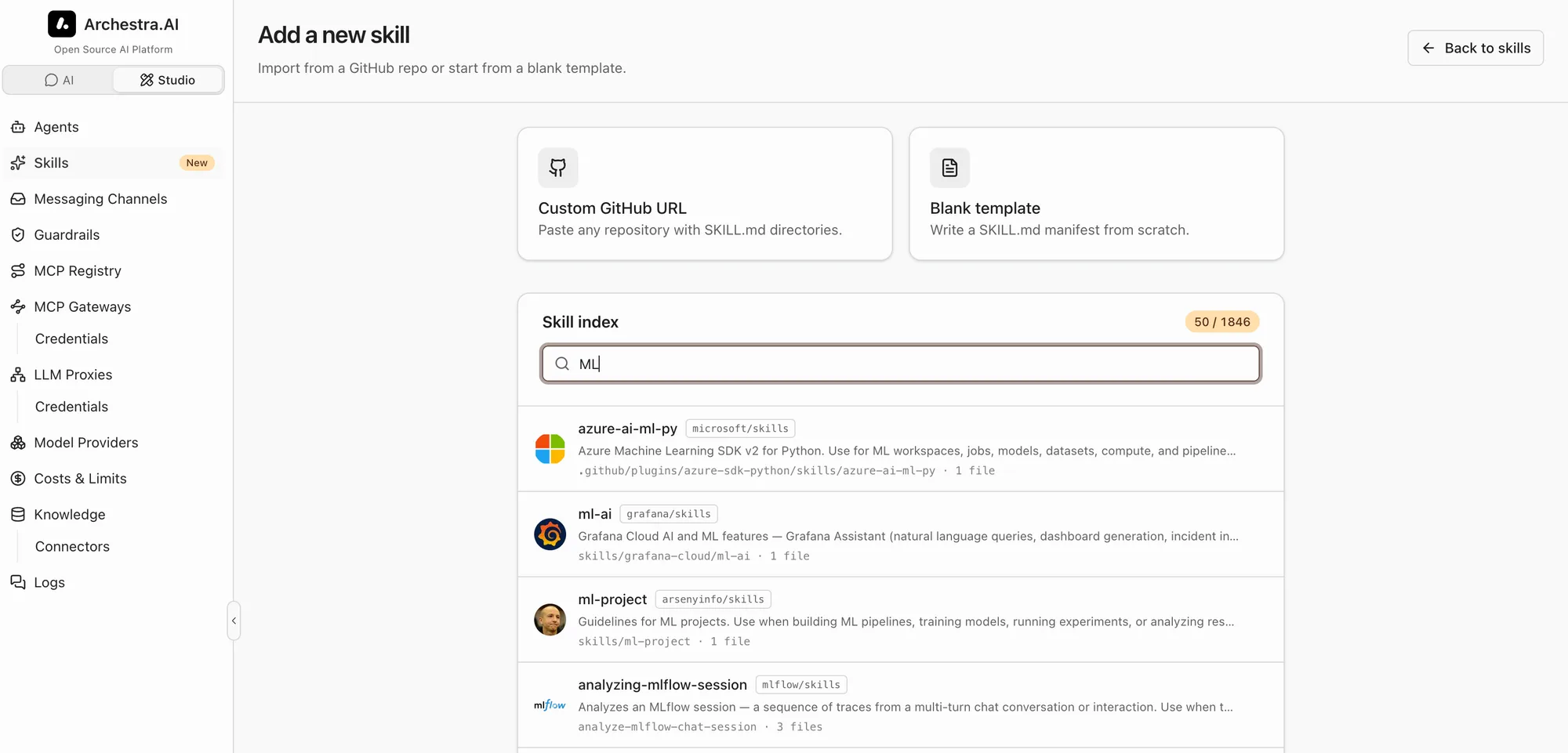
A skill can have up to 500 files of up to 10 MB each. Larger files are skipped.
### Private Repositories
A private repository needs a credential that the whole organization shares:
- **GitHub:** a GitHub App installed on the repository. Add one under **Settings → Credentials**.
- **GitLab:** an access token. Click **Add a GitLab token**, and enter the GitLab URL, a name, and a project, group, or personal access token with the `read_api` scope.
Picking a saved credential needs [`credential:read`](https://archestra.ai/docs/reference/permissions#credential:read). Saving one needs [`credential:create`](https://archestra.ai/docs/reference/permissions#credential:create).
### Self-Hosted GitHub and GitLab
Public imports work only with github.com and gitlab.com. For your own host, save a credential for it:
- **GitHub Enterprise Server:** add a GitHub App with your host's API URL, such as `https://git.example.com/api/v3`.
- **Self-managed GitLab:** add a GitLab token with your GitLab URL, such as `https://gitlab.example.com`.
Then pick that credential when you import.
### Sync
Imported skills stay in sync with their repository: every 15 minutes, every hour, or once a day (the default).
- Synced skills are read-only in Archestra. Permissions and environments stay editable.
- **Sync now** pulls right away. **Stop syncing** makes the skill editable.
- If a pull fails, the skill keeps its last good content and shows the error.
### Turn Git Imports Off
Set **Settings → Skills → Online skill catalog** to **Disabled**. This hides the popular repositories, the skill index, and Git imports. Existing imports keep syncing.
## Skills from MCP Servers
> **Beta feature.** Turn on beta features with `ARCHESTRA_BETA=true`.
An MCP server can publish skills with its tools. Skills from servers you can access show under the **MCP skills** filter on **Skills**. They are read-only, because the server owns them.
Archestra follows the draft [MCP skills extension (SEP-2640)](https://github.com/modelcontextprotocol/modelcontextprotocol/pull/2640). The same extension works the other way, too: a gateway can [publish your Archestra skills to MCP clients](https://archestra.ai/docs/mcp/gateway#publish-skills).
## Skills from Plugins
> **Beta feature.** Turn on beta features with `ARCHESTRA_BETA=true`.
Skills inside a [plugin](https://archestra.ai/docs/agents/plugins) you can read show under the **Skills from plugins** filter. They are read-only. Each one shows the client and platforms it came from, because its scripts may depend on them.
If an MCP or plugin skill has the same name as another skill, agents see it with a `-from-mcp` or `-from-plugin` suffix.
---
# Sharing Skills
Source: https://archestra.ai/docs/agents/skills/sharing
> Install Archestra skills in your coding agents from one shared marketplace
Your coding agents can use Archestra skills in two ways:
- **Installed:** the skills live in the agent itself, so it uses them like its own. This page covers this way.
- **Over MCP:** a connected agent finds and loads skills through the [MCP Gateway](https://archestra.ai/docs/mcp/gateway#publish-skills). Nothing is installed.
To install skills, Archestra serves them from one git repository, the shared marketplace. Your agent reads it as a plugin marketplace or a skills folder.
## Installing from the Connect Page
Shared skills install when you [connect your agent](https://archestra.ai/docs/get-started/connect). Go to **Connect** and choose your client. The card below it lists the shared skills the setup installs. Run the setup command in a terminal and approve the setup in your browser. Skills are all or nothing: you can turn **Skills** off under **Setup options** on the approval page, but not pick single skills.
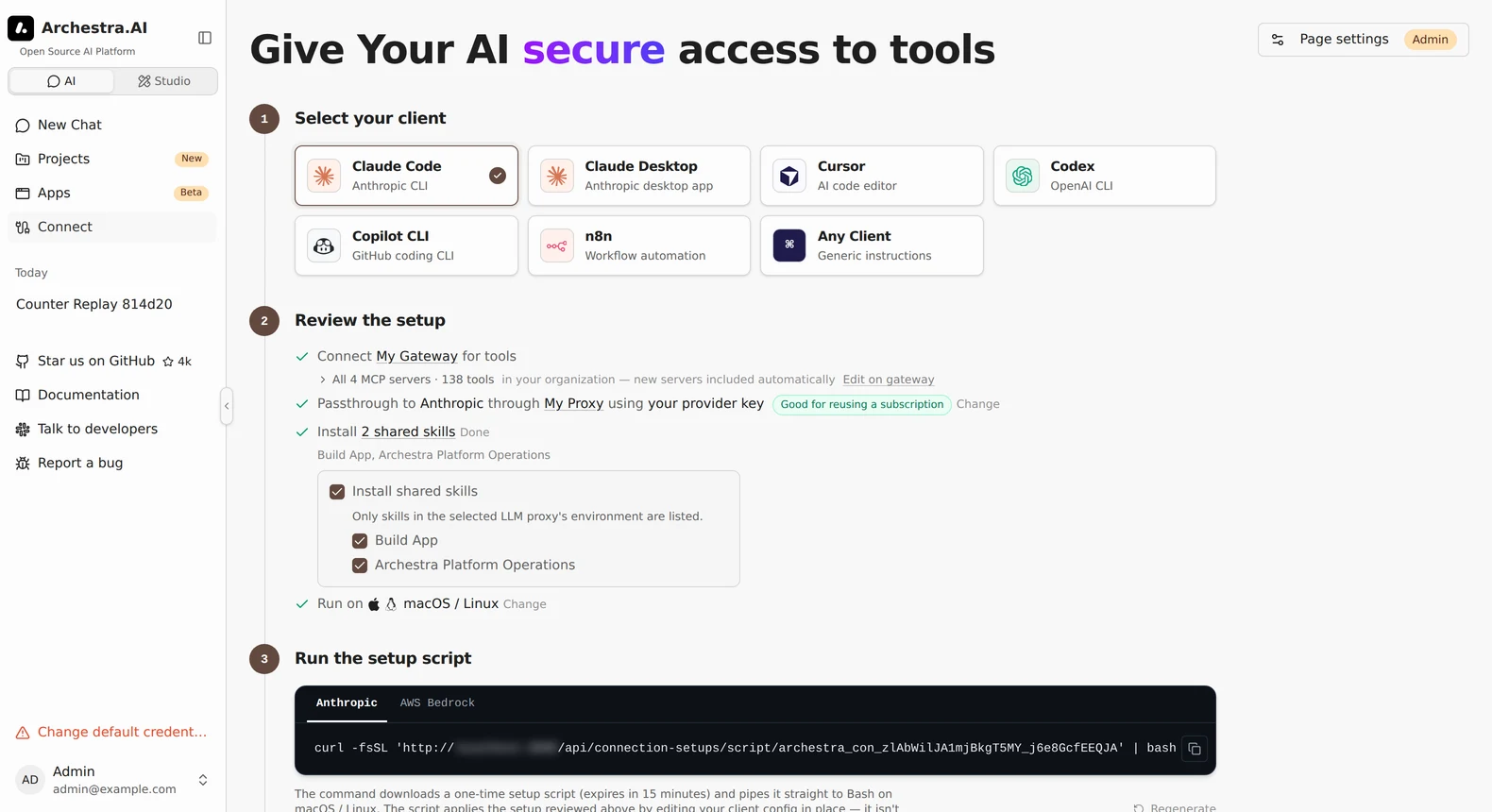
The setup installs every skill shared with you, and picks up skills added later.
A setup that also installs [plugins](https://archestra.ai/docs/agents/plugins), and every Claude Desktop setup, installs a [snapshot link](#snapshot-links) instead. A snapshot with plugins expires after 30 days.
## The Shared Marketplace URL
Use this to add shared skills to a client by hand. Every deployment has one URL: `https:///skills/marketplace.git`. It never expires.
1. Go to **Connect**, choose **Any Client**, and find **Install shared skills**. Copy the URL.
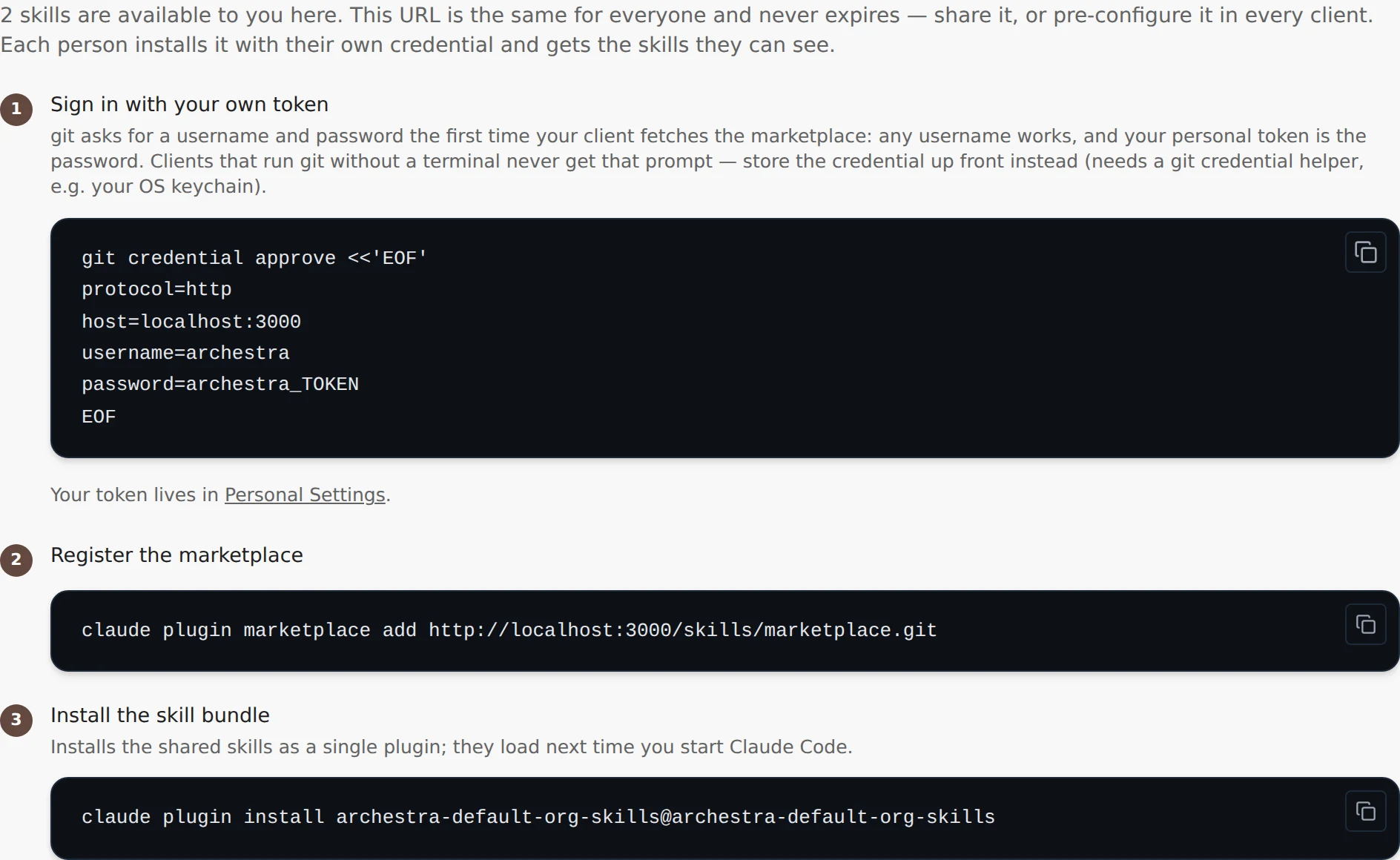
2. Add it to your client:
```bash tab="Claude Code"
claude plugin marketplace add
claude plugin install @
```
```bash tab="Codex"
codex plugin marketplace add
# then run /plugins in Codex and pick "Install Plugin"
```
```bash tab="Copilot CLI"
copilot plugin marketplace add
copilot plugin marketplace browse
```
```bash tab="Cursor"
git clone "$HOME/.cursor/skills/"
```
```bash tab="OpenCode"
git clone "$HOME/.config/opencode/skills/"
```
```bash tab="Kilo Code"
git clone "$HOME/.config/kilo/skills/"
```
3. When `git` asks you to sign in, enter any username. The password is your personal token from **Personal Settings**. If your client never shows a sign-in prompt, expand **Set up credentials manually** and run the command there.
What to know:
- You get every skill you can read in Archestra: organization, team, personal, and shared with you.
- Each skill becomes a slash command named after it. "Build App" becomes `/build-app`.
- The marketplace name looks like `archestra-acme-skills`.
- Access ends when you leave the organization or lose read access to skills.
### Anonymous Access
To let anyone clone the marketplace without signing in, go to **Settings → Skills → Skills marketplace access** and pick **Allow anonymous clones**. Anonymous clones get only organization-wide skills. Treat this as a public listing: anyone who can reach the deployment can install them.
## Updates
Clients pick up skill changes on their own. Cursor is the exception. Pull the changes yourself:
```bash
git -C "$HOME/.cursor/skills/" pull --ff-only
```
## Snapshot Links
A snapshot link shares your skills with people who have no account on this deployment. You need the **read**, **use**, and **manage permissions** actions on all skills (`*`). See [Granular Access Control](https://archestra.ai/docs/admin/access-control#granular-access-control).
1. Go to **Connect**, choose **Any Client**, and expand **Share a snapshot link**.
2. Pick when it expires: **30 days**, **90 days**, or **Never expires**.
3. Click **Create link** and copy the URL. Archestra shows it only once.
What to know:
- The link covers the skills that exist when you create it. Edits reach it. New skills do not. **Refresh link** adds them and replaces the URL.
- **Revoke** stops new installs. Copies already installed stay on people's machines.
## Server Configuration
The marketplace needs `git` on the Archestra server. To change where Archestra finds `git` or stores the marketplace cache, see [`ARCHESTRA_GIT_BINARY_PATH`](https://archestra.ai/docs/reference/configuration#ARCHESTRA_GIT_BINARY_PATH) and [`ARCHESTRA_SKILL_MARKETPLACE_CACHE_DIR`](https://archestra.ai/docs/reference/configuration#ARCHESTRA_SKILL_MARKETPLACE_CACHE_DIR).
---
# Plugins
Source: https://archestra.ai/docs/agents/plugins
> Client-native extensions for Claude Code, Claude Desktop, Codex, Copilot CLI, and Cursor
Give every developer the same coding-agent setup. A plugin packages hooks, subagents, slash commands, skills, and MCP settings for one client. You publish it in Archestra once, and each developer installs it with one command.
Import popular plugins, such as Anthropic's [official marketplace](https://github.com/anthropics/claude-plugins-official), [Superpowers](https://github.com/obra/superpowers), and GitHub's [Awesome Copilot](https://github.com/github/awesome-copilot), or write your own. Plugins work with Claude Code, Claude Desktop, Codex, Copilot CLI, and Cursor.
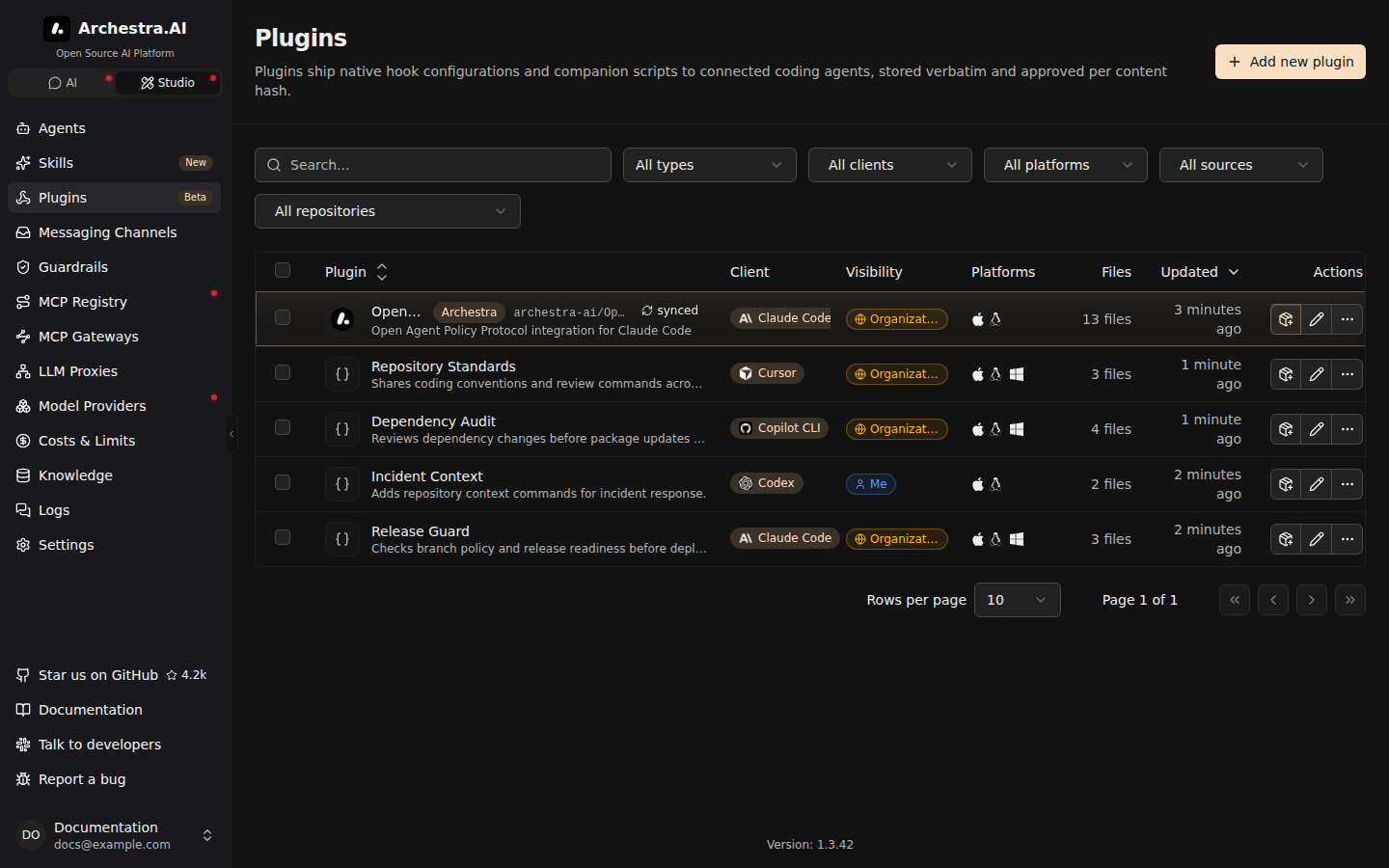
## Create a Plugin
1. Go to **Plugins** and click **Add new plugin**, then **Blank template**.
2. Enter a name, and pick the target client and platforms (macOS and Linux, Windows, or both).
3. Add files. A new plugin starts with `hooks/hooks.json`, which you can replace.
4. On **Permissions**, choose who can use it, and click **Create plugin**.
Archestra stores the files as you write them. It does not convert them between clients.
## Import From GitHub or GitLab
Bring a team's plugins in from any GitHub or GitLab repository, on the cloud or your own host, and review every update before it installs. A repository without a marketplace file works too: Archestra lists each folder with a `plugin.json`, such as `plugins//`.
1. Go to **Plugins** and click **Add new plugin**. Pick a popular marketplace, or click **Git repository**.
2. Pick **GitHub** or **GitLab**, then how to sign in, then the repository.
3. Click **Find plugins**, select the plugins, preview their files, and import them.
The plugins then show on **Plugins**.
What to know:
- Claude Desktop reads Claude Code's plugin format. To import a Claude Code plugin for Desktop, such as one from Anthropic's [knowledge-work plugins](https://github.com/anthropics/knowledge-work-plugins), add **Claude Desktop** under **Clients**.
- Private and self-hosted repositories need a GitHub App or a GitLab token, as for [skills](https://archestra.ai/docs/agents/skills/importing#private-repositories).
- Imported files are read-only here. Edit them in their repository. The **Source** section on the plugin's page sets the **Branch**, **Keep in sync**, and **Access**.
- Updates wait for you. A new commit shows **Review update**. Compare the files and click **Approve and apply**. Until then, the current files stay in use.
## Install Plugins
Developers install plugins from a plugin's page, or pick several for one command. [Connect Your Agents](https://archestra.ai/docs/get-started/connect) can install them too, along with the gateway, the proxy, and shared skills.
What to know:
- Each install skips plugins for another client or platform.
- Claude Desktop installs its plugins only through its setup on **Connect**, which also sets its gateway and proxy. Rerun it there to add new plugins.
- Codex asks before hooks run. Open `/hooks` in Codex to approve them.
- **Cursor lists installed plugins** under **Customize → Plugins**.
---
# Subagents
Source: https://archestra.ai/docs/agents/subagents
> Let an agent delegate work to its own copy, your agents, built-in subagents, or external A2A agents
Split big tasks across specialists. An agent, the parent, can hand part of a task to another agent, its subagent, and use the result. The parent decides on its own when to delegate.
A subagent can be:
- An agent you built, such as a researcher or a reviewer.
- **An [external agent](https://archestra.ai/docs/agents/subagents/external)** on another system, over A2A.
## Add Subagents
1. Open the parent agent and go to **Tools, Skills & Knowledge**.
2. Under **Subagents**, choose **Manual** and select the agents.
3. Save, and send a task in Chat that needs one of them.
What to know:
- **All agents** lets the parent agent use any agent the person can access, including agents created later. To leave one out, click **Exclude a local agent**. External agents are never added this way.
- External agents are added after the parent agent is created. See [External Agents](https://archestra.ai/docs/agents/subagents/external).
- Subagents must share the parent agent's [environment](https://archestra.ai/docs/admin/environments).
- Automated runs, with no signed-in person, use only the agents you selected.
- For long coding tasks, pick a subagent with a [dedicated runtime](https://archestra.ai/docs/agents/runtime).
## Fork the Agent
Keep long searches and noisy tool output out of the conversation. Every agent can hand a task to a fresh copy of itself, and only the copy's answer comes back. You don't need to set this up.
What to know:
- The copy has the same tools and instructions, but none of the conversation. The agent writes everything the copy needs into the task.
- A copy cannot fork again.
## Get Trusted Answers From Untrusted Data
Let a subagent read untrusted data, such as inbound email or a web page, without the parent losing trust. With [Guardrails](https://archestra.ai/docs/agents/guardrails) on, a parent can ask for a structured answer, such as a number of days or one choice from a fixed list. An answer that matches comes back at the parent's own trust.
What to know:
- The parent names the answer's shape when it delegates. Every field must be bounded: a number in a range, a yes or no, or a fixed list of values. Free text is never accepted.
- An answer that does not match is withheld. The parent gets an error, never the raw text.
- External agents cannot return structured answers.
---
# Built-in Subagents
Source: https://archestra.ai/docs/agents/subagents/built-in
> The system subagents Archestra seeds into every organization, and what each one does
Archestra ships built-in subagents for its own background jobs, such as chat titles and long-chat summaries. Most run on their own. You can change each one's model and instructions, but you cannot delete them.
What to know:
- Change them only when you must. Archestra tunes their instructions for their jobs. Changed instructions can make them act in ways you do not expect.
- With no model set, a subagent uses the model of the work it serves, such as the chat's model. The organization's default model is the fallback.
## Built-In Subagents
| Subagent | What It Does |
| --- | --- |
| **APPA Keeper** | Explains your [Guardrails](https://archestra.ai/docs/agents/guardrails) policy, and changes it when you ask. Open its chat from Guardrails. It stays out of the chat agent picker and shows each change before it publishes. |
| **Context Compaction Subagent** | Summarizes older history when a chat nears the model's context limit. Recent turns stay word for word, and the full history stays visible. |
| **Chat Title Generation Subagent** | Names each chat in three to six words. |
| **App Runtime LLM Agent** | Serves `archestra.llm.complete()` for [MCP Apps](https://archestra.ai/docs/chat/apps). Apps cannot pick a model, so set one here. |
---
# External Agents
Source: https://archestra.ai/docs/agents/subagents/external
> Connect external Agent2Agent systems and use them as subagents
Delegate to agents that run outside Archestra. Connect any agent that speaks [A2A](https://a2a-protocol.org/), and your agents can hand it work like any other subagent. Its owner keeps control of its tools and data. Archestra checks and records every call.
For example, a support team keeps its investigation agent private, and connects only its URL. A triage agent in Archestra then delegates case summaries to it.
## Connect an External Agent
You need [`agent:create`](https://archestra.ai/docs/reference/permissions#agent:create).
1. Go to **Agents**, click **Add Agent**, then **Add an External Agent**.
2. Enter the agent's base URL and its authentication: none, a bearer token, or an API key.
3. Under **Permissions**, add people, teams, or everyone in the organization. Left alone, only you can use it.
4. Click **Connect agent**. Archestra reads and checks its Agent Card first.
The connection shows as verified after its first successful call.
What to know:
- **Supported:** A2A 1.x over JSON-RPC or HTTP+JSON. OAuth sign-in is not supported. Use a static token or key.
- Credentials are stored as secrets, never in plain text.
- To pause a connection, click **Disable delegation**. Its assignments stay.
- To change who can use it later, open the external agent and edit its **Permissions** section. **Can use** lets someone assign it as a subagent. **Can update** also lets them change its connection.
## Assign It to an Agent
1. Open the parent agent and go to **Tools, Skills & Knowledge → Subagents**.
2. Under **External Agents**, click **Add external** and choose the connection.
3. Save the agent.
What to know:
- Only agents in the Default environment can call external agents for now.
- Archestra sends only the message the parent agent writes. It never forwards the chat history, the system prompt, or your credentials.
## Guardrails and Monitoring
- **Checked like a tool call:** [Guardrails](https://archestra.ai/docs/agents/guardrails) check each call before it leaves, and check the result before the parent agent uses it.
- **Recorded:** each call keeps its parent agent, caller, chat, state, and timing.
- **Time limit:** a long-running remote task is canceled after five minutes, or when the parent agent stops.
- Beyond the response, the remote system controls what it does with your data.
---
# Hooks
Source: https://archestra.ai/docs/agents/hooks
> Scripts that run in the sandbox when an agent lifecycle event fires
> **Beta feature.** Hooks are on whenever the [code sandbox](https://archestra.ai/docs/agents#code-sandbox) is on, which is the default.
Run your own script at key moments in a chat. A hook is a short Python or shell script. It can add context when a chat starts, or check each tool call before and after it runs. Hooks use the same payload shape as Claude Code hooks, so many port with small changes.
Hooks run in the chat's [code sandbox](https://archestra.ai/docs/agents#code-sandbox).
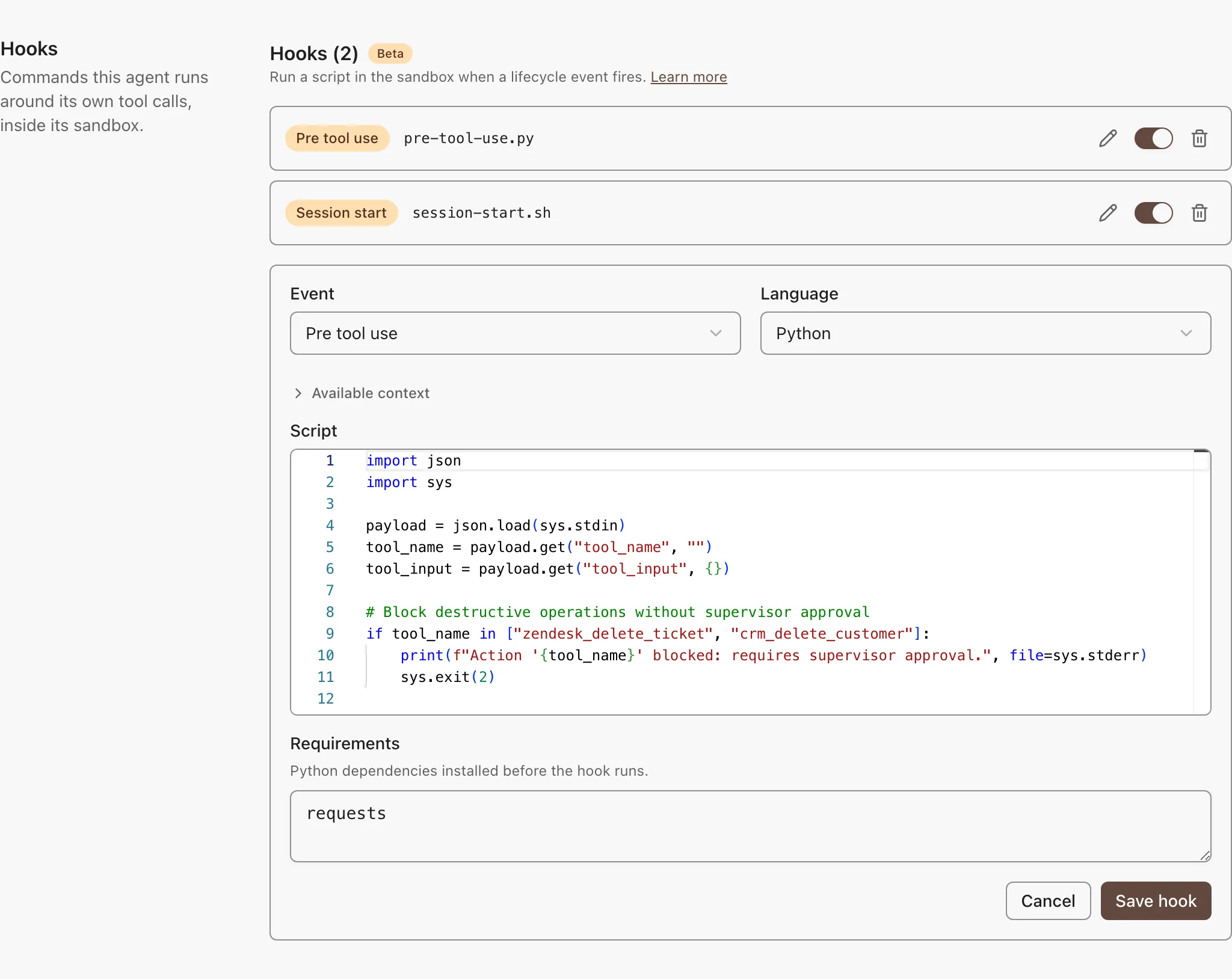
## Add a Hook
1. Open the agent and go to **Tools, Skills & Knowledge → Hooks**.
2. Pick the event and the language: Python or shell.
3. Write the script. **Available context** shows the payload that event sends.
4. Click **Save changes**.
To turn a hook off, use its row toggle. A Python hook can list packages under **Requirements**. They install before the script runs.
## Events
| Event | Fires | What the Script Can Do |
| --- | --- | --- |
| **Session start** | When a chat starts | Add context. Its output goes into the agent's system prompt. |
| **Pre tool use** | Before each tool call | Block the call. Exit with code 2, and the error output becomes the reason the model sees. |
| **Post tool use** | After each tool call | Give feedback. Exit with code 2, and the error output goes into the tool result as `[hook feedback]`. |
## Write the Script
The script reads one JSON payload from standard input. This hook blocks one tool:
```python
import json
import sys
payload = json.load(sys.stdin)
if payload["tool_name"] == "slack__send_message":
print("Slack messages need human review first", file=sys.stderr)
sys.exit(2)
```
What to know:
- **Exit codes:** 0 continues. 2 blocks the call, or adds feedback. Any other code is ignored.
- Hooks fail open. A crash, or a run past 30 seconds, never stops the chat. To enforce a rule, use [Guardrails](https://archestra.ai/docs/agents/guardrails).
- **Payload fields:** every event sends `hook_event_name`, `session_id`, `cwd`, and `permission_mode`. Tool events add `tool_name` and `tool_input`. **Post tool use** adds `tool_response`, cut at 50,000 characters.
## Let an Agent Write Hooks
Assign the built-in [`list_hooks`](https://archestra.ai/docs/reference/archestra-mcp-server#list_hooks), [`create_hook`](https://archestra.ai/docs/reference/archestra-mcp-server#create_hook), [`update_hook`](https://archestra.ai/docs/reference/archestra-mcp-server#update_hook), and [`delete_hook`](https://archestra.ai/docs/reference/archestra-mcp-server#delete_hook) tools to an agent. Then ask it, for example: "add a hook that blocks tool calls to the production database." Clients connected through the [MCP Gateway](https://archestra.ai/docs/mcp/gateway), such as Claude Code, can use the same tools.
---
# Triggers & Channels
Source: https://archestra.ai/docs/agents/triggers-and-channels
> Start agent runs from webhooks, A2A calls, email, Slack, Microsoft Teams, and Telegram
Run your agents where your team already works. An agent can answer messages in Slack, Microsoft Teams, and Telegram. It can also reply to email, and run when your code sends it a request. It keeps the same tools, skills, and [Guardrails](https://archestra.ai/docs/agents/guardrails) everywhere.
| Where | How the Agent Is Chosen |
| --- | --- |
| [Slack](https://archestra.ai/docs/agents/triggers-and-channels/slack), [Microsoft Teams](https://archestra.ai/docs/agents/triggers-and-channels/ms-teams), [Telegram](https://archestra.ai/docs/agents/triggers-and-channels/telegram) | You assign an agent to each channel or direct message. |
| [Incoming Email](https://archestra.ai/docs/agents/triggers-and-channels/email) | Each agent gets its own email address. |
| [Webhook (A2A)](https://archestra.ai/docs/agents/triggers-and-channels/webhook-a2a) | Each agent gets its own endpoint. |
## Add a Channel to an Agent
A channel is one place where people message the agent: a Slack or Microsoft Teams channel, a Telegram group, or a direct message. The agent you add it to answers the messages sent to the bot there.
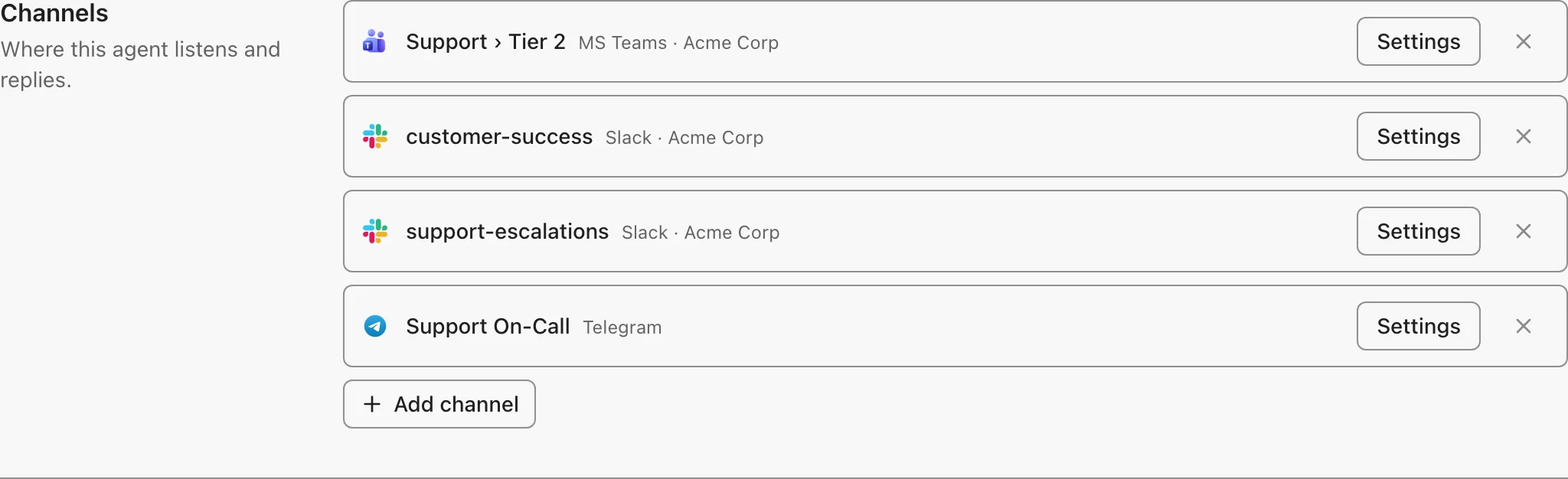
1. Connect the provider first. Each provider's page shows how.
2. Open the agent's **Messaging Channels** tab and click **Add channel**.
3. To change the channel's instructions or reply behavior, click **Settings** on it.
To see every channel at once, open the provider under messaging channel settings. Microsoft Teams and Telegram list each channel with its agent, whether it replies to all messages, and its settings. Personal chats stay hidden until you show them.
## Conversation History
The agent remembers the conversation, so a follow-up such as "and for last month?" works without repeating the details.
- **In a thread:** in a Slack thread, a Microsoft Teams channel thread, or a Telegram topic, the agent reads the whole thread. Start a new thread for a new topic.
- **In a chat without threads:** in a Teams direct message or group chat, or a Telegram chat, Archestra keeps the history. To start a new conversation, send `reset` as the whole message. `new chat`, `new conversation`, and `start over` also work.
What to know:
- After 8 hours with no messages, the next message starts a new conversation. The reply says so.
- A long conversation is summarized, and the bot says so.
- In a group chat, the reply footer names the person who started the conversation (everyone in the chat shares its history). Each message still runs with the sender's own permissions.
---
# Webhook (A2A)
Source: https://archestra.ai/docs/agents/triggers-and-channels/webhook-a2a
> Call an agent over HTTP with the A2A protocol
Run an agent from your own code. Every agent has an HTTP endpoint. Send it a message, and read the reply. It speaks [A2A](https://a2a-protocol.org/) 1.0, so A2A SDKs and other agent platforms work too.
To start, open the agent's **A2A** tab. It shows the endpoint, your token, and `curl` examples for that agent.
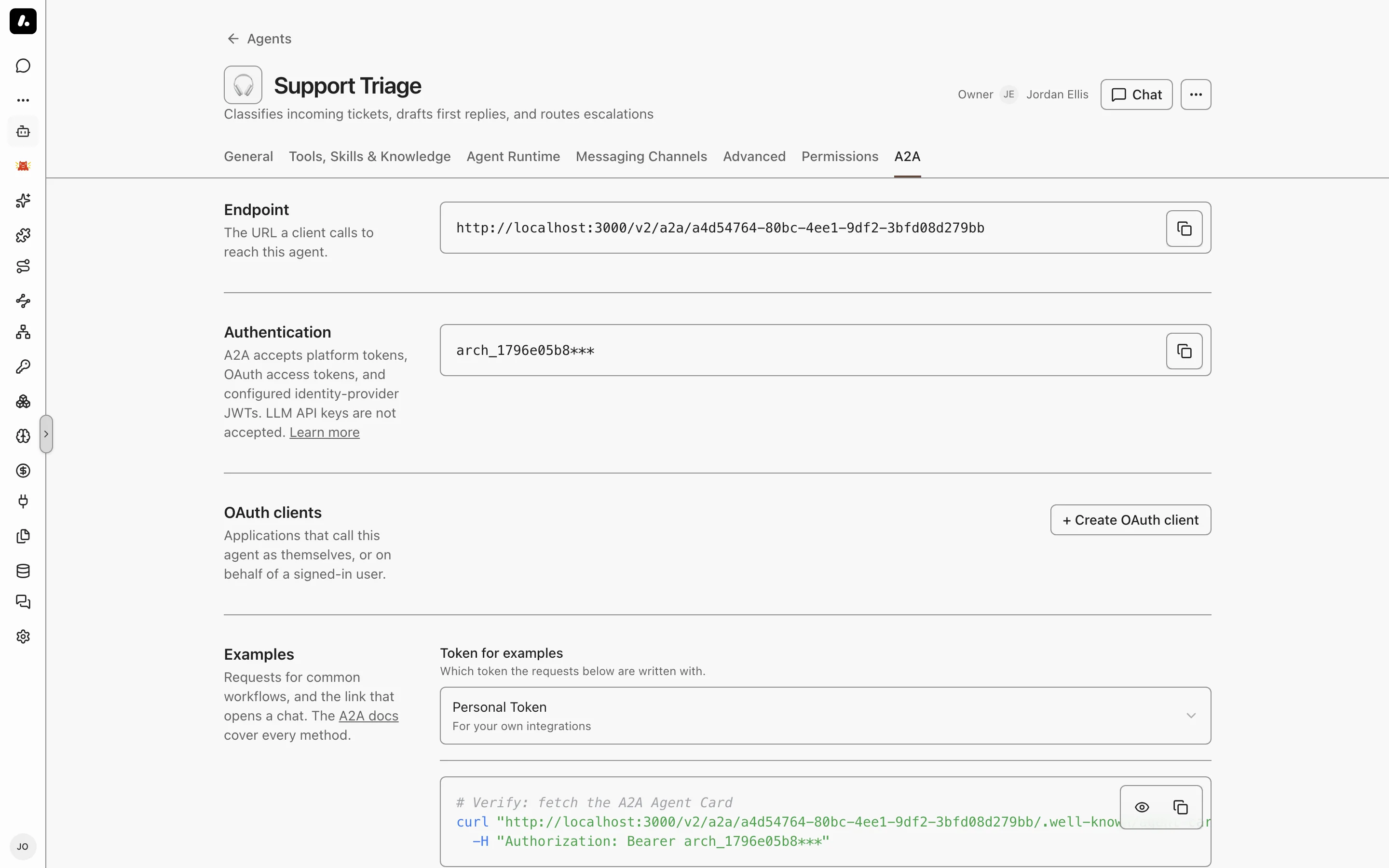
## Endpoints
| Method | Path | Purpose |
| --- | --- | --- |
| `POST` | `/v2/a2a/{agentId}` | Send messages and manage tasks (JSON-RPC) |
| `GET` | `/v2/a2a/{agentId}/.well-known/agent-card.json` | The agent's AgentCard: name, description, and capabilities |
| `GET` | `/v2/a2a/agents` | The AgentCards of every agent your token can reach |
Give clients the full AgentCard URL. The card lives under each agent, not at the domain root. A request to `/.well-known/agent-card.json` on the host gets a `401`, which looks like a token problem.
## Authentication
Send a bearer token in the `Authorization` header of every request. A2A takes the same tokens as the [MCP Gateway](https://archestra.ai/docs/mcp/authentication):
| Credential | Where to get it | Runs as |
| --- | --- | --- |
| Personal token | Click your name in the sidebar to open **Personal Settings** | You |
| Team token | **Settings → Teams**, then the team's token | The team |
| Organization token | **Settings → Auth** | The organization |
| OAuth access token | An [OAuth client](https://archestra.ai/docs/mcp/authentication/applications) with **A2A** enabled that lists the agent | The client, or the signed-in user |
| Identity provider JWT | Bind the agent to an [identity provider](https://archestra.ai/docs/admin/identity) | The user in the JWT |
For OAuth, request `scope=a2a` when obtaining the token. Other enabled capabilities can share the same client credentials.
What to know:
- A token reaches only the agents its owner can use. See [Access Control](https://archestra.ai/docs/admin/access-control).
- LLM API keys and virtual keys do not work here.
- **`GET /v2/a2a/agents`** takes platform tokens only.
## Sending a Message
`SendMessage` runs one turn and waits for the reply:
```bash
curl -X POST "https://archestra.example.com/v2/a2a/" \
-H "Authorization: Bearer " \
-H "Content-Type: application/json" \
-d '{
"jsonrpc": "2.0",
"id": 1,
"method": "SendMessage",
"params": {
"message": {
"role": "ROLE_USER",
"parts": [{ "text": "Summarize yesterday'\''s open incidents." }]
}
}
}'
```
The reply is the agent's message:
```json
{
"jsonrpc": "2.0",
"id": 1,
"result": {
"message": {
"role": "ROLE_AGENT",
"contextId": "327a5306-c7dc-4e0c-ba2f-107da6c2548b",
"parts": [{ "text": "Two incidents are open..." }]
}
}
}
```
**Some calls return a task, not a message:** an agent with a [dedicated runtime](https://archestra.ai/docs/agents/runtime), a tool call that needs approval, or a background run. A finished task holds the answer in its text artifact `agent-response`. `messageId` is optional.
## Continuing a Conversation
Copy `contextId` from the first reply into the next message. The agent sees the earlier turns:
```json
"message": {
"role": "ROLE_USER",
"contextId": "327a5306-c7dc-4e0c-ba2f-107da6c2548b",
"parts": [{ "text": "Which one is oldest?" }]
}
```
Use only IDs that Archestra returned. Do not send `taskId` on a new turn, because a finished task takes no more messages.
## Running in the Background
Set `configuration.returnImmediately` to get a task back at once instead of waiting for the answer:
```json
"params": {
"message": { "role": "ROLE_USER", "parts": [{ "text": "Audit every open PR." }] },
"configuration": { "returnImmediately": true }
}
```
The result is a task in `TASK_STATE_SUBMITTED`. Poll it with `GetTask` until its state is `TASK_STATE_COMPLETED`, `TASK_STATE_FAILED`, or `TASK_STATE_CANCELED`:
```json
{ "jsonrpc": "2.0", "id": 2, "method": "GetTask", "params": { "id": "", "historyLength": 0 } }
```
`historyLength: 0` leaves out the history. A failed task gives the reason in `status.message`. A dropped connection does not stop a task. Only `CancelTask` does.
## Streaming
`SendStreamingMessage` takes the same `params` as `SendMessage` and returns a `text/event-stream` (use `curl -N`). Send the `A2A-Version: 1.0` header to get the A2A 1.0 event shape:
```text
data: {"jsonrpc":"2.0","id":1,"result":{"task":{"id":"...","status":{"state":"TASK_STATE_SUBMITTED"}}}}
data: {"jsonrpc":"2.0","id":1,"result":{"statusUpdate":{"status":{"state":"TASK_STATE_WORKING"}}}}
data: {"jsonrpc":"2.0","id":1,"result":{"artifactUpdate":{"artifact":{"name":"agent-response","parts":[{"text":"Two "}]}}}}
data: {"jsonrpc":"2.0","id":1,"result":{"statusUpdate":{"status":{"state":"TASK_STATE_COMPLETED"}}}}
```
What to know:
- **Join the `artifactUpdate` text** to build the answer. Skip lines that do not start with `data:`, such as `: keep-alive`.
- Without the header, the stream uses the older A2A 0.3 shape. It ends with a `final: true` status update.
- If the connection drops, call `SubscribeToTask` with the task `id` to join again.
## Approving Tool Calls
When your [policy](https://archestra.ai/docs/agents/guardrails/policies) asks a person to approve an action, the result is a task in `TASK_STATE_INPUT_REQUIRED`. The pending requests are in `metadata.approvalRequests`. `openappaReview.text` is what the reviewer should read:
```json
"metadata": {
"approvalRequests": [
{
"approvalId": "appr-1",
"toolName": "archestra__execute_remedy_plan",
"approved": false,
"resolved": false,
"openappaReview": {
"offerId": "3f9a1c0d2b7e4a51",
"text": "Approve this call? send_email to ceo@example.com",
"expiresAt": "2026-10-13T10:00:00.000Z"
}
}
]
}
```
Answer with a `SendMessage` that names the task and carries a decision for each request:
```json
"message": {
"role": "ROLE_USER",
"taskId": "",
"contextId": "",
"parts": [],
"metadata": {
"taskOps": { "approvalDecisions": [{ "approvalId": "appr-1", "approved": true }] }
}
}
```
The run resumes once every request has a decision. `CancelTask` on a waiting task cancels it.
What to know:
- Whoever calls with the token answers, so your code decides for the reviewer. Show the text to a person before you approve.
- An approval lets the agent continue only when the policy allows it. A decline keeps the action blocked.
- Answer within 24 hours. After that the task is canceled and the action stays blocked.
## Other Methods
| Method | Params | What it does |
| --- | --- | --- |
| `ListTasks` | `contextId`, `status`, `pageSize`, `pageToken` (all optional) | Your tasks for this agent, newest first |
| `CancelTask` | `id` | Stops a task |
| `SubscribeToTask` | `id` | Rejoins a running task's event stream |
| `CreateTaskPushNotificationConfig` | `taskId`, `pushNotificationConfig.url` | POSTs each status change of the task to your `https` URL |
Push URLs must be public `https` addresses. A delivery can arrive twice, so your receiver must handle repeats. Manage push configs with `GetTaskPushNotificationConfig`, `ListTaskPushNotificationConfigs`, and `DeleteTaskPushNotificationConfig`.
## SDKs
The A2A SDKs work with `/v2/a2a`: [a2a-python](https://github.com/a2aproject/a2a-python) and the 1.x [a2a-js](https://github.com/a2aproject/a2a-js) for TypeScript. Point the client at the agent's AgentCard URL and pass the token as a bearer header. To let an Archestra agent call another A2A agent, see [External Agents](https://archestra.ai/docs/agents/subagents/external).
## Plain JSON Payloads
`POST /v1/a2a/{agentId}` also accepts any JSON body that is not a JSON-RPC envelope, from a tool such as Zapier, for example. Archestra sends the body to the agent as text, as the user message. Each call starts a new conversation.
## Troubleshooting
Errors come back with HTTP status `200` and a JSON-RPC `error` object. Only AgentCard and registry requests use HTTP `401`.
| Error | Cause |
| --- | --- |
| `-32600` Authorization header required | No `Authorization: Bearer` header |
| `-32602` Failed to resolve actor from token | The token is invalid or cannot reach this agent |
| `-32601` Method not found | A method name from another A2A version, such as `message/send` |
| `-32600` Invalid Request | The params do not match the schema. `data` names the field, for example a `role` that is not `ROLE_USER` |
| `-32602` Context not found | A `contextId` that Archestra did not create, or that belongs to someone else |
| `-32004` the task is in a terminal state | A message sent to a finished task. Send `contextId` without `taskId` |
| `-32009` Unsupported A2A-Version | An `A2A-Version` header other than `0.3` or `1.0` |
| `-32603` Internal error | The run failed, for example at the LLM provider. `data.reason` has the provider's message |
---
# Incoming Email
Source: https://archestra.ai/docs/agents/triggers-and-channels/email
> Give each agent an email address that runs the agent and replies in the thread
Give each agent an email address. Send it an email, and the agent answers in the same thread. The email is its prompt.
All agent addresses deliver to one shared Microsoft 365 mailbox. They use plus-addressing, such as `agents+agent-8faa47b5…@example.com`. Microsoft 365 is the only supported provider.
## Connect the Mailbox
You need:
- **A Microsoft 365 mailbox** for agent mail, such as `agents@example.com`.
- A Microsoft Entra app registration with the Microsoft Graph application permissions `Mail.Read` and `Mail.Send`, admin consent, and a client secret.
- **A public HTTPS URL** for Archestra, so Microsoft can tell it about new mail. A local instance can use a tunnel, such as ngrok.
1. Set these on the backend, and restart it:
```bash
ARCHESTRA_AGENTS_INCOMING_EMAIL_PROVIDER=outlook
ARCHESTRA_AGENTS_INCOMING_EMAIL_OUTLOOK_TENANT_ID=
ARCHESTRA_AGENTS_INCOMING_EMAIL_OUTLOOK_CLIENT_ID=
ARCHESTRA_AGENTS_INCOMING_EMAIL_OUTLOOK_CLIENT_SECRET=
ARCHESTRA_AGENTS_INCOMING_EMAIL_OUTLOOK_MAILBOX_ADDRESS=agents@example.com
```
2. Go to **Settings → Messaging Channels → Email** and run the wizard. It subscribes Archestra to new mail.
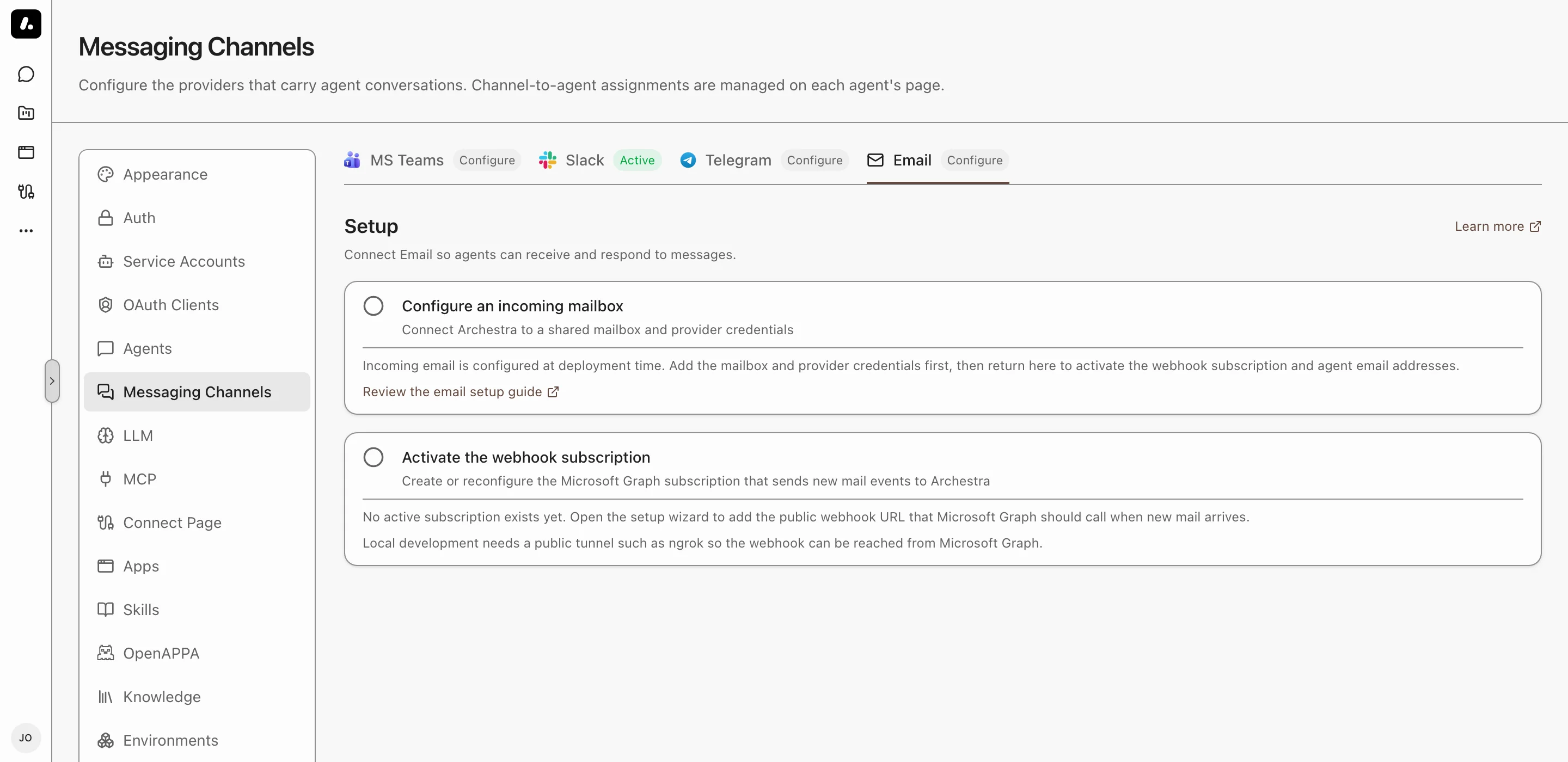
Archestra renews the subscription before it expires. To skip the wizard, set [`ARCHESTRA_AGENTS_INCOMING_EMAIL_OUTLOOK_WEBHOOK_URL`](https://archestra.ai/docs/reference/configuration#ARCHESTRA_AGENTS_INCOMING_EMAIL_OUTLOOK_WEBHOOK_URL) to `https:///api/webhooks/incoming-email`. For another domain in agent addresses, set [`ARCHESTRA_AGENTS_INCOMING_EMAIL_OUTLOOK_EMAIL_DOMAIN`](https://archestra.ai/docs/reference/configuration#ARCHESTRA_AGENTS_INCOMING_EMAIL_OUTLOOK_EMAIL_DOMAIN).
## Give an Agent an Address
1. Open the agent and go to **Messaging Channels**.
2. Under **Email**, click **Turn on**.
3. Pick a **Security mode** and save.
4. Copy the agent's address, and send it a test email.
## Security Modes
The mode decides who can run the agent by email.
| Mode | Who can email the agent | Runs as |
| --- | --- | --- |
| **Private** | Archestra users who can use the agent. The sender address must match the user's Archestra email. | The sender, with their own credentials |
| **Internal** | Any sender from the **Allowed domain**. The match is exact: `example.com` does not admit `sales.example.com`. | The system, with shared credentials only |
| **Public** | Any sender | The system, with shared credentials only |
What to know:
- Private mode trusts the sender address. Turn on SPF, DKIM, and DMARC for your domain to block spoofed mail.
- A sender who is not allowed cannot run the agent, and gets no reply.
## What the Agent Receives
- **The prompt:** the email body, up to 100 KB. A reply also brings the earlier messages in its thread.
- **Files:** images, PDFs, and text files such as CSV and JSON. With a [code sandbox](https://archestra.ai/docs/agents#code-sandbox), it can open other files too, such as ZIP archives.
- Skipped files, without a notice to the sender: past 20 per email, over 10 MB each, past 25 MB in total, and images under 2 KB. Small images are usually broken images in forwarded mail.
- **Long runs:** with a [dedicated runtime](https://archestra.ai/docs/agents/runtime), the reply goes out when the run finishes, even after Archestra restarts.
---
# Slack
Source: https://archestra.ai/docs/agents/triggers-and-channels/slack
> Give each Archestra agent its own Slack bot
Each agent gets its own Slack bot, and people @mention it by name: `@archestra_marketing` and `@archestra_coding` can work in the same channel, even the same thread. The answer streams in as the agent writes it, and a **Stop** button ends it.
## Connect Slack
You paste one token pair from Slack once, and Archestra creates a Slack app for every agent you add. You need a Slack workspace where you can install apps.
1. Go to **Settings → Messaging Channels → Slack** and click **Connect Slack**.
2. On [api.slack.com/apps](https://api.slack.com/apps), click **Generate Token** under **Your App Configuration Tokens**, and paste both tokens. Archestra renews them itself. Each person who adds bots pastes their own.
3. Click **Add Slack bot**, pick the agent, and keep or change its Slack name.
4. Approve the install in Slack. In Socket Mode, also paste the app-level token Slack shows; Slack has no API to create it.
5. Add your team as collaborators on the app's Slack page. Slack makes only the person whose token created an app its collaborator, and has no API to add others.
6. Edit the bot to add it to channels. It joins public channels itself; for a private one, type `/invite @archestra_marketing` there.
What to know:
- **Name and icon:** the bot uses the agent's icon and keeps it in sync. Renaming the agent renames the bot, unless you picked its Slack name yourself. Slack app icons must be images, so an emoji icon keeps Slack's default.
- **Reinstall:** when Slack needs new permissions, the bot's row says so and links to its Slack page.
- **An app connected before:** it is listed for conversion. Pick the agent it should answer as; it keeps its name, channels, and DMs.
Connection mode and the token live under **Advanced**:
| | Socket Mode (Default) | Webhook Mode |
| --- | --- | --- |
| **Connects** | Archestra connects to Slack | Slack calls your public URL |
| **Needs a public URL** | No | Yes |
| **Use it for** | Local setups, firewalls, VPNs | Production with a stable URL |
With an HTTPS address, installing a new bot is one click: Slack sends you back to Archestra with the bot connected.
## When a Bot Answers
- In a channel, a bot answers when you mention it.
- In a thread, one mention is enough. It then answers every message in that thread.
- In a direct message, it answers every message.
- Mentioning one bot does not wake another in the same thread.
One bot per channel can reply to all messages, with no mention needed. Turning it on for a bot takes it from the bot that had it. Other bots in the channel still wait for their mention.
The first reply in a channel thread includes a reminder of how to mute it.
- **Mute:** reply `mute` or react `:mute:` or `:shushing_face:` to any message in the thread. This cancels the current answer and stops later auto-replies until you mention the bot again. Removing the reaction keeps the thread muted.
- **Stop:** press it while the bot is working to cancel only the current answer. The bot can still answer later messages in that thread.
## Watch the Answer Arrive
The answer appears as the agent writes it, so a long one never leaves the thread silent. Each tool call shows as a step that turns done or failed. The bot already carries the agent's name, so answers have no signature line.
- **Steps:** the tool calls of one answer are grouped in a single list.
- **Streaming:** in direct messages and threads where you mentioned the bot. Elsewhere the full answer posts at once, because the agent may decide to stay quiet.
- **Suggested prompts:** the agent's first four suggested prompts wait at the top of the bot's direct messages.
## Channel Instructions
Tell the agents how to behave in one channel. Edit the agent's bot, open the channel's **Settings**, and write them as you would talk to the agent. Every bot in the channel follows them. For example: "Every message here is a task. Create it at once, and do not ask first."
They come first, before the agent's own instructions. They add to what the agent does, and never remove an ability.
Bots also read the channel's description from Slack, to know what the channel is about. Anyone in the channel can edit it, so it is context, not instructions.
## What to Know
- **New people:** someone who messages a bot without an Archestra account gets one. It has the organization's default role for new users, set in **Settings → Auth**. Find these accounts in **Settings → Users**.
- **Welcome message:** the bot DMs a new person a sign-up link, or a sign-in link when you use [SSO](https://archestra.ai/docs/admin/identity/sso). To turn it off, set [`ARCHESTRA_CHATOPS_SIGNUP_WELCOME_ENABLED=false`](https://archestra.ai/docs/reference/configuration#ARCHESTRA_CHATOPS_SIGNUP_WELCOME_ENABLED).
- **Files:** the agent reads images, PDFs, and text files such as CSV, JSON, and Markdown. Files posted earlier in the same thread count too. With a [code sandbox](https://archestra.ai/docs/agents#code-sandbox), it can open other files, such as ZIP archives.
- **File limits:** 20 files per message, 10 MB per file, 25 MB in total. Archestra skips larger files and tells the agent which files it did not get.
- **Agent experience:** connecting moves your existing Slack apps to Slack's agent experience, which the **Stop** button and DM prompts need. Slack cannot switch an app back.
## Troubleshooting
| Problem | Fix |
| --- | --- |
| **The bot does not answer** | Invite it to the channel. In webhook mode, make sure Slack can reach your URL. In socket mode, look for "Socket mode connected" in the backend logs. |
| **"Needs reinstall"** | Open the app's Slack page from the bot's row, click **Reinstall to Workspace**, then **Check again**. |
| **Slack shows a server error after approving the install** | The install often went through anyway. Open the app's **OAuth & Permissions** page; if a bot token is there, paste it in **Finish setup**. |
| **"Request verification failed"** | Webhook mode only. Check the signing secret on the app's **Basic Information** page, and your server's clock. |
| **Socket mode disconnects** | Check that the app-level token has the `connections:write` scope, and that Archestra can reach the internet. It connects again on its own. |
| **"Could not verify your identity"** | The app needs the `users:read` and `users:read.email` scopes. Reinstall it from its Slack page. |
---
# MS Teams
Source: https://archestra.ai/docs/agents/triggers-and-channels/ms-teams
> Connect Archestra agents to Microsoft Teams channels
Mention the bot in Microsoft Teams, and an Archestra agent answers in the thread. Each channel, group chat, and direct message has its own agent. People can ask a different agent for one message.
## Connect Microsoft Teams
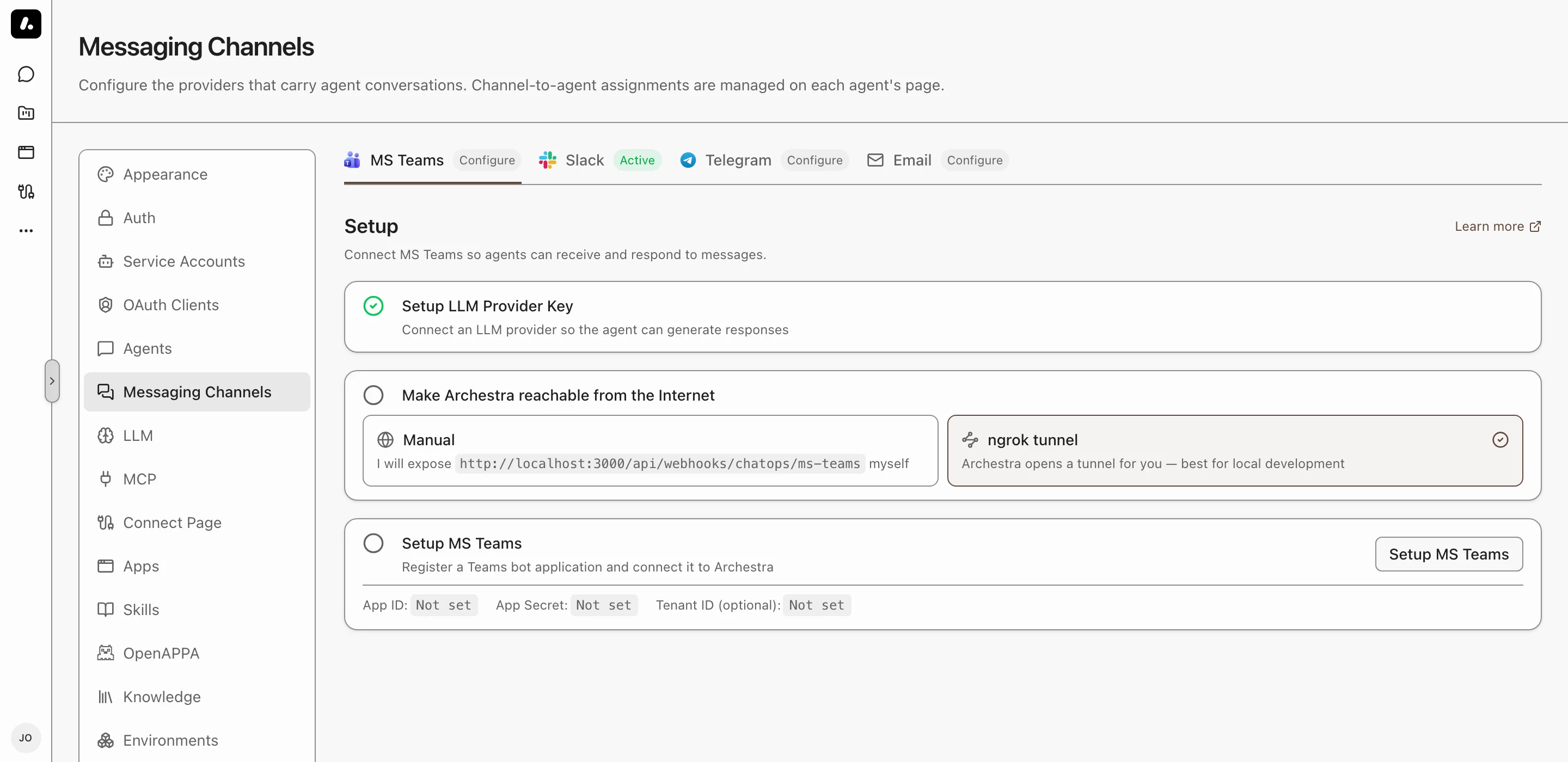
You need an Azure subscription where you can create an Azure Bot, and a Teams tenant that allows custom apps.
1. Go to **Settings → Messaging Channels → MS Teams** and click **Setup MS Teams**.
2. Follow the wizard. It creates the Azure Bot and the Teams app, and saves the credentials.
3. Install the app in your team.
What to know:
- Teams must reach Archestra. A local instance can use the wizard's **Configure ngrok** step instead.
- To expose only the webhook, set [`ARCHESTRA_PUBLIC_ENDPOINTS_PORT`](https://archestra.ai/docs/reference/configuration#ARCHESTRA_PUBLIC_ENDPOINTS_PORT). The rest of the API can then stay internal.
- To configure Teams with environment variables, see the [Configuration reference](https://archestra.ai/docs/reference/configuration#chatops).
## Pick the Agent for a Channel
1. Mention the bot in the channel: `@Archestra what is the status of service X?`
2. Pick an agent from the card. It answers this message and later ones in the channel.
To change the agent, send `@Archestra /select-agent`, or [add the channel](https://archestra.ai/docs/agents/triggers-and-channels#assigning-channels) to another agent.
**Direct messages** work the same way, but each person must add the app for themselves first. Teams asks them to click **Add** the first time they open a chat with the bot.
## When the Bot Answers
Mention the bot to ask an agent in a shared conversation.
- In a channel, the bot answers only when you mention it.
- In a thread, one mention is enough. It then answers every message in that thread.
- In a group chat, mention the bot on each request. Once a conversation has started, ordinary group messages remain in its history without triggering replies.
- In a direct message, it answers every message.
- To answer every message in a channel or group chat, turn on **Answer all messages** in its **Settings**. The installer must approve the app's permissions.
To quiet a thread, send `mute`, or react to a bot reply with 🔇 or 🤫. The bot stops, and cancels any reply in progress. Mention it again to wake it.
## Ask Another Agent Once
Put the agent's name and `>` before your message:
```
@Archestra Sales > what is our Q4 pipeline?
```
The channel keeps its agent. Names match without regard to case or spaces. An unknown name goes to the channel's agent, with a notice.
## Channel Instructions
Tell the agent how to behave in one channel. Open the channel's **Settings** and write them as you would talk to the agent. For example: "Every message here is a task. Create it at once, and do not ask first."
They come first, before the agent's own instructions. They add to what the agent does, and never remove an ability.
## Commands
| Command | What It Does |
| --- | --- |
| `@Archestra /select-agent` | Changes the agent for this channel |
| `@Archestra /status` | Shows the agent for this channel |
| `@Archestra /help` | Lists the commands |
| `reset` | Starts a new conversation. Direct messages and group chats only. |
## Read Files in Channels
Share a PDF in a channel, and the agent reads it. Your Microsoft 365 admin grants the bot read access to the teams you pick, and nothing else. Direct messages need no setup.
1. In **Settings → Messaging Channels → MS Teams**, open the setup and go to **Read Files in Channels**.
2. Paste each team's SharePoint site, one per line. Find it on the channel's **Files** tab, under **Open in SharePoint**.
3. Click **Copy request for IT** and send it to your admin.
When it works, the agent answers questions about a PDF shared in that channel.
### What Your Microsoft 365 Admin Does
1. In the [Microsoft Entra admin center](https://entra.microsoft.com/), open the bot's app under **App registrations**. On **API permissions**, add **Microsoft Graph → Application permissions → Sites.Selected**, then click **Grant admin consent**.
2. Grant read access to each site, for example with the [CLI for Microsoft 365](https://pnp.github.io/cli-microsoft365/):
```bash
m365 spo site apppermission add \
--siteUrl https://contoso.sharepoint.com/sites/Engineering \
--appId --permission read
```
What to know:
- [`Sites.Selected`](https://learn.microsoft.com/en-us/graph/permissions-selected-overview) alone grants nothing. The bot reads only the sites granted read.
- The grant needs `Sites.FullControl.All` on the admin's own sign-in. The bot never gets it.
- Private and shared channels each have their own site. Group-chat files are not read: Teams keeps them in each sender's OneDrive.
## Troubleshooting
| Problem | Fix |
| --- | --- |
| **"You don't have access to this app"** | Your organization blocks custom apps. Ask your Teams admin to allow them in the [Teams Admin Center](https://admin.teams.microsoft.com/). |
| **The bot does not answer** | Check that [`ARCHESTRA_CHATOPS_MS_TEAMS_ENABLED=true`](https://archestra.ai/docs/reference/configuration#ARCHESTRA_CHATOPS_MS_TEAMS_ENABLED), that Teams can reach your URL, and that the app ID and password are correct. |
| **"Could not verify your identity"** | Add the `TeamMember.Read.Group` and `ChatMember.Read.Chat` permissions to the app manifest. Then install the app again. |
| **No history in a channel thread, or Answer all messages does nothing** | Add the `ChannelMessage.Read.Group` and `ChatMessage.Read.Chat` permissions to the manifest. Install the app again, and have the team owner approve them. |
| **Direct messages do not work** | Upload the latest app manifest. Older manifests do not include the `personal` scope. |
| **The agent says it could not read a file from a channel** | Ask your admin to grant read access to that team's site, as in [Read Files in Channels](#read-files-in-channels). A private or shared channel needs its own site. In a group chat, send the file in a direct message instead. |
## What to Know
- **Memory:** in a channel, the agent reads the thread. In a direct message or group chat, Archestra keeps the history. See [Conversation History](https://archestra.ai/docs/agents/triggers-and-channels#conversation-history).
- **New people:** someone who messages the bot without an Archestra account gets one. It has the organization's default role for new users, set in **Settings → Auth**. Find these accounts in **Settings → Users**.
- **Welcome message:** the bot DMs a new person a sign-up link, or a sign-in link when you use [SSO](https://archestra.ai/docs/admin/identity/sso). To turn it off, set [`ARCHESTRA_CHATOPS_SIGNUP_WELCOME_ENABLED=false`](https://archestra.ai/docs/reference/configuration#ARCHESTRA_CHATOPS_SIGNUP_WELCOME_ENABLED).
- **Files:** the agent reads images, PDFs, and text files such as CSV, JSON, and Markdown. With a [code sandbox](https://archestra.ai/docs/agents#code-sandbox), it can open other files too, such as ZIP archives. Files in channels need [read access to the team's site](#read-files-in-channels).
- **File limits:** 20 files per message, 10 MB per file, 25 MB in total. When a file is too large or cannot be read, the agent says so.
---
# Telegram
Source: https://archestra.ai/docs/agents/triggers-and-channels/telegram
> Connect Archestra agents to Telegram chats and groups
Message a Telegram bot, and an Archestra agent answers. It works in direct messages and in groups. It needs only a bot token: no public URL, webhook, or tunnel.
## Connect Telegram
1. In Telegram, message [@BotFather](https://t.me/BotFather) and send `/newbot`. Pick a name and username. BotFather replies with a bot token.
2. Go to **Settings → Messaging Channels → Telegram** and paste the token.
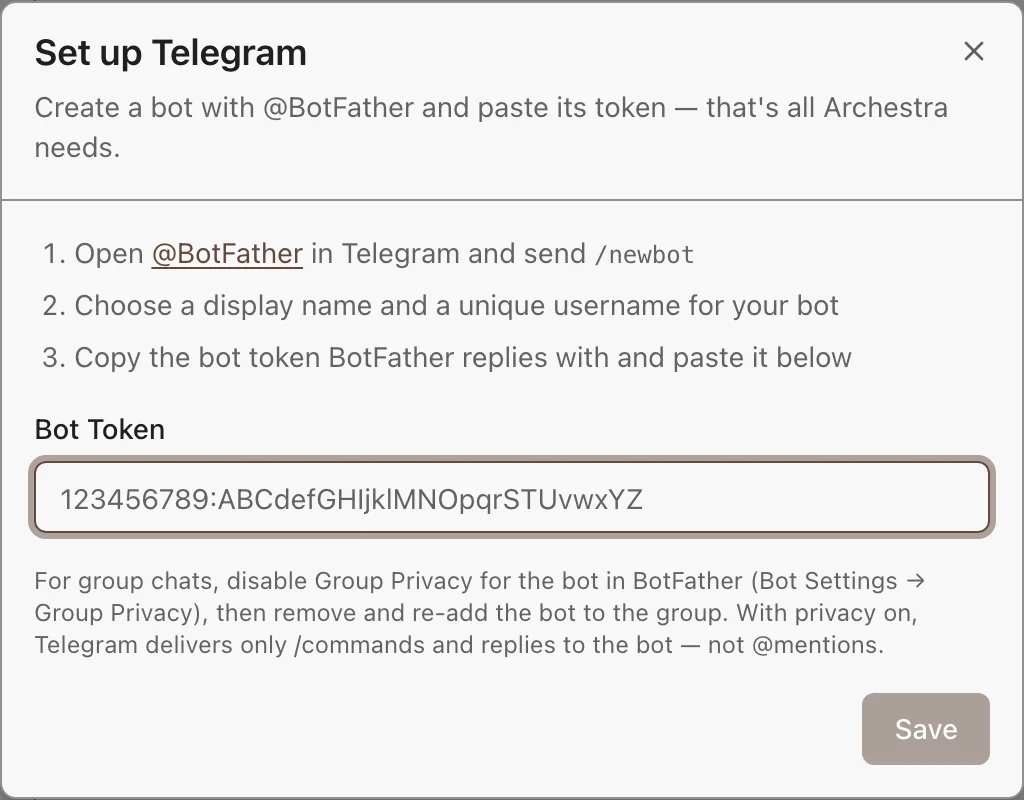
Archestra checks the token and starts at once. To use environment variables instead, see the [Configuration reference](https://archestra.ai/docs/reference/configuration#telegram).
## Link Your Account
Each person links their Telegram account once. Telegram does not share email addresses, so Archestra cannot match people on its own. Link from either side:
- **In Archestra:** on the Telegram page, click **Link Telegram account**, then tap **Start** in Telegram.
- **In Telegram:** send `/start` to the bot, and open the sign-in link it sends.
To disconnect, unlink your account on the Telegram channel page. The bot then treats you as unlinked until you send `/start` again.
The link code works for 15 minutes. People reach only the agents they have access to.
## Pick the Agent for a Chat
- **Direct messages** show up once you link your account. On your first message, the bot asks which agent to use.
- **Groups** show up once you add the bot.
To change a chat's agent, send `/select-agent`, or [add the chat](https://archestra.ai/docs/agents/triggers-and-channels#assigning-channels) to another agent. In a group with Topics, each topic is its own conversation.
## Use the Bot in a Group
The bot hears only commands until you make it a group admin, or turn off its Group Privacy. To turn privacy off, in BotFather open `/mybots` → your bot → **Bot Settings** → **Group Privacy** → **Turn off**. Then remove the bot from the group and add it again.
Then the agent joins the talk. It always answers mentions and replies to its own messages. It answers other messages meant for it, and stays quiet when people talk to each other.
## Commands and Features
| Command | What It Does |
| --- | --- |
| `/select-agent` | Changes the agent for this chat |
| `/reset` | Starts a new conversation. Not in topics. |
| `/start` | Links your Telegram account. Direct messages only. |
| `/help` | Lists the commands |
- **Ask another agent once:** start the message with `Sales > `.
- **Approvals:** when your [policy](https://archestra.ai/docs/agents/guardrails/policies) asks a person to approve an action, the bot shows the review with **Approve** and **Decline**. Only the person who asked can decide.
- **Chat instructions:** tell the agent how to behave in one chat, from the chat's **Settings**. They come first, before the agent's own instructions.
## What to Know
- **Memory:** Telegram bots cannot read chat history, so Archestra keeps it. A group shares one history. See [Conversation History](https://archestra.ai/docs/agents/triggers-and-channels#conversation-history).
- **Gaps:** the history holds only messages the bot received. Group messages sent while privacy was on are not in it.
- **New messages win:** a message sent while the bot types cancels that answer. The bot then answers your latest message.
- **Files:** photos and documents reach the agent, up to 10 MB each.
- **One token, one consumer:** do not use the bot token in another system. With several backend replicas, one of them receives the messages.
## Troubleshooting
| Problem | Fix |
| --- | --- |
| **No answer in a direct message** | Check that the integration shows "configured". Send `/start` to check that your account is linked. |
| **No answer to mentions in a group** | Group Privacy is on. Send `/select-agent` to check the bot works. Then turn privacy off and add the bot again. |
| **"This Telegram account isn't linked"** | Send `/start` to the bot and open the sign-in link. |
| **409 conflict errors in the backend logs** | Another process uses the same bot token. Stop it, or get a new token with `/revoke` in BotFather. |
---
# MCP
Source: https://archestra.ai/docs/mcp
> Add MCP servers once, then give agents and MCP clients their tools through governed gateways
[MCP](https://modelcontextprotocol.io/specification) (Model Context Protocol) is the open standard that gives AI agents tools. An MCP server offers tools, such as "create a GitHub issue". An MCP client, such as Claude Code or Cursor, calls them.
Add an MCP server once, and every agent and MCP client can use its tools. Archestra does the hard parts for you:
- Runs servers in your cluster. Give Archestra a command or a Docker image. It deploys the server on Kubernetes, restarts it, shows its logs, and can sleep it when idle. See [Self-Hosted Servers](https://archestra.ai/docs/mcp/servers/self-hosted).
- Signs in for each person. A tool call can use the caller's own account, a shared service account, or the caller's company identity through your identity provider. OAuth tokens refresh by themselves when the provider allows it. See [Authentication](https://archestra.ai/docs/mcp/authentication).
- Keeps credentials out of clients. Archestra stores each server's credential. Clients sign in to the gateway and never see it.
- Checks who can call what. Each call must pass your access rules for the server, the tool, and the credential.
- [Logs each call](https://archestra.ai/docs/admin/logs), with the caller, the account it used, and the result.
- Gives each client only its tools. An [MCP Gateway](https://archestra.ai/docs/mcp/gateway) offers the set you choose. By default, the client sees only two tools: one to search the set, and one to run a tool it finds. This keeps the model's context small. See [Load Tools When Needed](https://archestra.ai/docs/mcp/gateway#load-tools-when-needed).
```mermaid
graph LR
Clients["Claude Code, Cursor,
your apps"] --> Gateway["MCP Gateway"]
Agents["Archestra agents"] --> Gateway
Gateway --> Checks["Credentials · Access rules
Logs"]
Checks --> Remote["Remote MCP servers
GitHub, Jira, …"]
Checks --> SelfHosted["Self-hosted MCP servers
in your cluster"]
class Gateway accent
class Checks guard
class Remote external
```
## Give a Client Tools
Install a server, and your coding agent can use its tools. No gateway to set up. A client set up through [Connect](https://archestra.ai/docs/get-started/connect) picks up new servers by itself.
1. Go to **MCP Registry** and find the server. Not there? [Add it](https://archestra.ai/docs/mcp/servers/adding).
2. Click **Install**, then enter your credential or sign in.
3. Ask your agent to use the new tools. Each call shows in [Logs](https://archestra.ai/docs/admin/logs).
For a team, an app, or a script that needs a fixed set of tools, [create a gateway](https://archestra.ai/docs/mcp/gateway#create-a-gateway).
## What to Know
- **Environments:** a gateway or agent reaches only the servers in its own [environment](https://archestra.ai/docs/admin/environments). The environment also sets where self-hosted servers run, and which hosts any server can reach.
- Guardrails run in the [LLM Proxy](https://archestra.ai/docs/llm-proxy), not here. They check a tool call when the model asks for it. Connect the client to both. See [Guardrails](https://archestra.ai/docs/agents/guardrails/clients).
- **Metrics and traces:** tool calls produce [MCP metrics](https://archestra.ai/docs/admin/observability/metrics#mcp-metrics) and [tool call spans](https://archestra.ai/docs/admin/observability/tracing#mcp-tool-call-spans).
---
# MCP Servers
Source: https://archestra.ai/docs/mcp/servers
> Add MCP servers to your organization's registry, install them, and give their tools to agents and gateways
The MCP Registry is your organization's own list of approved MCP servers. Add a server once, and set it up the right way: its URL or image, how it signs in, and who can see it.
Then anyone with access installs it in a few clicks, with their own account or a shared one. Nobody copies config files or passes secrets around.
Archestra handles the hard part: signing in to each server for each person.
- [Each person's own account](https://archestra.ai/docs/mcp/servers/installing), through OAuth 2.1 or an API key they enter once. OAuth tokens refresh when the provider allows it.
- **[A shared service account](https://archestra.ai/docs/mcp/servers/installing#shared-service-accounts)** for a team or the whole organization, such as a bot.
- [Your company identity](https://archestra.ai/docs/mcp/authentication/servers#identity-provider-token-exchange), with no install at all. Archestra trades the person's identity provider token for one the server accepts, through Entra On-Behalf-Of, Okta, RFC 8693, or ID-JAG.
Archestra picks the right account for each call. See [Whose Account a Call Uses](https://archestra.ai/docs/mcp/authentication/servers#credential-resolution).
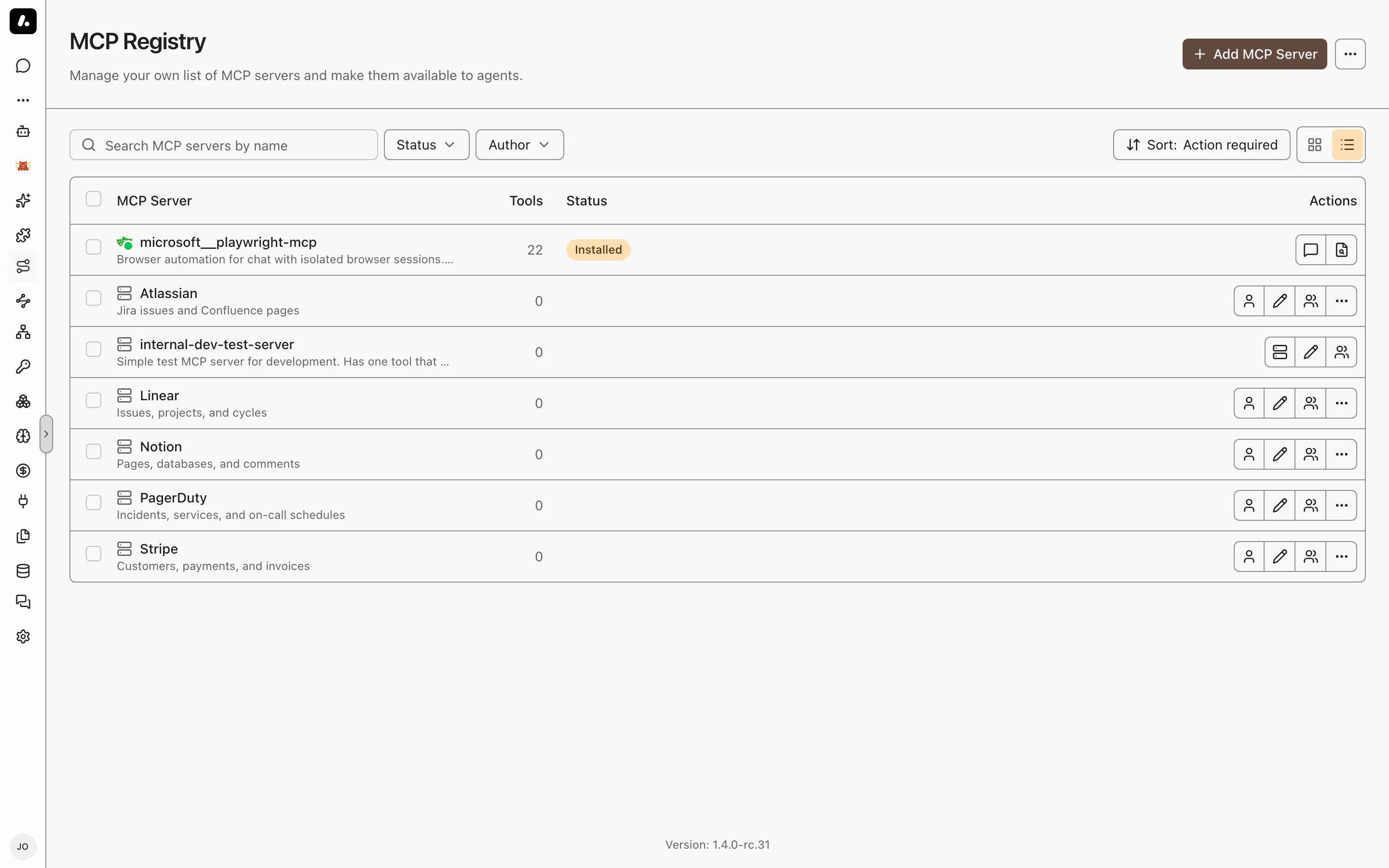
## Add and Install a Server
1. **[Add it](https://archestra.ai/docs/mcp/servers/adding):** go to **MCP Registry** and click **Add MCP Server**. Pick **Remote** for a server that runs elsewhere, or **Self-hosted** for one Archestra runs.
2. **[Install it](https://archestra.ai/docs/mcp/servers/installing):** open the server and click **Install**. Enter its credential, or sign in to it.
3. **Give its tools out:** add them to an [agent](https://archestra.ai/docs/agents) or an [MCP Gateway](https://archestra.ai/docs/mcp/gateway).
A client set up through [Connect](https://archestra.ai/docs/get-started/connect) gets the new tools right away. Its gateway offers every tool the person can use. Other agents and gateways get only the tools you pick, unless you set them to offer all tools too. See [Tool Assignment](https://archestra.ai/docs/mcp/gateway#choose-its-tools).
## Know When a Server Breaks
When a server breaks, the person who can fix it hears about it. Your GitHub sign-in expires, so you see a count next to **MCP Registry**. Your admin does not, because only you can sign in again as you.
Open the registry and sort by **Action required**. Each broken server says what to do:
- **Needs re-authentication:** click **Re-authenticate**.
- **Failed to start** or **Not running:** see [Debug a Server](https://archestra.ai/docs/mcp/servers/self-hosted#logs-and-recovery).
Waiting on someone else to fix one? Click **Dismiss** to hide it for you only.
A teammate's sign-in expired but yours works? You are not asked to sign in again. Admins see a count of those connections instead.
## What to Know
- Remote or self-hosted? Pick remote when someone already runs the server. Pick self-hosted when Archestra should run it, hold its secrets, and show its logs.
- New tools on a server? Open it, go to **Inspector**, and click **Refresh Tools**. To refresh on a schedule, set [`ARCHESTRA_MCP_SERVER_TOOLS_REFRESH_INTERVAL_MINUTES`](https://archestra.ai/docs/reference/configuration#ARCHESTRA_MCP_SERVER_TOOLS_REFRESH_INTERVAL_MINUTES).
- **Renaming a server** renames its tools too, such as `reports__export`. Assignments and policies stay. Clients must reload their tool list.
---
# Add a Server
Source: https://archestra.ai/docs/mcp/servers/adding
> Configure a remote or self-hosted MCP server and test its connection
Add any MCP server: paste its URL, or give Archestra a package or image to run. For a well-known server, pick it from the **Online Catalog**, and Archestra fills in its settings.
You set it up once: where it runs, how it signs in, and who can find it. Everyone else clicks **Install** and brings their own account.
You need [`mcpRegistry:create`](https://archestra.ai/docs/reference/permissions#mcpRegistry:create).
## Add a Remote Server
For a server someone else runs, such as GitHub's or Linear's.
1. Go to **MCP Registry** and click **Add MCP Server**.
2. Click **Start from scratch**. To copy a known server's settings, click **Select from Online Catalog** instead.
3. Enter a name, pick **Remote**, and enter the server's MCP URL.
4. Pick how it signs in. See the table below.
5. Open **Advanced**. Under permissions, choose who can find it. To keep it in one [environment](https://archestra.ai/docs/admin/environments), pick that too.
6. Click **Add Server**. On **Test Connection**, install it to see the tools it offers.
7. Cover the new tools in your [Guardrails policy](https://archestra.ai/docs/agents/guardrails/policies).
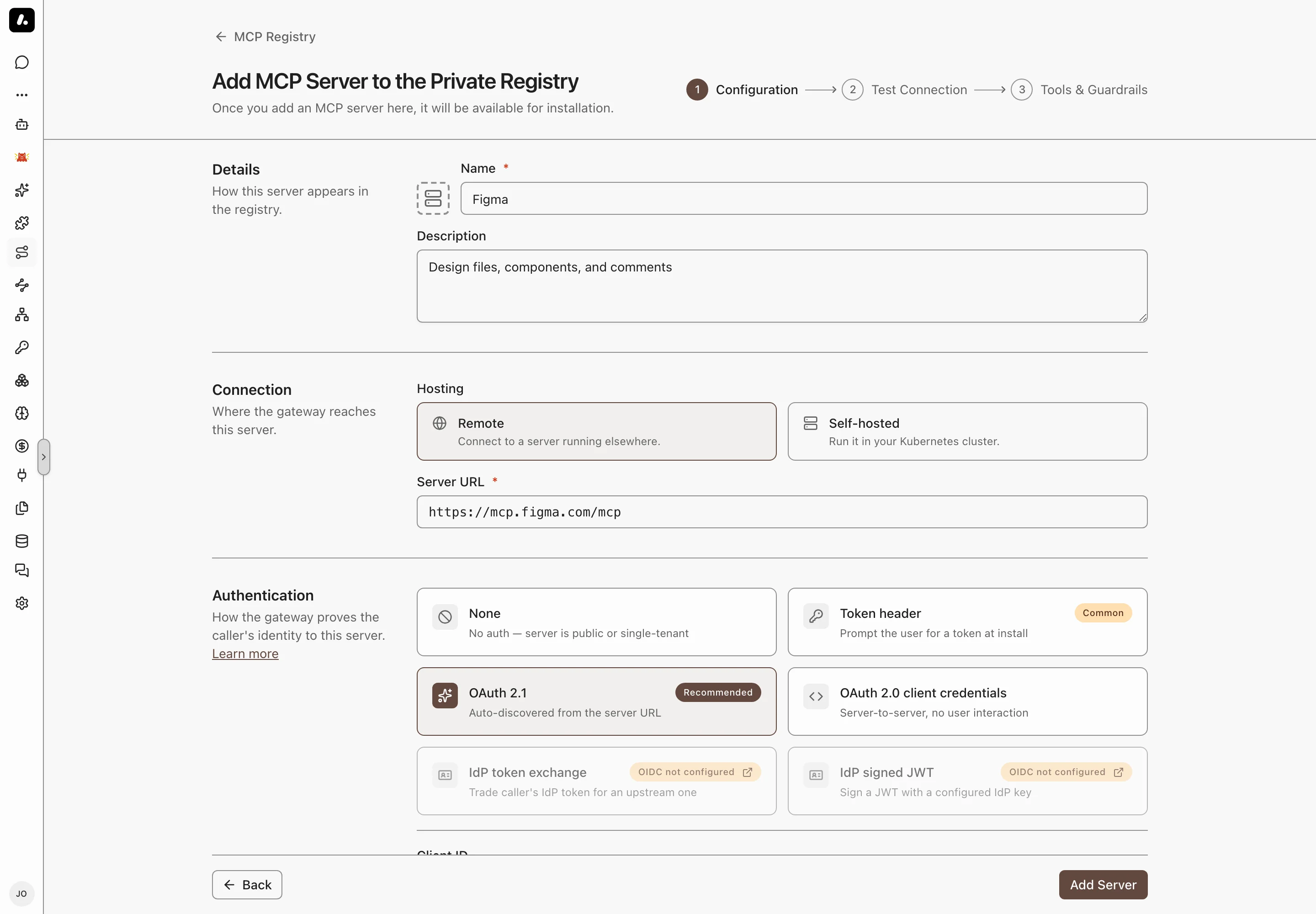
Pick the sign-in the server's docs name. Most hosted servers use OAuth 2.1.
| Sign-in | Pick it when |
| --- | --- |
| **OAuth 2.1** (Recommended) | Each person signs in with their own account. Archestra finds the OAuth settings from the URL. |
| **Token header** | Each person pastes an API key or token when they install. |
| **OAuth 2.0 client credentials** | One app account makes every call, and no person signs in. |
| **IdP token exchange** or **IdP signed JWT** | Calls run as the caller's company identity. See [Identity Providers](https://archestra.ai/docs/admin/identity). |
| **None** | The server needs no sign-in. |
## Add a Self-Hosted Server
For a server that ships as a package or an image, such as one you start with `npx`. Archestra runs it in Kubernetes. See [Self-Hosted Servers](https://archestra.ai/docs/mcp/servers/self-hosted).
1. Follow the remote steps, but pick **Self-hosted** instead of **Remote**.
2. Enter the command and its arguments, or a Docker image. For `npx -y @acme/mcp-server`, the command is `npx` and the arguments are `-y @acme/mcp-server`.
3. Pick the transport: **stdio** for most packages, or **streamable-http** for a server that listens on a port. For HTTP, enter the port and MCP path.
4. Add its environment variables. To make each person enter their own value, such as an API key, mark it for installation. To fill it from a saved [credential](https://archestra.ai/docs/admin/security/credentials), pick that credential.
5. Click **Add Server**, then install and test it. Archestra starts the pod when you install.
## Headers and OAuth Settings
Most servers need none of these. Use them when the server's docs ask for them.
- **Additional Headers:** fixed values sent with every call, such as an API version or a tenant ID. A gateway's [Custom Headers](https://archestra.ai/docs/mcp/gateway#custom-headers) are different: they pass on headers from the client.
- **OAuth endpoints and scopes:** leave them empty if the server publishes its OAuth settings. Fill them only when sign-in fails without them.
- **Protected Resource:** the resource ID your OAuth provider expects, such as `api://`.
---
# Install a Server
Source: https://archestra.ai/docs/mcp/servers/installing
> Connect a personal account or shared service account to an MCP registry entry
When an agent uses a tool, it acts as a real account in that app. Ask an agent to open a GitHub issue with your account, and the issue shows your name. The agent sees only what you can see.
Installing a server connects your account to it. Each person installs with their own account, or a team shares one. Archestra picks the right account for every call.
## Install a Server
Pick who owns the account, then enter its credential. Owner decides who else can use it.
1. Go to **MCP Registry**, find the server, and click **Install**.
2. Pick the **Connection owner**:
- **Personal:** your own account. Only your calls use it.
- **Team:** one account for a team, such as a bot account. Needs [`mcpServerInstallation:update`](https://archestra.ai/docs/reference/permissions#mcpServerInstallation:update).
- **Organization:** one account for everyone.
3. Enter the credential, or sign in to the provider, and click **Install**.
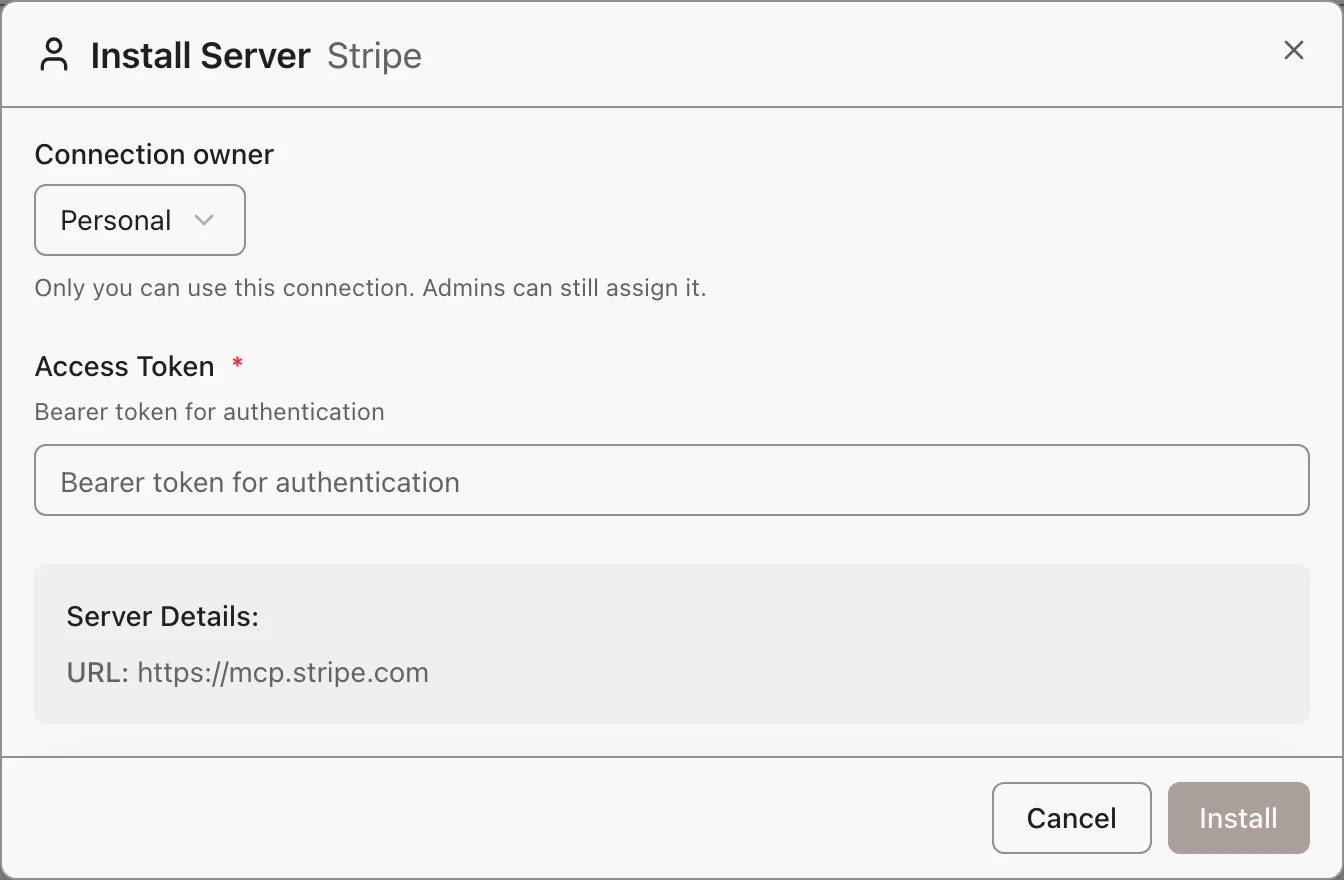
A team or organization install stays when the person who added it leaves. A personal install goes with its owner.
## Per-User or Shared: Pick the Default
When a server has both personal and shared installs, its default decides which one a call uses. Set **Agents connect with** under the server's **Credentials**:
- **Each caller's own account (Recommended):** each call runs as the person who made it. A person with no install of their own gets a team or organization install they can use.
- **A team or organization account:** pick one from the same list, and every call runs as it.
An agent or gateway can override this for each tool. See [Credential Resolution](https://archestra.ai/docs/mcp/authentication/servers#credential-resolution).
## What to Know
- No account to use? The tool returns an error with a setup link. Follow it, then try again.
- Credential rejected, or OAuth scopes changed? Click **Re-authenticate**.
- **Uninstall** on a card removes only your personal install. Team and organization installs stay until an admin removes them.
- Which account ran a call? See **Identity** in the [MCP Gateway logs](https://archestra.ai/docs/admin/logs).
---
# Self-Hosted Servers
Source: https://archestra.ai/docs/mcp/servers/self-hosted
> Run MCP server processes in Kubernetes and manage their runtime
Run any MCP server for your whole team, even one built to run on a laptop. Many MCP servers only run as a local process, from npm, PyPI, or a Docker image. Archestra runs them in your Kubernetes cluster and shares them like any remote server.
- It deploys and restarts them. Each install gets its own pod.
- It holds their secrets. Credentials go into the pod, not into anyone's config file.
- It shows their logs. Container logs are on the server's page. Each tool call is in [Logs](https://archestra.ai/docs/admin/logs).
- It keeps them on your network. The [environment](https://archestra.ai/docs/admin/environments) limits which hosts a server can reach.
## Set Up the Cluster
With the quickstart or the Helm chart, there is nothing to set up. Go straight to [adding a self-hosted server](https://archestra.ai/docs/mcp/servers/adding#self-hosted-servers).
- **[Quickstart](https://archestra.ai/docs/get-started#run-archestra):** Archestra runs its own small Kubernetes cluster inside Docker. That is why the command mounts the Docker socket.
- **[Helm chart](https://archestra.ai/docs/admin/deployment#helm-deployment):** Archestra runs servers in the cluster it is installed in. The chart creates the service account and permissions it needs.
- **Anything else:** mount a kubeconfig for the target cluster, and set [`ARCHESTRA_ORCHESTRATOR_KUBECONFIG`](https://archestra.ai/docs/reference/configuration#ARCHESTRA_ORCHESTRATOR_KUBECONFIG) to its path.
## Change How It Runs
Pull from a private registry, add memory, or mount a volume, from the server's Edit page. Most servers need none of it.
- **Private image:** add an image pull secret, or the registry's credentials.
- **Image pull policy:** `:latest` and untagged images pull on every restart, so a restart runs the newest push. Pinned tags reuse the node's copy, so pods start while the registry is down. Override either per server.
- **Memory, CPU, volumes, or node rules:** edit the **K8s YAML** tab. You need **Full access + deploy** on the server.
- **Who can change it:** the image, command, URL, and authentication take [`mcpRegistry:create`](https://archestra.ai/docs/reference/permissions#mcpRegistry:create) or **Full access + deploy**. Everyone else edits only the name, icon, description, and labels.
- A credential on each call, such as the caller's [identity provider token](https://archestra.ai/docs/mcp/authentication/servers#identity-provider-token-exchange): set **Transport** to **streamable-http**. A **stdio** server gets credentials only at start.
## Debug a Server
Find the symptom, then open the server in MCP Registry to fix it. Its **Logs**, **Inspector**, and **Shell** tabs show what the pod is doing.
| You see | Do this |
| --- | --- |
| **Failed to start** | Open **Logs**. After a crash, it shows the last run's output. Most often a variable is missing, or the command or arguments are wrong. Fix them under **Edit**. |
| **Starting**, for minutes | The image does not pull, or the cluster has no room. Archestra keeps trying. Check the image name and the pull secret. |
| Wrong or missing tools | Open **Inspector**, click **Refresh Tools**, and call one tool to test it. |
| An old version after you pushed a new image to the same tag | Open **⋯** and click **Restart pods with a fresh image**. Set **Image pull policy** to **Always** so later restarts pull it too. |
| None of these | Open **Shell** for a terminal inside the pod. It takes [`mcpServerInstallation:update`](https://archestra.ai/docs/reference/permissions#mcpServerInstallation:update). |
## Idle Hibernation
> **Beta feature.** Turn on beta features with `ARCHESTRA_BETA=true`.
Servers nobody uses sleep, so they free their share of the cluster. The next tool call wakes them. It is an [Enterprise feature](https://archestra.ai/docs/get-started/pricing-model). Turn it on in **Settings → MCP**.
A server sleeps after 30 minutes with no calls. To change that, set [`ARCHESTRA_ORCHESTRATOR_MCP_IDLE_HIBERNATION_SECONDS`](https://archestra.ai/docs/reference/configuration#ARCHESTRA_ORCHESTRATOR_MCP_IDLE_HIBERNATION_SECONDS).
- **The waking call waits** for the pod to start. When the cluster is full, it waits longer. Add an autoscaler or spare capacity.
- To keep a server awake, set **Idle hibernation** to **Never hibernate this server**.
- **Tools stay listed** while a server sleeps. Its resources and prompts do not.
---
# MCP Gateway
Source: https://archestra.ai/docs/mcp/gateway
> One MCP endpoint that gives a client the tools, knowledge, subagents, and skills you choose
Give each client the right tools from one URL, and never hand out a server credential. Point Claude Code, Cursor, or your own app at a gateway. It gets tools from every server behind it:
- Authenticated to every MCP server for you. Archestra uses the person's own account, a shared bot account, or their company identity. See [MCP Server Credentials](https://archestra.ai/docs/mcp/authentication/servers).
- Authenticated the way each client can. Browser OAuth for coding agents, a token for scripts, an OAuth client for your apps, or your identity provider's JWT. See [MCP Gateway Authentication](https://archestra.ai/docs/mcp/authentication/gateway).
- Only the tools you choose. One gateway for engineers, one for support, one for an app.
- Without filling the model's context. The client sees two tools, one to search and one to run, not hundreds.
- With your knowledge, subagents, and skills, through the same URL.
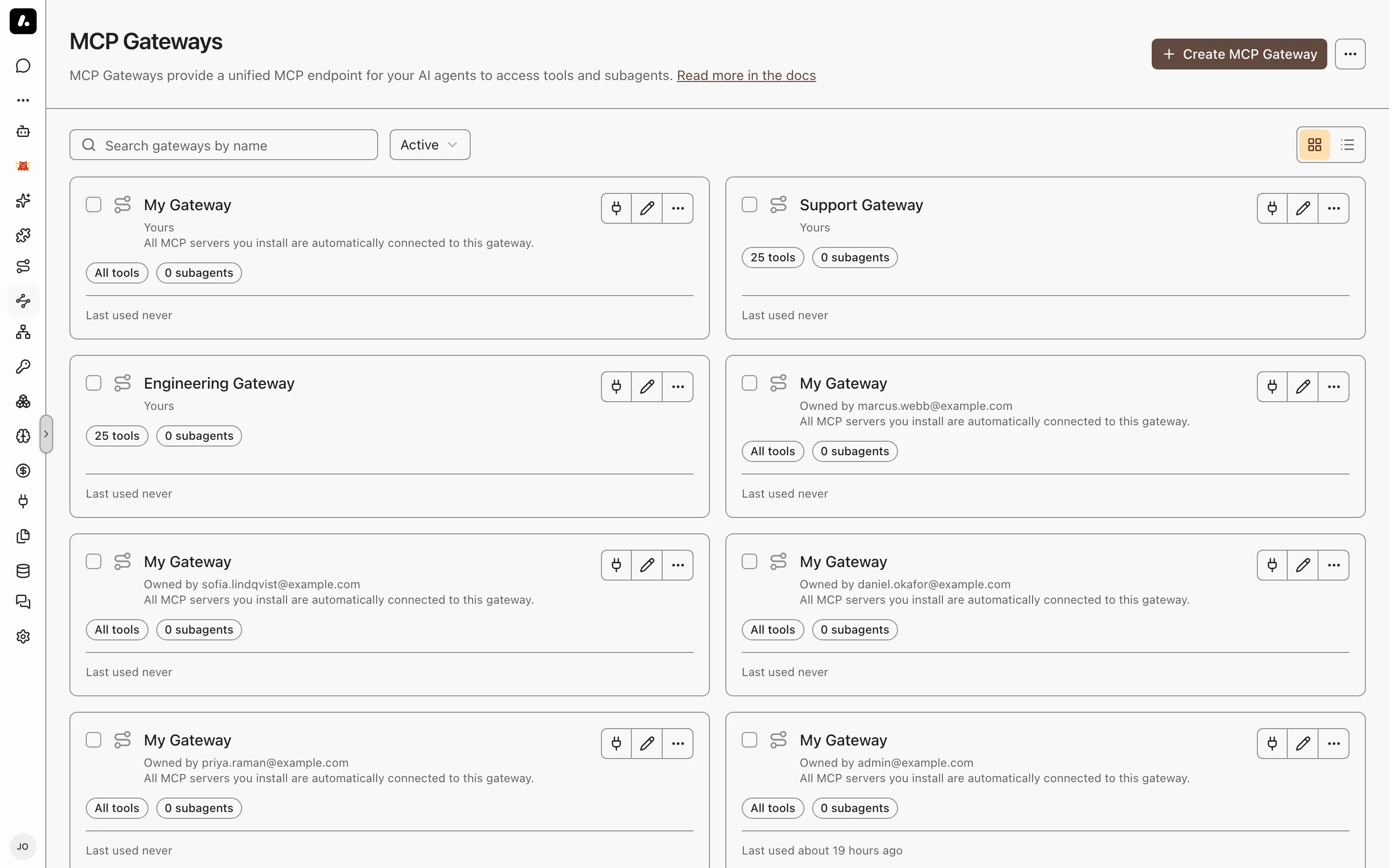
## Create a Gateway
You may not need to. Everyone already has a personal gateway, My Gateway, with every tool they can use. Create a gateway when a team, an app, or a script needs a fixed set of tools.
1. Go to **MCP Gateways** and click **Create MCP Gateway**.
2. Enter a name, such as `support-tools`. Under **Advanced**, choose the people and teams who can use it.
3. Under **Tools & Knowledge**, pick its tools. See [Choose Its Tools](#choose-its-tools).
4. Click **Create**.
5. Use it from your coding agent: on **Connect**, run the setup command. On the approval page, open **Setup options** and click **Change** next to **Tools** to pick the gateway.
Your agent then lists only the tools you chose. For a script or your own app, use the authentication options on the gateway's **Connect** tab. See [MCP Gateway Authentication](https://archestra.ai/docs/mcp/authentication/gateway).
## Choose Its Tools
Give the client every tool its person can use, or only the ones you pick. Set it under **Tools & Knowledge** on the gateway's **Settings** tab.
| Mode | The client gets | Use it for |
| --- | --- | --- |
| **All tools** | Every tool the signed-in person can use. New servers show up by themselves. | A person's own coding agent |
| **Manual** | Only the tools you pick. For each, pick a shared account, or **Resolve at call time** to use each person's own. | A team, an app, or a script |
- **Subagents** go here too. The client gets one `agent__` tool for each [subagent](https://archestra.ai/docs/agents/subagents), to hand it a task.
- **Progressive tool loading** is on by default: the client gets [`search_tools`](https://archestra.ai/docs/reference/archestra-mcp-server#search_tools) and [`run_tool`](https://archestra.ai/docs/reference/archestra-mcp-server#run_tool). Turn it off in Manual mode when the client needs the full list up front.
- A team or organization token has no person behind it, so it gets only the tools you picked, even with **All tools**.
## Search Your Knowledge From Any Client
Let Claude Code or Cursor answer from your company's documents, with links to the sources. The gateway brings your [knowledge bases](https://archestra.ai/docs/knowledge) into any MCP client: Confluence, Google Drive, SharePoint, uploaded files, and [more](https://archestra.ai/docs/knowledge/connectors).
1. On the gateway, go to **Tools & Knowledge**.
2. Choose **All tools** for every source the person can use, or **Manual** and pick the sources.
3. Save. The client gets [`query_knowledge_sources`](https://archestra.ai/docs/reference/archestra-mcp-server#query_knowledge_sources).
4. Ask the client a question, such as "What is our deployment rollback procedure?". Each result comes with its document title and link.
Each person finds only the documents [they can open](https://archestra.ai/docs/knowledge#permissions). A team or organization token finds only sources shared with everyone in the organization.
## Publish Skills
> **Beta feature.** Turn on beta features with `ARCHESTRA_BETA=true`.
Give every MCP client the same [skills](https://archestra.ai/docs/agents/skills), from one place. The gateway publishes them as `skill://` resources. Clients that support the draft MCP Skills extension list and read them like local skills. Other clients do not see them.
1. Open the gateway, go to **Advanced**, and find **Skills over MCP**.
2. Pick **All skills** for every organization skill in the gateway's [environment](https://archestra.ai/docs/admin/environments), or **Manual** to choose.
3. Save, then check that your client lists a skill.
**Manual** says why a skill cannot be published. **All skills** skips it. Templated skills, other people's personal skills, and names that break the [Agent Skills specification](https://agentskills.io/specification) cannot be published.
## What to Know
- Gateway access is its own grant. A person who can use the gateway can use its shared tools, even if they cannot see the server in MCP Registry.
- **Custom headers:** to pass headers from the client to the server, such as a tenant ID, list them under **Advanced → Custom headers**. Stdio servers cannot get headers.
- **Description:** the client gives it to its model as the server's instructions when it connects. Say what the gateway is for and which of its tools to prefer.
---
# MCP Authentication
Source: https://archestra.ai/docs/mcp/authentication
> How clients sign in to a gateway, and how Archestra signs in to each MCP server
Sign in to Archestra once, and every tool call runs as you, in every app. Ask Claude Code to file a Jira ticket and comment on a GitHub pull request. With your own accounts installed, Jira and GitHub both show your name. You never pasted a token into Claude Code.
Every MCP server signs in its own way, and most clients cannot do it for a whole team. Archestra does it for them:
- One way in for each client. Coding agents authenticate through the browser. Scripts, apps, and your identity provider have their own methods. See [MCP Gateway Authentication](https://archestra.ai/docs/mcp/authentication/gateway).
- The right account for each call. The person's own, a shared bot account, or their company identity, exchanged at call time. See [MCP Server Credentials](https://archestra.ai/docs/mcp/authentication/servers).
- Credentials stay in Archestra. It stores them, and refreshes OAuth tokens when the provider allows it. Clients never see them.
- Every call is traceable. The [MCP Gateway logs](https://archestra.ai/docs/admin/logs) show which account each call used.
```mermaid
graph LR
Client["MCP client"] -->|"1. Gateway authentication
OAuth, token, or IdP JWT"| Gateway["MCP Gateway"]
Gateway -->|"2. Server credential
the caller's or a shared one"| Server["MCP server"]
class Gateway accent
```
---
# MCP Gateway Authentication
Source: https://archestra.ai/docs/mcp/authentication/gateway
> Authenticate a client to an MCP Gateway with OAuth, a platform token, or your identity provider's JWT
Each client proves who it is before the gateway shows any tools. Pick the method by the client you have:
| Your client | Use | Each call acts as |
| --- | --- | --- |
| Claude Code, Cursor, or another MCP client | [OAuth](#oauth-21): the client opens a browser for you | The person who signs in |
| A script or CI job | [Platform token](#bearer-token): one header | You, a team, or the organization |
| A client that already holds a token from your identity provider | [Identity provider JWT](#identity-provider-jwks): pass that token | The person in the token |
| Your own app or service | [OAuth client](https://archestra.ai/docs/mcp/authentication/applications): the app gets its own identity | The app, or the person using it |
Not sure? Use OAuth. It works with any MCP client. By default, you register nothing in Archestra first.
## OAuth
Paste the gateway's URL into your client. It opens your browser, you sign in, and the tools appear. You register nothing in Archestra first. Each client signs in as the person, and gets only that person's tools.
1. Copy the endpoint from the gateway's **Connect** tab into your client.
2. Sign in to Archestra in the browser, and approve the client.
3. Check that the client lists the gateway's tools.
A client registers itself in one of two ways. Archestra supports both, so any MCP client works:
- **Client ID Metadata Document:** the client's ID is a URL that describes it. Newer clients use this.
- **Dynamic Client Registration:** the client registers itself the first time it connects.
To allow only clients you register yourself, set [`ARCHESTRA_AUTH_DCR_ENABLED=false`](https://archestra.ai/docs/reference/configuration#ARCHESTRA_AUTH_DCR_ENABLED). That turns off both. Then register each client as an [OAuth client](https://archestra.ai/docs/mcp/authentication/applications).
## Platform Token
For a script or a CI job: one header, no browser. The client gets the tools the token's owner can use.
```text
Authorization: Bearer arch_
```
| Token | Find it under | Calls act as |
| --- | --- | --- |
| **Personal Token** | Your name in the sidebar | You, with your own server accounts |
| **Team** | **Settings → Teams** | The team, with its shared accounts |
| **Organization Token** | **Settings → Auth** | The organization, with its shared accounts |
The gateway's **Connect** tab also shows your tokens, ready to copy.
- Keep a token secret. Anyone who has it acts as its owner. Click **Rotate Token** if it leaks.
- Team and organization tokens have no person behind them. They cannot use per-person tools, such as knowledge search.
- For your own app, use an [OAuth client](https://archestra.ai/docs/mcp/authentication/applications) instead. Its tokens expire, and you can limit what it reaches.
## Identity Provider JWT
Already signed in to Okta or Entra ID? Send that token. Nobody needs an Archestra token. Use it for an internal app or agent platform that signs people in through your company's single sign-on. Identity providers are an Enterprise feature. See [Pricing Model](https://archestra.ai/docs/get-started/pricing-model).
The call acts as the person in the token. So it can use their own server accounts, and Archestra can [exchange their identity](https://archestra.ai/docs/mcp/authentication/servers#identity-provider-token-exchange) for a token each MCP server accepts.
1. Add your OIDC provider under **Settings → Identity Providers**. See [Identity Providers](https://archestra.ai/docs/admin/identity#adding-a-provider).
2. On the gateway, go to **Advanced** and pick that provider.
3. In your client, send the token the provider issued:
```text
Authorization: Bearer
```
4. Check that the client lists the gateway's tools.
Archestra accepts the token only when:
- It is genuine. The signature, issuer, and expiry check out against the provider's published keys.
- It is for Archestra. Its audience is the provider's client ID in Archestra.
- It names a known person. Its email matches an Archestra user who can use the gateway. If your provider puts the email in a custom claim, set **Email Claim** under the provider's **Attribute Mapping**.
Token rejected? Open the provider and go to **Token Debugger**. It shows the claims of your own latest sign-in, so you can see which claim holds the email.
## ID-JAG
ID-JAG lets your identity provider decide which MCP servers each person can use. It is the core of MCP's [Enterprise-Managed Authorization](https://modelcontextprotocol.io/extensions/auth/enterprise-managed-authorization) extension. Nobody approves each server one by one:
1. The person signs in once, through your company's single sign-on.
2. The client asks your identity provider for an ID-JAG for one MCP server. The provider checks its access policy first.
3. The client trades the ID-JAG for that server's access token.
Archestra plays the client role today, not the server role. It gets ID-JAGs from your identity provider to authenticate to MCP servers for a person. See [MCP Server Credentials](https://archestra.ai/docs/mcp/authentication/servers#identity-provider-token-exchange). The gateway does not accept an ID-JAG yet.
Gateway support waits on the [Identity Continuation Assertion draft](https://datatracker.ietf.org/doc/draft-mcguinness-oauth-id-continuation-assertion/). Without it, Archestra cannot pass the person's identity on to the next server after it accepts an ID-JAG.
---
# Gateway Access for Apps
Source: https://archestra.ai/docs/mcp/authentication/applications
> Let your own app or service call an MCP Gateway with an OAuth client
Give your app its own identity in Archestra, not a person's token. A support bot, a nightly job, or an internal portal gets an OAuth client. You choose the gateways and agents it reaches. Its tokens expire, and you can rotate its secret at any time.
Pick how it signs in by who is behind each call:
| How it signs in | Each call acts as | Example |
| --- | --- | --- |
| **[As itself](#oauth-client-credentials-applications)** (client credentials) | The app or a selected service account | A bot that triages tickets every night |
| **[For its users](#oauth-authorization-code-on-behalf-of-users)** (authorization code) | The person signed in to your app | An internal portal where people ask an agent questions |
Create either one under **Settings → OAuth Clients → Create OAuth Client**, or from a gateway's **Connect** tab.
## Call as the App
Each application owns its A2A tasks and retained runtime workspaces. Use the same application's credentials to list, read, follow, or cancel its tasks; tokens renewed for that application retain access. A different application cannot access those tasks, even when both can call the same agent.
Select **Service account (optional)** under **Advanced** on the create dialog's **Access** step to give an automation one identity across OAuth and REST API keys. Its A2A tasks and runtime workspaces belong to that account: OAuth credentials and API keys for the same account can read, follow, or cancel those tasks. Other accounts cannot access them. Use the account's API key on the platform API to manage its runs and delete its own retained workspaces.
The client's allowed agents and gateways still limit OAuth access, and the service account must also have permission to use each resource. Disabling the account stops its OAuth requests; changing the binding revokes issued OAuth tokens. In the edit dialog, the selector is under **Access**.
For LLM Proxy access, enable **LLM Proxy** on the same client and select provider keys on **Access**. Its service-account binding covers all enabled APIs. Spend from that client and runtime virtual keys is attributed to the account. Binding does not supply upstream credentials.
No person signs in, so the app uses the gateway's shared accounts. Give its tools a shared service account in [Choose Its Tools](https://archestra.ai/docs/mcp/gateway#choose-its-tools).
1. Create an OAuth client. Under **What can it access?**, select **MCP Gateway** for tools, **A2A** for agent calls, or both. Pick **As itself**. On **Access**, select the gateways and agents it may reach and optionally open **Advanced** to select a service account.
2. Save the client ID and secret in your secret store. The secret shows only once.
3. Get a token. This example calls MCP; use `scope=a2a` for agent calls:
```bash
curl --request POST "$ARCHESTRA_URL/api/auth/oauth2/token" \
--data-urlencode 'grant_type=client_credentials' \
--data-urlencode "client_id=$CLIENT_ID" \
--data-urlencode "client_secret=$CLIENT_SECRET" \
--data-urlencode 'scope=mcp'
```
4. Call the gateway with `Authorization: Bearer `. Get a new token when it expires.
Reuse each token until it expires. If the token endpoint returns HTTP `429`, wait for its `Retry-After` delay before requesting another token. See [authentication rate limits](https://archestra.ai/docs/reference/configuration#ARCHESTRA_AUTH_RATE_LIMIT_DISABLED).
## Call for a Person
Each call acts as the person signed in to your app, with their own tools and accounts. A ticket the agent files shows their name, not the app's.
1. Create an OAuth client. Select its capabilities and **For its users**. On **Access**, add your app's redirect URIs.
2. In your app, run the authorization code flow with PKCE and the client secret. Ask for `scope=mcp` for tools or `scope=a2a` for agent calls. Add `offline_access` to get a refresh token.
3. Call the gateway with the person's access token.
On **Access**, leave **Additional gateways and agents (optional)** empty to use each person's own access. Selecting resources adds access for everyone who signs in through your app, even without their own access.
## Choose Token Scopes
Ask for only the enabled capabilities each token needs:
| Scope | API |
| --- | --- |
| `mcp` | MCP Gateway |
| `a2a` | Agent A2A endpoints |
| `llm:proxy` | LLM Proxy and Model Router |
For example, `scope=mcp llm:proxy` gets one token for tools and inference. Each requested scope must be enabled on the client. Omitting `scope` in a client credentials request grants all its configured capabilities. A token cannot gain a capability added after it was issued; request a new token. Removing a capability or disabling the client blocks its use immediately.
Open an existing client and use **Access** to change its capabilities, gateways, agents, or provider keys. The client ID and secret stay the same.
In **Settings → OAuth Clients**, use **All APIs** to find clients for a particular API. A client with several capabilities appears under each matching filter. The **MCP Gateway**, **A2A**, and **LLM Proxy** columns summarize its targets and provider access; clients that sign users in use each person's access.
## What to Know
- Secret leaked? Open the client and click **Rotate secret**. The old secret stops working.
- An application can use the same client ID and secret for several APIs. Select **LLM Proxy** as well, then configure its provider keys. See [LLM Proxy authentication](https://archestra.ai/docs/llm-proxy/authentication).
---
# MCP Server Credentials
Source: https://archestra.ai/docs/mcp/authentication/servers
> Set how Archestra signs in to each MCP server, and whose account each call uses
These are the credentials Archestra uses to call the MCP servers behind a gateway, such as Jira or GitHub. Each MCP server signs in its own way. Set it once per server, and Archestra signs in on every call, as the right account. Ask for your open Jira tickets, and the call uses your Jira account. A status-page bot posts as the bot. Nobody pastes a key into a client.
## Sign-In Methods
Pick the method the server's own docs name. You set it when you [add the server](https://archestra.ai/docs/mcp/servers/adding#sign-in).
| Method | Who signs in | Pick it when |
| --- | --- | --- |
| **OAuth 2.1** | Each person, in the browser, once | The server offers OAuth. Most hosted servers do. |
| **Token header** | Each person or team, with an API key at install | The server takes an API key or a personal access token |
| **OAuth 2.0 client credentials** | One app account, with no person | The server serves machines, not people |
| **IdP token exchange** | Nobody. Archestra uses the person's company identity. | You want per-person accounts without installs. See [Company Identity](#identity-provider-token-exchange). |
| **IdP signed JWT** | Nobody. Archestra sends the person's company JWT. | The server checks your identity provider's tokens itself |
OAuth tokens refresh by themselves when the provider allows it. A **stdio** server gets its credentials once, at start, so per-call methods need **streamable-http**.
## Whose Account a Call Uses
Decide per tool: should it act as the person who asks, or always as one shared account? A Jira tool should file tickets as you, so Jira shows who asked. A deploy tool can run as a bot, so nobody needs their own deploy key.
| You want | Set on the tool | Set on the server's **Credentials** |
| --- | --- | --- |
| Each person acts as themselves | **Resolve at call time** | **Agents connect with:** **Each caller's own account** |
| Their own account, or the team's when they have none | **Resolve at call time** | **Each caller's own account**, plus a team install |
| Everyone acts as one bot | The bot's shared install | Nothing |
Set the tool's account where you [choose its tools](https://archestra.ai/docs/mcp/gateway#choose-its-tools), on the gateway or the agent. A tool pinned to a shared install always uses it, whatever the server's default says.
- Nobody's account fits? The call fails with a link to install one. Follow it, and try again.
- A personal install serves only its owner. A team install works only in agents and gateways the team can use.
- To check which account a call used, see **Identity** in the [MCP Gateway logs](https://archestra.ai/docs/admin/logs).
## Company Identity
Give every person their own account in every server, with no installs. On each call, Archestra trades the person's single sign-on token for a token the server accepts. Archestra picks the exchange from your provider:
- **Microsoft Entra ID:** On-Behalf-Of. See [Entra On-Behalf-Of](https://archestra.ai/docs/admin/identity/entra-obo).
- **Okta:** Okta's token exchange. See [Okta](https://archestra.ai/docs/admin/identity/okta).
- **Keycloak, Auth0, and other OIDC providers:** standard [RFC 8693](https://datatracker.ietf.org/doc/html/rfc8693) token exchange.
- **A server that accepts ID-JAG:** the core of MCP's Enterprise-Managed Authorization. See [what ID-JAG is](https://archestra.ai/docs/mcp/authentication/gateway#identity-assertion-jwt-authorization-grant-id-jag).
To set it up:
1. Set up your identity provider's **Enterprise-Managed Credentials**. See [Identity Providers](https://archestra.ai/docs/admin/identity).
2. On the server, pick **IdP token exchange**, or **IdP signed JWT** if the server checks your provider's tokens itself.
3. Set the server's tools to **Resolve at call time**.
The person must sign in through OAuth, an identity provider JWT, or a personal token, and hold a usable token from your provider. A team or organization token has no person to exchange.
## What to Know
- OAuth refresh failed? Click **Re-authenticate** on the install.
- Changed the OAuth scopes? Reconnect to get tokens with the new scopes.
- Every call records its account. See **Identity** in the [MCP Gateway logs](https://archestra.ai/docs/admin/logs).
---
# LLM Proxy
Source: https://archestra.ai/docs/llm-proxy
> See and control every model call your company makes, from coding agents to your own apps
See every model call your company makes: who made it, which model, what it cost, and what the model tried to do. A developer's Claude Code session, a support bot, and a nightly job show in one log. Each has its cost, per person.
The LLM Proxy sits between your clients and your model providers. Clients keep their usual API. Archestra adds:
- Guardrails on every tool call the model asks for. Archestra blocks the calls your policy does not allow. See [Guardrails](https://archestra.ai/docs/agents/guardrails).
- No provider keys in your apps. An app gets a [virtual key](https://archestra.ai/docs/llm-proxy/authentication#standard-virtual-keys). Archestra holds the real key, and you can revoke one app's access alone.
- One URL for every provider. The [Model Router](https://archestra.ai/docs/llm-proxy/model-router) sends `anthropic:claude-sonnet-4-6` to Anthropic and `openai:gpt-5.4` to OpenAI.
- Cost per person, team, and app, with budgets that block requests when spend reaches them. Claude and ChatGPT subscription traffic shows separately, at $0 billed. See [Costs & Limits](https://archestra.ai/docs/llm-proxy/costs-and-limits).
- A log of every request, with the model, the caller, tokens, and cost. See [Logs and Auditing](https://archestra.ai/docs/admin/logs).
```mermaid
flowchart LR
Clients["Claude Code · Cursor · Your apps"] --> Proxy["LLM Proxy"]
Proxy --> Checks["Keys · Guardrails · Costs · Logs"]
Checks --> Cloud["Cloud providers"]
Checks --> Local["Self-hosted models"]
class Proxy accent
class Checks guard
```
## Start Using It
An app or agent uses the proxy when you change two things: its base URL and its API key. Its code stays the same.
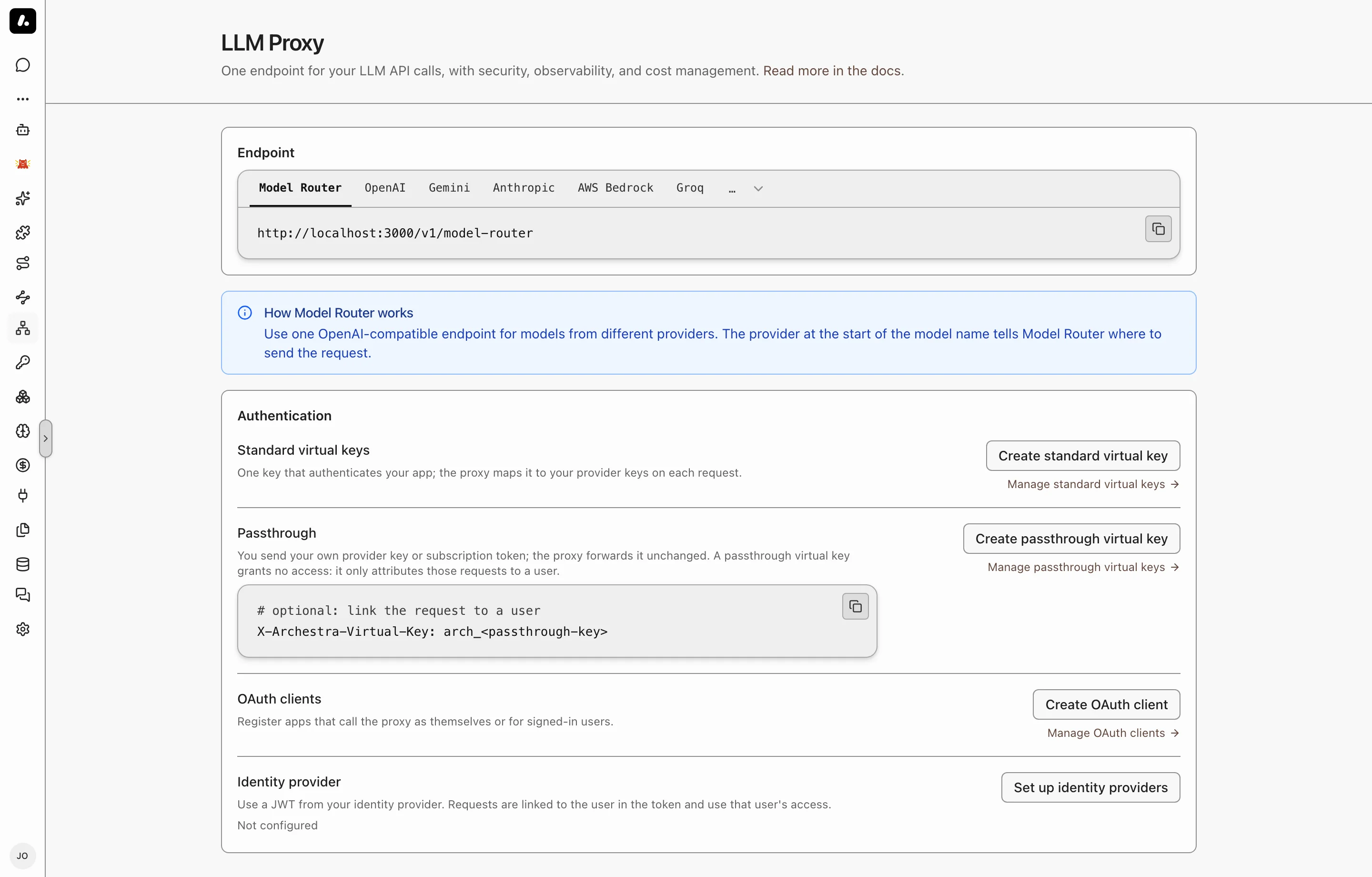
- **Coding agents:** set up Claude Code, Codex, Cursor, or another agent through [Connect](https://archestra.ai/docs/get-started/connect). Connect sets both for you. The agent keeps your own subscription or key.
- **Your own app:**
1. Go to **LLM Proxy** and copy the URL for your provider.
2. Create a credential for the app. For most apps, this is a [standard virtual key](https://archestra.ai/docs/llm-proxy/authentication#standard-virtual-keys).
3. Put the URL and the credential where the app expects the provider's base URL and API key.
4. Send a request, and check that it shows in the [logs](https://archestra.ai/docs/admin/logs).
## Label Requests
Add headers to group requests by app, run, or session in logs and costs. Headers are labels only. They do not prove who the caller is.
| Header | Groups requests by | Example |
| --- | --- | --- |
| `X-Archestra-Agent-Id` | The calling app | `workflow-service` |
| `X-Archestra-User-Id` | The Archestra user, by user ID | A member's user ID |
| `X-Archestra-Session-Id` | Session | `research-123` |
| `X-Archestra-Run-Id` | Run, for metrics | `run-456` |
| `X-Archestra-Meta` | All three, as `//` | `workflow-service/run-456/research-123` |
In `X-Archestra-Meta`, a segment can be empty, but no value can contain `/`. A single header wins over the same value in `X-Archestra-Meta`.
Send the same session header to the [MCP Gateway](https://archestra.ai/docs/mcp/gateway), and the agent's tool calls are filed under that session too.
To tie a request to a person for certain, use a credential that names them. See [Attribution in Logs](https://archestra.ai/docs/llm-proxy/authentication#attribution-in-logs).
`X-Archestra-Session-Id` only labels requests in logs. To enforce Guardrails on custom clients or workflows, send [`X-Appa-Session-ID`](https://archestra.ai/docs/agents/guardrails/clients#session-headers) with the conversation ID. When you send both headers, use the same value.
## What to Know
- Add your providers first. The proxy uses the keys and subscriptions on **Model Providers**. See [Model Providers](https://archestra.ai/docs/llm-proxy/providers).
- Self-hosted models work too, such as Ollama, vLLM, or any OpenAI-compatible server. See [supported providers](https://archestra.ai/docs/llm-proxy/providers#supported-providers).
---
# LLM Proxy Authentication
Source: https://archestra.ai/docs/llm-proxy/authentication
> How apps, agents, and people sign in to the LLM Proxy, and whose provider key each call uses
Every call to the proxy carries an Archestra credential, so each request in the logs names an app or a person. A call with only a provider key is rejected.
First, add your provider keys on [Model Providers](https://archestra.ai/docs/llm-proxy/providers). They stay in Archestra. Then pick how each app or person signs in to the proxy, by what your client supports:
| Your client | Use | Model Router |
| --- | --- | --- |
| An app | [Standard virtual key](#standard-virtual-keys) | Yes |
| A tool with its own key or subscription, like Claude Code | [Passthrough virtual key](#passthrough-virtual-keys) | No |
| A service that gets OAuth tokens | [OAuth, as the app](#call-as-the-app) | Yes |
| An app where people sign in | [OAuth, for each person](#call-for-a-person) | Yes |
| A token from your identity provider | [Identity provider JWT](#jwks-external-identity-provider) | No |
## Standard Virtual Keys
Give each app its own key. To cut off one app, delete its key. Other apps keep working.
1. Go to **LLM Proxy** and click **Create standard virtual key**.
2. Name it. Every provider starts with its primary key. Change a key or remove a provider if the app needs less.
3. Optionally pick who pays for it, who can access it, and when it expires. Then create it.
4. Copy the key. It shows only once. The dialog then shows a request with your key filled in.
5. Use the key wherever the app expects a provider API key:
```bash
curl "https:///v1/openai/chat/completions" \
-H "Authorization: Bearer $ARCHESTRA_VIRTUAL_KEY" \
-H "Content-Type: application/json" \
-d '{"model":"gpt-5.4","messages":[{"role":"user","content":"Hello"}]}'
```
The request shows under **Logs → LLM Proxy**, with the key's name.
- With **Selected providers**, the key needs a mapping for the route's provider. An OpenAI route needs an OpenAI key. On the [Model Router](https://archestra.ai/docs/llm-proxy/model-router), the model's prefix picks the mapping.
- Self-hosted providers can map several endpoints. Archestra sends each request to the endpoint that serves the model. You can edit a virtual key to add providers or endpoints without changing its token.
- Choose **Current and future providers** to automatically use each provider's shared **Primary** API key, including providers added later. Personal and subscription keys are excluded. You can optionally select a different key for an existing provider. Connect settings apply this option to newly issued keys.
- After you confirm, deleting a provider key or disconnecting a subscription also deletes the virtual keys and OAuth clients that map only that key. A key or client that also maps other providers keeps those. Knowledge base settings that used the key are cleared.
- **To share a key** with a team, add the team under its permissions, when you create the key or later.
- To bill a team, pick it as the payer. The key's spend then counts toward that team's [costs](https://archestra.ai/docs/llm-proxy/costs-and-limits#track-spending) and [limits](https://archestra.ai/docs/llm-proxy/costs-and-limits#set-a-budget), not its creator's. A spend cap there limits the key itself.
## Passthrough Virtual Keys
Use your own subscription or key, and still show up in costs and logs. Claude Code on a Claude subscription is the common case.
[Connect](https://archestra.ai/docs/get-started/connect) sets this up for Claude Code, Claude Desktop, Codex, OpenCode, and Kilo Code. For any other client:
1. Go to **LLM Proxy** and click **Create passthrough virtual key**. Copy the key.
2. Send it in `X-Archestra-Virtual-Key`, next to the provider's own credential:
```bash
curl "https:///v1/openai/chat/completions" \
-H "Authorization: Bearer $OPENAI_API_KEY" \
-H "X-Archestra-Virtual-Key: $ARCHESTRA_PASSTHROUGH_KEY" \
-H "Content-Type: application/json" \
-d '{"model":"gpt-5.4","messages":[{"role":"user","content":"Hello"}]}'
```
- The passthrough key only says who you are. It gives no access to Archestra's provider keys.
- It belongs to one person.
- Without it, the call is rejected with `401`. A provider key alone is not accepted. See [Allow Requests Without a Virtual Key](#allow-requests-without-a-virtual-key).
## OAuth Clients
Use OAuth when your app should get short-lived tokens, not a key that never expires.
Go to **Settings → OAuth Clients → Create OAuth Client**, and select **LLM Proxy** under **What can it access?**. Select **MCP Gateway** or **A2A** as well if the application also needs tools or agents. One client ID and secret covers the selected APIs. Then pick how it signs in:
### Call as the App
For a bot or a nightly job with no person behind it. Select **Service account (optional)** under **Access → Advanced** to use that account’s permissions and attribute LLM spend to it. Enable **MCP Gateway** or **A2A** on the same client for [shared A2A run ownership](https://archestra.ai/docs/mcp/authentication/applications#call-as-the-app).
1. Pick **As itself**. On **Access**, choose **Selected providers** to fix the allowed providers and keys, or **Current and future providers** to follow shared Primary keys automatically. If you enabled tools or agents, select their gateways and agents too.
2. Under **Advanced → Budget** on the same step, optionally pick the team that pays for it or set a spend cap.
3. Save the client ID and secret. The secret shows only once.
4. Get a token. It lasts one hour.
```bash
curl --request POST "https:///api/auth/oauth2/token" \
--data-urlencode 'grant_type=client_credentials' \
--data-urlencode "client_id=$CLIENT_ID" \
--data-urlencode "client_secret=$CLIENT_SECRET" \
--data-urlencode 'scope=llm:proxy'
```
5. Send `Authorization: Bearer ` on a provider route or the Model Router.
- When editing a client, use **Access** to change capabilities and provider keys, and **Budget** to change its payer or spend cap.
- The billing team's [costs](https://archestra.ai/docs/llm-proxy/costs-and-limits#track-spending) and [limits](https://archestra.ai/docs/llm-proxy/costs-and-limits#set-a-budget) count the client's spend. A spend cap limits the client itself.
- **Current and future providers** uses shared **Primary** keys at request time, including later providers and changes to the Primary key. Personal and subscription keys are excluded. Under **LLM API keys**, you can override the key for a provider. Enabling this mode requires a [**Can use** grant](https://archestra.ai/docs/admin/access-control#granular-access-control) on all current and future provider keys (`*`); access to each current key separately is insufficient.
- Existing OAuth clients keep **Selected providers** until you change their mode.
- Map a metered API key. A personal subscription cannot serve an app.
- See the [complete example app](https://github.com/archestra-ai/examples/tree/main/model-router-client-credentials).
For a combined client, request a space-separated subset such as `scope=llm:proxy mcp`. See [token scopes](https://archestra.ai/docs/mcp/authentication/applications#choose-token-scopes) for scope selection and changes to an existing client.
### Call for a Person
For an app where people sign in. Each call uses that person's provider keys, cost limits, and policies.
1. Pick **For its users**. On **Access**, add your app's redirect URIs. Each person pays for their own use. An optional spend cap limits the whole client.
2. In your app, run the authorization code flow with PKCE. Ask for `scope=llm:proxy`. Add `offline_access` to get a refresh token.
3. Send the person's access token on a provider route or the Model Router.
- A public app can register itself, with no secret. To allow only clients you register, set [`ARCHESTRA_AUTH_DCR_ENABLED=false`](https://archestra.ai/docs/reference/configuration#ARCHESTRA_AUTH_DCR_ENABLED).
- Set how long tokens last under **Settings → Auth → OAuth token lifetime**.
- See the [complete example app](https://github.com/archestra-ai/examples/tree/main/model-router-user-oauth).
## Identity Provider JWT
Already signed in to Okta or Entra ID? Send that token. Each call uses that person's provider keys. Identity providers are an Enterprise feature. See [Pricing Model](https://archestra.ai/docs/get-started/pricing-model).
1. Add your OIDC provider under **Settings → Identity Providers**.
2. On **LLM Proxy**, under **Identity provider**, pick it. You need [`llmProxy:update`](https://archestra.ai/docs/reference/permissions#llmProxy:update).
3. Send the JWT as `Authorization: Bearer` on a provider route. The Model Router does not take it.
Archestra checks the signature and issuer, then matches the email claim to an Archestra user. If either fails, the request is rejected.
## Allow Requests Without a Virtual Key
Keep this off unless a client cannot send any Archestra credential. When it is on, a call with only a provider key, or no key, reaches the provider.
Turn on **Allow requests without a virtual key** under **Settings → LLM**. You need [`organizationSettings:update`](https://archestra.ai/docs/reference/permissions#organizationSettings:update).
- These calls are not tied to a person, so per-person limits and attribution do not apply.
- A self-hosted provider with no key of its own, such as Ollama or vLLM, becomes open to anyone who can reach the proxy.
- Providers whose credentials Archestra holds, such as Vertex AI or Bedrock with IAM, still need an Archestra credential.
## What to Know
- **Logs name a person** only for a personal virtual key, a passthrough key, user OAuth, or an identity provider JWT. A shared key names the key, and an app's token names the app. Give each budget its own credential.
- Which provider key a call uses and per-key **Base URL** settings are on [Model Providers](https://archestra.ai/docs/llm-proxy/providers#which-key-a-request-uses).
---
# Model Providers
Source: https://archestra.ai/docs/llm-proxy/providers
> Connect provider API keys and personal subscriptions for Chat and the LLM Proxy
Add each AI provider once. Chat, agents, and every app behind the [LLM Proxy](https://archestra.ai/docs/llm-proxy) can use it, and none of them sees the key. Paste an OpenAI key, sign in with your ChatGPT subscription, or point at your own vLLM server.
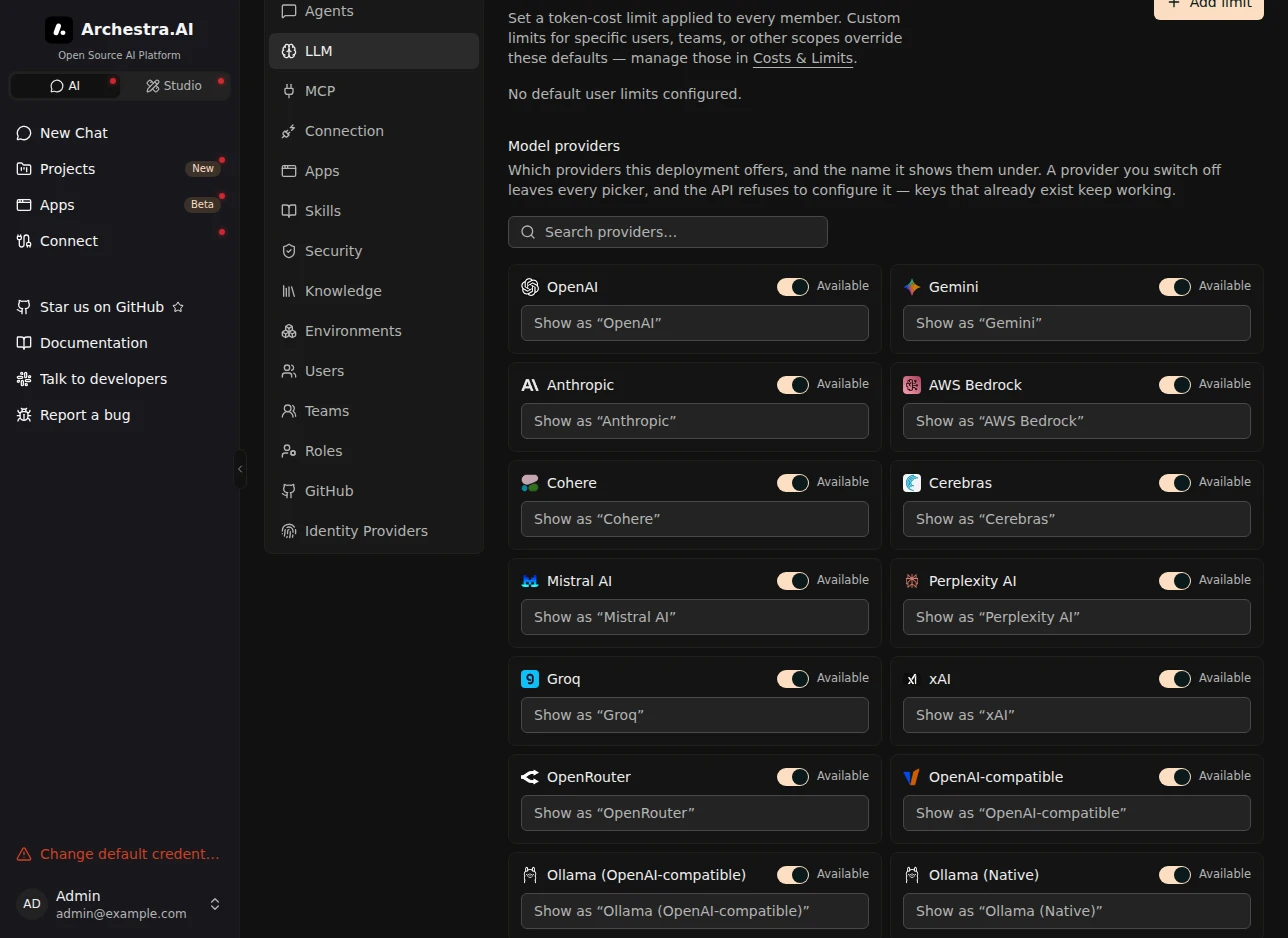
## Connect a Provider
Connect with an API key that your company pays for by use, or with a subscription that a person already pays for.
### With an API Key
Paste a key, and Archestra tests it and loads the provider's models.
1. Go to **Model Providers** in the sidebar and click **Add API Key**.
2. Pick the **Provider** and paste the **API Key**.
3. Optionally open **Advanced** to mark the key **Primary**, set a **Base URL** for a proxy or self-hosted endpoint, or add **Extra HTTP headers** that every request to the provider carries.
4. Click **Test & Create**. Archestra calls the provider with the key and syncs its models.
The new key appears in the **Provider API keys** table as **Configured**, and its models appear under **Models**. To choose who can use it, edit the key and add people or teams under its permissions.
You can also set a key through an environment variable, `ARCHESTRA_CHAT__API_KEY` (for example [`ARCHESTRA_CHAT_OPENAI_API_KEY`](https://archestra.ai/docs/reference/configuration#ARCHESTRA_CHAT_OPENAI_API_KEY)). It is the fallback when no stored key applies.
To hide a provider your company does not use, go to **Settings → LLM → Model providers** and switch **Available** off. It leaves every picker, and nobody can add a key for it. Its existing keys keep working. On the same page, you can give a provider a display name.
### With a Subscription
Already pay for ChatGPT, GitHub Copilot, Microsoft 365 Copilot, or SuperGrok? Use it instead of a metered API key. On **Model Providers**, click **Connect** on the provider's card and sign in.
These credentials belong to one person and cannot be shared. An agent that uses one always runs on the chatting user's own subscription. A user who has not connected sees a sign-in prompt in chat. If the vendor rejects the sign-in later, click **Connect** again; the credential keeps its model and agent selections.
- **ChatGPT**: first turn on **Enable device code authorization for Codex** in ChatGPT under **Settings → Security**. It is off by default, and ChatGPT blocks the sign-in until you turn it on.
- **SuperGrok**: unavailable when [Bring Your Own Secrets](https://archestra.ai/docs/admin/security) uses a read-only external Vault, because Archestra cannot store the rotating sign-in token there. Use an xAI API key instead.
- **GitHub Copilot** and **Microsoft 365 Copilot** have their own pages: [GitHub Copilot](https://archestra.ai/docs/llm-proxy/providers/github-copilot), [Microsoft 365 Copilot](https://archestra.ai/docs/llm-proxy/providers/microsoft-365-copilot).
ChatGPT and SuperGrok use bills $0 in Costs. GitHub Copilot and Microsoft 365 Copilot use counts as metered. See [Subscription vs Metered Cost](https://archestra.ai/docs/llm-proxy/costs-and-limits#subscription-vs-metered-cost).
### Which Key Pays for a Chat
When several keys exist for one provider, the most specific one wins. Your team shares an OpenAI key, and you add your own. Your chats now run on yours, so your use stops counting against the team's key.
Chat and agents take the first match:
| Order | Key | Example |
| --- | --- | --- |
| 1 | The key picked in the conversation | You switch a chat to the research team's key. |
| 2 | The key set on the agent | A support agent always bills the support team's key. |
| 3 | Your own key | You added a personal Anthropic key. |
| 4 | A key shared with your teams | Platform Engineering shares one OpenAI key. |
| 5 | A key shared with the organization | The company default key. |
| 6 | The `ARCHESTRA_CHAT__API_KEY` environment variable | The key set at install time. |
When one level has several keys, the **Primary** key wins, then the oldest one.
- A subscription is used only by the person who connected it, even when an agent or a conversation picks it. Anyone else uses their own subscription, or gets a sign-in prompt.
- For vLLM, Ollama, and Azure, each key points at its own server. A key whose server does not host the model you picked is skipped for one that does.
- Clients that call the proxy pick their key through their [authentication method](https://archestra.ai/docs/llm-proxy/authentication).
## Supported Providers
Each provider has its own proxy URL, `https:///v1/`, with the provider's own API. A client that works with the provider works with the proxy. Providers marked **Router** also work through the [Model Router](https://archestra.ai/docs/llm-proxy/model-router). A linked name has a setup page.
| Provider | Path | APIs | Router | Notes |
| --- | --- | --- | --- | --- |
| [Amazon Bedrock](https://archestra.ai/docs/llm-proxy/providers/bedrock) | `bedrock` | Converse, InvokeModel | Yes | API key, AWS access keys, or IAM role |
| [Anthropic](https://archestra.ai/docs/llm-proxy/providers/anthropic) | `anthropic` | Messages | Yes | Also Claude on Microsoft Foundry and Vertex AI |
| [Archestra](https://archestra.ai/docs/llm-proxy/providers/archestra) | `archestra` | Chat Completions | No | Another Archestra instance as the upstream |
| [Azure AI Foundry](https://archestra.ai/docs/llm-proxy/providers/azure) | `azure` | Chat Completions, Responses, Embeddings | Yes | API key or Microsoft Entra ID |
| Cerebras | `cerebras` | Chat Completions | Yes | |
| Cohere | `cohere` | Chat | Yes | |
| DeepSeek | `deepseek` | Chat Completions | Yes | |
| [GitHub Copilot](https://archestra.ai/docs/llm-proxy/providers/github-copilot) | `github-copilot` | Chat Completions, Responses | Yes | Personal sign-in only |
| [Google Gemini](https://archestra.ai/docs/llm-proxy/providers/gemini) | `gemini` | Generate Content, Embeddings | Yes | Google AI Studio or Vertex AI |
| Groq | `groq` | Chat Completions | Yes | |
| Jev | `jev` | Decisions | No | Scores content, such as a tool call. It does not chat. See [Jev](#jev). |
| Kimi (Moonshot AI) | `kimi` | Chat Completions | No | China endpoint: set [`ARCHESTRA_KIMI_BASE_URL`](https://archestra.ai/docs/reference/configuration#ARCHESTRA_KIMI_BASE_URL) to `https://api.moonshot.cn/v1` |
| [Microsoft 365 Copilot](https://archestra.ai/docs/llm-proxy/providers/microsoft-365-copilot) | `microsoft-365-copilot` | Chat Completions | No | Personal sign-in only, no tools |
| MiniMax | `minimax` | Chat Completions | Yes | Text only |
| Mistral AI | `mistral` | Chat Completions, Embeddings | Yes | |
| [Ollama](https://archestra.ai/docs/llm-proxy/providers/ollama) | `ollama`, `ollama-native` | Chat Completions, Embeddings, native Chat | `ollama` only | No key needed |
| OpenAI | `openai` | Chat Completions, Responses, Embeddings | Yes | ChatGPT subscription through **Connect** |
| [OpenAI-compatible servers](https://archestra.ai/docs/llm-proxy/providers/openai-compatible) | `vllm` | Chat Completions, Embeddings | Yes | vLLM, llama.cpp, LM Studio, SGLang, and others |
| OpenRouter | `openrouter` | Chat Completions, Embeddings | Yes | See [OpenRouter Free Models](#openrouter-free-models) |
| Perplexity | `perplexity` | Chat Completions, Responses | Yes | `sonar` models take no tools; vendor-prefixed models such as `anthropic/claude-opus-5` do |
| xAI (Grok) | `xai` | Chat Completions | Yes | SuperGrok subscription through **Connect** |
| Zhipu AI | `zhipuai` | Chat Completions, Embeddings | Yes | |
Each provider's default endpoint can be changed with its `ARCHESTRA__BASE_URL` variable, listed under [LLM Provider Configuration](https://archestra.ai/docs/reference/configuration#llm-providers).
### OpenRouter Free Models
OpenRouter's `:free` model variants cost nothing, though they still need an OpenRouter API key. The providers behind them may use your requests to train models, so do not send sensitive data. The `openrouter/free` model picks a free model for each request. When you add an OpenRouter key and the organization has no default model, Archestra makes `openrouter/free` the default.
### Jev
[Jev](https://typesafe.ai) is TypeSafe's decision model. It scores content, such as a tool call, and does not chat. Send requests to `https:///v1/jev/decisions` with `Authorization: Bearer `.
To use Jev through OpenRouter, set the key's base URL to `https://openrouter.ai/api/alpha/decisions`. To change the default endpoint, set [`ARCHESTRA_JEV_BASE_URL`](https://archestra.ai/docs/reference/configuration#ARCHESTRA_JEV_BASE_URL).
## Model Pricing, Limits, and Modalities
Archestra fills in each model's prices, context window, and input types for you. It syncs them from the provider and a public model registry. A self-hosted or very new model can have gaps. Set any value yourself, because each one changes how Archestra treats the model:
| Detail | What it changes |
| --- | --- |
| **Pricing** | The cost Archestra records for each request. Wrong prices give wrong [cost reports and budgets](https://archestra.ai/docs/llm-proxy/costs-and-limits). |
| **Context window** | When chat compacts a long conversation. |
| **Max output tokens** | How long one answer can be. Without it, a turn asks for 8,192 tokens, which can cut a long answer short. |
| **Modalities** | Which files chat sends to the model, and which models you can pick for [embedding](https://archestra.ai/docs/knowledge/settings#embedding-model) and [OCR](https://archestra.ai/docs/knowledge/settings#document-ocr). A file the model cannot read goes to the conversation's **Files** panel instead. |
To change one, go to **Models**, edit the model, and open its **Pricing**, **Limits**, or **Modalities** tab. Your values stay through model refreshes. Clear a field to use the synced value again.
---
# Amazon Bedrock
Source: https://archestra.ai/docs/llm-proxy/providers/bedrock
> Connect Amazon Bedrock with an API key, AWS access keys, or the IAM identity of your Archestra deployment.
Use every model in your Amazon Bedrock account through Archestra. Connect with a Bedrock API key or AWS access keys. On AWS, Archestra can use its own IAM role, so it stores no key.
## Adding a Provider
1. Go to **Model Providers → Add API Key** and select **Amazon Bedrock**.
2. Choose the authentication method:
- **API Key**: paste a Bedrock API key.
- **AWS SigV4**: enter **Access Key ID**, **Secret Access Key**, and an optional **Session Token**.
- **Service Account**: use the IAM credentials available to the backend. This requires [`ARCHESTRA_BEDROCK_IAM_AUTH_ENABLED=true`](https://archestra.ai/docs/reference/configuration#ARCHESTRA_BEDROCK_IAM_AUTH_ENABLED).
3. Choose the **Region** where your models are available.
4. Click **Test & Create**.
The key appears in the provider table, and available models appear under **Models**. For a private endpoint, set **Base URL** under **Advanced**. Ensure the selected region matches that endpoint.
Proxy clients use `https:///v1/bedrock`. The proxy supports Bedrock Converse and InvokeModel requests. Through Model Router, use `bedrock:`.
### IAM Authentication Setup (IRSA)
To use IAM authentication on EKS with [IRSA](https://docs.aws.amazon.com/eks/latest/userguide/iam-roles-for-service-accounts.html):
1. Create an IAM role with `AmazonBedrockFullAccess` or a scoped policy (see below)
2. Create an [OIDC provider](https://docs.aws.amazon.com/eks/latest/userguide/enable-iam-roles-for-service-accounts.html) for your EKS cluster
3. Configure the IAM role's trust policy to allow the Archestra service account:
```json
{
"Effect": "Allow",
"Principal": {
"Federated": "arn:aws:iam:::oidc-provider/oidc.eks..amazonaws.com/id/"
},
"Action": "sts:AssumeRoleWithWebIdentity",
"Condition": {
"StringEquals": {
"oidc.eks..amazonaws.com/id/:sub": "system:serviceaccount:archestra:archestra-platform"
}
}
}
```
4. Annotate the Archestra service account:
```bash
kubectl annotate sa archestra-platform -n archestra \
eks.amazonaws.com/role-arn=arn:aws:iam:::role/
```
5. Set [`ARCHESTRA_BEDROCK_IAM_AUTH_ENABLED=true`](https://archestra.ai/docs/reference/configuration#ARCHESTRA_BEDROCK_IAM_AUTH_ENABLED) and restart the deployment. Create the provider key using **Service Account**.
### Minimum IAM Policy
Archestra calls the Bedrock **Converse API**, and the **InvokeModel API** for clients that use it (Claude Code, for example). Converse uses the same inference permissions as InvokeModel; see the [AWS Converse API reference](https://docs.aws.amazon.com/bedrock/latest/APIReference/API_runtime_Converse.html). The IAM role needs these actions:
```json
{
"Version": "2012-10-17",
"Statement": [
{
"Effect": "Allow",
"Action": [
"bedrock:InvokeModel",
"bedrock:InvokeModelWithResponseStream"
],
"Resource": [
"arn:aws:bedrock:*::inference-profile/us.anthropic.*",
"arn:aws:bedrock:*::foundation-model/anthropic.*"
]
},
{
"Effect": "Allow",
"Action": [
"bedrock:ListInferenceProfiles",
"bedrock:ListFoundationModels"
],
"Resource": "*"
}
]
}
```
Use `*` for the region in resource ARNs — cross-region inference profiles (`us.` prefix) can route requests to any US region.
The two list actions populate the model picker. `ListInferenceProfiles` returns cross-region and application inference profiles. `ListFoundationModels` adds on-demand models that have no inference profile. Without it, those models are not offered.
## Model Discovery
Set [`ARCHESTRA_BEDROCK_ALLOWED_PROVIDERS`](https://archestra.ai/docs/reference/configuration#ARCHESTRA_BEDROCK_ALLOWED_PROVIDERS) to a comma-separated list such as `anthropic,amazon` to limit discovered model vendors. [`ARCHESTRA_BEDROCK_ALLOWED_INFERENCE_REGIONS`](https://archestra.ai/docs/reference/configuration#ARCHESTRA_BEDROCK_ALLOWED_INFERENCE_REGIONS) limits inference-region prefixes such as `us,global`. Empty values allow all.
---
# Azure AI Foundry
Source: https://archestra.ai/docs/llm-proxy/providers/azure
> Connect Azure model deployments with an API key or Microsoft Entra ID
Use the models you deployed in Azure, with an API key or with no key at all through Microsoft Entra ID. Each deployment name becomes a model ID, so `gpt-5-prod` in Azure is `gpt-5-prod` in your requests.
## Add Azure
1. Go to **Model Providers → Add API Key** and select **Azure AI Foundry**.
2. Set **Base URL** to your resource, not to one deployment:
| Your resource | Base URL |
| --- | --- |
| Azure OpenAI | `https://.openai.azure.com/openai` |
| A Foundry project with its own OpenAI endpoint | `https://.openai.azure.com/openai` |
| Microsoft Foundry v1 | `https://.services.ai.azure.com/openai/v1` |
3. Paste the resource's API key from the [Azure Portal](https://portal.azure.com/#view/Microsoft_Azure_ProjectOxford/CognitiveServicesHub/~/OpenAI). Leave it empty if you [use Entra ID](#keyless-authentication-with-microsoft-entra-id).
4. Click **Test & Create**.
Your deployments show under **Models**. Clients call `https:///v1/azure` with a [virtual key](https://archestra.ai/docs/llm-proxy/authentication#standard-virtual-keys), or with the Azure key as `Authorization: Bearer`.
One provider key covers the whole resource. Do not add a key for each deployment.
## Sign In Without a Key
Let Archestra sign in to Azure as itself, so no Azure key is stored anywhere. It uses Azure's `DefaultAzureCredential`: a workload identity, a managed identity, a service principal, or your local Azure CLI sign-in.
1. Set [`ARCHESTRA_AZURE_OPENAI_ENTRA_ID_ENABLED=true`](https://archestra.ai/docs/reference/configuration#ARCHESTRA_AZURE_OPENAI_ENTRA_ID_ENABLED).
2. Give that identity a role on the Azure resource: **Cognitive Services OpenAI User** for Azure OpenAI, or **Cognitive Services User** for Foundry Models.
3. Add Azure as above, with the API key empty.
To try the flow on your laptop first, see the [keyless example](https://github.com/archestra-ai/examples/tree/main/azure-openai-keyless).
### On AKS
Use [Microsoft Entra Workload ID](https://learn.microsoft.com/en-us/azure/aks/workload-identity-overview) with a user-assigned managed identity. Turn on the OIDC issuer and workload identity, and create a federated credential for Archestra's service account:
```bash
az aks update \
--resource-group "$AKS_RESOURCE_GROUP" \
--name "$AKS_CLUSTER_NAME" \
--enable-oidc-issuer \
--enable-workload-identity
export AKS_OIDC_ISSUER="$(az aks show \
--resource-group "$AKS_RESOURCE_GROUP" \
--name "$AKS_CLUSTER_NAME" \
--query oidcIssuerProfile.issuerUrl \
--output tsv)"
az identity federated-credential create \
--resource-group "$IDENTITY_RESOURCE_GROUP" \
--identity-name "$USER_ASSIGNED_IDENTITY_NAME" \
--name archestra-platform \
--issuer "$AKS_OIDC_ISSUER" \
--subject "system:serviceaccount:$NAMESPACE:$SERVICE_ACCOUNT_NAME" \
--audience api://AzureADTokenExchange
```
Then annotate the Helm service account and add the pod label required by the AKS workload identity webhook:
```yaml
archestra:
orchestrator:
kubernetes:
serviceAccount:
name: archestra-platform
annotations:
azure.workload.identity/client-id: ""
podLabels:
azure.workload.identity/use: "true"
env:
ARCHESTRA_AZURE_OPENAI_ENTRA_ID_ENABLED: "true"
```
Then set the identity and the pod label in your Helm values:
```yaml
archestra:
orchestrator:
kubernetes:
serviceAccount:
name: archestra-platform
annotations:
azure.workload.identity/client-id: ""
podLabels:
azure.workload.identity/use: "true"
env:
ARCHESTRA_AZURE_OPENAI_ENTRA_ID_ENABLED: "true"
```
The subject must match your Helm release's namespace and service account. See Microsoft's [AKS Workload ID guide](https://learn.microsoft.com/en-us/azure/aks/workload-identity-deploy-cluster).
## When It Does Not Work
| You see | Do this |
| --- | --- |
| No models after **Test & Create** | Check that **Base URL** is the resource, not a deployment URL. With Entra ID, give the identity **Cognitive Services OpenAI User** on the backing Azure AI Services resource, at its full resource scope. |
| A model you see in Azure is missing | Deploy it first. Archestra lists deployments, not the model catalog. |
| A Claude model fails | Claude on Foundry uses Anthropic's API. Add it as the [Anthropic provider](https://archestra.ai/docs/llm-proxy/providers/anthropic#anthropic-on-microsoft-foundry). |
| `'max_tokens' is not supported with this model` | Use a Foundry v1 URL, or set [`ARCHESTRA_AZURE_OPENAI_API_VERSION`](https://archestra.ai/docs/reference/configuration#ARCHESTRA_AZURE_OPENAI_API_VERSION) to `2024-09-01` or later. Archestra then sends `max_completion_tokens` to OpenAI model deployments. |
| An Azure API version error | Set [`ARCHESTRA_AZURE_OPENAI_API_VERSION`](https://archestra.ai/docs/reference/configuration#ARCHESTRA_AZURE_OPENAI_API_VERSION), or [`ARCHESTRA_AZURE_OPENAI_RESPONSES_API_VERSION`](https://archestra.ai/docs/reference/configuration#ARCHESTRA_AZURE_OPENAI_RESPONSES_API_VERSION) for `/responses`. Foundry v1 URLs use neither. |
## What to Know
- **Narrowest access:** use a custom role with `Microsoft.Resources/subscriptions/read`, `Microsoft.Resources/subscriptions/resources/read`, `Microsoft.CognitiveServices/accounts/read`, and `Microsoft.CognitiveServices/accounts/deployments/read`.
- **Discovery and requests on different endpoints:** set `inferenceBaseUrl` on the provider key through the API. Archestra lists deployments from **Base URL** and sends every request to the inference URL.
- **Grok on Azure** works through a Foundry v1 URL, once the model is deployed.
---
# Anthropic
Source: https://archestra.ai/docs/llm-proxy/providers/anthropic
> Connect Claude with an Anthropic API key, Microsoft Foundry, Vertex AI, or workload identity federation.
Use Claude with an Anthropic API key, or through your Microsoft Foundry or Google Vertex AI account. With workload identity federation, Archestra stores no Anthropic key at all.
## Adding a Provider
Go to **Model Providers → Add API Key**, select **Anthropic**, and configure the credentials described below. Click **Test & Create**. A successful test adds the key and makes its models available under **Models**.
## Proxy Endpoint
- **Base URL**: `https:///v1/anthropic`
- **Authentication**: Pass your Anthropic API key in the `x-api-key` header
- **Messages path**: `POST /v1/anthropic/v1/messages`
### Claude Code Auto Mode
Claude Code's auto mode uses the provider's server-side safety checks through the proxy. Where the provider runs these checks, Claude Code makes no separate classifier requests, so you do not pay for them. This works on every Anthropic option on this page and on [Amazon Bedrock](https://archestra.ai/docs/llm-proxy/providers/bedrock). See Anthropic's [auto mode classifier request charges](https://code.claude.com/docs/en/auto-mode-classifier-billing) for which platforms run the checks.
### Anthropic on Microsoft Foundry
Use the Claude deployments in your Microsoft Foundry resource, billed through Azure. Archestra lists the resource's Claude deployments, so you pick them like any other Anthropic model.
1. Deploy a Claude model in Foundry. Microsoft's [Claude on Foundry guide](https://learn.microsoft.com/en-us/azure/foundry/foundry-models/how-to/use-foundry-models-claude) lists the subscription, region, and Marketplace requirements.
2. Go to **Model Providers → Add API Key** and select **Anthropic**.
3. Paste the Foundry resource key. Under **Advanced**, set **Base URL** to `https://.services.ai.azure.com/anthropic`.
4. Click **Test & Create**. The key's models are your Claude deployments, listed by deployment name.
- Requests name the deployment, not the Claude model ID. On the [Model Router](https://archestra.ai/docs/llm-proxy/model-router), call `anthropic:`, and map this key on your [virtual key](https://archestra.ai/docs/llm-proxy/authentication#standard-virtual-keys).
- Do not add Claude under the [Azure AI Foundry](https://archestra.ai/docs/llm-proxy/providers/azure) provider. That provider uses the OpenAI API, and Foundry answers Claude requests there with `404 Requested API is currently not supported`.
- For keyless Microsoft Entra ID authentication, set [`ARCHESTRA_ANTHROPIC_BASE_URL`](https://archestra.ai/docs/reference/configuration#ARCHESTRA_ANTHROPIC_BASE_URL) to the `/anthropic` URL and [`ARCHESTRA_ANTHROPIC_AZURE_FOUNDRY_ENTRA_ID_ENABLED=true`](https://archestra.ai/docs/reference/configuration#ARCHESTRA_ANTHROPIC_AZURE_FOUNDRY_ENTRA_ID_ENABLED). Keyless works with this server-wide URL only, not with a key's **Base URL**.
### Anthropic on Vertex AI
Archestra can use Claude models published through Google Vertex AI. This mode uses Application Default Credentials and requires no Anthropic API key.
Set [`ARCHESTRA_ANTHROPIC_VERTEX_AI_PROJECT`](https://archestra.ai/docs/reference/configuration#ARCHESTRA_ANTHROPIC_VERTEX_AI_PROJECT) to enable this mode. Unset or blank disables it. The default location is `global`. Archestra discovers Claude models from Model Garden and adds them to the Anthropic model picker.
Enable each Claude model in Model Garden before using it. Google may require accepting provider terms during activation.
See the [deployment environment variables](https://archestra.ai/docs/reference/configuration) for the full configuration.
### Workload Identity Federation (keyless)
Archestra can authenticate to the Anthropic API without a static API key using [Workload Identity Federation](https://platform.claude.com/docs/en/manage-claude/workload-identity-federation): it exchanges a short-lived OIDC identity token from your identity provider (Kubernetes, AWS, GCP, Entra ID, GitHub Actions, and others) for an Anthropic access token and sends it as `Authorization: Bearer` upstream. Tokens are cached and refreshed automatically before expiry.
Configure a federation issuer, service account, and federation rule in the Claude Console (**Settings → Workload identity**), then set the `ARCHESTRA_ANTHROPIC_*` WIF environment variables — see [Environment Variables](https://archestra.ai/docs/reference/configuration) in the deployment docs. When configured, Archestra creates an "Anthropic Workload Identity Federation" system key automatically and syncs the available Claude models; users can also create Anthropic provider keys without entering an API key.
Note: the SDK-standard `ANTHROPIC_API_KEY` / `ANTHROPIC_AUTH_TOKEN` environment variables take precedence over federation if present in the backend environment, matching Anthropic's documented credential precedence.
---
# Google Gemini
Source: https://archestra.ai/docs/llm-proxy/providers/gemini
> Connect Gemini using Google AI Studio or Vertex AI.
Use Gemini through Google AI Studio with an API key, or through Vertex AI with no key. On GKE, Archestra signs in to Vertex AI with Workload Identity.
## Adding a Provider
Go to **Model Providers → Add API Key**, select **Google Gemini**, and configure the credentials described below. Click **Test & Create**. A successful test adds the key and makes its models available under **Models**.
Archestra supports both the [Google AI Studio](https://ai.google.dev/) (Gemini Developer API) and [Vertex AI](https://cloud.google.com/vertex-ai) implementations of the Gemini API.
### Gemini Connection Details
- **Base URL**: `https:///v1/gemini/v1beta`
- **Authentication**:
- **Google AI Studio (default)**: Pass your Gemini API key in the `x-goog-api-key` header
- **Vertex AI**: No API key required from clients - uses server-side [Application Default Credentials (ADC)](https://cloud.google.com/docs/authentication/application-default-credentials)
### Using Vertex AI
To use Vertex AI instead of Google AI Studio, configure these environment variables:
| Variable | Required | Description |
| --------------------------------------------- | -------- | -------------------------------------- |
| [`ARCHESTRA_GEMINI_VERTEX_AI_ENABLED`](https://archestra.ai/docs/reference/configuration#ARCHESTRA_GEMINI_VERTEX_AI_ENABLED) | Yes | Set to `true` to enable Vertex AI mode |
| [`ARCHESTRA_GEMINI_VERTEX_AI_PROJECT`](https://archestra.ai/docs/reference/configuration#ARCHESTRA_GEMINI_VERTEX_AI_PROJECT) | Yes | Your GCP project ID |
| [`ARCHESTRA_GEMINI_VERTEX_AI_LOCATION`](https://archestra.ai/docs/reference/configuration#ARCHESTRA_GEMINI_VERTEX_AI_LOCATION) | No | GCP region (default: `us-central1`) |
| [`ARCHESTRA_GEMINI_VERTEX_AI_CREDENTIALS_FILE`](https://archestra.ai/docs/reference/configuration#ARCHESTRA_GEMINI_VERTEX_AI_CREDENTIALS_FILE) | No | Path to service account JSON key file |
Vertex AI mode also gives Knowledge access to Vertex's multimodal embedding model (`multimodalembedding@001`) — see [Image Embedding](https://archestra.ai/docs/knowledge/settings#image-embedding).
### GKE with Workload Identity (Recommended)
For GKE deployments, we recommend using [Workload Identity](https://cloud.google.com/kubernetes-engine/docs/how-to/workload-identity) which provides secure, keyless authentication. This eliminates the need for service account JSON key files.
**Setup steps:**
1. **Create a GCP service account** with Vertex AI permissions:
```bash
gcloud iam service-accounts create archestra-vertex-ai \
--display-name="Archestra Vertex AI"
gcloud projects add-iam-policy-binding PROJECT_ID \
--member="serviceAccount:archestra-vertex-ai@PROJECT_ID.iam.gserviceaccount.com" \
--role="roles/aiplatform.user"
```
2. **Bind the GCP service account to the Kubernetes service account**:
```bash
gcloud iam service-accounts add-iam-policy-binding \
archestra-vertex-ai@PROJECT_ID.iam.gserviceaccount.com \
--role="roles/iam.workloadIdentityUser" \
--member="serviceAccount:PROJECT_ID.svc.id.goog[NAMESPACE/KSA_NAME]"
```
Replace `NAMESPACE` with your Helm release namespace and `KSA_NAME` with the Kubernetes service account name (defaults to `archestra-platform`).
3. **Configure Helm values** to annotate the service account:
```yaml
archestra:
orchestrator:
kubernetes:
serviceAccount:
annotations:
iam.gke.io/gcp-service-account: archestra-vertex-ai@PROJECT_ID.iam.gserviceaccount.com
env:
ARCHESTRA_GEMINI_VERTEX_AI_ENABLED: "true"
ARCHESTRA_GEMINI_VERTEX_AI_PROJECT: "PROJECT_ID"
ARCHESTRA_GEMINI_VERTEX_AI_LOCATION: "us-central1"
```
With this configuration, Application Default Credentials (ADC) will automatically use the bound GCP service account—no credentials file needed.
### Other Environments
For non-GKE environments, Vertex AI supports several authentication methods through [Application Default Credentials (ADC)](https://cloud.google.com/docs/authentication/application-default-credentials):
- **Service account key file**: Set [`ARCHESTRA_GEMINI_VERTEX_AI_CREDENTIALS_FILE`](https://archestra.ai/docs/reference/configuration#ARCHESTRA_GEMINI_VERTEX_AI_CREDENTIALS_FILE) to the path of a service account JSON key file
- **Local development**: Use `gcloud auth application-default login` to authenticate with your user account
- **Cloud environments**: Attached service accounts on Compute Engine, Cloud Run, and Cloud Functions are automatically detected
- **AWS/Azure**: Use workload identity federation to authenticate without service account keys
See the [Vertex AI authentication guide](https://cloud.google.com/vertex-ai/docs/authentication) for detailed setup instructions for each environment.
---
# OpenAI-compatible Servers
Source: https://archestra.ai/docs/llm-proxy/providers/openai-compatible
> Connect vLLM, llama.cpp, LM Studio, or another OpenAI-compatible server
Connect vLLM, llama.cpp, LM Studio, SGLang, or any other server with the OpenAI `/v1` API. Add it as the **OpenAI-compatible** provider. Archestra uses its Chat Completions and Embeddings endpoints.
## Connecting a Server
Start your model server before adding it. Archestra must be able to reach its URL; `localhost` inside a container refers to that container.
1. Go to **Model Providers → Add API Key** and select **OpenAI-compatible**.
2. Set **Base URL** to the server's OpenAI API root, for example `http://model-server:8000/v1`.
3. Enter an API key if your server requires one. Otherwise leave it blank.
4. Click **Test & Create**.
The key appears in the provider table, and the models returned by your server appear under **Models**. A server that lists several models needs only one key entry. Add separate entries for servers on different URLs.
Proxy clients use `https:///v1/vllm`. Through the [Model Router](https://archestra.ai/docs/llm-proxy/model-router), use model IDs prefixed with `vllm:`.
## Deployment Configuration
Set [`ARCHESTRA_VLLM_BASE_URL`](https://archestra.ai/docs/reference/configuration#ARCHESTRA_VLLM_BASE_URL) to configure a default endpoint. A Base URL set on a provider key takes precedence. [`ARCHESTRA_CHAT_VLLM_API_KEY`](https://archestra.ai/docs/reference/configuration#ARCHESTRA_CHAT_VLLM_API_KEY) supplies its default credential when needed.
The API key variable alone does not create a provider key at startup: the Base URL variable must also be set. If connection testing fails, check that the backend can reach the server and that `/models` is available under the configured API root.
---
# Ollama
Source: https://archestra.ai/docs/llm-proxy/providers/ollama
> Connect an Ollama server and choose its native or OpenAI-compatible transport
Run models on your own server with Ollama, and use them like any cloud model, with no API key. Pull a model with `ollama pull ` before you connect it.
## Connecting Ollama
1. Go to **Model Providers → Add API Key** and select **Ollama**.
2. Choose **Native** or **OpenAI-compatible** transport.
3. Set **Base URL** to your server. Native uses the server root, such as `http://model-server:11434`; OpenAI-compatible uses `http://model-server:11434/v1`.
4. Leave **API Key** blank for a local server, or enter the credential required by your deployment.
5. Click **Test & Create**.
The server's pulled models appear under **Models**. Add one key entry per server. If Archestra runs in Docker and Ollama runs on the host, use `host.docker.internal` instead of `localhost` where your container runtime supports it.
| Transport | Proxy URL | Use |
| --- | --- | --- |
| Native | `https:///v1/ollama-native` | Ollama `/api/chat` and generation parameters |
| OpenAI-compatible | `https:///v1/ollama` | Chat Completions, Embeddings, and Model Router |
Native model IDs cannot be used through the Model Router. For that endpoint, connect the OpenAI-compatible transport and use `ollama:`.
## Generation Parameters
Under **Models**, edit a native model and set **Model parameters**, including `num_ctx`, `num_predict`, temperature, and thinking. Empty fields inherit Ollama's defaults. The OpenAI-compatible transport does not carry these Ollama-specific options.
If you cap the server's context with `OLLAMA_CONTEXT_LENGTH`, also set `num_ctx` on the model. The server does not report that global cap to Archestra. Models marked **Limited for complex tasks** may be less reliable for agents that call tools.
Default endpoints come from [`ARCHESTRA_OLLAMA_BASE_URL`](https://archestra.ai/docs/reference/configuration#ARCHESTRA_OLLAMA_BASE_URL) and [`ARCHESTRA_OLLAMA_NATIVE_BASE_URL`](https://archestra.ai/docs/reference/configuration#ARCHESTRA_OLLAMA_NATIVE_BASE_URL). Use a per-key Base URL to override them.
---
# GitHub Copilot
Source: https://archestra.ai/docs/llm-proxy/providers/github-copilot
> Connect the models included in your own GitHub Copilot subscription.
Use the models your [GitHub Copilot](https://github.com/features/copilot) plan includes, such as GPT, Claude, and Gemini. Each person signs in with their own GitHub account. There is no API key to share.
## Proxy Endpoint
- **Base URL**: `https:///v1/github-copilot`
- **Authentication**: Pass your **GitHub OAuth token** (the credential below) in the `Authorization` header as `Bearer `
Copilot models are also reachable through the model router as `github-copilot:`. See [Model Router](https://archestra.ai/docs/llm-proxy/model-router).
## Connecting Your Account
A GitHub Copilot provider key stores a **long-lived GitHub OAuth token** (`gho_`/`ghu_…`) for an account with an active Copilot subscription — not a Copilot API key, which does not exist. Archestra exchanges that token for a short-lived Copilot bearer on every request (cached and refreshed automatically), so clients only ever present the GitHub token.
Archestra uses the account API endpoint returned by GitHub, falling back to `https://api.githubcopilot.com` when absent. A custom base URL takes precedence.
Obtain the token in either way:
- **Sign in with GitHub**: click **Connect** on the **GitHub Copilot** card on **Model Providers**. It runs GitHub's OAuth device flow — you approve a one-time code at `github.com/login/device`, and Archestra stores the resulting token.
- **Reuse an existing token**: the official Copilot CLI / VS Code store one in `~/.config/github-copilot/apps.json` (the `oauth_token` value); paste it into the API key field. The `/connection` setup script for the Copilot CLI reuses or obtains this token automatically.
## Limits
- **No static API keys**: access is per-user via a GitHub OAuth token; model availability follows that account's Copilot subscription tier.
- **Per-user only**: because the token is tied to one GitHub account, a Copilot key is always **just for you** — it can't be a shared key or sit in a virtual key anyone else can use. Each user connects their own account. Your own virtual key may map Copilot alongside other providers, which is what makes it routable through the model router. When someone uses an agent with a Copilot model but hasn't connected yet, Archestra resolves *their* key (never the agent owner's) and prompts them to connect: an inline "Connect GitHub Copilot" card in chat, or a message with a Settings link in Slack/Teams. Email and scheduled runs fail with an actionable message.
- **Generative models only**: the `/models` listing covers every model reachable through `/chat/completions` or `/responses`. Copilot also serves an Anthropic `/v1/messages` shim and embedding models, which Archestra does not route to.
- **GitHub Enterprise**: point the base, token-exchange, and device-auth URLs at your GHE host. Organizations with their own GitHub App can override the client id.
---
# Microsoft 365 Copilot
Source: https://archestra.ai/docs/llm-proxy/providers/microsoft-365-copilot
> Connect Microsoft 365 Copilot to answer questions using the signed-in user’s work data.
Ask [Microsoft 365 Copilot](https://www.microsoft.com/en-us/microsoft-365/copilot) from Archestra, and get answers from your mail, SharePoint, Teams, and the web. Archestra connects to it through the [Microsoft 365 Copilot Chat API](https://learn.microsoft.com/en-us/microsoft-365/copilot/extensibility/api/ai-services/chat/overview) (Microsoft Graph, beta). Like GitHub Copilot, there are no static API keys: access is tied to an individual Microsoft work account with a Microsoft 365 Copilot license.
## Proxy Endpoint
- **Base URL**: `https:///v1/microsoft-365-copilot`
- **Authentication**: Pass the stored **Entra refresh token** (the credential below) in the `Authorization` header as `Bearer `
## Entra App Registration
The sign-in flow needs an [Entra ID app registration](https://learn.microsoft.com/en-us/entra/identity-platform/quickstart-register-app) owned by your organization:
1. Register an application in the Microsoft Entra admin center. The device flow runs as a public client — skip the client secret and redirect URI.
2. Enable **Allow public client flows** (Authentication → Advanced settings). Without it, sign-in fails after the code is entered.
3. Add these **delegated** Microsoft Graph permissions and grant admin consent: `Sites.Read.All`, `Mail.Read`, `People.Read.All`, `OnlineMeetingTranscript.Read.All`, `Chat.Read`, `ChannelMessage.Read.All`, `ExternalItem.Read.All`. The Chat API requires all seven — one per data source Copilot searches.
4. Set [`ARCHESTRA_MICROSOFT_365_COPILOT_CLIENT_ID`](https://archestra.ai/docs/reference/configuration#ARCHESTRA_MICROSOFT_365_COPILOT_CLIENT_ID) to the Application (client) ID.
5. For a **single-tenant** registration, also set [`ARCHESTRA_MICROSOFT_365_COPILOT_TENANT_ID`](https://archestra.ai/docs/reference/configuration#ARCHESTRA_MICROSOFT_365_COPILOT_TENANT_ID) to your tenant ID. The default (`organizations`) only works for multi-tenant registrations.
With a multi-tenant registration, users from another organization can sign in once their own tenant admin consents to the app.
## Connecting Your Account
A Microsoft 365 Copilot provider key stores a **long-lived Entra refresh token** for an account with a Microsoft 365 Copilot license. Archestra redeems it for a short-lived Graph access token on every request (cached and refreshed automatically). Entra rotates refresh tokens; Archestra persists the rotated token back to the key.
To connect, use the **Sign in with Microsoft** button when adding a Microsoft 365 Copilot key. It runs Entra's OAuth device flow — you approve a one-time code on Microsoft's device sign-in page, and Archestra stores the resulting refresh token.
## Limits
Each user needs a Microsoft 365 Copilot license and a work or school account. Credentials are personal and cannot be shared. This model returns text only and cannot call tools; proxy requests that declare tools are rejected. Usage counts are estimates because the API returns no token counts. Keep requests to questions and answers: long-running work can time out.
---
# Archestra
Source: https://archestra.ai/docs/llm-proxy/providers/archestra
> Use another Archestra instance as the upstream model provider
Send this deployment's model calls through another Archestra deployment's Model Router. For example, a team instance can use the models of your central instance. The other deployment decides which models you reach, and applies its own policies to Chat Completions requests.
## Connecting an Upstream
1. On the upstream instance, create a [virtual key](https://archestra.ai/docs/llm-proxy/authentication#standard-virtual-keys) under **Virtual Keys** and map the provider keys you need.
2. On this instance, go to **Model Providers → Add API Key** and select **Archestra**.
3. Set **Base URL** to `https:///v1/model-router`.
4. Paste the upstream virtual key into **API Key** and click **Test & Create**.
The models exposed by the upstream key appear under **Models**, with provider-qualified IDs such as `openai:gpt-5.4`. If testing fails, check the upstream URL and key mappings. The Base URL is required because this provider has no default upstream.
Clients calling this instance use `https:///v1/archestra` with Chat Completions requests. The Archestra provider itself is not available through this instance's Model Router.
---
# Costs & Limits
Source: https://archestra.ai/docs/llm-proxy/costs-and-limits
> Track LLM spend by team, agent, model, and person, and set usage limits
Archestra records the cost of every model request from chat, agents, and the [LLM Proxy](https://archestra.ai/docs/llm-proxy). Use it to:
- See spend by person, team, agent, app, and model.
- Set budgets that block requests when spend reaches the limit.
- See how much use your Claude and ChatGPT subscriptions cover.
## Track Spending
**Costs** shows the whole company's spend. **My Usage** shows each person their own.
### Company Spend
Go to **Costs & Limits → Costs** and pick a timeframe. You need [`llmCost:read`](https://archestra.ai/docs/reference/permissions#llmCost:read). The five summary boxes show metered API spend, subscription usage estimates, requests, tokens, and active people.
1. Pick a saved view, such as **Spend by model** or **Who is using it**, or choose a metric and grouping yourself.
2. Click rows to compare their trends in the chart. **Summary** sorts totals; **Pivot** compares time buckets or a secondary breakdown.
3. Use **Copy as CSV** to export the result. The API call below the table identifies the source endpoint.
- Subscription estimates value usage at equivalent API rates. They exclude subscription fees and are not a bill.
- App opens and tool calls measure activity. The app spend view includes build and runtime costs, marks shared build sessions, and compares runtime usage with the chat-equivalent estimate. Opening an app does not itself imply inference.
- Skills show activations, context tokens, distinct people, and attributed turn spend. Skill spend can overlap when several skills share a turn; partial context measurements are marked. Access to app and skill breakdowns follows their resource permissions. Other people's usage also requires access to the member list.
To tie proxy traffic to a person, use a credential that names one. See [Authentication](https://archestra.ai/docs/llm-proxy/authentication#attribution-in-logs).
### Your Own Usage
Click your name in the sidebar, then **My Usage**, to compare your model and client activity without access to company-wide costs.
1. Choose a saved view or use **Show** and **by** to select a metric and grouping. Click rows to compare their totals in the chart.
2. Choose **Time → Pivot** to compare time buckets. For model or client tokens, choose **split by → Input / output**, then **Pivot**.
3. Use **Token mix**, **Context size**, or **Costliest sessions** to inspect those breakdowns. **Copy as CSV** exports the selected table.
- The **Tokens** summary counts input and output; **Token mix** also includes cache reads and writes.
- Subscription estimates and context list-price values are not additional bills. Sessions show only the costliest returned sessions; elapsed minutes are not active working time.
- Model and client totals are independent breakdowns. A model-by-client pivot is unavailable.
## Set a Budget
A limit blocks matching requests once spend reaches it. Requests run again when the limit resets, or when you raise it.
1. Go to **Costs & Limits → Limits** and click **Add Limit**.
2. Choose who it applies to: organization, team, user, agent, virtual key, LLM OAuth client, or environment.
3. Pick models, or **All models**.
4. Enter **Limit value ($)**, choose the **Cleanup interval**, and click **Create limit**.
Use an organization limit to cap total LLM spend.
The table shows each limit's use so far, and when it resets.
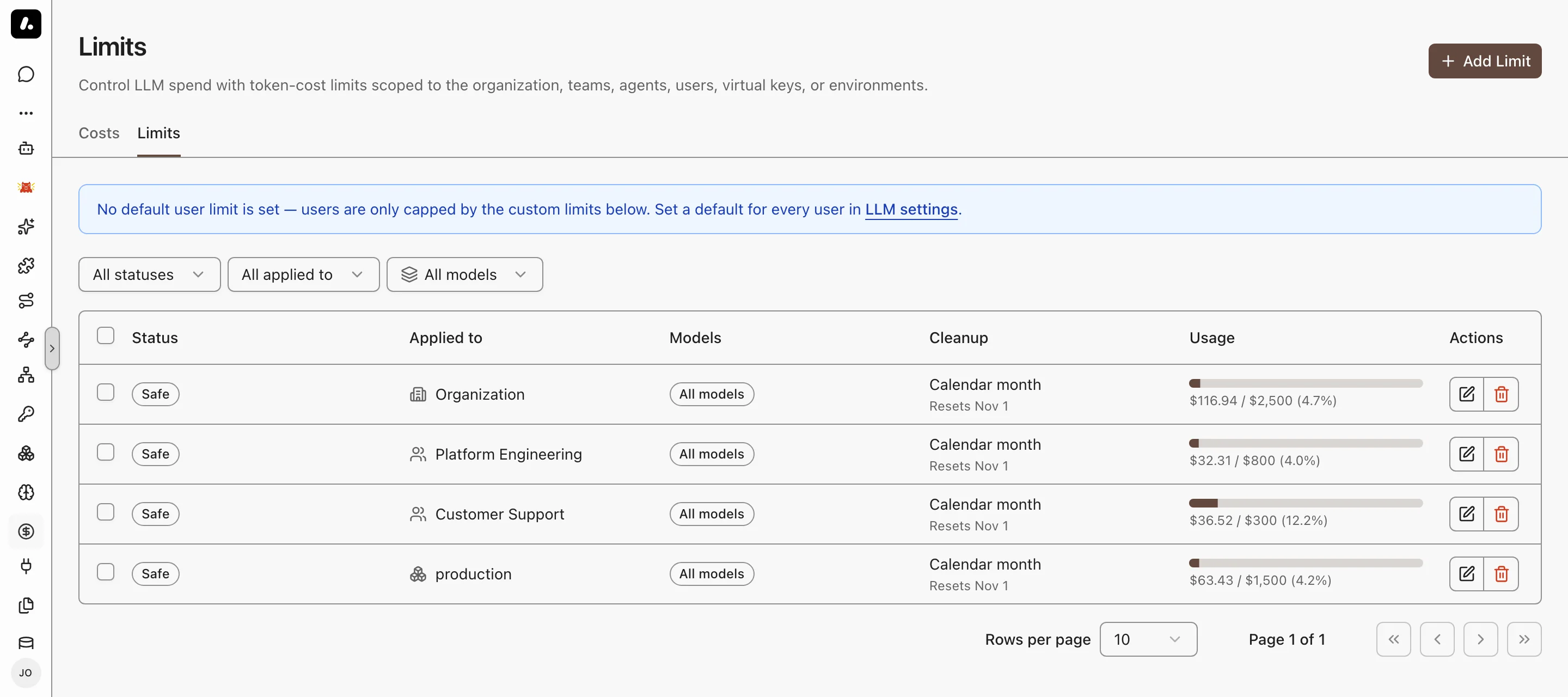
- **A budget for everyone:** set a default per-user limit under **Settings → LLM**. A per-environment default replaces it in that environment. A user's own limit replaces both.
- **Resets:** a rolling interval resets after the time passes. A calendar interval resets at the next day, week, or month. A week can start on Sunday or Monday. Changing the interval resets the current use.
- **Environment limits** add up the agents in that environment. Agents with no environment do not count.
- **Subscription use never counts** toward a limit.
- A blocked request gets HTTP `402`, with `code: token_cost_limit_exceeded`. The message says Archestra blocked it, not the provider. SDKs do not retry a `402`.
- Archestra checks before each request. The request that crosses the limit still runs, so spend can end a little above it.
## Subscription vs Metered Cost
See what your Claude and ChatGPT subscriptions save. A developer on Claude Max runs Claude Code all day. That use bills $0, but Costs shows what the same tokens would cost at API prices. That figure is the saving.
Archestra tells the two apart from the credential on each request. You configure nothing:
| Credential | Counted as |
| --- | --- |
| A Claude Pro or Max sign-in, such as Claude Code's | Subscription |
| A ChatGPT sign-in, from Codex or **Connect** on Model Providers | Subscription |
| A SuperGrok sign-in | Subscription |
| Any API key, including GitHub Copilot and Microsoft 365 Copilot sign-ins | Metered |
- Subscription use bills $0 and never counts toward a [budget](#set-a-budget). Costs shows it as **Subscription-covered**.
- A Claude subscription that runs into paid usage credits turns metered. Archestra reads this from Anthropic's response headers.
- To count every new request as metered, set [`ARCHESTRA_LLM_COST_SUBSCRIPTION_AUTODETECT=false`](https://archestra.ai/docs/reference/configuration#ARCHESTRA_LLM_COST_SUBSCRIPTION_AUTODETECT). Past requests keep their classification.
## Where Token Prices Come From
A cost uses the model's price. Archestra syncs input, output, and cache prices for known models. OpenRouter is the exception: Archestra records the cost OpenRouter reports for each request, so the price of the provider it routed to is what counts. A model it does not know gets an estimated price. For a custom or self-hosted model, set the price yourself. See [Model Pricing, Limits, and Modalities](https://archestra.ai/docs/llm-proxy/providers#model-pricing-limits-and-modalities).
Prompt caching lowers the cost of a prompt that starts the same way each time. Costs and logs show the cache reads and writes the provider reports. Archestra adds cache points to its own chat and agent requests. Proxy requests keep the caller's own cache markers.
## What to Know
- **Need the raw numbers?** Get them per person from [`GET /api/statistics/users`](https://archestra.ai/docs/reference/api#/Statistics/getUserStatistics), or your own from [`GET /api/statistics/me`](https://archestra.ai/docs/reference/api#/Statistics/getMyStatistics). For daily counts of tool calls, app runs, and skill activations, group [`GET /api/statistics/mcp-tool-calls`](https://archestra.ai/docs/reference/api#/Statistics/getMcpToolCallUsage), [`app-usage`](https://archestra.ai/docs/reference/api#/Statistics/getAppUsage), or [`skill-usage`](https://archestra.ai/docs/reference/api#/Statistics/getSkillUsage) by `day`.
- **Already use Prometheus or Grafana?** Archestra exports cost and token metrics, so you can chart spend next to your other dashboards. See [Metrics](https://archestra.ai/docs/admin/observability/metrics#llm-metrics).
---
# Model Router
Source: https://archestra.ai/docs/llm-proxy/model-router
> Call models from multiple providers through an OpenAI-compatible endpoint
Use one OpenAI-compatible URL for every provider. Any app built on the OpenAI SDK can reach Anthropic, Gemini, Bedrock, or your own vLLM server. To change the model, change the model name. The app code stays the same. Every request still gets Guardrails, costs, and logs.
## Connect an App
Give your app a virtual key and the router URL. Then name each model with its provider in front of it.
1. Add the provider keys you need on [Model Providers](https://archestra.ai/docs/llm-proxy/providers).
2. Create a [standard virtual key](https://archestra.ai/docs/llm-proxy/authentication#standard-virtual-keys), and map those provider keys to it.
3. Set your app's base URL to `https:///v1/model-router`, and use the virtual key as its API key.
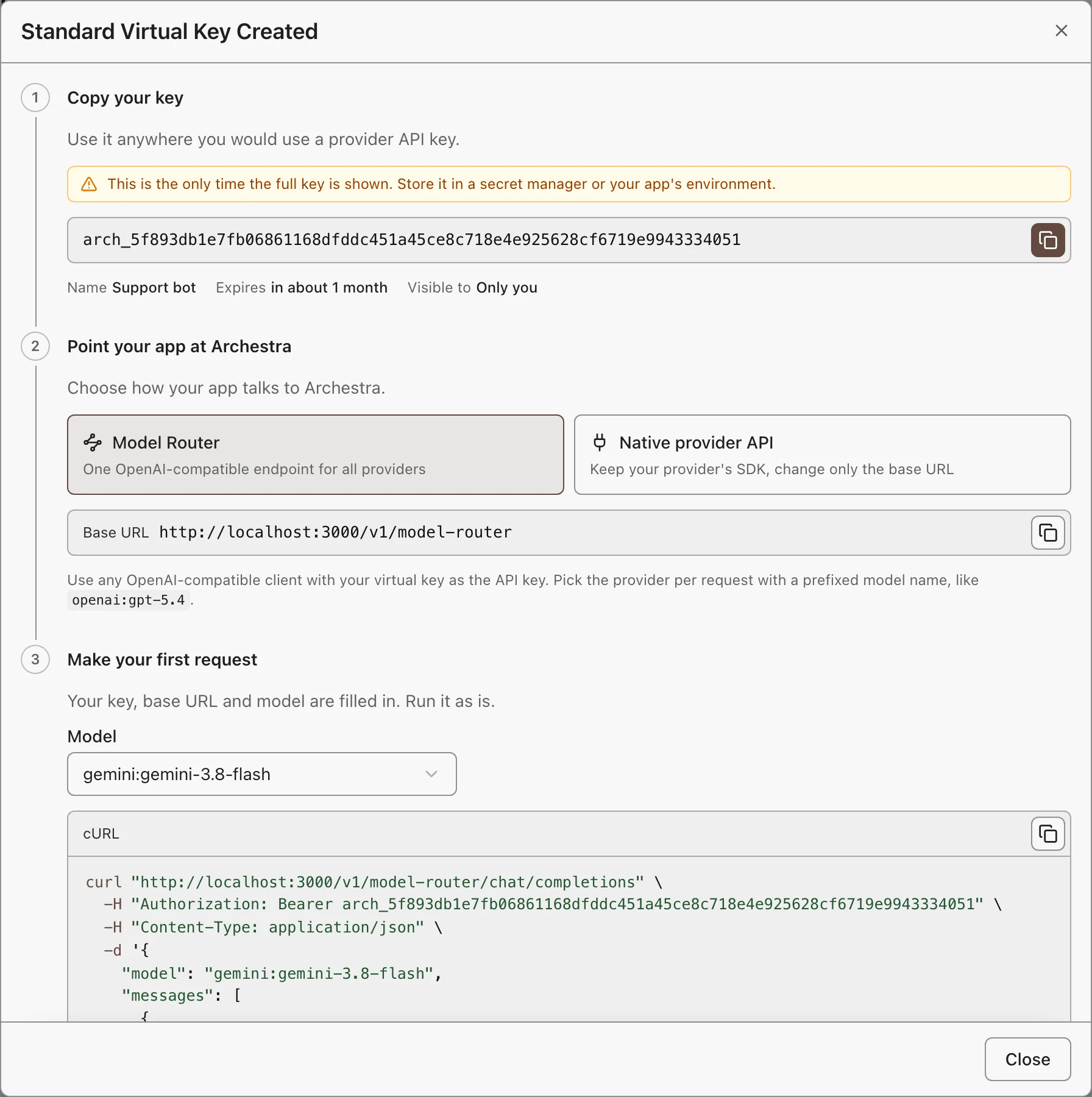
4. List the models the key can reach:
```bash
curl "https:///v1/model-router/models" \
-H "Authorization: Bearer $ARCHESTRA_VIRTUAL_KEY"
```
5. Send a request with one of those IDs:
```bash
curl "https:///v1/model-router/chat/completions" \
-H "Authorization: Bearer $ARCHESTRA_VIRTUAL_KEY" \
-H "Content-Type: application/json" \
-d '{"model":"openai:gpt-5.4","messages":[{"role":"user","content":"Hello"}]}'
```
The answer comes back in OpenAI format, from any provider.
- **Model IDs** start with the provider: `openai:gpt-5.4`, `anthropic:claude-sonnet-4-6`. The router sends the rest of the ID to that provider.
- **One provider only?** When the key maps to one provider, plain IDs such as `gpt-5.4` also work.
## Endpoints and Credentials
The router speaks the OpenAI API. It supports these endpoints:
| Endpoint | Works with |
| --- | --- |
| `/chat/completions` | All router providers |
| `/responses` | All router providers |
| `/models` | Lists only the models your credential can reach |
| `/embeddings` | All router providers except Anthropic, Bedrock, Cohere, and GitHub Copilot |
Sign in with a [standard virtual key](https://archestra.ai/docs/llm-proxy/authentication#standard-virtual-keys) or an [OAuth client](https://archestra.ai/docs/llm-proxy/authentication#oauth-clients) token. The router does not accept a [passthrough key](https://archestra.ai/docs/llm-proxy/authentication#passthrough-virtual-keys), a [provider's own key](https://archestra.ai/docs/llm-proxy/authentication#direct-provider-api-key), or an [identity provider JWT](https://archestra.ai/docs/llm-proxy/authentication#jwks-external-identity-provider).
## Fix a Failed Request
Most failures come from the model name or from which provider keys your credential can use. The router names the problem in the error message. Find it below:
| Error message | Cause and fix |
| --- | --- |
| `Model "gpt-5.4" is not available. Use a provider-qualified model id…` | The ID has no provider, or your credential cannot use that model. Copy the exact ID from `/models`, such as `openai:gpt-5.4`. |
| `Model "anthropic:…" is scoped to provider "anthropic", but the Model Router virtual key is not mapped to that provider.` | Edit the virtual key, and map a key for that provider to it. |
| `Virtual API key has no provider API keys configured.` | Map at least one provider key to the virtual key. |
| `Model … is only served over the Responses API.` | Send the request to `/responses`, not `/chat/completions`. |
| `Provider "…" is not yet available through the OpenAI-compatible model router.` | The router does not support that provider. Use the provider's own [proxy endpoint](https://archestra.ai/docs/llm-proxy#start-using-it). |
| `Model router requests require a mapped virtual API key or LLM OAuth client access token.` | You sent a passthrough key, a provider key, or an identity provider JWT. Use a standard virtual key or an OAuth client token. |
| `… is per-user: it can only be used through the same user's own personal credential.` | A subscription key, such as GitHub Copilot, works only for the person who added it. Use your personal virtual key. |
Two problems return no error:
- **A Gemini answer is empty or cut off.** For Gemini, `max_completion_tokens` also counts thinking tokens. Increase it.
- **The model ignores an image or a file.** The provider does not accept that content type. Send it inline as base64, to a provider that accepts it.
## What to Know
- **Reach a new provider:** add its key on Model Providers, and map that key to your virtual key.
- **One request shape, the provider's rules:** reasoning settings, content types, and token limits still come from the provider.
---
# Knowledge (RAG)
Source: https://archestra.ai/docs/knowledge
> Give agents and MCP clients cited answers from connected sources and uploaded documents
Agents and MCP clients answer from your company's documents, and cite the page each answer came from. Ask "How do we roll back a deploy?" and the answer quotes the runbook in Confluence, even when the page is titled "Release reversal".
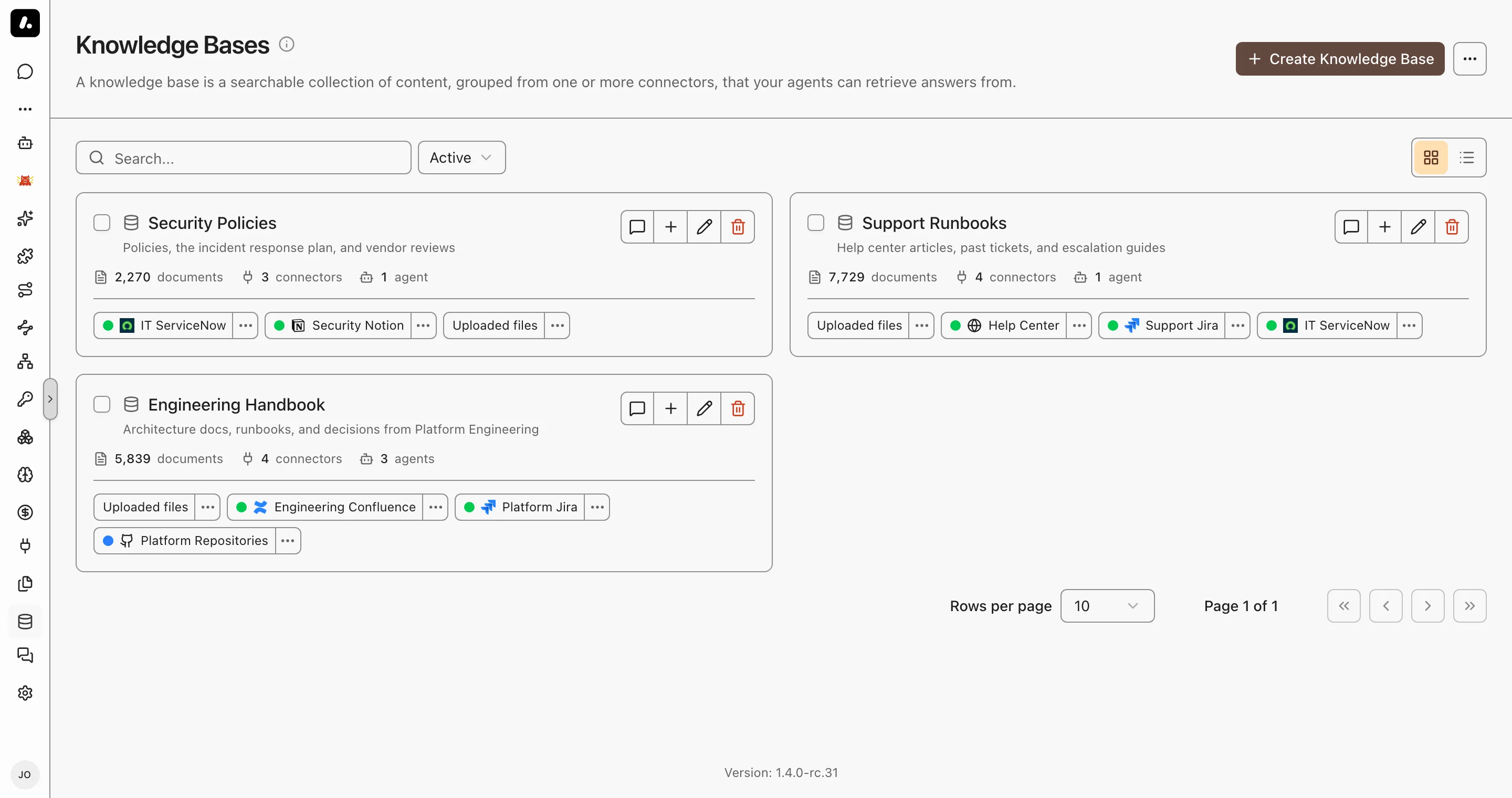
- One search covers Confluence, Google Drive, SharePoint, Jira, GitHub, and [more](https://archestra.ai/docs/knowledge/connectors), plus files you upload.
- Each person finds only the documents they can open in the source. A private Confluence space stays private.
- Two ways to search: give the sources to an agent, or to an [MCP gateway](https://archestra.ai/docs/mcp/gateway#search-your-knowledge-from-any-client). Through a gateway, Claude Code, Cursor, and any other MCP client search the same sources.
## What RAG Is
RAG means retrieval-augmented generation. A model knows only its training data, which does not include your company's documents. RAG gives the model the missing pages at the moment of the question:
1. Index: Archestra copies your documents, splits them into short passages, and stores each passage with an embedding. An embedding is a list of numbers that captures what the passage means.
2. Retrieve: When someone asks a question, the agent or MCP client searches the passages by meaning and by keyword.
3. Answer: The model gets the best passages, writes the answer from them, and cites each source.
Search by meaning is why "roll back a deploy" finds a page titled "Release reversal".
## Knowledge or an MCP Server?
Many sources, such as Jira, have both a connector and an [MCP server](https://archestra.ai/docs/mcp/servers). They do different jobs:
| | Knowledge | MCP server |
| --- | --- | --- |
| Data | A copy, indexed ahead of time. Connectors sync on a schedule, so it is as current as the last sync. | Live, read at the moment of the call. |
| Best for | Questions in plain language, across many documents and sources | Exact records, current status, and full lists |
| Can change data | No. It only reads. | Yes, when the server has tools for it. |
| Example | "Why did we drop the old billing service?" | "What is the status of PROJ-123? Assign it to me." |
Use both. Give an agent or gateway a Knowledge Base and the source's MCP server. The search tool tells the model to prefer the MCP server for live status, exact lookups, full lists, and changes.
## Connectors, Knowledge Bases, and Files
Give an agent or gateway a knowledge connector for one source. Give it a Knowledge Base when several agents and gateways share the same sources, or when the sources include files.
| | What it is | Example |
| --- | --- | --- |
| [Knowledge connector](https://archestra.ai/docs/knowledge/connectors) | One synced source | The Engineering Confluence space |
| Knowledge Base | A named group of knowledge connectors and files | "Support": the help center, the Jira project, and the pricing PDF |
| [File](https://archestra.ai/docs/knowledge/files) | A document no knowledge connector reaches, uploaded by hand | A signed contract that came by email |
- A file reaches an agent or gateway only through a Knowledge Base.
- One knowledge connector can be in many Knowledge Bases.
- Add a source to a Knowledge Base once, and every agent and gateway that uses that Knowledge Base can search it.
### Give Sources to an Agent or Gateway
A new agent or gateway already searches every source the person can use, in its environment. Pick sources only to narrow that.
1. Open the agent or gateway, and go to **Tools & Knowledge**.
2. Click **Manual**. Under **Knowledge sources**, pick the connectors and Knowledge Bases it may search.
3. Ask a question, and open the cited sources to check the answer.
To make a base, go to **Knowledge → Knowledge Bases** and click **Create Knowledge Base**.
## Citations and Troubleshooting
Each answer cites its sources. Open a source before you act on an answer.
- Built-in chat numbers each citation. Click one to see the quoted passage and open the document.
- An MCP client gets each search result with its document title and link. The client decides how to show them.
If an answer is wrong or missing, find the cause here:
| What you see | Cause | Fix |
| --- | --- | --- |
| "I could not find that" | The agent or gateway does not have the source, or the person has no **Can use** on it | Add the source under **Tools & Knowledge**. Check [permissions](#permissions). |
| An old answer | The index is only as current as the last sync | Check the connector's status. See [Troubleshoot Sync](https://archestra.ai/docs/knowledge/connectors#troubleshoot-sync). |
| An answer from the wrong space or project | Search covers every source the agent has | Name the place in the question: "In the DEV space, how do we roll back?" Or put it in the agent's instructions. |
| A quote that is not in the source | The model changed the quote | In built-in chat, Archestra logs each quote it cannot find and counts it in the [`rag_quote_verification_total`](https://archestra.ai/docs/admin/observability/metrics#rag_quote_verification_total) metric. The person sees no warning. |
Naming a place only narrows the results. It never shows a document the person cannot open.
Search results count as sensitive data. [Guardrails](https://archestra.ai/docs/agents/guardrails) can limit what the agent does next with them.
## Permissions
Search always runs as the person who asks. An agent or MCP client never finds a document that person could not find without it.
Who may read each document depends on where it comes from:
| Source | Who finds its documents |
| --- | --- |
| A connector | People with **Can use** on the connector |
| A connector with **Sync permissions from the source** on | People who can open the document in the source. A private Confluence space stays private. |
| A file | People with **Can use** on the file |
When the search goes through a Knowledge Base, the person also needs **Can use** on the base. **Can read** lets a person browse a source, but not search it.
Set **Can use** in the permissions of each connector, file, or Knowledge Base. See [Granular Access Control](https://archestra.ai/docs/admin/access-control#granular-access-control).
- Sharing a Knowledge Base does not share its connectors or files. Each one needs its own grant.
- Grant changes apply at once. Source permission changes apply at the connector's next permission sync.
- A team or organization token has no person behind it. It finds only sources shared with everyone in the organization.
Granular access and permission sync are Enterprise features. See [Pricing Model](https://archestra.ai/docs/get-started/pricing-model).
---
# Knowledge Connectors
Source: https://archestra.ai/docs/knowledge/connectors
> Supported knowledge connectors, their setup, and how each one syncs source permissions
A knowledge connector copies one source, such as Confluence or Google Drive, and keeps the copy current. Agents and MCP clients then search it, and cite the document each answer came from.
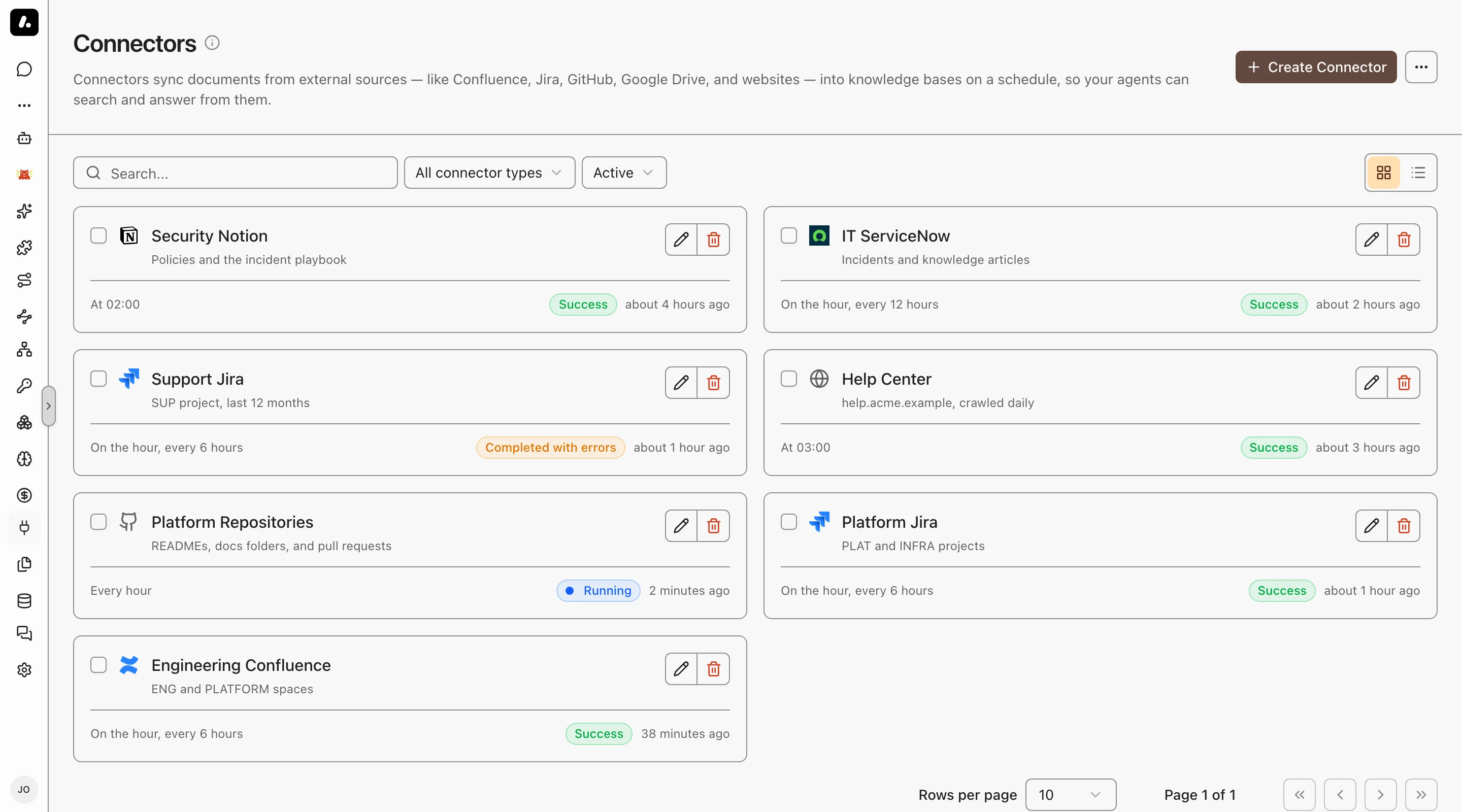
- Pick from 17 sources. Each has its own setup page.
- Set how often it syncs. Answers are only as current as the last sync.
- Search keeps access rules. With permission sync on, a private Confluence space stays private.
## Sources
Each source page lists its credential, its fields, and its permission setup. The second column says how much of the source's access rules the connector copies:
- Supported: every document keeps its access rules from the source.
- Limited: the rules are copied with a gap. The row names the gap.
- Not supported: the connector's own grants decide who finds each document.
| Source | Auto-sync permissions |
| --- | --- |
| [Asana](https://archestra.ai/docs/knowledge/connectors/asana) | Supported |
| [Confluence](https://archestra.ai/docs/knowledge/connectors/confluence) | Supported |
| [Dropbox](https://archestra.ai/docs/knowledge/connectors/dropbox) | Limited: stored access tokens cannot refresh |
| [GitHub](https://archestra.ai/docs/knowledge/connectors/github) | Supported |
| [GitLab](https://archestra.ai/docs/knowledge/connectors/gitlab) | Supported |
| [Google Drive](https://archestra.ai/docs/knowledge/connectors/google-drive) | Limited: depends on the authentication mode |
| [Jira](https://archestra.ai/docs/knowledge/connectors/jira) | Limited: Jira Cloud only, and issue security is not supported |
| [Linear](https://archestra.ai/docs/knowledge/connectors/linear) | Supported |
| [M-Files](https://archestra.ai/docs/knowledge/connectors/m-files) | Supported with the VAF Add On |
| [Notion](https://archestra.ai/docs/knowledge/connectors/notion) | Limited: every synced page is visible to all workspace members |
| [OneDrive](https://archestra.ai/docs/knowledge/connectors/onedrive) | Supported |
| [Outline](https://archestra.ai/docs/knowledge/connectors/outline) | Supported |
| [Perforce](https://archestra.ai/docs/knowledge/connectors/perforce) | Supported with the Kubernetes orchestrator |
| [Salesforce](https://archestra.ai/docs/knowledge/connectors/salesforce) | Limited: restriction rules and field-level access are not copied |
| [ServiceNow](https://archestra.ai/docs/knowledge/connectors/servicenow) | Limited: ITSM participant audiences only, and advanced criteria are not supported |
| [SharePoint](https://archestra.ai/docs/knowledge/connectors/sharepoint) | Limited: site pages use library audiences, and site groups are not resolved |
| [Web Crawler](https://archestra.ai/docs/knowledge/connectors/web-crawler) | Not supported |
## Create a Connector
First, an admin must set an [embedding model](https://archestra.ai/docs/knowledge/settings#embedding-model).
1. Go to **Knowledge → Connectors**, click **Create Connector**, and pick a source.
2. Enter the credential and what to index. The source's page says what each one needs.
3. Set who can use it under **Permissions**, and how often it syncs under **Advanced**.
4. Save, open the connector, and click **Test Connection**.
5. Check the first sync run for indexed documents or errors.
6. Add the connector to a [Knowledge Base](https://archestra.ai/docs/knowledge#connectors-bases-and-files), or pick it in an agent's **Tools & Knowledge**.
## Auto-Sync Permissions
Permission sync copies each source's own access rules. A person then finds only the documents they can open in that source. Each search uses the latest copy of the rules.
Turn on **Sync permissions from the source** on the connector's **General** tab. You need:
- The Knowledge Enterprise feature. See [Pricing Model](https://archestra.ai/docs/get-started/pricing-model).
- A source that supports it. See the [Sources](#sources) table.
- [`knowledgeSource:create`](https://archestra.ai/docs/reference/permissions#knowledgeSource:create) to create the connector, or [`knowledgeSource:update`](https://archestra.ai/docs/reference/permissions#knowledgeSource:update) to change it.
- The source's own setup. Each source page has an **Auto-Sync Permissions** section.
### Connector Identity
Give the connector one dedicated identity that can read every document you sync and its permissions.
- A document whose permissions the identity cannot read is hidden from everyone.
- **Test Connection** checks only the sign-in. It does not check access to each project or permission table.
### Match Source Accounts to People
Archestra matches each source account to a person by email. An account with no match gets no documents.
| Problem | Fix |
| --- | --- |
| The account has a hidden or empty email | Assign it to a person by hand under **Users**. On Jira or Confluence Cloud, add an organization admin API key instead. See [Jira](https://archestra.ai/docs/knowledge/connectors/jira#organization-admin-api-key) or [Confluence](https://archestra.ai/docs/knowledge/connectors/confluence#organization-admin-api-key). |
| A group has no members | Fix the group in the source. Assigning by hand cannot add members to a group. |
## Troubleshoot Sync
Open the connector to see each sync run, with its progress, warnings, and errors.
| You see | Do this |
| --- | --- |
| No documents on the first run | Check that the source has documents, the credential can read them, and no filter excludes them all. A later run with no documents is normal when nothing changed. |
| A sync runs too long | Click **Cancel sync** in its **Actions** column. Documents already indexed stay. The next sync starts from the saved checkpoint. |
| Unchanged documents miss a new setting | Click **Force Re-sync** to index them again. |
| A permission sync ended as **Superseded** | Nothing. You changed the settings or credentials, and a new run started at once. |
---
# Jira
Source: https://archestra.ai/docs/knowledge/connectors/jira
> Connect Jira documents to Knowledge and configure source access
Let agents answer from your Jira issues: "Has anyone reported this login error before?" finds the old ticket and its fix. The connector syncs issues and their discussions.
**Indexed:** issue descriptions, comments, and metadata from Jira Cloud or Server.
**Authentication:** Jira Cloud uses an Atlassian account email and API token. Jira Server and Data Center use a personal access token with the Username field empty. On releases without personal access tokens, enter the account username and password for Basic authentication.
## Connecting Jira
1. Go to **Knowledge → Connectors** and click **Create Connector**. Select **Jira** and name the connector.
2. Enter the credentials and connection values below. Open **Advanced** to limit the sources you sync.
3. Choose the connector visibility and sync schedule. For source-based access, follow this page’s **Auto-Sync Permissions** setup before enabling that option.
4. Click **Create Connector**. Open the connector, use **Test Connection**, and check its first document sync run. A completed run with indexed documents confirms the source is searchable.
| Field | Description |
| ----------------------- | ------------------------------------------------------------------ |
| URL | Your Jira instance URL (e.g., `https://your-domain.atlassian.net`) |
| Cloud Instance | Toggle on for Jira Cloud, off for Jira Server/Data Center |
| Project Keys | Comma-separated project keys to include (optional) |
| JQL Query | Custom JQL to filter issues (optional) |
## Jira Auto-Sync Permissions
For Jira Cloud, use a dedicated Jira administrator:
1. Create an API token from [Atlassian account security](https://id.atlassian.com/manage-profile/security/api-tokens). Choose an unscoped token for the connector's site URL.
2. Grant the account **Administer Jira** and **Browse users and groups** global permissions.
3. Grant **Browse Projects** on every synced project. Add the account to every issue-security level whose issues it must index.
4. Create a separate [organization admin API key](#organization-admin-api-key) to resolve private managed-account emails.
The product API token reads Jira data. The organization key reads managed-account profiles only. External accounts still need public profile emails or [manual assignment](https://archestra.ai/docs/knowledge/connectors#credentials-and-email-resolution).
Jira Server and Data Center content sync remains supported, but auto-sync permissions is not. Its permission APIs differ from Jira Cloud, and Jira exposes no equivalent REST API for issue-security membership. Use a personal access token if your Jira version supports it. On older releases, enter the username in **Username** and the password in **API Token / Personal Access Token** to use Basic authentication.
Do not enable auto-sync permissions for Jira Cloud projects that use issue security. Jira requires both **Browse Projects** and issue-security membership, but the connector cannot currently enforce that intersection. Browse Projects grants through Project Lead or user/group custom fields, and dynamic issue-security holders such as Reporter and Assignee, are also unsupported.
## Organization Admin API Key
Optional, for Jira Cloud. Auto-sync permissions uses it to read the email of a managed account whose profile hides it.
1. In [Atlassian administration](https://admin.atlassian.com), go to **Settings → API keys**.
2. Click **Create API key** and name it.
3. Leave the key **without scopes**. Permission sync calls the classic admin APIs, which scopes do not cover.
4. Copy the key into the connector's **Organization admin API key** field.
The API token stays required. Atlassian does not accept admin API keys on the Jira APIs.
## Changing the Instance Type
Changing **Cloud Instance** on an existing connector changes how it signs in. Enter the credentials again.
| Change | Also do this |
| --- | --- |
| To Cloud | Enter the Atlassian account email. |
| From Cloud | The stored organization admin API key is removed. |
| New personal access token on Server or Data Center | Leave **Username** empty. |
| New Basic authentication password | Enter the username again. |
---
# Confluence
Source: https://archestra.ai/docs/knowledge/connectors/confluence
> Connect Confluence documents to Knowledge and configure source access
Let agents answer from your Confluence wiki, with a link to each page. Runbooks, design docs, and team pages become searchable, and private spaces can stay private.
**Indexed:** pages from Confluence Cloud or Server.
**Authentication:** Confluence Cloud uses an Atlassian account email and API token. Confluence Server and Data Center with PAT support use a personal access token with the Username field empty. On older releases, enter the account username and password for Basic authentication.
## Connecting Confluence
1. Go to **Knowledge → Connectors** and click **Create Connector**. Select **Confluence** and name the connector.
2. Enter the credentials and connection values below. Open **Advanced** to limit the sources you sync.
3. Choose the connector visibility and sync schedule. For source-based access, follow this page’s **Auto-Sync Permissions** setup before enabling that option.
4. Click **Create Connector**. Open the connector, use **Test Connection**, and check its first document sync run. A completed run with indexed documents confirms the source is searchable.
| Field | Description |
| -------------- | ----------------------------------------------------------------------------- |
| URL | Your Confluence site root (e.g., `https://your-domain.atlassian.net`) |
| Cloud Instance | Toggle on for Confluence Cloud, off for Server/Data Center |
| Space Keys | Comma-separated space keys to sync (optional) |
| Page IDs | Comma-separated specific page IDs to sync (optional) |
| CQL Query | Custom CQL to filter content (optional) |
## Confluence Auto-Sync Permissions
For Confluence Cloud, use a dedicated account with product access:
1. Create an unscoped API token from [Atlassian account security](https://id.atlassian.com/manage-profile/security/api-tokens).
2. Enter the site root, such as `https://example.atlassian.net`, without `/wiki`.
3. Grant **View** on every synced space. Add the account to every page and ancestor restriction it must index.
4. Grant **Confluence Administrator** when audit-based incremental permission reads are required.
5. Create a separate [organization admin API key](#organization-admin-api-key) to resolve private managed-account emails.
A Cloud administrator does not automatically bypass page restrictions through the API. Unreadable pages never enter the index.
For Confluence Server or Data Center with PAT support, create a token under **Profile > Personal access tokens** and leave **Username** empty. On older releases, enter the username in **Username** and the password in **API Token / Personal Access Token**. Membership in the `confluence-administrators` group provides the broadest space and restricted-page visibility.
## Organization Admin API Key
Optional, for Confluence Cloud. Auto-sync permissions uses it to read the email of a managed account whose profile hides it.
1. In [Atlassian administration](https://admin.atlassian.com), go to **Settings → API keys**.
2. Click **Create API key** and name it.
3. Leave the key **without scopes**. Permission sync calls the classic admin APIs, which scopes do not cover.
4. Copy the key into the connector's **Organization admin API key** field.
The API token stays required. Atlassian does not accept admin API keys on the Confluence APIs.
## Changing the Instance Type
Changing **Cloud Instance** on an existing connector changes how it signs in. Enter the credentials again.
| Change | Also do this |
| --- | --- |
| To Cloud | Enter the Atlassian account email. |
| From Cloud | The stored organization admin API key is removed. |
| New personal access token on Server or Data Center | Leave **Username** empty. |
| New Basic authentication password | Enter the username again. |
---
# GitHub
Source: https://archestra.ai/docs/knowledge/connectors/github
> Connect GitHub documents to Knowledge and configure source access
Let agents answer from your GitHub repositories: "Why did we drop Redis?" finds the pull request where you decided it. The connector syncs issues, pull request discussions, and repository files.
**Indexed:** issues, pull requests, comments, and selected text files from GitHub.com or GitHub Enterprise Server. Repository file indexing defaults to Markdown and YAML files.
**Authentication:** an organization [credential](https://archestra.ai/docs/admin/security/credentials), or a token entered for this connector. A saved custom secret supplies a token. A saved GitHub App supplies installation credentials.
## Connecting GitHub
1. Go to **Knowledge → Connectors** and click **Create Connector**. Select **GitHub** and name the connector.
2. Enter the credentials and connection values below. Open **Advanced** to limit the sources you sync.
3. Choose the connector visibility and sync schedule. For source-based access, follow this page’s **Auto-Sync Permissions** setup before enabling that option.
4. Click **Create Connector**. Open the connector, use **Test Connection**, and check its first document sync run. A completed run with indexed documents confirms the source is searchable.
| Field | Description |
| --------------------- | ----------------------------------------------------------------------------------------------- |
| GitHub API URL | API endpoint (e.g., `https://api.github.com` for GitHub.com, or your GHE API URL) |
| Owner | GitHub organization or username that owns the repositories |
| Credential | Saved organization secret or GitHub App from **Settings → Credentials** |
| Repositories | Comma-separated repository names to sync (optional -- leave blank to sync all org repositories) |
| Include Issues | Toggle to sync issues and their comments (default: on) |
| Include Pull Requests | Toggle to sync pull requests and their comments (default: on) |
| Include Repository Files | Toggle to sync repository files (default: off) |
| File Types | Comma-separated extensions (`.md`, `.tm.hcl`) or file names (`Dockerfile`, `Makefile`) to index when repository files are enabled, in any folder. `*` indexes every text file and skips binaries. Defaults to `.md`, `.mdx`, `.yaml`, `.yml` |
| Folders | Comma-separated folders to index, relative to the repository root (optional -- leave blank to index the whole repository) |
## GitHub Auto-Sync Permissions
A GitHub App is the preferred credential. Create one under **Settings > Developer settings > GitHub Apps** with these read-only permissions:
| Permission type | Read permission |
| --- | --- |
| Repository | Administration, Issues, Pull requests, and Metadata |
| Repository, when files are indexed | Contents |
| Organization | Members |
Install the App on every target repository. Generate a private key and copy its PEM value. Save the App ID, installation ID, API URL, and private key under **Settings → Credentials**, then select that configuration in the connector.
A fine-grained personal access token needs the same repository and organization permissions. Select every target repository. Its owner also needs write, maintain, or admin access to list collaborators. A classic token needs `repo` and `read:org`; authorize it for SAML SSO when the organization requires SSO.
GitHub exposes only each user's public profile email. No App or token permission reveals a private email, so those users need [manual assignment](https://archestra.ai/docs/knowledge/connectors#credentials-and-email-resolution).
---
# GitLab
Source: https://archestra.ai/docs/knowledge/connectors/gitlab
> Connect GitLab documents to Knowledge and configure source access
Let agents answer from your GitLab issues and merge request discussions.
**Indexed:** issues, merge requests, their comments, and (optionally) Markdown files from GitLab.com or self-hosted GitLab instances. System-generated notes (assignment changes, label updates, etc.) are filtered out.
**Authentication:** a [personal access token](https://docs.gitlab.com/user/profile/personal_access_tokens/).
## Connecting GitLab
1. Go to **Knowledge → Connectors** and click **Create Connector**. Select **GitLab** and name the connector.
2. Enter the credentials and connection values below. Open **Advanced** to limit the sources you sync.
3. Choose the connector visibility and sync schedule. For source-based access, follow this page’s **Auto-Sync Permissions** setup before enabling that option.
4. Click **Create Connector**. Open the connector, use **Test Connection**, and check its first document sync run. A completed run with indexed documents confirms the source is searchable.
| Field | Description |
| ---------------------- | ---------------------------------------------------------------------------------- |
| GitLab URL | Instance URL (e.g., `https://gitlab.com` or your self-hosted URL) |
| Group | GitLab group ID or path to scope project discovery (optional) |
| Project IDs | Comma-separated specific project IDs to sync (optional -- leave blank to sync all) |
| Include Issues | Toggle to sync issues and their comments (default: on) |
| Include Merge Requests | Toggle to sync merge requests and their comments (default: on) |
| Include Markdown Files | Toggle to sync `.md` and `.mdx` files from the repository (default: off) |
## GitLab Auto-Sync Permissions
Create a personal access token under **Edit profile > Access > Personal access tokens**. Grant only the `read_api` scope and set an expiry. The token's user needs **Reporter** or higher on every private project. Use an **Owner** of the configured top-level group for broad project discovery.
A regular token receives only `public_email`. On self-managed GitLab, an instance administrator token can read private email. Add `admin_mode` when Admin Mode is enabled. GitLab.com users without public email need [manual assignment](https://archestra.ai/docs/knowledge/connectors#credentials-and-email-resolution).
Each project is one permission scope. Its audience is the project's members with the **Reporter** role or higher — direct members, members inherited from ancestor groups, and members of invited groups, each at their effective access level. Guests are excluded: GitLab does not let them read code or confidential issues, so including them would over-share. **Public** and **internal** projects are readable by everyone in your Archestra organization.
---
# Asana
Source: https://archestra.ai/docs/knowledge/connectors/asana
> Connect Asana documents to Knowledge and configure source access
Let agents answer from your Asana projects: "What is blocking the Q3 launch?" finds the tasks and their comments. The connector syncs tasks and discussions.
**Indexed:** tasks and their user comments from selected Asana projects.
**Authentication:** a [personal access token](https://developers.asana.com/docs/personal-access-token).
## Connecting Asana
1. Go to **Knowledge → Connectors** and click **Create Connector**. Select **Asana** and name the connector.
2. Enter the credentials and connection values below. Open **Advanced** to limit the sources you sync.
3. Choose the connector visibility and sync schedule. For source-based access, follow this page’s **Auto-Sync Permissions** setup before enabling that option.
4. Click **Create Connector**. Open the connector, use **Test Connection**, and check its first document sync run. A completed run with indexed documents confirms the source is searchable.
| Field | Description |
| ------------- | --------------------------------------------------------------------------------------------- |
| Workspace GID | Your Asana workspace GID (found in the URL when viewing your workspace) |
| Project GIDs | Comma-separated project GIDs to sync (optional -- leave blank to sync all workspace projects) |
## Asana Auto-Sync Permissions
Create a token in the [Asana Developer Console](https://app.asana.com/0/my-apps). Personal access tokens have no selectable scopes and inherit the user's visibility. Add that user to every private project and team the connector syncs.
Asana Enterprise organizations can use a service account instead. A super admin creates it under **Admin console > Apps > Service accounts**. Grant **Full Permissions**, because standard task and membership APIs require that level.
Both credentials expose workspace-member emails. A missing email still needs [manual assignment](https://archestra.ai/docs/knowledge/connectors#credentials-and-email-resolution).
Each project is one permission scope. A project shared with the whole workspace grants every workspace member — guests excluded. Any other project grants its explicit members: users directly, teams through their team rosters. A task in several projects is readable through any of them; its scope is the union of those audiences. Task collaborators are granted individually on their tasks.
Permission reads run as the token's user. A project or roster the token cannot read stays fail-closed — use a token from a user who can see every synced project. A task removed from every synced project is hidden until a sync sees it again.
---
# ServiceNow
Source: https://archestra.ai/docs/knowledge/connectors/servicenow
> Connect ServiceNow documents to Knowledge and configure source access
Let agents answer from your ServiceNow incidents, problems, and other ITSM records, so a new incident finds how the last one was solved.
**Indexed:** incidents, change requests, change tasks, problems, business applications, and published knowledge articles. Incidents are enabled by default; the rest are opt-in.
**Authentication:** the connector form uses basic auth. Create a dedicated user under **User Administration > Users**, enable **Web service access only**, and set a password. API-created connectors can instead leave Email empty and store a pre-issued OAuth bearer token in the API Token field; the connector does not refresh that token.
## Required Roles
Use a dedicated service account ("Web service access only" is fine). The account needs roles that can read every synced table:
| Role | Grants read on |
| --- | --- |
| `itil` | Incidents, changes, change tasks, problems, and business applications |
| `knowledge` | Knowledge articles |
| `user_criteria_admin`, `user_admin` | User criteria definitions and the user, group, and role tables auto-sync reads |
The Can Read / Cannot Read criteria mappings (`kb_uc_can_read_mtom`, `kb_uc_cannot_read_mtom`) have no role-based read access out of the box — built-in roles such as `knowledge_admin` do not open them. Auto-sync permissions needs explicit access control lists (ACLs) on both tables.
Creating ACLs requires the `security_admin` role. ServiceNow grants it by elevation for the current session, and hides the **New** button on the ACL list until you elevate: open the profile menu, select **Elevate role**, and check **security_admin**. Then:
1. Go to **System Security → Access Control (ACL)** and select **New**. Set Type `record`, Operation `read`, and Name `kb_uc_can_read_mtom` with the field left as `--None--`. Under **Requires role**, add a role the service account holds. Submit.
2. Create a second ACL for the same table with the field set to `*`, which grants read on its fields.
3. Repeat both ACLs for `kb_uc_cannot_read_mtom`.
An account without the right roles fails in one of two ways, depending on the instance's ACLs: the sync errors with HTTP 403 "Insufficient rights to query records", or ServiceNow silently filters the rows and the sync succeeds with nothing ingested. Test the account directly before connecting: `curl -u ':' 'https://.service-now.com/api/now/table/incident?sysparm_limit=1'` should return a record, not an error and not an empty result.
## Connecting ServiceNow
1. Go to **Knowledge → Connectors** and click **Create Connector**. Select **ServiceNow** and name the connector.
2. Enter the credentials and connection values below. Open **Advanced** to limit the sources you sync.
3. Choose the connector visibility and sync schedule. For source-based access, follow this page’s **Auto-Sync Permissions** setup before enabling that option.
4. Click **Create Connector**. Open the connector, use **Test Connection**, and check its first document sync run. A completed run with indexed documents confirms the source is searchable.
| Field | Description |
| ----------------------------- | ----------------------------------------------------------------------------------------------------------------------------- |
| Instance URL | Your ServiceNow instance URL (e.g., `https://your-instance.service-now.com`) |
| Include Incidents | Sync incidents from the `incident` table (default: on) |
| Include Changes | Sync change requests from the `change_request` table (default: off) |
| Include Change Tasks | Sync change tasks from the `change_task` table (default: off) |
| Include Problems | Sync problems from the `problem` table (default: off) |
| Include Business Applications | Sync business applications from the `cmdb_ci_business_app` CMDB table (default: off) |
| Include Knowledge Articles | Sync published knowledge articles from the `kb_knowledge` table (default: off) |
| Role audiences | Per-table ServiceNow role names for auto-sync permissions — see below (optional) |
| States | Comma-separated state values to filter by (e.g. `1, 2`). Applies to incidents, changes, change tasks, and problems (optional) |
| Assignment Groups | Comma-separated assignment group sys_ids to filter by. Does not apply to business applications (optional) |
## ServiceNow Auto-Sync Permissions
ServiceNow decides record access with ACL rules, and those rules cannot be read through its REST API. For ITSM records and business applications, the connector grants each record to its participants instead: assignment group members plus the referenced users — the caller, the opener, and the assignee. Custom ACL conditions can make this audience differ from ServiceNow. To widen a table's audience, add role names under **Role audiences** (`itil`, for example) only when every holder can read every synced record in that table.
Knowledge articles follow ServiceNow's own permission model: **Can Read** and **Cannot Read** user criteria at knowledge-base and article level. The connector expands each criteria to its users, groups, roles, companies, departments, and locations. Script-based (advanced) criteria cannot be evaluated over the API: on an allow path they grant nobody; on a deny path the affected knowledge base or article is hidden from everyone. A knowledge base without criteria follows the instance's `glide.knowman.block_access_with_no_user_criteria` property — open to your whole Archestra organization when `false`, hidden when `true` or unreadable.
Required access. The connector account needs read access to these tables:
| Tables | Used for |
| --- | --- |
| `incident`, `change_request`, `change_task`, `problem`, `cmdb_ci_business_app`, `kb_knowledge` | Content sync of the enabled entities. Reading the ITSM tables needs the `itil` role on most instances |
| `sys_user`, `sys_user_group`, `sys_user_grmember`, `sys_user_has_role` | Resolving participants, group rosters, and role audiences to user emails |
| `user_criteria`, `kb_uc_can_read_mtom`, `kb_uc_cannot_read_mtom`, `sys_properties` | Knowledge-article audiences |
| `core_company`, `cmn_department`, `cmn_location` | Expanding criteria that reference them |
The [Required Roles](#required-roles) section above covers these, including the explicit ACLs the criteria mapping tables need.
Misconfiguration behaves silently. ServiceNow filters out rows an account cannot read instead of returning an error. An under-privileged account therefore looks like missing data: content sync ingests nothing from a table it cannot read, and a permission table it cannot read makes the affected audiences fail closed — the documents exist but nobody can retrieve them. Each permission sync run reports how many audiences it could not read, so check the run details when documents seem to be missing or hidden. Knowledge bases in the HR Service Delivery scope (`sn_hr_core`) additionally need the `sn_hr_core.content_reader` role; without it their criteria read as empty and the articles fail closed.
---
# Notion
Source: https://archestra.ai/docs/knowledge/connectors/notion
> Connect Notion documents to Knowledge and configure source access
Let agents answer from your Notion pages and databases.
**Indexed:** pages from a Notion workspace.
**Authentication:** an internal connection's installation access token. A Workspace Owner creates the connection in the [Notion Developer portal](https://app.notion.com/developers/connections) and copies the token from its **Configuration** tab.
## Connecting Notion
1. Go to **Knowledge → Connectors** and click **Create Connector**. Select **Notion** and name the connector.
2. Enter the integration token. In Notion, give the connection **Read content** and connect every page or database root to index under **Content access**. Open **Advanced** to select specific page or database IDs.
3. Choose the connector visibility and sync schedule. For source-based access, follow this page’s **Auto-Sync Permissions** setup before enabling that option.
4. Click **Create Connector**. Open the connector, use **Test Connection**, and check its first document sync run. A completed run with indexed documents confirms the source is searchable.
| Field | Description |
| ------------ | -------------------------------------------------------------------------------------------------- |
| Database IDs | Comma-separated Notion database IDs to sync (optional -- leave blank to sync all accessible pages) |
| Page IDs | Comma-separated specific Notion page IDs to sync (optional -- takes precedence over Database IDs) |
## Notion Auto-Sync Permissions
Create the credential in the [Notion Developer portal](https://app.notion.com/developers/connections):
1. As a Workspace Owner, create an internal connection in the target workspace.
2. Enable **Read content** and **User information with email addresses** capabilities.
3. Copy the installation access token into **Integration Token**.
4. Under **Content access**, connect every page or database root to sync. Access flows to child pages.
Support is *Limited*. Notion's API does not say who can see a page — there is no sharing endpoint, and teamspaces are not exposed. Archestra cannot mirror per-page access, so every synced page shares one workspace-wide audience:
- A synced page is visible to every workspace member whose Notion email matches an Archestra user's email.
- Each permission sync refreshes the member roster from Notion's users API. The connector page shows a **Workspaces** tab in place of Groups, with one row per connector: the workspace, named as it is in Notion.
- Guests are never in Notion's member listing, so a guest never gains access through Archestra.
- Member emails need the integration capability **"read user information including email addresses"** (integration settings, **Capabilities** tab). A member without a readable email stays unresolvable (fail-closed) until you assign them from the Users tab.
A page that is private or teamspace-restricted in Notion, but shared with the integration, becomes readable by every workspace member through Archestra. Set up the integration's access with that in mind:
- Share only workspace-appropriate content with the integration — a company wiki teamspace, for example.
- Do not share private pages or restricted teamspaces with the integration.
- For content that must reach a narrower audience, use a separate connector with **Team-scoped** visibility.
---
# SharePoint
Source: https://archestra.ai/docs/knowledge/connectors/sharepoint
> Connect SharePoint documents to Knowledge and configure source access
Let agents answer from SharePoint Online documents and site pages, with a link to each source.
**Indexed:** documents and site pages from SharePoint Online. Supported document types include `.txt`, `.md`, `.csv`, `.json`, `.xml`, `.html`, `.htm`, `.yaml`, `.log`, `.docx`, `.pdf`, and `.pptx`. When a multimodal embedding model is configured, image files (`.jpg`, `.jpeg`, `.png`, `.gif`, `.webp`) up to 4 MB are also indexed.
**Authentication:** an Azure AD app registration with client credentials (OAuth2). The app needs the `Sites.Read.All` application permission on Microsoft Graph, with admin consent granted.
## Connecting SharePoint
1. Go to **Knowledge → Connectors** and click **Create Connector**. Select **SharePoint** and name the connector.
2. Enter the credentials and connection values below. Open **Advanced** to limit the sources you sync.
3. Choose the connector visibility and sync schedule. For source-based access, follow this page’s **Auto-Sync Permissions** setup before enabling that option.
4. Click **Create Connector**. Open the connector, use **Test Connection**, and check its first document sync run. A completed run with indexed documents confirms the source is searchable.
| Field | Description |
| ------------- | ------------------------------------------------------------------------------------------------- |
| Tenant ID | Your Azure AD (Entra ID) tenant ID or domain |
| Site URL | Your SharePoint site URL (e.g., `https://your-tenant.sharepoint.com/sites/your-site`) |
| Client ID | Azure AD app registration Application (client) ID |
| Client Secret | Azure AD app registration client secret value |
| Drive IDs | Comma-separated document library IDs to sync (optional -- leave blank to sync all site libraries) |
| Folder Path | Restrict sync to a specific folder path within each drive (optional) |
| Recursive | Traverse subfolders within each drive or Folder Path (default: on) |
| Include Pages | Toggle to sync site pages and their web part content (default: on) |
**Page publication status** limits site pages to **Published only**, **Draft only**, or **Both**. New connectors created in the UI default to Published only. Existing connectors keep Both until you change the setting. API configurations without `pagePublicationStatus` also use Both.
The filter uses the current version's status from SharePoint. Published only excludes current drafts, even when an earlier published version exists. Restricted modes exclude pages whose status is missing or unrecognized. Document library files are unaffected.
Changing the selection takes effect on the next sync. That sync removes previously indexed pages outside the selection. Later syncs also remove pages whose publication status no longer matches.
Where to find each value:
- **Tenant ID** — **Microsoft Entra ID > App registrations > > Overview > Directory (tenant) ID**.
- **Client ID** — Application (client) ID on the same page.
- **Client Secret** — the secret **Value** from **Certificates & secrets** (not the secret ID).
- **Site URL** — the exact SharePoint site web URL, not the display name.
## SharePoint Auto-Sync Permissions
Create one single-tenant application under **Microsoft Entra ID > App registrations**. Add a client secret under **Certificates & secrets**, then copy its **Value**. Under **API permissions**, add the application permissions below and select **Grant admin consent**:
| API | Application permission | Purpose |
| --- | --- | --- |
| Microsoft Graph | `Sites.Read.All` | Site content, libraries, items, and permission lists |
| Microsoft Graph | `User.Read.All` | User grants, emails, and organization-link audiences |
| Microsoft Graph | `GroupMember.Read.All` | Microsoft 365 and Entra group rosters |
| Microsoft Graph | `Sites.FullControl.All` | Sharing-aware delta permission scans |
Each document library is one permission scope, and an item (file or folder) that breaks permission inheritance becomes its own scope — a document inherits its nearest such ancestor. Site pages follow the site's default library audience; per-page unique sharing is not modeled. Anonymous sharing links map to everyone in your Archestra organization; "people in your organization" links expand to the tenant's active users.
Microsoft 365 and Entra group grants carry the group's identity, and each permission sync snapshots their member rosters. Direct grantees appear under the synthetic `direct-grants` group. A group granted only on a single item is not discovered by roster sync. Its grant remains fail-closed until that group also appears on a library root.
SharePoint site groups are not currently expandable. The connector accepts a client secret, while SharePoint Online requires certificate authentication for app-only REST calls. Site-group grants remain fail-closed until certificate credentials are supported.
---
# OneDrive
Source: https://archestra.ai/docs/knowledge/connectors/onedrive
> Connect OneDrive documents to Knowledge and configure source access
Let agents answer from the OneDrive for Business drives of the people you pick. Text, Office documents, and PDFs are indexed. Images up to 4 MB are indexed when the [embedding model accepts image input](https://archestra.ai/docs/knowledge/settings#image-embedding).
## Connecting OneDrive
1. Go to **Knowledge → Connectors** and click **Create Connector**. Select **OneDrive** and name the connector.
2. Enter the credentials and connection values below. Open **Advanced** to limit the sources you sync.
3. Choose the connector visibility and sync schedule. For source-based access, follow this page’s **Auto-Sync Permissions** setup before enabling that option.
4. Click **Create Connector**. Open the connector, use **Test Connection**, and check its first document sync run. A completed run with indexed documents confirms the source is searchable.
| Field | Description |
| ------------- | -------------------------------------------------------------------------------------------------------------------- |
| Tenant ID | Your Azure AD (Entra ID) tenant ID or domain (e.g., `xxxxxxxx-xxxx-xxxx-xxxx-xxxxxxxxxxxx`) |
| Client ID | Azure AD app registration Application (client) ID |
| Client Secret | Azure AD app registration client secret value |
| User IDs | Comma-separated list of user principal names or object IDs whose OneDrive to sync (e.g., `reader@example.com`) |
| Folder ID | Restrict sync to a specific OneDrive folder (optional -- find the ID from the Graph API or a drive item URL) |
| File Types | Comma-separated file extensions to include, e.g. `.pdf, .docx` (optional -- leave blank for all supported types) |
| Recursive | Traverse subfolders within each user's drive (default: on) |
Authentication uses an Azure AD app registration with client credentials (OAuth2). The app registration requires the `Files.Read.All` application permission on Microsoft Graph, and admin consent must be granted.
Find **Tenant ID** and **Client ID** under **Microsoft Entra ID → App registrations → your app → Overview**. Copy the client secret **Value** under **Certificates & secrets**, not the secret ID. Enter user principal names or object IDs in **User IDs**.
## OneDrive Auto-Sync Permissions
Create one single-tenant application under **Microsoft Entra ID > App registrations**. Add a client secret and copy its **Value**. Add these Microsoft Graph application permissions, then grant tenant-wide admin consent:
- `Files.Read.All` reads drive content and item permissions.
- `User.Read.All` resolves owners and direct user grants to emails.
- `GroupMember.Read.All` expands Microsoft 365 and Entra groups.
- `Sites.FullControl.All` enables sharing-aware delta permission scans.
Each configured user's drive is one permission scope, and an item (file or folder) that breaks permission inheritance becomes its own scope — a document inherits its nearest such ancestor. The drive's owner is always part of its audience. Anonymous sharing links map to everyone in your Archestra organization; "people in your organization" links expand to the tenant's active users.
Only groups granted on drive roots are expanded. A Microsoft 365 or Entra group granted only on a uniquely shared item gets no roster and remains fail-closed; manual assignment cannot repair it. Direct grantees appear under the synthetic `direct-grants` group. SharePoint site groups on personal drives also resolve no members and remain fail-closed.
## Known Limitations
- Only OneDrive for Business (work/school accounts) is supported. Consumer OneDrive is not supported.
- Syncs the personal drive (`/drive`) of each specified user; shared libraries are not traversed.
---
# Google Drive
Source: https://archestra.ai/docs/knowledge/connectors/google-drive
> Connect Google Drive documents to Knowledge and configure source access
Let agents answer from Google Docs, Sheets, and other files in My Drive and Shared Drives. Each person can find only the files Drive lets them open, depending on how you connect.
**Indexed:** files from My Drive and Shared Drives. Supported document types include `.txt`, `.md`, `.csv`, `.json`, `.xml`, `.html`, `.htm`, `.yaml`, `.log`, `.docx`, `.pdf`, and `.pptx`. Google Workspace files (Docs, Sheets, Slides) are also indexed. When a multimodal embedding model is configured, image files (`.jpg`, `.jpeg`, `.png`, `.gif`, `.webp`) are indexed too. Files larger than 10 MB are skipped.
**Authentication:** pick one of three modes. The mode decides which Google identity the connector acts as, and so what it can index.
| Mode | What it indexes | Who signs in to Google | The catch |
| --------------------------- | ------------------------------------------------------------------ | ------------------------- | ---------------------------------------------------------------------- |
| **Google Workspace domain** | Every shared drive, plus every user's My Drive, across your domain | Nobody | A super admin has to authorize delegation once, in the Admin console |
| **One Google account** | Whatever that one person can already see in Drive | That person, once | Without source permission sync, the connector’s visibility sets who can retrieve that data |
| **Service account only** | Only what has been shared with the key's own address | Nobody | Somebody has to share every folder with it, by hand, forever |
Use the Workspace domain mode if you have a Workspace tenant -- coverage keeps up with the organization on its own. Reach for one Google account when a single person's Drive is the corpus, or when nobody can change Admin console settings. Service account only suits a small, fixed set of folders somebody is willing to maintain.
## Google Workspace Domain
A service account with domain-wide delegation impersonates users across your domain. Coverage follows the organization -- a drive created next week is picked up by the next sync, with nobody sharing anything by hand.
In the [Google Cloud Console](https://console.cloud.google.com/), create a service account, enable the Google Drive API and the Admin SDK API, and download the JSON key. Copy the service account's client ID from its **Advanced settings**.
In the [Google Admin console](https://admin.google.com/), go to **Security > Access and data control > API controls > Domain-wide delegation**. Add that client ID with the two base scopes:
```text
https://www.googleapis.com/auth/drive.readonly
https://www.googleapis.com/auth/admin.directory.user.readonly
```
Paste the JSON key into the connector and enter a Workspace admin address as the **Delegated admin email**. Setting a Folder ID or Drive IDs scopes the sync to those instead, and the connector then acts as that one admin.
## One Google Account
Someone authorizes their own Drive through Google, and the connector indexes what they can see. Archestra stores a refresh token, so the sync keeps working once the first hour is up.
Only that one person authorizes -- whoever sets the connector up. Nobody else signs in to Google, and there is no per-user prompt. Without auto-sync permissions, what they can see becomes readable by everyone with use access to the connector. Pick the account whose Drive access matches the intended audience.
This mode needs a Google OAuth client on the deployment. Create a **Web application** client in the Cloud Console, enable the Google Drive API, and register the redirect URI the connector form shows you. Set [`ARCHESTRA_KNOWLEDGE_BASE_GOOGLE_DRIVE_OAUTH_CLIENT_ID`](https://archestra.ai/docs/reference/configuration#ARCHESTRA_KNOWLEDGE_BASE_GOOGLE_DRIVE_OAUTH_CLIENT_ID) and [`ARCHESTRA_KNOWLEDGE_BASE_GOOGLE_DRIVE_OAUTH_CLIENT_SECRET`](https://archestra.ai/docs/reference/configuration#ARCHESTRA_KNOWLEDGE_BASE_GOOGLE_DRIVE_OAUTH_CLIENT_SECRET) to that client's credentials.
Saving the connector sends you to Google. The connector page then names the connected account and offers **Reconnect** -- you need it if that account ever revokes access.
## Service Account Only
The connector sees only what someone has shared with the service account's email address. Create the service account and key as above, then share each target folder or drive with that address.
## Connecting Google Drive
1. Go to **Knowledge → Connectors** and click **Create Connector**. Select **Google Drive** and name the connector.
2. Enter the credentials and connection values below. Open **Advanced** to limit the sources you sync.
3. Choose the connector visibility and sync schedule. For source-based access, follow this page’s **Auto-Sync Permissions** setup before enabling that option.
4. Click **Create Connector**. Open the connector, use **Test Connection**, and check its first document sync run. A completed run with indexed documents confirms the source is searchable.
| Field | Description |
| --------------------- | ----------------------------------------------------------------------------------------------------------------------------------------------------------- |
| Delegated admin email | Workspace admin the service account impersonates (Google Workspace domain mode) |
| Drive IDs | Comma-separated shared drive IDs to sync (optional -- providing Drive IDs automatically enables shared-drive API access; leave blank to sync from My Drive) |
| Folder ID | Restrict sync to a specific folder (optional -- find the ID in the folder's Google Drive URL) |
| File Types | Comma-separated file extensions to include, e.g. `.pdf, .docx` (optional -- leave blank for all) |
| Recursive Traversal | Sync files from all nested subfolders when a Folder ID is set (default: on) |
**Test connection** checks the setup rather than just the credential. It confirms that impersonation works for the delegated admin, that the directory can be read when the sync will enumerate one, and that any folder or shared drive you named is reachable. The result says which of those failed.
## Google Drive Auto-Sync Permissions
Use **Google Workspace domain** mode to resolve users and Google Groups. In addition to the two base scopes above, authorize `https://www.googleapis.com/auth/admin.directory.group.readonly` for group and group-member reads. The delegated account needs directory privileges to read users, groups, and group members. **Test connection** checks the base scopes but does not validate the group-directory scope.
Domain mode currently indexes every user's Drive, but permission sync lists files only as the delegated admin. Files visible only while impersonating another user remain fail-closed. Do not use domain-wide auto-sync permissions until per-user permission enumeration is supported.
For files the delegated admin can see, direct user grants resolve from the email in the permission list and group grants expand through the Admin SDK directory. Nested groups are not inherited into their parent roster; flatten the parent group upstream, or grant the child group or users directly.
**One Google account** and **Service account only** modes cannot read the Workspace directory. Their direct user grants work, but Google Group grants remain unresolved and fail closed.
---
# Dropbox
Source: https://archestra.ai/docs/knowledge/connectors/dropbox
> Connect Dropbox documents to Knowledge and configure source access
Let agents answer from the files in a Dropbox account or team folder. The connector syncs text and source files.
**Indexed:** text, source files, PDFs, and Office documents, including all sheets of an Excel workbook. Images are indexed when the embedding model accepts image input. Unsupported files are reported as skipped in the run.
**Authentication:** a Dropbox access token from the [Dropbox App Console](https://www.dropbox.com/developers/apps). The connector stores this token directly and does not refresh it.
## Connecting Dropbox
1. Go to **Knowledge → Connectors** and click **Create Connector**. Select **Dropbox** and name the connector.
2. Enter the credentials and connection values below. Open **Advanced** to limit the sources you sync.
3. Choose the connector visibility and sync schedule. For source-based access, follow this page’s **Auto-Sync Permissions** setup before enabling that option.
4. Click **Create Connector**. Open the connector, use **Test Connection**, and check its first document sync run. A completed run with indexed documents confirms the source is searchable.
| Field | Description |
| ---------- | -------------------------------------------------------------------------------------------------------- |
| Folder Path | Folder path to scope the sync (e.g., `/team-docs`). Leave blank to sync the entire account. |
| File Types | Comma-separated file extensions to include (e.g., `.md, .txt`). Leave blank to sync all supported types. |
## Dropbox Auto-Sync Permissions
Create a scoped app with **Full Dropbox** access. Add `account_info.read`, `files.metadata.read`, `files.content.read`, and `sharing.read`. Generate a member token when direct user and shared-folder grants are enough.
Group expansion requires a Dropbox Business team app. Add `team_info.read`, `team_data.member`, and `groups.read`, then have an active team administrator authorize the app. Paste the resulting team-linked token into **Access Token**.
App Console generated access tokens are short-lived testing credentials. The connector stores only the access token and cannot refresh it, so scheduled content and permission sync stop after expiration. Reconnect with a new token; durable background sync requires an offline OAuth flow, which is not yet supported.
Each shared folder is one permission scope — a file belongs to its nearest containing shared folder. Files outside every shared folder are visible only to the token's account. Shared-folder members resolve to their emails directly; pending invitees are excluded until they accept. A file shared with extra people directly carries those people as additional grants. A file shared directly with a group does not carry that group — only shared-folder group grants are mirrored.
A team-linked token expands granted groups, including the automatic team-wide group, to active members. A member token leaves group rosters empty and fail-closed; manual assignment cannot populate them. Direct grantees appear under the synthetic `direct-grants` group.
Shared links are not reflected. A file shared only by link stays visible to the audiences above, nobody more.
---
# Linear
Source: https://archestra.ai/docs/knowledge/connectors/linear
> Connect Linear documents to Knowledge and configure source access
Let agents answer from your Linear workspace: issues, projects, and cycles.
**Indexed:** issues by default, with optional projects (and recent updates) and cycles.
**Authentication:** a Linear personal API key. Create one under **Settings > Security & access > Personal API keys** in Linear, then paste it into the connector's **Personal Access Token** field.
## Connecting Linear
1. Go to **Knowledge → Connectors** and click **Create Connector**. Select **Linear** and name the connector.
2. Enter the credentials and connection values below. Open **Advanced** to limit the sources you sync.
3. Choose the connector visibility and sync schedule. For source-based access, follow this page’s **Auto-Sync Permissions** setup before enabling that option.
4. Click **Create Connector**. Open the connector, use **Test Connection**, and check its first document sync run. A completed run with indexed documents confirms the source is searchable.
| Field | Description |
| ---------------- | -------------------------------------------------------------------------- |
| Linear API URL | GraphQL API base URL (default: `https://api.linear.app`) |
| Team IDs | Comma-separated team IDs to scope sync (optional) |
| Project IDs | Comma-separated project IDs to scope sync (optional) |
| Issue States | Comma-separated issue state names (e.g. `Todo, In Progress, Done`) |
| Include Comments | Include issue comments in indexed content (default: on) |
| Include Projects | Sync projects and recent project updates as documents (default: off) |
| Include Cycles | Sync cycles as documents (default: off) |
## Linear Auto-Sync Permissions
Create a personal API key under **Settings > Account > Security & Access > Personal API keys**. Select **Read** and every team the connector will sync. Use a dedicated workspace owner or administrator that belongs to every private team; the role alone does not grant private-team access.
Linear returns member emails through the same key. No extra scope is required.
Linear's access unit is the team. Issues and cycles get their team's audience: a public team admits every workspace member, a private team only its listed members. Guests get access only through teams they were invited to. A project's audience is the members of its teams plus the users listed on the project. Each sync also snapshots every team's roster, so the connector's **Users** and **Groups** tabs show each member with their assignment status. Suspended accounts belong to no audience.
The API key sees what its owner can see. A private team the owner does not belong to syncs no content and grants no access. Use a key from an owner whose access matches what you want indexed.
---
# Outline
Source: https://archestra.ai/docs/knowledge/connectors/outline
> Connect Outline documents to Knowledge and configure source access
Let agents answer from the published documents in your [Outline](https://www.getoutline.com/) wiki.
**Indexed:** published documents. Both Outline cloud (`https://app.getoutline.com`) and self-hosted instances are supported.
**Authentication:** an Outline API key. Create one under **Settings > API & Apps** in your Outline workspace. Only documents the key has access to are synced.
## Connecting Outline
1. Go to **Knowledge → Connectors** and click **Create Connector**. Select **Outline** and name the connector.
2. Enter the credentials and connection values below. Open **Advanced** to limit the sources you sync.
3. Choose the connector visibility and sync schedule. For source-based access, follow this page’s **Auto-Sync Permissions** setup before enabling that option.
4. Click **Create Connector**. Open the connector, use **Test Connection**, and check its first document sync run. A completed run with indexed documents confirms the source is searchable.
| Field | Description |
| -------------- | ------------------------------------------------------------------------------------------------------ |
| Instance URL | The base URL of your Outline workspace (e.g. `https://app.getoutline.com` or your self-hosted URL). |
| API Key | Your Outline API key (starts with `ol_api_`). |
| Collection IDs | Optional comma-separated list of collection IDs to sync. Leave blank to sync all accessible documents. |
## Outline Auto-Sync Permissions
Create an API key under **Settings > API & Apps**. An unscoped key inherits its creator's endpoint and collection access. For a scoped key, grant `auth.info`, `documents.list`, `users.list`, `groups.list`, `groups.memberships`, `collections.list`, `collections.info`, `collections.memberships`, `collections.group_memberships`, and `shares.list`.
Use a dedicated admin that belongs to every private target collection. Admin status does not automatically reveal a private collection. User emails come from `users.list`, so an account that cannot list users leaves all members unresolved.
Each collection is one permission scope. A collection's audience is its individual members, its granted groups, and — when the collection has workspace-wide default access — every active workspace member except guests. Guests only see collections they are explicitly added to, directly or through a group.
Published share links are the only public surface. A published document share maps that document — and its child documents, when the share includes them — to everyone in your Archestra organization. A published collection share does the same for the whole collection.
A collection whose permissions cannot be read hides its documents from everyone until a later sync reads them. Documents an Outline user can only reach through a direct per-document share (not a public link) are not carried over; they stay limited to the collection's audience.
---
# Salesforce
Source: https://archestra.ai/docs/knowledge/connectors/salesforce
> Connect Salesforce documents to Knowledge and configure source access
Let agents answer from your Salesforce records: "What did we promise Acme at renewal?" finds the account and its notes.
**Indexed:** CRM records from a Salesforce org. By default the connector syncs `Account`, `Contact`, `Opportunity`, and `Case`. You can list other object API names in the **Objects** field, or use **Advanced Object Config JSON** to pick exact fields and associations per object.
**Authentication:** a Salesforce username, password, and security token. The password field must contain the password directly concatenated with the security token (no separator). To get the token: log in to Salesforce, click your **User Avatar > Settings**, then go to **My Personal Information > Reset My Security Token** and check your email.
## Connecting Salesforce
1. Go to **Knowledge → Connectors** and click **Create Connector**. Select **Salesforce** and name the connector.
2. Enter the credentials and connection values below. Open **Advanced** to limit the sources you sync.
3. Choose the connector visibility and sync schedule. For source-based access, follow this page’s **Auto-Sync Permissions** setup before enabling that option.
4. Click **Create Connector**. Open the connector, use **Test Connection**, and check its first document sync run. A completed run with indexed documents confirms the source is searchable.
| Field | Description |
| ------------------------------ | ------------------------------------------------------------------------------------------------------------ |
| Login URL | Salesforce login endpoint (default: `https://login.salesforce.com`; use `https://test.salesforce.com` for sandbox orgs) |
| Email | Your Salesforce username (e.g., `reader@example.com`) |
| Password + Security Token | Your Salesforce password concatenated with your security token (e.g., `MyPassword123XXYYZZ`) |
| Objects | Comma-separated Salesforce object API names to sync (e.g., `Account, Contact, Opportunity, Case`). Leave blank for the defaults. |
| Advanced Object Config JSON | Optional JSON for precise field and association control. Overrides the Objects field when provided. |
Example advanced config:
```json
{
"Lead": {
"fields": ["FirstName", "LastName", "Company", "Email"],
"associations": { "Account": ["Name"] }
},
"Case": {
"fields": ["Subject", "Status", "Priority", "Description"]
}
}
```
`Id`, `Name`, and `LastModifiedDate` are always included automatically.
## Salesforce Auto-Sync Permissions
Use a dedicated Salesforce integration user. The same username, password, and security token authenticate content and permission reads. Configure its profile or permission sets with:
- **API Enabled**. In **Setup > User Interface**, enable **SOAP API login()**. If SOAP login restrictions are enforced, also grant **Use Any API Auth**.
- **Read** object and field permissions for every configured field and association.
- Read access to each object's owner fields and share object.
- Read access to `User`, `Group`, and `GroupMember`.
- **View All Users** for grant-holder email resolution.
- **View All Records** on every synced object, or **View All Data**, for complete ingestion.
- **Modify Metadata Through Metadata API Functions**, or **Modify All Data**, for organization-wide defaults.
Each object is one permission scope, decided by its organization-wide default. A public object grants every user in the Archestra organization. A private object resolves records from owners and modeled share rows. A contact inherits its parent account's audience.
Restriction rules, territory hierarchies, high-volume portal shares, object CRUD access, and field-level visibility are not modeled. Restriction rules can narrow access upstream, so do not sync restricted objects through auto-sync permissions. Private objects in large organizations resolve per record; use a longer permission-sync interval.
---
# Web Crawler
Source: https://archestra.ai/docs/knowledge/connectors/web-crawler
> Connect Web Crawler documents to Knowledge and configure source access
Let agents answer from public websites, such as your product docs or a vendor's status page. The crawler fetches HTML pages. Static fetching is the default.
**Indexed:** HTML pages discovered from the configured seed URLs and allowed origins. The crawler extracts page text, removes common navigation and layout elements, and stores each page with its canonical URL when one is present.
**Authentication:** none. The crawler only fetches pages reachable over HTTP(S).
Private and internal network addresses are blocked by default. To crawl an internal site reachable from the workers, enable **Allow internal network addresses** when creating the connector.
If the start URL is the site root, such as `https://example.com/`, and no include path prefixes are configured, the crawler can discover any page on that origin within the configured depth and page limits.
## Connecting Web Crawler
1. Go to **Knowledge → Connectors** and click **Create Connector**. Select **Web Crawler** and name the connector.
2. Enter the start URL and crawl limits below. Open **Advanced** to limit the sources you sync.
3. Choose the connector visibility and sync schedule. Web Crawler does not support auto-sync permissions.
4. Click **Create Connector**. Open the connector, use **Test Connection**, and check its first document sync run. A completed run with indexed documents confirms the source is searchable.
| Field | Description |
| --------------------- | -------------------------------------------------------------------------------------------------------- |
| Start URL | First page to crawl. Its origin is automatically allowed. |
| Include Path Prefixes | Comma-separated paths to crawl, such as `/docs/` or `/guides/`. Defaults to the start URL path. |
| Exclude Path Patterns | Comma-separated regular expressions matched against path and query, such as `/search` or `/archive/.*`. |
| Content Selector | CSS selector for the page content root. Leave blank to use default document selectors. |
| Exclude Selectors | Comma-separated CSS selectors to remove before extracting text, such as `.sidebar` or `.toc`. |
| Max Pages | Maximum pages to crawl in one sync (default: `250`). |
| Max Depth | Maximum link depth from the start URL (default: `3`). |
Additional start URLs are fetched even when no other page links to them. Their origins are automatically allowed. Additional allowed origins are followed only through discovered links. Redirects obey the configured origin and path restrictions.
Without explicit path prefixes, each seed limits crawling to its containing directory. Relative prefixes apply to every origin; absolute prefix URLs apply only to their own origin. Page limits apply to the whole connector.
## JavaScript Pages
Enable **Render JavaScript** when page content loads in the browser. The server needs Chromium; see [Knowledge configuration](https://archestra.ai/docs/reference/configuration#knowledge-base). Set **Content Selector** to the page's main content and **Render Wait** when asynchronous content needs extra time.
Rendering does not click buttons or scroll. Hash-only navigation links are not crawled. If a first sync indexes no text, check whether the chosen selector exists and the page content appears within the render wait.
---
# Perforce (Helix Core)
Source: https://archestra.ai/docs/knowledge/connectors/perforce
> Connect Perforce (Helix Core) documents to Knowledge and configure source access
Let agents answer from the text files in your Perforce Helix Core depots, such as design notes and configs next to the code.
**Indexed:** files matching the configured extensions (defaults to `.md`, `.yaml`, `.yml`) under the configured depot paths, at their latest submitted revision. Files with non-text Perforce filetypes (binary, symlink, etc.) and files larger than 2 MB are skipped regardless of the extension list, so broadening the extensions (e.g. adding `.txt`, `.json`, or `.xml`) is safe even in depots that mix documentation with binary assets. Optional exclude paths carve subtrees (e.g. generated or vendored directories) out of the synced depot paths.
**Authentication:** a Perforce username with a login ticket, sent as HTTP basic authentication. The ticket must be valid for all hosts — generate it with `p4 login -a -p`. For long-lived access, use a service account whose group has an unlimited ticket timeout. The account needs read access to the configured depot paths.
The connector talks to the [P4 REST API](https://help.perforce.com/helix-core/server-apps/p4sag/current/Content/P4SAG/p4-rest-api.html), served by the built-in P4 web server. An administrator must start the web server on the P4 Server (`p4 webserver start -p `; it serves HTTPS automatically when the server has an SSL certificate configured). Use a P4 Server release with the REST API available. Content sync requires no local Perforce client or workspace. For servers with self-signed certificates, provide the CA to the backend via standard Node.js trust configuration (`NODE_EXTRA_CA_CERTS`).
Incremental syncs are driven by submitted changelist numbers: after the initial sync, only files changed since the last synced changelist are re-indexed. File deletions are not propagated on incremental syncs; use **Force re-sync** to rebuild the index after large depot restructurings.
Each depot path and extension combination is listed in its own REST API request. On very large depots, server `maxresults` limits or per-request response bounds can reject a listing; configure narrower depot paths if the initial sync fails while listing files.
## Connecting Perforce
1. Go to **Knowledge → Connectors** and click **Create Connector**. Select **Perforce** and name the connector.
2. Enter the credentials and connection values below. Open **Advanced** to limit the sources you sync.
3. Choose the connector visibility and sync schedule. For source-based access, follow this page’s **Auto-Sync Permissions** setup before enabling that option.
4. Click **Create Connector**. Open the connector, use **Test Connection**, and check its first document sync run. A completed run with indexed documents confirms the source is searchable.
| Field | Description |
| ------------- | ------------------------------------------------------------------------------------------------------ |
| Server URL | Base URL of the P4 REST API served by the P4 web server (e.g., `https://perforce.example.com:8080`) |
| Depot Paths | Comma-separated depot paths to sync recursively, in depot syntax (e.g., `//depot/docs`) |
| Username | The Perforce user (P4USER) the connector authenticates as |
| Login Ticket | An all-hosts ticket from `p4 login -a -p` |
| File Types | Comma-separated file extensions to index (defaults to `.md`, `.yaml`, `.yml`) |
| Exclude Paths | Optional comma-separated depot paths skipped within the synced paths (e.g., `//depot/docs/generated`) |
## Perforce Auto-Sync Permissions
Use two dedicated Perforce identities:
1. Give the content user `read` access to every configured depot path. Generate its all-host ticket with `p4 login -a -p`.
2. Give the permission user `admin` access with `dm.protects.allow.admin=1`, or `super` access, plus a password. This identity runs `p4 protects -a`, reads groups, and reads every user spec.
3. Populate each Perforce user's `Email` field. Missing emails require [manual assignment](https://archestra.ai/docs/knowledge/connectors#credentials-and-email-resolution).
Auto-sync permissions requires the Kubernetes orchestrator because it runs the Perforce CLI in a dedicated pod. For air-gapped deployments, configure an internal binary source under [Perforce permission-sync configuration](https://archestra.ai/docs/reference/configuration#perforce).
Choosing the auto-sync-permissions visibility adds three fields to the form:
| Field | Description |
| ------------------ | --------------------------------------------------------------------------------- |
| Admin Username | The Perforce user permission sync authenticates as |
| Admin Password | That account's password |
| P4 Port | Wire-protocol address of the server, when that is not the Server URL's host |
Leave P4 Port empty on a normal server. The P4 web server runs inside the Perforce server, so Archestra dials the Server URL's host on port 1666 and works out the transport by trying plain and SSL. Fill the field in only when something else serves the REST API — an ingress in front of the web server, for example.
Test Connection checks the whole path. It reaches the server over the wire address, signs the admin user in, and reads the protections table, so a wrong address or an under-privileged account shows up here rather than at the first permission sync.
A document's audience is the set of users whose effective read access to its depot path the protections table grants, walked with the exclusion lines honored. Access is evaluated as from an unnamed host, so host-restricted lines don't participate. Audiences are always individual users — granting through a group still resolves to its members, because an exclusion line can carve a member out of a granted group.
---
# M-Files
Source: https://archestra.ai/docs/knowledge/connectors/m-files
> Connect M-Files documents to Knowledge and configure source access
> **Beta feature.** Set [`ARCHESTRA_KNOWLEDGE_BASE_MFILES_CONNECTOR_ENABLED=true`](https://archestra.ai/docs/reference/configuration#ARCHESTRA_KNOWLEDGE_BASE_MFILES_CONNECTOR_ENABLED) to turn it on.
Let agents answer from the documents in an M-Files vault, with each file's M-Files permissions. The connector syncs versioned files.
**Indexed:** supported files attached to the configured M-Files object types. The default object type is `0` (documents). Text, Markdown, CSV, JSON, XML, HTML, YAML, Office documents, and PDFs are indexed; supported images are indexed when a multimodal embedding model is configured. Files larger than 25 MB are skipped.
**Authentication:** a dedicated M-Files login account. Login accounts exchange a username and password for short-lived MFWS tokens.
## Connecting M-Files
1. Go to **Knowledge → Connectors** and click **Create Connector**. Select **M-Files** and name the connector.
2. Enter the credentials and connection values below. Open **Advanced** to limit the sources you sync.
3. Choose the connector visibility and sync schedule. For source-based access, follow this page’s **Auto-Sync Permissions** setup before enabling that option.
4. Click **Create Connector**. Open the connector, use **Test Connection**, and check its first document sync run. A completed run with indexed documents confirms the source is searchable.
| Field | Description |
| --- | --- |
| M-Files Web Service URL | Classic Web/MFWS base URL; `/REST` is appended automatically (for example, `https://mfiles.example.com/m-files`) |
| Vault GUID | GUID of the vault to index |
| Username | Dedicated M-Files login account for the connector |
| Password | That account's password; exchanged for a short-lived MFWS token |
| Windows Domain | Optional, under Advanced — only for domain-authenticated accounts |
Three more settings exist on the connector config and are tuned through the API rather than the form: `objectTypeIds` (managed object types, default `0`), `batchSize` (documents per indexing batch, default `50`) and `permissionExtensionMethod` (the installed VAF extension-method name, default `ArchestraKnowledgePermissionSnapshot`). Leaving them unset keeps the backend defaults.
## M-Files Auto-Sync Permissions
Install the VAF Add On below before creating the connector. In M-Files Admin, add a dedicated login account to the vault and grant **Change full control of vault**. Also grant read access to every configured object, version, and file. The administrative role permits add-on calls but does not grant content visibility by itself.
The add-on returns user and group rosters. Accounts without an email stay unresolved and need [manual assignment](https://archestra.ai/docs/knowledge/connectors#credentials-and-email-resolution).
## M-Files VAF Add On
The Archestra VAF Add On is a vault application for M-Files Server. Syncing requires it. MFWS does not expose change tracking, exact permission reads, or group membership — the add-on supplies them from inside the vault. File content never flows through it. Every call requires the **Change full control role**, enforced by M-Files itself. Unreadable permissions fail closed.
Install it once per connected vault, from the connector form:
- **Installation script** — copy the one-line command and run it in PowerShell on the M-Files server as a system administrator. It downloads the add-on, installs it into the vault you choose, and restarts the vault.
- **Manual installation** — download the `.mfappx` package and install it in M-Files Admin: right-click the vault, then Applications, then Install.
---
# Knowledge Files
Source: https://archestra.ai/docs/knowledge/files
> Upload reference files, control access, and index them into a Knowledge Base
Upload a document once, and every agent you allow can answer from it, with a citation. A signed contract that came by email, a vendor's SOC 2 report, a policy PDF: if no connector reaches it, upload it here.
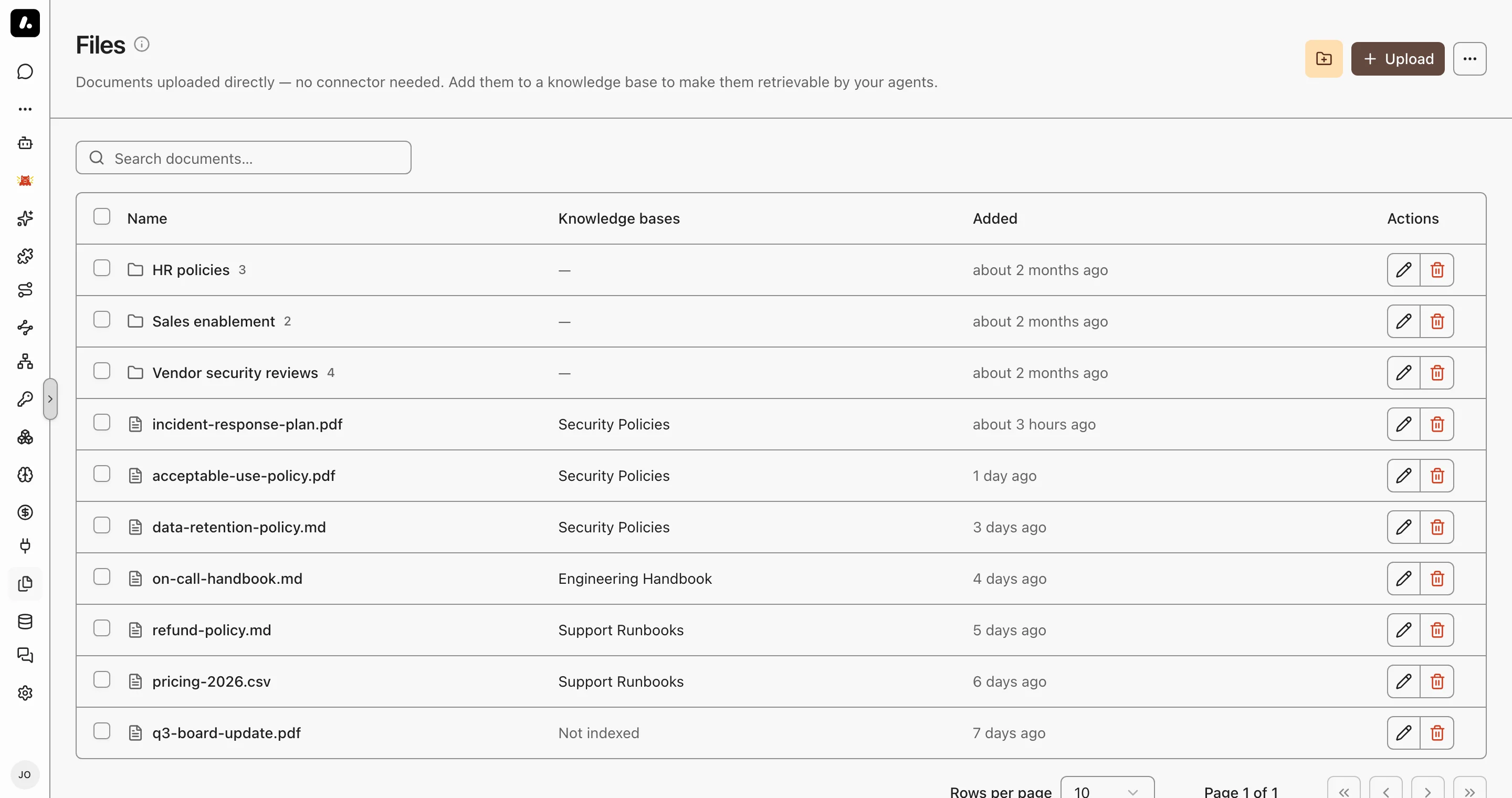
## Upload and Index
Uploading stores a file. Indexing makes it searchable.
1. Go to **Knowledge → Files** and upload PDF, Word, Markdown, CSV, JSON, HTML, or plain text files.
2. Select files or whole directories, and click **Add to knowledge base**.
3. Pick a base, or create one from the selection.
Archestra reads the text at upload. A file it cannot read is refused right away, so nothing is stored that search could never find. A scanned PDF is accepted when [Document OCR](https://archestra.ai/docs/knowledge/settings#document-ocr) is set. Its pages are read when the file is indexed.
- **Directories** group files. They are flat, with no subdirectories.
- Each file has its own permissions. Sharing a Knowledge Base does not open its files to more people.
## Import from a Pipeline
To keep a file current from a script, call [`PUT /api/knowledge-files/:fileId/content`](https://archestra.ai/docs/reference/api#/Knowledge%20Files/upsertKnowledgeFile). One call creates or replaces the file and indexes it into a Knowledge Base.
- Make one UUID for each source document, and send it as `fileId` on every import. A replace keeps the file's permissions and labels.
- The API key needs [`knowledgeSource:create`](https://archestra.ai/docs/reference/permissions#knowledgeSource:create), [`knowledgeSource:update`](https://archestra.ai/docs/reference/permissions#knowledgeSource:update), and access to the Knowledge Base.
- An HTTP success does not mean the file is indexed. Check the `failures` array of each result, then send the request again.
## Keep a Chat Attachment
A file you attach in chat belongs to that conversation. Save it here to keep it. Save it from the attachment in the message, or select several in the **Files** panel. You choose the name, directory, and permissions, and you can index it in the same step.
## Chat, Project, or Knowledge Files?
Pick by who needs the file, and for how long.
| | Chat attachments | Project files | Knowledge Files |
| ----------------- | ---------------- | ------------- | --------------- |
| Scope | One conversation | Every chat in the project | The whole organization |
| Who can read them | People with access to the conversation | Everyone in the project | The audience you set: organization, teams, or only you |
| How agents use them | Sent to the model with your message | Read when needed by any chat in the project | Searched in a Knowledge Base, with citations |
| Use them for | A one-off question about a file | Working files for one piece of work | Reference documents agents should answer from |
A file can move up: save a chat attachment here, then index it into a Knowledge Base.
## Example: Vendor Security Reviews
A security analyst reviews vendor documents that arrive by email.
1. Upload the questionnaires and SOC 2 reports into a **Vendor contracts** directory, shared with the security team only.
2. Select the directory and add it to a **Vendor security review** Knowledge Base.
3. Give that base to the review agent.
4. Ask the agent which vendors store customer data outside the EU. Open the citations to check the answer.
---
# Knowledge Settings
Source: https://archestra.ai/docs/knowledge/settings
> Set the embedding model, search ranking, contextual retrieval, and OCR for Knowledge Bases
Admins tune search for every Knowledge Base under **Settings → Knowledge**. Only the embedding model is required.
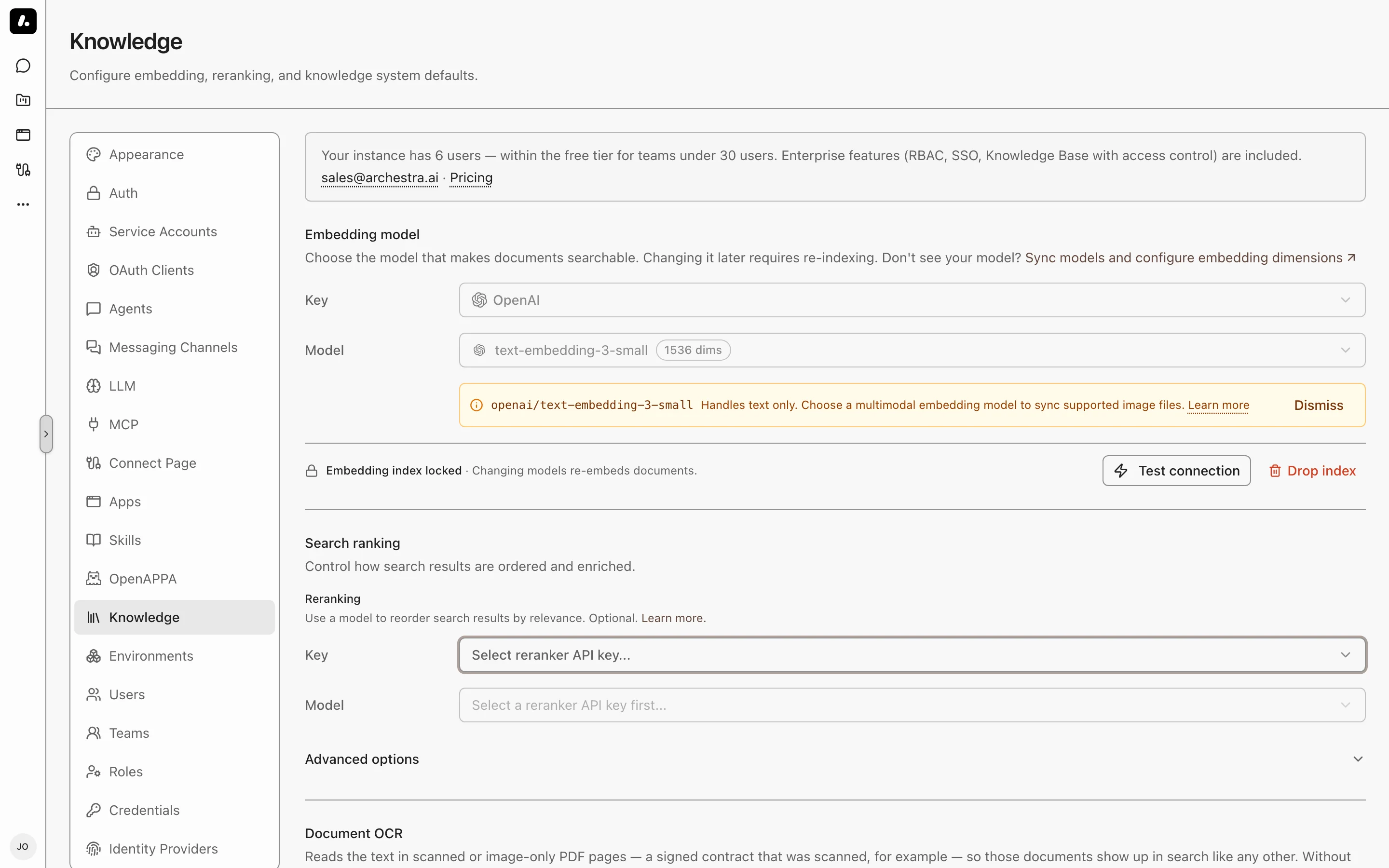
| Setting | Required | What it does |
| --- | --- | --- |
| [Embedding model](#embedding-model) | Yes | Turns passages into numbers that search compares. |
| [Search ranking](#search-ranking) | No | Puts the best passages first. |
| [Contextual retrieval](#contextual-retrieval) | No | Finds passages whose subject is named elsewhere in the document. |
| [Document OCR](#document-ocr) | No | Makes scanned PDFs searchable. |
| Available connectors | No | Hides the sources your company does not use from **Create Connector**. Existing connectors of a hidden type keep syncing. |
## Embedding Model
Required. It turns every passage into numbers that search compares.
1. Pick an API key and an embedding model. Subscription sign-ins do not work here.
2. Click **Test connection**, then save.
A model is missing? Sync its provider's models under **LLM Providers → Models**. Then check the model's [modalities](https://archestra.ai/docs/llm-proxy/providers#model-pricing-limits-and-modalities): they decide which models you can pick here. Set the model's dimensions there too. Supported dimensions are 384, 768, 1024, 1408, 1536, and 3072.
### Changing the Model
After you save, the model is locked, because indexing and search must use the same model. To change it, click **Drop index**.
- **Drop index** clears the model and the whole index.
- Later syncs embed every document again.
### Image Embedding
Standalone images are searchable only when the embedding model accepts images.
- The model's [modalities](https://archestra.ai/docs/llm-proxy/providers#model-pricing-limits-and-modalities) decide which formats work. Other images are skipped.
- A text-only model can still search scanned PDFs through [Document OCR](#document-ocr).
## Search Ranking
A reranker reads the top passages and puts the best answers first. Without one, search still combines meaning and keyword results.
1. Pick a chat model or a supported Cohere Rerank model. A chat model must return structured JSON.
2. Click **Test connection**, then save.
### Keyword Settings
Under **Advanced options**, two keyword settings change the next search, with no reindex:
| Setting | Default | Change it when |
| --- | --- | --- |
| **Term Saturation** | 1.2 | Lower it when long, repetitive text crowds out short answers. |
| **Length Normalization** | 0.75 | Raise it to favor shorter passages. |
## Contextual Retrieval
Finds a passage whose subject is named only elsewhere in the document. Example: a step says "restart it", under a heading that names the service.
Archestra writes a short context for each passage and matches on it. The agent still reads the original passage.
Under **Search ranking → Advanced options**, pick a mode:
| Mode | Use it when |
| --- | --- |
| **Disabled** | You do not need it. |
| **Per document** | You want lower cost. |
| **Per passage** | You want more precise context. |
- It needs a chat reranker. Cohere Rerank models cannot write context.
- To apply it to documents already indexed, use **Force Re-sync** on each connector.
## Document OCR
Makes scanned PDFs searchable. A vision model reads each PDF page that has no text layer. OCR does not read standalone image files.
1. Pick an API key and a vision model that accepts PDF input.
2. Click **Test connection**. It sends a test PDF page to the model.
3. Save. The first save resets each connector's checkpoint, so the next sync reads PDFs it skipped before.
Before you turn it on:
- Cost: each page is a model call, and the provider charges for it.
- Page limit: at most 100 pages per document, by default. Change it with [`ARCHESTRA_KNOWLEDGE_BASE_OCR_MAX_PAGES_PER_DOCUMENT`](https://archestra.ai/docs/reference/configuration#ARCHESTRA_KNOWLEDGE_BASE_OCR_MAX_PAGES_PER_DOCUMENT). The run details show the pages left unread.
- Self-hosted model missing? Set its input types under **LLM Providers → Models**.
---
# Chat & Projects
Source: https://archestra.ai/docs/chat
> Start conversations, delegate tasks, attach files, and collaborate with autonomous agents in real time
Start a conversation to delegate tasks to an agent, attach reference files, and collaborate in real time. Every prompt flows through the [LLM Proxy](https://archestra.ai/docs/llm-proxy) and [MCP Gateway](https://archestra.ai/docs/mcp/gateway), enforcing guardrails, access policies, and audit logging.
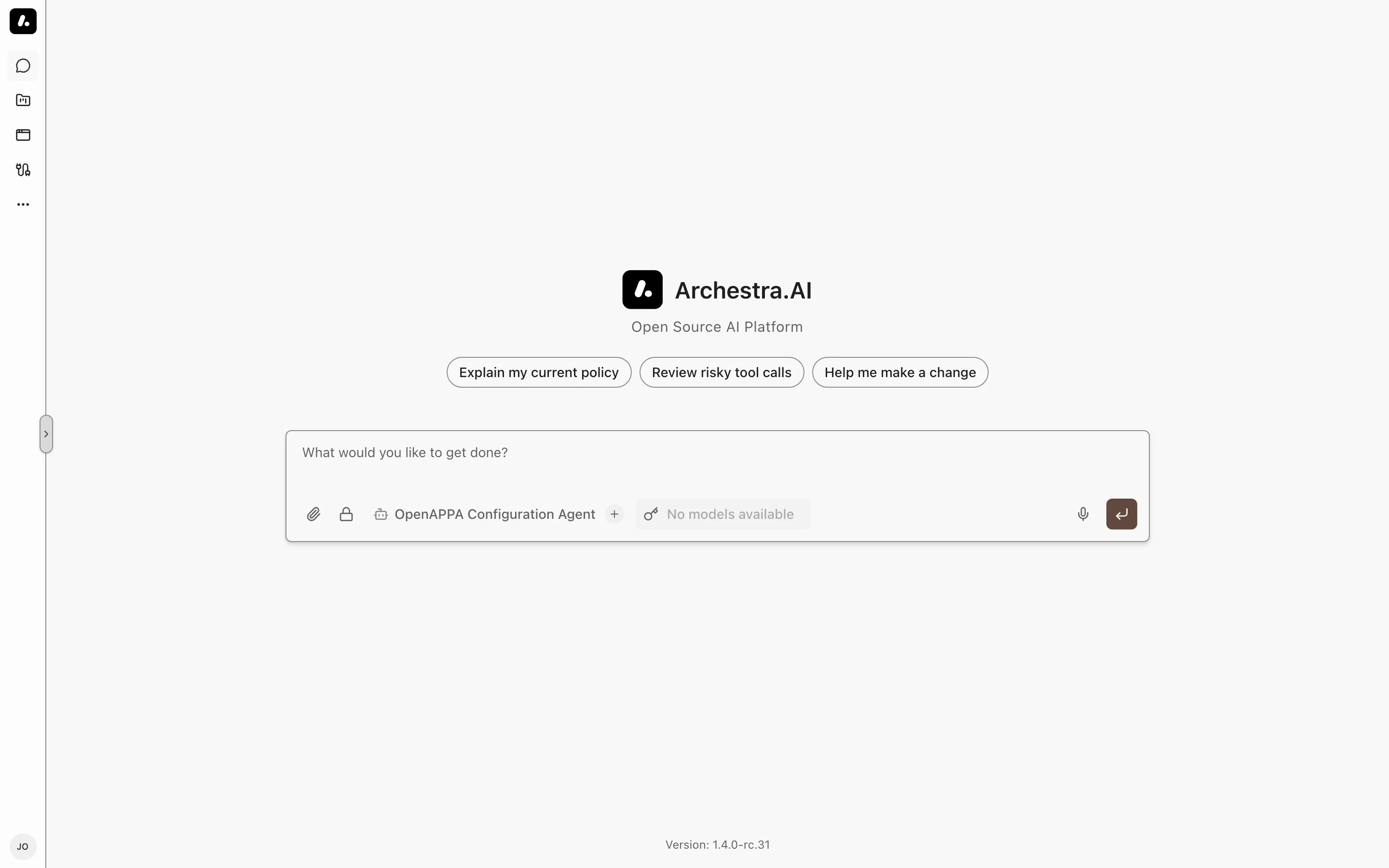
## Starting a Conversation
Choose an agent and prompt it to analyze data, run commands, or generate code.
1. Select **New chat** in the sidebar, or press `Option+N` (or `Alt+N` on Windows/Linux). Starting conversations requires [`chat:create`](https://archestra.ai/docs/reference/permissions#chat:create).
2. Choose an agent from the **Agent** menu.
3. Enter your prompt in the composer and press `Enter` to send. Press `Escape` to halt an active completion.
You can continue typing while the agent generates a response. Queued messages wait in line and send automatically when the current turn finishes. Viewing past chats requires [`chat:read`](https://archestra.ai/docs/reference/permissions#chat:read).
## Choosing a Model and Reasoning Depth
Override the default model and reasoning depth for an individual conversation without changing the agent definition.
The model selector displays the active model for the chat. A badge marks whether the model inherits from the agent configuration or the organization default. Choose another model to override it for this session, or select **Reset to default**. Badges like Vision, PDF, and Tools indicate each model's supported modalities.
When a selected model supports extended reasoning, **Reasoning depth** controls thinking intensity: Default, Low, Medium, or High.
## Attaching Files and Running Commands
Upload files directly into the prompt or trigger specialized skills with slash commands.
Select **Attach files** in the composer to upload documents, spreadsheets, or images. Files that the model cannot process directly save into the chat's **Files** panel, where containerized agents can access them on disk. To persist an attachment for reuse across conversations, select **Save to knowledge**. See [Knowledge Files](https://archestra.ai/docs/knowledge/files).
Type `/` in the composer to display available commands. Every skill granted to your agent appears as an executable command — for example, `/deep-research`. See [Agent Skills](https://archestra.ai/docs/agents/skills).
Run `/compact` to summarize earlier messages and keep conversations within the model's context window. The **Context usage** ring beside the composer tracks active token consumption and provides a **Compact now** button.
## Approvals and Questions
Review sensitive tool calls and provide real-time clarifications during agent execution.
When a tool requires human approval, execution pauses and an approval card appears inline. Select **Approve** to run the tool, or **Decline** to cancel execution and prompt the agent to adjust its plan.
If an agent requires clarification mid-run, an interactive question prompt renders in the message feed. Submit your response directly in the card or select **Dismiss question**.
## Managing and Sharing Conversations
Manage conversations from the sidebar or share transcripts across your team.
The sidebar lists recent conversations chronologically. Open a chat's context menu to pin it to the top of the list, rename it, assign it to a [project](https://archestra.ai/docs/chat/projects), or remove it with [`chat:delete`](https://archestra.ai/docs/reference/permissions#chat:delete). Press `Cmd+K` (or `Ctrl+K`) to open the search palette and jump across chats instantly.
Open **Chat actions** in the conversation header and choose **Share** to grant access to individual users, teams, or roles. Shared chats are read-only for recipients; viewers can select **Start New Chat from here** to fork the history into their own editable conversation. To save an offline transcript, select **Export Markdown** from the same header menu.
## Encrypted Chats
Protect sensitive discussions with end-to-end encryption where only the originating browser holds the decryption key.
Select the lock icon in the composer, or press `Option+I` (or `Alt+I` on Windows/Linux), before sending your first message. Your browser generates a unique AES key client-side and retains it locally. Archestra encrypts conversation messages, attachments, logs, and error outputs with that key before saving them to the database.
Encrypted conversations open only on the browser and device that created them. Sharing, chat forking, project assignment, compaction, and saving files to knowledge are disabled for encrypted conversations.
To enable encrypted chats organization-wide and allow designated key holders to recover them if browser storage is lost, administrators configure key escrow; see [Key Escrow for Encrypted Chats](https://archestra.ai/docs/admin/security/content-encryption#key-escrow).
---
# Projects
Source: https://archestra.ai/docs/chat/projects
> Keep chats, agent runs, files, instructions, and schedules in one shared project
Keep an investigation's chats, files, agent runs, and schedules together. Project instructions carry across conversations, so a new agent can use the same reference files and conventions.
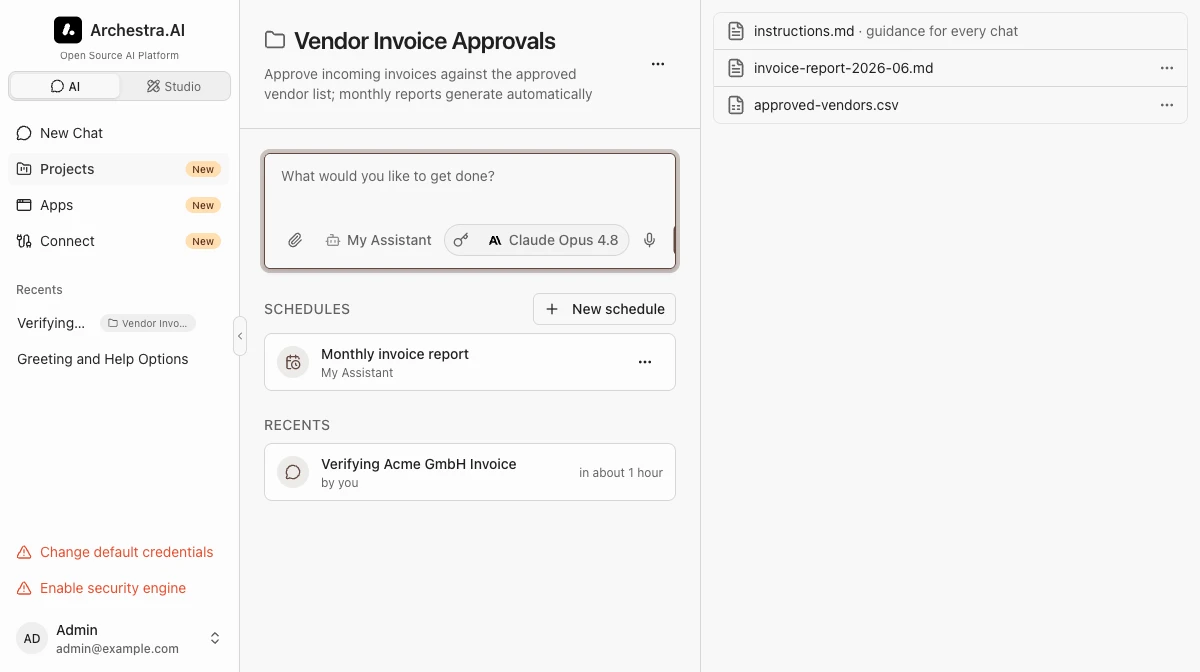
## Creating a Project
Create a project before starting work that needs shared files or recurring tasks.
1. Go to **Projects** and select **New project**. Creating projects requires [`project:create`](https://archestra.ai/docs/reference/permissions#project:create).
2. Enter a project name and optional description.
3. Choose a default agent if new chats and schedules should start with the same agent. Save and confirm the project opens.
You can also convert an existing chat into a project by opening the chat's context menu and selecting **Create project**. To move an ongoing conversation or Agent Runtime session into a project, select **Change project** from its menu. Choosing **Remove from project** returns the session to the main chat list.
## Shared Files and Instructions
Put reusable references in the project's **Files** panel and instructions in its pinned `instructions.md`.
Drop files directly into the project's **Files** panel. Files produced by agents during project chats also appear here, making them accessible to subsequent conversations in the same project. Text and Markdown files can be edited directly inside the panel.
For example, write "Check the attached incident timeline before proposing a cause" in `instructions.md`. Start a new project chat and ask the agent to identify the reference file to check that the context is available.
External coding clients like Claude Code can read and write project files through the [Archestra MCP Server](https://archestra.ai/docs/reference/archestra-mcp-server). See [Knowledge Files](https://archestra.ai/docs/knowledge/files#chat-project-and-knowledge-files) to decide whether assets belong in a project or a shared knowledge base.
## Scheduled Tasks
Ask an agent in a project chat to schedule a task, or create it from **New schedule**. Each run keeps its own history inside the project.
1. Select **New schedule** on the project page. Scheduling tasks requires [`project:create`](https://archestra.ai/docs/reference/permissions#project:create).
2. Choose an agent and enter the task prompt.
3. Choose a cadence and time zone. For example, `0 9 * * 1-5` runs at 09:00 on weekdays in that zone.
4. Save, check the next run time, and use **Run now** to verify the prompt and agent before relying on the schedule.
Open a run in the schedule history to inspect its conversation or Agent Runtime session, tool calls, and files. Failed runs keep their status and history for investigation.
Pause a schedule to halt automatic triggers while retaining the ability to trigger manual test runs ([`project:update`](https://archestra.ai/docs/reference/permissions#project:update)). Deleting a schedule with [`project:delete`](https://archestra.ai/docs/reference/permissions#project:delete) removes its cadence and schedule definition, but preserves all past conversations and session history.
Schedules use the project role permissions. Using **Run now** also requires [`project:create`](https://archestra.ai/docs/reference/permissions#project:create). Project members with [`project:read`](https://archestra.ai/docs/reference/permissions#project:read) can read schedules.
In addition to those role permissions, only the schedule actor or someone with the corresponding [organization-wide Project grant](https://archestra.ai/docs/admin/access-control#granular-access-control) can change or run a schedule: **Can update** to edit, **Full access** to delete, and **Can use** to run. Full access to an individual project does not authorize acting as another schedule actor.
When upgrading from separate Scheduled Tasks permissions, those retired grants are removed from custom roles and organization-wide policies. A custom role retains each scheduling action only if its corresponding Project action is already allowed. Review custom roles and grant the appropriate Project permissions explicitly if they still need those actions.
## Sharing and Access Control
Share the project when another person needs its files and instructions; conversation access remains separate.
Configure member access in project settings under **Access**. You can grant permissions to individual users, teams, service accounts, roles, or the entire organization.
Viewing projects and their shared files requires [`project:read`](https://archestra.ai/docs/reference/permissions#project:read). Modifying project instructions or settings requires [`project:update`](https://archestra.ai/docs/reference/permissions#project:update). Viewing another member's chats inside a project requires separate conversation read access, and only the author of an Agent Runtime session can attach to its interactive container shell.
Transfer project ownership to another member from the permissions tab. The previous owner retains Full access, and all files, schedules, instructions, and past conversations remain intact.
## Project Labels
Use labels to find projects by team or stage, such as `team: infra` or `stage: active`.
Add labels under **Advanced** when creating or editing a project (for example, `team: infra` or `stage: active`).
Use the label filter bar on the **Projects** page to narrow down projects by key and value.
## Deleting and Restoring Projects
Delete a finished project to move it to the trash. Check whether you need its files and schedules before deleting permanently.
Deleting a project moves it to the trash ([`project:delete`](https://archestra.ai/docs/reference/permissions#project:delete)). Its conversations and runtime sessions return to the main chat list, while project files and schedules are hidden.
To recover a project, select the **Deleted** status filter on the **Projects** page and click **Restore**.
Selecting **Delete permanently** purges all project files, instructions, and schedules. Past conversation transcripts and runtime session logs are preserved.
---
# Interactive Apps
Source: https://archestra.ai/docs/chat/apps
> Build, run, share, and govern agent-scaffolded interactive apps and dashboards
An app is an interactive interface you build on demand by prompting an agent — such as a dashboard, intake form, or status tracker. Apps execute inside a secure browser sandbox, maintain persistent state, and invoke MCP tools using the credentials of the person running them.
The **Apps** gallery also includes apps provided by installed MCP servers. For app implementation code, see the [Apps SDK Reference](https://archestra.ai/docs/reference/apps-sdk).
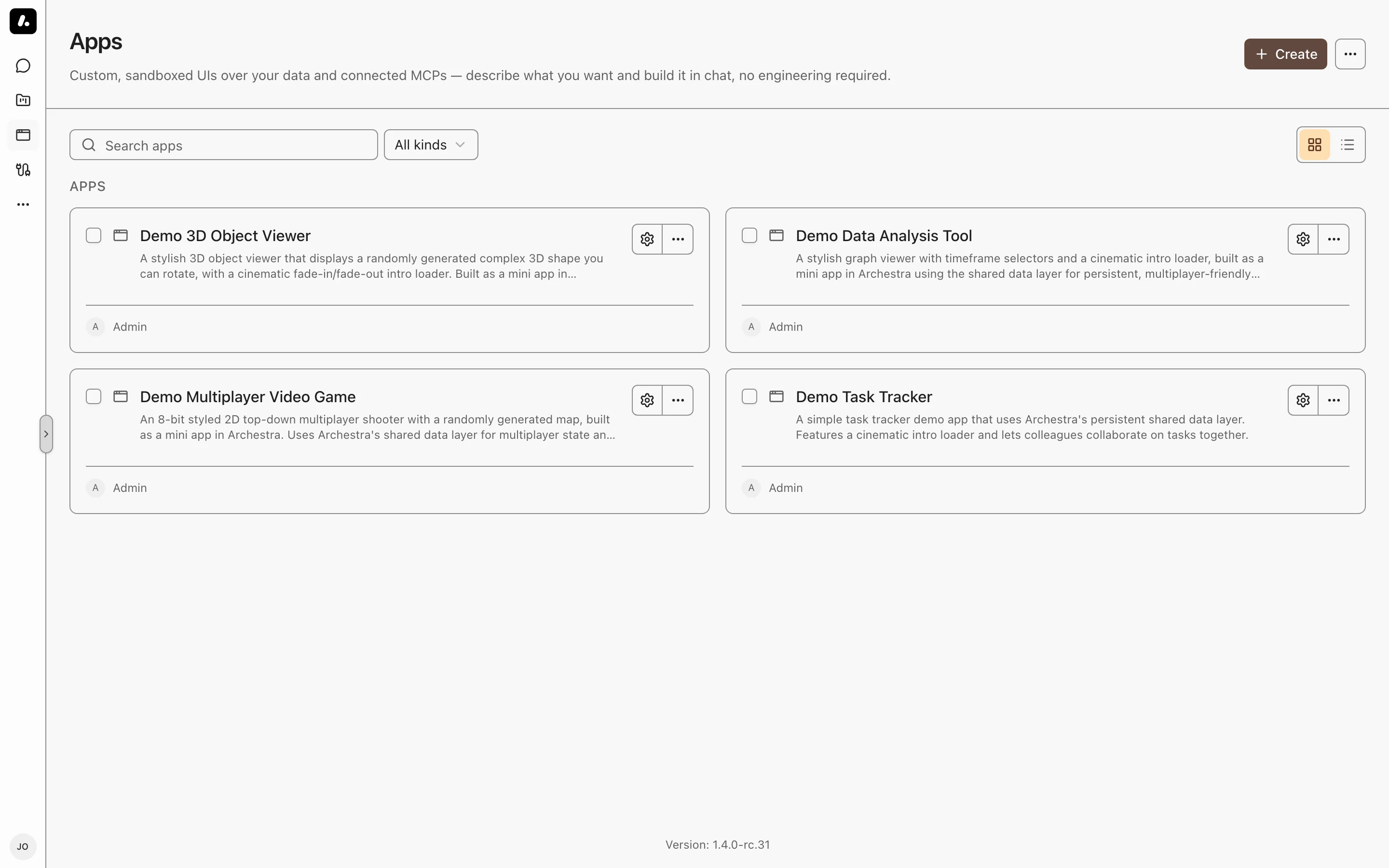
## Building an App with an Agent
Prompt an agent in chat to generate interactive UI tools tailored to your workflow.
1. Ask an agent in chat to build an app (for example, "build me a tracker for open vendor reviews").
2. The agent asks up to three clarifying questions, scaffolds the application code, and displays the running app inline.
3. Continue conversing in the same chat to request style tweaks, add input fields, or connect new tools.
Each modification saves a new revision to history. To revert a change, open the app's menu on the **Apps** page, select **Version history**, and restore an earlier version. Restoring writes a new version without erasing intermediate history.
## Running an App
Launch apps from the Apps gallery, embedded inside conversations, or standalone in full screen.
- **From the Apps gallery:** Select an app card from **Apps** (`/apps`). Opening an app creates a new chat session that joins your chat list once you interact ([`app:read`](https://archestra.ai/docs/reference/permissions#app:read)).
- **Standalone:** Open the app at `/a/` for a focused view without chat chrome.
- **In chat:** Apps render directly in the message flow when generated or opened by an agent.
- **Fullscreen mode:** Select the fullscreen icon on the app hover bar or side panel header to expand the app. In App settings, set **Opens in** to **Fullscreen** to launch full screen by default.
Each app is backed by its own MCP server. Its permissions, environment, assigned tools, and deletion are managed from its card in the [MCP registry](https://archestra.ai/docs/mcp/servers).
## Sharing and Access Grants
Grant fine-grained permissions to users, teams, or roles while preserving credential boundaries.
Configure access using [Resource permission grants](https://archestra.ai/docs/admin/access-control#granular-access-control):
| Access | Allows |
| --- | --- |
| Read | Seeing the app card in the gallery |
| Use | Running the app and invoking its tools |
| Update | Editing the app code, settings, and tools |
Managing permissions requires a separate grant. The creator starts with full access. Sharing a chat does not share the apps inside it — each viewer requires independent access to each app.
Apps execute with the permissions and credentials of the active viewer, not the creator. Share apps only with people you trust with the app's tools and data; see [Shared-App Trust Boundary](https://archestra.ai/docs/reference/apps-sdk#shared-apps).
### Disabling an App
Turn off an app in **App settings** to retract it without deleting data.
Disabling an app removes it from other members' galleries and from all agent toolboxes. No chat can inspect or execute it, including your own. The app remains in your gallery marked Disabled until you turn it back on.
### Transferring Ownership
Transfer an app you own to another organization member.
Its URL slug, version history, persistent state, sharing grants, and backing MCP server transfer with it. Tool executions continue to use each viewer's credentials.
## Locking an App
Lock completed apps to prevent automated agent edits or unintended modifications.
A locked app is immutable to autonomous agents: agents will refuse edit requests, tool changes, or deletion until unlocked. Viewing and running the app are unaffected.
Agents only unlock an app when explicitly commanded to do so by a user with update permissions. You can also toggle the lock manually in App settings.
## Defaults for New Apps
Configure organization-wide defaults in Settings to enforce review gates before new apps go live.
Go to **Settings → Apps** ([`organizationSettings:update`](https://archestra.ai/docs/reference/permissions#organizationSettings:update)) to set default behaviors for newly created apps:
- **New apps are disabled by default** — Creates all new apps disabled: author-only, invisible to agents, and unrunnable until explicitly enabled in App settings.
- **New apps are locked by default** — Creates all new apps [locked](#locking-an-app) against automated agent modification.
The creating conversation can finish building the app under either default policy. Policies take effect once the initial creation session concludes or the app is manually edited.
## Icons and Labels
Categorize and brand apps across the gallery and chat interface.
Assign an emoji or upload an image in App settings. The icon appears in the `/apps` gallery, sidebar pinned list, and chat pills. Setting an app icon automatically updates its backing MCP server in the [MCP registry](https://archestra.ai/docs/mcp/servers).
Add key-value tags (such as `team: finance` or `env: prod`) under **Labels** in App settings. The `/apps` gallery provides multi-tag filtering across both custom apps and installed MCP server apps.
---
# Admin
Source: https://archestra.ai/docs/admin
> Deploy Archestra, assign access, connect identity providers, and monitor operations
Administrators operate an Archestra instance and manage who can use its resources. Start with [Deployment](https://archestra.ai/docs/admin/deployment) to install the platform and connect a database.
For organization access, assign [roles and resource grants](https://archestra.ai/docs/admin/access-control), then connect an [identity provider](https://archestra.ai/docs/admin/identity) for sign-in and team membership. Use [environments](https://archestra.ai/docs/admin/environments) to separate resource access, deployment permissions, and network policies.
Protect stored credentials with [Data Security](https://archestra.ai/docs/admin/security). [Observability](https://archestra.ai/docs/admin/observability) covers logs, metrics, and traces for checking platform health and investigating requests. Settings available to operators are listed in [Configuration](https://archestra.ai/docs/reference/configuration).
---
# Deployment
Source: https://archestra.ai/docs/admin/deployment
> Install Archestra with Docker or Helm and configure production access
Use Docker to try Archestra locally. Use Helm to run it in Kubernetes with a persistent database, workers, and MCP server workloads. The UI listens on port 3000; the backend listens on port 9000.
## Docker Deployment
### Quickstart Deployment
Install Docker, then use the command in [Run Archestra](https://archestra.ai/docs/get-started#run-archestra). Its named volumes preserve database and application data. The Docker socket mount enables the embedded Kubernetes cluster for self-hosted MCP servers.
Open to confirm the UI loads. Keep the loopback port bindings for a local instance. For production, use Helm and a database with backups.
### Using External PostgreSQL
Set [`ARCHESTRA_DATABASE_URL`](https://archestra.ai/docs/reference/configuration#ARCHESTRA_DATABASE_URL) to use an external database. Without an external URL, the container starts PostgreSQL internally; preserve `/var/lib/postgresql/data` with a volume. Keep `/app/data` persistent for automatically generated secrets.
## Helm Deployment
You need a Kubernetes cluster, Helm 3 or later, and `kubectl` access. Self-hosted MCP workloads need the chart's orchestration permissions. Network restrictions require a policy-enforcing cluster dataplane; see [Environment network policies](https://archestra.ai/docs/admin/environments#network-egress-policies).
### Installation
Pin the chart version and review its defaults:
```bash
export ARCHESTRA_VERSION="1.4.0-rc.55" # x-release-please-version
helm show values \
oci://europe-west1-docker.pkg.dev/friendly-path-465518-r6/archestra-public/helm-charts/archestra-platform \
--version "$ARCHESTRA_VERSION" > values.yaml
```
Edit `values.yaml` for your database, secrets, and ingress, then install:
```bash
helm upgrade archestra-platform \
oci://europe-west1-docker.pkg.dev/friendly-path-465518-r6/archestra-public/helm-charts/archestra-platform \
--version "$ARCHESTRA_VERSION" \
--install --namespace archestra --create-namespace \
--values values.yaml --wait
```
### Core Configuration
Use `archestra.env` for non-secret environment variables. Use `archestra.envWithValueFrom`, `archestra.envFromSecrets`, or `archestra.envFrom` for Kubernetes Secret references. The full environment-variable list is in [Configuration](https://archestra.ai/docs/reference/configuration).
The chart generates and preserves authentication and credential-encryption secrets. To supply your own:
```yaml
archestra:
authSecret:
existingSecretName: archestra-auth
existingSecretKey: auth-secret
```
The referenced Secret must also contain `session-secret` and `secrets-encryption-secret`. Preserve these keys across upgrades and restores. Use the [key rotation procedure](https://archestra.ai/docs/admin/security/credentials#database-storage) when changing encryption keys.
### Database Configuration
Use an external PostgreSQL database when availability or managed backups matter. The bundled database runs one replica. Store the complete external URL in a Kubernetes Secret rather than Helm values. With a Secret named `archestra-database` containing a `url` key:
```yaml
postgresql:
enabled: false
archestra:
envWithValueFrom:
- name: ARCHESTRA_DATABASE_URL
valueFrom:
secretKeyRef:
name: archestra-database
key: url
migrationJob:
envWithValueFrom:
- name: ARCHESTRA_DATABASE_URL
valueFrom:
secretKeyRef:
name: archestra-database
key: url
```
Provide the same database URL to the migration Job and application. The chart runs migrations before rolling out an upgrade. Keep `archestra.migrationJob.enabled` enabled unless your pipeline applies migrations separately.
To verify the database's TLS certificate, mount the CA bundle with `archestra.extraVolumes` and `archestra.extraVolumeMounts` and point the URL at it, for example `?sslmode=verify-full&sslrootcert=/etc/ssl/db/ca.pem`. The web pods, worker pods and migration Job all get these mounts. The migration Job skips `persistentVolumeClaim` volumes, because it runs while the previous pods still hold their claims.
```yaml
archestra:
extraVolumes:
- name: db-ca
secret:
secretName: db-ca-bundle
extraVolumeMounts:
- name: db-ca
mountPath: /etc/ssl/db
readOnly: true
```
For Knowledge Base vector storage, PostgreSQL must have the pgvector extension available and the migration user must be able to create the extension, or an administrator must install it first.
Set `archestra.database.connectionBudget` to size query pools across peak web and worker pods, including rollout overlap. Leave room in PostgreSQL for other clients and reserved connections. Each peak pod needs at least 13 budgeted connections; the chart rejects smaller budgets. A fixed `archestra.database.poolMax` or [`ARCHESTRA_DATABASE_POOL_MAX`](https://archestra.ai/docs/reference/configuration#ARCHESTRA_DATABASE_POOL_MAX) overrides budget sizing. Complete one rollout before starting another.
### Cost Statistics Index
For large interaction histories, an optional covering index reduces database reads for Costs statistics. It adds index storage and maintenance work to interaction inserts.
After the database migrations finish, run this command once from `/app/backend` in the application container during a database maintenance window:
```bash
node scripts/create-statistics-index.mjs
```
The command uses [`ARCHESTRA_DATABASE_URL`](https://archestra.ai/docs/reference/configuration#ARCHESTRA_DATABASE_URL). Connect directly to PostgreSQL or through session pooling, using credentials that can create indexes. Transaction pooling is unsupported.
The build runs concurrently with interaction writes and consumes database I/O while it scans. It stops after a five-second lock wait or a thirty-minute statement timeout. Rerunning preserves a valid index and rebuilds an invalid index left by an interrupted build. Successful output reports `created`, `already_valid`, or `rebuilt_invalid`.
### Enable Fast Logs User Lists
The logs user picker can keep its most-active ordering without recounting the full log on each cache miss. New installations and upgrades leave this optimization disabled until you activate it.
1. Finish the database migrations and upgrade every web, worker, and other interaction writer. Stop all old binaries before enabling the summary: they do not maintain its counts.
2. From `/app/backend` in an upgraded application container, run:
```bash
node dist/standalone-scripts/rebuild-interaction-user-activity.mjs --enable
```
3. Confirm the output reports `ready: true`. Exit code 2 means the bounded run is incomplete; rerun without `--enable` to resume. The background worker also resumes incomplete work every 30 seconds. Until completion, the picker uses the original exact query.
The migrations create small, initially empty summary tables and an append function; they do not scan or change the interaction table. Apply the function migration before starting upgraded writers: missing functions fail the write rather than bypassing count maintenance. Rebuilding reads existing history in user batches without holding write locks during the history scan. Inserts maintain counts in one database statement; retention deletes use a transaction. Writes for the same user serialize.
The server caches the most-active list for at most 30 seconds, including load time. An open picker refreshes every 20 seconds and revalidates when reopened, keeping successful active-page refreshes within the 60-second ranking budget without adding the old five-minute client cache. Network failures and inactive browser tabs can delay refreshes. Explicit search reads current history rather than the ranked cache.
- Before rolling back to an old binary, run the command with `--disable` and wait for it to finish. Disabled writers do not maintain summary balances; a later `--enable` starts a new rebuild.
- Owner deletion or organization reassignment invalidates the summary. Exact queries remain active while the worker rebuilds it. User deletion removes that user's derived counts; names are joined when the list is loaded.
- Direct SQL changes to interactions bypass maintenance. Disable the summary before such work, then run with `--enable` afterward. If counts may already have drifted, use `--invalidate` to rebuild while keeping exact fallback active. Do not use `--invalidate` on every resume; it restarts progress.
- A negative reconciled count or an integer outside JavaScript's safe range stops the rebuild without publishing partial results. Exact fallback remains active while valid summary state is incomplete; unsafe version counters instead reject list requests rather than reuse an ambiguous cache entry. Investigate and repair the accounting fault before retrying with `--invalidate`; repeated retries do not repair inconsistent accounting.
### Scaling
`archestra.replicaCount` controls web replicas. `archestra.worker.replicaCount` controls separate workers. Enabling `archestra.horizontalPodAutoscaler.enabled` replaces the web replica setting; the default HPA range is 2–10 pods. Worker replicas remain manual. Increase database connection capacity alongside replicas.
Use `archestra.resources` and `archestra.worker.resources` to size pods. Diagnostics storage shared by concurrent pods requires a compatible `ReadWriteMany` volume; check `archestra.diagnostics` in the selected chart's values.
The web and worker pods share `archestra.nodeSelector`, `archestra.tolerations`, `archestra.affinity`, `archestra.topologySpreadConstraints` and `archestra.podAnnotations`.
To survive a zone outage, spread replicas across zones with `archestra.topologySpreadConstraints`. Leave out `labelSelector` and each Deployment counts only its own pods, so web pods and worker pods each spread evenly and can share a zone:
```yaml
archestra:
topologySpreadConstraints:
- maxSkew: 1
topologyKey: topology.kubernetes.io/zone
whenUnsatisfiable: DoNotSchedule
```
For pod anti-affinity, add `matchLabelKeys: [app.kubernetes.io/component]` to the term so web and worker pods are counted separately (Kubernetes 1.31 and later).
### Accessing the Platform
For a local verification before configuring ingress:
```bash
kubectl --namespace archestra port-forward svc/archestra-platform 9000:9000 3000:3000
```
Open . Confirm you can sign in and that the backend is reachable on port 9000. For an external deployment, configure TLS and the public URLs before connecting agents.
### Routing the LLM Proxy Away From the Frontend
Route `/v1` and `/v2` to backend port 9000 and `/` to frontend port 3000. Keep `/api/auth` on the frontend. The chart applies this split for `archestra.ingress.hosts` by default. A complete `archestra.ingress.spec` or an external routing layer must apply it explicitly.
### Keep-Alive Timeouts
Set the ingress or load-balancer response timeout long enough for streamed model responses. Also set [`ARCHESTRA_HTTP_KEEP_ALIVE_TIMEOUT_MS`](https://archestra.ai/docs/reference/configuration#ARCHESTRA_HTTP_KEEP_ALIVE_TIMEOUT_MS) above the load balancer's backend idle-connection timeout if it exceeds the platform default. Test a streaming request through the public endpoint.
### MCP Gateway OAuth Public Origin
List every public gateway host in [`ARCHESTRA_API_BASE_URL`](https://archestra.ai/docs/reference/configuration#ARCHESTRA_API_BASE_URL) or [`ARCHESTRA_FRONTEND_URL`](https://archestra.ai/docs/reference/configuration#ARCHESTRA_FRONTEND_URL), using its public `https://` scheme. API base URLs accept a comma-separated list. This keeps OAuth metadata and connection documents on HTTPS even when TLS terminates before Archestra.
An unconfigured host falls back to the request scheme. A proxy that drops `X-Forwarded-Proto` can therefore advertise HTTP and break OAuth discovery. [`ARCHESTRA_TRUST_PROXY`](https://archestra.ai/docs/reference/configuration#ARCHESTRA_TRUST_PROXY) does not change this public-origin rule.
### SSRF Protection for MCP Server Pods
Self-hosted MCP servers inherit [environment egress policies](https://archestra.ai/docs/admin/environments#network-egress-policies). Public internet mode blocks private, metadata, and reserved destinations unless explicitly allowed. The cluster's network dataplane must enforce those policies; creating policy objects alone does not enforce isolation.
## MCP Apps Sandbox
Local instances isolate MCP Apps using `localhost` and `127.0.0.1`. Production instances without a sandbox domain use an opaque iframe origin, which cannot use persistent browser storage or APIs restricted to a specific origin.
For apps needing those capabilities:
1. Choose a sandbox domain such as `mcp.example.com`.
2. Create wildcard DNS and TLS for `*.mcp.example.com`.
3. Route that wildcard host to backend port 9000.
4. Set [`ARCHESTRA_MCP_SANDBOX_DOMAIN=mcp.example.com`](https://archestra.ai/docs/reference/configuration#ARCHESTRA_MCP_SANDBOX_DOMAIN).
5. Open an app and confirm it renders through its sandbox host.
Allowed embedding origins follow [`ARCHESTRA_FRONTEND_URL`](https://archestra.ai/docs/reference/configuration#ARCHESTRA_FRONTEND_URL) and [`ARCHESTRA_AUTH_ADDITIONAL_TRUSTED_ORIGINS`](https://archestra.ai/docs/reference/configuration#ARCHESTRA_AUTH_ADDITIONAL_TRUSTED_ORIGINS).
## Code Sandbox
Archestra's managed Dagger engines need Linux nodes that permit privileged root pods with all Linux capabilities, plus dynamically provisioned `ReadWriteOnce` storage. Engine pods are separate from agent runtime containers.
If your cluster does not admit these pods, set [`ARCHESTRA_CODE_RUNTIME_DAGGER_RUNNER_HOST`](https://archestra.ai/docs/reference/configuration#ARCHESTRA_CODE_RUNTIME_DAGGER_RUNNER_HOST) to an external `tcp://` or `kube-pod://` engine, or disable the sandbox with [`ARCHESTRA_CODE_RUNTIME_ENABLED=false`](https://archestra.ai/docs/reference/configuration#ARCHESTRA_CODE_RUNTIME_ENABLED) or Helm's `archestra.codeRuntime.enabled: false`.
## Release Channels And Upgrades
Pin an exact chart version or image tag from [GitHub Releases](https://github.com/archestra-ai/archestra/releases). Tags ending in `-rc.N` are release candidates. Avoid relying on `latest` for production upgrades.
1. Back up PostgreSQL and preserve encryption keys.
2. Read release notes for migration requirements.
3. Test the selected version in staging.
4. Apply the Helm upgrade above and check rollout and migration Job status.
On the first v1.4 startup, Archestra converts legacy sharing and role permissions before serving API traffic. One replica performs the conversion; other replicas wait, and later restarts skip it. During startup, `/health` responds successfully while `/ready` returns HTTP 503 until the API is ready, so large conversions do not exhaust the Kubernetes startup probe budget.
During shutdown, Archestra stops accepting new model requests and gives active requests up to 60 seconds to finish. Requests that outlast this window can still lose their connection. The Helm chart sets `archestra.terminationGracePeriodSeconds` to 120; keep it at least this high so the container can finish shutdown.
For Docker, use `docker stop --time 120` or set Compose's `stop_grace_period: 120s`. A shorter host deadline can kill the container before requests finish.
The proxy retries a provider connection failure at most twice before receiving the first response chunk. It does not retry provider error responses, timeouts, or failures after output starts. Recovery after partial output depends on your client's retry policy.
Gemini is excluded from these proxy retries because its SDK can report an interrupted error response as a connection failure.
Rolling back a container image does not reverse database migrations. Restore a compatible database backup when required by the release's rollback procedure.
## Infrastructure as Code
Manage Archestra resources from Terraform or Crossplane. Both use the same API key — mint one in the API Keys section in Personal Settings (click your name in the sidebar) (see [API Reference](https://archestra.ai/docs/reference/api#authentication)).
### Terraform
1. Configure the provider. Read credentials from the environment (`export ARCHESTRA_API_KEY=...` and `export ARCHESTRA_BASE_URL=...`) or pass them inline.
```terraform
terraform {
required_providers {
archestra = {
source = "archestra-ai/archestra"
}
}
}
provider "archestra" {}
```
2. Define a resource. Register an MCP server in the catalog, then install it.
```terraform
resource "archestra_mcp_registry_catalog_item" "memory" {
name = "memory"
description = "In-memory key-value store"
local_config = {
command = "npx"
arguments = ["-y", "@modelcontextprotocol/server-memory"]
}
}
resource "archestra_mcp_server_installation" "memory" {
name = "memory"
catalog_id = archestra_mcp_registry_catalog_item.memory.id
}
```
3. Apply.
```bash
terraform init
terraform apply
```
Full resource reference: [Terraform provider docs](https://registry.terraform.io/providers/archestra-ai/archestra/latest/docs).
### Crossplane
Install Crossplane v1 or v2 before adding the provider.
1. Install the provider. Pin the latest tag from [GitHub Releases](https://github.com/archestra-ai/terraform-provider-archestra/releases).
```yaml
apiVersion: pkg.crossplane.io/v1
kind: Provider
metadata:
name: provider-archestra
spec:
package: xpkg.upbound.io/archestra/provider-archestra:v1.1.4
```
2. Configure credentials.
```bash
kubectl create secret generic archestra-creds \
-n crossplane-system \
--from-literal=credentials='{"api_key":"arch_...","base_url":"https://api.archestra.example.com"}'
```
```yaml
apiVersion: archestra.crossplane.io/v1beta1
kind: ProviderConfig
metadata:
name: default
spec:
credentials:
source: Secret
secretRef:
namespace: crossplane-system
name: archestra-creds
key: credentials
```
3. Create a resource. Mirror of the Terraform example above.
```yaml
apiVersion: mcp.archestra.crossplane.io/v1alpha1
kind: RegistryCatalogItem
metadata:
name: memory
spec:
forProvider:
name: memory
description: In-memory key-value store
localConfig:
command: npx
arguments:
- "-y"
- "@modelcontextprotocol/server-memory"
providerConfigRef:
name: default
---
apiVersion: mcp.archestra.crossplane.io/v1alpha1
kind: ServerInstallation
metadata:
name: memory
spec:
forProvider:
name: memory
catalogIdRef:
name: memory
providerConfigRef:
name: default
```
Full resource reference: [Crossplane provider README](https://github.com/archestra-ai/terraform-provider-archestra/blob/main/crossplane/README.md). Resource coverage is partial — current state and the gap vs. the Terraform provider are tracked on the [coverage badge](https://github.com/archestra-ai/terraform-provider-archestra#archestra-provider).
## Connect Page Settings
Admins configure the page under **Settings → Connect Page**, or with **Connection settings** on the Connect page:
| Setting | Effect |
| --- | --- |
| Default client, Default MCP Gateway | Pre-selected for everyone. Users can still switch. |
| LLM Proxy, Skills, and Plugins on Connect | Turning one off removes it from new setups. Existing setups keep working. |
| Agents users can connect | The agents offered on Connect, in order. Drag to reorder, click **✕** to remove one, and use **Add back** to restore it. Click an agent to pick the provider keys its setup command shares with everyone who connects it. An agent with no keys picked uses each user's own. **Generic client** is always shown last. |
| Instructions for connected agents | Added to the system prompt of every agent users connect from the Connect page. The default asks agents to offer moving a session to your deployment's Cloud runtime. CLI wrappers fetch saved changes before the next launch. |
Claude Code, Codex, Copilot CLI, OpenCode, and Kilo Code refresh these instructions before launch. Changes replace the managed copy and preserve the user’s own instructions.
- **Existing connections:** Run setup once to install the refresh capability. Unix wrappers require Python 3 to fetch updates.
- **Temporary outages:** The client uses its last fetched copy.
- **Other clients:** Cursor’s User Rules and Claude Desktop’s organization instructions still need a setup update.
Setup reads `/connect.md`, `/llms.txt`, and the setup endpoints under `/api/client-connections` and `/api/connection-setups/script` without a session. A proxy in front of Archestra that requires login for every URL must let these through. It must also allow `/v1/connection-instructions`; this endpoint checks the installation’s read-only credential and current access.
## Upgrade OAuth Clients
Deploy the unified OAuth Clients release to all replicas together, with the older replicas stopped before the updated application starts. Mixed versions and rolling back to the older authorization model are unsupported. Back up the database before the upgrade.
Existing client IDs, secrets, provider keys, gateway assignments, and issued tokens carry over. MCP clients retain MCP Gateway and A2A access; LLM clients retain LLM Proxy access. The upgrade combines each custom role action and wildcard grant across the two former client resources. A read grant never becomes edit or delete, and grants on individual clients keep their scope. See [OAuth client access control](https://archestra.ai/docs/admin/access-control#oauth-clients).
After the upgrade, open **Settings → OAuth Clients** and check the clients' capabilities and permissions. Request tokens with the scopes the application needs. Repeat startups preserve permission changes made after the upgrade.
---
# Access Control
Source: https://archestra.ai/docs/admin/access-control
> Assign roles and share resources with users, teams, and service accounts
Roles control which sections a person can open and which kinds of resources they can create. Resource grants control which individual agents, gateways, skills, apps, models, and credentials they can reach. Configure both when giving someone access.
## Predefined Roles
Built-in roles cannot be edited or deleted. **Admin** has every organization permission. **Platform Admin** manages the platform without organization-wide logs or user impersonation. **Editor** manages core resources without organization settings or user management. **Member** can create agents and chat, with read access to many other sections.
Members do not see **Settings**. It appears only for people who can open an organization settings page or manage teams, credentials, or OAuth clients. People who can open **Settings → Credentials** connect and add their own credentials there; everyone else does it under **Personal Settings → Credentials**.
See the [complete role tables](https://archestra.ai/docs/reference/permissions#predefined-roles) before choosing a role.
## Custom Roles
With [`ac:create`](https://archestra.ai/docs/reference/permissions#ac:create), go to **Settings → Roles** and create a role. Select only the permissions needed for the job, then assign it to members, teams, or service accounts. Editing and deleting custom roles require [`ac:update`](https://archestra.ai/docs/reference/permissions#ac:update) and [`ac:delete`](https://archestra.ai/docs/reference/permissions#ac:delete) respectively. The [permission reference](https://archestra.ai/docs/reference/permissions#available-permissions) describes every action.
### Multiple Roles And Team Grants
An account receives the combined permissions of its assigned roles. Members also inherit organization roles assigned to their teams and ancestor teams. Removing one assignment removes its grants only if no other assignment provides them.
Organization roles assigned to teams are separate from [team membership roles](#team-roles). The account permissions page shows the sources of each granted action.
### No Privilege Escalation
You can grant only permissions you already hold. This applies when changing roles, inviting members, assigning roles to teams or service accounts, and changing team membership or hierarchy. Role pickers disable roles beyond your authority.
[SSO role mapping](https://archestra.ai/docs/admin/identity/sso#role-mapping) is configured by the identity provider and can assign roles independently of the signing-in user's permissions.
### Service Account Creators
Service accounts can create resources within their assigned permissions. Creator attribution does not grant team membership. Resources with personal human ownership, including projects, require a user account.
### Available Permissions
Look up every role action in the [permission reference](https://archestra.ai/docs/reference/permissions#available-permissions). Actions marked **Per object** are controlled by resource grants, not a separate role permission. **Manage access** lets a recipient change who can access the item and their permission levels. **N/A** means there is no separate permission for that action.
## Granular Access Control
A resource grant names a recipient and the actions they can perform. Recipients can be users, teams, service accounts, roles, or **Everyone in the organization**. A service account's access is independent of its creator. Disabling the account prevents it from using its grants.
Granular access control is an Enterprise feature, including the [small-team allowance](https://archestra.ai/docs/get-started/pricing-model). When entitlement ends, existing grants remain enforced. You can revoke or reduce grants. Adding or expanding them requires entitlement.
To share a resource, add recipients in its permissions, next to its other settings. One field adds everyone in the organization, a role, a team, a person, or a service account. Each recipient gets its own level: **Can read**, **Can use**, **Can update**, or **Full access**. A new recipient starts at **Can use** when you may grant it. Save, then confirm the recipient appears with the intended level.
Sharing with everyone or a role makes a resource Org-wide. That takes **Full access** on every resource of that kind, or [`accessPolicies:update`](https://archestra.ai/docs/reference/permissions#accessPolicies:update). By default, Admin and Platform Admin hold it for every kind, and Editor for models and credentials. Without it:
- You share with people and with the teams you belong to, not with everyone, a role, or another team.
- You can still lower or remove such a grant.
- Service accounts appear in the field only with [`serviceAccount:read`](https://archestra.ai/docs/reference/permissions#serviceAccount:read).
For grants covering every object of a kind, open **Permissions** beside **Create** or **Add** on the resource list. These grants also cover other people's objects. Global policy administration requires [`accessPolicies:read`](https://archestra.ai/docs/reference/permissions#accessPolicies:read) to view or [`accessPolicies:update`](https://archestra.ai/docs/reference/permissions#accessPolicies:update) to edit. An individual resource requires `manage-permissions` on that resource.
Keep at least one recipient with **Manage access**, either through **Full access** or a custom level. **Save** is disabled if you remove the last recipient who can change this policy.
### Actions And Scopes
**Can read** permits reading. **Can use** adds execution. **Can update** adds configuration changes. **Full access** also includes deletion and **Manage access**, which lets the recipient change other people's grants. OAuth clients omit execution from these levels.
MCP registry entries add **Full access + deploy**, which permits deployment specification, service account, and secret-source changes. Admin and Platform Admin receive this access by default. The creator's ordinary Full access does not include deployment changes. Changing what an entry runs or connects to, such as its image, command, URL, or authentication, takes **Full access + deploy** or [`mcpRegistry:create`](https://archestra.ai/docs/reference/permissions#mcpRegistry:create). OAuth client registrations have no **Can use** preset.
A grant applies to one resource or to `*`: every current and future resource of that kind in the organization. Actions and scopes stay paired. Giving someone read access to all entries and edit access to one entry lets them edit only that entry.
### Sharing Level
Every shared resource shows how far it reaches: **Personal**, **Team-wide**, or **Org-wide**. A typical resource starts Personal while you build it, becomes Team-wide when you add a team, and Org-wide when you add everyone. The level follows the resource's own grants that include **Can read** or more:
| Level | Set by |
| --- | --- |
| **Org-wide** | A grant to everyone, or to any role |
| **Team-wide** | A grant to any team |
| **Personal** | Neither of the above |
What to know:
- Grants to people and service accounts do not change the level.
- Organization-wide grants on every resource of a kind do not count, such as Admin's full access.
- Chats and agent runs are the exception to [who can make a resource Org-wide](#granular-access-control): their owner can share them with anyone.
### Find Resources by Access
Lists of shared resources filter by how you reach each item. These lists have the filters: agents, MCP gateways, Knowledge Bases, connectors, Knowledge Files, apps, plugins, projects, skills, the MCP registry, LLM provider credentials, virtual keys, models, and OAuth clients.
- **Access:** **Mine** for items you own. **Shared with me** for items shared with you, your team, your role, or everyone. **Admin access** for items nobody shared with you, visible through an organization-wide grant.
- **Shared with:** everyone, a role, a team, a person, or a service account. Shown while **Admin access** is on.
- **Owner:** one or more owners. Shown while **Admin access** is on.
Models have no owner, so their list has no **Mine** option and no **Owner** filter. On Knowledge Files, the filters narrow documents. Directories always show. The filters combine. The list API takes the same filters as `access`, `sharedWith`, and `owner` query parameters. `sharedWith` takes comma-separated `org`, `role:`, `team:`, `user:`, or `serviceAccount:`. `org` matches only grants to everyone. `owner` takes comma-separated user IDs.
### Inheritance And Revocation
Access combines direct grants, team grants, effective-role grants, and organization-wide grants. A team grant reaches every member regardless of membership role, including descendant teams. Removing a direct grant does not remove inherited access. Change that grant at its source.
The Permissions editor displays inherited grants separately. A read grant on all chats reaches chats in projects the recipient can open, never private chats.
### Delegation And Concurrent Edits
You can share only actions you hold. Team administration can change membership, but does not authorize editing the resources or grants shared with the team.
Assigning a role, or adding someone to a team, shares every grant the role or team carries, so you must hold those grants and `manage-permissions` on each object. Grants that members put on their own chats, agent runs, and personal provider keys do not count: only their owner holds those. [`accessPolicies:update`](https://archestra.ai/docs/reference/permissions#accessPolicies:update) skips this check, so it can assign any role or team.
When the check refuses an assignment, the form lists each object you cannot share. Hover over an object to see the actions you lack on it.
If another administrator saves first, the editor preserves your draft and asks you to reload. Review the latest permissions before saving again. Permission changes appear in the audit log.
### API Example
For API-based sharing, read the policy with [`GET /api/resource-permissions/mcpRegistry/`](https://archestra.ai/docs/reference/api#/Permissions/getResourcePermissions). Replace direct grants with `PUT` to the same URL, using the returned revision:
```json
{
"revision": 0,
"grants": [
{
"subject": {"type": "serviceAccount", "id": "00000000-0000-4000-8000-000000000001"},
"actions": ["read", "use"]
}
]
}
```
Use the service account ID, not an API-key ID. `PUT` replaces all direct grants: include every existing direct grant you intend to retain. Inherited grants remain.
## Scoped Resources
Creation requires the kind's organization-level create permission. Most resources give their creator full direct access. That grant can be revoked. Ownership does not override revocation.
### Ownership
The owner is the person who created the resource. **Mine** and the **Owner** filter use it. The owner's grant shows as Full access and cannot be removed from the list.
To hand a resource to another person, use **Make owner** on their row:
- The new owner gets Full access.
- The previous owner keeps Full access. Remove them as a separate change.
- Other grants do not change.
Only someone with edit and Full access on the resource can make another person the owner. Plugins require edit access to every plugin.
### Team Roles
A team **member** receives shared access. A team **admin** can manage its members and settings without organization-wide [`team:update`](https://archestra.ai/docs/reference/permissions#team:update). The creator becomes the first team admin. This role does not authorize creating or deleting teams, managing other teams, or editing shared MCP connections.
### Team Hierarchies
Members inherit resource grants and organization roles from ancestor teams. Access does not flow from a child to its parent or to siblings. Team administrator roles are not inherited. Deleting a parent moves its direct children to the root.
[SSO Team Sync](https://archestra.ai/docs/admin/identity/sso#team-sync) creates direct membership in mapped teams. Normal inheritance then applies.
### Environments
Deploying into an [environment](https://archestra.ai/docs/admin/environments#deploy-permissions) requires a `use` grant there. New environments are shared with the organization. Remove that grant to restrict deployment to selected teams. Default is open to anyone who can create the resource.
### OAuth Clients
One **OAuth Clients** resource governs clients with any combination of MCP Gateway, A2A, and LLM Proxy capabilities. Role permissions [`oauthClient:read`](https://archestra.ai/docs/reference/permissions#oauthClient:read) and [`oauthClient:create`](https://archestra.ai/docs/reference/permissions#oauthClient:create) control listing and creation. **Can update** permits reconfiguration and secret rotation. **Full access** also permits deletion and sharing. These grants govern client management. Tokens reach only the enabled capabilities and configured resources; management grants do not themselves authorize API calls.
During an upgrade, each action from the former MCP and LLM client permissions carries over to OAuth Clients. A role with MCP client **read** and LLM client **create** gets OAuth Client **read** and **create**, not edit or delete. A wildcard **Can update** grant reaches all OAuth clients; a grant on one client stays on that client.
### Visibility-Scoped Credentials
Provider keys and virtual keys can have personal, team, or organization scope. Personal records are limited to their owner. Team records require membership. Team admins can manage their team's records. Organization records require an update grant on `*` for that kind.
### Saved Credentials
[Credentials](https://archestra.ai/docs/admin/security/credentials#who-can-manage-a-credential) take grants like any other resource. **Can use** lets a person connect their own value or bind the credential to a guardrails battery. Updating a credential requires **Can update**; deleting it requires **Full access**. These are grants on the credential, not role permissions. Anyone can add a credential that only they can use. Sharing one, or adding an organization credential, needs [`credential:create`](https://archestra.ai/docs/reference/permissions#credential:create).
### Models
Read grants control model discovery. Use grants control invocation through the LLM Proxy. A wildcard use grant covers future models and uncatalogued model IDs. Refreshing the catalog preserves grants and revocations.
### Chat Access And Optional UI Controls
Chat requires [`chat:read`](https://archestra.ai/docs/reference/permissions#chat:read) and access to an agent context through [`agent:read`](https://archestra.ai/docs/reference/permissions#agent:read). [`chat:full-view`](https://archestra.ai/docs/reference/permissions#chat:full-view) shows the agent picker, model and API-key selectors, and expandable tool calls. It changes the interface without granting access to credentials or models.
### MCP Registry And Installation Records
Registry grants govern catalog entries. Installation permissions govern connections, credentials, and running servers. Team installations also depend on team membership. Organization-wide connections and administration of any team connection require an `update` grant on all MCP registry entries (`*`), alongside each operation's normal installation permission.
Deleting a team retains its connections. Callers with installation administration permission can still manage them.
## Team Access
Team grants reach direct members and descendant-team members. An empty direct-grant list does not make a resource public, and wildcard grants still apply.
### Agent Access vs MCP Server Access
Sharing an agent does not share its MCP servers. A person who can use an agent gets only the tools from servers they can access, in both [tool modes](https://archestra.ai/docs/agents#tool-access-modes). A tool assigned from any other server is hidden from them, and a call to it is refused.
What to know:
- Team tokens, organization tokens, and service accounts keep every tool assigned to the agent.
- [Credential resolution](https://archestra.ai/docs/mcp/authentication/servers#credential-resolution) picks the connection for a tool the person can use, including a connection pinned to the tool.
## Log Visibility
[`log:read`](https://archestra.ai/docs/reference/permissions#log:read) shows your LLM, MCP, and Guardrail consult logs, and every Guardrails yell. Add [`log:admin`](https://archestra.ai/docs/reference/permissions#log:admin) for organization-wide logs. Audit events use [`auditLog:read`](https://archestra.ai/docs/reference/permissions#auditLog:read) and [`auditLog:admin`](https://archestra.ai/docs/reference/permissions#auditLog:admin). Resource sharing does not determine log visibility.
---
# Environments
Source: https://archestra.ai/docs/admin/environments
> Isolate tools, knowledge, skills, subagents, runtimes, and cost limits across deployment environments
An environment separates tools, knowledge, agent runtimes, and cost limits. Use names such as `staging` and `production` to control resource access and workload networking.
## Creating an Environment
Viewing environments requires [`environment:read`](https://archestra.ai/docs/reference/permissions#environment:read). Creating, editing, and deleting them require the corresponding [`environment:create`](https://archestra.ai/docs/reference/permissions#environment:create), [`environment:update`](https://archestra.ai/docs/reference/permissions#environment:update), and [`environment:delete`](https://archestra.ai/docs/reference/permissions#environment:delete) permissions.
1. Go to **Settings → Environments** and click **Add environment**.
2. Enter a name and, for Kubernetes workloads, a namespace. Select a network egress policy when needed.
3. Save the environment and confirm it appears in the list.
4. On a new agent or MCP server's **Configuration** step, select the environment. Confirm its saved configuration shows the intended environment.
## The Default Environment
Every organization has an implicit **Default** environment. Any resource whose environment is unset belongs to Default. Default is a real peer environment, not a wildcard: a resource in Default is not visible to a resource assigned to a named environment, and vice versa. [MCP Apps](https://archestra.ai/docs/chat/apps) are the one exception — an app accepts Default-environment tools as a shared baseline. Because everything starts in Default, isolation only changes behavior once you explicitly assign a non-default environment. Default can define a Kubernetes namespace and network egress policy like any other environment.
## Where New Resources Land
New resources go to Default unless you say otherwise. In **Settings → Environments**, the cog beside "Add environment" opens "Where new resources land", which sets a landing environment per kind of resource: MCP servers, MCP Apps, agents, MCP gateways, and knowledge connectors are each configured on their own. A new MCP server can start in `explore` while a new MCP App starts in `launch`. The cog appears once you have at least one environment besides Default.
The setting only applies when nobody picks an environment. Choosing one on the create form's **Configuration** step always wins, including choosing Default. Changing the setting never moves resources that already exist.
A creator who may not deploy into the landing environment gets Default instead, so the setting never blocks a resource they are otherwise allowed to create.
## Deploy Permissions
Deploying into an environment requires a `use` grant on it. Set grants in the environment's permissions, the same control you use to share an agent or a skill.
A new environment is open to the whole organization. To lock one down, remove the organization grant and grant `use` to the people or teams who may deploy there. You can let a team deploy to `staging` without letting them near `production`, for example. One grant covers everything deployed there: MCP servers, agents, apps, gateways, and knowledge connectors.
The Default environment is always open to anyone who can create the resource.
## Trusted Image Registries
An environment can list the image registries it trusts. If an MCP server's image is not from a trusted registry, it is not deployed until an admin approves it. With no list set, any image is allowed.
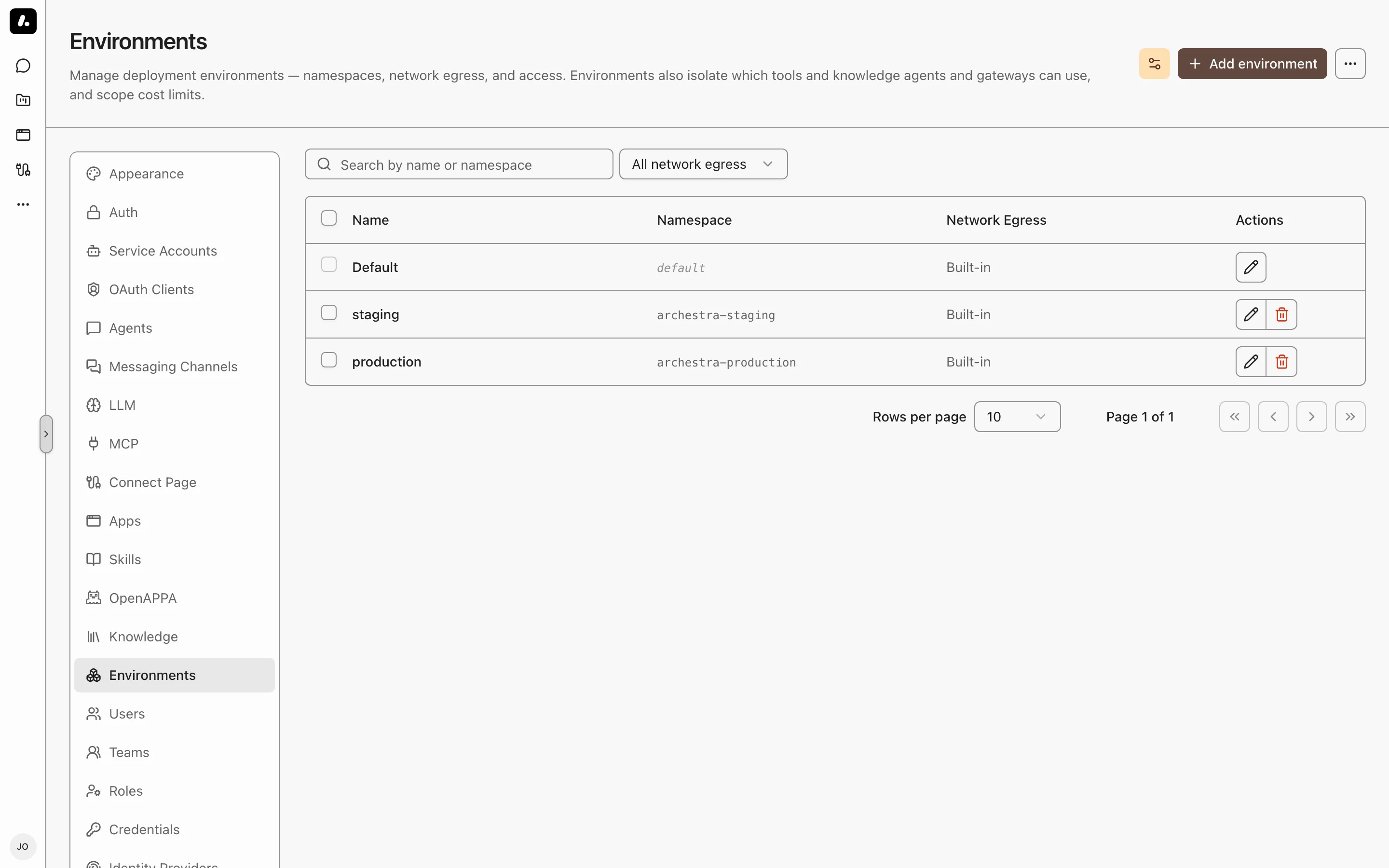
## Tool, Knowledge, Skill, and Subagent Isolation
An agent or MCP gateway assigned to **Production** can only see and use:
- MCP tools whose server (catalog item) is in Production
- MCP servers in the [private registry](https://archestra.ai/docs/mcp/servers) that are in Production, including their deployments
- knowledge connectors in Production
- [Agent Skills](https://archestra.ai/docs/agents/skills) restricted to Production, or restricted to no environment at all
- [subagent delegation targets](https://archestra.ai/docs/agents#delegation) in Production
Matching is strict for tools, knowledge, and subagents: a Production resource matches only other Production resources, a Dev resource matches only Dev, and Default matches only Default. Skills differ — a skill can be restricted to any number of environments, and a skill with none is available everywhere. [MCP Apps](https://archestra.ai/docs/chat/apps) differ too: an app accepts Default-environment tools alongside its own environment's, so Default acts as a shared baseline for apps. Built-in servers (the Archestra control-plane server and Playwright) and built-in skills are exempt and always available.
An agent creates in its own environment. When an agent adds an MCP server to the registry, or builds an [app](https://archestra.ai/docs/chat/apps), that resource lands in the agent's environment — so the agent can still see it afterwards. A new app created from the Apps page follows the same rule: it lands in the environment of the chat agent that opens with it. An agent with no environment of its own uses the landing environment configured for that kind of resource. You can name a different environment explicitly when adding a server.
An agent also configures only its own environment. It can assign and remove tools on agents and gateways in that environment, and nowhere else.
This applies to both explicitly assigned resources and the implicit **Auto** access modes — in both cases cross-environment resources are filtered out before they are listed or executed. In the agent's explicit assignment pickers, resources from another environment are shown disabled. Skill filtering covers [`list_skills`](https://archestra.ai/docs/reference/archestra-mcp-server#list_skills), [`load_skill`](https://archestra.ai/docs/reference/archestra-mcp-server#load_skill), and chat slash commands; a [skill that runs in a subagent](https://archestra.ai/docs/agents/skills#running-a-skill-in-a-subagent) additionally requires its designated agent in the same environment.
## Network Egress Policies
An environment can define a Kubernetes **namespace** and a **network egress policy**. Self-hosted MCP server pods, agent [code sandboxes](https://archestra.ai/docs/agents#code-sandbox), and [Agent Runtime workspaces](https://archestra.ai/docs/agents/runtime#environments-and-network-egress) run in that namespace and inherit the policy, so their outbound network reach is contained. A policy sets one of three egress modes. **Block all** (`off`) denies all egress. **Allowlist** (`restricted`) permits only selected IP/CIDR ranges and domains. **Public internet** (`unrestricted`) permits public egress and any additional CIDRs you list. Pods in your cluster still get a [fixed floor](#the-public-internet-floor) of blocked reserved ranges outside those explicit exceptions. Domain presets and custom domains require a supported FQDN policy provider; Kubernetes `NetworkPolicy` alone only enforces IP/CIDR rules.
When a workload runs in an environment, Archestra uses the environment's network policy, then the organization default network policy, then the built-in Public internet policy (`unrestricted`).
| Workload requirement | Egress mode |
| ------------------------------------- | ---------------------------------------------- |
| No outbound access | **Block all** |
| Selected internal or public endpoints | **Allowlist**, with those domains or CIDRs |
| Public internet without private ranges | **Public internet** |
| Public internet plus a private range | **Public internet**, with an additional CIDR |
An environment applies one policy to all of its workloads. Use separate environments when MCP servers need different policies. The environments can share a Kubernetes namespace, but the usual [environment isolation](#tool-knowledge-skill-and-subagent-isolation) still applies.
How a policy applies depends on the workload. A **self-hosted MCP server**, agent code sandbox, or Agent Runtime run executes in your cluster, so the policy is enforced continuously at the network layer. Archestra selects the cluster's supported policy type before creating the workload. A workload that needs broad outbound access (for example one that visits arbitrary sites) fails under a restrictive policy unless its destinations are allowlisted.
A **remote MCP server** runs outside Archestra and is reached over HTTP, so the policy cannot constrain what the server itself reaches downstream. What Archestra enforces is its own outbound connection to the server: the server's URL host is checked against the environment's policy both when the catalog entry is created or edited (the error is surfaced in the form) and at runtime on every connection. A server whose host the policy forbids is blocked — including one added before the policy was tightened — and its tool calls return an error to the client.
| Cluster provider | IP/CIDR rules | Domain rules |
| ----------------------- | --------------------------------------------------------------------- | ------------------------------------------------------------------------------------------ |
| EKS Auto Mode | Kubernetes `NetworkPolicy` when network policy enforcement is enabled | AWS `ApplicationNetworkPolicy` when the EKS Auto Mode Network Policy Controller is enabled |
| EKS with AWS VPC CNI | Kubernetes `NetworkPolicy` when network policy enforcement is enabled | Not supported outside EKS Auto Mode DNS-based policies |
| AKS | Kubernetes `NetworkPolicy` when network policy enforcement is enabled | Cilium `CiliumNetworkPolicy` when the cluster exposes the Cilium CRD |
| GKE | Kubernetes `NetworkPolicy` when network policy enforcement is enabled | GKE `FQDNNetworkPolicy` when GKE Dataplane V2 and FQDN network policy are enabled |
| Cilium-enabled clusters | Kubernetes `NetworkPolicy` or Cilium policy | Cilium `CiliumNetworkPolicy` |
See Kubernetes [NetworkPolicy](https://kubernetes.io/docs/concepts/services-networking/network-policies/), Cilium [DNS policy](https://docs.cilium.io/en/latest/security/dns/), GKE [FQDN network policy](https://cloud.google.com/kubernetes-engine/docs/how-to/fqdn-network-policies), and EKS Auto Mode [network policy](https://docs.aws.amazon.com/eks/latest/userguide/auto-net-pol.html) docs for provider details. AWS DNS-based rules apply only to workloads running on EKS Auto Mode-launched EC2 instances.
On EKS Auto Mode, `ApplicationNetworkPolicy` only supports IP and domain egress peers, so Archestra automatically adds a DNS bootstrap rule allowing port 53 to the cluster DNS service IP (recorded in the `archestra.io/network-policy-cluster-dns` annotation).
### The Public Internet Floor
Public internet mode blocks a fixed set of destinations for pods in your cluster:
- `10.0.0.0/8`, `172.16.0.0/12`, `192.168.0.0/16` — private ranges, where your other pods, services, and nodes live
- `169.254.0.0/16` — link-local, including the AWS, GCP, and Azure metadata endpoints
- `168.63.129.16/32` — Azure platform metadata, a public address outside the ranges above
- `100.64.0.0/10` — carrier-grade NAT
- `127.0.0.0/8` and `0.0.0.0/8` — loopback
- `::1/128`, `fc00::/7`, `fe80::/10`, `64:ff9b::/96` — the IPv6 equivalents
The floor stops a server that fetches a URL from reaching your internal network or a cloud metadata endpoint. DNS to the cluster resolver stays allowed.
To retain public internet access and reach one private range, add that range under **Additional allowed CIDRs**. The explicit CIDR becomes an exception to the floor. Other private and reserved ranges stay blocked. For example, adding `10.20.0.0/16` does not open the rest of `10.0.0.0/8`.
Use **Allowlist** instead when the workload should reach only selected destinations. CIDRs in either mode are explicit network-policy allow rules.
### Domain Presets
The editor offers **Common Dependencies** and **Package Managers** presets. Review the selected domains in the editor and add any private registries or application APIs your workloads need. Domain rules require a supported FQDN policy provider.
## Cost Limits
Cost limits and per-user default limits can be scoped to an environment. A limit on **Production** only counts usage attributed to Production (an interaction's environment is snapshotted from its agent at request time). See [Costs and Limits](https://archestra.ai/docs/llm-proxy/costs-and-limits).
---
# Identity Providers
Source: https://archestra.ai/docs/admin/identity
> Connect Okta, Microsoft Entra ID, Google, GitHub, GitLab, or any OIDC or SAML provider for sign-in and per-user tool access
Connect your identity provider (IdP) to sign users in with their work accounts and run MCP tools with each user's own downstream permissions.
Archestra uses your IdP for two jobs:
- **Single Sign-On (SSO):** Users sign in with their existing credentials. At each sign-in, claim rules map directory groups to Archestra roles and teams. See [Single Sign-On](https://archestra.ai/docs/admin/identity/sso).
- **Token exchange for tools:** When an agent calls an MCP tool, Archestra exchanges the caller's IdP token for a downstream API token. The tool acts as that specific user instead of a shared service account. See [Microsoft Entra ID](https://archestra.ai/docs/admin/identity/entra-obo) or [Okta](https://archestra.ai/docs/admin/identity/okta).
Identity providers are an enterprise feature. See [Pricing Model](https://archestra.ai/docs/get-started/pricing-model).
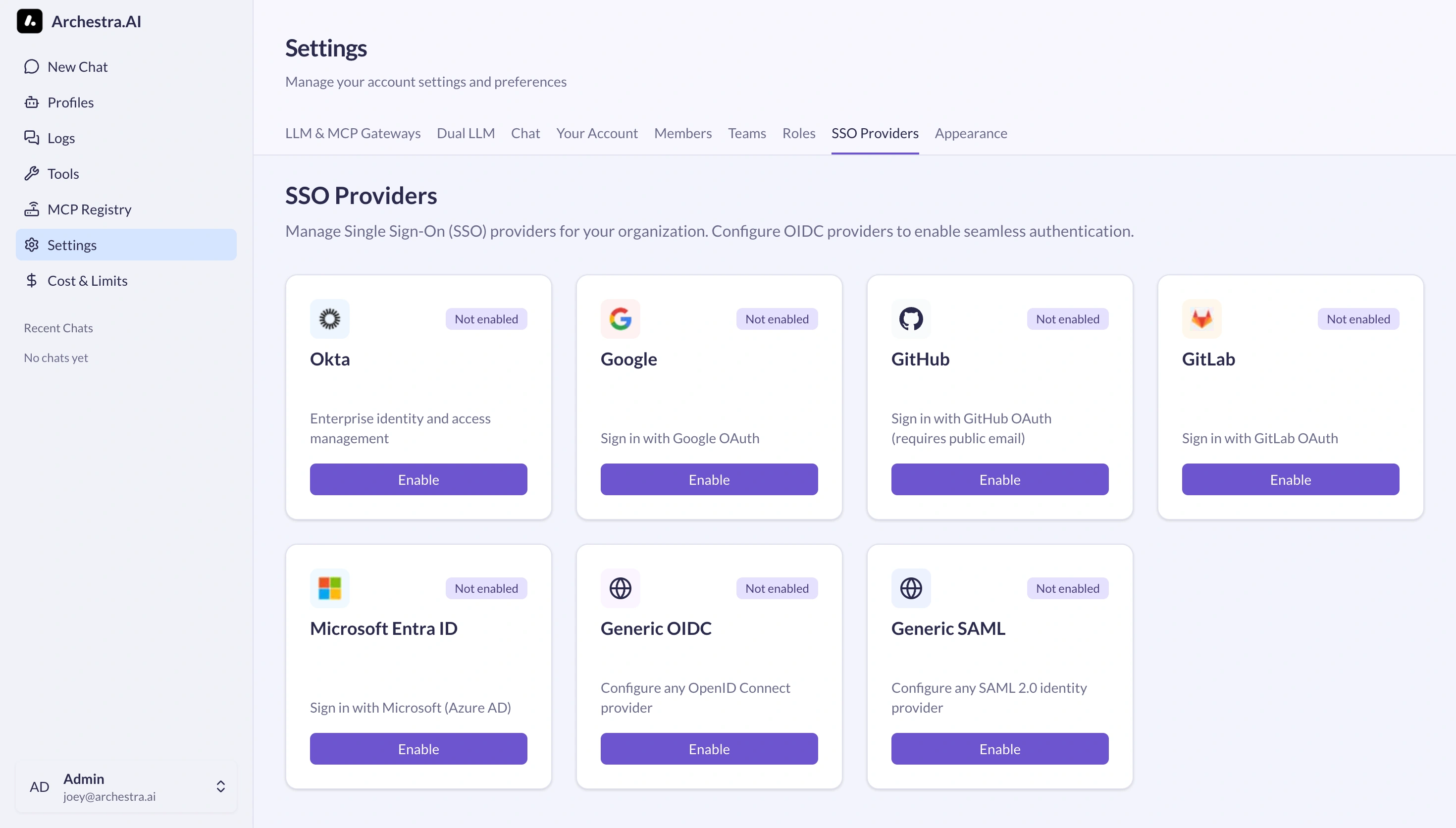
## Supported Providers
| Provider | Protocol | Downstream Token Exchange | Setup Guide |
| --- | --- | --- | --- |
| Microsoft Entra ID | OIDC | On-Behalf-Of (OBO) flow | [Microsoft Entra ID](https://archestra.ai/docs/admin/identity/entra-obo) |
| Okta | OIDC | Token exchange (`private_key_jwt`) | [Okta](https://archestra.ai/docs/admin/identity/okta) |
| Google, GitHub, GitLab | OIDC | Requires RFC 8693 endpoint | [Single Sign-On](https://archestra.ai/docs/admin/identity/sso) |
| Generic OIDC (Keycloak, Auth0) | OIDC | RFC 8693 token exchange | [Single Sign-On](https://archestra.ai/docs/admin/identity/sso#supported-protocols) |
| Generic SAML | SAML 2.0 | Not supported | [Single Sign-On](https://archestra.ai/docs/admin/identity/sso#callback-urls) |
## Adding a Provider
Configuring an identity provider requires the [`identityProvider:create`](https://archestra.ai/docs/reference/permissions#identityProvider:create) permission and admin access in your IdP.
1. In your IdP, register Archestra as a web application with the callback URL matching your protocol:
| Protocol | Callback URL |
| --- | --- |
| OIDC | `https:///api/auth/sso/callback/` |
| SAML (ACS URL) | `https:///api/auth/sso/saml2/sp/acs/` |
The `` segment is case-sensitive: `Okta`, `EntraID`, `Google`, `GitHub`, or `GitLab`. For generic providers, use the exact **Provider ID** entered in Archestra.
2. In Archestra, go to **Settings → Identity Providers** and click **Enable** on your provider card.
3. Enter the **Issuer**, **Client ID**, and **Client Secret** (or SAML metadata).
4. Configure optional **Allowed Email Domains**, **Role Mapping**, or **Team Sync**.
5. Click **Create Provider**.
Test sign-in in an incognito window. To manage email and password account policies, see [Account Security](https://archestra.ai/docs/admin/identity/account-security).
---
# Single Sign-On
Source: https://archestra.ai/docs/admin/identity/sso
> Sign users in with OIDC or SAML, map IdP claims to roles, and sync directory groups to teams
Sign users in to Archestra with their workplace identity provider (IdP) and manage access permissions directly from your directory.
Single Sign-On (SSO) automates onboarding: users authenticate through your IdP, and Archestra provisions accounts and assigns roles and team memberships from directory claims.
Identity providers are an enterprise feature. See [Pricing Model](https://archestra.ai/docs/get-started/pricing-model).
```mermaid
sequenceDiagram
participant User
participant Archestra
participant IdP as Identity Provider
User->>Archestra: Click "Sign in with {provider}"
Archestra->>IdP: Auth request (OIDC code flow / SAML AuthnRequest)
IdP->>User: Prompt credentials and MFA
User->>IdP: Authenticate
IdP-->>Archestra: ID token or SAML assertion
Archestra->>Archestra: Evaluate role mapping and team sync
Archestra-->>User: Issue session
```
## Supported Protocols
Archestra supports two SSO protocols:
- **OIDC (OpenID Connect):** Modern OAuth 2.0 + OIDC for Microsoft Entra ID, Okta, Google, GitHub, GitLab, Auth0, and Keycloak.
- **SAML 2.0:** Legacy enterprise identity providers that require SAML assertions.
## Callback URLs
Configure the callback URL in your identity provider before enabling SSO in Archestra. The `{ProviderId}` path segment is case-sensitive and must match the Archestra provider ID (`Okta`, `EntraID`, `Google`, `GitHub`, `GitLab`, or your custom ID).
| Protocol | Production Callback URL | Local Development URL |
| --- | --- | --- |
| **OIDC** | `https:///api/auth/sso/callback/{ProviderId}` | `http://localhost:3000/api/auth/sso/callback/{ProviderId}` |
| **SAML (ACS URL)** | `https:///api/auth/sso/saml2/sp/acs/{ProviderId}` | `http://localhost:3000/api/auth/sso/saml2/sp/acs/{ProviderId}` |
## Sign-In Boundaries
Limit which accounts can sign in through an identity provider:
- **Allowed Email Domains:** Enter comma-separated domains (such as `company.com, subsidiary.com`). Subdomains match automatically (`eng.company.com` matches `company.com`).
- **Downstream-only providers:** Uncheck **Use for Single Sign-On** to use a provider solely for MCP tool token exchange. The provider remains hidden from the sign-in screen, and its role mapping rules never apply.
## Change an Email Claim
For OIDC providers, keep **User ID Claim** unchanged when changing **Email Claim**. Archestra uses the provider and user ID to recognize an existing SSO user.
With OIDC profile updates enabled, the user's next successful sign-in updates their email on the same account. Saving the mapping leaves their email and active sessions unchanged. If that account also has a password, use the updated email with the existing password afterward.
If the updated email belongs to a pending Microsoft Teams user who has never signed in, Archestra can reconcile that pending user automatically. Its supported chat history, resources, and team memberships move to the existing SSO user. An account with login credentials, an active session, ongoing work, or other owned resources requires manual resolution; sign-in reports an email conflict and preserves both users.
## Role Mapping
Map directory attributes and groups to Archestra roles at each sign-in using [Handlebars](https://handlebarsjs.com/) templates.
When a user signs in, Archestra tests the token claims against your mapping rules in order. The first rule whose template returns a non-empty string assigns its roles.
1. In **Settings → Identity Providers**, edit your provider and select **Role Mapping**.
2. Add one or more **Mapping Rules** with a template and target roles.
3. Set **Default Roles** for new users who match no rule.
4. Optional: Turn on **Strict Mode** to block sign-in for users who match no rule.
5. Optional: Turn on **Skip Role Sync** to evaluate roles only on first sign-in, leaving subsequent role changes to manual administration.
### Template Helpers
| Helper | Purpose | Example |
| --- | --- | --- |
| `includes` | Check if an array contains a value (case-insensitive) | `{{#includes groups "admins"}}true{{/includes}}` |
| `equals` | String equality check | `{{#equals role "admin"}}true{{/equals}}` |
| `and` / `or` | Boolean logic | `{{#and dept title}}{{#equals dept "IT"}}true{{/equals}}{{/and}}` |
| `json` | Parse JSON string or serialize value | `{{#with (json roles)}}{{#each this}}{{#equals this.name "admin"}}true{{/equals}}{{/each}}{{/with}}` |
For OIDC providers, ensure the ID token includes the groups claim. Many providers omit groups unless the `groups` scope is requested during authorization.
## Team Sync
Automatically add and remove users from Archestra teams based on directory group memberships.
Sync creates direct membership in the mapped team, while preserving members added manually in Archestra.
1. In the provider's **Team Sync** tab, verify **Enable Team Sync** is on.
2. If your IdP uses custom group claim paths, set **Groups Handlebars Template** (e.g. `{{#each groups}}{{this}},{{/each}}`). Otherwise, Archestra checks `groups`, `group`, `memberOf`, `roles`, and `teams` in order.
3. Go to **Settings → Teams**, click **Edit** on target team, and open **External Group Sync**.
4. Enter the external group identifier (such as an Entra group object ID or Okta group name) and click **Add**.
## Enforcing SSO
Lock down authentication to your identity provider once SSO sign-in is tested and verified:
1. **Disable password sign-in:** Set [`ARCHESTRA_AUTH_DISABLE_BASIC_AUTH=true`](https://archestra.ai/docs/reference/configuration#ARCHESTRA_AUTH_DISABLE_BASIC_AUTH) in the backend environment and restart. This hides the email/password form and requires SSO.
2. **Disable invitations:** Set [`ARCHESTRA_AUTH_DISABLE_INVITATIONS=true`](https://archestra.ai/docs/reference/configuration#ARCHESTRA_AUTH_DISABLE_INVITATIONS) to disable manual user invite workflows.
If SSO fails while password authentication is disabled, recover via the command line with [Account Security](https://archestra.ai/docs/admin/identity/account-security#reset-a-password-from-the-cli).
## Troubleshooting
| Symptom | Cause | Fix |
| --- | --- | --- |
| `state_mismatch` | Cookies blocked or mismatched callback URL | Enable browser third-party cookies and verify the IdP redirect URI matches the case-sensitive `{ProviderId}`. |
| `account not linked` | Mismatched or unverified email | Confirm the user signs in with the email address registered on Archestra, and verify the email in the IdP. |
| `account_not_found` (SAML) | Missing user attributes | Configure your SAML IdP to include `NameID` in `emailAddress` format, plus `email`, `firstName`, and `lastName`. |
| `signature_validation_failed` | Expired or rotated SAML certificate | Re-download your IdP SAML metadata and update the certificate in Archestra. |
| User missing team membership | Group claim omitted or identifier typo | Confirm the IdP sends the group claim in the ID token and that the group name in **Settings → Teams** matches verbatim. |
---
# Microsoft Entra ID
Source: https://archestra.ai/docs/admin/identity/entra-obo
> Configure Microsoft Entra ID for SSO sign-in and On-Behalf-Of token exchange for MCP tools
Connect Microsoft Entra ID to sign users in with Microsoft accounts and run MCP tools with per-user Graph and API permissions using On-Behalf-Of (OBO) token exchange.
For sign-in alone, complete sections 1–3. For per-user tool access, complete sections 4–6.
## 1. Register the Entra Application
1. In the Microsoft Entra admin center, go to **Identity → Applications → App registrations** and click **New registration**.
2. Set **Name** to `Archestra`.
3. Set **Supported account types** to **Accounts in this organizational directory only (Single tenant)**.
4. Set **Redirect URI** to **Web** and enter your callback URL:
`https:///api/auth/sso/callback/EntraID`
*(For local testing: `http://localhost:3000/api/auth/sso/callback/EntraID`)*
5. Click **Register**. Note the **Application (client) ID** and **Directory (tenant) ID**.
6. Under **Certificates & secrets**, click **New client secret**, name it, click **Add**, and copy the secret **Value**.
7. Under **API permissions**, click **Add a permission → Microsoft Graph → Delegated permissions**, check `User.Read`, and click **Grant admin consent**.
## 2. Configure SSO in Archestra
1. In Archestra, navigate to **Settings → Identity Providers** and click **Enable** on **Microsoft Entra ID**.
2. Replace `{tenant-id}` in the pre-filled URLs with your Entra Directory (tenant) ID.
3. Paste your **Client ID** and **Client Secret**.
4. Confirm **Scopes** contains `openid`, `profile`, and `email`. Add `offline_access` to enable background token refresh.
5. Optional: Set **Allowed Email Domains** (e.g. `company.com`).
6. Click **Create Provider**.
Test sign-in in an incognito window using your Microsoft credentials.
## 3. Map Roles and Sync Teams
Configure how Entra claims map to Archestra roles and teams:
- **Role Mapping:** Map Entra app roles or directory groups to Archestra roles. See [Role Mapping](https://archestra.ai/docs/admin/identity/sso#role-mapping).
- **Team Sync:** In Entra's **Token configuration**, add a **Groups claim** (`Group ID` or `sAMAccountName`). In Archestra, link teams to Entra group IDs under **Settings → Teams**. See [Team Sync](https://archestra.ai/docs/admin/identity/sso#team-sync).
If your deployment only requires sign-in, setup is complete.
## 4. Configure Entra for On-Behalf-Of (OBO)
OBO allows Archestra to swap the user's login access token for a token scoped to downstream APIs (like Microsoft Graph, SharePoint, or internal APIs).
1. In the Entra app registration, open **Expose an API**.
2. Click **Add** next to **Application ID URI** and accept `api://`.
3. Click **Add a scope**:
- **Scope name:** `access_as_user`
- **Who can consent:** **Admins and users**
- **Admin consent display name:** `Access Archestra on user's behalf`
- Click **Add scope**.
4. Under **Authorized client applications**, click **Add a client application**:
- Paste the **Application (client) ID** of this same app registration.
- Check the `api:///access_as_user` scope and click **Add application**.
5. Under **API permissions**, add delegated scopes for any downstream APIs the MCP tools will call (such as `Mail.Read` or `Calendars.Read`), then click **Grant admin consent**.
## 5. Enable OBO in Archestra
1. In **Settings → Identity Providers**, edit **Microsoft Entra ID** and expand **Enterprise-Managed Credentials**.
2. Under **Scopes**, ensure `access_as_user` is included:
`openid profile email offline_access api:///access_as_user`
3. Set **Exchange Token Endpoint** to:
`https://login.microsoftonline.com//oauth2/v2.0/token`
4. Set **Exchange Client Authentication** to **Client secret POST**.
5. Set **User Token To Exchange** to **Access token**.
6. Save the provider.
## 6. Configure MCP Server Multitenant Auth
Enable per-user downstream credentials on target MCP servers:
1. In **MCP Servers**, edit the target catalog entry and open **Multitenant Authorization**.
2. Select **Identity Provider Token Exchange** and pick **Microsoft Entra ID**.
3. Set **Requested Credential** to **Bearer token** and **Injection Mode** to **Authorization: Bearer**.
4. Set **Managed Resource Identifier** to the downstream audience:
- Microsoft Graph: `https://graph.microsoft.com`
- Custom API: `api://`
5. Save the server. When assigning tools to an agent or gateway, set the resolution type to **Resolve at call time**.
Servers running in cluster pods must use **streamable-http** transport to support per-request token exchange.
---
# Okta
Source: https://archestra.ai/docs/admin/identity/okta
> Configure Okta for SSO sign-in and RFC 8693 token exchange for MCP tools
Connect Okta to sign users in with Okta credentials and exchange tokens so MCP tools call downstream APIs under each user's identity.
For sign-in alone, complete sections 1–3. For per-user tool access, complete sections 4–6.
## 1. Register the Okta Application
Use the published Okta Integration Network (OIN) app or create a custom OIDC integration.
### Option A: Install from Okta Integration Network (Recommended)
1. In the Okta Admin Console, go to **Applications → Applications → Browse App Catalog**.
2. Search for **Archestra** and click **Add integration**.
3. Under **General Settings**, enter your bare Archestra domain without protocol (e.g. `archestra.example.com`).
4. Assign the users or groups allowed to access Archestra.
5. On the **Sign On** tab, copy the **Client ID** and **Client Secret**.
6. Disable DPoP: in **General → Client Credentials**, ensure **Require Demonstrating Proof of Possession (DPoP)** is disabled.
### Option B: Create a Custom OIDC Integration
1. Go to **Applications → Applications → Create App Integration**.
2. Select **OIDC - OpenID Connect** and **Web Application**.
3. Set **Sign-in redirect URIs** to:
`https:///api/auth/sso/callback/Okta`
4. Set **Sign-out redirect URIs** to:
`https:///auth/sign-in`
5. Under **Assignments**, assign allowed users or groups, save, and copy the **Client ID** and **Client Secret**.
## 2. Configure SSO in Archestra
1. In Archestra, go to **Settings → Identity Providers** and click **Enable** on **Okta**.
2. Set **Issuer** to your Okta organization URL (e.g. `https://example.okta.com`).
3. Paste the **Client ID** and **Client Secret**.
4. Leave **Discovery Endpoint** empty (Archestra discovers OIDC metadata automatically).
5. Click **Create Provider**.
Test sign-in in an incognito browser window.
## 3. Map Roles and Sync Teams
Configure claim mapping to assign roles and teams on sign-in:
- **Role Mapping:** In Okta, include the `groups` claim in ID tokens. In Archestra, create rules matching groups like `Archestra_Admins` to target roles. See [Role Mapping](https://archestra.ai/docs/admin/identity/sso#role-mapping).
- **Team Sync:** Link Archestra teams to Okta group names in **Settings → Teams**. See [Team Sync](https://archestra.ai/docs/admin/identity/sso#team-sync).
## 4. Configure Okta for Token Exchange
To call downstream APIs as the calling user, configure Okta to accept signed token-exchange requests:
1. Generate a PKCS#8 RSA keypair.
2. In the Okta Admin Console, open your Archestra application's **General** settings.
3. Under **Client Authentication**, select **Public Key / Private Key** and add your public key. Save the assigned **Key ID (kid)**.
4. Enable the token-exchange grant type: `urn:ietf:params:oauth:grant-type:token-exchange`.
5. In your authorization server policies, allow the Archestra app to request tokens for downstream API audiences.
## 5. Enable Token Exchange in Archestra
1. In **Settings → Identity Providers**, edit **Okta** and expand **Enterprise-Managed Credentials**.
2. Set **Exchange Token Endpoint** to `https://.okta.com/oauth2/v1/token`.
3. Set **Exchange Client Authentication** to **Private key JWT**.
4. Enter your **Signing Key ID** and paste your **Private Key PEM**.
5. Set **User Token To Exchange** to **ID token**.
6. Save the provider.
## 6. Configure MCP Server Multitenant Auth
1. In **MCP Servers**, open target catalog item and select **Multitenant Authorization**.
2. Choose **Identity Provider Token Exchange** and select **Okta**.
3. Set **Requested Credential** to **Bearer token** and **Injection Mode** to **Authorization: Bearer**.
4. Set **Managed Resource Identifier** to the target downstream audience or scope (e.g. `api://internal-service`).
5. When assigning tools from this server to an agent or gateway, choose **Resolve at call time**.
Servers running in cluster pods must use **streamable-http** transport to support per-request token exchange.
## Troubleshooting
| Symptom | Cause | Fix |
| --- | --- | --- |
| Okta tile opens 404 or loop | Protocol prefix in OIN settings | In Okta OIN settings, verify the hostname contains no `https://` or trailing path. |
| `invalid_dpop_proof` | DPoP enforcement enabled | In Okta app settings under **Client Credentials**, disable DPoP. |
| User denied after Okta login | Strict mode with no matching role | Verify user matches a rule in **Role Mapping** or disable Strict Mode. |
| Sign-out displays error | Missing logout redirect URI | Add `https:///auth/sign-in` to Okta's allowed **Sign-out redirect URIs**. |
---
# Account Security
Source: https://archestra.ai/docs/admin/identity/account-security
> Two-factor authentication, session lifetime caps, and CLI account recovery
Enforce two-factor authentication (2FA) and session expiration for email/password accounts, and recover locked-out users from the command line.
Two-factor authentication and organization session policies are enterprise features. See [Pricing Model](https://archestra.ai/docs/get-started/pricing-model).
## Two-Factor Authentication
Members secure password accounts using time-based one-time passwords (TOTP) from any standard authenticator app (1Password, Google Authenticator, Authy).
1. In **Personal Settings** (click your profile in the sidebar), scroll to **Sign-in & security**.
2. Turn on **Two-factor authentication**.
3. Confirm your current password.
4. Scan the QR code in your authenticator app and enter the 6-digit confirmation code.
5. Save your single-use backup recovery codes.
### Organization-Wide 2FA Enforcement
Require all password-authenticated members to enroll in 2FA before accessing the workspace:
1. Go to **Settings → Organization → Auth**.
2. Turn on **Require Two-Factor Authentication**.
When turned on:
- Members without 2FA enrolled are signed out immediately across all replicas.
- On next sign-in, members must complete 2FA enrollment before accessing any API or page.
- The **Settings → Users** table adds a **2FA** column showing member enrollment status.
Deployments with password authentication disabled ([`ARCHESTRA_AUTH_DISABLE_BASIC_AUTH=true`](https://archestra.ai/docs/reference/configuration#ARCHESTRA_AUTH_DISABLE_BASIC_AUTH)) cannot enforce in-app 2FA. Enforce multi-factor authentication directly at your identity provider instead.
## Session Lifetime Caps
By default, user sessions renew on activity. Set an absolute session lifetime to force re-authentication regardless of user activity:
1. Go to **Settings → Organization → Auth**.
2. Under **Maximum session lifetime**, select a duration preset (8 hours to 30 days) or enter a custom duration.
Once a session exceeds this age from sign-in, Archestra revokes the session and redirects the user to sign in again. Rotating [`ARCHESTRA_AUTH_SESSION_SECRET`](https://archestra.ai/docs/reference/configuration#ARCHESTRA_AUTH_SESSION_SECRET) immediately invalidates all active sessions.
## Reset a Password from the CLI
Because Archestra has no outbound email provider, password recovery runs directly against the database from the backend container using a bundled script.
The CLI script updates credentials within a single database transaction, invalidates existing sessions, and writes a `user.password_reset` entry to the audit log.
### Helm or Kubernetes
Run the reset script inside the platform deployment pod:
```bash
kubectl exec -it deploy/archestra-platform -- \
sh -c 'cd /app/backend && node dist/standalone-scripts/reset-user-password.mjs --email user@example.com'
```
### Docker Quickstart
Pass the database connection URL into the container command:
```bash
docker exec -it sh -c 'cd /app/backend && \
ARCHESTRA_DATABASE_URL=postgresql://user:password@localhost:5432/database \
node dist/standalone-scripts/reset-user-password.mjs --email user@example.com'
```
### Script Flags
| Flag | Description |
| --- | --- |
| `--email ` | Required. Target user email. |
| `--password ` | New password (8–128 characters). If omitted, generates and prints a random password once. |
| `--disable-two-factor` | Clears the user's 2FA enrollment so they can sign in after losing an authenticator device. |
| `--help` | Display command usage. |
## Recovering a Locked-Out Admin
If SSO fails while password authentication is disabled ([`ARCHESTRA_AUTH_DISABLE_BASIC_AUTH=true`](https://archestra.ai/docs/reference/configuration#ARCHESTRA_AUTH_DISABLE_BASIC_AUTH)), restore access from the cluster:
1. Reset an administrator account password using the CLI script above.
2. In the backend environment, unset [`ARCHESTRA_AUTH_DISABLE_BASIC_AUTH`](https://archestra.ai/docs/reference/configuration#ARCHESTRA_AUTH_DISABLE_BASIC_AUTH) and restart the pod or container.
3. Sign in with the temporary password and correct the SSO identity provider settings.
4. Re-enable [`ARCHESTRA_AUTH_DISABLE_BASIC_AUTH=true`](https://archestra.ai/docs/reference/configuration#ARCHESTRA_AUTH_DISABLE_BASIC_AUTH) once verified.
---
# Logs and Auditing
Source: https://archestra.ai/docs/admin/logs
> See every model request, tool call, and admin change, and choose who can read them and how long they stay
Know what every agent did, as whom, and what it cost. Archestra logs every model request, tool call, and admin change, from Chat, messaging channels, and connected clients. You do not turn anything on.
Open **Logs** in the sidebar to answer questions such as:
- Which agent deleted that Jira ticket, and whose account did it use?
- Why did the bill jump on Tuesday?
- Who gave this team admin rights, and what did the role look like before?
- Why did Guardrails block that call?
## What Gets Logged
| Tab | One row per | Open a row for |
| --- | --- | --- |
| **LLM Proxy** | Session: agent, model, tokens, spend | The whole conversation. **Export JSON** saves it. |
| **MCP Gateway** | Tool call: tool, gateway, account used, result | The arguments and the full result |
| **Audit** | Change: who, what, when, and if it succeeded | The values before and after, the source IP, and any admin acting as someone else |
| **Guardrails consult** | Request to a service used by [Guardrails](https://archestra.ai/docs/agents/guardrails): service, tool, outcome | The service request and reply |
| **Agent connections** | Calls grouped by user, agent, or gateway; setup and disconnect events under **Activity** | Drill into a group to see which agents and gateways it used |
Open an **LLM Proxy** session to see every request and the MCP tool calls it triggered on one timeline; select a row for its timing, tokens, cost, conversation, and raw request and response. A tool call opened from the **MCP Gateway** tab shows where it sat in its session, or nearby calls from the same caller when it is not linked to one. Timing measures request processing before the log is saved, including the full stream for LLM requests. Older records may have no timing.
In **Agent connections**, the **Usage** tab groups calls with **Show** and **by**; select a bar or row to drill down, and **Back** to step out. The page follows the selected date range, except the **State** column on **User connections**, which always reflects the last 30 days. **User connections** lists users with no calls too, and **Export CSV** saves the filtered list.
## Keep Prompts Out of the Logs
Keep the cost and audit trail without storing what people sent. Set [`ARCHESTRA_LOGS_CONTENT_MODE=metadata_only`](https://archestra.ai/docs/reference/configuration#ARCHESTRA_LOGS_CONTENT_MODE) and restart Archestra. Each row still shows the agent, the model or tool, the account used, tokens, cost, and whether the call failed. Opening it shows **Content not stored** instead of the prompt, response, arguments, or result.
- Rows already stored keep their content.
- Traces leave the content out too, even when content capture is on.
- Chat history is not affected.
## Who Can Read Them
One permission shows your own logs. An admin permission shows everyone's.
| Tab | Your own | Everyone's |
| --- | --- | --- |
| LLM Proxy, MCP Gateway, Guardrail consults | [`log:read`](https://archestra.ai/docs/reference/permissions#log:read) | [`log:admin`](https://archestra.ai/docs/reference/permissions#log:admin) |
| Audit | [`auditLog:read`](https://archestra.ai/docs/reference/permissions#auditLog:read) | [`auditLog:admin`](https://archestra.ai/docs/reference/permissions#auditLog:admin) |
Sharing an agent or a gateway with someone does not let them read its logs.
## What to Know
- Logs stay forever by default. To delete old records, set a retention window. Retention is an [Enterprise feature](https://archestra.ai/docs/get-started/pricing-model). See [Data Retention](https://archestra.ai/docs/reference/configuration#data-retention).
- Behind a load balancer, set [`ARCHESTRA_TRUST_PROXY`](https://archestra.ai/docs/reference/configuration#ARCHESTRA_TRUST_PROXY). Otherwise audit records show the load balancer's IP, not the client's.
- To send data to your own tools, use [metrics](https://archestra.ai/docs/admin/observability/metrics) and [traces](https://archestra.ai/docs/admin/observability/tracing).
---
# Observability
Source: https://archestra.ai/docs/admin/observability
> Export Archestra metrics, traces, logs, and usage events to your monitoring stack
Export production telemetry to your existing monitoring stack: Prometheus metrics, OpenTelemetry distributed traces and logs, and web UI user sessions.
Archestra tracks model token usage, latency, execution costs, tool call failures, and background worker queues across every agent run.
| Signal | Protocol | Destination | Configuration |
| --- | --- | --- | --- |
| [Metrics](https://archestra.ai/docs/admin/observability/metrics) | Prometheus | Scraped from `/metrics` | Enabled by default |
| [Traces and Logs](https://archestra.ai/docs/admin/observability/tracing) | OTLP HTTP | Pushed to OpenTelemetry collector | [`ARCHESTRA_OTEL_EXPORTER_OTLP_ENDPOINT`](https://archestra.ai/docs/reference/configuration#ARCHESTRA_OTEL_EXPORTER_OTLP_ENDPOINT) |
| Real User Monitoring | OTLP HTTP | Browser events forwarded to collector | [`ARCHESTRA_RUM_EXPORTER_OTLP_ENDPOINT`](https://archestra.ai/docs/reference/configuration#ARCHESTRA_RUM_EXPORTER_OTLP_ENDPOINT) (Enterprise) |
```mermaid
flowchart LR
subgraph Archestra
Web[Web pods]
Worker[Worker pods]
end
Prometheus:::external
Collector[OTel Collector]:::external
Grafana:::external
Prometheus -- scrape /metrics --> Web
Prometheus -- scrape /metrics --> Worker
Archestra -- OTLP traces & logs --> Collector
Prometheus --> Grafana
Collector --> Grafana
class Web accent
```
## Scraping Prometheus Metrics
Each Archestra process serves Prometheus metrics on a dedicated port:
- **Web pods:** `http://:9050/metrics`. Port configurable with [`ARCHESTRA_METRICS_PORT`](https://archestra.ai/docs/reference/configuration#ARCHESTRA_METRICS_PORT).
- **Worker pods:** `http://:9000/metrics`. Knowledge sync and background queue metrics emit from worker pods.
To require authentication on metric scrapes, set [`ARCHESTRA_METRICS_SECRET`](https://archestra.ai/docs/reference/configuration#ARCHESTRA_METRICS_SECRET) to require an `Authorization: Bearer ` header. See the full list in the [Metrics Reference](https://archestra.ai/docs/admin/observability/metrics).
## Distributed Tracing and Logs
Export distributed spans and structured logs to any OpenTelemetry collector:
```bash
ARCHESTRA_OTEL_EXPORTER_OTLP_ENDPOINT=http://otel-collector:4318
```
Archestra pushes traces to `/v1/traces` and backend logs to `/v1/logs` under service name `Archestra`. Every LLM generation and tool call forms a span containing model names, token counts, costs, and caller identity. See [Tracing](https://archestra.ai/docs/admin/observability/tracing).
## Grafana Dashboards
Archestra publishes five prebuilt Grafana dashboards covering LLM consumption, tool executions, agent sessions, and platform health.
| Dashboard | Key Visualizations | Data Sources |
| --- | --- | --- |
| GenAI Observability | Token rates, request costs, latency, active models | Prometheus, Tempo |
| MCP Monitoring | Tool call rates, error counts, execution duration | Prometheus, Tempo |
| Agent Sessions | Individual session timeline, tool invocations, span logs | Prometheus, Tempo, Loki |
| Application Metrics | HTTP throughput, Node.js memory, event loop lag, DB pool | Prometheus |
| Knowledge Base Operations | Connector sync duration, document indexing, embeddings | Prometheus |
### Installing Dashboards
Import dashboards into Grafana using a service account token with editor permissions:
```bash
GRAFANA_URL=https://grafana.example.com GRAFANA_TOKEN=glsa_xxx \
bash <(curl -sL https://raw.githubusercontent.com/archestra-ai/archestra/main/platform/dev/grafana/install-dashboards.sh)
```
For external databases, specify the PostgreSQL exporter provider with `--postgres-provider otel` (or `cloudsql`, `azure`). To link metric spikes directly to Tempo traces, enable Prometheus exemplars with `--enable-feature=exemplar-storage`.
## Real User Monitoring (RUM)
Export frontend user session activity, page load timings, and feature usage to your collector as OTLP log records.
RUM is an enterprise feature. See [Pricing Model](https://archestra.ai/docs/get-started/pricing-model).
1. Set the collector endpoint in your environment:
```bash
ARCHESTRA_RUM_EXPORTER_OTLP_ENDPOINT=http://otel-collector:4318
```
2. If your collector requires authentication, set [`ARCHESTRA_RUM_EXPORTER_OTLP_AUTH_BEARER`](https://archestra.ai/docs/reference/configuration#ARCHESTRA_RUM_EXPORTER_OTLP_AUTH_BEARER), or both [`ARCHESTRA_RUM_EXPORTER_OTLP_AUTH_USERNAME`](https://archestra.ai/docs/reference/configuration#ARCHESTRA_RUM_EXPORTER_OTLP_AUTH_USERNAME) and [`ARCHESTRA_RUM_EXPORTER_OTLP_AUTH_PASSWORD`](https://archestra.ai/docs/reference/configuration#ARCHESTRA_RUM_EXPORTER_OTLP_AUTH_PASSWORD).
3. Restart the backend to initialize the telemetry pipeline.
Browser events route securely through the Archestra backend and arrive at your collector under the service name `Archestra Web`. Events never contain prompt text, messages, email addresses, or secrets.
Control ingest volume with [`ARCHESTRA_RUM_SAMPLE_RATE`](https://archestra.ai/docs/reference/configuration#ARCHESTRA_RUM_SAMPLE_RATE) (0.0 to 1.0) and [`ARCHESTRA_RUM_INGEST_MAX_BATCHES_PER_MINUTE`](https://archestra.ai/docs/reference/configuration#ARCHESTRA_RUM_INGEST_MAX_BATCHES_PER_MINUTE).
---
# Observability Metrics
Source: https://archestra.ai/docs/admin/observability/metrics
> Scrape Archestra's Prometheus metrics and look up every metric name and label
Archestra serves Prometheus metrics in OpenMetrics format. Scrape them to chart and alert on LLM cost and latency, MCP tool calls, Agent Runtime health, and background jobs.
## Scraping
Each process serves its own registry, so scrape every pod:
| Process | Endpoint | Emits |
| --- | --- | --- |
| Web | `http://:9050/metrics` | Requests served by the web tier: LLM, MCP, chat, Agent Runtime, HTTP |
| Worker | `http://:9000/metrics` | Knowledge Base syncs and embeddings, the task queue, scheduled tasks, and the LLM and MCP calls they make |
The Helm chart runs the worker as its own Deployment by default. Sum counters across web and worker pods: an agent run from a schedule reports its LLM metrics from a worker pod.
[`ARCHESTRA_METRICS_PORT`](https://archestra.ai/docs/reference/configuration#ARCHESTRA_METRICS_PORT) changes the web port. Worker pods serve metrics on their API port, `9000`.
### Authentication
The endpoint is open by default. Set [`ARCHESTRA_METRICS_SECRET`](https://archestra.ai/docs/reference/configuration#ARCHESTRA_METRICS_SECRET) to require a bearer token on web and worker pods. Requests without it get `401`.
```yaml
scrape_configs:
- job_name: archestra
authorization:
type: Bearer
credentials:
kubernetes_sd_configs:
- role: pod
```
### Helm Pod Annotations
For a Prometheus that discovers pods by annotation, add these to the chart values:
```yaml
archestra:
podAnnotations:
prometheus.io/scrape: "true"
prometheus.io/port: "9050"
prometheus.io/path: /metrics
```
The chart rewrites `prometheus.io/port` to `9000` on worker pods.
To check a pod, run `curl -s http://:9050/metrics | grep "# HELP llm_"`. Add `-H "Authorization: Bearer "` when a secret is set.
## Labels
Most LLM metrics share these labels:
| Label | Values |
| --- | --- |
| `provider`, `model` | The LLM provider and model, for example `anthropic` and `claude-sonnet-4-5` |
| `agent_id`, `agent_name` | The Archestra agent that made the call. All [LLM Proxy](https://archestra.ai/docs/llm-proxy) traffic reports `agent_name="LLM Proxy"`. Knowledge Base calls report `agent_name="Knowledge Base"` with an empty `agent_id`. |
| `agent_type` | `agent`, `llm_proxy`, `mcp_gateway`, or `profile` |
| `organization_id` | The owning organization |
| `source` | Where the request came from, for example `api`, `chat`, `chatops:slack`, `email`, `schedule-trigger`, `app:llm_complete`, `knowledge:embedding`, or `knowledge:reranker` |
MCP tool call metrics carry `agent_id`, `agent_name`, `agent_type`, `mcp_server_name`, `tool_name`, and `status` (`success` or `error`).
### Agent Labels
Go to an agent's **Advanced** tab and add a key and value under **Labels**. Each agent label becomes an extra label on the LLM, MCP, and `agent_runs_total` metrics. Prometheus allows only letters, digits, and underscores in label names, so other characters become `_`: `cost-center` turns into `cost_center`.
### Dimensions Without Labels
Users, skills, apps, and client-supplied IDs are not metric labels. Use these sources instead:
- **Users:** [per-user statistics](https://archestra.ai/docs/llm-proxy/costs-and-limits#per-user-usage), or the `archestra.user.*` [span attributes](https://archestra.ai/docs/admin/observability/tracing#identity-attributes).
- **Skills and apps:** [per-skill](https://archestra.ai/docs/llm-proxy/costs-and-limits#per-skill-cost) and [per-app](https://archestra.ai/docs/llm-proxy/costs-and-limits#per-app-cost) statistics. App LLM spend shows in the LLM metrics as `source="app:llm_complete"`.
- **Client-supplied agent IDs** from the [`X-Archestra-Agent-Id`](https://archestra.ai/docs/llm-proxy#custom-headers) header: the `archestra.external_agent_id` span attribute. Only `agent_runs_total` carries it as a label.
- **Credentials:** the `archestra.virtual_key.id` span attribute.
## LLM Metrics
| Metric | Type | Extra Labels | Measures |
| --- | --- | --- | --- |
| `llm_request_duration_seconds` | Histogram | `status_code` | LLM request duration |
| `llm_tokens_total` | Counter | `type` (`input`, `output`) | Tokens used. `input` excludes prompt-cache tokens. |
| `llm_cache_tokens_total` | Counter | `cache_type` (`read`, `write`) | Prompt-cache tokens read from or written to the provider cache |
| `llm_token_usage` | Histogram | | Input plus output tokens per request |
| `llm_cost_total` | Counter | `billing_mode`, `auth_method` | Estimated list-price cost in USD. Needs [model pricing](https://archestra.ai/docs/llm-proxy/costs-and-limits#model-pricing). |
| `llm_cache_cost_total` | Counter | | Cost in USD of prompt-cache reads and writes |
| `llm_cache_savings_total` | Counter | | USD saved by cache reads at the discounted price |
| `llm_time_to_first_token_seconds` | Histogram | | Streaming: from the upstream call to the provider's first chunk |
| `llm_time_to_first_byte_seconds` | Histogram | | Streaming: from request receipt to the first byte sent to the client |
| `llm_tokens_per_second` | Histogram | | Output token throughput |
| `llm_blocked_tools_total` | Counter | | Tool calls blocked by [guardrails](https://archestra.ai/docs/agents/guardrails) |
| `agent_runs_total` | Counter | `external_agent_id` | Unique runs, counted by the [`X-Archestra-Run-Id`](https://archestra.ai/docs/llm-proxy#custom-headers) header |
| `llm_active_users` | Gauge | `window` (`24h`, `7d`) only | Distinct users with at least one LLM request in the window |
`billing_mode` is `metered` for per-token billing and `subscription` for flat-rate subscription credentials. Billed spend is `sum(llm_cost_total{billing_mode="metered"})`. `auth_method` is `provider_key`, `virtual_key`, `passthrough_virtual_key`, `jwks`, `oauth_client_credentials`, `oauth_user`, `internal`, or `unknown`.
`llm_time_to_first_byte_seconds` minus `llm_time_to_first_token_seconds` is the time Archestra spends before the upstream call: authentication and guardrails.
Every replica reports the same `llm_active_users` value, so aggregate it with `max()`, not `sum()`. [`ARCHESTRA_METRICS_ACTIVE_USERS_REFRESH_INTERVAL_MS`](https://archestra.ai/docs/reference/configuration#ARCHESTRA_METRICS_ACTIVE_USERS_REFRESH_INTERVAL_MS) sets the refresh interval; `0` turns the metric off.
LLM and MCP metrics carry trace exemplars, so a Grafana panel can link a data point to its trace. See [Exemplars](https://archestra.ai/docs/admin/observability#exemplars).
## MCP Metrics
| Metric | Type | Measures |
| --- | --- | --- |
| `mcp_tool_calls_total` | Counter | Tool calls through the [MCP Gateway](https://archestra.ai/docs/mcp/gateway) |
| `mcp_tool_call_duration_seconds` | Histogram | Tool call duration |
| `mcp_request_size_bytes` | Histogram | Tool call argument size |
| `mcp_response_size_bytes` | Histogram | Tool call result size |
| `mcp_server_deployment_status` | Gauge | State of each self-hosted MCP server, by `server_name` and `state` |
`mcp_server_deployment_status` is `1` for the server's current `state`: `not_created`, `pending`, `running`, `failed`, `succeeded`, `hibernated`, or `waking`. `count(mcp_server_deployment_status{state="running"} == 1)` counts running servers.
## Agent Runtime Health
| Metric | Type | Labels | Measures |
| --- | --- | --- | --- |
| `agent_runtime_runs_started_total` | Counter | | [Agent Runtime](https://archestra.ai/docs/agents/runtime) runs that reached a running backend |
| `agent_runtime_runs_terminated_total` | Counter | `outcome` | Finished runs: `completed`, `failed`, `stopped_by_user`, `expired_ttl`, or `expired_idle` |
| `agent_runtime_provision_duration_seconds` | Histogram | | Startup time, including scheduling and image pulls |
| `agent_runtime_steers_total` | Counter | `steer_mode` | Steering messages delivered into running sessions |
| `agent_runtime_completion_deliveries_total` | Counter | `interface`, `outcome` | Final replies delivered to `chatops` or `email` |
| `agent_runtime_crossing_refusals_total` | Counter | `reason` | Runtime tool calls [Guardrails](https://archestra.ai/docs/agents/guardrails) refused or held at the runtime boundary |
| `agent_runtime_pending_exports_total` | Counter | `outcome` | Protected runtime files pinned while their runtime was mid-call (`pinned`), and how each pin ended (`admitted` or `held`). `discard_failed` counts pins the backend could not release; the runtime removes those within 6 hours |
| `agent_runtime_observed_reads_total` | Counter | `outcome` | Runtime reads a governed session made while [Guardrails](https://archestra.ai/docs/agents/guardrails) enforcement was off: `signed` so they pass once it is back on, or `unsigned` because the call could not be recorded |
| `agent_runtime_health_tasks` | Gauge | `agent_id`, `backend`, `condition` | Current task counts per condition |
| `agent_runtime_health_age_seconds` | Gauge | `agent_id`, `backend`, `condition` | Age of the oldest task per condition |
| `agent_runtime_health_collection_timestamp_seconds` | Gauge | | Time of the last health snapshot |
`agent_runtime_crossing_refusals_total` reasons: `proof_missing` (a call to a runtime bound to a session carried no proof of its source), `different_session` (its proof names another session), `unverified_session`, `unparented`, `other_organization`, and `not_a_spawn` (the proof or the runtime's session did not check out), `client_blocked` (an unrecognized client while those are blocked), `unbindable` and `address_refused` (a launch Guardrails could not bind or refused), `held` (Guardrails held a value crossing out of the runtime), `altered` (a pinned file changed after it was admitted), and `withheld` (a run result not admitted to the session).
`agent_runtime_health_tasks` conditions are `working`, `submitted`, `input_required`, `auth_required`, `failed_recent` (the last 15 minutes), and `completion_pending`. Conditions overlap: a task waiting for authentication also counts as `working`. `agent_runtime_health_age_seconds` conditions are `heartbeat`, `submitted`, and `completion_pending`.
Every replica reports the same health gauge values, so aggregate them with `max`, not `sum`. Alert on failed scrapes too, because missing samples do not mean healthy runs. A fresh heartbeat shows the orchestration is alive, not that the agent is making progress.
This alert finds runs whose heartbeat is more than two minutes old:
```promql
max by (agent_id, backend) (
agent_runtime_health_age_seconds{condition="heartbeat"}
) > 120
```
Add a pending period (`for: 5m`) to skip transient spikes.
## Knowledge Base Metrics
| Metric | Labels | Measures |
| --- | --- | --- |
| `rag_connector_syncs_total`, `rag_connector_sync_duration_seconds` | `connector_type`, `status` | Connector syncs (`success`, `failed`, or `partial`) and their duration |
| `rag_documents_processed_total`, `rag_documents_ingested_total`, `rag_chunks_created_total` | `connector_type` | Documents read, documents added or updated, and chunks created |
| `rag_documents_without_text_total` | `connector_type` | Documents skipped because they have no extractable text |
| `rag_ocr_pages_total` | `connector_type`, `outcome` | Scanned PDF pages sent to OCR |
| `rag_embedding_batches_total`, `rag_embedding_documents_total` | `status` | Embedding batches and documents |
| `rag_queries_total`, `rag_query_duration_seconds`, `rag_query_results_count` | `search_type` | Searches, their end-to-end duration, and results returned |
| `rag_search_lane_timeout_total` | `lane` | Search lanes cut by the database statement timeout |
| `rag_quote_verification_total` | `result` | Chat-answer quotes checked against their cited source |
| `rag_permission_syncs_total` | `connector_type`, `status` | Permission sync passes |
| `rag_permission_sync_*` | `connector_type` | Permission sync gaps: group failures, dropped principals, ACL over-approximations, unreadable containers, restriction fallbacks, and skipped identity lookups |
| `rag_access_token_truncations_total` | `kind` | Users whose group memberships exceeded the per-user cap at query time |
| `rag_knowledge_query_unresolved_identity_total` | | Searches limited to organization-wide documents because the caller had no email |
## Skill and Sandbox Metrics
| Metric | Labels | Measures |
| --- | --- | --- |
| `skill_activations_total` | `activation_type` | [Skill](https://archestra.ai/docs/agents/skills) activations: `slash_command`, `chat_attachment`, [`load_skill`](https://archestra.ai/docs/reference/archestra-mcp-server#load_skill), or `delegation` |
| `skill_context_tokens_total` | `activation_type` | Tokens that skill activations added to model context |
| `sandbox_commands_total`, `sandbox_command_duration_seconds` | `status` | [Code Sandbox](https://archestra.ai/docs/agents#code-sandbox) commands: `ok`, `script_error`, `timeout`, or `runtime_error` |
| `sandbox_runtime_errors_total` | `code` | Sandbox runtime errors. `engine_unreachable` means the sandbox engine is down. |
| `sandbox_runtime_status` | `status` | `1` for the runtime's current status: `disabled`, `initializing`, `ready`, `error`, or `stopped` |
## Background Task Metrics
| Metric | Labels | Measures |
| --- | --- | --- |
| `task_queue_tasks_enqueued_total`, `task_queue_tasks_completed_total` | `task_type` | Tasks queued and completed |
| `task_queue_tasks_failed_total` | `task_type` | Failed attempts. The task may be retried. |
| `task_queue_tasks_dead_total` | `task_type` | Tasks that ran out of retries |
| `task_queue_task_duration_seconds` | `task_type` | Task duration |
| `task_queue_active_tasks` | `task_type` | Tasks running now |
| `task_queue_stuck_tasks_reset_total` | | Stuck tasks returned to the queue |
| `schedule_trigger_runs_total` | `agent_name`, `status` | [Scheduled task](https://archestra.ai/docs/chat/projects#scheduled-tasks) runs: `success`, `failed`, or `cancelled` |
Common `task_type` values are `connector_sync`, `batch_embedding`, `permission_sync`, and `schedule_trigger_run_execute`.
## Platform Metrics
| Metric | Labels | Measures |
| --- | --- | --- |
| `http_request_duration_seconds`, `http_request_summary_seconds` | `method`, `route`, `status_code` | API request duration, as a histogram and as a summary with quantiles |
| `database_pool_connections` | `state` | Database pool connections: `total`, `idle`, and `waiting` |
| `database_pool_size_limit` | | Maximum pool size per process |
| `audit_write_failures_total` | `source`, `resource_type` | Audit log rows that failed to save |
| `file_storage_orphaned_objects_total` | `provider`, `scope` | Stored files left behind by a failed delete |
| `chat_message_feedback_total` | `feedback` | Thumbs up, thumbs down, and cleared ratings on chat answers |
| `process_*`, `nodejs_*` | | Standard Node.js process metrics: CPU, memory, heap, event loop lag, and garbage collection |
## Example Queries
```promql
# Billed LLM spend per agent over the last day
sum by (agent_name) (increase(llm_cost_total{billing_mode="metered"}[1d]))
# 95th percentile LLM latency per model
histogram_quantile(0.95, sum by (le, model) (rate(llm_request_duration_seconds_bucket[5m])))
# MCP tool error rate per server
sum by (mcp_server_name) (rate(mcp_tool_calls_total{status="error"}[5m]))
/ sum by (mcp_server_name) (rate(mcp_tool_calls_total[5m]))
```
---
# Tracing
Source: https://archestra.ai/docs/admin/observability/tracing
> Send OpenTelemetry traces and logs for every LLM call, tool call, and agent run to your collector
Archestra exports OpenTelemetry traces and backend logs to any OTLP-compatible backend, such as Tempo, Jaeger, Honeycomb, or Grafana Cloud. Each LLM call and MCP tool call is a span that carries the agent, user, teams, model, token counts, and cost. Span names and `gen_ai.*` attributes follow the [OpenTelemetry GenAI semantic conventions](https://opentelemetry.io/docs/specs/semconv/gen-ai/). Attributes the conventions do not cover use the `archestra.*` prefix.
## Configuration
Set [`ARCHESTRA_OTEL_EXPORTER_OTLP_ENDPOINT`](https://archestra.ai/docs/reference/configuration#ARCHESTRA_OTEL_EXPORTER_OTLP_ENDPOINT) to your collector's base URL. Archestra exports OTLP over HTTP (port `4318` by convention), not gRPC (`4317`).
```bash
ARCHESTRA_OTEL_EXPORTER_OTLP_ENDPOINT=http://otel-collector:4318
```
The default is `http://localhost:4318`. Archestra appends `/v1/traces` for traces and `/v1/logs` for logs, and reports the service name `Archestra`.
| Setting | Variable |
| --- | --- |
| Bearer token | [`ARCHESTRA_OTEL_EXPORTER_OTLP_AUTH_BEARER`](https://archestra.ai/docs/reference/configuration#ARCHESTRA_OTEL_EXPORTER_OTLP_AUTH_BEARER) |
| Basic authentication | [`ARCHESTRA_OTEL_EXPORTER_OTLP_AUTH_USERNAME`](https://archestra.ai/docs/reference/configuration#ARCHESTRA_OTEL_EXPORTER_OTLP_AUTH_USERNAME) and [`ARCHESTRA_OTEL_EXPORTER_OTLP_AUTH_PASSWORD`](https://archestra.ai/docs/reference/configuration#ARCHESTRA_OTEL_EXPORTER_OTLP_AUTH_PASSWORD) |
| Fraction of traces to keep, 0 to 1 | [`ARCHESTRA_OTEL_TRACES_SAMPLE_RATE`](https://archestra.ai/docs/reference/configuration#ARCHESTRA_OTEL_TRACES_SAMPLE_RATE) |
The bearer token wins when both are set. Basic authentication needs both the username and the password.
Restart the backend after you change these variables. To check the export, send a chat message, then search your tracing backend for service `Archestra` and a span named `chat `.
### Logs
Archestra sends its backend logs to the same collector. Each record carries `trace_id` and `span_id`, plus `session_id` inside an agent session. Your tracing backend uses them to jump from a span to its logs.
## Content Capture
Archestra records message and tool content as span events:
| Span | Event | Content |
| --- | --- | --- |
| LLM | `gen_ai.content.prompt` | The request messages |
| LLM | `gen_ai.content.completion` | The response text |
| MCP | `gen_ai.content.input` | The tool arguments |
| MCP | `gen_ai.content.output` | The tool result |
Each event is truncated to 10,000 characters; [`ARCHESTRA_OTEL_CONTENT_MAX_LENGTH`](https://archestra.ai/docs/reference/configuration#ARCHESTRA_OTEL_CONTENT_MAX_LENGTH) changes the limit.
Capture is on by default. Set [`ARCHESTRA_OTEL_CAPTURE_CONTENT=false`](https://archestra.ai/docs/reference/configuration#ARCHESTRA_OTEL_CAPTURE_CONTENT) to leave the events out. With [content encryption](https://archestra.ai/docs/admin/security/content-encryption) on, capture is off by default. This keeps encrypted content from reaching your telemetry backend as plaintext. [`ARCHESTRA_OTEL_CAPTURE_CONTENT=true`](https://archestra.ai/docs/reference/configuration#ARCHESTRA_OTEL_CAPTURE_CONTENT) turns it back on.
## Verbose Tracing
By default, Archestra exports only agent spans: LLM calls, MCP tool calls, agent runs, and Knowledge Base calls. Set [`ARCHESTRA_OTEL_VERBOSE_TRACING=true`](https://archestra.ai/docs/reference/configuration#ARCHESTRA_OTEL_VERBOSE_TRACING) to also export HTTP routes, outgoing HTTP calls, database queries, and DNS lookups. Use it for debugging. It multiplies span volume.
## Trace Structure
An agent run is one trace. Its root span groups the LLM calls and tool calls of that turn:
```text
chat Support Bot root span (SpanKind.SERVER)
├── chat claude-sonnet-4-5 LLM call (SpanKind.CLIENT)
├── execute_tool github__list_repos
└── chat claude-sonnet-4-5 follow-up LLM call with the tool result
```
The root span's `route.category` tells you how the agent was invoked:
| Invocation | `route.category` |
| --- | --- |
| Chat UI | `chat` |
| [A2A](https://archestra.ai/docs/agents/triggers-and-channels/webhook-a2a) | `a2a` |
| Slack, Microsoft Teams, Telegram | `chatops` |
| Email | `email` |
Calls from your own applications to the [LLM Proxy](https://archestra.ai/docs/llm-proxy) (`route.category=llm-proxy`) and the [MCP Gateway](https://archestra.ai/docs/mcp/gateway) (`route.category=mcp-gateway`) start their own traces.
To group LLM Proxy calls into one trace, send [`X-Archestra-Session-Id`](https://archestra.ai/docs/llm-proxy#custom-headers) with your conversation ID. Archestra records it as `gen_ai.conversation.id`. When Guardrails are active, [`X-Appa-Session-ID`](https://archestra.ai/docs/agents/guardrails/clients#session-headers) takes precedence as the recorded session identity. MCP Gateway spans do not group by `X-Archestra-Session-Id`.
Archestra also emits:
- `context_compaction auto` and `context_compaction manual` spans when chat history is compacted.
- `send_completion` spans when an [Agent Runtime](https://archestra.ai/docs/agents/runtime) run sends its final reply to ChatOps or email.
- Spans from the [Code Sandbox](https://archestra.ai/docs/agents#code-sandbox) under the service name `archestra-sandbox-rs`, nested under the tool call that ran the command.
## LLM Spans
Each LLM call is a `SpanKind.CLIENT` span named `{operation} {model}`, for example `chat gpt-4o-mini` or `generate_content gemini-2.5-flash`. Knowledge Base embedding calls are named `embedding {model}`.
| Attribute | Value |
| --- | --- |
| `gen_ai.operation.name` | `chat` or `generate_content` |
| `gen_ai.provider.name` | The provider, for example `openai` or `anthropic` |
| `gen_ai.request.model`, `gen_ai.response.model` | The requested model and the model that answered |
| `gen_ai.request.streaming` | `true` or `false` |
| `server.address` | The provider's base URL |
| `gen_ai.response.id`, `gen_ai.response.finish_reasons` | The provider's response ID and stop reasons, such as `["stop"]` or `["tool_calls"]` |
| `gen_ai.usage.input_tokens`, `gen_ai.usage.output_tokens`, `gen_ai.usage.total_tokens` | Token counts. Input includes cached tokens. |
| `gen_ai.usage.cache_read.input_tokens`, `gen_ai.usage.cache_creation.input_tokens` | Prompt-cache reads and writes, part of the input tokens |
| `archestra.usage.cache_creation.1h_input_tokens` | Cache writes at the one-hour TTL (Anthropic and Bedrock) |
| `gen_ai.usage.reasoning.output_tokens` | Reasoning tokens, part of the output tokens (OpenAI and Gemini) |
| `archestra.cost` | Estimated cost in USD. Needs [model pricing](https://archestra.ai/docs/llm-proxy/costs-and-limits#model-pricing). |
| `archestra.billing.mode` | `metered` or `subscription` |
| `archestra.trigger.source` | Where the call came from, for example `api`, `chat`, `chatops:slack`, or `knowledge:embedding` |
| `archestra.auth.method` | How the request authenticated, for example `virtual_key` or `oauth_user` |
| `archestra.virtual_key.id`, `archestra.passthrough_virtual_key.id` | The [virtual key](https://archestra.ai/docs/llm-proxy/authentication) used, if any |
| `archestra.app.id`, `archestra.app.name` | The [app](https://archestra.ai/docs/chat/apps) that made the call, if any |
| `archestra.external_agent_id` | The [`X-Archestra-Agent-Id`](https://archestra.ai/docs/llm-proxy#custom-headers) header value |
| `archestra.run.id` | The [`X-Archestra-Run-Id`](https://archestra.ai/docs/llm-proxy#custom-headers) header value |
| `error.type` | The error class, when the call fails |
`gen_ai.usage.input_tokens` includes cached tokens. The `llm_tokens_total{type="input"}` metric does not. It reads lower when prompt caching is active.
Knowledge Base embedding and reranking calls have no agent attributes. Their `archestra.trigger.source` is `knowledge:embedding` or `knowledge:reranker`.
## MCP Tool Call Spans
Each tool call through the MCP Gateway is a span named `execute_tool {tool_name}`, for example `execute_tool github__list_repos`.
| Attribute | Value |
| --- | --- |
| `gen_ai.operation.name` | `execute_tool` |
| `gen_ai.tool.name` | The full tool name |
| `gen_ai.tool.call.id` | The tool call ID |
| `mcp.server.name` | The MCP server, for example `github` |
| `mcp.is_error_result` | `true` when the tool returned an error result |
| `mcp.blocked` | `true` when a [guardrail](https://archestra.ai/docs/agents/guardrails) blocked the call |
| `mcp.blocked_reason` | Why the call was blocked |
| `error.type` | The error class, when the call throws |
A blocked call never runs. Its span records the policy decision with span status `ERROR` and the reason as the status message.
## Identity Attributes
LLM spans, MCP spans, and agent run root spans carry who made the request:
| Attribute | Value |
| --- | --- |
| `gen_ai.agent.id`, `gen_ai.agent.name` | The Archestra agent. LLM Proxy calls report `LLM Proxy`. |
| `archestra.agent.type` | `agent`, `llm_proxy`, `mcp_gateway`, or `profile` |
| `archestra.agent.label.` | Each agent label, for example `archestra.agent.label.environment=production` |
| `archestra.agent.team.ids`, `archestra.agent.team.names` | The agent's teams (arrays) |
| `archestra.agent.team.label.` | The agent's team labels, merged per key across its teams (arrays) |
| `archestra.user.id`, `archestra.user.email`, `archestra.user.name` | The user who made the request, when known |
| `archestra.user.team.ids`, `archestra.user.team.names` | The user's teams (arrays) |
| `archestra.user.team.label.` | The user's team labels, merged per key (arrays) |
| `gen_ai.conversation.id` | The session ID |
The LLM Proxy has no labels or teams. Filter its traffic by the `archestra.user.team.*`, `archestra.external_agent_id`, or `archestra.app.name` attributes.
---
# Performance & Latency
Source: https://archestra.ai/docs/admin/observability/performance-benchmarks
> Reproducible LLM proxy latency measurements with a mock inference upstream
The LLM proxy benchmark measures client latency against a local mock upstream. It makes no real inference requests. Results cover the OpenAI chat-completions route.
## Local Baseline
The September 12, 2026 run uses backend commit `2973854af23bbcddc5152de071aa9a8653c0059c`. Percentiles pool samples across all three repeats. Throughput uses their combined measured duration. The run completes 37,800 measured requests, excluding warmup, and every one returns the expected response.
### Complete Non-Streaming Responses
| Workload | Concurrency | Direct P50 ms | Proxy P50 ms | Added P50 ms | Proxy P99 ms | Proxy req/s |
| --- | ---: | ---: | ---: | ---: | ---: | ---: |
| Chat | 1 | 0.06 | 7.22 | 7.16 | 10.73 | 134.7 |
| Chat | 10 | 0.32 | 25.89 | 25.57 | 37.31 | 381.1 |
| Chat | 50 | 1.56 | 119.62 | 118.07 | 170.70 | 413.0 |
| Tools | 1 | 0.05 | 7.26 | 7.21 | 11.24 | 131.3 |
| Tools | 10 | 0.25 | 25.79 | 25.54 | 40.47 | 379.9 |
| Tools | 50 | 1.45 | 121.91 | 120.46 | 167.04 | 405.3 |
### Streaming First Content
| Concurrency | Direct P50 ms | Proxy P50 ms | Added P50 ms | Proxy P99 ms | Direct Gap P99 ms | Proxy Gap P99 ms |
| ---: | ---: | ---: | ---: | ---: | ---: | ---: |
| 1 | 12.64 | 29.91 | 17.27 | 36.70 | 12.43 | 12.94 |
| 10 | 11.88 | 40.33 | 28.45 | 50.99 | 13.05 | 15.46 |
| 50 | 12.75 | 113.87 | 101.12 | 129.54 | 13.06 | 15.84 |
Added P50 is the proxy median minus the direct mock median. It estimates added latency across separate request populations. Proxy P99 uses observed latencies for each table's metric, not the P99 of added overhead.
### Environment
- **Host:** Apple M5 Pro, 18 logical CPUs, 64 GiB RAM
- **Runtime:** Node.js 24.19.0, macOS Darwin 25.6, arm64
- **Backend:** One production web process, default info logging, no trace exporter
- **Database:** PostgreSQL 17.11 with pgvector, Docker, tmpfs storage, pool size 20
- **Network:** Client, backend, and mock on local loopback; database through Docker
- **Data:** Disposable database, default configuration, synthetic requests
- **Authentication:** Synthetic provider-key passthrough
The backend uses the standard request path, including interaction persistence. Saving a streaming interaction does not delay the response to the client. The run excludes virtual-key validation, configured policy decisions and MCP execution.
## Method
Each workload runs at concurrency 1, 10, and 50. Each concurrency has three repeats. Non-streaming blocks contain 1,000 measured requests; streaming blocks contain 100. Each block warms its keep-alive pool with at least 30 requests. At concurrency 50, warmup contains 50 requests.
Direct and proxy blocks alternate order between repeats. Each client starts its next request after the previous response completes. This measures fixed concurrency, not a fixed request arrival rate.
The chat workload returns a fixed JSON completion without artificial delay. The tools workload adds one fictional `benchmark_lookup` function definition. Its response contains no tool call.
Streaming returns 20 content events, each after a requested 10 ms delay. First-content latency excludes role-only and usage events. Content events can contain multiple tokens.
## Reproduction
The [benchmark README](https://github.com/archestra-ai/archestra/tree/main/platform/benchmarks) contains setup instructions and workload options. The [baseline record](https://github.com/archestra-ai/archestra/blob/main/platform/benchmarks/baselines/2026-09-12-local.json) contains per-repeat summaries and environment details.
Prerequisites: Docker and pnpm. Clone the [Archestra repository](https://github.com/archestra-ai/archestra) and run from a clean checkout's `platform/` directory:
```bash
pnpm install --frozen-lockfile
bash benchmarks/ci.sh
```
The launcher builds the backend and creates a disposable database. It removes the stack after measurement. Results land in `benchmarks/results/ci/`: `summary.md` holds the comparison tables.
---
# Data Security
Source: https://archestra.ai/docs/admin/security
> Protect stored credentials, external secrets, and encrypted content
Archestra secures sensitive data across stored credentials, conversation logs, and tool execution outputs. Stored credentials and content encryption use distinct encryption keys and independent rotation procedures.
- [Credentials & Secrets](https://archestra.ai/docs/admin/security/credentials): Save reusable credentials, select ownership policies, and configure storage in PostgreSQL (AES-256-GCM) or HashiCorp Vault.
- [Content Encryption at Rest](https://archestra.ai/docs/admin/security/content-encryption): Enterprise server-side encryption for conversation histories, LLM proxy logs, and MCP tool call payloads.
- [Access Control](https://archestra.ai/docs/admin/access-control): Configure roles, permissions, and team scoping to control who can manage and use stored credentials.
---
# Credentials and Secrets
Source: https://archestra.ai/docs/admin/security/credentials
> Save credentials once, reuse them across integrations, and configure encrypted secrets storage
Credentials supply authentication to Agent Runtime, MCP servers, skills, plugins, and Knowledge connectors. Manage them under **Settings → Credentials**. Credentials are available without enabling Agent Runtime.
## Credential Types
A **Custom secret** holds one value, such as a GitHub personal access token. The integration determines how that value is used.
A **GitHub App** always belongs to the organization. It holds an API URL, app ID, installation ID, and private key. Archestra uses the private key to request an installation token. Agent and MCP environments receive the token, never the private key.
[Installation tokens expire after one hour](https://docs.github.com/en/apps/creating-github-apps/authenticating-with-a-github-app/generating-an-installation-access-token-for-a-github-app). Archestra renews them for managed runtimes. See [Token Refresh](#token-refresh) for process behavior.
Install the GitHub App on the repositories it needs. Its installation permissions determine the token's access. Individual integrations describe their required permissions.
A **GitLab token** always belongs to the organization. Skills, plugins, and [Git sync](https://archestra.ai/docs/agents/guardrails/git-sync) use it for gitlab.com and self-managed GitLab.
- It holds a GitLab URL and an access token.
- You add it while you pick a GitLab repository. See [Private Repositories](https://archestra.ai/docs/agents/skills/importing#private-repositories).
- Archestra checks the token with GitLab before it saves it.
A **GitHub user credential** links your account to an organization-managed App. Authorize once through GitHub. Every harness using that credential acts as your GitHub user. Access is limited to permissions held by both you and the App.
The organization App needs an OAuth client ID and client secret for personal authorization. Register `/settings/credentials/github/callback` as its callback URL. Keep expiring user authorization tokens enabled. Personal authorization requires writable secret storage.
GitHub user credentials and installation credentials have separate ownership policies. Interactive coding agents can use personal credentials. Unattended agents can use the organization's installation credential.
## Ownership
Every credential definition has a name, description, type, and owner policy. Its saved values are separate from that definition.
**Each user** means every person connects their own private value. Agent Runtime uses the person acting on the run. MCP servers use the owner of a personal installation. Another user's value is never substituted.
People who can open **Settings → Credentials** connect their own values, and add credentials only they can use, there. Everyone else does it under **Personal Settings → Credentials** (click your name in the sidebar). That page lists every personal credential they can see and, with Agent Runtime enabled, their Claude Code subscription.
**The organization** means an administrator connects one shared value. Scheduled skill, plugin, and Knowledge syncs use organization credentials.
Only people who can manage organization settings can run an agent that uses an organization credential. Everyone else sees **Only admins can run this agent**.
Create separate definitions when the same service needs both ownership policies. A personal MCP credential cannot be used by an organization installation.
## Who Can Manage a Credential
Decide, credential by credential, who sees it, connects to it, and changes its shared value. For example, let the platform team rotate one GitHub App's private key without reaching any other credential.
- **One credential:** click **Edit** on its row, then open **Permissions**.
- **Every credential:** click **Permissions** beside **Add credential**.
Each recipient gets a level:
- **Can read:** sees the credential and where it is used.
- **Can use:** also connects a personal value, and binds it to a [guardrails battery](https://archestra.ai/docs/agents/guardrails/policies#batteries).
- **Can update:** also changes its details and its organization value.
- **Full access:** also deletes it and manages who else can reach it.
What to know:
- Opening **Settings → Credentials** needs [`credential:read`](https://archestra.ai/docs/reference/permissions#credential:read) and one of these: a role that can add, change, or delete credentials; **Can update** or **Full access** on an organization credential; or access to another Settings page. Owning a personal credential, including one you added, does not open it.
- Anyone can add a credential that only they can use. Sharing one, or adding an organization credential, needs [`credential:create`](https://archestra.ai/docs/reference/permissions#credential:create): the new credential starts shared with **Everyone in the organization** at **Can use** (remove that grant to keep it to a team), or with its creator alone if they lack **Full access** on every credential. The creator gets **Full access**, and so do admins and editors on every credential.
- Attaching a credential to an MCP server or Agent takes **Can use** on it. Once attached, its organization value works for anyone who can use that server or Agent. A personal value needs **Can use**. Without it, the MCP server's **Install** button is disabled and the Agent's chat says "You don't have access", both asking you to get an admin to share it. See [Granular Access Control](https://archestra.ai/docs/admin/access-control#granular-access-control).
## Secrets Storage
Saved credential values use the configured secrets manager. Archestra stores them in its PostgreSQL database by default, or in HashiCorp Vault when external secrets storage is configured. Configure your storage provider under **Settings → Secrets**.
The Credentials page displays connection status without revealing stored secrets. LLM provider accounts and native Claude subscriptions retain their dedicated sign-in flows.
### Database Storage
Database storage is the default. To configure it explicitly, set [`ARCHESTRA_SECRETS_MANAGER`](https://archestra.ai/docs/reference/configuration#ARCHESTRA_SECRETS_MANAGER) to `DB`.
Stored secrets are automatically encrypted at rest using AES-256-GCM derived from [`ARCHESTRA_SECRETS_ENCRYPTION_SECRET`](https://archestra.ai/docs/reference/configuration#ARCHESTRA_SECRETS_ENCRYPTION_SECRET). Existing plaintext secrets migrate to encrypted format on startup.
#### Key Rotation
To rotate the encryption key without losing access to stored secrets:
1. Set [`ARCHESTRA_SECRETS_ENCRYPTION_SECRET`](https://archestra.ai/docs/reference/configuration#ARCHESTRA_SECRETS_ENCRYPTION_SECRET) to the new key.
2. Set [`ARCHESTRA_SECRETS_ENCRYPTION_SECRET_PREVIOUS`](https://archestra.ai/docs/reference/configuration#ARCHESTRA_SECRETS_ENCRYPTION_SECRET_PREVIOUS) to the old key.
3. Restart Archestra. The platform re-encrypts stored secrets under the new key on startup.
4. Remove [`ARCHESTRA_SECRETS_ENCRYPTION_SECRET_PREVIOUS`](https://archestra.ai/docs/reference/configuration#ARCHESTRA_SECRETS_ENCRYPTION_SECRET_PREVIOUS) on the next deployment.
Startup verifies the active key against stored secrets and aborts if it cannot decrypt them. To accept a new key without re-encrypting older secrets, set [`ARCHESTRA_SECRETS_ACCEPT_NEW_ENCRYPTION_KEY=true`](https://archestra.ai/docs/reference/configuration#ARCHESTRA_SECRETS_ACCEPT_NEW_ENCRYPTION_KEY) for one boot. Unmigrated secrets remain unreadable and must be reconnected.
### HashiCorp Vault
HashiCorp Vault stores secret values externally instead of in the database. Only references to Vault secret paths are stored in PostgreSQL.
> [!NOTE]
> HashiCorp Vault storage requires an Enterprise license. Contact sales@archestra.ai for licensing.
Set [`ARCHESTRA_SECRETS_MANAGER`](https://archestra.ai/docs/reference/configuration#ARCHESTRA_SECRETS_MANAGER) to `VAULT` and configure the connection parameters:
| Variable | Required | Description |
| --- | --- | --- |
| [`ARCHESTRA_SECRETS_MANAGER`](https://archestra.ai/docs/reference/configuration#ARCHESTRA_SECRETS_MANAGER) | Yes | Set to `VAULT`. |
| [`ARCHESTRA_HASHICORP_VAULT_ADDR`](https://archestra.ai/docs/reference/configuration#ARCHESTRA_HASHICORP_VAULT_ADDR) | Yes | Your Vault server address. |
| [`ARCHESTRA_ENTERPRISE_LICENSE_ACTIVATED`](https://archestra.ai/docs/reference/configuration#ARCHESTRA_ENTERPRISE_LICENSE_ACTIVATED) | Yes | Valid enterprise license key. |
| [`ARCHESTRA_HASHICORP_VAULT_AUTH_METHOD`](https://archestra.ai/docs/reference/configuration#ARCHESTRA_HASHICORP_VAULT_AUTH_METHOD) | No | `TOKEN` (default), `K8S`, or `AWS`. |
| [`ARCHESTRA_HASHICORP_VAULT_KV_VERSION`](https://archestra.ai/docs/reference/configuration#ARCHESTRA_HASHICORP_VAULT_KV_VERSION) | No | KV secrets engine version: `1` or `2` (default: `2`). |
| [`ARCHESTRA_HASHICORP_VAULT_SECRET_PATH`](https://archestra.ai/docs/reference/configuration#ARCHESTRA_HASHICORP_VAULT_SECRET_PATH) | No | Path prefix to store secrets under (see [Secret Storage Paths](#secret-storage-paths)). |
| [`ARCHESTRA_HASHICORP_VAULT_SECRET_METADATA_PATH`](https://archestra.ai/docs/reference/configuration#ARCHESTRA_HASHICORP_VAULT_SECRET_METADATA_PATH) | No | Override path prefix for KV v2 metadata operations. |
If [`ARCHESTRA_SECRETS_MANAGER`](https://archestra.ai/docs/reference/configuration#ARCHESTRA_SECRETS_MANAGER) is set to `VAULT` but required variables are missing, Archestra logs a warning and falls back to database storage.
Vault paths are formatted as `{prefix}/{secretName}`. The default prefix depends on the KV engine version: `secret/data/archestra` for KV v2 and `secret/archestra` for KV v1.
#### Vault Authentication
Archestra supports three authentication methods for connecting to HashiCorp Vault:
- **Token**: Set [`ARCHESTRA_HASHICORP_VAULT_TOKEN`](https://archestra.ai/docs/reference/configuration#ARCHESTRA_HASHICORP_VAULT_TOKEN).
- **Kubernetes**: Set [`ARCHESTRA_HASHICORP_VAULT_K8S_ROLE`](https://archestra.ai/docs/reference/configuration#ARCHESTRA_HASHICORP_VAULT_K8S_ROLE). Optionally customize [`ARCHESTRA_HASHICORP_VAULT_K8S_TOKEN_PATH`](https://archestra.ai/docs/reference/configuration#ARCHESTRA_HASHICORP_VAULT_K8S_TOKEN_PATH) and [`ARCHESTRA_HASHICORP_VAULT_K8S_MOUNT_POINT`](https://archestra.ai/docs/reference/configuration#ARCHESTRA_HASHICORP_VAULT_K8S_MOUNT_POINT).
- **AWS IAM**: Set [`ARCHESTRA_HASHICORP_VAULT_AWS_ROLE`](https://archestra.ai/docs/reference/configuration#ARCHESTRA_HASHICORP_VAULT_AWS_ROLE). Optionally configure [`ARCHESTRA_HASHICORP_VAULT_AWS_MOUNT_POINT`](https://archestra.ai/docs/reference/configuration#ARCHESTRA_HASHICORP_VAULT_AWS_MOUNT_POINT), [`ARCHESTRA_HASHICORP_VAULT_AWS_REGION`](https://archestra.ai/docs/reference/configuration#ARCHESTRA_HASHICORP_VAULT_AWS_REGION), [`ARCHESTRA_HASHICORP_VAULT_AWS_STS_ENDPOINT`](https://archestra.ai/docs/reference/configuration#ARCHESTRA_HASHICORP_VAULT_AWS_STS_ENDPOINT), and [`ARCHESTRA_HASHICORP_VAULT_AWS_IAM_SERVER_ID`](https://archestra.ai/docs/reference/configuration#ARCHESTRA_HASHICORP_VAULT_AWS_IAM_SERVER_ID).
## Using Credentials
Agent Runtime and MCP environment editors share the same **Secret source** selector. Choose a saved credential and enter the variable name expected by the runtime. One credential can supply `GITHUB_TOKEN` in one resource and `GH_TOKEN` in another.
A resource-specific secret supplies only that resource. Use a saved credential when several resources need the same value.
Conversation setup links check all required credentials after GitHub authorization. Complete any remaining credentials, then send your message again in the original conversation. Connecting credentials does not automatically retry the request.
Skill and plugin imports and policy sync use a GitHub App or a GitLab token. GitHub Knowledge connectors select an organization credential. See [Skills](https://archestra.ai/docs/agents/skills/importing#private-repositories), [Plugins](https://archestra.ai/docs/agents/plugins), and [Knowledge](https://archestra.ai/docs/knowledge/connectors/github) for repository setup.
## Rotation And Disconnection
Replacing a value updates future resolutions wherever the credential is referenced. For static secrets, restart MCP processes or start a new Agent Runtime run.
Skill and Knowledge operations resolve GitHub App tokens when they authenticate. Managed runtime tokens also renew during execution. Personal GitHub credentials refresh automatically while their authorization remains valid. Expired or revoked authorization requires reconnecting through GitHub.
Disconnecting removes a saved value without removing its definition. Required bindings need a connected value before execution. Deleting a definition is blocked while a resource references it.
## Token Refresh
MCP servers receive renewed tokens through a managed process restart. Existing calls finish before renewal. New calls receive a retry response while the server drains and reconnects. Shared installations renew their common process together. Failed tool calls are never replayed automatically.
Agent Runtime keeps its running process and workspace. The built-in Agent reads renewed values before each shell command. Maintained images refresh GitHub authentication for each `gh` invocation, including Git credential-helper requests.
Custom runtime code reads the file named by `ARCHESTRA_AGENT_RUNTIME_CREDENTIALS_FILE`. It contains a `taskId` and a `credentials` object keyed by environment-variable name. Each entry has a `value` and `expiresAt`, expressed in Unix milliseconds. Read the file again before authenticating, and reject expired values. Kubernetes updates this file without restarting the process.
Environment variables remain startup snapshots. A custom process that caches one token still loses access when it expires. This also applies to commands that outlive a token and keep reusing it. Start a new command or make the client reread the managed file.
Provider failures delay renewal. Tokens keep their original expiry. MCP calls fail until renewal succeeds. Managed Agent commands refuse expired or unavailable credentials. Retained interactive sessions keep renewing until workspace cleanup. Disconnecting the credential or canceling the run prevents further renewal.
## Use Case: One GitHub Credential Across Integrations
Save a GitHub token as an organization **Custom secret** named **Repository access**. Connect its value once.
Select **Repository access** for a coding Agent's `GITHUB_TOKEN` environment variable. Select it again for a GitHub MCP server's `GITHUB_PERSONAL_ACCESS_TOKEN` variable. Use the same credential for a GitHub Knowledge connector.
For personal repository access, create a **GitHub user credential** referencing the organization App. Each person authorizes GitHub once. Select that credential for each coding harness and personal MCP installation.
A GitHub App follows the same reuse pattern. Save its installation details, connect the private key, and select the credential in each integration.
## Upgrading
Existing GitHub tokens become custom secrets. GitHub App configurations and runtime connections move into the shared credential store. Existing secret references and skill or plugin links are preserved.
This migration requires a coordinated upgrade. Stop older application replicas before applying it. Start the updated replicas after the migration completes.
---
# Content Encryption at Rest
Source: https://archestra.ai/docs/admin/security/content-encryption
> Server-side encryption of stored conversation and tool content
Content encryption at rest (Enterprise, disabled by default) encrypts stored conversation and tool content on the server. To keep individual chats private from the team that runs Archestra, see [Encrypted Chats](https://archestra.ai/docs/chat#encrypted-chats) — the two features work separately or together.
> **Enterprise feature:** Content encryption at rest requires an enterprise license. Contact sales@archestra.ai for licensing information.
Beyond [stored credentials and secrets](https://archestra.ai/docs/admin/security/credentials#secrets-storage), Archestra can encrypt conversation and tool content at rest. Set [`ARCHESTRA_CONTENT_ENCRYPTION_SECRET`](https://archestra.ai/docs/reference/configuration#ARCHESTRA_CONTENT_ENCRYPTION_SECRET) — a key separate from the stored-secrets key, so a security team can hold it in their own vault and map it to the environment variable at deploy time. Encryption and decryption are transparent; rows written before enablement are encrypted by a background sweep.
## What Is Encrypted
- LLM proxy request and response payloads — the LLM Logs records.
- Chat message bodies.
- MCP tool call arguments and results — the MCP Logs records. A tool result carries whatever the tool returned — an email inbox, for example — so it is treated as content, not metadata.
- Guardrail analyses and the unsafe context boundary, which quote the content they judged.
Metadata stays in plaintext: timestamps, model names, token counts, tool and server names, and cost figures. Statistics, cost limits, and usage metering keep working unchanged.
## Behavior Changes While Encryption Is On
- Conversation search matches titles only — message bodies are ciphertext.
- MCP log search matches server names and methods only — tool arguments and results are ciphertext.
- OTel spans stop carrying message/tool content by default — the [`ARCHESTRA_OTEL_CAPTURE_CONTENT`](https://archestra.ai/docs/reference/configuration#ARCHESTRA_OTEL_CAPTURE_CONTENT) default flips to `false` so plaintext content does not reach the telemetry backend while the database copies are encrypted. An explicit `true` re-enables capture (see the [observability docs](https://archestra.ai/docs/admin/observability)) and logs a startup warning.
## Enabling on a Running Deployment
Enabling takes two rollouts, so replicas never mix encrypted writes with readers that lack the key: first deploy with the key in [`ARCHESTRA_CONTENT_ENCRYPTION_SECRET_PREVIOUS`](https://archestra.ai/docs/reference/configuration#ARCHESTRA_CONTENT_ENCRYPTION_SECRET_PREVIOUS) (decrypt-capable everywhere, writes unchanged), then move it to [`ARCHESTRA_CONTENT_ENCRYPTION_SECRET`](https://archestra.ai/docs/reference/configuration#ARCHESTRA_CONTENT_ENCRYPTION_SECRET). After the second rollout finishes, run `pnpm --filter backend db:reencrypt-content` once: replicas that had not yet restarted during the rollout may have written a few plaintext rows behind the background sweep, and an explicit run always re-verifies the full table.
## Rotating the Key
Rotation is the same shape: add the new key as `..._PREVIOUS` and roll out, swap the two variables and roll out again, let the background sweep re-encrypt (or run `pnpm --filter backend db:reencrypt-content`), then drop `..._PREVIOUS`.
## Disk Headroom
Plan disk headroom before enabling. Plaintext JSONB payloads compress inside PostgreSQL (typically ~1.5–2×); ciphertext does not, and carries a further ~33% base64 overhead. Expect the `interactions`, `messages`, and `mcp_tool_calls` tables to roughly **double** on disk once encrypted, with additional transient bloat while autovacuum reclaims the pre-encryption row versions, and a WAL/backup burst on the order of the final encrypted size while the sweep runs. Size the database volume for at least 2.5× the current combined size of those tables before enabling.
## Startup Verification
On every startup Archestra verifies the configured key against previously encrypted content and aborts on a mismatch or a missing key. Unlike stored secrets, there is deliberately no accept-new-key override: chat history cannot be re-entered. Disabling encryption after enabling it is not currently supported.
## Key Escrow for Encrypted Chats
Configure an organization escrow public key so designated key holders can recover [encrypted chats](https://archestra.ai/docs/chat#encrypted-chats) if local browser storage is lost.
Setting [`ARCHESTRA_ENCRYPTED_CHAT_ESCROW_PUBLIC_KEY`](https://archestra.ai/docs/reference/configuration#ARCHESTRA_ENCRYPTED_CHAT_ESCROW_PUBLIC_KEY) enables encrypted chats across your organization. Provide an RSA public key of at least 2048 bits in PEM or base64-encoded PEM format. When enabled, the browser generates an AES key per chat and encrypts that key with your escrow public key before storing the conversation.
## Recovering an Encrypted Chat
[Encrypted chats](https://archestra.ai/docs/chat#encrypted-chats) use a separate, browser-held key per chat. A key holder recovers one outside Archestra, with the escrow private key and direct database access:
1. Read `wrappedDek` from `conversations.encrypted_chat_escrow`. Decrypt it with the private key (RSA-OAEP, SHA-256) to get the chat key.
2. Decrypt each value with AES-256-GCM. The AAD is `.|incognito:`. Each value decrypts to `{"v": }`.
3. Attachment bytes in `conversation_attachments.file_data` are raw ciphertext behind a 29-byte header: a version byte, a 12-byte IV, and a 16-byte tag.
4. Find the chat's log rows by `encrypted_chat_conversation_id` in `interactions` and `mcp_tool_calls`.
A value of `{"__redacted": …}` was never stored and cannot be recovered.
---
# Roll Out Usage Accounting
Source: https://archestra.ai/docs/admin/usage-accounting
> Activate component billing without resetting existing budgets.
Usage accounting includes separately billed inference, such as an Anthropic advisor or compaction pass, in the request's cost and matching budgets.
## Activate Settlement
Deploy the compatible backend to every web and worker pod before enforcing component charges.
1. Deploy with [`ARCHESTRA_LLM_PROXY_USAGE_ACCOUNTING_MODE=off`](https://archestra.ai/docs/reference/configuration#ARCHESTRA_LLM_PROXY_USAGE_ACCOUNTING_MODE). The additive migration creates accounting storage without rewriting interaction logs or resetting budgets.
2. Set the mode to `shadow` on web and worker pods. Compare candidate quotes with provider usage, including cache reads, cache write TTLs, advisors, and compaction. Confirm complete candidate records and trusted pricing for every billed model.
3. Wait for older pods and their in-flight requests to finish. Set the mode to `enforce` across the deployment, then check a test credential with a small budget: a completed charge over its limit must block the next request with HTTP `402`.
Activation applies to requests that start in enforce mode. Existing consumption remains in the current budget window. Activation does not backfill missing historical components; settled charges retain their quoted prices, while legacy counters retain legacy pricing behavior.
Monitor database query latency during rollout, especially budget checks and statistics over large date ranges.
## Understand User Impact
Clients keep their credentials and endpoint URLs. An enforced request records its charge before returning its final success; content can stream while the provider works.
- Advisor and compaction charges can exhaust a budget sooner than executor-only charges.
- Subscription traffic continues to have $0 billed spend. A credential's billing team pays instead of the caller.
- Unknown prices, unsupported billing components, or partial usage block further requests against affected budgets until the accounting issue or budget window is resolved. A database settlement failure returns an error instead of successful accounting.
- Budgets check consumption before a request. Concurrent requests already in flight can exceed a limit; settlement does not reserve funds.
A rolling restart can interrupt active streams and Chat or A2A runs. Streams cannot move between pods; schedule the rollout for a quiet period and use the deployment's drain policy.
## Roll Back Safely
Keep the additive accounting storage when reverting the application.
An accounting-aware backend continues to include previously settled charges even after switching the mode to `off` or `shadow`. An older backend can serve against the compatible schema, but cannot read fixed component charges correctly; treat that as a temporary loss of accounting guarantees and restore the compatible backend before relying on budget accuracy.
Accounting receipts survive log-content redaction and log retention so that an internal retry of the same settlement cannot charge a new budget window. A new client request still incurs its own provider charges. Do not delete receipts as part of log cleanup.
---
# Integrations
Source: https://archestra.ai/docs/integrations
> Connect AI clients and agent frameworks to the LLM Proxy and MCP Gateway
An integration connects your existing AI client to Archestra. Model requests route through the LLM Proxy for central authentication, audit logging, spending controls, and security guardrails. Clients that support MCP can also use the MCP Gateway to invoke tools assigned to an Archestra agent or gateway.
Choose the guide for your client:
- **Coding Clients:** start with [Connect Your Agents](https://archestra.ai/docs/get-started/connect) for quick setup. [Claude Code](https://archestra.ai/docs/integrations/claude-code) covers subscription and API-key inference routing.
- **Claude Desktop:** use the [Claude Desktop](https://archestra.ai/docs/integrations/claude-desktop) setup helper for guided installation, conversation import, and recovery.
- **Hosted Agents:** connect a [Microsoft Foundry](https://archestra.ai/docs/integrations/foundry) agent to an MCP Gateway for enterprise tool execution.
- **Web UIs & Automation:** connect [n8n and Open WebUI](https://archestra.ai/docs/integrations/web-ui-and-automation) to the proxy and gateway.
- **AI SDKs & Frameworks:** route [Vercel AI SDK, Pydantic AI, and Mastra](https://archestra.ai/docs/integrations/sdks-and-frameworks) model calls through Archestra.
An LLM virtual key authenticates model requests. A gateway token authenticates MCP calls. Use each with its matching endpoint.
To use Guardrails with custom clients or workflows, send an [`X-Appa-Session-ID`](https://archestra.ai/docs/agents/guardrails/clients#session-headers) header to link requests to the same conversation.
---
# Claude Code
Source: https://archestra.ai/docs/integrations/claude-code
> Connect Claude Code with subscription or API-key inference
Claude Code can route model requests through Archestra while using your Claude subscription or an Archestra virtual key. Connect also installs the MCP Gateway and selected shared skills.
## Requirements
Install Claude Code and sign in to your Claude account for subscription inference. You need access to a running Archestra deployment. For virtual-key inference, an administrator must first configure the provider key in Archestra.
## Connect
1. Open **Connect** in Archestra and select **Claude Code**.
2. Copy the command and run it in a terminal. It opens an approval page in your browser.
3. On the approval page, click **Approve connection**. To change the gateway or leave out the proxy or skills first, open **Setup options**. If your admin picked provider keys for Claude Code, its models use an Archestra virtual key. Otherwise Claude Code keeps your own subscription or key.
4. When the installer asks **Sign in now?**, press Enter. Sign in to Archestra in the browser and approve the gateway connection. If you skipped it, start Claude Code, run `/mcp`, select the Archestra gateway, and choose **Authenticate**.
5. When the installer asks **Start Claude Code now?**, press Enter. Claude Code starts a new session with the updated settings. On Windows, or if you answer no, open a new terminal and run the `claude` command the installer prints last.
Setup backs up `~/.claude/settings.json` to `~/.claude/settings.json.archestra-backup` before its first change. To disconnect, press `C` in the [launch check](https://archestra.ai/docs/get-started/connect#startup-guard) and select the connection to remove. To restore settings manually, copy the backup over `settings.json` and remove the gateway with `claude mcp remove --scope user `; `` is its name in `/mcp`.
## Verify the Connection
Send `Reply with connection verified.` In Archestra, open **Logs → LLM Proxy** and find the Claude Code request. A response with subscription billing confirms subscription routing; a virtual-key request confirms API-key routing.
Run `/mcp` and confirm that the gateway is connected. Enable the gateway if it is disabled. Ask Claude Code to list the tools available from that gateway. The list reflects the tools assigned in Archestra and your permissions.
If inference works but tools do not, authenticate the gateway separately. If no request appears in the proxy logs, check that you started a new session and that another Claude configuration does not override the generated settings.
## Gateway Tool Permissions
Setup lets Claude Code run gateway tools through [`run_tool`](https://archestra.ai/docs/reference/archestra-mcp-server#run_tool) without asking each time. A permission prompt or Claude Code's auto mode then does not stop a task such as a [handoff](https://archestra.ai/docs/agents/runtime/handoff) halfway. Setup adds the allow rule to `permissions.allow` in `settings.json`.
What to know:
- The rule covers every tool on the gateway. A Claude Code rule cannot match a tool's arguments, so it cannot be narrower.
- Your access rules and [Guardrails](https://archestra.ai/docs/agents/guardrails) still apply to each call.
- To approve each call yourself, run `/permissions` in Claude Code and add the same rule as an ask rule. An ask rule wins over an allow rule.
---
# Claude Desktop
Source: https://archestra.ai/docs/integrations/claude-desktop
> Route Claude Desktop's inference and tools through Archestra
Claude Desktop uses a downloadable setup helper or a terminal command. The setup script supports macOS, Windows, and Linux. Linux requires Anthropic's official Desktop beta.
## Requirements
Install Claude Desktop. The downloadable installer uses Desktop’s built-in runtime. You do not need Node.js, Python, or Claude Code. Subscription access requires your existing Claude subscription.
MCP sign-in requires HTTPS, including local deployments. Use a trusted local HTTPS reverse proxy for development. Inference alone supports HTTP on localhost and loopback IP addresses. The Anthropic proxy must forward to Anthropic, without a Vertex AI endpoint override.
## Setup
Connecting the LLM Proxy switches Desktop to third-party inference mode. That mode keeps its own conversation history, so your Claude.ai conversations do not appear there at first. See [Import Conversations](#import-conversations) to bring them over, and [Revert](#revert) before switching. Tools-only setup does not require third-party inference.
Open **Connect** and select **Claude Desktop**. To pick another gateway, model, or platform, click **Change** on its line. The platform defaults to your detected operating system. Finish active Desktop tasks before installing. Click **Prepare installer**, then **Download installer**, and open the `.mcpb` file in normal Claude Desktop. Confirm installation in Desktop’s native dialog. The setup helper opens your browser for sign-in and restart confirmation. You can remove the helper from Desktop’s Extensions settings afterward.
The **Advanced: terminal setup** option requires Python 3.9+ and Claude Code for subscription sign-in. It remains available for existing third-party profiles that cannot install Desktop extensions.
The installer checks inference before changing your configuration. It backs up changed files, preserves manually created profiles, and restarts Desktop. Rerunning setup replaces the installer-managed connection, including its gateway, skills, and plugins. Installing from another deployment replaces the previous managed connection. If macOS rejects automatic quitting, the installer waits for you to quit from Desktop’s menu. You do not download or import a profile manually. Keep the download and generated command private; they contain an expiring setup ticket. Installation redeems the ticket once. The installer expires after 15 minutes; click **Regenerate** on **Connect** for a new one.
## Subscription Inference
Subscription setup opens Claude’s browser authorization page. Its consent screen names the subscription connection “Claude Code”. The CLI does not need to be installed. Only inference access is requested. The resulting token stays on your computer. You do not copy it into Archestra. Valid existing tokens are reused when you rerun setup. Rerun setup if subscription authorization expires or is revoked.
Model access and usage limits depend on your Anthropic account. Send a message and check **Logs → LLM Proxy** for its response and billing mode. Subscription credentials are recorded with subscription billing mode.
## API-Key Inference
Your admin decides which one Desktop uses. When an admin picks provider keys for Claude Desktop under **Settings → Connect Page**, setup uses a personal Archestra virtual key backed by those keys, if you hold [`llmVirtualKey:create`](https://archestra.ai/docs/reference/permissions#llmVirtualKey:create). The installer applies it without a Claude subscription sign-in. Otherwise setup uses your Claude subscription.
## Tools, Skills, and Plugins
After Desktop restarts, open **Settings → Connectors**, select **archestra**, and sign in. In each conversation, enable it under **+ → Connectors**. A connected checkmark in Settings confirms the connection, not its selection for your conversation. Ask Claude to list the gateway's tools to verify availability.
The skills and [plugins](https://archestra.ai/docs/agents/plugins) selected on **Connect** install automatically after Desktop restarts, and plugins show under **Customize → Plugins**. Setup pins the selected snapshot; rerun **Connect** to install an updated snapshot.
## Import Conversations
Setup turns on **Settings → Import** in Desktop. Desktop also offers an import when you start a new chat or task. Sign in to Claude.ai there to copy your chats and projects. You can also import a Claude.ai data export, or earlier Cowork and Code sessions from this computer.
Import is a one-time copy, not a sync. Rerun it any time to add newer conversations — it skips the ones already imported. New messages in an already imported conversation are not copied. Conversations you start in third-party mode stay on this computer and never appear on Claude.ai.
Importing from Claude.ai needs network access to `claude.ai`, `api.anthropic.com`, and `storage.googleapis.com`. Claude.ai can refuse or delay an export — when your organization disables data export, for example.
## Revert
To return to standard Claude Desktop, choose Anthropic sign-in on Desktop's sign-in screen. Sign in with your original Claude account to access its conversations. Setup and import delete nothing, so your original Claude.ai history is still there. This is [Anthropic's documented return path](https://claude.com/docs/third-party/claude-desktop/installation#single-machine-setup). If your Desktop version does not expose that option, contact your administrator or Anthropic support. Organization policy can hide Claude sign-in.
Keep the `Claude-3p` application data directory. Deleting it can remove conversations created in third-party mode. Removing the setup extension alone does not revert your inference settings.
To use another third-party profile, select it in **Configure Third-Party Inference** and restart Desktop. To return to another deployment, run its installer again. The installer keeps `.before-archestra` backups of existing configuration files it changes. These backups do not include conversation history.
## Verify the Connection
Send `Reply with connection verified.` In **Logs → LLM Proxy**, filter by **Claude Desktop** to review its requests. Claude Code has a separate filter. Older requests with generic Claude attribution appear as **Claude Code**.
---
# Microsoft Foundry
Source: https://archestra.ai/docs/integrations/foundry
> Connect a Foundry agent to Archestra MCP Gateway tools
A Microsoft Foundry agent can use Archestra's MCP Gateway as a remote tool server. Foundry continues to host the model; this setup routes tool calls through Archestra, not model inference.
## Requirements
You need a Foundry project and permission to configure agents and project connections. Your Archestra MCP Gateway must be reachable from Foundry over HTTPS. A local `localhost` address is not reachable from the hosted service.
In Archestra, create an [MCP Gateway](https://archestra.ai/docs/mcp/gateway), assign the tools the agent needs, and copy its connection URL. Use a gateway token whose access fits the Foundry project's users. Credentials stored in a Foundry project connection are shared within that project.
## Connect the Gateway
1. Open your agent in the Foundry portal and add a remote **MCP** tool.
2. Give it a label, such as `archestra`, and enter `https://api.example.com/v1/mcp/` as the server URL. Use the URL copied from Archestra.
3. Select key-based authentication. Set the credential name to `Authorization` and its value to `Bearer `.
4. Save the project connection and attach it to the agent's MCP tool. Select the tools the agent needs and keep tool-call approval enabled for the first test.
Foundry stores the credential in its project connection and includes it in gateway requests. See Microsoft's [MCP authentication setup](https://learn.microsoft.com/en-us/azure/foundry/agents/how-to/mcp-authentication) and [remote MCP connection guide](https://learn.microsoft.com/en-us/azure/foundry/agents/how-to/tools/model-context-protocol) for the controls in your agent type.
## Verify the Connection
Ask the agent to perform a read-only action supported by an assigned tool. Review the requested tool and arguments in Foundry before approving it. Confirm that the response includes the tool's result, then open **Logs → MCP Gateway** in Archestra and find that call.
If Foundry cannot discover tools, check the gateway URL, network reachability, bearer token, and tool assignments. With progressive tool loading enabled, the initial list contains discovery tools rather than every assigned tool; see [Progressive Tool Loading](https://archestra.ai/docs/mcp/gateway#load-tools-when-needed).
[Guardrails](https://archestra.ai/docs/agents/guardrails) only check tool calls when model requests pass through Archestra's LLM Proxy. Because this setup connects only to the MCP Gateway, Guardrails do not apply. Use Foundry's built-in tool approval settings instead.
---
# Web UIs and Automation
Source: https://archestra.ai/docs/integrations/web-ui-and-automation
> Connect n8n workflows and Open WebUI to Archestra LLM Proxy and MCP Gateway
You can connect visual chat interfaces and workflow automation platforms to Archestra. Routing model requests through the LLM Proxy provides unified logs, spending limits, and guardrails, while the MCP Gateway supplies tools to your workflows.
## Requirements
You need a running [Archestra deployment](https://archestra.ai/docs/admin/deployment).
- **For model routing:** Configure an OpenAI provider key in Archestra and create a standard [virtual key](https://archestra.ai/docs/llm-proxy/authentication#standard-virtual-keys) mapped to that provider. Choose a model available under that provider, such as `gpt-4o`.
- **For tool access:** Create an [MCP Gateway](https://archestra.ai/docs/mcp/gateway) and generate a gateway token.
The client application must be able to reach Archestra's API. The examples use `http://localhost:9000/v1/openai`; replace this with your deployment's base URL. Applications running inside Docker containers should use a reachable network host such as `host.docker.internal` rather than `localhost`.
## n8n
n8n AI workflows can route model inference through the LLM Proxy and execute tools via the MCP Gateway.
### Connect the Model
Use an OpenAI credential to keep the virtual key out of workflow expressions.
1. Open your workflow and attach an **AI Agent** node to your trigger.
2. Connect an **OpenAI Chat Model** node to the agent's model input.
3. Configure the OpenAI credential: set **Base URL** to `http://localhost:9000/v1/openai` and **API Key** to your Archestra virtual key.
4. Select a model supported by your provider and save the workflow.
5. If Guardrails are active, add the [session header](#configure-guardrails).
Store virtual keys in n8n's credential manager rather than inline workflow expressions.
### Configure Guardrails
Use n8n's [execution ID](https://docs.n8n.io/code/cookbook/builtin/execution/#executionid) as the Guardrails session ID so every run keeps its own history. n8n supplies `$execution.id` when a workflow runs; it stays the same across all model calls in that run.
1. Open the OpenAI credential used by your **OpenAI Chat Model** node.
2. Turn on **Add Custom Header**.
3. Set **Header Name** to `X-Appa-Session-ID`.
4. Switch **Header Value** to **Expression** and enter `{{ $execution.id }}`. Save the credential.
If you call the proxy with an **HTTP Request** node instead, turn on **Send Headers** and add `X-Appa-Session-ID` with `{{ $execution.id }}`. Keep the virtual key in the credential.
For a child workflow, pass the parent workflow's `$execution.id` in its input data as `parentExecutionId`. In the child's **HTTP Request** node, send both headers: `X-Appa-Session-ID` set to `{{ $execution.id }}` and `X-Appa-Parent-ID` set to `{{ $json.parentExecutionId }}`. The OpenAI credential only supports one custom header, so child workflows that need a parent session cannot use it.
Run the workflow twice and check **Logs → LLM Proxy** in Archestra. Calls within each run share a session ID, and the two runs get different IDs. Never hardcode a static session ID in the credential. For chats that span multiple workflow runs, see [Session Headers](https://archestra.ai/docs/agents/guardrails/clients#session-headers).
### Connect Tools
Attach a gateway to give the agent the tools assigned in Archestra.
1. In Archestra, create an [MCP Gateway](https://archestra.ai/docs/mcp/gateway), assign the required tools, and copy the connection URL and gateway token.
2. In n8n, add an **MCP Client Tool** node to your agent's tools input.
3. Set the endpoint URL to `https://api.example.com/v1/mcp/`.
4. Choose **Bearer Auth** and supply your Archestra gateway token.
5. Select the tools to expose to the agent.
Archestra supports both legacy SSE and modern Streamable HTTP transports.
## Open WebUI
Open WebUI connects to Archestra via its OpenAI-compatible model provider and remote MCP tool server settings.
### Connect the Model
Add Archestra as an OpenAI-compatible connection in Open WebUI.
1. Navigate to **Settings → Admin → Connections** in Open WebUI.
2. Add a new connection under **OpenAI API**.
3. Set the API URL to `http://localhost:9000/v1/openai` and enter your Archestra virtual key as the API key.
4. Verify the connection, save it, and select your model in a new conversation.
### Configure Guardrails
Do not add `X-Appa-Session-ID` to Open WebUI's global connection headers. Because connection headers apply to every request, setting one there gives all chats the same session ID and mixes their guardrail policies together.
To use Guardrails with Open WebUI, route requests through a custom integration that forwards Open WebUI's chat ID in `X-Appa-Session-ID`. Without that header, Open WebUI follows your [unrecognized client setting](https://archestra.ai/docs/agents/guardrails/clients#unrecognized-clients): allowed without checks by default, or blocked if set to **Blocked**.
### Connect Tools
Add the gateway as a remote MCP tool server.
1. Navigate to **Settings → Admin → Integrations**.
2. Under **External Tool Servers**, add a connection of type **MCP (Streamable HTTP)**.
3. Set the URL to `https://api.example.com/v1/mcp/` and configure Bearer authentication with your gateway token.
4. Save and enable the tool server for your chat sessions.
## Verify the Connection
Send `Reply with connection verified.` to confirm inference. In Archestra, open **Logs → LLM Proxy** and verify that the request appears with the expected model and virtual key.
- A `401` status indicates a missing or invalid virtual key.
- A connection error indicates that the client cannot reach the Archestra API URL.
- A model error indicates that the requested model is not available under the mapped provider.
To test tools, prompt the client to run a read-only action supported by an assigned tool. Check **Logs → MCP Gateway** in Archestra to confirm tool execution. [Guardrails](https://archestra.ai/docs/agents/guardrails) check tool calls only when model requests go through the LLM Proxy; a gateway-only connection does not apply those checks.
---
# AI SDKs and Frameworks
Source: https://archestra.ai/docs/integrations/sdks-and-frameworks
> Route Vercel AI SDK, Pydantic AI, and Mastra model requests through Archestra
You can route requests from any OpenAI-compatible AI SDK or framework through Archestra's LLM Proxy. Requests gain central authentication, audit logging, cost tracking, and security guardrails.
## Requirements
You need a running [Archestra deployment](https://archestra.ai/docs/admin/deployment), an OpenAI provider key configured in Archestra, and a standard [virtual key](https://archestra.ai/docs/llm-proxy/authentication#standard-virtual-keys) mapped to that provider. Use the virtual key as the client API key.
The client application must be able to reach Archestra's API. The examples use `http://localhost:9000/v1/openai`; replace this with your deployment's base URL. Applications running inside Docker containers should use a reachable network host such as `host.docker.internal` rather than `localhost`.
## Session IDs for Guardrails
Send the same `X-Appa-Session-ID` for every model call in a conversation. Guardrails use this ID to keep policy state, approvals, and restrictions across follow-up turns, tool results, and retries.
If your app already has a conversation or thread ID, use it. If not, generate a UUID when the conversation starts, save it in your database, and load it again when the user replies. Never generate a new ID on every request, and never share one client instance across different users.
## Vercel AI SDK
The Vercel AI SDK OpenAI provider accepts a custom base URL and API key.
Install the required packages in your application:
```bash
pnpm add ai @ai-sdk/openai
```
Configure the provider with your Archestra base URL and virtual key:
```typescript
import { createOpenAI } from "@ai-sdk/openai";
import { generateText } from "ai";
const openai = createOpenAI({
baseURL: "http://localhost:9000/v1/openai",
apiKey: process.env.OPENAI_API_KEY,
});
const result = await generateText({
model: openai.chat("gpt-4o"),
prompt: "Reply with connection verified.",
});
console.log(result.text);
```
The explicit `.chat()` selects Chat Completions. Keep this code in your server environment so virtual keys are not leaked into client-side browser bundles.
### Configure Guardrails
Add the session header to `createOpenAI`:
```typescript
import { randomUUID } from "node:crypto";
import { createOpenAI } from "@ai-sdk/openai";
// Create once per conversation; save and reuse across all its turns.
const sessionId = randomUUID();
const openai = createOpenAI({
baseURL: "http://localhost:9000/v1/openai",
apiKey: process.env.OPENAI_API_KEY,
headers: {
"X-Appa-Session-ID": sessionId,
},
});
```
Reuse `openai` for every model call in this conversation. For a subagent, pass its own ID along with the parent's `sessionId`:
```typescript
const childSessionId = randomUUID();
const childOpenai = createOpenAI({
baseURL: "http://localhost:9000/v1/openai",
apiKey: process.env.OPENAI_API_KEY,
headers: {
"X-Appa-Session-ID": childSessionId,
"X-Appa-Parent-ID": sessionId,
},
});
```
## Pydantic AI
Pydantic AI connects to Archestra using its built-in `OpenAIProvider` with a custom base URL.
Install Pydantic AI in your Python environment:
```bash
pip install pydantic-ai
```
Configure the model with your Archestra endpoint and virtual key:
```python
import os
from pydantic_ai import Agent
from pydantic_ai.models.openai import OpenAIChatModel
from pydantic_ai.providers.openai import OpenAIProvider
model = OpenAIChatModel(
"gpt-4o",
provider=OpenAIProvider(
base_url="http://localhost:9000/v1/openai",
api_key=os.environ["OPENAI_API_KEY"],
),
)
agent = Agent(model)
result = agent.run_sync("Reply with connection verified.")
print(result.output)
```
`OpenAIChatModel` selects Chat Completions. For Responses, use `OpenAIResponsesModel` with the same provider.
### Configure Guardrails
Pass an `AsyncOpenAI` client with the session header to `OpenAIProvider`:
```python
import os
import uuid
from openai import AsyncOpenAI
from pydantic_ai import Agent
from pydantic_ai.models.openai import OpenAIChatModel
from pydantic_ai.providers.openai import OpenAIProvider
# Create once per conversation; save and reuse across all its turns.
session_id = str(uuid.uuid4())
client = AsyncOpenAI(
base_url="http://localhost:9000/v1/openai",
api_key=os.environ["OPENAI_API_KEY"],
default_headers={"X-Appa-Session-ID": session_id},
)
model = OpenAIChatModel("gpt-4o", provider=OpenAIProvider(openai_client=client))
agent = Agent(model)
```
Reuse `agent` and `client` for all calls in this conversation. For a subagent, create its own ID and pass the parent's `session_id`:
```python
child_session_id = str(uuid.uuid4())
child_client = AsyncOpenAI(
base_url="http://localhost:9000/v1/openai",
api_key=os.environ["OPENAI_API_KEY"],
default_headers={
"X-Appa-Session-ID": child_session_id,
"X-Appa-Parent-ID": session_id,
},
)
```
## Mastra
Mastra supports custom OpenAI-compatible endpoints for agent execution.
Install Mastra in your TypeScript project:
```bash
pnpm add @mastra/core
```
Configure your agent's model with the Archestra base URL:
```typescript
import { Agent } from "@mastra/core/agent";
const agent = new Agent({
id: "connection-check",
name: "Connection Check",
instructions: "Answer the user's request.",
model: {
id: "openai/gpt-4o",
url: "http://localhost:9000/v1/openai",
apiKey: process.env.OPENAI_API_KEY,
},
});
const result = await agent.generate("Reply with connection verified.");
console.log(result.text);
```
Use the base URL rather than `/chat/completions`. The `openai/` prefix selects the provider, followed by the upstream model name.
### Configure Guardrails
Add the session header to the model configuration:
```typescript
import { randomUUID } from "node:crypto";
import { Agent } from "@mastra/core/agent";
// Create once per conversation; save and reuse across all its turns.
const sessionId = randomUUID();
const agent = new Agent({
id: "connection-check",
name: "Connection Check",
instructions: "Answer the user's request.",
model: {
id: "openai/gpt-4o",
url: "http://localhost:9000/v1/openai",
apiKey: process.env.OPENAI_API_KEY,
headers: {
"X-Appa-Session-ID": sessionId,
},
},
});
```
Reuse `agent` for every call in this conversation. For a subagent, create its own ID and pass the parent's `sessionId`:
```typescript
const childSessionId = randomUUID();
const subagent = new Agent({
id: "subagent",
name: "Subagent",
instructions: "Handle delegated tasks.",
model: {
id: "openai/gpt-4o",
url: "http://localhost:9000/v1/openai",
apiKey: process.env.OPENAI_API_KEY,
headers: {
"X-Appa-Session-ID": childSessionId,
"X-Appa-Parent-ID": sessionId,
},
},
});
```
Keep the child agent instance for all requests in that child's task. Only create a new ID when starting a different child agent.
## Verify the Connection
Send `Reply with connection verified.` from your application and verify the response. Open **Logs → LLM Proxy** in Archestra to confirm the request appears with the expected model, virtual key, and timestamp.
- A `401` status indicates a missing or invalid virtual key. Ensure the virtual key has an active provider mapping.
- A connection error means the client cannot reach Archestra's API endpoint.
- A model error indicates the requested model is unavailable under the mapped provider.
To grant your SDK agents access to remote tools, connect them to an [MCP Gateway](https://archestra.ai/docs/mcp/gateway).
---
# Contributing
Source: https://archestra.ai/docs/contributing
> Propose changes and report bugs through GitHub issues, and report vulnerabilities privately
Tell us what to build, and we build it. Describe the change in a GitHub issue. If the maintainers agree, they implement it with coding agents.
Archestra takes contributions as human-written issues, not code. The developer pages in this section are for maintainers, and for anyone who runs Archestra from source.
## Open an Issue
Open an issue on [GitHub](https://github.com/archestra-ai/archestra/issues/new/choose) and pick the template that fits:
- **Create an issue:** report a bug or propose a change. Include reproduction steps, your Archestra version, and whether you run Docker or Helm.
- **Add an LLM provider:** request support for a new model provider.
- **Add a knowledge connector:** request a new data source for knowledge bases.
- **Add an MCP server to the catalog:** request a new entry in the MCP Catalog. Maintainers add it.
Provider and connector requests need a link to the service's API documentation.
## Talk to the Team
To discuss an idea before you file it, ask in the [Slack community](https://archestra.ai/join-slack).
## Report a Vulnerability
Report security issues privately, never in a public issue, pull request, or Slack channel. Use either channel:
- Email [security@archestra.ai](mailto:security@archestra.ai).
- Open a private [security advisory](https://github.com/archestra-ai/archestra/security/advisories/new) on GitHub. Only maintainers can see it.
Include:
- The affected Archestra version, and whether you run Docker or Helm.
- Steps to reproduce, or a minimal proof of concept.
- The impact, such as unauthorized data access, privilege escalation, or code execution.
## Bug Bounty
Archestra has no formal bug bounty program. The security team may award a bounty for a critical vulnerability that is reported privately.
---
# Developer Quickstart
Source: https://archestra.ai/docs/contributing/developer-quickstart
> Run Archestra from source with Tilt and a local Kubernetes cluster
One command runs all of Archestra from source, with hot reload. The backend and frontend run on your machine. PostgreSQL and MCP servers run in a local Kubernetes cluster. [Tilt](https://tilt.dev) starts everything and rebuilds what you change.
## Prerequisites
- Node.js 20 to 24. The repository pins 24 in `.nvmrc`, and pnpm refuses to install on other versions.
- pnpm. Run `corepack enable` to use the version pinned in `platform/package.json`.
- Rust, installed with [rustup](https://rustup.rs). rustup installs the toolchain pinned in `platform/rust-toolchain.toml`.
- [Tilt](https://docs.tilt.dev/install.html), [kubectl](https://kubernetes.io/docs/tasks/tools/), and [Helm](https://helm.sh/docs/intro/install/).
- A local Kubernetes cluster: [OrbStack](https://orbstack.dev), Docker Desktop with Kubernetes turned on, [kind](https://kind.sigs.k8s.io) (cluster named `kind` or `archestra`), or [Colima](https://github.com/abiosoft/colima). Tilt refuses to deploy to any other kubectl context.
## Start the Environment
```bash
git clone https://github.com/archestra-ai/archestra.git
cd archestra/platform
tilt up
```
Tilt creates `.env` from `.env.example` if it is missing. Then it installs dependencies and the git pre-commit hook, builds the Rust addons, deploys PostgreSQL, runs migrations, and starts the backend on port 9000 and the frontend on port 3000. The first start takes several minutes. Press the space bar to follow each resource in the Tilt UI at .
When `pnpm-dev-backend` and `pnpm-dev-frontend` are green, open and sign in as `admin@example.com` with the password `password`.
`tilt down` stops the environment.
## Configure the Environment
Settings live in `platform/.env`. Tilt restarts the backend and frontend when you save it. Every variable is listed in [Configuration](https://archestra.ai/docs/reference/configuration).
To chat without adding a provider key in the UI, set an Anthropic key. Archestra adds it as the organization's Anthropic key at startup:
```dotenv
ARCHESTRA_CHAT_ANTHROPIC_API_KEY=sk-ant-...
```
To skip the sign-in screen, set [`ARCHESTRA_AUTH_DEV_AUTO_AUTHENTICATE_EMAIL=admin@example.com`](https://archestra.ai/docs/reference/configuration#ARCHESTRA_AUTH_DEV_AUTO_AUTHENTICATE_EMAIL). It has no effect in a production build.
Two features need extra services, which start only when you turn them on:
- [`ARCHESTRA_CODE_RUNTIME_ENABLED=true`](https://archestra.ai/docs/reference/configuration#ARCHESTRA_CODE_RUNTIME_ENABLED) turns on the [Code Sandbox](https://archestra.ai/docs/agents#code-sandbox). Tilt builds its native addon, and the backend starts a Dagger engine in your cluster.
- [`ARCHESTRA_FILE_STORAGE_PROVIDER=s3`](https://archestra.ai/docs/reference/configuration#ARCHESTRA_FILE_STORAGE_PROVIDER) deploys MinIO as the file store.
## Everyday Commands
Run these from `platform/`:
- `pnpm lint:fix` formats and lints with Biome.
- `pnpm type-check` type-checks every workspace.
- `pnpm test` runs the unit and integration tests. Backend tests use an in-memory PostgreSQL and do not need Tilt. Without Tilt, build the native addons first: `pnpm --filter '@archestra/*-rs' build:dev`.
- `pnpm test:e2e:lite:up`, then `pnpm test:e2e:lite`, runs the Playwright suite against a stack in Docker. Stop Tilt first, because both use the same ports.
- `pnpm codegen` regenerates the OpenAPI spec, the typed API client, and the generated reference pages. Run it with Tilt up after you change a route's request or response schema.
- `pnpm db:generate` generates a migration after you change a Drizzle schema.
- `tilt logs pnpm-dev-backend` prints the backend logs. Use `pnpm-dev-frontend` for the frontend.
The pre-commit hook runs the type check, Biome, and Knip (unused exports) in each workspace, plus the migration checks in the backend. It blocks the commit when one fails.
Tilt also starts Drizzle Studio at to browse the development database. To use `psql` instead:
```bash
kubectl exec -n archestra-dev postgresql-0 -- env PGPASSWORD=archestra_dev_password psql -U archestra -d archestra_dev
```
Coding agents read `AGENTS.md` and the skills in `.agents/skills/` for the repository's conventions.
## Queue a Pull Request
Maintainers merge through the GitHub merge queue. Sign in to the GitHub CLI, check out the finished PR head with no local changes, and run this from `platform/`, with your PR number:
```bash
pnpm enqueue 1234
```
It runs the fast checks (types, Biome, Knip, white-label copy, and frontend and shared unit tests), then queues that exact revision. The queue runs the full build and every test suite.
- The PR must be open, out of draft, and pass its required checks.
- PR titles follow [Conventional Commits](https://www.conventionalcommits.org) (`feat:`, `fix:`, `docs:`). A CI check rejects other titles.
- Pass `--repo owner/name` when `origin` is not the PR's repository.
## Run a Second Stack
Run two branches side by side. Each stack gets its own git worktree, free ports, and its own Kubernetes namespace. From the repository root:
```bash
git worktree add ../archestra-feature -b feature
cd ../archestra-feature/platform
pnpm dev:stack:up --detach
```
`dev:stack:up` copies your `.env` from the main checkout and gives the stack its own ports. `--detach` runs Tilt in the background and returns when the frontend responds.
- `pnpm dev:stack:status` lists every worktree, whether its stack responds, and its URL.
- `pnpm dev:stack:hydrate` copies your LLM provider keys from the main stack, so chat works without entering them again.
- `pnpm dev:stack:down` stops the stack in the current worktree.
## Add a Dependency
pnpm refuses package versions published less than seven days ago. When an install fails for that reason, choose an older version.
pnpm also skips package install scripts in this repository. Both settings are in `platform/pnpm-workspace.yaml`. If a package needs its install script to work, run it for that package only:
```bash
pnpm rebuild
```
---
# Extending Archestra
Source: https://archestra.ai/docs/contributing/extending-archestra
> Add LLM providers, knowledge connectors, and retrieval backends to Archestra
Each extension point is a typed registry. Add a provider or connector to one enum, and `pnpm type-check` lists most of the files that need an entry. This page covers that loop and the steps the compiler misses. Paths are relative to `platform/`.
## Add an LLM Provider
A new provider gets the [LLM Proxy](https://archestra.ai/docs/llm-proxy)'s guardrails, logging, and cost tracking, and shows up in [Chat](https://archestra.ai/docs/chat)'s model picker. Most providers speak OpenAI Chat Completions and reuse OpenAI's schemas and adapter. Copy DeepSeek (`deepseek`), which is wired into every surface below.
Coding agents should load `../.agents/skills/archestra-dev-llm-providers/SKILL.md` first. It maps every file a provider touches.
### Start With the Provider Enum
Most of the wiring is a typed record, so the compiler lists it for you.
1. In `shared/model-constants.ts`, add the provider ID to `SupportedProvidersSchema`, and `:chatCompletions` to `SupportedProvidersDiscriminatorSchema`.
2. Add the provider's schemas to `backend/src/types/interaction.ts`, then run `pnpm codegen`.
3. Run `pnpm type-check`, and add an entry to each record it reports. These include the Chat model fetcher, the client config, the error handlers, the provider test matrix, and the frontend key form.
### Build an OpenAI-Compatible Provider
- **Types:** create `backend/src/types/llm-providers//` with `api.ts`, `messages.ts`, `tools.ts`, and `index.ts`. Re-export OpenAI's schemas with `.passthrough()` to keep custom fields. Export the namespace from `backend/src/types/llm-providers/index.ts`.
- **Adapter:** create `backend/src/routes/proxy/adapters/.ts` with `createOpenAiCompatibleAdapterFactory`, and export it from `adapters/index.ts`.
- **Proxy route:** copy `backend/src/routes/proxy/routes/deepseek.ts`. Register the route IDs in `shared/routes.ts`, export the plugin from `backend/src/routes/index.ts`, and add it to `registerWorkerRoutes` in `backend/src/server.ts`.
- **Configuration:** in `backend/src/config.ts`, expose `llm..baseUrl` and `chat..apiKey`. Add both to `.env.example` and to the [Configuration](https://archestra.ai/docs/reference/configuration) reference.
### Build a Provider With Its Own API
A provider with its own wire format, such as Anthropic, Gemini, Bedrock, or Cohere, also needs:
1. Zod request, response, message, and tool schemas in `backend/src/types/llm-providers//`.
2. Implementations of `LLMRequestAdapter`, `LLMResponseAdapter`, `LLMStreamAdapter`, and `LLMProvider` from `backend/src/types/llm-provider.ts`.
3. A translator to and from OpenAI Chat Completions, in `backend/src/routes/proxy/adapters/-openai.ts` and `-openai-translator.ts`, with a matching test.
### Finish the Steps the Compiler Misses
- **Model sync:** map the provider's models.dev ID in `MODELS_DEV_PROVIDER_MAP` in `shared/model-constants.ts`, so model metadata and prices sync.
- **Logos:** add `frontend/public/icons/.png` for the API key form, and a monochrome `frontend/public/model-logos/.svg` mapped in `providerToLogoProvider` in `frontend/src/lib/provider-logos.ts`.
- **Model Router:** to make the provider routable, add it to `MODEL_ROUTER_SUPPORTED_PROVIDERS` and to the router's maps in `backend/src/routes/proxy/routes/model-router.ts`. A native provider also needs a case in `getTranslatedModelRouterProvider`.
- **OpenCode:** to offer it in OpenCode, add it to `OPENCODE_PASSTHROUGH_PROVIDER_ROUTES` in `shared/opencode-provider-routes.ts`.
- **Docs:** add a row to the provider table in `../docs/pages/llm-proxy/providers/index.md`.
To check it works, run the provider matrix, then walk `PROVIDER_SMOKE_TEST.md` in the running app:
```bash
pnpm --dir backend exec vitest run src/routes/proxy/routes/provider-matrix.rollback.test.ts
```
- The server refuses to start when the Model Router lists in `shared/` and `model-router.ts` disagree. `type-check` does not catch this.
## Add a Knowledge Connector
Sync an issue tracker, wiki, or drive into a [knowledge base](https://archestra.ai/docs/knowledge/connectors) on a schedule, so agents can answer from it. A connector is a backend class with a config schema, a checkpoint schema, and a generator that yields document batches.
### Define the Schemas
In `backend/src/types/knowledge-connector.ts`, add a type literal and the two schemas. Use `connectorUrlSchema` for URL fields:
```typescript
const ACME = z.literal("acme");
export const AcmeConfigSchema = z.object({
type: ACME,
acmeBaseUrl: connectorUrlSchema,
projectKeys: z.array(z.string()).optional(),
});
export const AcmeCheckpointSchema = z.object({
type: ACME,
lastSyncedAt: z.string().optional(),
});
```
Then add `ACME` to `USER_SELECTABLE_CONNECTOR_TYPES`, and both schemas to the `ConnectorConfigSchema` and `ConnectorCheckpointSchema` unions. `type-check` does not flag a schema missing from a union.
### Write the Connector
Create `backend/src/knowledge-base/connectors/acme/acme-connector.ts`, extending `BaseConnector`:
- `validateConfig(config)` checks the config and returns `{ valid, error? }`.
- `testConnection({ config, credentials })` proves the credentials work with one light API call.
- `sync({ config, credentials, checkpoint })` is an async generator that yields document batches with updated checkpoints. Pass the newest item's timestamp to `buildCheckpoint`, not the clock time.
- Call the API through `fetchWithRetry()`, which has a 30-second timeout and exponential backoff, and `rateLimit()`.
### Register It
1. Add the factory to `connectorRegistry` in `backend/src/knowledge-base/connectors/registry.ts`, and the display name to `CONNECTOR_TYPE_LABELS` in `shared/knowledge-base.ts`.
2. Run `pnpm codegen`, then `pnpm type-check` to find what the frontend form needs.
3. Create `frontend/src/app/knowledge/knowledge-bases/_parts/acme-config-fields.tsx` and register it in `connector-dialog-config.tsx`.
4. Add the icon to `frontend/public/icons/` and to `CONNECTOR_ICON_MAP` in `_parts/connector-icons.tsx`. `type-check` does not flag a missing icon.
5. Add `../docs/pages/knowledge/connectors/acme.md`, and a row with a `` anchor in the connectors index. The connector dialog's docs link points at that anchor.
To check it works, add tests in `acme-connector.test.ts` and run them:
```bash
pnpm --dir backend exec vitest run src/knowledge-base/connectors/acme
```
## Add a Retrieval Backend
Swap the search index without touching ingestion, querying, or access control. PostgreSQL with pgvector is the only backend Archestra ships. An external index ranks results, while PostgreSQL stays the store for documents, access control, and citations.
### Implement the Interface
Implement every method of `KnowledgeRetrievalBackend` from `backend/src/knowledge-base/retrieval-backend.ts`, in `retrieval-backends//-retrieval-backend.ts`. `backend/src/knowledge-base/RETRIEVAL_BACKENDS.md` explains each method and the guarantees it must keep.
Set `requiresResultVerification = true` on an external backend. Archestra then reloads every candidate chunk from PostgreSQL and reapplies the connector, ACL, environment, and metadata-filter scope. The external index supplies only the ranking.
### Wire It In
1. Expose the connection settings under `kb` in `backend/src/config.ts`, with matching `ARCHESTRA_KNOWLEDGE_BASE_*` variables in `.env.example` and the [Configuration](https://archestra.ai/docs/reference/configuration) reference.
2. Construct the backend in `backend/src/knowledge-base/retrieval-backends/registry.ts`. The registry has no selector yet, so add an enum setting and a switch where the singleton is built.
3. Add a document-deletion hook. PostgreSQL deletes chunks by foreign-key cascade, which an external index never sees.
To check it works, run the query suite. It includes an alternate backend that returns forged fields:
```bash
pnpm --dir backend exec vitest run src/knowledge-base/query.test.ts
```
---
# Reference
Source: https://archestra.ai/docs/reference
> Look up environment variables, permissions, API endpoints, built-in MCP tools, and the Apps SDK
Look up an exact value here: an environment variable, a permission, an endpoint, or a built-in tool.
You can manage Archestra in three ways, and all three check the same [permissions](https://archestra.ai/docs/reference/permissions):
- **Web app:** for people.
- **[Platform API](https://archestra.ai/docs/reference/api):** for scripts and CI, with an API key.
- **[Archestra MCP Server](https://archestra.ai/docs/reference/archestra-mcp-server):** for agents. Its built-in tools create agents, install MCP servers, and query knowledge, as the person using the agent.
Deployment-wide settings that the web app does not show are [environment variables](https://archestra.ai/docs/reference/configuration). An [MCP App](https://archestra.ai/docs/chat/apps) calls platform tools through the [Apps SDK](https://archestra.ai/docs/reference/apps-sdk), as the person viewing it.
---
# Configuration
Source: https://archestra.ai/docs/reference/configuration
> Every environment variable that configures an Archestra deployment
Archestra reads these environment variables at startup. Pass them with `-e` to `docker run`, or set them under `archestra.env` in the Helm values. The Docker quickstart and the Helm chart run with none set. See [Deployment](https://archestra.ai/docs/admin/deployment) for the install.
## Database
- **`ARCHESTRA_DATABASE_URL`** - PostgreSQL connection string.
- Default: the bundled PostgreSQL (Docker quickstart and Helm)
- Values: `postgresql://user:password@host:5432/database`
- Required when you use an external database.
- **`ARCHESTRA_DATABASE_RUN_MIGRATIONS_ON_STARTUP`** - Runs database migrations before the backend starts.
- Default: `true`
- Set `false` only when your deployment pipeline applies migrations before rollout.
- **`ARCHESTRA_DATABASE_POOL_MAX`** - Maximum PostgreSQL connections per backend process.
- Default: `50`
- Values: `1`–`500`
- In Helm, `archestra.database.connectionBudget` sizes the pool across all pods. This variable and `archestra.database.poolMax` override it. See [Database Configuration](https://archestra.ai/docs/admin/deployment#database-configuration).
- **`ARCHESTRA_DATABASE_STATEMENT_TIMEOUT_MILLIS`** - PostgreSQL `statement_timeout` for every pooled connection, in milliseconds.
- Default: `30000`
- Values: `0` disables the timeout.
- Raise it if you run legitimate long queries.
## Server and Network
- **`ARCHESTRA_API_BASE_URL`** - Public URL of the Archestra API, shown in the connection instructions for the LLM Proxy, MCP Gateway, and A2A Gateway.
- Default: unset (connection instructions show the URL the app is open on)
- Values: one URL, or a comma-separated list, for example `http://archestra.default.svc:9000,https://api.example.com`
- Set it when clients reach the API through an ingress or load balancer. List every public host you serve the gateways on.
- **`ARCHESTRA_INTERNAL_API_BASE_URL`** - URL the backend listens on inside the container. In-cluster workloads use it to reach the backend.
- Default: `http://127.0.0.1:9000`
- The port in this URL sets the API listen port.
- [Agent Runtime](#agent-runtime) pods use it to reach the API unless [`ARCHESTRA_AGENT_RUNTIME_PLATFORM_BASE_URL`](https://archestra.ai/docs/reference/configuration#ARCHESTRA_AGENT_RUNTIME_PLATFORM_BASE_URL) is set.
- **`ARCHESTRA_FRONTEND_URL`** - Public URL of the Archestra web app. Setting it restricts CORS and sign-in to the configured origins.
- Default: unset (only same-origin requests to the host the app is opened on are accepted)
- Values: an origin, for example `https://archestra.example.com`
- Set it in production. Users who open the app on a LAN IP need that URL here, for example `http://192.168.1.5:3000`.
- **`ARCHESTRA_PUBLIC_ENDPOINTS_PORT`** - Extra port that serves only the endpoints meant for the Internet: the Microsoft Teams webhook (`/api/webhooks/chatops/ms-teams`).
- Default: unset (no extra port)
- Values: `1`–`65535`. Any other value disables the extra port and logs a warning.
- The main API port keeps serving these endpoints. In Helm, set `archestra.publicEndpointsPort`, which also exposes the port on the Service.
- **`ARCHESTRA_TRUST_PROXY`** - Trusts the `X-Forwarded-*` headers of a reverse proxy or load balancer. Rate limits and audit logs then see each client's IP.
- Default: `false`
- Values: `true`, `false`, or a comma-separated list of proxy IPs or CIDRs, for example `35.191.0.0/16,130.211.0.0/22`
- Prefer the IP list. With `true`, any caller can set `X-Forwarded-For` and pick the IP it is rate-limited and audited under.
- **`ARCHESTRA_HTTP_KEEP_ALIVE_TIMEOUT_MS`** - How long the API and web servers keep an idle keep-alive connection open, in milliseconds.
- Default: `620000`
- Values: a positive whole number of milliseconds, digits only, such as `620000`
- Keep it above the keep-alive timeout of every proxy and load balancer in front of Archestra. See [Keep-Alive Timeouts](https://archestra.ai/docs/admin/deployment#keep-alive-timeouts).
- **`ARCHESTRA_API_BODY_LIMIT`** - Maximum HTTP request body size for LLM Proxy and chat requests.
- Default: `70MB`
- Values: bytes (`73400320`) or a size with `KB`, `MB`, or `GB` (`100MB`)
- When a policy omits `externals.max_body_bytes`, guardrails use this size for external helper responses and tool results.
- The policy setting accepts a positive integer of bytes, not a size string such as `70MB`. It overrides both caps without changing the HTTP request limit; oversized tool results are withheld.
- All attachments of one chat message share this limit. Raise it when you raise [`ARCHESTRA_CHAT_ATTACHMENT_STORAGE_BYTES_LIMIT`](https://archestra.ai/docs/reference/configuration#ARCHESTRA_CHAT_ATTACHMENT_STORAGE_BYTES_LIMIT), or for very long conversations.
- **`ARCHESTRA_PROCESS_TYPE`** - Which part of the backend this process runs.
- Default: `all`
- Values: `all`, `web`, `worker`
- The Helm chart sets it for each deployment. Set it yourself only when you split processes without the chart.
## General
- **`ARCHESTRA_BETA`** - Turns on beta features.
- Default: `false`
- Values: `true`, `false`
- Also turns on [`ARCHESTRA_KNOWLEDGE_BASE_MFILES_CONNECTOR_ENABLED`](https://archestra.ai/docs/reference/configuration#ARCHESTRA_KNOWLEDGE_BASE_MFILES_CONNECTOR_ENABLED) when it is left blank. Set to `false`, it stays off.
- **`ARCHESTRA_QUICKSTART`** - Runs MCP servers in a small Kubernetes (KinD) cluster inside the Docker container.
- Default: `false`
- Values: `true`, `false`
- Requires the Docker socket mounted into the container. For evaluation only. See [Quickstart Deployment](https://archestra.ai/docs/admin/deployment#quickstart-deployment).
- **`ARCHESTRA_ENTERPRISE_LICENSE_ACTIVATED`** - Activates the enterprise license.
- Default: `false`
- Values: `true`, `false`
- See [Pricing Model](https://archestra.ai/docs/get-started/pricing-model) for what it unlocks.
- Instances with fewer than 30 users get most enterprise features without it. Content encryption, data retention, Vault, and Real User Monitoring always need it.
- **`ARCHESTRA_ENTERPRISE_LICENSE_KNOWLEDGE_BASE_ACTIVATED`** - Activates the enterprise Knowledge Base features, such as team-scoped connectors.
- Default: `false`
- Values: `true`, `false`
- Instances with fewer than 30 users get these features without it.
- **`ARCHESTRA_ENTERPRISE_LICENSE_AI_SECURITY_ACTIVATED`** - Activates the Platform + AI Security tier: the OpenAPPA integration behind [Guardrails](https://archestra.ai/docs/agents/guardrails). Instances with fewer than 30 users get it without this flag.
- Default: `false`
- Values: `true`, `false`
- **`ARCHESTRA_ENTERPRISE_LICENSE_FULL_WHITE_LABELING`** - Removes the "Powered by Archestra" branding and the community links.
- Default: `false`
- Values: `true`, `false`
- **`ARCHESTRA_LOGGING_LEVEL`** - Minimum level of log messages.
- Default: `info`
- Values: `trace`, `debug`, `info`, `warn`, `error`, `fatal`
- **`ARCHESTRA_LOGGING_FORMAT`** - Format of the logs written to stdout.
- Default: `json`. The Docker quickstart uses `pretty`.
- Values: `json` (one JSON object per line), `pretty` (colorized text)
- The OTLP log exporter always receives structured records.
- **`ARCHESTRA_ANALYTICS`** - Sends product analytics to Archestra, and forwards [Guardrails](#guardrails) diagnostic reports to the shared OpenAPPA reporting service.
- Default: on in production builds, including the released Docker images; off in development
- Values: `disabled` turns it off. Any other value turns it on.
- **`ARCHESTRA_ANALYTICS_POSTHOG_KEY`** - PostHog project key for analytics.
- Default: Archestra's PostHog project
- Set it with [`ARCHESTRA_ANALYTICS_POSTHOG_HOST`](https://archestra.ai/docs/reference/configuration#ARCHESTRA_ANALYTICS_POSTHOG_HOST) to send analytics to your own PostHog.
- **`ARCHESTRA_ANALYTICS_POSTHOG_HOST`** - PostHog API host for analytics.
- Default: `https://eu.i.posthog.com`
- **`ARCHESTRA_MAINTENANCE_MODE_MESSAGE`** - Blocks the app for all users with a full-screen message.
- Default: unset (maintenance mode off)
- Values: the message text
- While it is set, the container skips database migrations on startup.
- **`ARCHESTRA_SITE_NOTIFICATION_MESSAGE`** - Shows a banner at the top of every page, including the sign-in page. The app stays usable.
- Default: unset (no banner)
- Values: Markdown text
- Users can dismiss the banner. A changed message shows again.
## Authentication
- **`ARCHESTRA_AUTH_ADMIN_EMAIL`** - Email of the default admin user, created on first startup.
- Default: `admin@example.com`
- **`ARCHESTRA_AUTH_ADMIN_PASSWORD`** - Password of the default admin user, set on first startup.
- Default: `password`
- Change it for any deployment other people can reach.
- **`ARCHESTRA_AUTH_ADDITIONAL_TRUSTED_ORIGINS`** - Extra origins allowed for CORS and sign-in, besides [`ARCHESTRA_FRONTEND_URL`](https://archestra.ai/docs/reference/configuration#ARCHESTRA_FRONTEND_URL).
- Default: unset
- Values: comma-separated origins, for example `https://idp.example.com,http://192.168.1.5:3000`
- Setting it restricts origins to the configured list, even without [`ARCHESTRA_FRONTEND_URL`](https://archestra.ai/docs/reference/configuration#ARCHESTRA_FRONTEND_URL). Add your SSO identity provider and any other URL users open the app on.
- **`ARCHESTRA_AUTH_COOKIE_DOMAIN`** - Domain the session cookie is scoped to. Set it when the frontend and backend run on different subdomains.
- Default: unset (the cookie stays on the exact frontend host)
- Values: the narrowest domain covering both hosts. For `frontend.example.com` and `backend.example.com`, use `example.com`.
- The cookie then reaches every subdomain. Give each other Archestra instance on that domain its own [`ARCHESTRA_AUTH_COOKIE_PREFIX`](https://archestra.ai/docs/reference/configuration#ARCHESTRA_AUTH_COOKIE_PREFIX). Otherwise sign-in loops back to the sign-in page.
- **`ARCHESTRA_AUTH_COOKIE_PREFIX`** - Prefix of the auth cookie names, for example `archestra.session_token`.
- Default: `archestra`
- Give each instance a unique prefix when two instances run on one host on different ports, or on sibling subdomains that share a [cookie domain](https://archestra.ai/docs/reference/configuration#ARCHESTRA_AUTH_COOKIE_DOMAIN). Otherwise their session cookies overwrite each other.
- **`ARCHESTRA_AUTH_DISABLE_BASIC_AUTH`** - Turns off email and password sign-in. Users sign in only through SSO.
- Default: `false`
- Values: `true`, `false`
- Configure an [identity provider](https://archestra.ai/docs/admin/identity) before you set it to `true`.
- **`ARCHESTRA_AUTH_DISABLE_INVITATIONS`** - Turns off user invitations in the UI and the API.
- Default: `false`
- Values: `true`, `false`
- Use it when an identity provider provisions users.
- **`ARCHESTRA_AUTH_DISABLE_IMPERSONATION`** - Turns off **View as user**, so nobody can start an impersonated session.
- Default: `false`
- Values: `true`, `false`
- With `false`, impersonation still requires the [`member:impersonate`](https://archestra.ai/docs/reference/permissions#member:impersonate) permission. See [Available Permissions](https://archestra.ai/docs/admin/access-control#available-permissions).
- **`ARCHESTRA_AUTH_DCR_ENABLED`** - Allows OAuth clients to register themselves (Dynamic Client Registration and CIMD).
- Default: `true`
- Values: `true`, `false`
- With `false`, only [OAuth clients you register](https://archestra.ai/docs/mcp/authentication) can run OAuth flows.
- **`ARCHESTRA_AUTH_REFRESH_TOKEN_REUSE_GRACE_SECONDS`** - Window, in seconds, in which a replayed OAuth refresh token gets a fresh token pair instead of revoking the grant.
- Default: `60`
- Values: `0` or more. `0` treats every replay as reuse.
- The window lets a client retry after a lost token response.
- **`ARCHESTRA_AUTH_RATE_LIMIT_DISABLED`** - Turns off rate limiting on the sign-in and auth endpoints.
- Default: `false`
- Values: `true`, `false`
- The OAuth token endpoint allows 100 requests per minute per client IP, shared across grants and replicas. On HTTP `429`, wait for the `Retry-After` delay. IP resolution follows [`ARCHESTRA_TRUST_PROXY`](https://archestra.ai/docs/reference/configuration#ARCHESTRA_TRUST_PROXY).
- Use it only for load tests or automated test runs.
- **`ARCHESTRA_AUTH_DEV_AUTO_AUTHENTICATE_EMAIL`** - Skips the sign-in page in development by signing in as the user with this email.
- Default: unset
- Ignored in production builds. The session has that user's normal permissions.
## Encryption and Secrets
- **`ARCHESTRA_AUTH_SESSION_SECRET`** - Signs session cookies and encrypts JWT signing keys and two-factor secrets.
- Default: Helm generates one in the `-auth` Secret under `session-secret`. Without Helm, it falls back to [`ARCHESTRA_AUTH_SECRET`](https://archestra.ai/docs/reference/configuration#ARCHESTRA_AUTH_SECRET).
- Values: a random string of at least 32 characters, for example from `openssl rand -base64 32`
- Changing it signs out every user, invalidates issued JWTs, and makes users with two-factor authentication enroll again.
- **`ARCHESTRA_SECRETS_ENCRYPTION_SECRET`** - Encrypts secrets stored in the database, such as API keys and tokens.
- Default: Helm generates one in the `-auth` Secret under `secrets-encryption-secret`. Without Helm, it falls back to [`ARCHESTRA_AUTH_SECRET`](https://archestra.ai/docs/reference/configuration#ARCHESTRA_AUTH_SECRET).
- Values: a random string of at least 32 characters
- Startup stops if this key cannot decrypt the stored secrets. To rotate it, set the old value in [`ARCHESTRA_SECRETS_ENCRYPTION_SECRET_PREVIOUS`](https://archestra.ai/docs/reference/configuration#ARCHESTRA_SECRETS_ENCRYPTION_SECRET_PREVIOUS) and restart. See [Credentials and Secrets](https://archestra.ai/docs/admin/security/credentials#secrets-storage).
- **`ARCHESTRA_SECRETS_ENCRYPTION_SECRET_PREVIOUS`** - Previous encryption secret, used on startup to re-encrypt stored secrets under the new one.
- Default: [`ARCHESTRA_AUTH_SECRET`](https://archestra.ai/docs/reference/configuration#ARCHESTRA_AUTH_SECRET)
- Unset it once re-encryption completes.
- **`ARCHESTRA_SECRETS_ACCEPT_NEW_ENCRYPTION_KEY`** - Lets startup continue with an encryption secret that cannot decrypt the stored secrets.
- Default: `false`
- Values: `true`, `false`
- Set it for one boot, then unset it. Secrets encrypted with the old key stay unreadable. Enter them again.
- **`ARCHESTRA_AUTH_SECRET`** - Combined secret used for both [`ARCHESTRA_AUTH_SESSION_SECRET`](https://archestra.ai/docs/reference/configuration#ARCHESTRA_AUTH_SESSION_SECRET) and [`ARCHESTRA_SECRETS_ENCRYPTION_SECRET`](https://archestra.ai/docs/reference/configuration#ARCHESTRA_SECRETS_ENCRYPTION_SECRET) when either is unset.
- Default: generated on first start. Helm stores it in the `-auth` Secret; the Docker image saves it to `/app/data/.auth_secret`.
- Set the two dedicated secrets instead, so you can rotate them separately.
- **`ARCHESTRA_CONTENT_ENCRYPTION_SECRET`** - Turns on encryption at rest for LLM Logs, chat messages, and MCP tool call arguments and results. Requires an enterprise license.
- Default: unset (content encryption off)
- Startup fails if you set it without an enterprise license. Once content is encrypted, startup also fails if the secret is missing or wrong. See [Content Encryption at Rest](https://archestra.ai/docs/admin/security/content-encryption).
- **`ARCHESTRA_CONTENT_ENCRYPTION_SECRET_PREVIOUS`** - Additional key that decrypts content but never encrypts it.
- Default: unset
- Set it during key rotation or a rolling enablement, as [Content Encryption at Rest](https://archestra.ai/docs/admin/security/content-encryption) describes. Unset it when re-encryption completes.
- **`ARCHESTRA_ENCRYPTED_CHAT_ESCROW_PUBLIC_KEY`** - Turns on [encrypted chats](https://archestra.ai/docs/chat#encrypted-chats). Archestra escrows each chat key to this RSA public key for recovery.
- Default: unset (encrypted chats unavailable)
- Values: an RSA public key of at least 2048 bits, as PEM or base64-encoded PEM. Startup fails on any other value.
- Set it in its own rollout, after the release is deployed. See [Key Escrow for Encrypted Chats](https://archestra.ai/docs/admin/security/content-encryption#key-escrow) and [Recovering an Encrypted Chat](https://archestra.ai/docs/admin/security/content-encryption#recovering-an-encrypted-chat).
- **`ARCHESTRA_SECRETS_MANAGER`** - Where Archestra stores secrets such as API keys and tokens.
- Default: `DB`
- Values: `DB`, `VAULT`, `READONLY_VAULT`. Both Vault values require an enterprise license.
- With an invalid Vault configuration or no license, Archestra logs a warning and uses `DB`. See [Credentials and Secrets](https://archestra.ai/docs/admin/security/credentials#secrets-storage).
- **`ARCHESTRA_HASHICORP_VAULT_ADDR`** - Address of the HashiCorp Vault server.
- Required when: [`ARCHESTRA_SECRETS_MANAGER=VAULT`](https://archestra.ai/docs/reference/configuration#ARCHESTRA_SECRETS_MANAGER) or `READONLY_VAULT`
- Values: a URL, for example `https://vault.example.com:8200`
- **`ARCHESTRA_HASHICORP_VAULT_AUTH_METHOD`** - How Archestra authenticates to Vault.
- Default: `TOKEN`
- Values: `TOKEN`, `K8S`, `AWS`
- **`ARCHESTRA_HASHICORP_VAULT_TOKEN`** - Vault token.
- Required when: [`ARCHESTRA_HASHICORP_VAULT_AUTH_METHOD=TOKEN`](https://archestra.ai/docs/reference/configuration#ARCHESTRA_HASHICORP_VAULT_AUTH_METHOD)
- **`ARCHESTRA_HASHICORP_VAULT_K8S_ROLE`** - Vault role bound to the Archestra Kubernetes service account.
- Required when: [`ARCHESTRA_HASHICORP_VAULT_AUTH_METHOD=K8S`](https://archestra.ai/docs/reference/configuration#ARCHESTRA_HASHICORP_VAULT_AUTH_METHOD)
- **`ARCHESTRA_HASHICORP_VAULT_K8S_TOKEN_PATH`** - Path of the service account token used for Kubernetes auth.
- Default: `/var/run/secrets/kubernetes.io/serviceaccount/token`
- **`ARCHESTRA_HASHICORP_VAULT_K8S_MOUNT_POINT`** - Mount point of Vault's Kubernetes auth method.
- Default: `kubernetes`
- **`ARCHESTRA_HASHICORP_VAULT_AWS_ROLE`** - Vault role bound to the AWS IAM principal Archestra runs as.
- Required when: [`ARCHESTRA_HASHICORP_VAULT_AUTH_METHOD=AWS`](https://archestra.ai/docs/reference/configuration#ARCHESTRA_HASHICORP_VAULT_AUTH_METHOD)
- **`ARCHESTRA_HASHICORP_VAULT_AWS_MOUNT_POINT`** - Mount point of Vault's AWS auth method.
- Default: `aws`
- **`ARCHESTRA_HASHICORP_VAULT_AWS_REGION`** - AWS region used to sign the STS request.
- Default: `us-east-1`
- **`ARCHESTRA_HASHICORP_VAULT_AWS_STS_ENDPOINT`** - STS endpoint used for AWS auth.
- Default: `https://sts.amazonaws.com`
- **`ARCHESTRA_HASHICORP_VAULT_AWS_IAM_SERVER_ID`** - Value of the `X-Vault-AWS-IAM-Server-ID` header, when your Vault role requires one.
- Default: unset
- **`ARCHESTRA_HASHICORP_VAULT_KV_VERSION`** - Version of Vault's KV secrets engine.
- Default: `2`
- Values: `1`, `2`
- **`ARCHESTRA_HASHICORP_VAULT_SECRET_PATH`** - Path prefix under which Archestra stores its secrets.
- Default: `secret/data/archestra` (KV v2) or `secret/archestra` (KV v1)
- A secret named `github_token` is stored at `/github_token`.
- **`ARCHESTRA_HASHICORP_VAULT_SECRET_METADATA_PATH`** - Path prefix for KV v2 list and delete operations.
- Default: [`ARCHESTRA_HASHICORP_VAULT_SECRET_PATH`](https://archestra.ai/docs/reference/configuration#ARCHESTRA_HASHICORP_VAULT_SECRET_PATH) with `/data/` replaced by `/metadata/`
- Set it only when your paths do not follow that pattern.
- **`ARCHESTRA_DATABASE_URL_VAULT_REF`** - Reads the database connection string from Vault instead of [`ARCHESTRA_DATABASE_URL`](https://archestra.ai/docs/reference/configuration#ARCHESTRA_DATABASE_URL).
- Default: unset
- Values: `path:key`, for example `secret/data/archestra/database:connection_string`
- Used only when [`ARCHESTRA_SECRETS_MANAGER=READONLY_VAULT`](https://archestra.ai/docs/reference/configuration#ARCHESTRA_SECRETS_MANAGER).
## LLM Providers
These variables set each provider's deployment-wide endpoint and authentication. A base URL saved on a key in **Settings → LLM → Model providers** overrides the variable for that key. See [Supported LLM Providers](https://archestra.ai/docs/llm-proxy/providers) for setup.
### OpenAI
- **`ARCHESTRA_OPENAI_BASE_URL`** - Base URL for OpenAI API requests.
- Default: `https://api.openai.com/v1`
- **`ARCHESTRA_OPENAI_CODEX_API_BASE_URL`** - Codex backend that serves ChatGPT-subscription requests.
- Default: `https://chatgpt.com/backend-api/codex`
- **`ARCHESTRA_OPENAI_CODEX_ISSUER`** - OAuth issuer for the ChatGPT subscription sign-in.
- Default: `https://auth.openai.com`
- **`ARCHESTRA_OPENAI_CODEX_CLIENT_ID`** - OAuth client ID for the ChatGPT subscription sign-in.
- Default: the Codex CLI client ID
- **`ARCHESTRA_OPENAI_CODEX_ORIGINATOR`** - `originator` header sent to the Codex backend.
- Default: `archestra`
- Set `codex_cli_rs` if the Codex backend rejects the default.
### Anthropic
- **`ARCHESTRA_ANTHROPIC_BASE_URL`** - Base URL for Anthropic API requests.
- Default: `https://api.anthropic.com`
- For Claude on Microsoft Foundry, use `https://.services.ai.azure.com/anthropic`.
- **`ARCHESTRA_ANTHROPIC_AZURE_FOUNDRY_ENTRA_ID_ENABLED`** - Authenticates to Claude on Microsoft Foundry with Microsoft Entra ID instead of an API key.
- Default: `false`
- Values: `true`, `false`
- Requires [`ARCHESTRA_ANTHROPIC_BASE_URL`](https://archestra.ai/docs/reference/configuration#ARCHESTRA_ANTHROPIC_BASE_URL) set to a Foundry `/anthropic` URL. Credentials come from Azure `DefaultAzureCredential`.
- **`ARCHESTRA_ANTHROPIC_VERTEX_AI_PROJECT`** - Google Cloud project ID that turns on Claude on Vertex AI.
- Default: unset (Vertex AI off)
- Credentials come from [`ARCHESTRA_ANTHROPIC_VERTEX_AI_CREDENTIALS_FILE`](https://archestra.ai/docs/reference/configuration#ARCHESTRA_ANTHROPIC_VERTEX_AI_CREDENTIALS_FILE) or Application Default Credentials.
- Turn on only one keyless Anthropic mode: Vertex AI, Workload Identity Federation, or Foundry Entra ID.
- **`ARCHESTRA_ANTHROPIC_VERTEX_AI_LOCATION`** - Vertex AI location for Claude requests.
- Default: `global`
- **`ARCHESTRA_ANTHROPIC_VERTEX_AI_CREDENTIALS_FILE`** - Path to a Google Cloud service account JSON key for Claude on Vertex AI.
- Default: unset (uses Application Default Credentials)
- **`ARCHESTRA_ANTHROPIC_FEDERATION_RULE_ID`** - Federation rule ID (`fdrl_...`) for keyless [Workload Identity Federation](https://platform.claude.com/docs/en/manage-claude/workload-identity-federation).
- Default: unset
- Required with [`ARCHESTRA_ANTHROPIC_ORGANIZATION_ID`](https://archestra.ai/docs/reference/configuration#ARCHESTRA_ANTHROPIC_ORGANIZATION_ID), [`ARCHESTRA_ANTHROPIC_SERVICE_ACCOUNT_ID`](https://archestra.ai/docs/reference/configuration#ARCHESTRA_ANTHROPIC_SERVICE_ACCOUNT_ID), and an identity token. If any of them is missing, federation stays off and Archestra logs a warning.
- Create the rule in the Claude Console under **Settings → Workload identity**.
- **`ARCHESTRA_ANTHROPIC_ORGANIZATION_ID`** - Anthropic organization ID for Workload Identity Federation.
- Default: unset
- **`ARCHESTRA_ANTHROPIC_SERVICE_ACCOUNT_ID`** - Anthropic service account ID (`svac_...`) for Workload Identity Federation.
- Default: unset
- **`ARCHESTRA_ANTHROPIC_WORKSPACE_ID`** - Anthropic workspace ID (`wrkspc_...`) for Workload Identity Federation.
- Default: unset
- Required only when the federation rule covers more than one workspace.
- **`ARCHESTRA_ANTHROPIC_IDENTITY_TOKEN_FILE`** - Path to the OIDC identity token file for Workload Identity Federation, such as a Kubernetes projected service account token.
- Default: unset
- Values: a file path, for example `/var/run/secrets/anthropic.com/token`
- Rotated tokens apply without a restart. It overrides [`ARCHESTRA_ANTHROPIC_IDENTITY_TOKEN`](https://archestra.ai/docs/reference/configuration#ARCHESTRA_ANTHROPIC_IDENTITY_TOKEN).
- **`ARCHESTRA_ANTHROPIC_IDENTITY_TOKEN`** - Inline OIDC identity token for Workload Identity Federation.
- Default: unset
- Identity tokens are short-lived. Use this for testing, and the file variant in production.
### Google Gemini
- **`ARCHESTRA_GEMINI_BASE_URL`** - Base URL for Google AI Studio (Gemini API) requests.
- Default: `https://generativelanguage.googleapis.com`
- Ignored when [`ARCHESTRA_GEMINI_VERTEX_AI_ENABLED=true`](https://archestra.ai/docs/reference/configuration#ARCHESTRA_GEMINI_VERTEX_AI_ENABLED).
- **`ARCHESTRA_GEMINI_VERTEX_AI_ENABLED`** - Sends Gemini requests to Vertex AI instead of Google AI Studio, with Google Cloud credentials instead of API keys.
- Default: `false`
- Values: `true`, `false`
- See [Using Vertex AI](https://archestra.ai/docs/llm-proxy/providers/gemini#using-vertex-ai).
- **`ARCHESTRA_GEMINI_VERTEX_AI_PROJECT`** - Google Cloud project ID for Gemini on Vertex AI.
- Default: unset
- Required when: [`ARCHESTRA_GEMINI_VERTEX_AI_ENABLED=true`](https://archestra.ai/docs/reference/configuration#ARCHESTRA_GEMINI_VERTEX_AI_ENABLED)
- **`ARCHESTRA_GEMINI_VERTEX_AI_LOCATION`** - Vertex AI region for Gemini requests.
- Default: `us-central1`
- Values: a Vertex AI location, for example `europe-west1` or `global`
- Some regions, including `us-east1`, list an incomplete model catalog. `us-central1` and `global` list the full catalog.
- **`ARCHESTRA_GEMINI_VERTEX_AI_ALLOW_GLOBAL_ENDPOINT`** - Sends requests for models that Vertex AI serves only from `global`, such as Gemini 3 and newer, to the global endpoint.
- Default: `false`
- Values: `true`, `false`
- While `false`, those models do not appear in the model list. Other models keep using [`ARCHESTRA_GEMINI_VERTEX_AI_LOCATION`](https://archestra.ai/docs/reference/configuration#ARCHESTRA_GEMINI_VERTEX_AI_LOCATION).
- Leave it `false` when your region is a data residency requirement. Google routes global-endpoint requests to any region.
- **`ARCHESTRA_GEMINI_VERTEX_AI_CREDENTIALS_FILE`** - Path to a Google Cloud service account JSON key for Gemini on Vertex AI.
- Default: unset (uses [Application Default Credentials](https://cloud.google.com/docs/authentication/application-default-credentials))
- Needed only outside Google Cloud or without Workload Identity.
### Amazon Bedrock
- **`ARCHESTRA_BEDROCK_BASE_URL`** - Custom Bedrock runtime endpoint.
- Default: unset (`https://bedrock-runtime..amazonaws.com`)
- **`ARCHESTRA_BEDROCK_REGION`** - AWS region for Bedrock requests.
- Default: the region in [`ARCHESTRA_BEDROCK_BASE_URL`](https://archestra.ai/docs/reference/configuration#ARCHESTRA_BEDROCK_BASE_URL), otherwise `us-east-1`
- A region selected on a key overrides this.
- **`ARCHESTRA_BEDROCK_IAM_AUTH_ENABLED`** - Authenticates to Bedrock with the AWS credential chain (IRSA, instance profile, or AWS environment variables) instead of an API key.
- Default: `false`
- Values: `true`, `false`
- See [IAM Authentication Setup (IRSA)](https://archestra.ai/docs/llm-proxy/providers/bedrock#iam-authentication-setup-irsa).
- **`ARCHESTRA_BEDROCK_ALLOWED_PROVIDERS`** - Lists only the Bedrock inference profiles from these model providers.
- Default: unset (all providers)
- Values: comma-separated provider prefixes, for example `anthropic,amazon`
- **`ARCHESTRA_BEDROCK_ALLOWED_INFERENCE_REGIONS`** - Lists only the Bedrock inference profiles for these regions.
- Default: unset (all regions)
- Values: comma-separated region prefixes, for example `us,global`
### Azure AI Foundry
- **`ARCHESTRA_AZURE_OPENAI_BASE_URL`** - Azure AI Foundry endpoint URL.
- Default: unset
- Values: a deployment URL, `https://.openai.azure.com/openai/deployments/`, or a Foundry v1 URL, `https://.services.ai.azure.com/openai/v1`
- Use a Foundry v1 URL for Azure-sold OpenAI-compatible models such as Grok.
- **`ARCHESTRA_AZURE_OPENAI_API_VERSION`** - Azure OpenAI API version for Chat Completions and deployment discovery.
- Default: `2024-02-01`
- **`ARCHESTRA_AZURE_OPENAI_RESPONSES_API_VERSION`** - Azure OpenAI API version for Responses API requests.
- Default: `2025-04-01-preview`
- **`ARCHESTRA_AZURE_OPENAI_ENTRA_ID_ENABLED`** - Authenticates to Azure AI Foundry with Microsoft Entra ID instead of an API key.
- Default: `false`
- Values: `true`, `false`
- Requires [`ARCHESTRA_AZURE_OPENAI_BASE_URL`](https://archestra.ai/docs/reference/configuration#ARCHESTRA_AZURE_OPENAI_BASE_URL). Credentials come from Azure `DefaultAzureCredential`.
### xAI
- **`ARCHESTRA_XAI_BASE_URL`** - Base URL for xAI API-key requests.
- Default: `https://api.x.ai/v1`
- **`ARCHESTRA_XAI_SUBSCRIPTION_BASE_URL`** - Endpoint for SuperGrok subscription requests.
- Default: `https://cli-chat-proxy.grok.com/v1`
- **`ARCHESTRA_XAI_SUBSCRIPTION_ISSUER`** - OAuth issuer for the SuperGrok sign-in.
- Default: `https://auth.x.ai`
- **`ARCHESTRA_XAI_SUBSCRIPTION_VERIFICATION_ORIGIN`** - Only browser origin accepted for the SuperGrok sign-in verification page.
- Default: `https://accounts.x.ai`
- **`ARCHESTRA_XAI_SUBSCRIPTION_CLIENT_ID`** - OAuth client ID for the SuperGrok sign-in.
- Default: the Grok CLI client ID
- **`ARCHESTRA_XAI_SUBSCRIPTION_CLIENT_VERSION`** - Grok CLI version reported to the SuperGrok endpoint.
- Default: the Grok CLI version pinned in your Archestra release
- If SuperGrok chat fails with HTTP 426, set this to the version at `https://x.ai/cli/stable`.
- **`ARCHESTRA_XAI_SUBSCRIPTION_SCOPES`** - OAuth scopes requested at SuperGrok sign-in.
- Default: `openid profile email offline_access api:access grok-cli:access`
- Values: space-separated scopes. Keep `offline_access`. Remove `grok-cli:access` if xAI refuses it for your accounts.
### GitHub Copilot
- **`ARCHESTRA_GITHUB_COPILOT_BASE_URL`** - Base URL for GitHub Copilot API requests.
- Default: `https://api.githubcopilot.com`
- For GitHub Enterprise, use `https://copilot-api.`.
- **`ARCHESTRA_GITHUB_COPILOT_TOKEN_EXCHANGE_URL`** - Endpoint that exchanges a user's GitHub OAuth token for a Copilot API token.
- Default: `https://api.github.com/copilot_internal/v2/token`
- For GitHub Enterprise, use `https://copilot-api./copilot_internal/v2/token`.
- **`ARCHESTRA_GITHUB_COPILOT_DEVICE_AUTH_BASE_URL`** - GitHub host for the **Sign in with GitHub** device flow.
- Default: `https://github.com`
- **`ARCHESTRA_GITHUB_COPILOT_CLIENT_ID`** - GitHub App client ID for the **Sign in with GitHub** device flow.
- Default: `Iv1.b507a08c87ecfe98` (the VS Code Copilot client ID)
- Set your own GitHub App's client ID if it has Copilot API access.
### Microsoft 365 Copilot
- **`ARCHESTRA_MICROSOFT_365_COPILOT_CLIENT_ID`** - Application (client) ID of your Entra app registration for **Sign in with Microsoft**.
- Default: unset (sign-in unavailable)
- See [Microsoft 365 Copilot](https://archestra.ai/docs/llm-proxy/providers/microsoft-365-copilot) for the app registration.
- **`ARCHESTRA_MICROSOFT_365_COPILOT_TENANT_ID`** - Entra tenant that users sign in to.
- Default: `organizations` (any work or school account)
- Set your tenant ID to restrict sign-in to one directory.
- **`ARCHESTRA_MICROSOFT_365_COPILOT_BASE_URL`** - Microsoft Graph base URL for the Microsoft 365 Copilot Chat API.
- Default: `https://graph.microsoft.com/beta`
- **`ARCHESTRA_MICROSOFT_365_COPILOT_AUTH_BASE_URL`** - Entra ID host for the sign-in and token endpoints.
- Default: `https://login.microsoftonline.com`
- Change it for a sovereign cloud.
### OpenRouter
- **`ARCHESTRA_OPENROUTER_BASE_URL`** - Base URL for OpenRouter API requests.
- Default: `https://openrouter.ai/api/v1`
- **`ARCHESTRA_OPENROUTER_REFERER`** - `HTTP-Referer` attribution header sent to OpenRouter.
- Default: `https://archestra.ai`
- A client's own header takes precedence.
- **`ARCHESTRA_OPENROUTER_TITLE`** - App title attribution header sent to OpenRouter.
- Default: `Archestra`
- A client's own header takes precedence.
- **`ARCHESTRA_OPENROUTER_CATEGORIES`** - OpenRouter marketplace categories attribution header.
- Default: `general-chat,personal-agent`
- Values: comma-separated categories
### Ollama
- **`ARCHESTRA_OLLAMA_BASE_URL`** - Base URL of your Ollama server's OpenAI-compatible API.
- Default: `http://localhost:11434/v1`
- Ollama is always on. See [Ollama](https://archestra.ai/docs/llm-proxy/providers/ollama).
- **`ARCHESTRA_OLLAMA_NATIVE_BASE_URL`** - Root URL of your Ollama server for the **Ollama (Native)** provider, which uses Ollama's `/api/chat` endpoint.
- Default: [`ARCHESTRA_OLLAMA_BASE_URL`](https://archestra.ai/docs/reference/configuration#ARCHESTRA_OLLAMA_BASE_URL) without the `/v1` suffix
- Set it only when the native endpoint runs on another host. Omit `/v1`.
### Other Providers
- **`ARCHESTRA_JEV_BASE_URL`** - Full Jev decisions endpoint. See [Jev](https://archestra.ai/docs/llm-proxy/providers#jev).
- Default: `https://api.typesafe.ai/v1/systemone`
- **`ARCHESTRA_VLLM_BASE_URL`** - Base URL of your OpenAI-compatible server (vLLM, llama.cpp, LM Studio, SGLang, TGI, LocalAI).
- Default: unset (provider off)
- Values: a URL, for example `http://localhost:8000/v1`
- See [OpenAI-Compatible Servers](https://archestra.ai/docs/llm-proxy/providers/openai-compatible).
- **`ARCHESTRA_ARCHESTRA_BASE_URL`** - LLM proxy URL of another Archestra instance, for the Archestra provider.
- Default: unset
- Set the URL on each key instead. This variable only turns on raw passthrough at the `/v1/archestra` proxy prefix. See [Archestra](https://archestra.ai/docs/llm-proxy/providers/archestra).
- **`ARCHESTRA_CEREBRAS_BASE_URL`** - Base URL for Cerebras API requests.
- Default: `https://api.cerebras.ai/v1`
- **`ARCHESTRA_COHERE_BASE_URL`** - Base URL for Cohere API requests.
- Default: `https://api.cohere.ai`
- **`ARCHESTRA_DEEPSEEK_BASE_URL`** - Base URL for DeepSeek API requests.
- Default: `https://api.deepseek.com`
- **`ARCHESTRA_GROQ_BASE_URL`** - Base URL for Groq API requests.
- Default: `https://api.groq.com/openai/v1`
- **`ARCHESTRA_KIMI_BASE_URL`** - Base URL for Kimi (Moonshot AI) API requests.
- Default: `https://api.moonshot.ai/v1`
- **`ARCHESTRA_MINIMAX_BASE_URL`** - Base URL for MiniMax API requests.
- Default: `https://api.minimax.io/v1`
- **`ARCHESTRA_MISTRAL_BASE_URL`** - Base URL for Mistral AI API requests.
- Default: `https://api.mistral.ai/v1`
- **`ARCHESTRA_PERPLEXITY_BASE_URL`** - Base URL for Perplexity API requests.
- Default: `https://api.perplexity.ai`
- **`ARCHESTRA_VOYAGE_BASE_URL`** - Base URL for Voyage AI embedding requests.
- Default: `https://api.voyageai.com/v1`
- **`ARCHESTRA_ZHIPUAI_BASE_URL`** - Base URL for Zhipu AI API requests.
- Default: `https://api.z.ai/api/paas/v4`
## LLM Proxy
- **`ARCHESTRA_LLM_PROXY_USAGE_ACCOUNTING_MODE`** - Controls settlement of provider billing components, including advisor and compaction inference.
- Default: `off`
- Values: `off` (legacy accounting), `shadow` (record candidate charges while applying legacy usage), `enforce` (apply settled charges to budgets and reports)
- Set it on both web and worker pods. Requests retain their starting mode. See [Roll Out Usage Accounting](https://archestra.ai/docs/admin/usage-accounting).
- **`ARCHESTRA_LLM_PROXY_MAX_VIRTUAL_KEYS`** - Maximum number of virtual keys per provider API key.
- Default: `10`
- See [LLM Proxy Authentication](https://archestra.ai/docs/llm-proxy/authentication).
- **`ARCHESTRA_LLM_PROXY_VIRTUAL_KEYS_DEFAULT_EXPIRATION_SECONDS`** - Default lifetime of a new virtual key, in seconds.
- Default: `2592000` (30 days)
- Values: `0` (never expires) up to `31536000` (one year); larger values are capped at one year
- Users can set a different expiration on each key.
- **`ARCHESTRA_LLM_PROXY_UPSTREAM_TIMEOUT_MS`** - How long an LLM request waits for response headers or the next stream chunk, in milliseconds.
- Default: unset (5 minutes)
- Raise it when a model can take more than 5 minutes to start or continue a response.
- Keep it below your load balancer's request or idle timeout. For a 600-second load balancer timeout, use `540000`.
- **`ARCHESTRA_LLM_PROXY_STREAM_KEEPALIVE_INTERVAL_MS`** - Longest a streaming response stays silent before Archestra sends an SSE keep-alive comment, in milliseconds.
- Default: `10000` (10 seconds)
- Values: `0` turns it off
- Keep it below the shortest stall timeout of your clients. Claude Code reports a stall after 20 seconds.
- Bedrock and Ollama native streams get no keep-alive.
- **`ARCHESTRA_LLM_COST_SUBSCRIPTION_AUTODETECT`** - Records traffic sent with a subscription credential, such as a Claude Pro or Max login, as subscription usage with $0 billed spend.
- Default: `true`
- Values: `true`, `false` (all traffic is metered)
- Archestra records Anthropic requests paid from extra usage credits, after the subscription allowance runs out, as metered. See [Subscription vs Metered Cost](https://archestra.ai/docs/llm-proxy/costs-and-limits#subscription-vs-metered-cost).
## Chat
### Provider API Keys
At startup, Archestra creates an organization-wide key from each `ARCHESTRA_CHAT__API_KEY` unless one already exists for that provider. Changing a variable later does not update the existing key. Edit it in **Settings → LLM → Model providers** instead. The variable is also the last fallback when no stored key matches. A subscription credential, such as a Claude Pro or ChatGPT sign-in, is ignored here. Each user connects their own.
- **`ARCHESTRA_CHAT_ANTHROPIC_API_KEY`** - Anthropic API key.
- Default: unset
- **`ARCHESTRA_CHAT_OPENAI_API_KEY`** - OpenAI API key.
- Default: unset
- **`ARCHESTRA_CHAT_GEMINI_API_KEY`** - Google AI Studio (Gemini) API key.
- Default: unset
- **`ARCHESTRA_CHAT_BEDROCK_API_KEY`** - Amazon Bedrock API key.
- Default: unset
- **`ARCHESTRA_CHAT_AZURE_OPENAI_API_KEY`** - Azure AI Foundry API key.
- Default: unset
- Ignored unless [`ARCHESTRA_AZURE_OPENAI_BASE_URL`](https://archestra.ai/docs/reference/configuration#ARCHESTRA_AZURE_OPENAI_BASE_URL) is set.
- **`ARCHESTRA_CHAT_OPENROUTER_API_KEY`** - OpenRouter API key.
- Default: unset
- **`ARCHESTRA_CHAT_CEREBRAS_API_KEY`** - Cerebras API key.
- Default: unset
- **`ARCHESTRA_CHAT_COHERE_API_KEY`** - Cohere API key.
- Default: unset
- **`ARCHESTRA_CHAT_DEEPSEEK_API_KEY`** - DeepSeek API key.
- Default: unset
- **`ARCHESTRA_CHAT_GROQ_API_KEY`** - Groq API key.
- Default: unset
- **`ARCHESTRA_CHAT_KIMI_API_KEY`** - Kimi (Moonshot AI) API key.
- Default: unset
- **`ARCHESTRA_CHAT_MINIMAX_API_KEY`** - MiniMax API key.
- Default: unset
- **`ARCHESTRA_CHAT_MISTRAL_API_KEY`** - Mistral AI API key.
- Default: unset
- **`ARCHESTRA_CHAT_PERPLEXITY_API_KEY`** - Perplexity API key.
- Default: unset
- **`ARCHESTRA_CHAT_VOYAGE_API_KEY`** - Voyage AI API key, used for knowledge base embeddings.
- Default: unset
- **`ARCHESTRA_CHAT_XAI_API_KEY`** - xAI API key.
- Default: unset
- **`ARCHESTRA_CHAT_ZHIPUAI_API_KEY`** - Zhipu AI API key.
- Default: unset
- **`ARCHESTRA_CHAT_VLLM_API_KEY`** - API key for your OpenAI-compatible server.
- Default: unset
- Ignored unless [`ARCHESTRA_VLLM_BASE_URL`](https://archestra.ai/docs/reference/configuration#ARCHESTRA_VLLM_BASE_URL) is set. Most servers need no key.
- **`ARCHESTRA_CHAT_OLLAMA_API_KEY`** - API key for your Ollama server, used by both the **Ollama** and **Ollama (Native)** providers.
- Default: unset
- Most Ollama servers need no key.
- **`ARCHESTRA_CHAT_ARCHESTRA_API_KEY`** - API key for another Archestra instance's LLM proxy.
- Default: unset
- Ignored unless [`ARCHESTRA_ARCHESTRA_BASE_URL`](https://archestra.ai/docs/reference/configuration#ARCHESTRA_ARCHESTRA_BASE_URL) is set.
### Defaults and Limits
- **`ARCHESTRA_CHAT_DEFAULT_PROVIDER`** - Provider of the last-resort default model, used when the organization has no default model, no synced models, and no provider API key variable.
- Default: `anthropic`
- Values: a provider ID, for example `anthropic`, `openai`, `gemini`, `bedrock`, `azure`, `ollama`. An unknown value falls back to `anthropic`.
- **`ARCHESTRA_CHAT_DEFAULT_MODEL`** - Model ID of the last-resort default model.
- Default: the default Anthropic model of your Archestra release
- Set it together with [`ARCHESTRA_CHAT_DEFAULT_PROVIDER`](https://archestra.ai/docs/reference/configuration#ARCHESTRA_CHAT_DEFAULT_PROVIDER).
- **`ARCHESTRA_CHAT_MAX_OUTPUT_TOKENS`** - Upper limit on output tokens for one agent turn, in chat and in A2A runs.
- Default: `32768`
- Values: `1` to `1000000`
- A turn uses the lower of this value and the model's own output limit. Models without a known limit use `8192`.
- **`ARCHESTRA_CHAT_RATE_METERED_MAX_OUTPUT_TOKENS`** - Output token limit for Groq, which charges the requested output budget against a per-minute token allowance.
- Default: `4096`
- Values: `1` to `1000000`
- On low Groq tiers, a larger request fails with HTTP 413 before generating anything. Raise it on higher tiers.
- **`ARCHESTRA_CHAT_MODEL_STREAM_IDLE_TIMEOUT_MS`** - How long a chat model response may go without sending data before Archestra ends the turn, in milliseconds.
- Default: `300000` (5 minutes)
- Keep-alive messages from the provider or a proxy do not count as data. Time spent running tools does not count either.
- The user sees an error with a retry option. Raise it for models that think for a long time before they answer.
- **`ARCHESTRA_CHAT_ATTACHMENT_STORAGE_BYTES_LIMIT`** - Largest file a user can attach to a chat message, in bytes.
- Default: `52428800` (50 MiB)
- Raise [`ARCHESTRA_API_BODY_LIMIT`](https://archestra.ai/docs/reference/configuration#ARCHESTRA_API_BODY_LIMIT) with it. Archestra sends attachments base64-encoded, at about 4/3 of their size, in the same request as the conversation.
- **`ARCHESTRA_CHAT_ATTACHMENT_INLINE_BYTES_LIMIT`** - Largest attachment sent to the model in a request, in bytes.
- Default: `16777216` (16 MiB)
- A larger attachment is stored but never sent to the model. The provider's own request limit applies too: 32 MiB for Anthropic, 20 MiB for Bedrock.
- **`ARCHESTRA_CHAT_SECRET_SCAN_ENABLED`** - Asks for confirmation before sending a chat message that appears to contain a secret, such as an API key, token, password, or private key.
- Default: `true`
- Values: `true`, `false`
- The scan runs in the browser, and users can choose **Send anyway**. It is not a data loss prevention control.
### Active Run Updates
Chat streams and A2A task streams wake through PostgreSQL `LISTEN/NOTIFY` across replicas, with polling as a fallback. Change these only to tune database load or to work behind a connection pooler.
- **`ARCHESTRA_CHAT_ACTIVE_RUN_REPLAY_POLL_INTERVAL_MS`** - How often a reconnecting client checks for new events of a running chat, in milliseconds.
- Default: `500`
- **`ARCHESTRA_CHAT_ACTIVE_RUN_STOP_POLL_INTERVAL_MS`** - Fallback interval for checking whether a running chat was stopped, in milliseconds.
- Default: `30000`
- **`ARCHESTRA_CHAT_ACTIVE_RUN_NOTIFY_DATABASE_URL`** - PostgreSQL connection string used only for `LISTEN/NOTIFY`.
- Default: [`ARCHESTRA_DATABASE_URL`](https://archestra.ai/docs/reference/configuration#ARCHESTRA_DATABASE_URL)
- Set it when regular traffic uses PgBouncer transaction pooling, which cannot hold a listener. Point it at a direct or session-pooled connection.
- **`ARCHESTRA_CHAT_ACTIVE_RUN_POLLING_COMPATIBILITY_ENABLED`** - Turns off the `LISTEN/NOTIFY` listener, so chat and A2A task streams use polling only.
- Default: `false`
- Values: `true`, `false`
- Archestra detects an endpoint that cannot deliver notifications and polls faster on its own. Set this only to avoid opening a listener connection that cannot work.
## MCP Gateway
- **`ARCHESTRA_MCP_GATEWAY_TOOL_CALL_TIMEOUT_MS`** - Timeout for one upstream MCP tool call made through the gateway, in milliseconds.
- Default: `60000` (60 seconds)
- Raise it for slow tools, such as a scraper or a report builder, that fail with a request-timeout error.
- A call from a client that supports MCP Tasks becomes a background task after half this value, capped at 10 seconds.
- **`ARCHESTRA_MCP_GATEWAY_STDIO_MAX_MESSAGE_BYTES`** - Largest reply, in bytes, that Archestra accepts from a stdio MCP server that runs in Kubernetes.
- Default: `10485760` (10 MB)
- A larger reply fails only the tool call that it answers. The model gets an error that names the limit, and the next call to the server works.
- Raise it only if a tool must return more data. Each reply up to this size is held in backend memory until it is complete.
- **`ARCHESTRA_MCP_GATEWAY_WAKE_WAIT_TIMEOUT_MS`** - How long a tool call waits for a hibernated MCP server to wake before it returns a retryable "still starting" result, in milliseconds.
- Default: `30000` (30 seconds)
- Keep it below your clients' own request timeouts. Otherwise the client aborts first and sees a transport error.
- **`ARCHESTRA_MCP_GATEWAY_SUBSCRIPTION_MAX_DURATION_MS`** - Longest one notification stream stays open before the gateway ends it cleanly, in milliseconds.
- Default: `0` (open until the client disconnects)
- Values: `0` to `2147483647`. Any other value means `0`.
- Set it below your proxy's maximum request duration, which Archestra cannot detect. A GKE Ingress backend without `timeoutSec` allows 30 seconds.
- Some clients stop reconnecting after repeated ends and then miss tool-list changes. Test your client first.
## MCP Servers
- **`ARCHESTRA_MCP_OAUTH_ENFORCE_OUTBOUND_VALIDATION`** - Enables optional hardening for backend requests to upstream MCP OAuth providers, for both remote and self-hosted MCP servers.
- Default: `false`. Set exactly `true` to enforce validation. With the default, existing HTTP and private endpoints, redirects, discovery fallbacks and token refresh behavior remain unchanged. This protection is not active by default.
- Enforcement covers metadata and scope discovery, dynamic client registration, authorization-code exchange (including proxy servers), refresh and client-credentials grants. Each destination must pass URL and DNS validation and the catalog's environment egress policy; the remote MCP server's base host must also be permitted. Missing organization context or a missing or foreign environment fails closed.
- Production requires HTTPS and public unicast addresses; private, loopback, link-local and reserved addresses are rejected, including mixed DNS answers. Connections use the validated address while retaining the original hostname for TLS. Development and test deployments retain the shared validator's HTTP and loopback exceptions.
- Metadata GETs may follow up to three redirects, validating every destination. Requests carrying credentials cannot follow redirects. Each fetch, including redirects and response reading, has a 30-second deadline and a 1 MiB response limit.
- Before enabling, check that your providers use supported endpoints and that the environment permits their metadata, registration and token hosts. HTTP/private production providers and providers redirecting token POSTs require compatibility mode. Disabling restores compatibility without rotating tokens, clearing credentials or forcing reconnection.
- This setting does not change incoming OAuth authentication to Archestra, the Connection page, LLM provider networking or other outbound URL consumers.
- **`ARCHESTRA_MCP_SERVER_TOOLS_REFRESH_INTERVAL_MINUTES`** - Re-syncs every installed MCP server's tools and Skills from the live server at this interval, in minutes.
- Default: unset (no periodic refresh)
- Values: a positive whole number, for example `30`. `0` disables it.
- To refresh one server on demand, use its **Inspector** tab in the MCP Registry.
- **`ARCHESTRA_MCP_CATALOG_API_BASE_URL`** - API URL for the online MCP server catalog.
- Default: `https://archestra.ai/mcp-catalog/api`
- Set it when your deployment uses a catalog mirror.
## MCP Server Orchestrator
- **`ARCHESTRA_ORCHESTRATOR_LOAD_KUBECONFIG_FROM_CURRENT_CLUSTER`** - Uses the in-cluster service account to reach Kubernetes.
- Default: `false`. The Helm chart sets `true`.
- When Archestra runs outside the target cluster, leave it `false` and set [`ARCHESTRA_ORCHESTRATOR_KUBECONFIG`](https://archestra.ai/docs/reference/configuration#ARCHESTRA_ORCHESTRATOR_KUBECONFIG).
- **`ARCHESTRA_ORCHESTRATOR_KUBECONFIG`** - Path to a kubeconfig file mounted in the container.
- Default: unset (default kubeconfig locations)
- Example: `/etc/archestra/kubeconfig`
- **`ARCHESTRA_ORCHESTRATOR_K8S_NAMESPACE`** - Namespace that MCP server pods run in.
- Default: `default`. The Helm chart sets the release namespace.
- **`ARCHESTRA_ORCHESTRATOR_ENVIRONMENT_NAMESPACES`** - Namespaces the platform service account has permissions in, offered as a dropdown in the [environment](https://archestra.ai/docs/admin/environments) editor.
- Default: unset (the editor takes free text)
- Values: comma-separated namespaces, for example `staging,production`
- **`ARCHESTRA_ORCHESTRATOR_K8S_CLUSTER_DOMAIN`** - Cluster DNS domain used to build in-cluster Service addresses.
- Default: `cluster.local`
- **`ARCHESTRA_ORCHESTRATOR_K8S_NODE_HOST`** - Host Archestra uses to reach NodePort Services when it runs outside the cluster.
- Default: `localhost`
- **`ARCHESTRA_ORCHESTRATOR_MCP_SERVER_BASE_IMAGE`** - Base image for MCP servers that do not set their own image.
- Default: `europe-west1-docker.pkg.dev/friendly-path-465518-r6/archestra-public/mcp-server-base:`
- **`ARCHESTRA_ORCHESTRATOR_MCP_SERVER_CPU_REQUEST`** - CPU request for each MCP server container.
- Default: `50m`
- Values: Kubernetes quantity
- **`ARCHESTRA_ORCHESTRATOR_MCP_SERVER_MEMORY_REQUEST`** - Memory request for each MCP server container.
- Default: `128Mi`
- Values: Kubernetes quantity
- **`ARCHESTRA_ORCHESTRATOR_MCP_SERVER_MEMORY_LIMIT`** - Memory limit for each MCP server container.
- Default: `512Mi`
- Values: Kubernetes quantity
- **`ARCHESTRA_ORCHESTRATOR_MCP_SERVER_EPHEMERAL_STORAGE_REQUEST`** - Ephemeral-storage request for each MCP server container.
- Default: `256Mi`
- Values: Kubernetes quantity
- **`ARCHESTRA_ORCHESTRATOR_MCP_SERVER_EPHEMERAL_STORAGE_LIMIT`** - Ephemeral-storage limit for each MCP server container.
- Default: `1Gi`
- Values: Kubernetes quantity
- **`ARCHESTRA_ORCHESTRATOR_FAILED_POD_REAP_INTERVAL_SECONDS`** - How often Archestra deletes Failed or Evicted MCP server pods, in seconds.
- Default: `600`
- Values: a positive whole number. `0` disables it.
- **`ARCHESTRA_ORCHESTRATOR_MCP_IMAGE_UPDATE_CHECK_INTERVAL_MINUTES`** - How often Archestra checks whether a running MCP server's `:latest` or untagged image points to a new build, and rolls the server onto it, in minutes.
- Default: `15`
- Values: a whole number. `0` turns the check off.
- Pin an image tag when a server must not change on its own.
- **`ARCHESTRA_ORCHESTRATOR_MCP_IDLE_HIBERNATION_SECONDS`** - How long an MCP server pod sits unused before it hibernates, in seconds.
- Default: `1800` (30 minutes)
- Values: `0`, or `120` and above. Lower values are raised to `120`.
- `0` turns hibernation off for the whole deployment, whatever the organization setting.
- Hibernation also needs [`ARCHESTRA_BETA=true`](https://archestra.ai/docs/reference/configuration#ARCHESTRA_BETA), an enterprise license, and the organization setting turned on.
- **`ARCHESTRA_ORCHESTRATOR_MCP_IMAGE_PREPULL_ENABLED`** - Caches MCP server images on every node with a DaemonSet, so hibernated servers wake without pulling from the registry.
- Default: `true`
- Runs only while idle hibernation is on. Set `false` to keep hibernation without the DaemonSet, which takes a pod slot on every eligible node.
- **`ARCHESTRA_ORCHESTRATOR_MCP_IMAGE_PREPULL_BOOTSTRAP_IMAGE`** - Image for the pre-pull DaemonSet's own containers.
- Default: `docker.io/library/busybox:1.36-musl`
- The image must provide a statically linked `/bin/busybox`. Point it at a mirror when your cluster cannot pull from Docker Hub.
- **`ARCHESTRA_ORCHESTRATOR_MCP_IMAGE_PREPULL_BOOTSTRAP_IMAGE_PULL_SECRETS`** - Image pull secrets for the bootstrap image.
- Default: unset
- Values: comma-separated secret names in the MCP server namespace
- **`ARCHESTRA_ORCHESTRATOR_MCP_IMAGE_PREPULL_PRIORITY_CLASS_NAME`** - Priority class for the pre-pull DaemonSet pods.
- Default: unset (namespace default)
- Use a low-priority class so caching images never preempts real workloads.
- **`ARCHESTRA_ORCHESTRATOR_MCP_IMAGE_PREPULL_CPU_REQUEST`** - CPU request for each pre-pull pod.
- Default: `10m`
- Values: Kubernetes quantity
- **`ARCHESTRA_ORCHESTRATOR_MCP_IMAGE_PREPULL_MEMORY_REQUEST`** - Memory request for each pre-pull pod.
- Default: `16Mi`
- Values: Kubernetes quantity
- **`ARCHESTRA_ORCHESTRATOR_MCP_IMAGE_PREPULL_MEMORY_LIMIT`** - Memory limit for each pre-pull pod.
- Default: `64Mi`
- Values: Kubernetes quantity
- **`ARCHESTRA_ORCHESTRATOR_MCP_RUNTIME_OWNER_ROLE`** - Role in each runtime namespace that Archestra uses to remove the MCP resources it created when the chart is uninstalled.
- Default: set by the Helm chart when it manages orchestrator permissions
- With your own RBAC, create a Role with this name in every runtime namespace, and delete each one during uninstall.
- **`ARCHESTRA_ORCHESTRATOR_HELM_RELEASE_NAME`** - Release name used to name cluster objects Archestra creates outside the chart, such as the image pre-pull DaemonSet.
- Default: set by the Helm chart. Set it yourself only when you deploy without the chart.
- When unset, those objects are not created.
## MCP Apps Sandbox
MCP Apps render in sandboxed iframes. Without a sandbox domain, apps still work. They cannot use `localStorage`, cookies, or origin-restricted APIs. See [Deployment](https://archestra.ai/docs/admin/deployment) for setup.
- **`ARCHESTRA_MCP_SANDBOX_DOMAIN`** - Wildcard domain that gives each MCP server's apps their own origin.
- Default: unset (opaque iframe origin)
- Example: `mcp.example.com`
- Requires a wildcard DNS record and TLS certificate for `*.mcp.example.com` that route to the backend.
## A2A Gateway
- **`ARCHESTRA_A2A_TASK_RETENTION_DAYS`** - Days a finished A2A task is kept before it is deleted with its artifacts, stream events, and execution transcript.
- Default: `90`
- Values: a whole number of days. `0` keeps tasks forever.
- Running tasks are never deleted. The conversation history the task belongs to is kept.
## Code Sandbox
Archestra creates one Dagger engine per organization and per environment. Each engine needs a node that admits privileged pods and a storage class for `ReadWriteOnce` volumes. See [Deployment](https://archestra.ai/docs/admin/deployment).
- **`ARCHESTRA_CODE_RUNTIME_ENABLED`** - Enables the per-conversation [code sandbox](https://archestra.ai/docs/agents#code-sandbox), where agents run shell commands and Python.
- Default: `false`. The Docker quickstart image and the Helm chart (`archestra.codeRuntime.enabled`) default to `true`.
- Values: `true`, `false`. `false` turns the sandbox off even when [`ARCHESTRA_CODE_RUNTIME_DAGGER_RUNNER_HOST`](https://archestra.ai/docs/reference/configuration#ARCHESTRA_CODE_RUNTIME_DAGGER_RUNNER_HOST) is set.
- Requires the orchestrator. When off, [`run_command`](https://archestra.ai/docs/reference/archestra-mcp-server#run_command) and the other sandbox tools are unavailable and skill scripts cannot run.
- **`ARCHESTRA_CODE_RUNTIME_DAGGER_RUNNER_HOST`** - Address of a Dagger engine you run yourself, used instead of an Archestra-managed engine.
- Default: unset (Archestra manages every engine)
- Values: a `tcp://` or `kube-pod://` URL, for example `tcp://dagger-engine:8080`. Any other value turns the code sandbox off.
- Setting it enables the code sandbox. Agents bound to an [environment](https://archestra.ai/docs/admin/environments) still run on that environment's managed engine.
- **`ARCHESTRA_DAGGER_RUNTIME_IMAGE`** - Base image for sandbox containers.
- Default: `ghcr.io/astral-sh/uv:0.13.4-python3.14-trixie-slim`
- Values: a Debian-based image
- **`ARCHESTRA_CODE_RUNTIME_BASE_PREBUILT`** - Skips the per-sandbox package install because [`ARCHESTRA_DAGGER_RUNTIME_IMAGE`](https://archestra.ai/docs/reference/configuration#ARCHESTRA_DAGGER_RUNTIME_IMAGE) is a pre-built sandbox base image.
- Default: `false`
- Values: `true`, `false`
- With `true`, engines with restricted egress need to reach only the base image's registry, not `ghcr.io`, Debian mirrors, or PyPI. Sandboxes fail if the image is not the pre-built base.
- **`ARCHESTRA_DAGGER_RUNTIME_ENGINE_CPU_REQUEST`** - CPU request for each engine Archestra creates.
- Default: `2`
- Values: Kubernetes quantity
- Engine resource settings apply to new engines only. Delete an engine to resize it.
- **`ARCHESTRA_DAGGER_RUNTIME_ENGINE_MEMORY_REQUEST`** - Memory request for each engine Archestra creates. It reserves node capacity for the engine and its sandboxes.
- Default: `6Gi`
- Values: Kubernetes quantity
- **`ARCHESTRA_DAGGER_RUNTIME_ENGINE_MEMORY_LIMIT`** - Memory limit for each engine process. It does not cover the sandboxes; see [`ARCHESTRA_DAGGER_RUNTIME_ENGINE_SANDBOX_MEMORY_MAX`](https://archestra.ai/docs/reference/configuration#ARCHESTRA_DAGGER_RUNTIME_ENGINE_SANDBOX_MEMORY_MAX).
- Default: `6Gi`
- Values: Kubernetes quantity
- **`ARCHESTRA_DAGGER_RUNTIME_ENGINE_CACHE_STORAGE`** - Size of each engine's build-cache volume.
- Default: `50Gi`
- Values: Kubernetes quantity
- **`ARCHESTRA_DAGGER_RUNTIME_ENGINE_SANDBOX_MEMORY_MAX`** - Total memory all of an engine's sandboxes can use at once. A run that exceeds it is killed; other runs continue.
- Default: `5Gi`
- Values: Kubernetes quantity. Keep it below [`ARCHESTRA_DAGGER_RUNTIME_ENGINE_MEMORY_REQUEST`](https://archestra.ai/docs/reference/configuration#ARCHESTRA_DAGGER_RUNTIME_ENGINE_MEMORY_REQUEST).
- For heavy concurrent work, raise it with the memory request, or lower [`ARCHESTRA_DAGGER_RUNTIME_MAX_CONCURRENT`](https://archestra.ai/docs/reference/configuration#ARCHESTRA_DAGGER_RUNTIME_MAX_CONCURRENT).
- **`ARCHESTRA_DAGGER_RUNTIME_ENGINE_ADDITIONAL_DENIED_CIDRS`** - Extra IPv4 ranges that sandboxed code cannot reach.
- Default: unset
- Values: comma-separated CIDRs, for example `100.68.0.0/16,34.118.224.0/20`. Invalid entries are ignored and logged.
- Engines without a [network policy](https://archestra.ai/docs/admin/environments) already block private, link-local, and cloud-metadata ranges. Add your cluster's Service and Pod CIDRs when they fall outside those ranges.
- **`ARCHESTRA_DAGGER_RUNTIME_ENGINE_NODE_SELECTOR`** - Schedules engines onto a dedicated node pool.
- Default: unset (engines use the platform pod's `nodeSelector` and `tolerations`)
- Values: comma-separated `key=value` pairs, for example `archestra-sandbox=true`. Each pair also adds a matching `NoSchedule` toleration.
- Applies to new engines only. Delete an engine to move it.
- **`ARCHESTRA_DAGGER_RUNTIME_MAX_CONCURRENT`** - Sandbox commands each backend process runs at once.
- Default: `10`
- Raise it together with the engine's CPU and memory.
- **`ARCHESTRA_DAGGER_RUNTIME_MAX_QUEUE_LENGTH`** - Sandbox commands each backend process can queue for a free slot. Beyond this, a command fails with a runtime-at-capacity error.
- Default: `50`
- **`ARCHESTRA_SKILLS_SANDBOX_CPU_LIMIT_SECONDS`** - CPU time one sandbox command can use, in seconds.
- Default: `30`
- **`ARCHESTRA_SKILLS_SANDBOX_MEMORY_LIMIT_BYTES`** - Memory one sandbox command can use, in bytes.
- Default: `1073741824` (1 GiB)
- **`ARCHESTRA_SKILLS_SANDBOX_WALL_CLOCK_SECONDS`** - Wall-clock time one sandbox command can run, in seconds. Longer timeouts that callers request are lowered to this.
- Default: `120`
- **`ARCHESTRA_SKILLS_SANDBOX_OUTPUT_BYTES_LIMIT`** - Output (stdout and stderr) kept per command, in bytes. The rest is truncated.
- Default: `262144` (256 KiB)
- **`ARCHESTRA_SKILLS_SANDBOX_ARTIFACT_BYTES_LIMIT`** - Largest file the sandbox can read, save, or export to the conversation's Files panel, and the largest chat attachment it can stage, in bytes.
- Default: `52428800` (50 MiB), equal to the [`ARCHESTRA_CHAT_ATTACHMENT_STORAGE_BYTES_LIMIT`](https://archestra.ai/docs/reference/configuration#ARCHESTRA_CHAT_ATTACHMENT_STORAGE_BYTES_LIMIT) default
- Chat still stores a larger attachment; it is not staged in the sandbox.
- **`ARCHESTRA_DAGGER_RUNTIME_CLI_BIN`** - Path to the Dagger CLI executable used by the sandbox.
- Default: unset (uses the bundled or discovered CLI)
## Agent Runtime
Agent Runtime turns on when the orchestrator's cluster has the Agent Sandbox controller installed. Agents can override the settings described as defaults. See [Agent Runtime](https://archestra.ai/docs/agents/runtime) for cluster setup.
- **`ARCHESTRA_AGENT_RUNTIME_IMAGE_REGISTRY`** - Registry the maintained Claude Code, Codex, OpenCode, Hermes, and OpenClaw images are pulled from.
- Default: `europe-west1-docker.pkg.dev/friendly-path-465518-r6/archestra-public`
- Set it when you mirror these images to a private registry.
- **`ARCHESTRA_AGENT_RUNTIME_IMAGE_TAG`** - Tag of the maintained images.
- Default: `latest` on stable releases, otherwise the platform version
- Agents made from a catalog template run this tag, whatever tag was current when they were created. See [Upgrades](https://archestra.ai/docs/agents/runtime/setup#upgrades).
- **`ARCHESTRA_AGENT_RUNTIME_ALLOW_PRIVILEGED`** - Lets Agent administrators enable privileged runtime pods, which have node-level access.
- Default: `false`
- Values: `true`, `false`
- **`ARCHESTRA_AGENT_RUNTIME_PLATFORM_BASE_URL`** - URL a runtime pod uses to reach the LLM proxy and MCP gateway. It must be reachable from inside the cluster.
- Default: [`ARCHESTRA_INTERNAL_API_BASE_URL`](https://archestra.ai/docs/reference/configuration#ARCHESTRA_INTERNAL_API_BASE_URL)
- When neither is set, runs fail to start.
- **`ARCHESTRA_AGENT_RUNTIME_DEFAULT_TTL_HOURS`** - Default maximum lifetime of a run, in hours.
- Default: `72`
- **`ARCHESTRA_AGENT_RUNTIME_DEFAULT_IDLE_TIMEOUT_MINUTES`** - Default time an idle run waits for the next instruction before it stops, in minutes.
- Default: `180`
- Custom images must implement the wait, using the `ARCHESTRA_AGENT_RUNTIME_IDLE_TIMEOUT_SECONDS` variable passed to the pod.
- **`ARCHESTRA_AGENT_RUNTIME_CPU_REQUEST`** - Default CPU request for a run's pod. Runs have no CPU limit.
- Default: `500m`
- Values: Kubernetes quantity
- **`ARCHESTRA_AGENT_RUNTIME_MEMORY_REQUEST`** - Default memory request for a run's pod.
- Default: `1Gi`
- Values: Kubernetes quantity
- **`ARCHESTRA_AGENT_RUNTIME_MEMORY_LIMIT`** - Default memory limit for a run's pod.
- Default: `4Gi`
- Values: Kubernetes quantity
- **`ARCHESTRA_AGENT_RUNTIME_WORKSPACE_STORAGE_SIZE`** - Size of each run's persistent volume, which holds `/home/node` and, for privileged runs, `/var/lib/docker`.
- Default: `20Gi`
- Values: Kubernetes quantity
- **`ARCHESTRA_AGENT_RUNTIME_WORKSPACE_STORAGE_CLASS`** - Storage class for run volumes.
- Default: unset (the cluster's default storage class)
- Use a CSI-backed class with `WaitForFirstConsumer` binding when nodes span zones.
- **`ARCHESTRA_AGENT_RUNTIME_WARM_POOL_SIZE`** - Spare containers kept ready per group of Agents with matching container settings, so new runs start faster.
- Default: `0` (warm pools off)
- Spare containers reserve CPU, memory, and storage while idle. See [Agent Runtime](https://archestra.ai/docs/agents/runtime).
- **`ARCHESTRA_AGENT_RUNTIME_WARM_POOL_MAX_POOLS`** - Maximum number of warm pools. Agents outside them start containers on demand.
- Default: `4`
- **`ARCHESTRA_AGENT_RUNTIME_NODE_SELECTOR`** - Schedules runtime pods onto a dedicated node pool.
- Default: unset (scheduled like any other pod)
- Values: comma-separated `key=value` pairs, for example `archestra-agent-runtime=true`. Each pair also adds a matching `NoSchedule` toleration.
- **`ARCHESTRA_AGENT_RUNTIME_PLATFORM_POD_SELECTOR`** - Label selector for the platform's API pods. Runtime pods may send traffic only to pods that match.
- Default: `archestra.io/platform-api=true` (set on API pods by the Helm chart)
- Values: comma-separated `key=value` pairs
- With custom manifests, add this label to the API pods or set a selector that matches them.
- **`ARCHESTRA_AGENT_RUNTIME_POD_START_TIMEOUT_SECONDS`** - How long a run's pod can stay pending before the run fails, in seconds.
- Default: `600`
- Raise it for autoscaled node pools, where node creation and a large image pull can exceed the default.
- **`ARCHESTRA_AGENT_RUNTIME_RECONCILE_INTERVAL_SECONDS`** - How often Archestra syncs run state and applies the lifetime and idle limits, in seconds.
- Default: `30`
- **`ARCHESTRA_AGENT_RUNTIME_TRANSCRIPT_MAX_BYTES`** - Largest run output kept as a complete transcript, in uncompressed bytes.
- Default: `262144000` (250 MiB)
- A larger run keeps only its last 1 MiB, labeled **Retained tail only** in the terminal. Transcripts are deleted with their A2A task; see [`ARCHESTRA_A2A_TASK_RETENTION_DAYS`](https://archestra.ai/docs/reference/configuration#ARCHESTRA_A2A_TASK_RETENTION_DAYS).
## Knowledge Base
Embedding, reranking, and OCR models for the [Knowledge Base](https://archestra.ai/docs/knowledge) are chosen in **Settings → Knowledge**, not here.
- **`ARCHESTRA_KNOWLEDGE_BASE_HYBRID_SEARCH_ENABLED`** - Combines vector search with keyword (BM25) search and merges the results.
- Default: `true`
- Values: `true`, `false` (vector search only)
- **`ARCHESTRA_KNOWLEDGE_BASE_BM25_K1`** - Deployment default for BM25 term saturation: how much a repeated word keeps raising a passage's score.
- Default: `1.2`
- Values: `0`–`10`. `0` scores a word the same whether it appears once or many times.
- An organization's value under **Settings → Knowledge → Search ranking → Advanced options** overrides it.
- **`ARCHESTRA_KNOWLEDGE_BASE_BM25_B`** - Deployment default for BM25 length normalization: how much long passages are ranked below short ones that match the same words.
- Default: `0.75`
- Values: `0` (length ignored) to `1` (full normalization)
- An organization's value under **Settings → Knowledge → Search ranking → Advanced options** overrides it.
- **`ARCHESTRA_KNOWLEDGE_BASE_BM25_RECALL_CAP`** - Maximum number of keyword-matching chunks that BM25 rescores per query.
- Default: `2000`
- Values: `10`–`100000`
- Query cost grows with the cap. Raise it when broad queries matter more than latency.
- **`ARCHESTRA_KNOWLEDGE_BASE_BM25_STATS_REFRESH_INTERVAL_SECONDS`** - How often the corpus statistics that BM25 ranks with are rebuilt.
- Default: `3600`
- Values: `60`–`86400`
- Each rebuild reads every chunk. Keyword search uses a simpler ranking until the first rebuild succeeds.
- **`ARCHESTRA_KNOWLEDGE_BASE_BM25_STATS_REFRESH_TIMEOUT_MS`** - How long one BM25 statistics rebuild may run before it is cancelled.
- Default: `900000` (15 minutes)
- Values: `30000`–`21600000`
- Raise it if rebuilds on a very large corpus are cancelled.
- **`ARCHESTRA_KNOWLEDGE_BASE_SEARCH_STATEMENT_TIMEOUT_MILLIS`** - Timeout for each knowledge search query (vector and keyword run separately).
- Default: `8000`
- Values: `0`–`120000`. `0` uses [`ARCHESTRA_DATABASE_STATEMENT_TIMEOUT_MILLIS`](https://archestra.ai/docs/reference/configuration#ARCHESTRA_DATABASE_STATEMENT_TIMEOUT_MILLIS).
- Archestra drops a timed-out search and returns the other results. The query fails only when all of them time out.
- **`ARCHESTRA_KNOWLEDGE_BASE_QUOTE_VERIFICATION_ENABLED`** - In the built-in chat, asks the model to back claims with verbatim quotes and logs each quote that does not match the cited chunk.
- Default: `true`
- Values: `true`, `false`
- Log-only: it never blocks or changes an answer. Misses are counted in the [`rag_quote_verification_total`](https://archestra.ai/docs/admin/observability/metrics#rag_quote_verification_total) metric.
- **`ARCHESTRA_KNOWLEDGE_BASE_CHUNK_SIZE_TOKENS`** - Token budget for one chunk, including its title and metadata.
- Default: `512`
- Values: `128`–`2048`
- Applies at ingest. Existing chunks keep their size until their connector re-syncs.
- **`ARCHESTRA_KNOWLEDGE_BASE_CHILD_CHUNK_SIZE_TOKENS`** - Token budget for child chunks. Search matches the smaller children and returns their parent passage.
- Default: `0` (off)
- Values: `0`, or `32`–`2048`. Set it below [`ARCHESTRA_KNOWLEDGE_BASE_CHUNK_SIZE_TOKENS`](https://archestra.ai/docs/reference/configuration#ARCHESTRA_KNOWLEDGE_BASE_CHUNK_SIZE_TOKENS).
- Stored vectors grow by about the ratio of the two sizes. Applies at ingest.
- **`ARCHESTRA_KNOWLEDGE_BASE_CONTEXT_EXPANSION_RADIUS`** - Number of neighboring chunks on each side of a search hit that are returned with it.
- Default: `1`
- Values: `0`–`4`. `0` returns the hit alone.
- Each step adds up to two chunks per result, so the model reads more tokens.
- **`ARCHESTRA_KNOWLEDGE_BASE_CONTEXTUAL_RETRIEVAL_ENABLED`** - Default [contextual retrieval](https://archestra.ai/docs/knowledge/settings#contextual-retrieval) mode for organizations that have not chosen one in **Settings → Knowledge**.
- Default: `false` (no context)
- Values: `true` (per-document context), `false`
- Per-document context makes one call to the reranking model per changed document.
- **`ARCHESTRA_KNOWLEDGE_BASE_OCR_MAX_PAGES_PER_DOCUMENT`** - Maximum number of pages without text that [Document OCR](https://archestra.ai/docs/knowledge/settings#document-ocr) transcribes in one PDF.
- Default: `100`
- Each page is one call to the OCR model. Pages past the limit stay untranscribed. The document shows a partial-extraction warning.
- **`ARCHESTRA_KNOWLEDGE_BASE_CRAWLER_CHROMIUM_PATH`** - Path to the Chromium executable that the [Web Crawler](https://archestra.ai/docs/knowledge/connectors/web-crawler) uses to render JavaScript pages.
- Default: unset (the default Chromium location)
- The standard image does not include Chromium. See [Web Crawler](https://archestra.ai/docs/knowledge/connectors/web-crawler).
- **`ARCHESTRA_KNOWLEDGE_BASE_TASK_WORKER_MAX_CONCURRENT`** - Number of connector sync and embedding tasks each worker runs at once.
- Default: `2`
- **`ARCHESTRA_KNOWLEDGE_BASE_PERMISSION_SYNC_WORKER_MAX_CONCURRENT`** - Number of [permission sync](https://archestra.ai/docs/knowledge/connectors#auto-sync-permissions) tasks each worker runs at once.
- Default: `1`
- Permission sync has its own slots and never waits for content sync.
- **`ARCHESTRA_KNOWLEDGE_BASE_TASK_WORKER_POLL_INTERVAL_SECONDS`** - How often a worker checks for new background tasks.
- Default: `5`
- **`ARCHESTRA_KNOWLEDGE_BASE_TASK_WORKER_SHUTDOWN_TIMEOUT_SECONDS`** - How long a stopping worker waits for running tasks to finish.
- Default: `30`
- **`ARCHESTRA_KNOWLEDGE_BASE_CONNECTOR_SYNC_MAX_DURATION_SECONDS`** - Maximum time one connector sync run works before it saves a checkpoint and continues in a new run.
- Default: `3300` (55 minutes)
- Values: seconds. `0` lets a sync finish in one run.
- **`ARCHESTRA_KNOWLEDGE_BASE_CONNECTOR_RUN_LEASE_TTL_SECONDS`** - How long a sync run may go without a heartbeat before it is treated as crashed and resumed from its checkpoint.
- Default: `300`
- Keep it several times [`ARCHESTRA_KNOWLEDGE_BASE_CONNECTOR_RUN_HEARTBEAT_INTERVAL_SECONDS`](https://archestra.ai/docs/reference/configuration#ARCHESTRA_KNOWLEDGE_BASE_CONNECTOR_RUN_HEARTBEAT_INTERVAL_SECONDS).
- **`ARCHESTRA_KNOWLEDGE_BASE_CONNECTOR_RUN_HEARTBEAT_INTERVAL_SECONDS`** - How often a running sync sends a heartbeat.
- Default: `90`
- **`ARCHESTRA_KNOWLEDGE_BASE_STALLED_EMBEDDING_AGE_SECONDS`** - How long a document may wait for embedding before it is queued again.
- Default: `900` (15 minutes)
- Keep it above 8 minutes, the full retry span of an embedding task. A lower value re-embeds documents that are still in progress.
- **`ARCHESTRA_KNOWLEDGE_FILES_MAX_UPLOAD_BYTES`** - Largest single file you can upload to [Knowledge Files](https://archestra.ai/docs/knowledge/files).
- Default: `26214400` (25 MiB)
- **`ARCHESTRA_KNOWLEDGE_FILES_MAX_FILES_PER_INDEX_REQUEST`** - Maximum number of files one directory selection expands to when you index Knowledge Files.
- Default: `500`
### Google Drive
These configure the OAuth client for the Google Drive connector's [individual auth mode](https://archestra.ai/docs/knowledge/connectors/google-drive). Service-account modes do not use them.
- **`ARCHESTRA_KNOWLEDGE_BASE_GOOGLE_DRIVE_OAUTH_CLIENT_ID`** - Client ID of the deployment's Google OAuth client.
- Default: unset (individual mode disabled)
- Changing it invalidates existing authorizations. Each affected connector must reconnect.
- **`ARCHESTRA_KNOWLEDGE_BASE_GOOGLE_DRIVE_OAUTH_CLIENT_SECRET`** - Client secret of the deployment's Google OAuth client.
- Default: unset (individual mode disabled)
- Rotating only the secret needs no reconnect.
### M-Files
- **`ARCHESTRA_KNOWLEDGE_BASE_MFILES_CONNECTOR_ENABLED`** - Turns on the beta [M-Files connector](https://archestra.ai/docs/knowledge/connectors/m-files).
- Default: unset (follows [`ARCHESTRA_BETA`](https://archestra.ai/docs/reference/configuration#ARCHESTRA_BETA))
- Values: `true`, `false`. Existing M-Files connectors keep syncing while it is off.
- **`ARCHESTRA_KNOWLEDGE_BASE_MFILES_VAF_ADD_ON_PACKAGE_DIR`** - Directory that serves the VAF Add On package to the install script and the connector form.
- Default: `/app/mfiles-vaf-add-on`
### Perforce
[Perforce permission sync](https://archestra.ai/docs/knowledge/connectors/perforce) runs the `p4` CLI in a per-connector pod and needs the Kubernetes orchestrator. Archestra downloads the `p4` binary from Perforce and checks its SHA-256. Air-gapped installs point the URLs at an internal mirror and set matching checksums.
- **`ARCHESTRA_KNOWLEDGE_BASE_PERFORCE_SHIM_IMAGE`** - Image of the pod that runs `p4` for permission sync.
- Default: `europe-west1-docker.pkg.dev/friendly-path-465518-r6/archestra-public/p4-shim:`
- **`ARCHESTRA_KNOWLEDGE_BASE_PERFORCE_P4_URL_AMD64`** - Download URL of the `p4` binary for x86-64 nodes.
- Default: `https://cdist2.perforce.com/perforce/r25.2/bin.linux26x86_64/p4`
- **`ARCHESTRA_KNOWLEDGE_BASE_PERFORCE_P4_SHA256_AMD64`** - Expected SHA-256 of the x86-64 `p4` binary. A download that does not match is rejected.
- Default: the checksum of the r25.2 build
- **`ARCHESTRA_KNOWLEDGE_BASE_PERFORCE_P4_URL_ARM64`** - Download URL of the `p4` binary for ARM64 nodes.
- Default: `https://cdist2.perforce.com/perforce/r25.2/bin.linux26aarch64/p4`
- **`ARCHESTRA_KNOWLEDGE_BASE_PERFORCE_P4_SHA256_ARM64`** - Expected SHA-256 of the ARM64 `p4` binary. A download that does not match is rejected.
- Default: the checksum of the r25.2 build
## File Storage
A change of [`ARCHESTRA_FILE_STORAGE_PROVIDER`](https://archestra.ai/docs/reference/configuration#ARCHESTRA_FILE_STORAGE_PROVIDER) applies to new files only. Existing files stay readable where they were written.
- **`ARCHESTRA_FILE_STORAGE_PROVIDER`** - Storage backend for My Files contents.
- Default: `db`
- Values: `db` (PostgreSQL), `filesystem` (a mounted volume), `s3` (an S3-compatible object store)
- **`ARCHESTRA_FILE_STORAGE_FILESYSTEM_ROOT`** - Absolute path of the directory that stores files, for example a persistent volume mount.
- Required when: [`ARCHESTRA_FILE_STORAGE_PROVIDER=filesystem`](https://archestra.ai/docs/reference/configuration#ARCHESTRA_FILE_STORAGE_PROVIDER)
- Example: `/var/archestra/files`
- **`ARCHESTRA_FILE_STORAGE_S3_BUCKET`** - Bucket that stores files.
- Required when: [`ARCHESTRA_FILE_STORAGE_PROVIDER=s3`](https://archestra.ai/docs/reference/configuration#ARCHESTRA_FILE_STORAGE_PROVIDER)
- **`ARCHESTRA_FILE_STORAGE_S3_REGION`** - Region of the bucket.
- Default: `us-east-1`
- **`ARCHESTRA_FILE_STORAGE_S3_ENDPOINT`** - Endpoint of an S3-compatible store such as MinIO or Cloudflare R2.
- Default: unset (AWS S3)
- Example: `http://minio:9000`
- **`ARCHESTRA_FILE_STORAGE_S3_FORCE_PATH_STYLE`** - Uses path-style bucket addressing instead of virtual-hosted style.
- Default: `false`
- Values: `true`, `false`
- MinIO requires `true`.
- **`ARCHESTRA_FILE_STORAGE_S3_ACCESS_KEY_ID`** - Access key ID for the bucket.
- Default: unset (the AWS default credential chain, including instance profiles and IRSA)
- Startup fails if it is set without [`ARCHESTRA_FILE_STORAGE_S3_SECRET_ACCESS_KEY`](https://archestra.ai/docs/reference/configuration#ARCHESTRA_FILE_STORAGE_S3_SECRET_ACCESS_KEY).
- **`ARCHESTRA_FILE_STORAGE_S3_SECRET_ACCESS_KEY`** - Secret access key for the bucket.
- Default: unset
- Startup fails if it is set without [`ARCHESTRA_FILE_STORAGE_S3_ACCESS_KEY_ID`](https://archestra.ai/docs/reference/configuration#ARCHESTRA_FILE_STORAGE_S3_ACCESS_KEY_ID).
- **`ARCHESTRA_FILE_STORAGE_S3_KEY_PREFIX`** - Folder inside the bucket that stores files.
- Default: unset (bucket root)
- Example: `archestra-prod/`
- To share one bucket between instances, give each its own prefix.
## Skills Marketplace
- **`ARCHESTRA_GIT_BINARY_PATH`** - Path to the `git` binary that serves marketplace clones.
- Default: `git`
- **`ARCHESTRA_SKILL_MARKETPLACE_CACHE_DIR`** - Directory that caches the marketplace git repositories.
- Default: `~/.archestra/skill-marketplace-cache`
- Put it on a persistent volume in production.
## Incoming Email
These variables connect an Outlook mailbox so people can [email agents](https://archestra.ai/docs/agents/triggers-and-channels/email).
- **`ARCHESTRA_AGENTS_INCOMING_EMAIL_PROVIDER`** - Provider of the agent mailbox.
- Default: unset (incoming email off)
- Values: `outlook`
- **`ARCHESTRA_AGENTS_INCOMING_EMAIL_OUTLOOK_TENANT_ID`** - Microsoft Entra tenant ID of the app registration that reads the mailbox.
- Required when: [`ARCHESTRA_AGENTS_INCOMING_EMAIL_PROVIDER=outlook`](https://archestra.ai/docs/reference/configuration#ARCHESTRA_AGENTS_INCOMING_EMAIL_PROVIDER)
- **`ARCHESTRA_AGENTS_INCOMING_EMAIL_OUTLOOK_CLIENT_ID`** - Application (client) ID of that app registration.
- Required when: [`ARCHESTRA_AGENTS_INCOMING_EMAIL_PROVIDER=outlook`](https://archestra.ai/docs/reference/configuration#ARCHESTRA_AGENTS_INCOMING_EMAIL_PROVIDER)
- **`ARCHESTRA_AGENTS_INCOMING_EMAIL_OUTLOOK_CLIENT_SECRET`** - Client secret of that app registration.
- Required when: [`ARCHESTRA_AGENTS_INCOMING_EMAIL_PROVIDER=outlook`](https://archestra.ai/docs/reference/configuration#ARCHESTRA_AGENTS_INCOMING_EMAIL_PROVIDER)
- **`ARCHESTRA_AGENTS_INCOMING_EMAIL_OUTLOOK_MAILBOX_ADDRESS`** - Mailbox that receives agent email through plus-addressing.
- Required when: [`ARCHESTRA_AGENTS_INCOMING_EMAIL_PROVIDER=outlook`](https://archestra.ai/docs/reference/configuration#ARCHESTRA_AGENTS_INCOMING_EMAIL_PROVIDER)
- Values: an email address, for example `agents@example.com`
- **`ARCHESTRA_AGENTS_INCOMING_EMAIL_OUTLOOK_EMAIL_DOMAIN`** - Domain used in agent email addresses.
- Default: the domain of [`ARCHESTRA_AGENTS_INCOMING_EMAIL_OUTLOOK_MAILBOX_ADDRESS`](https://archestra.ai/docs/reference/configuration#ARCHESTRA_AGENTS_INCOMING_EMAIL_OUTLOOK_MAILBOX_ADDRESS)
- **`ARCHESTRA_AGENTS_INCOMING_EMAIL_OUTLOOK_WEBHOOK_URL`** - Public URL that receives new-mail notifications. When set, Archestra creates the subscription on startup.
- Default: unset (create the subscription in **Settings → Messaging Channels → Email**)
- Values: a URL ending in `/api/webhooks/incoming-email`, for example `https://archestra.example.com/api/webhooks/incoming-email`
## ChatOps
The Microsoft Teams, Slack, and Telegram variables apply only on first startup, when no channel settings exist yet. After that, change a channel in **Settings → Messaging Channels**.
- **`ARCHESTRA_CHATOPS_SIGNUP_WELCOME_ENABLED`** - Sends a welcome message to users who are created automatically when they first message an agent.
- Default: `true`
- Values: `true`, `false`. With `false`, users are still created.
- With SSO configured, the welcome links to sign-in. Without SSO, it is skipped when [`ARCHESTRA_AUTH_DISABLE_INVITATIONS`](https://archestra.ai/docs/reference/configuration#ARCHESTRA_AUTH_DISABLE_INVITATIONS) or [`ARCHESTRA_AUTH_DISABLE_BASIC_AUTH`](https://archestra.ai/docs/reference/configuration#ARCHESTRA_AUTH_DISABLE_BASIC_AUTH) is `true`.
- **`ARCHESTRA_CHATOPS_MAX_CONCURRENT_FILE_TRANSFERS`** - Maximum number of Slack attachment downloads each backend process handles at once.
- Default: `4`
- Lower it on memory-constrained deployments.
### Microsoft Teams
See [Microsoft Teams](https://archestra.ai/docs/agents/triggers-and-channels/ms-teams) for setup.
- **`ARCHESTRA_CHATOPS_MS_TEAMS_ENABLED`** - Turns on the Microsoft Teams channel.
- Default: `false`
- Values: `true`, `false`
- **`ARCHESTRA_CHATOPS_MS_TEAMS_APP_ID`** - Application (client) ID of the Azure Bot registration.
- Required when: [`ARCHESTRA_CHATOPS_MS_TEAMS_ENABLED=true`](https://archestra.ai/docs/reference/configuration#ARCHESTRA_CHATOPS_MS_TEAMS_ENABLED)
- **`ARCHESTRA_CHATOPS_MS_TEAMS_APP_SECRET`** - Client secret of the Azure Bot registration.
- Required when: [`ARCHESTRA_CHATOPS_MS_TEAMS_ENABLED=true`](https://archestra.ai/docs/reference/configuration#ARCHESTRA_CHATOPS_MS_TEAMS_ENABLED)
- **`ARCHESTRA_CHATOPS_MS_TEAMS_TENANT_ID`** - Microsoft Entra tenant ID of a single-tenant bot.
- Default: unset (multi-tenant bot)
- **`ARCHESTRA_CHATOPS_MS_TEAMS_GRAPH_TENANT_ID`** - Tenant ID for reading thread history and files through Microsoft Graph.
- Default: [`ARCHESTRA_CHATOPS_MS_TEAMS_TENANT_ID`](https://archestra.ai/docs/reference/configuration#ARCHESTRA_CHATOPS_MS_TEAMS_TENANT_ID)
- **`ARCHESTRA_CHATOPS_MS_TEAMS_GRAPH_CLIENT_ID`** - Client ID for reading thread history and files through Microsoft Graph.
- Default: [`ARCHESTRA_CHATOPS_MS_TEAMS_APP_ID`](https://archestra.ai/docs/reference/configuration#ARCHESTRA_CHATOPS_MS_TEAMS_APP_ID)
- **`ARCHESTRA_CHATOPS_MS_TEAMS_GRAPH_CLIENT_SECRET`** - Client secret for reading thread history and files through Microsoft Graph.
- Default: [`ARCHESTRA_CHATOPS_MS_TEAMS_APP_SECRET`](https://archestra.ai/docs/reference/configuration#ARCHESTRA_CHATOPS_MS_TEAMS_APP_SECRET)
### Slack
See [Slack](https://archestra.ai/docs/agents/triggers-and-channels/slack) for setup.
- **`ARCHESTRA_CHATOPS_SLACK_ENABLED`** - Turns on the Slack channel.
- Default: `false`
- Values: `true`, `false`
- **`ARCHESTRA_CHATOPS_SLACK_CONNECTION_MODE`** - How Slack delivers events to Archestra.
- Default: `socket`
- Values: `socket` (no public URL needed), `webhook` (needs a public URL)
- **`ARCHESTRA_CHATOPS_SLACK_BOT_TOKEN`** - Bot User OAuth Token, from the app's **OAuth & Permissions** page.
- Required when: [`ARCHESTRA_CHATOPS_SLACK_ENABLED=true`](https://archestra.ai/docs/reference/configuration#ARCHESTRA_CHATOPS_SLACK_ENABLED)
- Values: starts with `xoxb-`
- **`ARCHESTRA_CHATOPS_SLACK_APP_LEVEL_TOKEN`** - App-Level Token with the `connections:write` scope, from the app's **Basic Information** page.
- Required when: [`ARCHESTRA_CHATOPS_SLACK_CONNECTION_MODE=socket`](https://archestra.ai/docs/reference/configuration#ARCHESTRA_CHATOPS_SLACK_CONNECTION_MODE)
- Values: starts with `xapp-`
- **`ARCHESTRA_CHATOPS_SLACK_SIGNING_SECRET`** - Signing secret that verifies webhook requests, from the app's **Basic Information** page.
- Required when: [`ARCHESTRA_CHATOPS_SLACK_CONNECTION_MODE=webhook`](https://archestra.ai/docs/reference/configuration#ARCHESTRA_CHATOPS_SLACK_CONNECTION_MODE)
- **`ARCHESTRA_CHATOPS_SLACK_APP_ID`** - Slack App ID, used for direct-message deep links.
- Default: unset (no deep links)
### Telegram
See [Telegram](https://archestra.ai/docs/agents/triggers-and-channels/telegram) for setup. Telegram needs no public URL.
- **`ARCHESTRA_CHATOPS_TELEGRAM_ENABLED`** - Makes the Telegram channel available.
- Default: `true`
- Values: `true`, `false`. With `false`, the channel is hidden and never starts.
- **`ARCHESTRA_CHATOPS_TELEGRAM_BOT_TOKEN`** - Bot token from [@BotFather](https://t.me/BotFather).
- Default: unset (save the token on the Telegram channel page instead)
- Values: `123456789:ABC...` format
### Public URL
Microsoft Teams and Slack webhook mode need Archestra reachable from the internet. These variables open an [ngrok](https://ngrok.com) tunnel to Archestra on startup.
- **`ARCHESTRA_NGROK_AUTH_TOKEN`** - ngrok auth token.
- Default: unset (no tunnel)
- **`ARCHESTRA_NGROK_DOMAIN`** - Reserved ngrok domain for a stable public URL.
- Default: unset (a new random domain on each restart)
- Set it for Microsoft Teams: its messaging endpoint is registered in Azure and breaks when the domain changes.
## Observability
See [Observability](https://archestra.ai/docs/admin/observability) for metrics, tracing, and dashboards.
- **`ARCHESTRA_OTEL_EXPORTER_OTLP_ENDPOINT`** - OTLP/HTTP endpoint that receives traces and logs.
- Default: `http://localhost:4318`
- Values: a collector URL. Archestra adds `/v1/traces` for traces and `/v1/logs` for logs.
- **`ARCHESTRA_OTEL_EXPORTER_OTLP_AUTH_USERNAME`** - Username for basic authentication to the OTLP endpoint.
- Default: unset. Used only together with [`ARCHESTRA_OTEL_EXPORTER_OTLP_AUTH_PASSWORD`](https://archestra.ai/docs/reference/configuration#ARCHESTRA_OTEL_EXPORTER_OTLP_AUTH_PASSWORD).
- **`ARCHESTRA_OTEL_EXPORTER_OTLP_AUTH_PASSWORD`** - Password for basic authentication to the OTLP endpoint.
- Default: unset. Used only together with [`ARCHESTRA_OTEL_EXPORTER_OTLP_AUTH_USERNAME`](https://archestra.ai/docs/reference/configuration#ARCHESTRA_OTEL_EXPORTER_OTLP_AUTH_USERNAME).
- **`ARCHESTRA_OTEL_EXPORTER_OTLP_AUTH_BEARER`** - Bearer token for the OTLP endpoint.
- Default: unset
- Takes precedence over basic authentication.
- **`ARCHESTRA_OTEL_CAPTURE_CONTENT`** - Records prompts, completions, and tool arguments and results in trace spans.
- Default: `true`, or `false` when [`ARCHESTRA_CONTENT_ENCRYPTION_SECRET`](https://archestra.ai/docs/reference/configuration#ARCHESTRA_CONTENT_ENCRYPTION_SECRET) is set
- Values: `true`, `false`
- With content encryption on, `true` sends that content to your telemetry backend in plaintext and logs a startup warning.
- **`ARCHESTRA_OTEL_CONTENT_MAX_LENGTH`** - Maximum characters of each captured content field. Longer content is truncated and ends with `...[truncated]`.
- Default: `10000`
- **`ARCHESTRA_OTEL_TRACES_SAMPLE_RATE`** - Fraction of traces to record.
- Default: `1.0` (all traces)
- Values: `0`–`1`. Child spans follow their parent's decision.
- **`ARCHESTRA_OTEL_VERBOSE_TRACING`** - Adds infrastructure spans (HTTP routes and outgoing requests) to traces.
- Default: `false` (LLM and MCP tool call spans only)
- Values: `true`, `false`
- **`ARCHESTRA_METRICS_PORT`** - Port of the Prometheus metrics server, which serves `/metrics`.
- Default: `9050`
- Values: `1`–`65535`
- **`ARCHESTRA_METRICS_SECRET`** - Bearer token that clients must send to read `/metrics`.
- Default: unset (no authentication)
- Clients send `Authorization: Bearer `.
- **`ARCHESTRA_METRICS_ACTIVE_USERS_REFRESH_INTERVAL_MS`** - How often the [`llm_active_users`](https://archestra.ai/docs/admin/observability/metrics#llm_active_users) gauge is recomputed.
- Default: `300000` (5 minutes)
- Values: `0` (off), or `30000` and above
- **`ARCHESTRA_RUM_EXPORTER_OTLP_ENDPOINT`** - OTLP/HTTP endpoint that receives [Real User Monitoring](https://archestra.ai/docs/admin/observability#real-user-monitoring) events from the web UI. Setting it turns RUM on.
- Default: unset (RUM off)
- Requires an [Enterprise license](https://archestra.ai/docs/get-started/pricing-model). The backend does not start when this is set without one.
- **`ARCHESTRA_RUM_EXPORTER_OTLP_AUTH_USERNAME`** - Username for basic authentication to the RUM endpoint.
- Default: unset. Used only together with [`ARCHESTRA_RUM_EXPORTER_OTLP_AUTH_PASSWORD`](https://archestra.ai/docs/reference/configuration#ARCHESTRA_RUM_EXPORTER_OTLP_AUTH_PASSWORD).
- **`ARCHESTRA_RUM_EXPORTER_OTLP_AUTH_PASSWORD`** - Password for basic authentication to the RUM endpoint.
- Default: unset. Used only together with [`ARCHESTRA_RUM_EXPORTER_OTLP_AUTH_USERNAME`](https://archestra.ai/docs/reference/configuration#ARCHESTRA_RUM_EXPORTER_OTLP_AUTH_USERNAME).
- **`ARCHESTRA_RUM_EXPORTER_OTLP_AUTH_BEARER`** - Bearer token for the RUM endpoint.
- Default: unset
- Takes precedence over basic authentication.
- **`ARCHESTRA_RUM_SAMPLE_RATE`** - Fraction of user sessions RUM records. Whole sessions are kept or skipped; client errors are always reported.
- Default: `1` (all sessions)
- Values: `0`–`1`
- **`ARCHESTRA_RUM_EXPORTER_MAX_QUEUE_SIZE`** - Maximum RUM events held in memory while they wait for export.
- Default: `2048`
- **`ARCHESTRA_RUM_EXPORTER_MAX_EXPORT_BATCH_SIZE`** - Maximum RUM events sent in one export request.
- Default: `512`
- Raise it for deployments with thousands of concurrent users.
- **`ARCHESTRA_RUM_EXPORTER_SCHEDULE_DELAY_MS`** - Delay between RUM export requests.
- Default: `5000`
- Lower it for deployments with thousands of concurrent users.
- **`ARCHESTRA_RUM_INGEST_MAX_BATCHES_PER_MINUTE`** - Maximum RUM event batches one user may submit per minute. Batches over the limit are dropped.
- Default: `120`
- **`ARCHESTRA_BROWSER_STREAM_LOG_SCREENSHOTS`** - Enables screenshot-related debug logging for browser streaming.
- Default: `false`
- Values: `true` or `false`
- **`ARCHESTRA_BROWSER_STREAM_LOG_TAB_SYNC`** - Enables tab-synchronization debug logging for browser streaming.
- Default: `false`
- Values: `true` or `false`
## Log Content
Keep prompts and tool data out of the logs while usage, cost, and the audit trail stay complete.
- **`ARCHESTRA_LOGS_CONTENT_MODE`** - What LLM proxy logs, MCP gateway logs, and Guardrails consult records store.
- Default: `full`
- Values: `full` stores prompts, responses, tool arguments, and tool results. `metadata_only` stores who, when, the model or tool, tokens, cost, and whether the call failed. Any other value stores metadata only.
- Applies to records written after a restart. Stored records keep their content.
## Data Retention
Retention is an Enterprise feature: the backend does not start when a window is set without an [Enterprise license](https://archestra.ai/docs/get-started/pricing-model). Each value is a whole number of days; any other value turns that window off.
- **`ARCHESTRA_LLM_LOGS_RETENTION_DAYS`** - Days to keep LLM proxy logs and Guardrails consult records.
- Default: `0` (keep forever)
- Under 32 days logs a startup warning: monthly cost limits count these records, so usage can be under-counted.
- **`ARCHESTRA_MCP_LOGS_RETENTION_DAYS`** - Days to keep MCP gateway tool call logs.
- Default: `0` (keep forever)
- **`ARCHESTRA_CHAT_CONVERSATIONS_RETENTION_DAYS`** - Days without a new message before a conversation is deleted with its messages, attachments, files, and code sandboxes.
- Default: `0` (keep forever)
- **`ARCHESTRA_AUDIT_LOG_RETENTION_DAYS`** - Days to keep audit log records.
- Default: `0` (keep forever)
## Guardrails
[Guardrails](https://archestra.ai/docs/agents/guardrails) are available on every deployment. Enforcement is a separate switch on the Guardrails page and starts off.
- **`ARCHESTRA_OPENAPPA_OFFER_SIGNING_SECRET`** - Key that signs Guardrails delegation between agents and agent-to-agent messages.
- Default: Helm generates one and keeps it across upgrades. Without Helm, it derives from [`ARCHESTRA_AUTH_SESSION_SECRET`](https://archestra.ai/docs/reference/configuration#ARCHESTRA_AUTH_SESSION_SECRET).
- Values: at least 32 characters, the same on every replica. A shorter value stops startup.
- Set it to rotate this key separately from the session secret.
- **`ARCHESTRA_OPENAPPA_YELL_ENABLED`** - Lets agents report confusing blocks with the [`yell`](https://archestra.ai/docs/reference/archestra-mcp-server#yell) tool. Reports are stored locally. They also go to the shared OpenAPPA reporting service when [`ARCHESTRA_ANALYTICS`](https://archestra.ai/docs/reference/configuration#ARCHESTRA_ANALYTICS) is enabled.
- Default: `true`
- Values: `true`, `false`
- **`ARCHESTRA_OPENAPPA_POSTGRES_MAX_CONNECTIONS`** - PostgreSQL connections each backend process opens for guardrail checks.
- Default: `4`
- Values: `1`–`64`
- A step that waits more than 30 seconds for a free connection fails.
- **`ARCHESTRA_OPENAPPA_REVIEW_SUMMARY_PROVIDER`** - Provider of the model that writes a short summary on each Guardrails approval request.
- Default: unset (no summaries)
- Values: a chat provider ID, such as `anthropic`, `openai`, or `kimi`. Its key must be set in that provider's `ARCHESTRA_CHAT__API_KEY` variable. A key saved in **Settings** is not used.
- Set it with [`ARCHESTRA_OPENAPPA_REVIEW_SUMMARY_MODEL`](https://archestra.ai/docs/reference/configuration#ARCHESTRA_OPENAPPA_REVIEW_SUMMARY_MODEL). Setting only one stops startup.
- Summaries are limited to five per user and twenty per organization per minute. Past the limit, the review shows without a summary.
- **`ARCHESTRA_OPENAPPA_REVIEW_SUMMARY_MODEL`** - Model name for review summaries, served by [`ARCHESTRA_OPENAPPA_REVIEW_SUMMARY_PROVIDER`](https://archestra.ai/docs/reference/configuration#ARCHESTRA_OPENAPPA_REVIEW_SUMMARY_PROVIDER).
- Default: unset (summaries disabled)
- Must be set together with [`ARCHESTRA_OPENAPPA_REVIEW_SUMMARY_PROVIDER`](https://archestra.ai/docs/reference/configuration#ARCHESTRA_OPENAPPA_REVIEW_SUMMARY_PROVIDER); a partial value stops startup.
---
# Permissions
Source: https://archestra.ai/docs/reference/permissions
> What each built-in role can do, and every permission a custom role can hold
Every permission is a `resource:action` pair, such as `agent:create`. A role is a set of these permissions. Docs pages link here by permission name. [Access Control](https://archestra.ai/docs/admin/access-control) explains how roles and per-item grants work together.
## Predefined Roles
Every organization has these four roles. You cannot edit or delete them.
### Admin
Admin holds every permission, including user management, roles, and organization settings.
### Platform Admin
Platform Admin holds every permission except `log:admin`, `auditLog:admin`, and `member:impersonate`. It manages users, roles, settings, and resources, but sees only its own logs and audit records, and cannot sign in as another member. Because of [No Privilege Escalation](https://archestra.ai/docs/admin/access-control#no-privilege-escalation), it cannot grant a role that holds the withheld permissions.
### Editor
Full access to core resources, but cannot change organization settings or manage users, roles, or identity providers.
| Resource | Actions |
|----------|--------|
| Agents | `read`, `create`, `delete` |
| Skills | `read`, `create`, `delete` |
| Plugins | `read`, `create`, `update`, `delete` |
| Apps | `read`, `create` |
| Guardrails Policy | `read`, `update` |
| LLM Proxy | `read`, `update` |
| LLM Provider API Keys | `read`, `create` |
| LLM Virtual Keys | `read`, `create` |
| LLM Models | `read`, `update` |
| LLM Limits | `read`, `create`, `update`, `delete` |
| LLM Cost Analytics | `read` |
| MCP Gateways | `read`, `create`, `delete` |
| MCP Registry | `read`, `create` |
| MCP Server Installations | `read`, `create`, `update`, `delete` |
| Environments | `read`, `create`, `update`, `delete` |
| Credentials | `read`, `create` |
| Knowledge Sources | `read`, `create`, `update`, `delete`, `query` |
| Chats | `read`, `create`, `update`, `delete`, `full-view` |
| Projects | `read`, `create`, `update`, `delete` |
| LLM & MCP Logs | `read` |
| API Keys | `read`, `create`, `delete` |
| OAuth Clients | `read`, `create` |
| Users | `read` |
| Roles | `read` |
| Teams | `read` |
| Identity Providers | `read` |
### Member
Can manage agents, tools, and chat, with read-only access to most other resources.
| Resource | Actions |
|----------|--------|
| Agents | `read`, `create`, `delete` |
| Skills | `read`, `create`, `delete` |
| Apps | `read`, `create` |
| LLM Proxy | `read` |
| LLM Provider API Keys | `read` |
| LLM Virtual Keys | `read`, `create` |
| LLM Models | `read` |
| MCP Gateways | `read`, `create`, `delete` |
| MCP Registry | `read` |
| MCP Server Installations | `read`, `create`, `delete` |
| Environments | `read` |
| Credentials | `read` |
| Knowledge Sources | `read`, `query` |
| Chats | `read`, `create`, `update`, `delete`, `full-view` |
| Projects | `read`, `create`, `update`, `delete` |
| API Keys | `read`, `create`, `delete` |
| OAuth Clients | `read` |
| Teams | `read` |
## Available Permissions
A [custom role](https://archestra.ai/docs/admin/access-control#custom-roles) can hold any of these permissions. To grant an action on a single item, such as one agent, see [Granular Access Control](https://archestra.ai/docs/admin/access-control#granular-access-control).
| Permission | Description |
|------------|-------------|
| `ac:read` | View custom roles and their permissions |
| `ac:create` | Create new custom roles |
| `ac:update` | Modify custom role permissions |
| `ac:delete` | Delete custom roles |
| `accessPolicies:read` | View access policies for all resource types |
| `accessPolicies:update` | Edit access policies and grant access across all resource types |
| `agent:read` | Open Agents, and use the code sandboxes and files of agents you can use |
| `agent:create` | Create new agents |
| `agent:delete` | Open the trash of deleted agents |
| `apiKey:read` | View API keys |
| `apiKey:create` | Create API keys |
| `apiKey:delete` | Delete API keys |
| `app:read` | Open Apps |
| `app:create` | Create new MCP Apps |
| `auditLog:read` | View audit log records of your own administrative actions |
| `auditLog:admin` | View every audit event in your organization (also requires Read) |
| `chat:read` | View and access chat conversations |
| `chat:create` | Start new chat conversations |
| `chat:update` | Edit chat messages and conversation settings |
| `chat:delete` | Delete chat conversations |
| `chat:full-view` | Show the full chat: the agent picker, model and API key selectors, and expandable tool calls. Without it, chat shows a simpler view |
| `credential:read` | Open Credentials |
| `credential:create` | Create saved credentials |
| `environment:read` | View and list deployment environments |
| `environment:create` | Create deployment environments |
| `environment:update` | Modify deployment environments, including the org default environment |
| `environment:delete` | Delete deployment environments |
| `guardrailsPolicy:read` | View Guardrails policy, batteries, and coverage |
| `guardrailsPolicy:update` | Validate and edit Guardrails policy and manage batteries |
| `identityProvider:read` | View identity provider configurations (SSO) |
| `identityProvider:create` | Set up new identity providers |
| `identityProvider:update` | Modify identity provider settings |
| `identityProvider:delete` | Remove identity providers |
| `knowledgeSource:read` | View Knowledge Bases and Connectors |
| `knowledgeSource:create` | Create Knowledge Bases and Connectors |
| `knowledgeSource:update` | Modify Knowledge Bases and Connectors |
| `knowledgeSource:delete` | Delete Knowledge Bases and Connectors, view the deleted ones, and restore them |
| `knowledgeSource:query` | Query knowledge sources for information retrieval |
| `llmCost:read` | View organization-wide LLM usage cost statistics and analytics |
| `llmLimit:read` | View token usage limits |
| `llmLimit:create` | Create new usage limits |
| `llmLimit:update` | Modify existing usage limits |
| `llmLimit:delete` | Remove usage limits |
| `llmModel:read` | View synced LLM models and capabilities |
| `llmModel:update` | Sync the model catalog and see every model, including ones not shared with you |
| `llmProviderApiKey:read` | Open LLM provider API keys |
| `llmProviderApiKey:create` | Add new LLM provider API keys |
| `llmProxy:read` | View the LLM Proxy and its connection details |
| `llmProxy:update` | Modify LLM Proxy configuration |
| `llmVirtualKey:read` | Open LLM virtual keys |
| `llmVirtualKey:create` | Create LLM virtual keys |
| `log:read` | View your own LLM proxy, MCP tool call, and Guardrails consult logs in the active organization, and view and resolve Guardrails yells |
| `log:admin` | View every LLM, MCP, and Guardrails consult log in your organization (also requires Read) |
| `mcpGateway:read` | Open MCP Gateways |
| `mcpGateway:create` | Create new MCP gateways |
| `mcpGateway:delete` | Open the trash of deleted MCP gateways |
| `mcpRegistry:read` | Open the MCP registry and use its built-in servers |
| `mcpRegistry:create` | Add servers to the MCP registry |
| `mcpServerInstallation:read` | View installed MCP servers and their status |
| `mcpServerInstallation:create` | Install MCP servers from the registry |
| `mcpServerInstallation:update` | Modify installed MCP server configuration |
| `mcpServerInstallation:delete` | Uninstall, view deleted, and restore MCP servers within your access |
| `member:read` | View organization members and their roles |
| `member:create` | Add new members to the organization and manage invitations |
| `member:update` | Change member roles and settings |
| `member:delete` | Remove members from the organization |
| `member:impersonate` | Temporarily sign in as another member to see the app with their access (role debugging) |
| `oauthClient:read` | Open OAuth client registrations |
| `oauthClient:create` | Create OAuth client registrations |
| `organizationSettings:read` | View every organization settings page, including messaging channels |
| `organizationSettings:update` | Change organization settings, messaging channels, and site notifications |
| `plugin:read` | View plugins and their file metadata |
| `plugin:create` | Create plugins |
| `plugin:update` | Modify plugin metadata and files |
| `plugin:delete` | Delete plugins |
| `project:read` | View projects, their schedules, and your own sessions inside them |
| `project:create` | Create projects and schedules, and trigger schedule runs |
| `project:update` | Edit project descriptions, instructions, sharing, and schedules |
| `project:delete` | Delete projects and schedules |
| `serviceAccount:read` | Open Service Accounts |
| `serviceAccount:create` | Create service accounts |
| `skill:read` | Open Skills |
| `skill:create` | Create new agent skills |
| `skill:delete` | Permanently delete skills from the trash |
| `team:read` | View teams and their members |
| `team:create` | Create new teams |
| `team:update` | Modify team settings |
| `team:delete` | Delete teams |
---
# API Reference
Source: https://archestra.ai/docs/reference/api
> Authenticate scripts and CI with an API key, then browse every platform endpoint
Automate anything the web app does from scripts and CI: create agents, install MCP servers, change policies, and export costs and logs. The web app runs on this same API, and every endpoint checks the same [permissions](https://archestra.ai/docs/reference/permissions).
This API manages Archestra. To send model requests or call MCP tools, use the [LLM Proxy](https://archestra.ai/docs/llm-proxy/authentication) or an [MCP Gateway](https://archestra.ai/docs/mcp/authentication) instead.
## Authentication
Send an API key in the `Authorization` header, without a `Bearer` prefix:
```bash
curl -H "Authorization: arch_..." https://archestra.example.com/api/agents
```
A request without a valid key returns `401`. A key whose role lacks the endpoint's permission returns `403`.
Use one of two kinds of key:
- **Personal API key:** acts as you, with your current permissions. Use it for your own scripts.
- **Service account key:** belongs to the organization, so it keeps working after the person who made it leaves. Use it for CI, scheduled jobs, and shared integrations.
### Personal API Keys
Click your name in the sidebar, go to **API Keys**, and click **Create API Key**. Copy the key right away. You cannot view it again.
### Service Accounts
1. Go to **Settings → Service Accounts** and click **Create service account**.
2. Give it a role that holds only the permissions the job needs.
3. Open the account and click **Create API key**.
- To export organization-wide costs, the role needs [`llmCost:read`](https://archestra.ai/docs/reference/permissions#llmCost:read). Add [`member:read`](https://archestra.ai/docs/reference/permissions#member:read) to break costs down by person.
- To export every log, the role needs [`log:read`](https://archestra.ai/docs/reference/permissions#log:read) and [`log:admin`](https://archestra.ai/docs/reference/permissions#log:admin).
- To rotate a key, create a new one, move your clients to it, and delete the old one. Disabling or deleting the account stops all its keys.
## Leave Out Agent Tools
Add `includeTools=false` to read agents without their tools. The tools are most of the response, because each one carries its name and description. These endpoints include them by default:
- [`GET /api/agents`](https://archestra.ai/docs/reference/api#/Agents/getAgents)
- [`GET /api/agent-catalog`](https://archestra.ai/docs/reference/api#/Agents/getAgentCatalog)
- [`GET /api/mcp-gateways/default`](https://archestra.ai/docs/reference/api#/MCP%20Gateway/getDefaultMcpGateway)
```bash
curl -H "Authorization: arch_..." "https://archestra.example.com/api/agents?includeTools=false"
```
- `toolsCount` and `subagentsCount` are always present.
- With `includeTools=false`, `tools` is an empty array. It means "not requested", not "no tools assigned".
## Endpoints
:::swagger-ui
:::
---
# Archestra MCP Server
Source: https://archestra.ai/docs/reference/archestra-mcp-server
> Every built-in tool an agent uses to manage Archestra, with its inputs and required permission
Let an agent run Archestra for you: ask it to create an agent, install an MCP server, or build an app, and it calls these tools. The Archestra MCP Server is built into every deployment and acts as the person using the agent, with their permissions. Every tool name starts with `archestra__`. This page lists tools by their short name.
## Give an Agent These Tools
Pick these tools like any other MCP server's tools, on an agent's **Tools, Skills & Knowledge** tab or a gateway's **Tools & Knowledge** settings:
- **Manual:** assign the tools you want.
- **All:** the agent gets every tool the person can use, but built-in tools start out excluded. Remove a tool from the exclusions to allow it.
New agents include [`todo_write`](#todo_write) and [`query_knowledge_sources`](#query_knowledge_sources). Turning on a feature adds its own default tools. [`query_knowledge_sources`](#query_knowledge_sources) appears only when the agent or gateway has a [knowledge base or connector](https://archestra.ai/docs/knowledge) attached.
## Permissions
Each tool needs the permission in the last column of its table. A person sees only the tools their permissions allow: without [`knowledgeSource:create`](https://archestra.ai/docs/reference/permissions#knowledgeSource:create), for example, [`create_knowledge_base`](#create_knowledge_base) is hidden. A tool marked † has an extra condition, described in its entry. [Guardrails](https://archestra.ai/docs/agents/guardrails) policies apply on top of these permissions.
## Tools Reference
### Identity
| Tool | Description | Permission |
|------|-------------|--------------------------|
| `whoami` | Returns the name and ID of the current agent. | None |
#### whoami
Required RBAC permission: None
This tool takes no arguments.
##### Output
| Field | Type | Required | Description |
|-------|------|----------|-------------|
| `agentId` | `string` | Yes | The ID of the current agent. |
| `agentName` | `string` | Yes | The display name of the current agent. |
### Chat
| Tool | Description | Permission |
|------|-------------|--------------------------|
| `todo_write` | Write todos to the current conversation. | None |
| `ask_user` | Ask the user to pick from a short list of options. | None |
#### todo_write
Required RBAC permission: None
##### Input
| Parameter | Type | Required | Description |
|-----------|------|----------|-------------|
| `todos` | `object[]` | Yes | Array of todo items to write to the conversation. |
| `todos[].id` | `integer` | Yes | Unique identifier for the todo item. |
| `todos[].content` | `string` | Yes | The content or description of the todo item. |
| `todos[].status` | `"pending" \| "in_progress" \| "completed"` | Yes | The current status of the todo item. |
##### Output
| Field | Type | Required | Description |
|-------|------|----------|-------------|
| `success` | `true` | Yes | Whether the write succeeded. |
| `todoCount` | `integer` | Yes | How many todo items were written. |
#### ask_user
Required RBAC permission: None
##### Input
| Parameter | Type | Required | Description |
|-----------|------|----------|-------------|
| `question` | `string` | Yes | The question shown above the options, as plain text. Put links and commands in your reply text. |
| `header` | `string` | No | A very short label shown as the question's tab, e.g. 'Visibility'. |
| `options` | `object[]` | Yes | The options the user can pick. Labels must be unique. |
| `options[].label` | `string` | Yes | The option shown to the user. |
| `options[].description` | `string` | No | Optional extra detail shown next to the option. |
| `allowMultiple` | `boolean` | No | When true, the user may select more than one option. Defaults to false (exactly one). |
| `remedy_offer_ids` | `string[]` | No | Exact offer IDs from the blocked ruling that this question asks the user to decide: a review execute_remedy_plan requires, or a plan that would prevent what the user asked for. Say in the question what it would prevent. Omit for ordinary questions. |
##### Output
| Field | Type | Required | Description |
|-------|------|----------|-------------|
| `action` | `"accept" \| "decline" \| "cancel"` | Yes | Whether the choice form was submitted, declined, or canceled. |
| `selected` | `string[]` | Yes | The labels the user selected. Empty when declined or canceled. |
| `text` | `string` | No | What the user typed instead of picking an option. |
| `timedOut` | `boolean` | No | True when the question expired without an answer. |
### Tool Discovery
| Tool | Description | Permission |
|------|-------------|--------------------------|
| `search_tools` | Search the tools available to this agent and to you on demand. | None |
| `run_tool` | Dispatch to any tool available to this agent, including built-in platform tools, agent delegation tools ('agent-'), or third-party MCP tools exposed through the MCP Gateway (e.g. | None |
#### search_tools
Required RBAC permission: None
##### Input
| Parameter | Type | Required | Description |
|-----------|------|----------|-------------|
| `query` | `string` | Yes | Keywords for the capability you need — combine the action (verb + object) with the server/product name when you know it, e.g. 'github search repositories' or 'slack send message'. Avoid querying with a bare product/server name on its own. Results are keyword-ranked across tool names, descriptions, and argument names/descriptions. If nothing fits, reformulate with different keywords and search again rather than settling for a poor match. |
| `limit` | `integer` | No | Maximum number of matching tools to return, at most 20. A larger value returns 20. |
| `mode` | `"keyword" \| "regex"` | No | Search mode. 'keyword' (default) keyword-ranks the query across tool fields. 'regex' treats query as a case-insensitive regular expression matched against tool names, titles, and descriptions — use it when you know a naming pattern, e.g. '^github__' or 'search\|find'. |
##### Output
| Field | Type | Required | Description |
|-------|------|----------|-------------|
| `total` | `integer` | Yes | Number of returned tools. |
| `matchCount` | `integer` | Yes | Total tools matching the query before the limit was applied (>= total). |
| `truncated` | `boolean` | Yes | True when matchCount exceeds the returned tools (results cut by limit). |
| `hint` | `string \| null` | Yes | Actionable guidance when results were truncated or empty (an empty result also names which query terms matched no tool text). |
| `tools` | `object[]` | Yes | |
| `tools[].toolName` | `string` | Yes | Exact tool name to pass to run_tool. |
| `tools[].description` | `string \| null` | Yes | Short tool description, if available. |
| `tools[].source` | `"archestra" \| "mcp" \| "agent_delegation"` | Yes | Where the tool comes from. |
| `tools[].server` | `string \| null` | Yes | MCP server prefix for third-party MCP tools when available. |
| `tools[].available` | `boolean` | Yes | False when the tool's MCP connection is not installed; it stays discoverable but cannot run until reconnected. |
| `tools[].unavailableReason` | `string \| null` | Yes | Compact reason and recovery action when available is false; null otherwise. |
| `tools[].params` | `string` | Yes | Compact one-line input signature — a summary, not the full schema. Parameters are joined by '; ', each rendered as `name:` where `!` marks required and `?` optional. Object parameters are expanded up to two levels as `{child:type{grandchild:type}, …}`, enums as `enum()`, and a trailing ` — description` is added when available. A trailing `…` on a type marks an object whose content is not fully shown (freeform or more deeply nested) — consult the task instructions or the full schema for its shape. Empty string when the tool takes no input. Pass matching values inside tool_args when calling run_tool; if a call is rejected as invalid, the error describes the expected input (for third-party tools, the full input schema). |
#### run_tool
Required RBAC permission: None
##### Input
| Parameter | Type | Required | Description |
|-----------|------|----------|-------------|
| `tool_name` | `string` | Yes | Name of the tool to invoke. Use the exact name as it appears in the tools list, e.g. 'archestra__whoami', 'context7__resolve-library-id', or an agent delegation name 'agent-'. |
| `tool_args` | `object` | No | Arguments object for the target tool; must match its input schema. |
### Skills
| Tool | Description | Permission |
|------|-------------|--------------------------|
| `list_skills` | List the Agent Skills available in this organization — one line per skill (name and description). | [`skill:read`](https://archestra.ai/docs/reference/permissions#skill:read) |
| `load_skill` | Load a specialized Agent Skill — a reusable SKILL.md instruction set. | [`skill:read`](https://archestra.ai/docs/reference/permissions#skill:read) |
| `create_skill` | Create a new Agent Skill from a SKILL.md manifest. | [`skill:create`](https://archestra.ai/docs/reference/permissions#skill:create) |
| `update_skill` | Update an existing Agent Skill from a SKILL.md manifest. | `update` on the skill (granted per item) |
| `edit_skill` | Make a targeted edit to an existing Agent Skill without resending the whole SKILL.md. | `update` on the skill (granted per item) |
#### list_skills
Required RBAC permission: [`skill:read`](https://archestra.ai/docs/reference/permissions#skill:read)
This tool takes no arguments.
#### load_skill
Required RBAC permission: [`skill:read`](https://archestra.ai/docs/reference/permissions#skill:read)
##### Input
| Parameter | Type | Required | Description |
|-----------|------|----------|-------------|
| `name` | `string` | Yes | The skill to load, as named by list_skills. |
| `path` | `string` | No | Optional. Omit (or pass an empty string) to load the skill's instructions and bundled-file list. Pass a resource path from that list (e.g. references/REFERENCE.md) to read one bundled file instead. |
#### create_skill
Required RBAC permission: [`skill:create`](https://archestra.ai/docs/reference/permissions#skill:create)
##### Input
| Parameter | Type | Required | Description |
|-----------|------|----------|-------------|
| `initialGrants` | `object[]` | No | |
| `initialGrants[].subject` | `object` | Yes | |
| `initialGrants[].subject.type` | `"user" \| "team" \| "serviceAccount" \| "role" \| "organization"` | Yes | |
| `initialGrants[].subject.id` | `string \| "*"` | Yes | |
| `initialGrants[].actions` | `string[]` | Yes | |
| `content` | `string` | Yes | A complete SKILL.md manifest: a YAML frontmatter block with `name` and `description` (and optional `license`, `compatibility`, `allowed-tools`, `agent`, `templated`, `metadata`), followed by the Markdown instruction body. Set `templated: true` to render the body through Handlebars (e.g. `{{user.name}}`) at activation. `allowed-tools` is a space-separated list of tools the skill is pre-approved to use. `agent` names an agent the skill runs in — when set, activating the skill delegates it to that agent instead of loading the instructions into the caller's context. |
| `files` | `object[]` | No | Optional bundled resource files. Each is `{ path, content }` with text content; the path prefix classifies the file — `references/` for docs, `scripts/` for code, `assets/` for other files. |
| `files[].path` | `string` | Yes | Resource path, e.g. references/API.md or scripts/run.py |
| `files[].content` | `string` | Yes | Text content of the file |
| `files[].encoding` | `"utf8" \| "base64"` | No | |
#### update_skill
Required RBAC permission: `update` on the skill (granted per item)
##### Input
| Parameter | Type | Required | Description |
|-----------|------|----------|-------------|
| `name` | `string` | Yes | The current name of the skill to update, as named by list_skills. |
| `content` | `string` | Yes | A complete SKILL.md manifest: a YAML frontmatter block with `name` and `description` (and optional `license`, `compatibility`, `allowed-tools`, `agent`, `templated`, `metadata`), followed by the Markdown instruction body. Set `templated: true` to render the body through Handlebars (e.g. `{{user.name}}`) at activation. `allowed-tools` is a space-separated list of tools the skill is pre-approved to use. `agent` names an agent the skill runs in — when set, activating the skill delegates it to that agent instead of loading the instructions into the caller's context. |
| `files` | `object[]` | No | Optional. WHEN PROVIDED, REPLACES THE SKILL'S ENTIRE bundled file set. Omit it to leave the existing resource files untouched. There is no per-file patch: to change one file you must resend all of them — read the current files back first with load_skill (with and without a path). |
| `files[].path` | `string` | Yes | Resource path, e.g. references/API.md or scripts/run.py |
| `files[].content` | `string` | Yes | Text content of the file |
| `files[].encoding` | `"utf8" \| "base64"` | No | |
#### edit_skill
Required RBAC permission: `update` on the skill (granted per item)
##### Input
| Parameter | Type | Required | Description |
|-----------|------|----------|-------------|
| `name` | `string` | Yes | The current name of the skill to edit, as named by list_skills. |
| `baseVersion` | `integer` | Yes | The version the edit is based on — the `version` shown on the / frame you loaded with load_skill. The edit is rejected if the skill's head has moved past it. |
| `path` | `string` | No | Omit (or pass an empty string) to edit the SKILL.md body; pass a bundled file path (from the list) to edit that file instead. Only text (utf8) files are editable — binary assets are not. |
| `edits` | `object[]` | No | str_replace edits applied in order to the target; the whole edit is atomic (any failure leaves the skill unchanged). This is the way to change a large SKILL.md without resending it all. Pass either edits or replacementContent, never both. |
| `edits[].old_str` | `string` | Yes | Exact text to replace; must occur exactly once in the target (add surrounding context to disambiguate). |
| `edits[].new_str` | `string` | Yes | Replacement text (may be empty to delete). |
| `replacementContent` | `string` | No | The complete new content of the target, replacing it outright with no old_str matching — use it for a small file or a full rewrite. Prefer edits for the SKILL.md body so you don't resend the whole thing. Pass either edits or replacementContent, never both. |
### Files
| Tool | Description | Permission |
|------|-------------|--------------------------|
| `search_files` | List or search the conversation's persistent files. | [`agent:read`](https://archestra.ai/docs/reference/permissions#agent:read) |
| `read_file` | Read a persistent file directly, without copying it into the sandbox. | [`agent:read`](https://archestra.ai/docs/reference/permissions#agent:read) |
| `save_file` | Write bytes you are providing inline in this call — text or base64 included in the arguments — to the conversation's persistent files. | [`agent:read`](https://archestra.ai/docs/reference/permissions#agent:read) |
| `edit_file` | Edit an existing persistent file by replacing a snippet, keeping its id and filename. | [`agent:read`](https://archestra.ai/docs/reference/permissions#agent:read) |
| `delete_file` | Permanently delete a persistent file, identified by `id` (the `id` or `ref` from search_files, or a fileId from save_file) or by `filename`. | [`agent:read`](https://archestra.ai/docs/reference/permissions#agent:read) |
| `copy_file` | Exchange a file between this chat and the app the user has open: copy a chat/project file or a chat attachment INTO the open app's file store (so the app can load it), or copy a file OUT of the app... | [`agent:read`](https://archestra.ai/docs/reference/permissions#agent:read) |
#### search_files
Required RBAC permission: [`agent:read`](https://archestra.ai/docs/reference/permissions#agent:read)
##### Input
| Parameter | Type | Required | Description |
|-----------|------|----------|-------------|
| `query` | `string` | No | Case-insensitive substring matched against filenames only. Omit it (or pass empty) to list the files (the first 200). |
| `scope` | `"chat" \| "app"` | No | "chat" (default) = this chat's files; "app" = the files of the app the user has open, which is how you find what the app has produced before copying one out with copy_file. |
| `project_id` | `string` | No | Use this project's files instead of the current chat's — how you reach project files when working outside a chat (get_project returns the id). Only projects you own or that are shared with you can be used. Cannot be used from a chat that already belongs to a different project, nor combined with scope: "app". |
##### Output
| Field | Type | Required | Description |
|-------|------|----------|-------------|
| `files` | `object[]` | Yes | |
| `files[].id` | `string \| null` | Yes | Row id (UUID), or null for a hand-placed file with no row. |
| `files[].ref` | `string` | Yes | Stable handle for this file — pass it to read_file / upload_file / edit_file / delete_file. Works for hand-placed files too (where `id` is null). |
| `files[].filename` | `string` | Yes | |
| `files[].mimeType` | `string` | Yes | |
| `files[].sizeBytes` | `number` | Yes | |
| `files[].createdAt` | `string` | Yes | |
#### read_file
Required RBAC permission: [`agent:read`](https://archestra.ai/docs/reference/permissions#agent:read)
##### Input
| Parameter | Type | Required | Description |
|-----------|------|----------|-------------|
| `id` | `string` | No | Id or ref of the file to read — the `id` or `ref` from search_files, or a fileId from save_file. |
| `filename` | `string` | No | Filename to read instead of `id`; rejected as ambiguous if more than one file shares the name. |
| `offset` | `integer` | No | 1-based line number to start reading from. Defaults to 1. |
| `limit` | `integer` | No | Maximum number of lines to read. Defaults to 2000. |
| `project_id` | `string` | No | Use this project's files instead of the current chat's — how you reach project files when working outside a chat (get_project returns the id). Only projects you own or that are shared with you can be used. Cannot be used from a chat that already belongs to a different project, nor combined with scope: "app". |
##### Output
| Field | Type | Required | Description |
|-------|------|----------|-------------|
| `kind` | `"text" \| "image"` | Yes | `text` = numbered lines in the text content; `image` = the file is returned as an inline image block. |
| `fileId` | `string \| null` | Yes | The file's id, or null for a hand-placed file with no row. |
| `filename` | `string` | Yes | |
| `mimeType` | `string` | Yes | |
| `sizeBytes` | `number` | Yes | |
| `totalLines` | `number` | No | |
| `startLine` | `number` | No | |
| `returnedLines` | `number` | No | |
| `truncated` | `boolean` | No | True when more lines follow the returned window (raise `offset` to continue). |
| `content` | `string` | No | The returned window's text, WITHOUT the line numbers — the file's own bytes. Present for text reads so a structured consumer (an app via archestra.tools.call, which unwraps to structuredContent and never sees the text block) gets usable content instead of only metadata. The numbered rendering stays in the text output, where line numbers are what makes edit_file addressable. |
#### save_file
Required RBAC permission: [`agent:read`](https://archestra.ai/docs/reference/permissions#agent:read)
##### Input
| Parameter | Type | Required | Description |
|-----------|------|----------|-------------|
| `filename` | `string` | Yes | Plain filename including extension (e.g. "joke.md"). No paths. |
| `content` | `string` | No | UTF-8 text content of the file. |
| `contentBase64` | `string` | No | Base64-encoded binary content. |
| `mimeType` | `string` | No | Optional MIME type. Sniffed from the bytes when omitted. |
| `overwrite` | `boolean` | No | Replace an existing file of the same name in place, keeping its id. Default false errors if the name is already taken. |
| `project_id` | `string` | No | Use this project's files instead of the current chat's — how you reach project files when working outside a chat (get_project returns the id). Only projects you own or that are shared with you can be used. Cannot be used from a chat that already belongs to a different project, nor combined with scope: "app". |
##### Output
| Field | Type | Required | Description |
|-------|------|----------|-------------|
| `fileId` | `string` | Yes | |
| `filename` | `string` | Yes | |
| `projectName` | `string \| null` | Yes | Owning project when saved into a project; null otherwise. |
| `mimeType` | `string` | Yes | |
| `sizeBytes` | `number` | Yes | |
| `overwritten` | `boolean` | Yes | True when an existing same-named file was replaced in place. |
#### edit_file
Required RBAC permission: [`agent:read`](https://archestra.ai/docs/reference/permissions#agent:read)
##### Input
| Parameter | Type | Required | Description |
|-----------|------|----------|-------------|
| `id` | `string` | No | Id of the file to edit — the `id` or `ref` from search_files, or a fileId from save_file. |
| `filename` | `string` | No | Filename to edit instead of `id`; rejected as ambiguous if more than one file shares the name. |
| `old_string` | `string` | Yes | The exact text to replace; must match the file's current content (read it first with read_file). Include enough surrounding context to be unique unless replace_all is set. |
| `new_string` | `string` | Yes | The text to insert in place of old_string. |
| `replace_all` | `boolean` | No | Replace every occurrence of old_string. Default false replaces a single occurrence and errors if old_string is not unique. |
| `project_id` | `string` | No | Use this project's files instead of the current chat's — how you reach project files when working outside a chat (get_project returns the id). Only projects you own or that are shared with you can be used. Cannot be used from a chat that already belongs to a different project, nor combined with scope: "app". |
##### Output
| Field | Type | Required | Description |
|-------|------|----------|-------------|
| `fileId` | `string` | Yes | |
| `filename` | `string` | Yes | |
| `mimeType` | `string` | Yes | |
| `sizeBytes` | `number` | Yes | |
| `replacements` | `number` | Yes | How many occurrences of old_string were replaced. |
#### delete_file
Required RBAC permission: [`agent:read`](https://archestra.ai/docs/reference/permissions#agent:read)
##### Input
| Parameter | Type | Required | Description |
|-----------|------|----------|-------------|
| `id` | `string` | No | Id of the file to delete — the `id` or `ref` from search_files, or a fileId from save_file. |
| `filename` | `string` | No | Filename to delete instead of `id`; rejected as ambiguous if more than one file shares the name. |
| `project_id` | `string` | No | Use this project's files instead of the current chat's — how you reach project files when working outside a chat (get_project returns the id). Only projects you own or that are shared with you can be used. Cannot be used from a chat that already belongs to a different project, nor combined with scope: "app". |
##### Output
| Field | Type | Required | Description |
|-------|------|----------|-------------|
| `fileId` | `string` | Yes | The deleted file's id, or its `ref` for a rowless file. |
| `filename` | `string` | Yes | |
| `deleted` | `true` | Yes | |
#### copy_file
Required RBAC permission: [`agent:read`](https://archestra.ai/docs/reference/permissions#agent:read)
##### Input
| Parameter | Type | Required | Description |
|-----------|------|----------|-------------|
| `from` | `object` | Yes | Where the bytes come from: {"type":"chat_file","id"\|"filename"} \| {"type":"chat_attachment","attachmentId"\|"filename"} \| {"type":"app_file","id"\|"filename"}. |
| `from.type` | `"chat_file" \| "chat_attachment" \| "app_file"` | Yes | |
| `from.id` | `string` | No | When `type="chat_file"`: File id from search_files. When `type="app_file"`: File id in the app's store. |
| `from.filename` | `string` | No | When `type="chat_file"`: Filename instead of `id`; ambiguous names rejected. When `type="chat_attachment"`: Original filename of an attachment in this conversation (when you have no id). If the same name was attached more than once, the newest one wins. When `type="app_file"`: Filename instead of `id`. |
| `from.attachmentId` | `string` | No | Id of an attachment uploaded to THIS conversation. |
| `to` | `object` | Yes | Where the copy lands. |
| `to.scope` | `"chat" \| "app"` | Yes | "app" = the open app's per-viewer store; "chat" = this chat's files (the project's files when this chat belongs to a project). |
| `to.filename` | `string` | No | Destination filename; defaults to the source's name. Plain filename, no paths. |
| `to.overwrite` | `boolean` | No | Replace an existing same-named destination file in place. Default false: a duplicate name is an error. |
##### Output
| Field | Type | Required | Description |
|-------|------|----------|-------------|
| `fileId` | `string` | Yes | Id of the copy at the destination. |
| `filename` | `string` | Yes | |
| `mimeType` | `string` | Yes | |
| `sizeBytes` | `number` | Yes | |
| `destination` | `"conversation" \| "project" \| "app"` | Yes | The scope the copy landed in. |
| `overwritten` | `boolean` | Yes | |
### Code Sandbox
These tools are served only when the code runtime is enabled — set [`ARCHESTRA_CODE_RUNTIME_DAGGER_RUNNER_HOST`](https://archestra.ai/docs/reference/configuration#ARCHESTRA_CODE_RUNTIME_DAGGER_RUNNER_HOST), or [`ARCHESTRA_CODE_RUNTIME_ENABLED=true`](https://archestra.ai/docs/reference/configuration#ARCHESTRA_CODE_RUNTIME_ENABLED) together with an orchestrator kubeconfig. Without it they do not appear in `tools/list`. The [Code Sandbox](https://archestra.ai/docs/agents#code-sandbox) page covers what the runtime is and how an agent uses it.
| Tool | Description | Permission |
|------|-------------|--------------------------|
| `run_command` | Execute a shell command in the conversation's sandbox (Debian, working dir /home/sandbox). | [`agent:read`](https://archestra.ai/docs/reference/permissions#agent:read) |
| `download_file` | Copy a file that already exists at a path in the conversation's sandbox into the conversation's persistent files. | [`agent:read`](https://archestra.ai/docs/reference/permissions#agent:read) |
| `upload_file` | Place a file into the conversation's sandbox at a path, from a chat attachment, inline base64, inline text, or one of your persistent files. | [`agent:read`](https://archestra.ai/docs/reference/permissions#agent:read) |
#### run_command
Required RBAC permission: [`agent:read`](https://archestra.ai/docs/reference/permissions#agent:read)
##### Input
| Parameter | Type | Required | Description |
|-----------|------|----------|-------------|
| `command` | `string` | Yes | Shell command to execute (bash). Runs in the sandbox's working directory (or `cwd` when provided). Returns text output only — use download_file for generated files. |
| `cwd` | `string` | No | Optional absolute path inside the container. Defaults to the sandbox's working directory (/home/sandbox). |
| `timeoutSeconds` | `integer` | No | Optional wall-clock limit in seconds, capped at the deployment maximum. |
| `target` | `object` | No | Which sandbox to use. Omit (or leave empty) for the conversation's default sandbox (created on first use). Pass `{ "fresh": true }` for a new isolated sandbox, or `{ "id": "" }` to target a specific one. |
| `target.fresh` | `boolean` | No | Set true for a brand-new isolated sandbox; its id is returned. |
| `target.id` | `string` | No | An existing sandbox id (UUID) returned by an earlier call. |
##### Output
| Field | Type | Required | Description |
|-------|------|----------|-------------|
| `commandId` | `string` | Yes | |
| `sandboxId` | `string` | Yes | |
| `command` | `string` | Yes | |
| `cwd` | `string \| null` | Yes | |
| `stdout` | `string` | Yes | |
| `stderr` | `string` | Yes | |
| `exitCode` | `number` | Yes | |
| `durationMs` | `number` | Yes | |
| `timedOut` | `boolean` | Yes | |
| `truncated` | `boolean` | Yes | |
| `binaryStripped` | `boolean` | Yes | True when NUL bytes were stripped from stdout/stderr before storage. |
| `stagingNotices` | `string[]` | Yes | Notices about chat attachments that could not be auto-staged (e.g. too large). Empty when all attachments are available in the sandbox. |
#### download_file
Required RBAC permission: [`agent:read`](https://archestra.ai/docs/reference/permissions#agent:read)
##### Input
| Parameter | Type | Required | Description |
|-----------|------|----------|-------------|
| `path` | `string` | Yes | Path to the file inside the container — absolute, or relative to the sandbox's working directory. |
| `mimeType` | `string` | No | Optional MIME type recorded with the file. Sniffed from the bytes when omitted. |
| `overwrite` | `boolean` | No | Replace an existing same-named persistent file in place, keeping its id. Default false errors if the name is already taken. |
| `target` | `object` | No | Which sandbox to use. Omit (or leave empty) for the conversation's default sandbox (created on first use). Pass `{ "fresh": true }` for a new isolated sandbox, or `{ "id": "" }` to target a specific one. |
| `target.fresh` | `boolean` | No | Set true for a brand-new isolated sandbox; its id is returned. |
| `target.id` | `string` | No | An existing sandbox id (UUID) returned by an earlier call. |
##### Output
| Field | Type | Required | Description |
|-------|------|----------|-------------|
| `fileId` | `string` | Yes | |
| `sandboxId` | `string` | Yes | |
| `path` | `string` | Yes | |
| `mimeType` | `string` | Yes | |
| `sizeBytes` | `number` | Yes | |
| `stagingNotices` | `string[]` | Yes | Notices about chat attachments that could not be auto-staged (e.g. too large). Empty when all attachments are available in the sandbox. |
| `overwritten` | `boolean` | Yes | True when an existing same-named file was replaced in place. |
#### upload_file
Required RBAC permission: [`agent:read`](https://archestra.ai/docs/reference/permissions#agent:read)
##### Input
| Parameter | Type | Required | Description |
|-----------|------|----------|-------------|
| `path` | `string` | Yes | Destination path inside the container — absolute under /skills or /home/sandbox, or relative to the sandbox's working directory. |
| `source` | `object` | Yes | Where the file bytes come from. One of four shapes, each tagged by a `type`: a chat attachment (`{"type":"chat_attachment","attachmentId"\|"filename":...}`), inline base64 (`{"type":"base64","dataBase64":...}`), inline text (`{"type":"text","text":"print(1)"}`), or a file from the user's persistent files (`{"type":"my_file","filename":...}`, found via search_files). Use this to place input bytes; to create a file the sandbox will then run or read, write it with run_command instead. |
| `source.type` | `"chat_attachment" \| "base64" \| "text" \| "my_file"` | Yes | |
| `source.attachmentId` | `string` | No | Id of an attachment in the current conversation. The bytes are copied directly and never enter your context. |
| `source.filename` | `string` | No | When `type="chat_attachment"`: Original filename of an attachment in this conversation (when you have no id). If the same name was attached more than once, the newest one wins. When `type="my_file"`: Exact filename of a persistent file (when you have no id). |
| `source.dataBase64` | `string` | When `type="base64"` | Base64-encoded file bytes. |
| `source.mimeType` | `string` | No | |
| `source.originalName` | `string` | No | |
| `source.text` | `string` | When `type="text"` | UTF-8 text content of the file. |
| `source.id` | `string` | No | Id or ref of a persistent file, as returned by search_files (`id` for stored files, `ref` for hand-placed ones). |
| `target` | `object` | No | Which sandbox to use. Omit (or leave empty) for the conversation's default sandbox (created on first use). Pass `{ "fresh": true }` for a new isolated sandbox, or `{ "id": "" }` to target a specific one. |
| `target.fresh` | `boolean` | No | Set true for a brand-new isolated sandbox; its id is returned. |
| `target.id` | `string` | No | An existing sandbox id (UUID) returned by an earlier call. |
##### Output
| Field | Type | Required | Description |
|-------|------|----------|-------------|
| `uploadId` | `string` | Yes | |
| `sandboxId` | `string` | Yes | |
| `path` | `string` | Yes | |
| `mimeType` | `string` | Yes | |
| `sizeBytes` | `number` | Yes | |
### Apps
| Tool | Description | Permission |
|------|-------------|--------------------------|
| `scaffold_app` | Create a new interactive app (dashboard, form, tracker, game, or any custom UI) seeded from the default starter template. | [`app:create`](https://archestra.ai/docs/reference/permissions#app:create) |
| `refine_app` | Clarify what an existing app should be and record it as a persisted product spec, between scaffold_app and edit_app. | `update` on the app (granted per item) |
| `list_apps` | List apps visible to the caller, optionally filtered by name or labels — use it to find an app's id. | [`app:read`](https://archestra.ai/docs/reference/permissions#app:read) |
| `list_app_versions` | List the immutable versions of an app, newest first, without returning their HTML. | [`app:read`](https://archestra.ai/docs/reference/permissions#app:read) |
| `render_app` | Render an existing app by id, if the caller may view it. | [`app:read`](https://archestra.ai/docs/reference/permissions#app:read) |
| `read_app` | Return an app's stored HTML (pre-injection — exactly what was saved, without the platform SDK or base stylesheet) plus its version, byte size, name, and scope. | [`app:read`](https://archestra.ai/docs/reference/permissions#app:read) |
| `restore_app_version` | Restore a historical app version directly on the server as a new head version. | `update` on the app (granted per item) |
| `edit_app` | The single path for any change to an app's HTML: pass edits for targeted str_replace changes, imageReplacements to replace embedded images from chat attachments without sending base64 through the m... | `update` on the app (granted per item) |
| `set_app_tools` | Replace an existing app's assigned upstream tools with exactly the set you pass (the full desired list; [] clears all). | `update` on the app (granted per item) |
| `set_app_labels` | Replace an app's labels with exactly the set you pass ([] clears them). | `update` on the app (granted per item) |
| `set_app_lock` | Lock or unlock an app. | `update` on the app (granted per item) |
| `validate_app` | The pre-publish gate for an app's head version: static structural checks (`findings`, each carrying its own specific message) plus the most recent live-render diagnostics (`live`), with `ok` true w... | [`app:read`](https://archestra.ai/docs/reference/permissions#app:read) |
| `publish_app` | Share an app by granting read and use access to specific teams (scope: team, teams: names or IDs) or the whole organization (scope: org). | `manage-permissions` on the app (granted per item) |
| `preview_app_tool` | Run one of an app's assigned MCP tools server-side, exactly as the rendered app would (as you, the viewing user, with your MCP credentials), and return its real output. | `update` on the app (granted per item) |
| `get_app_diagnostics` | Check how the app's current version rendered for you. | [`app:read`](https://archestra.ai/docs/reference/permissions#app:read) |
| `delete_app` | Soft-delete an app the caller owns or administers, and remove its MCP backing so it is no longer served. | `delete` on the app (granted per item) |
| `app_data_get` | Read a value from the calling app's data store (per-user or shared partition). | [`app:read`](https://archestra.ai/docs/reference/permissions#app:read) |
| `app_data_set` | Write a value to the calling app's data store (per-user or shared partition). | `update` on the app (granted per item) |
| `app_data_list` | List all entries in one partition of the calling app's data store. | [`app:read`](https://archestra.ai/docs/reference/permissions#app:read) |
| `app_data_delete` | Delete a key from the calling app's data store (per-user or shared partition). | `update` on the app (granted per item) |
| `llm_complete` | Run a single LLM completion for the calling app (backs archestra.llm.complete). | [`app:read`](https://archestra.ai/docs/reference/permissions#app:read) |
#### scaffold_app
Required RBAC permission: [`app:create`](https://archestra.ai/docs/reference/permissions#app:create)
##### Input
| Parameter | Type | Required | Description |
|-----------|------|----------|-------------|
| `initialGrants` | `object[]` | No | |
| `initialGrants[].subject` | `object` | Yes | |
| `initialGrants[].subject.type` | `"user" \| "team" \| "serviceAccount" \| "role" \| "organization"` | Yes | |
| `initialGrants[].subject.id` | `string \| "*"` | Yes | |
| `initialGrants[].actions` | `string[]` | Yes | |
| `name` | `string` | Yes | App name. |
| `description` | `string` | No | Optional description. |
| `uiPermissions` | `object` | No | Optional iframe permissions (camera/microphone/geolocation/clipboardWrite). |
| `uiPermissions.camera` | `object` | No | |
| `uiPermissions.microphone` | `object` | No | |
| `uiPermissions.geolocation` | `object` | No | |
| `uiPermissions.clipboardWrite` | `object` | No | |
| `icon` | `string` | No | Optional display icon for the app, as a single emoji character (e.g. "📊") chosen to suit what the app does. Omitted leaves the app with the generic app glyph. |
| `labels` | `object[]` | No | Optional key-value labels for organization and categorization. |
| `labels[].key` | `string` | Yes | |
| `labels[].value` | `string` | Yes | |
| `tools` | `string[]` | No | Upstream MCP tool names to assign to the new app (e.g. from search_tools), callable from its HTML via archestra.tools.call with the viewing user's credentials. Omitted leaves the app with no assigned tools. |
| `project_id` | `string` | No | Link the new app into this project (from list_projects) so it is listed with the project's files. You need access to the project. Omitted creates a standalone app. |
##### Output
| Field | Type | Required | Description |
|-------|------|----------|-------------|
| `id` | `string` | Yes | |
| `name` | `string` | Yes | |
| `description` | `string \| null` | Yes | |
| `scope` | `"personal" \| "team" \| "org"` | Yes | |
| `latestVersion` | `number` | Yes | |
| `labels` | `object[]` | Yes | Key-value labels for organization/categorization. |
| `labels[].key` | `string` | Yes | The label key. |
| `labels[].value` | `string` | Yes | The label value. |
| `warnings` | `string[]` | No | Soft save-time validation warnings about the html (the save succeeded); fix them via edit_app. |
| `tools` | `string[]` | No | The app's assigned tool names after this call (present when the tools param was given). |
| `status` | `"ok" \| "partial"` | No | Absent or "ok" on full success. "partial" means the app was created (see id) but assigning its tools failed — the app exists; assign them with set_app_tools rather than re-scaffolding. |
#### refine_app
Required RBAC permission: `update` on the app (granted per item)
##### Input
| Parameter | Type | Required | Description |
|-----------|------|----------|-------------|
| `appId` | `string` | Yes | The app id to refine. |
| `questions` | `object[]` | No | Up to 3 clarifying questions to ask the user before consolidating the spec. |
| `questions[].id` | `string` | Yes | Stable key the answer is returned under. |
| `questions[].prompt` | `string` | Yes | The question shown to the user. |
| `questions[].options` | `string[]` | No | When present, the question is single-select over these plain-string option labels, e.g. ["Light", "Dark"] — never {label, value} objects; otherwise it is free-text. |
| `spec` | `object` | No | The consolidated product requirements to persist on the app (features/data/ui/tools — no implementation stack). |
| `spec.summary` | `string` | Yes | One-line summary of what the app is for. |
| `spec.features` | `string[]` | Yes | Concrete capabilities the app should provide. |
| `spec.data` | `string \| null` | No | What the app reads/persists via the App Data Store — a free-form prose string, not a structured object. |
| `spec.ui` | `string \| null` | No | UI / style direction as a free-form prose string, not a structured object. |
| `spec.tools` | `string[]` | Yes | Full names of the MCP tools the app calls through window.archestra. |
##### Output
| Field | Type | Required | Description |
|-------|------|----------|-------------|
| `id` | `string` | Yes | |
| `spec` | `object` | Yes | The persisted spec when one was given, else the base spec seeded for the model. |
| `spec.summary` | `string` | Yes | One-line summary of what the app is for. |
| `spec.features` | `string[]` | Yes | Concrete capabilities the app should provide. |
| `spec.data` | `string \| null` | No | What the app reads/persists via the App Data Store — a free-form prose string, not a structured object. |
| `spec.ui` | `string \| null` | No | UI / style direction as a free-form prose string, not a structured object. |
| `spec.tools` | `string[]` | Yes | Full names of the MCP tools the app calls through window.archestra. |
| `capability` | `object` | Yes | |
| `capability.tools` | `object[]` | Yes | |
| `capability.tools[].name` | `string` | Yes | |
| `capability.tools[].description` | `string` | Yes | |
| `capability.sdkSummary` | `string` | Yes | |
| `answers` | `object` | No | The user's answers to the clarifying questions, if any. |
| `persisted` | `boolean` | Yes | Whether a spec was persisted on the app head by this call. |
#### list_apps
Required RBAC permission: [`app:read`](https://archestra.ai/docs/reference/permissions#app:read)
##### Input
| Parameter | Type | Required | Description |
|-----------|------|----------|-------------|
| `name` | `string` | No | Filter by name. Each whitespace-separated word must appear in the name or description, in any order — so a remembered name matches even when its word order or punctuation differs from how the app was saved. |
| `labels` | `object[]` | No | Filter by labels. AND across keys, OR within the values given for the same key. |
| `labels[].key` | `string` | Yes | |
| `labels[].value` | `string` | Yes | |
| `limit` | `integer` | No | |
| `access` | `string[]` | No | Only return items the caller reaches in one of these ways: mine (created by the caller), shared (shared with the caller or one of their teams), org (shared with the whole organization), others (not shared with the caller; visible only through admin access). Omit for everything the caller can read. Use ["mine"] for "my apps". |
| `shared_with` | `string[]` | No | Only return items whose own permissions grant read to one of these subjects: org (the whole organization), role:, team:, user:, serviceAccount:. Omit for no filtering. |
| `owner_ids` | `string[]` | No | Only return items created by one of these user IDs. Omit for no filtering. |
##### Output
| Field | Type | Required | Description |
|-------|------|----------|-------------|
| `apps` | `object[]` | Yes | |
| `apps[].id` | `string` | Yes | |
| `apps[].name` | `string` | Yes | |
| `apps[].description` | `string \| null` | Yes | |
| `apps[].scope` | `"personal" \| "team" \| "org"` | Yes | |
| `apps[].latestVersion` | `number` | Yes | |
| `apps[].labels` | `object[]` | Yes | Key-value labels for organization/categorization. |
| `apps[].labels[].key` | `string` | Yes | The label key. |
| `apps[].labels[].value` | `string` | Yes | The label value. |
| `apps[].warnings` | `string[]` | No | Soft save-time validation warnings about the html (the save succeeded); fix them via edit_app. |
#### list_app_versions
Required RBAC permission: [`app:read`](https://archestra.ai/docs/reference/permissions#app:read)
##### Input
| Parameter | Type | Required | Description |
|-----------|------|----------|-------------|
| `appId` | `string` | Yes | The app id. |
##### Output
| Field | Type | Required | Description |
|-------|------|----------|-------------|
| `appId` | `string` | Yes | |
| `latestVersion` | `number` | Yes | |
| `versions` | `object[]` | Yes | |
| `versions[].version` | `number` | Yes | |
| `versions[].createdAt` | `string` | Yes | |
| `versions[].current` | `boolean` | Yes | |
#### render_app
Required RBAC permission: [`app:read`](https://archestra.ai/docs/reference/permissions#app:read)
##### Input
| Parameter | Type | Required | Description |
|-----------|------|----------|-------------|
| `appId` | `string` | Yes | The app id. |
##### Output
| Field | Type | Required | Description |
|-------|------|----------|-------------|
| `id` | `string` | Yes | |
| `name` | `string` | Yes | |
| `description` | `string \| null` | Yes | |
| `scope` | `"personal" \| "team" \| "org"` | Yes | |
| `latestVersion` | `number` | Yes | |
| `labels` | `object[]` | Yes | Key-value labels for organization/categorization. |
| `labels[].key` | `string` | Yes | The label key. |
| `labels[].value` | `string` | Yes | The label value. |
| `warnings` | `string[]` | No | Soft save-time validation warnings about the html (the save succeeded); fix them via edit_app. |
#### read_app
Required RBAC permission: [`app:read`](https://archestra.ai/docs/reference/permissions#app:read)
##### Input
| Parameter | Type | Required | Description |
|-----------|------|----------|-------------|
| `appId` | `string` | Yes | The app id. |
| `version` | `integer` | No | Specific version to read; defaults to the current head. |
| `offset` | `integer` | No | Start of the read window as a 0-based character offset (a JavaScript string index / UTF-16 code unit) into the stored HTML — character-based, not line-based, since minified HTML can be one enormous line. Defaults to 0. An offset past the end returns an empty window, not an error. A window never splits a character in half: its edges shift by one unit when they would. |
| `limit` | `integer` | No | Maximum number of characters to return, starting at offset. Omitted reads to the end of the document; 0 returns no content, just the size metadata. |
##### Output
| Field | Type | Required | Description |
|-------|------|----------|-------------|
| `id` | `string` | Yes | |
| `name` | `string` | Yes | |
| `scope` | `"personal" \| "team" \| "org"` | Yes | |
| `version` | `number` | Yes | |
| `byteSize` | `number` | Yes | UTF-8 byte size of the full stored HTML (never the window's). |
| `totalChars` | `number` | Yes | Total character length of the full stored HTML. |
| `offset` | `number` | Yes | Effective 0-based character offset of the returned window (0 for a full read; clamped to the end when past it). |
| `hasMore` | `boolean` | Yes | True when the document continues past the returned window. |
| `html` | `string` | Yes | The stored HTML, pre-injection (no SDK/base CSS) — the requested character window when offset/limit was passed. |
#### restore_app_version
Required RBAC permission: `update` on the app (granted per item)
##### Input
| Parameter | Type | Required | Description |
|-----------|------|----------|-------------|
| `appId` | `string` | Yes | The app id. |
| `version` | `integer` | Yes | The historical version to restore. |
| `baseVersion` | `integer` | Yes | The current head version. This prevents overwriting a newer edit that landed after the rollback was requested. |
##### Output
| Field | Type | Required | Description |
|-------|------|----------|-------------|
| `id` | `string` | Yes | |
| `name` | `string` | Yes | |
| `description` | `string \| null` | Yes | |
| `scope` | `"personal" \| "team" \| "org"` | Yes | |
| `latestVersion` | `number` | Yes | |
| `labels` | `object[]` | Yes | Key-value labels for organization/categorization. |
| `labels[].key` | `string` | Yes | The label key. |
| `labels[].value` | `string` | Yes | The label value. |
| `warnings` | `string[]` | No | Soft save-time validation warnings about the html (the save succeeded); fix them via edit_app. |
#### edit_app
Required RBAC permission: `update` on the app (granted per item)
##### Input
| Parameter | Type | Required | Description |
|-----------|------|----------|-------------|
| `appId` | `string` | Yes | The app id. |
| `baseVersion` | `integer` | Yes | The version this edit is based on — the one named by read_app or the latest scaffold_app/edit_app result. Always report the version you actually built the edit from. When the head has moved past it (another conversation edited the app), your edit is treated as a delta from that base and merged with the newer changes; if the regions overlap, the call fails with the head's conflicting content to incorporate. |
| `edits` | `object[]` | No | str_replace edits applied in order to the current HTML; the whole edit is atomic (any failure leaves the app unchanged). Pass exactly one edit mode. |
| `edits[].old_str` | `string` | Yes | Exact text to replace; must occur exactly once in the current HTML (add surrounding context to disambiguate). |
| `edits[].new_str` | `string` | Yes | Replacement text (may be empty to delete). |
| `replacementHtml` | `string` | No | The complete new document, replacing the current HTML outright with no old_str matching — use this for a full rewrite instead of reproducing the whole document as an edit. Pass exactly one edit mode. |
| `replacementHtmlSource` | `object` | No | Like replacementHtml, but the document is read server-side from a file you already saved instead of being written out here — use this when the HTML already exists as a file (assembled in the sandbox, or attached to the chat) so its bytes never have to be reproduced as tool arguments. The file must be UTF-8 text and is subject to the same size limit as any other document. Reads whatever the file holds at call time. Pass exactly one edit mode. |
| `replacementHtmlSource.fileId` | `string` | Yes | Id of a saved file whose bytes become the document, as returned by download_file, save_file, or search_files. |
| `imageReplacements` | `object[]` | No | Replace one or more image URLs with the most recently attached image. Pass short surrounding anchors only: the server reads the newest attachment bytes, builds the data URL, and replaces everything between the anchors. Never put attachment ids, filenames, paths, or old/new base64 in edits/tool arguments. The batch is atomic. Pass exactly one edit mode. |
| `imageReplacements[].before_str` | `string` | Yes | Exact short HTML ending with the opening quote immediately before the existing image URL or data URL (for example `. It must occur exactly once; include nearby id/class context when needed to disambiguate. |
| `imageReplacements[].after_str` | `string` | Yes | Exact short HTML starting with the matching closing quote immediately after the existing image URL or data URL (for example `) , team:, user:, serviceAccount:. Omit for no filtering. |
| `owner_ids` | `string[]` | No | Only return items created by one of these user IDs. Omit for no filtering. |
##### Output
| Field | Type | Required | Description |
|-------|------|----------|-------------|
| `projects` | `object[]` | Yes | Projects the caller can reach. |
| `projects[].id` | `string` | Yes | The project's id — pass it to get_project. |
| `projects[].name` | `string` | Yes | The project's name. |
| `projects[].description` | `string \| null` | Yes | The project's description. |
| `projects[].visibility` | `"organization" \| "team" \| "user" \| null` | Yes | Who the project is shared with; null = owner-only. |
| `projects[].viewer_role` | `"owner" \| "shared" \| "admin"` | Yes | The caller's relationship to the project. |
| `projects[].owner_name` | `string \| null` | Yes | Display name of the owner. |
| `projects[].labels` | `object[]` | Yes | Key/value labels assigned to the project. |
| `projects[].labels[].key` | `string` | Yes | |
| `projects[].labels[].value` | `string` | Yes | |
| `projects[].labels[].keyId` | `string` | No | |
| `projects[].labels[].valueId` | `string` | No | |
| `projects[].conversation_count` | `integer` | Yes | How many chats live in the project. |
| `projects[].created_at` | `string` | Yes | ISO 8601 creation timestamp. |
#### get_project
Required RBAC permission: [`project:read`](https://archestra.ai/docs/reference/permissions#project:read)
Additional access requirement: Readable only for projects the caller owns or that are shared with them. Oversight of every project (a `*` grant) does **not** extend to this tool.
##### Input
| Parameter | Type | Required | Description |
|-----------|------|----------|-------------|
| `project_id` | `string` | Yes | Id of the project to read (from list_projects). |
##### Output
| Field | Type | Required | Description |
|-------|------|----------|-------------|
| `id` | `string` | Yes | The project's id — pass it to get_project. |
| `name` | `string` | Yes | The project's name. |
| `description` | `string \| null` | Yes | The project's description. |
| `visibility` | `"organization" \| "team" \| "user" \| null` | Yes | Who the project is shared with; null = owner-only. |
| `viewer_role` | `"owner" \| "shared" \| "admin"` | Yes | The caller's relationship to the project. |
| `owner_name` | `string \| null` | Yes | Display name of the owner. |
| `labels` | `object[]` | Yes | Key/value labels assigned to the project. |
| `labels[].key` | `string` | Yes | |
| `labels[].value` | `string` | Yes | |
| `labels[].keyId` | `string` | No | |
| `labels[].valueId` | `string` | No | |
| `conversation_count` | `integer` | Yes | How many chats live in the project. |
| `created_at` | `string` | Yes | ISO 8601 creation timestamp. |
| `instructions` | `string` | Yes | The project's instructions markdown; empty when never saved. Truncated when `instructions_truncated` is true. |
| `instructions_truncated` | `boolean` | Yes | Whether `instructions` was cut short at the inline limit. |
| `files` | `object[]` | Yes | Files the project owns. Read one with read_file, passing the same project_id and this `ref`. |
| `files[].id` | `string` | Yes | The file's id. |
| `files[].ref` | `string` | Yes | Stable reference to pass to read_file. |
| `files[].filename` | `string` | Yes | The file's name. |
| `files[].mime_type` | `string` | Yes | The file's MIME type. |
| `files[].size_bytes` | `integer` | Yes | Size in bytes. |
| `apps` | `object[]` | Yes | Apps linked into the project that you can open. Read or edit one with the app tools, passing this id. |
| `apps[].id` | `string` | Yes | The app's id. |
| `apps[].name` | `string` | Yes | The app's name. |
| `apps[].description` | `string \| null` | Yes | The app's description. |
#### link_app_to_project
Required RBAC permission: [`project:read`](https://archestra.ai/docs/reference/permissions#project:read)
##### Input
| Parameter | Type | Required | Description |
|-----------|------|----------|-------------|
| `project_id` | `string` | Yes | Id of the project (from list_projects). |
| `app_id` | `string` | Yes | Id of the app (from list_apps). |
##### Output
| Field | Type | Required | Description |
|-------|------|----------|-------------|
| `project_id` | `string` | Yes | The project's id. |
| `app_id` | `string` | Yes | The app's id. |
| `linked` | `boolean` | Yes | Whether the app is now linked. |
#### unlink_app_from_project
Required RBAC permission: [`project:read`](https://archestra.ai/docs/reference/permissions#project:read)
##### Input
| Parameter | Type | Required | Description |
|-----------|------|----------|-------------|
| `project_id` | `string` | Yes | Id of the project (from list_projects). |
| `app_id` | `string` | Yes | Id of the app (from list_apps). |
##### Output
| Field | Type | Required | Description |
|-------|------|----------|-------------|
| `project_id` | `string` | Yes | The project's id. |
| `app_id` | `string` | Yes | The app's id. |
| `linked` | `boolean` | Yes | Whether the app is now linked. |
#### create_schedule_trigger
Required RBAC permission: [`project:create`](https://archestra.ai/docs/reference/permissions#project:create)
Additional access requirement: Requires an acting user. Omitting `project_id` creates a private project with the task prompt as its instructions. Repeating the same new-project task returns the existing schedule. An existing project must be accessible to the caller.
##### Input
| Parameter | Type | Required | Description |
|-----------|------|----------|-------------|
| `name` | `string` | Yes | Name of the scheduled task. |
| `project_id` | `string` | No | Existing project to schedule in. Omit to create a private project using name and message_template as its instructions. |
| `agent_id` | `string` | No | Agent to run. For a new project, defaults to the current agent; for an existing project, its agent then the organization default. |
| `cron_expression` | `string` | Yes | Cron expression, for example 0 9 * * 1-5. |
| `timezone` | `string` | Yes | IANA timezone, for example America/Toronto. |
| `message_template` | `string` | Yes | Prompt sent to the agent on each run. |
| `enabled` | `boolean` | No | Whether the schedule is enabled. Defaults to true on creation. |
##### Output
| Field | Type | Required | Description |
|-------|------|----------|-------------|
| `id` | `string` | Yes | The trigger's id — pass it to get_schedule_trigger. |
| `name` | `string` | Yes | The trigger's name. |
| `agent_id` | `string` | Yes | Id of the agent the schedule runs. |
| `agent_name` | `string \| null` | Yes | Name of that agent. |
| `project_id` | `string \| null` | Yes | Project the schedule belongs to, when it is project-scoped. |
| `cron_expression` | `string` | Yes | 5-part cron expression driving the schedule. |
| `timezone` | `string` | Yes | IANA timezone the cron expression is read in. |
| `enabled` | `boolean` | Yes | Whether the schedule is currently picked up when due. |
| `last_executed_at` | `string \| null` | Yes | ISO 8601 timestamp of the last time the schedule fired, or null if it never has. Compare with run history when checking schedule activity. |
| `actor_user_id` | `string` | Yes | The user the scheduled run executes as. |
| `actor_name` | `string \| null` | Yes | Display name of that user. |
| `created_at` | `string` | Yes | ISO 8601 creation timestamp. |
| `message_template` | `string` | Yes | The prompt sent to the agent on every run. |
| `created` | `boolean` | Yes | False when an identical new-project request reused an existing schedule. |
#### update_schedule_trigger
Required RBAC permission: [`project:update`](https://archestra.ai/docs/reference/permissions#project:update)
Additional access requirement: Requires a user token. Only the schedule actor or someone with organization-wide Projects **Can update** access can perform this action. Project membership alone permits reading. See [Granular Access Control](https://archestra.ai/docs/admin/access-control#granular-access-control).
##### Input
| Parameter | Type | Required | Description |
|-----------|------|----------|-------------|
| `name` | `string` | No | Name of the scheduled task. |
| `project_id` | `string` | No | Project containing the scheduled task. |
| `agent_id` | `string` | No | Agent to run. Defaults to the project's agent, then the organization default. |
| `cron_expression` | `string` | No | Cron expression, for example 0 9 * * 1-5. |
| `timezone` | `string` | No | IANA timezone, for example America/Toronto. |
| `message_template` | `string` | No | Prompt sent to the agent on each run. |
| `enabled` | `boolean` | No | Whether the schedule is enabled. Defaults to true on creation. |
| `schedule_trigger_id` | `string` | Yes | |
##### Output
| Field | Type | Required | Description |
|-------|------|----------|-------------|
| `id` | `string` | Yes | The trigger's id — pass it to get_schedule_trigger. |
| `name` | `string` | Yes | The trigger's name. |
| `agent_id` | `string` | Yes | Id of the agent the schedule runs. |
| `agent_name` | `string \| null` | Yes | Name of that agent. |
| `project_id` | `string \| null` | Yes | Project the schedule belongs to, when it is project-scoped. |
| `cron_expression` | `string` | Yes | 5-part cron expression driving the schedule. |
| `timezone` | `string` | Yes | IANA timezone the cron expression is read in. |
| `enabled` | `boolean` | Yes | Whether the schedule is currently picked up when due. |
| `last_executed_at` | `string \| null` | Yes | ISO 8601 timestamp of the last time the schedule fired, or null if it never has. Compare with run history when checking schedule activity. |
| `actor_user_id` | `string` | Yes | The user the scheduled run executes as. |
| `actor_name` | `string \| null` | Yes | Display name of that user. |
| `created_at` | `string` | Yes | ISO 8601 creation timestamp. |
| `message_template` | `string` | Yes | The prompt sent to the agent on every run. |
#### delete_schedule_trigger
Required RBAC permission: [`project:delete`](https://archestra.ai/docs/reference/permissions#project:delete)
Additional access requirement: Requires a user token. Only the schedule actor or someone with organization-wide Projects **Full access** access can perform this action. Project membership alone permits reading. See [Granular Access Control](https://archestra.ai/docs/admin/access-control#granular-access-control).
##### Input
| Parameter | Type | Required | Description |
|-----------|------|----------|-------------|
| `schedule_trigger_id` | `string` | Yes | |
##### Output
| Field | Type | Required | Description |
|-------|------|----------|-------------|
| `success` | `boolean` | Yes | |
#### list_schedule_triggers
Required RBAC permission: [`project:read`](https://archestra.ai/docs/reference/permissions#project:read)
##### Input
| Parameter | Type | Required | Description |
|-----------|------|----------|-------------|
| `project_id` | `string` | No | Only schedules of this project. Shows every member's schedules for it, so long as the caller can access the project. |
| `enabled` | `boolean` | No | Only enabled (true) or only disabled (false) schedules. |
| `agent_id` | `string` | No | Only schedules that run this agent. |
| `include_all_users` | `boolean` | No | Include other members' schedules. Ignored unless the caller holds organization-wide project access. |
| `limit` | `integer` | No | How many rows to return, newest first (1-100, default 25). |
| `cursor` | `string` | No | Pass pagination.nextCursor from the previous response to read the next page. Keep the same filters; omit for the newest page. |
##### Output
| Field | Type | Required | Description |
|-------|------|----------|-------------|
| `pagination` | `object` | Yes | |
| `pagination.limit` | `integer` | Yes | |
| `pagination.nextCursor` | `string \| null` | Yes | |
| `pagination.hasNext` | `boolean` | Yes | |
| `schedule_triggers` | `object[]` | Yes | Matching schedules, newest first. |
| `schedule_triggers[].id` | `string` | Yes | The trigger's id — pass it to get_schedule_trigger. |
| `schedule_triggers[].name` | `string` | Yes | The trigger's name. |
| `schedule_triggers[].agent_id` | `string` | Yes | Id of the agent the schedule runs. |
| `schedule_triggers[].agent_name` | `string \| null` | Yes | Name of that agent. |
| `schedule_triggers[].project_id` | `string \| null` | Yes | Project the schedule belongs to, when it is project-scoped. |
| `schedule_triggers[].cron_expression` | `string` | Yes | 5-part cron expression driving the schedule. |
| `schedule_triggers[].timezone` | `string` | Yes | IANA timezone the cron expression is read in. |
| `schedule_triggers[].enabled` | `boolean` | Yes | Whether the schedule is currently picked up when due. |
| `schedule_triggers[].last_executed_at` | `string \| null` | Yes | ISO 8601 timestamp of the last time the schedule fired, or null if it never has. Compare with run history when checking schedule activity. |
| `schedule_triggers[].actor_user_id` | `string` | Yes | The user the scheduled run executes as. |
| `schedule_triggers[].actor_name` | `string \| null` | Yes | Display name of that user. |
| `schedule_triggers[].created_at` | `string` | Yes | ISO 8601 creation timestamp. |
#### get_schedule_trigger
Required RBAC permission: [`project:read`](https://archestra.ai/docs/reference/permissions#project:read)
Additional access requirement: Requires a user token. The caller must be the schedule actor, a project member, or someone with organization-wide Projects **Can read** access.
##### Input
| Parameter | Type | Required | Description |
|-----------|------|----------|-------------|
| `schedule_trigger_id` | `string` | Yes | Id of the schedule to read. |
##### Output
| Field | Type | Required | Description |
|-------|------|----------|-------------|
| `id` | `string` | Yes | The trigger's id — pass it to get_schedule_trigger. |
| `name` | `string` | Yes | The trigger's name. |
| `agent_id` | `string` | Yes | Id of the agent the schedule runs. |
| `agent_name` | `string \| null` | Yes | Name of that agent. |
| `project_id` | `string \| null` | Yes | Project the schedule belongs to, when it is project-scoped. |
| `cron_expression` | `string` | Yes | 5-part cron expression driving the schedule. |
| `timezone` | `string` | Yes | IANA timezone the cron expression is read in. |
| `enabled` | `boolean` | Yes | Whether the schedule is currently picked up when due. |
| `last_executed_at` | `string \| null` | Yes | ISO 8601 timestamp of the last time the schedule fired, or null if it never has. Compare with run history when checking schedule activity. |
| `actor_user_id` | `string` | Yes | The user the scheduled run executes as. |
| `actor_name` | `string \| null` | Yes | Display name of that user. |
| `created_at` | `string` | Yes | ISO 8601 creation timestamp. |
| `message_template` | `string` | Yes | The prompt sent to the agent on every run. |
#### list_schedule_trigger_runs
Required RBAC permission: [`project:read`](https://archestra.ai/docs/reference/permissions#project:read)
Additional access requirement: Requires a user token. The caller must be the schedule actor, a project member, or someone with organization-wide Projects **Can read** access.
##### Input
| Parameter | Type | Required | Description |
|-----------|------|----------|-------------|
| `schedule_trigger_id` | `string` | Yes | Id of the schedule whose runs to list. |
| `status` | `"running" \| "success" \| "failed" \| "cancelled"` | No | Only runs in this state. |
| `limit` | `integer` | No | How many rows to return, newest first (1-100, default 25). |
| `cursor` | `string` | No | Pass pagination.nextCursor from the previous response to read the next page. Keep the same filters; omit for the newest page. |
##### Output
| Field | Type | Required | Description |
|-------|------|----------|-------------|
| `pagination` | `object` | Yes | |
| `pagination.limit` | `integer` | Yes | |
| `pagination.nextCursor` | `string \| null` | Yes | |
| `pagination.hasNext` | `boolean` | Yes | |
| `runs` | `object[]` | Yes | Matching runs, newest first. |
| `runs[].blocked_by` | `object \| null` | Yes | Why this tick was skipped, including the blocking run and its frozen deadline. |
| `runs[].blocked_by.phase` | `"starting" \| "running" \| "stopping"` | Yes | |
| `runs[].blocked_by.runId` | `string \| null` | Yes | |
| `runs[].blocked_by.runtimeTaskId` | `string \| null` | Yes | |
| `runs[].blocked_by.startedAt` | `string` | Yes | |
| `runs[].blocked_by.elapsedSeconds` | `integer` | Yes | |
| `runs[].blocked_by.deadline` | `string \| null` | Yes | |
| `runs[].blocked_by.maximumDurationSeconds` | `integer \| null` | Yes | |
| `runs[].id` | `string` | Yes | The run's id — pass it to get_schedule_trigger_run. |
| `runs[].trigger_id` | `string` | Yes | Id of the schedule this run belongs to. |
| `runs[].run_kind` | `"due" \| "manual"` | Yes | `due` = fired by the schedule; `manual` = started by a person. |
| `runs[].status` | `"running" \| "success" \| "failed" \| "cancelled"` | Yes | Current state of the run. |
| `runs[].started_at` | `string \| null` | Yes | ISO 8601 timestamp the run started. |
| `runs[].completed_at` | `string \| null` | Yes | ISO 8601 timestamp the run settled; null while still running. |
| `runs[].error` | `string \| null` | Yes | Failure text when the run failed or was skipped — for example a run skipped because the previous one was still in progress. |
| `runs[].chat_conversation_id` | `string \| null` | Yes | Chat conversation holding the run's transcript, when linked. |
| `runs[].runtime_task_id` | `string \| null` | Yes | Agent Runtime task id, when the run executed on the runtime. |
| `runs[].created_at` | `string` | Yes | ISO 8601 creation timestamp. |
#### get_schedule_trigger_run
Required RBAC permission: [`project:read`](https://archestra.ai/docs/reference/permissions#project:read)
Additional access requirement: Requires a user token. The caller must be the schedule actor, a project member, or someone with organization-wide Projects **Can read** access.
##### Input
| Parameter | Type | Required | Description |
|-----------|------|----------|-------------|
| `schedule_trigger_id` | `string` | Yes | Id of the schedule the run belongs to. |
| `run_id` | `string` | Yes | Id of the run to read. |
##### Output
| Field | Type | Required | Description |
|-------|------|----------|-------------|
| `blocked_by` | `object \| null` | Yes | Why this tick was skipped, including the blocking run and its frozen deadline. |
| `blocked_by.phase` | `"starting" \| "running" \| "stopping"` | Yes | |
| `blocked_by.runId` | `string \| null` | Yes | |
| `blocked_by.runtimeTaskId` | `string \| null` | Yes | |
| `blocked_by.startedAt` | `string` | Yes | |
| `blocked_by.elapsedSeconds` | `integer` | Yes | |
| `blocked_by.deadline` | `string \| null` | Yes | |
| `blocked_by.maximumDurationSeconds` | `integer \| null` | Yes | |
| `id` | `string` | Yes | The run's id — pass it to get_schedule_trigger_run. |
| `trigger_id` | `string` | Yes | Id of the schedule this run belongs to. |
| `run_kind` | `"due" \| "manual"` | Yes | `due` = fired by the schedule; `manual` = started by a person. |
| `status` | `"running" \| "success" \| "failed" \| "cancelled"` | Yes | Current state of the run. |
| `started_at` | `string \| null` | Yes | ISO 8601 timestamp the run started. |
| `completed_at` | `string \| null` | Yes | ISO 8601 timestamp the run settled; null while still running. |
| `error` | `string \| null` | Yes | Failure text when the run failed or was skipped — for example a run skipped because the previous one was still in progress. |
| `chat_conversation_id` | `string \| null` | Yes | Chat conversation holding the run's transcript, when linked. |
| `runtime_task_id` | `string \| null` | Yes | Agent Runtime task id, when the run executed on the runtime. |
| `created_at` | `string` | Yes | ISO 8601 creation timestamp. |
#### enable_schedule_trigger
Required RBAC permission: [`project:update`](https://archestra.ai/docs/reference/permissions#project:update)
Additional access requirement: Requires a user token. Only the schedule actor or someone with organization-wide Projects **Can update** access can perform this action. Project membership alone permits reading. See [Granular Access Control](https://archestra.ai/docs/admin/access-control#granular-access-control).
##### Input
| Parameter | Type | Required | Description |
|-----------|------|----------|-------------|
| `schedule_trigger_id` | `string` | Yes | Id of the schedule to enable. |
##### Output
| Field | Type | Required | Description |
|-------|------|----------|-------------|
| `id` | `string` | Yes | The trigger's id — pass it to get_schedule_trigger. |
| `name` | `string` | Yes | The trigger's name. |
| `agent_id` | `string` | Yes | Id of the agent the schedule runs. |
| `agent_name` | `string \| null` | Yes | Name of that agent. |
| `project_id` | `string \| null` | Yes | Project the schedule belongs to, when it is project-scoped. |
| `cron_expression` | `string` | Yes | 5-part cron expression driving the schedule. |
| `timezone` | `string` | Yes | IANA timezone the cron expression is read in. |
| `enabled` | `boolean` | Yes | Whether the schedule is currently picked up when due. |
| `last_executed_at` | `string \| null` | Yes | ISO 8601 timestamp of the last time the schedule fired, or null if it never has. Compare with run history when checking schedule activity. |
| `actor_user_id` | `string` | Yes | The user the scheduled run executes as. |
| `actor_name` | `string \| null` | Yes | Display name of that user. |
| `created_at` | `string` | Yes | ISO 8601 creation timestamp. |
#### disable_schedule_trigger
Required RBAC permission: [`project:update`](https://archestra.ai/docs/reference/permissions#project:update)
Additional access requirement: Requires a user token. Only the schedule actor or someone with organization-wide Projects **Can update** access can perform this action. Project membership alone permits reading. See [Granular Access Control](https://archestra.ai/docs/admin/access-control#granular-access-control).
##### Input
| Parameter | Type | Required | Description |
|-----------|------|----------|-------------|
| `schedule_trigger_id` | `string` | Yes | Id of the schedule to disable. |
##### Output
| Field | Type | Required | Description |
|-------|------|----------|-------------|
| `id` | `string` | Yes | The trigger's id — pass it to get_schedule_trigger. |
| `name` | `string` | Yes | The trigger's name. |
| `agent_id` | `string` | Yes | Id of the agent the schedule runs. |
| `agent_name` | `string \| null` | Yes | Name of that agent. |
| `project_id` | `string \| null` | Yes | Project the schedule belongs to, when it is project-scoped. |
| `cron_expression` | `string` | Yes | 5-part cron expression driving the schedule. |
| `timezone` | `string` | Yes | IANA timezone the cron expression is read in. |
| `enabled` | `boolean` | Yes | Whether the schedule is currently picked up when due. |
| `last_executed_at` | `string \| null` | Yes | ISO 8601 timestamp of the last time the schedule fired, or null if it never has. Compare with run history when checking schedule activity. |
| `actor_user_id` | `string` | Yes | The user the scheduled run executes as. |
| `actor_name` | `string \| null` | Yes | Display name of that user. |
| `created_at` | `string` | Yes | ISO 8601 creation timestamp. |
#### run_schedule_trigger_now
Required RBAC permission: [`project:create`](https://archestra.ai/docs/reference/permissions#project:create)
Additional access requirement: Requires a user token. Only the schedule actor or someone with organization-wide Projects **Can use** access can perform this action. Project membership alone permits reading. See [Granular Access Control](https://archestra.ai/docs/admin/access-control#granular-access-control).
##### Input
| Parameter | Type | Required | Description |
|-----------|------|----------|-------------|
| `schedule_trigger_id` | `string` | Yes | Id of the schedule to run. |
##### Output
| Field | Type | Required | Description |
|-------|------|----------|-------------|
| `blocked_by` | `object \| null` | Yes | Why this tick was skipped, including the blocking run and its frozen deadline. |
| `blocked_by.phase` | `"starting" \| "running" \| "stopping"` | Yes | |
| `blocked_by.runId` | `string \| null` | Yes | |
| `blocked_by.runtimeTaskId` | `string \| null` | Yes | |
| `blocked_by.startedAt` | `string` | Yes | |
| `blocked_by.elapsedSeconds` | `integer` | Yes | |
| `blocked_by.deadline` | `string \| null` | Yes | |
| `blocked_by.maximumDurationSeconds` | `integer \| null` | Yes | |
| `id` | `string` | Yes | The run's id — pass it to get_schedule_trigger_run. |
| `trigger_id` | `string` | Yes | Id of the schedule this run belongs to. |
| `run_kind` | `"due" \| "manual"` | Yes | `due` = fired by the schedule; `manual` = started by a person. |
| `status` | `"running" \| "success" \| "failed" \| "cancelled"` | Yes | Current state of the run. |
| `started_at` | `string \| null` | Yes | ISO 8601 timestamp the run started. |
| `completed_at` | `string \| null` | Yes | ISO 8601 timestamp the run settled; null while still running. |
| `error` | `string \| null` | Yes | Failure text when the run failed or was skipped — for example a run skipped because the previous one was still in progress. |
| `chat_conversation_id` | `string \| null` | Yes | Chat conversation holding the run's transcript, when linked. |
| `runtime_task_id` | `string \| null` | Yes | Agent Runtime task id, when the run executed on the runtime. |
| `created_at` | `string` | Yes | ISO 8601 creation timestamp. |
### Agent Runtime
| Tool | Description | Permission |
|------|-------------|--------------------------|
| `delete_workspace` | Permanently delete a retained runtime workspace and all of its files. | [`agent:read`](https://archestra.ai/docs/reference/permissions#agent:read) |
| `read_workspace_file` | Read a file from your Agent Runtime's retained workspace using a run ID. | [`agent:read`](https://archestra.ai/docs/reference/permissions#agent:read) |
| `transfer_workspace_file` | Copy a file between this machine and an Agent Runtime workspace without reading it. | [`agent:read`](https://archestra.ai/docs/reference/permissions#agent:read) |
| `write_workspace_file` | Create a file in your Agent Runtime's retained workspace using a run ID. | [`agent:read`](https://archestra.ai/docs/reference/permissions#agent:read) |
| `start_run` | Create a NEW run only for work that has no prior runtime session. | [`agent:read`](https://archestra.ai/docs/reference/permissions#agent:read) |
| `get_run` | Read a run's state and the output it has produced so far. | [`agent:read`](https://archestra.ai/docs/reference/permissions#agent:read) |
| `list_runs` | List your runs on one agent, newest activity first. | [`agent:read`](https://archestra.ai/docs/reference/permissions#agent:read) |
| `list_agent_runs` | List recent runs across one or more accessible Agents for a read-only operations dashboard. | [`agent:read`](https://archestra.ai/docs/reference/permissions#agent:read) |
| `steer_run` | Interject one message into a live run's container session — a course correction without stopping the work. | [`agent:read`](https://archestra.ai/docs/reference/permissions#agent:read) |
| `cancel_run` | Stop an active run. | [`agent:read`](https://archestra.ai/docs/reference/permissions#agent:read) |
| `post_run_message` | Post a brief update to the Slack thread an active Agent Runtime run reports to. | [`agent:read`](https://archestra.ai/docs/reference/permissions#agent:read) |
| `post_run_file` | Upload a file into the messaging-channel thread a run reports to — a demo recording, for example — so it renders natively there (Slack plays video uploads inline). | [`agent:read`](https://archestra.ai/docs/reference/permissions#agent:read) |
| `transfer_credential` | Give an Agent Runtime Agent a credential, so a handed-over task can use the CLI authentication the local session was using. | [`credential:create`](https://archestra.ai/docs/reference/permissions#credential:create) |
#### delete_workspace
Required RBAC permission: [`agent:read`](https://archestra.ai/docs/reference/permissions#agent:read)
##### Input
| Parameter | Type | Required | Description |
|-----------|------|----------|-------------|
| `task_id` | `string` | Yes | |
| `confirm_delete` | `true` | Yes | |
#### read_workspace_file
Required RBAC permission: [`agent:read`](https://archestra.ai/docs/reference/permissions#agent:read)
##### Input
| Parameter | Type | Required | Description |
|-----------|------|----------|-------------|
| `task_id` | `string` | Yes | |
| `path` | `string` | Yes | |
| `encoding` | `"utf8" \| "base64"` | No | |
#### transfer_workspace_file
Required RBAC permission: [`agent:read`](https://archestra.ai/docs/reference/permissions#agent:read)
##### Input
| Parameter | Type | Required | Description |
|-----------|------|----------|-------------|
| `task_id` | `string` | Yes | From start_run or list_runs. |
| `direction` | `"download" \| "upload"` | Yes | download reads from the workspace; upload writes to it. |
| `path` | `string` | Yes | Workspace-relative path, for example reports/summary.md. |
| `local_path` | `string` | Yes | Absolute path on this machine, used to build the command. |
| `size` | `integer` | No | Upload only: the local file's size in bytes. |
| `sha256` | `string` | No | Upload only: the local file's sha256, as hex. |
#### write_workspace_file
Required RBAC permission: [`agent:read`](https://archestra.ai/docs/reference/permissions#agent:read)
##### Input
| Parameter | Type | Required | Description |
|-----------|------|----------|-------------|
| `task_id` | `string` | Yes | |
| `path` | `string` | Yes | |
| `content` | `string` | Yes | |
| `encoding` | `"utf8" \| "base64"` | No | |
| `overwrite` | `boolean` | No | |
#### start_run
Required RBAC permission: [`agent:read`](https://archestra.ai/docs/reference/permissions#agent:read)
##### Input
| Parameter | Type | Required | Description |
|-----------|------|----------|-------------|
| `agent_id` | `string` | Yes | The agent to do the work. |
| `message` | `string` | Yes | What the agent should do, including handoff context and acceptance criteria. |
| `attachments` | `object[]` | No | Input files staged before the first turn. For repository work, include a patch for uncommitted changes and identify the base commit in message. Never include credentials. |
| `attachments[].name` | `string` | Yes | |
| `attachments[].contentType` | `string` | Yes | |
| `attachments[].contentBase64` | `string` | Yes | |
##### Output
| Field | Type | Required | Description |
|-------|------|----------|-------------|
| `run` | `object` | Yes | |
| `run.task_id` | `string` | Yes | Pass to get_run / steer_run / cancel_run. |
| `run.state` | `string` | Yes | submitted \| working \| input-required \| completed \| canceled \| failed |
| `run.agent_id` | `string \| null` | Yes | The agent doing the work. |
| `run.status_reason` | `string \| null` | Yes | Why the run is in its state, when there is something to say. |
| `run.created_at` | `string` | Yes | ISO 8601. |
| `run.state_changed_at` | `string` | Yes | ISO 8601 of the last transition. |
| `session_id` | `string \| null` | Yes | Stable runtime session handle. Keep this ID for every follow-up, including from another client. |
| `run_url` | `string \| null` | Yes | Open the runtime and its workspace in the browser; null for foreground work. |
| `runtime` | `"dedicated" \| "foreground"` | Yes | Where the delegated run executes. |
#### get_run
Required RBAC permission: [`agent:read`](https://archestra.ai/docs/reference/permissions#agent:read)
##### Input
| Parameter | Type | Required | Description |
|-----------|------|----------|-------------|
| `task_id` | `string` | Yes | From start_run or list_runs. |
##### Output
| Field | Type | Required | Description |
|-------|------|----------|-------------|
| `run` | `object` | Yes | |
| `run.task_id` | `string` | Yes | Pass to get_run / steer_run / cancel_run. |
| `run.state` | `string` | Yes | submitted \| working \| input-required \| completed \| canceled \| failed |
| `run.agent_id` | `string \| null` | Yes | The agent doing the work. |
| `run.status_reason` | `string \| null` | Yes | Why the run is in its state, when there is something to say. |
| `run.created_at` | `string` | Yes | ISO 8601. |
| `run.state_changed_at` | `string` | Yes | ISO 8601 of the last transition. |
| `session_id` | `string \| null` | Yes | Stable runtime session handle; use as task_id for steering and later handoffs. |
| `run_url` | `string \| null` | Yes | |
| `requests` | `object[]` | Yes | The original task request and, when different, the current turn's request. Use this context to interpret short follow-ups from another client. |
| `requests[].task_id` | `string` | Yes | |
| `requests[].text` | `string` | Yes | |
| `requests[].truncated` | `boolean` | Yes | |
| `output` | `string` | Yes | The run's response artifact so far (tail, capped). |
| `output_truncated` | `boolean` | Yes | |
| `workspace` | `object \| null` | Yes | The owner's retained workspace, independent of the run's terminal state. |
| `workspace.state` | `"active" \| "idle" \| "suspending" \| "suspended" \| "resuming" \| "deleting" \| "deleted"` | Yes | |
| `workspace.retained_until` | `string` | Yes | |
| `workspace.can_continue` | `boolean` | Yes | Whether steer_run can accept a follow-up in this workspace, including while work is running. |
| `workspace.continuation_error` | `string \| null` | Yes | Why this workspace cannot accept steering, or null when available. |
| `workspace.connection` | `object \| null` | Yes | |
| `workspace.connection.hostname` | `string` | Yes | |
| `workspace.connection.shellCommand` | `string` | Yes | |
| `session` | `object \| null` | Yes | The live container session, when the run uses Agent Runtime. |
| `session.attachable` | `boolean` | Yes | Whether a live container is carrying the run right now. |
| `session.started_at` | `string \| null` | Yes | |
#### list_runs
Required RBAC permission: [`agent:read`](https://archestra.ai/docs/reference/permissions#agent:read)
##### Input
| Parameter | Type | Required | Description |
|-----------|------|----------|-------------|
| `agent_id` | `string` | Yes | The agent whose runs to list. |
| `state` | `"submitted" \| "working" \| "input-required" \| "completed" \| "canceled" \| "failed"` | No | Only runs in this state. |
##### Output
| Field | Type | Required | Description |
|-------|------|----------|-------------|
| `runs` | `object[]` | Yes | |
| `runs[].task_id` | `string` | Yes | Pass to get_run / steer_run / cancel_run. |
| `runs[].state` | `string` | Yes | submitted \| working \| input-required \| completed \| canceled \| failed |
| `runs[].agent_id` | `string \| null` | Yes | The agent doing the work. |
| `runs[].status_reason` | `string \| null` | Yes | Why the run is in its state, when there is something to say. |
| `runs[].created_at` | `string` | Yes | ISO 8601. |
| `runs[].state_changed_at` | `string` | Yes | ISO 8601 of the last transition. |
| `total` | `integer` | Yes | |
#### list_agent_runs
Required RBAC permission: [`agent:read`](https://archestra.ai/docs/reference/permissions#agent:read)
##### Input
| Parameter | Type | Required | Description |
|-----------|------|----------|-------------|
| `agent_ids` | `string[]` | Yes | |
| `current_thread_only` | `boolean` | No | Only runs originating in the current messaging thread. Requires messaging context; never falls back to an unfiltered list. |
| `limit` | `integer` | No | |
##### Output
| Field | Type | Required | Description |
|-------|------|----------|-------------|
| `runs` | `object[]` | Yes | |
| `runs[].task_id` | `string` | Yes | |
| `runs[].llm_session_id` | `string \| null` | Yes | Verified LLM telemetry session key for /llm/logs/:id; URL-encode it as one path segment. Null when no readable logged session is available. This is not a task ID or runtime handle. |
| `runs[].title` | `string` | Yes | |
| `runs[].prompt` | `string` | Yes | |
| `runs[].state` | `string` | Yes | |
| `runs[].status_reason` | `string \| null` | Yes | |
| `runs[].started_at` | `string` | Yes | |
| `runs[].ended_at` | `string \| null` | Yes | |
| `runs[].state_changed_at` | `string \| null` | Yes | |
| `runs[].hard_deadline_at` | `string` | Yes | When the runtime will be forcefully stopped. |
| `runs[].last_model_activity_at` | `string \| null` | Yes | Most recent model request attributed to this run. |
| `runs[].attention_state` | `"input_required" \| "auth_required" \| null` | Yes | Native runtime signal that the live process needs user attention. |
| `runs[].agent` | `object` | Yes | |
| `runs[].agent.id` | `string` | Yes | |
| `runs[].agent.name` | `string` | Yes | |
| `runs[].agent.icon` | `string \| null` | Yes | |
| `runs[].requester` | `object` | Yes | |
| `runs[].requester.kind` | `string` | Yes | |
| `runs[].requester.id` | `string` | Yes | |
| `runs[].requester.name` | `string \| null` | Yes | |
| `runs[].run_url` | `string` | Yes | |
| `runs[].thread` | `object \| null` | Yes | |
| `runs[].thread.provider` | `string` | Yes | |
| `runs[].thread.channel_id` | `string` | Yes | |
| `runs[].thread.channel_name` | `string \| null` | Yes | |
| `runs[].thread.thread_id` | `string` | Yes | |
| `runs[].thread.url` | `string \| null` | Yes | |
| `summary` | `object` | Yes | |
| `summary.total` | `integer` | Yes | |
| `summary.active` | `integer` | Yes | |
| `summary.by_state` | `object` | Yes | |
#### steer_run
Required RBAC permission: [`agent:read`](https://archestra.ai/docs/reference/permissions#agent:read)
##### Input
| Parameter | Type | Required | Description |
|-----------|------|----------|-------------|
| `task_id` | `string` | Yes | |
| `message` | `string` | Yes | |
#### cancel_run
Required RBAC permission: [`agent:read`](https://archestra.ai/docs/reference/permissions#agent:read)
##### Input
| Parameter | Type | Required | Description |
|-----------|------|----------|-------------|
| `task_id` | `string` | Yes | |
#### post_run_message
Required RBAC permission: [`agent:read`](https://archestra.ai/docs/reference/permissions#agent:read)
##### Input
| Parameter | Type | Required | Description |
|-----------|------|----------|-------------|
| `task_id` | `string` | Yes | |
| `message` | `string` | Yes | |
#### post_run_file
Required RBAC permission: [`agent:read`](https://archestra.ai/docs/reference/permissions#agent:read)
##### Input
| Parameter | Type | Required | Description |
|-----------|------|----------|-------------|
| `task_id` | `string` | Yes | |
| `path` | `string` | No | The file in the run's own workspace, relative to /home/node/workspace (for example demo/demo.mp4) or absolute under it. |
| `filename` | `string` | No | Name shown in the thread. Defaults to the last part of path; required with content_base64. |
| `content_base64` | `string` | No | The file's bytes, base64-encoded, when there is no path. |
| `comment` | `string` | No | |
#### transfer_credential
Required RBAC permission: [`credential:create`](https://archestra.ai/docs/reference/permissions#credential:create)
##### Input
| Parameter | Type | Required | Description |
|-----------|------|----------|-------------|
| `agent_id` | `string` | Yes | The Agent to give the credential to. |
| `environment` | `object[]` | Yes | Exactly one credential to transfer. Never include more than the task needs. |
| `environment[].key` | `string` | Yes | Environment variable name, e.g. AWS_SECRET_ACCESS_KEY. |
| `environment[].type` | `"secret"` | Yes | Always 'secret'. Marks the value for redaction in logs. |
| `environment[].value` | `string` | No | The credential value to transfer. OMIT IT to declare the credential without a value and get back a link the person opens to paste it themselves — the value then never enters your context. Send a value only when the person asked you to move one you already hold. |
| `label` | `string` | No | Human-readable name shown in the Agent's credential list. Defaults to the key. |
##### Output
| Field | Type | Required | Description |
|-------|------|----------|-------------|
| `key` | `string` | Yes | The environment variable the value is stored under. |
| `scope` | `"personal"` | Yes | Who the value applies to. Always personal to the calling user. |
| `declarationCreated` | `boolean` | Yes | Whether this call declared the credential on the Agent. |
| `valueStored` | `boolean` | Yes | Whether a value is now stored. False means the credential is declared and still empty. |
| `url` | `string \| null` | Yes | Where the person pastes the value. Null when this call already stored one. |
| `availability` | `string` | Yes | When a run can read the value, in plain words. |
| `next_step` | `string` | No | What to do with `url`: hand it over in the reply text, never inside a question form. Only set while a value is still missing. |
### Agents
| Tool | Description | Permission |
|------|-------------|--------------------------|
| `create_agent` | Create a new agent with the specified name, optional description, labels, prompts, icon emoji, model, explicit tool assignments, and sub-agent delegations. | [`agent:create`](https://archestra.ai/docs/reference/permissions#agent:create) |
| `get_agent` | Get a specific agent by ID or name. | [`agent:read`](https://archestra.ai/docs/reference/permissions#agent:read) |
| `list_agents` | List agents with optional filtering by name, provider key, or how the caller reaches them (access). | [`agent:read`](https://archestra.ai/docs/reference/permissions#agent:read) |
| `edit_agent` | Edit an existing agent. | `update` on the agent (granted per item) |
| `list_llm_models` | List the provider API keys the caller can use and the models linked to each. | [`llmModel:read`](https://archestra.ai/docs/reference/permissions#llmModel:read) |
| `list_hooks` | List an agent's lifecycle hooks. | [`agent:read`](https://archestra.ai/docs/reference/permissions#agent:read) |
| `create_hook` | Create a lifecycle hook on an agent. | `update` on the agent (granted per item) |
| `update_hook` | Update an existing lifecycle hook: its event, file name, script content, Python requirements, or enabled state. | `update` on the agent (granted per item) |
| `delete_hook` | Delete a lifecycle hook by ID. | `update` on the agent (granted per item) |
#### create_agent
Required RBAC permission: [`agent:create`](https://archestra.ai/docs/reference/permissions#agent:create)
##### Input
| Parameter | Type | Required | Description |
|-----------|------|----------|-------------|
| `initialGrants` | `object[]` | No | |
| `initialGrants[].subject` | `object` | Yes | |
| `initialGrants[].subject.type` | `"user" \| "team" \| "serviceAccount" \| "role" \| "organization"` | Yes | |
| `initialGrants[].subject.id` | `string \| "*"` | Yes | |
| `initialGrants[].actions` | `string[]` | Yes | |
| `name` | `string` | Yes | Name for the new resource. |
| `labels` | `object[]` | No | Optional key-value labels for organization and categorization. |
| `labels[].key` | `string` | Yes | |
| `labels[].value` | `string` | Yes | |
| `toolExposureMode` | `"full" \| "search_and_run_only"` | No | How tools should be loaded for MCP clients and models. Use 'search_and_run_only' to keep the initial tool list small while letting search_tools find assigned tools and run_tool execute them. MCP gateways defer skill, file, sandbox, run lifecycle and policy-management capabilities in this mode; questions and guardrails session/peer-message controls remain directly available. search_tools summarizes the caller's available built-in capability groups as well as connected MCP servers. Manual gateways also keep explicitly assigned MCP App UI tools available for client rendering. Internal chat keeps assigned skill discovery/loading, file, sandbox and run lifecycle tools directly available for its skill activation and file guidance. App tools (scaffold_app, edit_app, read_app, render_app, list_apps, and the rest of the app surface) are reached through search_tools/run_tool in 'search_and_run_only' mode. |
| `accessAllTools` | `boolean` | No | Allow dynamic tool access: search_tools/run_tool may discover and run any tool the calling user can access (MCP catalog tools and knowledge sources) without assigning it to the agent. Enabling this forces toolExposureMode to 'search_and_run_only', since dynamic access only works through the search/run dispatch surface. Defaults to false. Also gated by the organization's security settings. |
| `accessAllSubagents` | `boolean` | No | Allow dynamic subagent delegation: the agent may delegate to any internal agent the calling user can access, beyond explicitly-configured delegation targets (minus subagent exclusions). Defaults to false. |
| `description` | `string \| null` | No | Optional human-readable description of the agent. |
| `icon` | `string \| null` | No | Optional emoji icon for the agent. |
| `knowledgeBaseIds` | `string[]` | No | Knowledge base IDs to assign to the agent. Use get_knowledge_bases first when you need to look up IDs by name. |
| `connectorIds` | `string[]` | No | Knowledge connector IDs to assign directly to the agent. Use get_knowledge_connectors first when you need to look up IDs by name. |
| `subAgentIds` | `string[]` | No | Agent IDs to delegate to from this newly created agent. |
| `suggestedPrompts` | `object[]` | No | Optional suggested prompts that appear in the chat UI. |
| `suggestedPrompts[].summaryTitle` | `string` | Yes | Short title shown to users for this suggested prompt. |
| `suggestedPrompts[].prompt` | `string` | Yes | Suggested prompt text users can click to start a conversation. |
| `systemPrompt` | `string \| null` | No | The system prompt that defines the agent's behavior. |
| `toolAssignments` | `object[]` | No | Explicit tool assignments to create immediately after the agent is created. |
| `toolAssignments[].toolId` | `string` | Yes | The ID of the tool to assign to the agent. |
| `toolAssignments[].resolveAtCallTime` | `boolean` | No | When true, resolve credentials and execution target at tool call time. Prefer this for builder flows. |
| `toolAssignments[].credentialResolutionMode` | `"static" \| "dynamic" \| "enterprise_managed"` | No | |
| `toolAssignments[].mcpServerId` | `string \| null` | No | Optional MCP server installation to pin the tool to when using static credential resolution. |
| `runtime` | `object` | No | Run this agent in its own container (Agent Runtime) instead of the built-in chat harness. Pass { template } for a maintained CLI, or { image } for a custom image. Other fields override the defaults: claudeCode.authentication is 'subscription' (each user signs in with their own Claude account, the default) or 'provider' (bill through llmApiKeyId/modelId); credentials declares environment variables a run needs (users supply values later, or use transfer_credential); ttlHours, idleTimeoutMinutes, and maxCostUsd bound each run; privileged requires an agent administrator. |
| `runtime.backend` | `"kubernetes"` | No | |
| `runtime.steerMode` | `"pipe" \| "tmux_keys"` | No | |
| `runtime.privileged` | `boolean` | No | |
| `runtime.resources` | `object \| null` | No | |
| `runtime.ports` | `integer[]` | No | |
| `runtime.environment` | `object[] \| null` | No | |
| `runtime.credentials` | `object[] \| null` | No | |
| `runtime.allowAgentSuppliedCredentialValues` | `boolean` | No | |
| `runtime.claudeCode` | `object` | No | |
| `runtime.ttlHours` | `integer \| null` | No | |
| `runtime.maxCostUsd` | `integer \| null` | No | |
| `runtime.idleTimeoutMinutes` | `integer \| null` | No | |
| `runtime.template` | `"claude-code" \| "codex" \| "opencode" \| "hermes" \| "openclaw"` | No | Maintained CLI to run: 'claude-code' (Claude Code), 'codex' (Codex), 'opencode' (OpenCode), 'hermes' (Hermes), 'openclaw' (OpenClaw). The image, launch command, and model protocol come from the template. |
| `runtime.image` | `string` | No | |
| `runtime.command` | `string[] \| null` | No | |
| `runtime.inferenceProtocol` | `"openai_responses" \| "openai_chat" \| "anthropic"` | No | |
| `llmApiKeyId` | `string` | No | Provider API key the agent uses. Set together with modelId. Use list_llm_models to find both. |
| `modelId` | `string` | No | Model the agent uses: the model's id from list_llm_models, not its provider name. Set together with llmApiKeyId. |
#### get_agent
Required RBAC permission: [`agent:read`](https://archestra.ai/docs/reference/permissions#agent:read)
##### Input
| Parameter | Type | Required | Description |
|-----------|------|----------|-------------|
| `id` | `string` | No | The ID of the agent to fetch. Prefer the ID when you already have it. |
| `name` | `string` | No | The exact name of the agent to fetch when you do not already have the ID. |
##### Output
| Field | Type | Required | Description |
|-------|------|----------|-------------|
| `id` | `string` | Yes | The resource ID. |
| `name` | `string` | Yes | The resource name. |
| `description` | `string \| null` | Yes | The resource description, if any. |
| `icon` | `string \| null` | Yes | The emoji icon, if configured. |
| `scope` | `"personal" \| "team" \| "org"` | Yes | The visibility scope. |
| `toolExposureMode` | `"full" \| "search_and_run_only"` | Yes | How tools are loaded for MCP clients and models. |
| `accessAllTools` | `boolean` | Yes | Whether search_tools/run_tool may dynamically access every tool the calling user can access. |
| `accessAllSubagents` | `boolean` | Yes | Whether the agent may delegate to every internal agent the calling user can access. |
| `agentType` | `"agent" \| "llm_proxy" \| "mcp_gateway" \| "profile"` | Yes | The resource type. |
| `systemPrompt` | `string \| null` | No | |
| `teams` | `object[]` | Yes | The teams attached to it. |
| `teams[].id` | `string` | Yes | The team ID. |
| `teams[].name` | `string` | Yes | The team name. |
| `labels` | `object[]` | Yes | Assigned labels. |
| `labels[].key` | `string` | Yes | The label key. |
| `labels[].value` | `string` | Yes | The label value. |
| `tools` | `object[]` | Yes | Assigned tools. |
| `tools[].id` | `string` | Yes | The assigned tool ID. |
| `tools[].name` | `string` | Yes | The tool name. |
| `tools[].description` | `string \| null` | Yes | The tool description, if any. |
| `tools[].catalogId` | `string \| null` | Yes | The MCP catalog ID the tool comes from, if any. |
| `knowledgeBaseIds` | `string[]` | Yes | Assigned knowledge base IDs. |
| `connectorIds` | `string[]` | Yes | Assigned knowledge connector IDs. |
| `suggestedPrompts` | `object[]` | Yes | Configured suggested prompts. |
| `suggestedPrompts[].summaryTitle` | `string` | Yes | The short title shown in the chat UI. |
| `suggestedPrompts[].prompt` | `string` | Yes | The suggested prompt text. |
| `runtime` | `object \| null` | No | The Agent Runtime container this agent runs in, or null for the built-in chat harness. |
| `runtime.image` | `string` | Yes | |
| `runtime.command` | `string[] \| null` | Yes | |
| `runtime.inferenceProtocol` | `"openai_responses" \| "openai_chat" \| "anthropic"` | Yes | |
| `runtime.backend` | `"kubernetes"` | Yes | |
| `runtime.steerMode` | `"pipe" \| "tmux_keys"` | Yes | |
| `runtime.privileged` | `boolean` | Yes | |
| `runtime.resources` | `object \| null` | Yes | |
| `runtime.resources.cpuRequest` | `string` | No | |
| `runtime.resources.memoryRequest` | `string` | No | |
| `runtime.resources.cpuLimit` | `string` | No | |
| `runtime.resources.memoryLimit` | `string` | No | |
| `runtime.ports` | `integer[]` | No | |
| `runtime.environment` | `object[] \| null` | Yes | |
| `runtime.credentials` | `object[] \| null` | Yes | |
| `runtime.allowAgentSuppliedCredentialValues` | `boolean` | No | |
| `runtime.claudeCode` | `object` | No | |
| `runtime.claudeCode.authentication` | `"provider" \| "subscription"` | Yes | |
| `runtime.claudeCode.model` | `string` | No | |
| `runtime.ttlHours` | `integer \| null` | Yes | |
| `runtime.maxCostUsd` | `integer \| null` | No | |
| `runtime.idleTimeoutMinutes` | `integer \| null` | Yes | |
| `llmApiKeyId` | `string \| null` | No | The pinned provider API key ID, or null for the default. |
| `modelId` | `string \| null` | No | The pinned model ID, or null for the default. |
| `skillsEnabled` | `boolean` | No | Present for an internal agent when the current user has skill:read; whether load_skill is executable for it. |
| `skillsNotice` | `string` | No | Trust boundary for the catalog-supplied skill names and descriptions in skills. |
| `skills` | `object[]` | No | Present for an internal agent when the current user has skill:read; caller-relative skills it can activate. |
| `skills[].reference` | `object` | Yes | Stable source identity: native uses skillId, external_mcp uses mcpServerId and uri, and plugin uses pluginId and skillPath. |
| `skills[].reference.source` | `"native" \| "external_mcp" \| "plugin"` | Yes | "native": A skill-library skill. "external_mcp": A skill from an MCP server. "plugin": A skill bundled in a plugin. |
| `skills[].reference.skillId` | `string` | When `source="native"` | The skill-library skill ID. |
| `skills[].reference.mcpServerId` | `string` | When `source="external_mcp"` | The MCP server installation ID. |
| `skills[].reference.uri` | `string` | When `source="external_mcp"` | The skill resource URI. |
| `skills[].reference.pluginId` | `string` | When `source="plugin"` | The plugin ID. |
| `skills[].reference.skillPath` | `string` | When `source="plugin"` | The skill root inside the plugin. |
| `skills[].name` | `string` | Yes | The declared, human-facing skill name. |
| `skills[].activationName` | `string` | Yes | The exact name to pass to load_skill. |
| `skills[].description` | `string` | Yes | The skill description. |
| `skills[].scope` | `"personal" \| "team" \| "org"` | Yes | The visibility scope through which the skill is shared. |
| `skills[].providerName` | `string \| null` | Yes | Plugin or MCP server name; null for a skill-library entry. |
#### list_agents
Required RBAC permission: [`agent:read`](https://archestra.ai/docs/reference/permissions#agent:read)
##### Input
| Parameter | Type | Required | Description |
|-----------|------|----------|-------------|
| `providerApiKeyId` | `string \| "organization-default"` | No | Filter by a configured provider key, or organization-default for agents with no pinned key or model. |
| `limit` | `integer` | No | Maximum number of agents to return. |
| `name` | `string` | No | Optional agent name filter. Use this when the user names an agent but you still need to look up the ID. |
| `access` | `string[]` | No | Only return items the caller reaches in one of these ways: mine (created by the caller), shared (shared with the caller or one of their teams), org (shared with the whole organization), others (not shared with the caller; visible only through admin access). Omit for everything the caller can read. Use ["mine"] for "my agents". |
| `shared_with` | `string[]` | No | Only return items whose own permissions grant read to one of these subjects: org (the whole organization), role:, team:, user:, serviceAccount:. Omit for no filtering. |
| `owner_ids` | `string[]` | No | Only return items created by one of these user IDs. Omit for no filtering. |
##### Output
| Field | Type | Required | Description |
|-------|------|----------|-------------|
| `total` | `number` | Yes | The total number of matching agents. |
| `agents` | `object[]` | Yes | |
| `agents[].id` | `string` | Yes | The agent ID. |
| `agents[].name` | `string` | Yes | The agent name. |
| `agents[].scope` | `"personal" \| "team" \| "org"` | Yes | The agent scope. |
| `agents[].executionMode` | `"runtime" \| "foreground"` | Yes | Runtime agents retain a workspace and support steering; foreground agents do not. |
| `agents[].description` | `string \| null` | Yes | The agent description, if any. |
| `agents[].resolvedLlmProviderKeyName` | `string \| null` | Yes | The configured provider-key name, or null when unconfigured. |
| `agents[].resolvedLlmModelName` | `string \| null` | Yes | The configured model name, or null when unconfigured. |
| `agents[].teams` | `object[]` | Yes | Teams attached to it. |
| `agents[].teams[].id` | `string` | Yes | The team ID. |
| `agents[].teams[].name` | `string` | Yes | The team name. |
| `agents[].labels` | `object[]` | Yes | Assigned labels. |
| `agents[].labels[].key` | `string` | Yes | The label key. |
| `agents[].labels[].value` | `string` | Yes | The label value. |
| `agents[].tools` | `object[]` | Yes | |
| `agents[].tools[].name` | `string` | Yes | The tool name. |
| `agents[].tools[].description` | `string \| null` | Yes | The tool description, if any. |
| `agents[].knowledgeSources` | `object[]` | Yes | Assigned knowledge bases and connectors. |
| `agents[].knowledgeSources[].name` | `string` | Yes | The knowledge source name. |
| `agents[].knowledgeSources[].description` | `string \| null` | Yes | The knowledge source description, if any. |
| `agents[].knowledgeSources[].type` | `"knowledge_base" \| "knowledge_connector"` | Yes | Whether this source is a knowledge base or connector. |
#### edit_agent
Required RBAC permission: `update` on the agent (granted per item)
##### Input
| Parameter | Type | Required | Description |
|-----------|------|----------|-------------|
| `id` | `string` | Yes | The ID of the agent to edit. Use get_agent or list_agents to look it up by name. |
| `subAgentIds` | `string[]` | No | Agent IDs to add as delegation targets. |
| `toolAssignments` | `object[]` | No | Explicit tool assignments to add or update on the agent. |
| `toolAssignments[].toolId` | `string` | Yes | The ID of the tool to assign to the agent. |
| `toolAssignments[].resolveAtCallTime` | `boolean` | No | When true, resolve credentials and execution target at tool call time. Prefer this for builder flows. |
| `toolAssignments[].credentialResolutionMode` | `"static" \| "dynamic" \| "enterprise_managed"` | No | |
| `toolAssignments[].mcpServerId` | `string \| null` | No | Optional MCP server installation to pin the tool to when using static credential resolution. |
| `description` | `string \| null` | No | New description for the agent. |
| `icon` | `string \| null` | No | New emoji icon for the agent. |
| `knowledgeBaseIds` | `string[]` | No | Replace the agent's assigned knowledge bases with this set. |
| `labels` | `object[]` | No | Replace the agent's labels with this set. |
| `labels[].key` | `string` | Yes | |
| `labels[].value` | `string` | Yes | |
| `name` | `string` | No | New name for the agent. |
| `connectorIds` | `string[]` | No | Replace the agent's directly assigned knowledge connectors with this set. |
| `toolExposureMode` | `"full" \| "search_and_run_only"` | No | How tools should be loaded for MCP clients and models. |
| `accessAllTools` | `boolean` | No | Allow dynamic tool access: search_tools/run_tool may discover and run any tool the calling user can access without assigning it to the agent. Enabling this forces toolExposureMode to 'search_and_run_only'. |
| `accessAllSubagents` | `boolean` | No | Allow dynamic subagent delegation: the agent may delegate to any internal agent the calling user can access, beyond explicitly-configured delegation targets (minus subagent exclusions). |
| `suggestedPrompts` | `object[]` | No | Replace the agent's suggested prompts. |
| `suggestedPrompts[].summaryTitle` | `string` | Yes | Short title shown to users for this suggested prompt. |
| `suggestedPrompts[].prompt` | `string` | Yes | Suggested prompt text users can click to start a conversation. |
| `systemPrompt` | `string \| null` | No | New system prompt for the agent. |
| `runtime` | `object \| null` | No | Run this agent in its own container (Agent Runtime) instead of the built-in chat harness. Pass { template } for a maintained CLI, or { image } for a custom image. Other fields override the defaults: claudeCode.authentication is 'subscription' (each user signs in with their own Claude account, the default) or 'provider' (bill through llmApiKeyId/modelId); credentials declares environment variables a run needs (users supply values later, or use transfer_credential); ttlHours, idleTimeoutMinutes, and maxCostUsd bound each run; privileged requires an agent administrator. Replaces the whole runtime: pass every field to keep. Pass null to return the agent to the built-in chat harness. |
| `llmApiKeyId` | `string \| null` | No | Provider API key the agent uses. Set together with modelId. Use list_llm_models to find both. Pass null for both to use the default model. |
| `modelId` | `string \| null` | No | Model the agent uses: the model's id from list_llm_models, not its provider name. Set together with llmApiKeyId. Pass null for both to use the default model. |
#### list_llm_models
Required RBAC permission: [`llmModel:read`](https://archestra.ai/docs/reference/permissions#llmModel:read)
##### Input
| Parameter | Type | Required | Description |
|-----------|------|----------|-------------|
| `provider` | `"openai" \| "gemini" \| "anthropic" \| "bedrock" \| "cohere" \| "cerebras" \| "mistral" \| "perplexity" \| "groq" \| "xai" \| "openrouter" \| "vllm" \| "ollama" \| "ollama-native" \| "zhipuai" \| "deepseek" \| "minimax" \| "kimi" \| "azure" \| "github-copilot" \| "microsoft-365-copilot" \| "archestra" \| "voyage" \| "jev"` | No | Only list keys for this provider. |
| `query` | `string` | No | Only list models whose name contains this text. |
##### Output
| Field | Type | Required | Description |
|-------|------|----------|-------------|
| `apiKeys` | `object[]` | Yes | |
| `apiKeys[].id` | `string` | Yes | Pass as llmApiKeyId. |
| `apiKeys[].name` | `string` | Yes | The key's display name. |
| `apiKeys[].provider` | `string` | Yes | The key's LLM provider. |
| `apiKeys[].models` | `object[]` | Yes | |
| `apiKeys[].models[].id` | `string` | Yes | Pass as modelId. |
| `apiKeys[].models[].name` | `string` | Yes | The provider's model name. |
| `apiKeys[].omittedModelCount` | `number` | Yes | Linked models left out after the first 100. Narrow with query to see them. |
#### list_hooks
Required RBAC permission: [`agent:read`](https://archestra.ai/docs/reference/permissions#agent:read)
Availability: Served only when the code runtime is enabled (the same prerequisite as the [Code Sandbox](#code-sandbox) tools), because a hook executes in the conversation sandbox.
##### Input
| Parameter | Type | Required | Description |
|-----------|------|----------|-------------|
| `agent_id` | `string` | Yes | The ID of the agent whose hooks to list. |
##### Output
| Field | Type | Required | Description |
|-------|------|----------|-------------|
| `hooks` | `object[]` | Yes | |
| `hooks[].id` | `string` | Yes | The hook ID. |
| `hooks[].agentId` | `string` | Yes | The agent the hook belongs to. |
| `hooks[].event` | `"session_start" \| "pre_tool_use" \| "post_tool_use"` | Yes | The lifecycle event the hook fires on. |
| `hooks[].fileName` | `string` | Yes | The script file name (.py or .sh); also the execution-order key within an event. |
| `hooks[].content` | `string` | Yes | The script content. |
| `hooks[].requirements` | `string[]` | Yes | Python dependencies installed before a .py hook runs. |
| `hooks[].enabled` | `boolean` | Yes | Whether the hook currently fires. |
| `hooks[].createdAt` | `string` | Yes | ISO timestamp when the hook was created. |
| `hooks[].updatedAt` | `string` | Yes | ISO timestamp when the hook was last updated. |
#### create_hook
Required RBAC permission: `update` on the agent (granted per item)
Availability: Served only when the code runtime is enabled (the same prerequisite as the [Code Sandbox](#code-sandbox) tools), because a hook executes in the conversation sandbox.
##### Input
| Parameter | Type | Required | Description |
|-----------|------|----------|-------------|
| `agent_id` | `string` | Yes | The ID of the agent to add the hook to. |
| `event` | `"session_start" \| "pre_tool_use" \| "post_tool_use"` | Yes | The lifecycle event the hook fires on: session_start, pre_tool_use, or post_tool_use. |
| `file_name` | `string` | Yes | Plain script file name ending in .py or .sh, e.g. check.py. Unique per (agent, event); hooks on the same event run in file-name order. |
| `content` | `string` | Yes | The script content. It receives the JSON payload on stdin. |
| `requirements` | `string[]` | No | Optional Python dependencies (pip requirement strings) installed before a .py hook runs. |
| `enabled` | `boolean` | No | Whether the hook fires. Defaults to true. |
##### Output
| Field | Type | Required | Description |
|-------|------|----------|-------------|
| `hook` | `object` | Yes | |
| `hook.id` | `string` | Yes | The hook ID. |
| `hook.agentId` | `string` | Yes | The agent the hook belongs to. |
| `hook.event` | `"session_start" \| "pre_tool_use" \| "post_tool_use"` | Yes | The lifecycle event the hook fires on. |
| `hook.fileName` | `string` | Yes | The script file name (.py or .sh); also the execution-order key within an event. |
| `hook.content` | `string` | Yes | The script content. |
| `hook.requirements` | `string[]` | Yes | Python dependencies installed before a .py hook runs. |
| `hook.enabled` | `boolean` | Yes | Whether the hook currently fires. |
| `hook.createdAt` | `string` | Yes | ISO timestamp when the hook was created. |
| `hook.updatedAt` | `string` | Yes | ISO timestamp when the hook was last updated. |
#### update_hook
Required RBAC permission: `update` on the agent (granted per item)
Availability: Served only when the code runtime is enabled (the same prerequisite as the [Code Sandbox](#code-sandbox) tools), because a hook executes in the conversation sandbox.
##### Input
| Parameter | Type | Required | Description |
|-----------|------|----------|-------------|
| `id` | `string` | Yes | The ID of the hook to update. |
| `event` | `"session_start" \| "pre_tool_use" \| "post_tool_use"` | No | Optional new lifecycle event. |
| `file_name` | `string` | No | Optional new script file name ending in .py or .sh. |
| `content` | `string` | No | Optional new script content. |
| `requirements` | `string[]` | No | Optional replacement list of Python dependencies. |
| `enabled` | `boolean` | No | Optionally enable or disable the hook. |
##### Output
| Field | Type | Required | Description |
|-------|------|----------|-------------|
| `hook` | `object` | Yes | |
| `hook.id` | `string` | Yes | The hook ID. |
| `hook.agentId` | `string` | Yes | The agent the hook belongs to. |
| `hook.event` | `"session_start" \| "pre_tool_use" \| "post_tool_use"` | Yes | The lifecycle event the hook fires on. |
| `hook.fileName` | `string` | Yes | The script file name (.py or .sh); also the execution-order key within an event. |
| `hook.content` | `string` | Yes | The script content. |
| `hook.requirements` | `string[]` | Yes | Python dependencies installed before a .py hook runs. |
| `hook.enabled` | `boolean` | Yes | Whether the hook currently fires. |
| `hook.createdAt` | `string` | Yes | ISO timestamp when the hook was created. |
| `hook.updatedAt` | `string` | Yes | ISO timestamp when the hook was last updated. |
#### delete_hook
Required RBAC permission: `update` on the agent (granted per item)
Availability: Served only when the code runtime is enabled (the same prerequisite as the [Code Sandbox](#code-sandbox) tools), because a hook executes in the conversation sandbox.
##### Input
| Parameter | Type | Required | Description |
|-----------|------|----------|-------------|
| `id` | `string` | Yes | The ID of the hook to delete. |
##### Output
| Field | Type | Required | Description |
|-------|------|----------|-------------|
| `success` | `true` | Yes | |
| `id` | `string` | Yes | |
### Knowledge Management
| Tool | Description | Permission |
|------|-------------|--------------------------|
| `query_knowledge_sources` | Search the organization's indexed knowledge — documents, files, images, photos, and records synced from its connected sources. | [`knowledgeSource:query`](https://archestra.ai/docs/reference/permissions#knowledgeSource:query) |
| `create_knowledge_base` | Create a new knowledge base for organizing knowledge connectors. | [`knowledgeSource:create`](https://archestra.ai/docs/reference/permissions#knowledgeSource:create) |
| `get_knowledge_bases` | List all knowledge bases in the organization. | [`knowledgeSource:read`](https://archestra.ai/docs/reference/permissions#knowledgeSource:read) |
| `get_knowledge_base` | Get details of a specific knowledge base by ID. | [`knowledgeSource:read`](https://archestra.ai/docs/reference/permissions#knowledgeSource:read) |
| `update_knowledge_base` | Update an existing knowledge base. | [`knowledgeSource:update`](https://archestra.ai/docs/reference/permissions#knowledgeSource:update) |
| `delete_knowledge_base` | Delete a knowledge base by ID. | [`knowledgeSource:delete`](https://archestra.ai/docs/reference/permissions#knowledgeSource:delete) |
| `create_knowledge_connector` | Create a new knowledge connector for ingesting data from external sources. | [`knowledgeSource:create`](https://archestra.ai/docs/reference/permissions#knowledgeSource:create) |
| `get_knowledge_connectors` | List all knowledge connectors in the organization. | [`knowledgeSource:read`](https://archestra.ai/docs/reference/permissions#knowledgeSource:read) |
| `get_knowledge_connector` | Get details of a specific knowledge connector by ID. | [`knowledgeSource:read`](https://archestra.ai/docs/reference/permissions#knowledgeSource:read) |
| `update_knowledge_connector` | Update an existing knowledge connector. | [`knowledgeSource:update`](https://archestra.ai/docs/reference/permissions#knowledgeSource:update) |
| `delete_knowledge_connector` | Delete a knowledge connector by ID. | [`knowledgeSource:delete`](https://archestra.ai/docs/reference/permissions#knowledgeSource:delete) |
| `assign_knowledge_connector_to_knowledge_base` | Assign a knowledge connector to a knowledge base. | [`knowledgeSource:update`](https://archestra.ai/docs/reference/permissions#knowledgeSource:update) |
| `unassign_knowledge_connector_from_knowledge_base` | Remove a knowledge connector from a knowledge base. | [`knowledgeSource:update`](https://archestra.ai/docs/reference/permissions#knowledgeSource:update) |
| `assign_knowledge_base_to_agent` | Assign a knowledge base to an agent. | [`knowledgeSource:update`](https://archestra.ai/docs/reference/permissions#knowledgeSource:update) |
| `unassign_knowledge_base_from_agent` | Remove a knowledge base from an agent. | [`knowledgeSource:update`](https://archestra.ai/docs/reference/permissions#knowledgeSource:update) |
| `assign_knowledge_connector_to_agent` | Directly assign a knowledge connector to an agent (bypassing knowledge base). | [`knowledgeSource:update`](https://archestra.ai/docs/reference/permissions#knowledgeSource:update) |
| `unassign_knowledge_connector_from_agent` | Remove a directly-assigned knowledge connector from an agent. | [`knowledgeSource:update`](https://archestra.ai/docs/reference/permissions#knowledgeSource:update) |
#### query_knowledge_sources
Required RBAC permission: [`knowledgeSource:query`](https://archestra.ai/docs/reference/permissions#knowledgeSource:query)
##### Input
| Parameter | Type | Required | Description |
|-----------|------|----------|-------------|
| `query` | `string` | Yes | The user's original query, passed verbatim without rephrasing or expansion. |
| `documentFilter` | `object` | No | Optional. Narrows the search to a subset of the indexed documents by their source metadata — for example {"spaceKey": "DEV"} or {"labels": ["release-2.0"]}. Keys are ANDed; a list of values for one key is ORed. Matches both single values and list-valued metadata. Only use this when the user's request explicitly names a subset to search; do NOT infer one from the topic of the question, and do NOT guess key or value names. If a filter matches nothing, the response lists the values that actually exist so the call can be retried with a real one. |
##### Output
| Field | Type | Required | Description |
|-------|------|----------|-------------|
| `results` | `any[]` | Yes | Retrieved knowledge results. |
| `totalChunks` | `number` | Yes | The number of result chunks returned. |
| `citationInstruction` | `string` | No | How to cite these results: back each claim with a verbatim quote tagged with the source chunk's ref. |
| `filterDiagnostic` | `string` | No | Present only when documentFilter matched no documents. Names the values that do exist for the keys that were filtered on, so the search can be retried. |
#### create_knowledge_base
Required RBAC permission: [`knowledgeSource:create`](https://archestra.ai/docs/reference/permissions#knowledgeSource:create)
##### Input
| Parameter | Type | Required | Description |
|-----------|------|----------|-------------|
| `initialGrants` | `object[]` | No | |
| `initialGrants[].subject` | `object` | Yes | |
| `initialGrants[].subject.type` | `"user" \| "team" \| "serviceAccount" \| "role" \| "organization"` | Yes | |
| `initialGrants[].subject.id` | `string \| "*"` | Yes | |
| `initialGrants[].actions` | `string[]` | Yes | |
| `name` | `string` | Yes | Name of the knowledge base. |
| `description` | `string \| null` | No | Description of the knowledge base. |
##### Output
| Field | Type | Required | Description |
|-------|------|----------|-------------|
| `knowledgeBase` | `object` | Yes | The requested knowledge base. |
| `knowledgeBase.id` | `string` | Yes | The knowledge base ID. |
| `knowledgeBase.organizationId` | `string` | Yes | The organization ID. |
| `knowledgeBase.name` | `string` | Yes | The knowledge base name. |
| `knowledgeBase.description` | `string \| null` | Yes | The knowledge base description, if any. |
| `knowledgeBase.status` | `string` | Yes | The knowledge base status. |
#### get_knowledge_bases
Required RBAC permission: [`knowledgeSource:read`](https://archestra.ai/docs/reference/permissions#knowledgeSource:read)
##### Input
| Parameter | Type | Required | Description |
|-----------|------|----------|-------------|
| `access` | `string[]` | No | Only return items the caller reaches in one of these ways: mine (created by the caller), shared (shared with the caller or one of their teams), org (shared with the whole organization), others (not shared with the caller; visible only through admin access). Omit for everything the caller can read. Use ["mine"] for "my knowledge bases". |
| `shared_with` | `string[]` | No | Only return items whose own permissions grant read to one of these subjects: org (the whole organization), role:, team:, user:, serviceAccount:. Omit for no filtering. |
| `owner_ids` | `string[]` | No | Only return items created by one of these user IDs. Omit for no filtering. |
##### Output
| Field | Type | Required | Description |
|-------|------|----------|-------------|
| `knowledgeBases` | `object[]` | Yes | Knowledge bases in the organization. |
| `knowledgeBases[].id` | `string` | Yes | The knowledge base ID. |
| `knowledgeBases[].organizationId` | `string` | Yes | The organization ID. |
| `knowledgeBases[].name` | `string` | Yes | The knowledge base name. |
| `knowledgeBases[].description` | `string \| null` | Yes | The knowledge base description, if any. |
| `knowledgeBases[].status` | `string` | Yes | The knowledge base status. |
#### get_knowledge_base
Required RBAC permission: [`knowledgeSource:read`](https://archestra.ai/docs/reference/permissions#knowledgeSource:read)
##### Input
| Parameter | Type | Required | Description |
|-----------|------|----------|-------------|
| `id` | `string` | Yes | Knowledge base ID. |
##### Output
| Field | Type | Required | Description |
|-------|------|----------|-------------|
| `knowledgeBase` | `object` | Yes | The requested knowledge base. |
| `knowledgeBase.id` | `string` | Yes | The knowledge base ID. |
| `knowledgeBase.organizationId` | `string` | Yes | The organization ID. |
| `knowledgeBase.name` | `string` | Yes | The knowledge base name. |
| `knowledgeBase.description` | `string \| null` | Yes | The knowledge base description, if any. |
| `knowledgeBase.status` | `string` | Yes | The knowledge base status. |
#### update_knowledge_base
Required RBAC permission: [`knowledgeSource:update`](https://archestra.ai/docs/reference/permissions#knowledgeSource:update)
##### Input
| Parameter | Type | Required | Description |
|-----------|------|----------|-------------|
| `id` | `string` | Yes | Knowledge base ID. |
| `name` | `string` | No | New knowledge base name. |
| `description` | `string \| null` | No | New knowledge base description. |
##### Output
| Field | Type | Required | Description |
|-------|------|----------|-------------|
| `knowledgeBase` | `object` | Yes | The requested knowledge base. |
| `knowledgeBase.id` | `string` | Yes | The knowledge base ID. |
| `knowledgeBase.organizationId` | `string` | Yes | The organization ID. |
| `knowledgeBase.name` | `string` | Yes | The knowledge base name. |
| `knowledgeBase.description` | `string \| null` | Yes | The knowledge base description, if any. |
| `knowledgeBase.status` | `string` | Yes | The knowledge base status. |
#### delete_knowledge_base
Required RBAC permission: [`knowledgeSource:delete`](https://archestra.ai/docs/reference/permissions#knowledgeSource:delete)
##### Input
| Parameter | Type | Required | Description |
|-----------|------|----------|-------------|
| `id` | `string` | Yes | Knowledge base ID. |
#### create_knowledge_connector
Required RBAC permission: [`knowledgeSource:create`](https://archestra.ai/docs/reference/permissions#knowledgeSource:create)
##### Input
| Parameter | Type | Required | Description |
|-----------|------|----------|-------------|
| `initialGrants` | `object[]` | No | |
| `initialGrants[].subject` | `object` | Yes | |
| `initialGrants[].subject.type` | `"user" \| "team" \| "serviceAccount" \| "role" \| "organization"` | Yes | |
| `initialGrants[].subject.id` | `string \| "*"` | Yes | |
| `initialGrants[].actions` | `string[]` | Yes | |
| `name` | `string` | Yes | Name of the knowledge connector. |
| `connector_type` | `string` | Yes | Type of the knowledge connector (for example jira, confluence, or google_drive). |
| `config` | `object` | Yes | Provider-specific configuration object. |
| `description` | `string \| null` | No | Description of the knowledge connector. |
| `sync_permissions_from_source` | `boolean` | No | Mirror each document's access control from the source, so a query only returns what the caller could open there. Requires an enterprise license and a connector type that supports it. |
##### Output
| Field | Type | Required | Description |
|-------|------|----------|-------------|
| `knowledgeConnector` | `object` | Yes | The requested knowledge connector. |
| `knowledgeConnector.id` | `string` | Yes | The knowledge connector ID. |
| `knowledgeConnector.organizationId` | `string` | Yes | The organization ID. |
| `knowledgeConnector.knowledgeBaseId` | `string \| null` | No | |
| `knowledgeConnector.name` | `string` | Yes | The connector name. |
| `knowledgeConnector.connectorType` | `string` | Yes | The connector type. |
| `knowledgeConnector.description` | `string \| null` | Yes | The connector description, if any. |
| `knowledgeConnector.enabled` | `boolean` | No | |
| `knowledgeConnector.config` | `any` | Yes | The provider-specific connector configuration. |
#### get_knowledge_connectors
Required RBAC permission: [`knowledgeSource:read`](https://archestra.ai/docs/reference/permissions#knowledgeSource:read)
This tool takes no arguments.
##### Output
| Field | Type | Required | Description |
|-------|------|----------|-------------|
| `knowledgeConnectors` | `object[]` | Yes | Knowledge connectors in the organization. |
| `knowledgeConnectors[].id` | `string` | Yes | The knowledge connector ID. |
| `knowledgeConnectors[].organizationId` | `string` | Yes | The organization ID. |
| `knowledgeConnectors[].knowledgeBaseId` | `string \| null` | No | |
| `knowledgeConnectors[].name` | `string` | Yes | The connector name. |
| `knowledgeConnectors[].connectorType` | `string` | Yes | The connector type. |
| `knowledgeConnectors[].description` | `string \| null` | Yes | The connector description, if any. |
| `knowledgeConnectors[].enabled` | `boolean` | No | |
| `knowledgeConnectors[].config` | `any` | Yes | The provider-specific connector configuration. |
#### get_knowledge_connector
Required RBAC permission: [`knowledgeSource:read`](https://archestra.ai/docs/reference/permissions#knowledgeSource:read)
##### Input
| Parameter | Type | Required | Description |
|-----------|------|----------|-------------|
| `id` | `string` | Yes | Knowledge connector ID. |
##### Output
| Field | Type | Required | Description |
|-------|------|----------|-------------|
| `knowledgeConnector` | `object` | Yes | The requested knowledge connector. |
| `knowledgeConnector.id` | `string` | Yes | The knowledge connector ID. |
| `knowledgeConnector.organizationId` | `string` | Yes | The organization ID. |
| `knowledgeConnector.knowledgeBaseId` | `string \| null` | No | |
| `knowledgeConnector.name` | `string` | Yes | The connector name. |
| `knowledgeConnector.connectorType` | `string` | Yes | The connector type. |
| `knowledgeConnector.description` | `string \| null` | Yes | The connector description, if any. |
| `knowledgeConnector.enabled` | `boolean` | No | |
| `knowledgeConnector.config` | `any` | Yes | The provider-specific connector configuration. |
#### update_knowledge_connector
Required RBAC permission: [`knowledgeSource:update`](https://archestra.ai/docs/reference/permissions#knowledgeSource:update)
##### Input
| Parameter | Type | Required | Description |
|-----------|------|----------|-------------|
| `id` | `string` | Yes | Knowledge connector ID. |
| `name` | `string` | No | New connector name. |
| `description` | `string \| null` | No | New connector description. |
| `enabled` | `boolean` | No | Whether the connector is enabled. |
| `visibility` | `"org-wide" \| "team-scoped" \| "auto-sync-permissions"` | No | Updated visibility for the connector. |
| `team_ids` | `string[]` | No | Updated team IDs for a team-scoped connector. |
| `config` | `object` | No | Updated connector configuration (provider-specific settings). |
##### Output
| Field | Type | Required | Description |
|-------|------|----------|-------------|
| `knowledgeConnector` | `object` | Yes | The requested knowledge connector. |
| `knowledgeConnector.id` | `string` | Yes | The knowledge connector ID. |
| `knowledgeConnector.organizationId` | `string` | Yes | The organization ID. |
| `knowledgeConnector.knowledgeBaseId` | `string \| null` | No | |
| `knowledgeConnector.name` | `string` | Yes | The connector name. |
| `knowledgeConnector.connectorType` | `string` | Yes | The connector type. |
| `knowledgeConnector.description` | `string \| null` | Yes | The connector description, if any. |
| `knowledgeConnector.enabled` | `boolean` | No | |
| `knowledgeConnector.config` | `any` | Yes | The provider-specific connector configuration. |
#### delete_knowledge_connector
Required RBAC permission: [`knowledgeSource:delete`](https://archestra.ai/docs/reference/permissions#knowledgeSource:delete)
##### Input
| Parameter | Type | Required | Description |
|-----------|------|----------|-------------|
| `id` | `string` | Yes | Knowledge connector ID. |
#### assign_knowledge_connector_to_knowledge_base
Required RBAC permission: [`knowledgeSource:update`](https://archestra.ai/docs/reference/permissions#knowledgeSource:update)
##### Input
| Parameter | Type | Required | Description |
|-----------|------|----------|-------------|
| `connector_id` | `string` | Yes | Knowledge connector ID. |
| `knowledge_base_id` | `string` | Yes | Knowledge base ID. |
#### unassign_knowledge_connector_from_knowledge_base
Required RBAC permission: [`knowledgeSource:update`](https://archestra.ai/docs/reference/permissions#knowledgeSource:update)
##### Input
| Parameter | Type | Required | Description |
|-----------|------|----------|-------------|
| `connector_id` | `string` | Yes | Knowledge connector ID. |
| `knowledge_base_id` | `string` | Yes | Knowledge base ID. |
#### assign_knowledge_base_to_agent
Required RBAC permission: [`knowledgeSource:update`](https://archestra.ai/docs/reference/permissions#knowledgeSource:update)
##### Input
| Parameter | Type | Required | Description |
|-----------|------|----------|-------------|
| `knowledge_base_id` | `string` | Yes | Knowledge base ID. |
| `agent_id` | `string` | Yes | Agent ID. |
#### unassign_knowledge_base_from_agent
Required RBAC permission: [`knowledgeSource:update`](https://archestra.ai/docs/reference/permissions#knowledgeSource:update)
##### Input
| Parameter | Type | Required | Description |
|-----------|------|----------|-------------|
| `knowledge_base_id` | `string` | Yes | Knowledge base ID. |
| `agent_id` | `string` | Yes | Agent ID. |
#### assign_knowledge_connector_to_agent
Required RBAC permission: [`knowledgeSource:update`](https://archestra.ai/docs/reference/permissions#knowledgeSource:update)
##### Input
| Parameter | Type | Required | Description |
|-----------|------|----------|-------------|
| `connector_id` | `string` | Yes | Knowledge connector ID. |
| `agent_id` | `string` | Yes | Agent ID. |
#### unassign_knowledge_connector_from_agent
Required RBAC permission: [`knowledgeSource:update`](https://archestra.ai/docs/reference/permissions#knowledgeSource:update)
##### Input
| Parameter | Type | Required | Description |
|-----------|------|----------|-------------|
| `connector_id` | `string` | Yes | Knowledge connector ID. |
| `agent_id` | `string` | Yes | Agent ID. |
### MCP Servers
| Tool | Description | Permission |
|------|-------------|--------------------------|
| `search_private_mcp_registry` | Search the private MCP registry for available MCP servers. | [`mcpRegistry:read`](https://archestra.ai/docs/reference/permissions#mcpRegistry:read) |
| `get_mcp_servers` | List all MCP servers from the catalog. | [`mcpRegistry:read`](https://archestra.ai/docs/reference/permissions#mcpRegistry:read) |
| `get_mcp_server_tools` | Get all tools available for a specific MCP server by its catalog ID (from get_mcp_servers). | [`mcpRegistry:read`](https://archestra.ai/docs/reference/permissions#mcpRegistry:read) |
| `edit_mcp_description` | Edit an MCP server's display information and metadata. | `update` on the MCP registry entry (granted per item) |
| `edit_mcp_config` | Edit an MCP server's technical configuration. | `update` on the MCP registry entry (granted per item) |
| `create_mcp_server` | Create a new MCP server in the private registry. | [`mcpRegistry:create`](https://archestra.ai/docs/reference/permissions#mcpRegistry:create) |
| `deploy_mcp_server` | Deploy (install) an MCP server from the catalog. | `update` on the MCP registry entry (granted per item) |
| `list_mcp_server_deployments` | List deployed (installed) MCP server instances the current user can read. | [`mcpRegistry:read`](https://archestra.ai/docs/reference/permissions#mcpRegistry:read) |
| `get_mcp_server_logs` | Get recent container logs from a deployed local (K8s) MCP server. | [`mcpRegistry:read`](https://archestra.ai/docs/reference/permissions#mcpRegistry:read) |
| `reload_mcp_server_tools` | Re-discover a deployed MCP server's tools from the live server and refresh Archestra's tool catalog for it — picks up added, removed, and changed tools (names, descriptions, and input schemas) with... | [`mcpServerInstallation:create`](https://archestra.ai/docs/reference/permissions#mcpServerInstallation:create) |
#### search_private_mcp_registry
Required RBAC permission: [`mcpRegistry:read`](https://archestra.ai/docs/reference/permissions#mcpRegistry:read)
##### Input
| Parameter | Type | Required | Description |
|-----------|------|----------|-------------|
| `query` | `string` | No | Optional search query to filter MCP servers by name or description. |
| `access` | `string[]` | No | Only return items the caller reaches in one of these ways: mine (created by the caller), shared (shared with the caller or one of their teams), org (shared with the whole organization), others (not shared with the caller; visible only through admin access). Omit for everything the caller can read. Use ["mine"] for "my MCP servers". |
| `shared_with` | `string[]` | No | Only return items whose own permissions grant read to one of these subjects: org (the whole organization), role:, team:, user:, serviceAccount:. Omit for no filtering. |
| `owner_ids` | `string[]` | No | Only return items created by one of these user IDs. Omit for no filtering. |
##### Output
| Field | Type | Required | Description |
|-------|------|----------|-------------|
| `items` | `object[]` | Yes | Catalog items matching the search. |
| `items[].id` | `string` | Yes | The catalog item ID. |
| `items[].name` | `string` | Yes | The MCP server name. |
| `items[].version` | `string \| null` | Yes | The version, if provided. |
| `items[].description` | `string \| null` | Yes | The server description, if any. |
| `items[].serverType` | `"local" \| "remote" \| "builtin" \| "app"` | Yes | Server type: local, remote, builtin, or app (user-generated App). |
| `items[].serverUrl` | `string \| null` | Yes | The remote server URL, if applicable. |
| `items[].repository` | `string \| null` | Yes | The repository URL, if available. |
#### get_mcp_servers
Required RBAC permission: [`mcpRegistry:read`](https://archestra.ai/docs/reference/permissions#mcpRegistry:read)
##### Input
| Parameter | Type | Required | Description |
|-----------|------|----------|-------------|
| `access` | `string[]` | No | Only return items the caller reaches in one of these ways: mine (created by the caller), shared (shared with the caller or one of their teams), org (shared with the whole organization), others (not shared with the caller; visible only through admin access). Omit for everything the caller can read. Use ["mine"] for "my MCP servers". |
| `shared_with` | `string[]` | No | Only return items whose own permissions grant read to one of these subjects: org (the whole organization), role:, team:, user:, serviceAccount:. Omit for no filtering. |
| `owner_ids` | `string[]` | No | Only return items created by one of these user IDs. Omit for no filtering. |
##### Output
| Field | Type | Required | Description |
|-------|------|----------|-------------|
| `items` | `object[]` | Yes | Available MCP servers. |
| `items[].id` | `string` | Yes | The catalog item ID. |
| `items[].name` | `string` | Yes | The MCP server name. |
| `items[].icon` | `string \| null` | Yes | The emoji icon, if any. |
| `items[].description` | `string \| null` | Yes | The server description, if any. |
| `items[].scope` | `"personal" \| "team" \| "org"` | No | The visibility scope of the server. |
| `items[].teams` | `object[]` | Yes | Teams attached to a team-scoped server. |
| `items[].teams[].id` | `string` | Yes | The team ID. |
| `items[].teams[].name` | `string` | Yes | The team name. |
#### get_mcp_server_tools
Required RBAC permission: [`mcpRegistry:read`](https://archestra.ai/docs/reference/permissions#mcpRegistry:read)
##### Input
| Parameter | Type | Required | Description |
|-----------|------|----------|-------------|
| `mcpServerId` | `string` | Yes | The catalog ID of the MCP server. |
| `view` | `"full" \| "picker"` | No | Picker metadata excludes parameter bodies and assigned-agent lists; defaults to full. |
##### Output
| Field | Type | Required | Description |
|-------|------|----------|-------------|
| `tools` | `object[]` | Yes | Tools exposed by the selected MCP server. |
| `tools[].id` | `string` | Yes | The tool ID. |
| `tools[].name` | `string` | Yes | The tool name. |
| `tools[].description` | `string \| null` | No | The tool description, if any. |
| `tools[].catalogId` | `string \| null` | No | The MCP catalog ID this tool belongs to. |
#### edit_mcp_description
Required RBAC permission: `update` on the MCP registry entry (granted per item)
##### Input
| Parameter | Type | Required | Description |
|-----------|------|----------|-------------|
| `id` | `string` | Yes | The catalog ID of the MCP server to edit. Use get_mcp_servers to look it up by name. |
| `name` | `string` | No | Display name for the MCP server. |
| `description` | `string \| null` | No | Description of the MCP server. |
| `icon` | `string \| null` | No | Emoji icon for the MCP server. |
| `docsUrl` | `string \| null` | No | Documentation URL. |
| `repository` | `string \| null` | No | Source code repository URL. |
| `version` | `string \| null` | No | Version string. |
| `instructions` | `string \| null` | No | Setup or usage instructions. |
| `labels` | `object[]` | No | Key-value labels for organization/categorization. |
| `labels[].key` | `string` | Yes | Label key. |
| `labels[].value` | `string` | Yes | Label value. |
#### edit_mcp_config
Required RBAC permission: `update` on the MCP registry entry (granted per item)
##### Input
| Parameter | Type | Required | Description |
|-----------|------|----------|-------------|
| `id` | `string` | Yes | The catalog ID of the MCP server to edit. Use get_mcp_servers to look it up by name. |
| `serverType` | `"local" \| "remote" \| "builtin"` | No | Server type: local, remote, or builtin. |
| `serverUrl` | `string \| null` | No | [Remote] The URL of the remote MCP server. |
| `requiresAuth` | `boolean` | No | [Remote] Whether the server requires authentication. |
| `authDescription` | `string \| null` | No | [Remote] How to set up authentication. |
| `authFields` | `object[]` | No | [Remote] Authentication field definitions. |
| `authFields[].name` | `string` | Yes | Auth field name. |
| `authFields[].label` | `string` | Yes | Human-readable auth field label. |
| `authFields[].type` | `"header" \| "query" \| "cookie"` | Yes | Where to send this auth field. |
| `authFields[].secret` | `boolean` | Yes | Whether this field contains secret data. |
| `oauthConfig` | `object` | No | [Remote] OAuth configuration for the server. |
| `command` | `string` | No | [Local] Command to run (for example npx, uvx, or node). |
| `arguments` | `string[]` | No | [Local] Command-line arguments. |
| `environment` | `object[]` | No | [Local] Environment variables for the server process. |
| `environment[].key` | `string` | Yes | Environment variable name. |
| `environment[].type` | `"plain_text" \| "secret" \| "boolean" \| "number"` | Yes | Environment variable value type. |
| `environment[].value` | `string` | No | Literal environment variable value. |
| `environment[].promptOnInstallation` | `boolean` | Yes | Whether to prompt for this value during installation. |
| `environment[].required` | `boolean` | No | Whether the value is required. |
| `environment[].description` | `string` | No | Description shown to users. |
| `environment[].default` | `any` | No | Default value. |
| `environment[].mounted` | `boolean` | No | For secret values, mount as a file instead of an env var. |
| `envFrom` | `object[]` | No | [Local] Import env vars from Kubernetes Secrets or ConfigMaps. |
| `envFrom[].type` | `"secret" \| "configMap"` | Yes | Import source type. |
| `envFrom[].name` | `string` | Yes | Secret or ConfigMap name. |
| `envFrom[].prefix` | `string` | No | Optional environment variable prefix. |
| `dockerImage` | `string` | No | [Local] Custom Docker image. |
| `serviceAccount` | `string` | No | [Local] Kubernetes ServiceAccount name. |
| `transportType` | `"stdio" \| "streamable-http"` | No | [Local] Transport type. |
| `httpPort` | `number` | No | [Local] HTTP port for streamable-http transport. |
| `httpPath` | `string` | No | [Local] HTTP path for streamable-http transport. |
| `nodePort` | `number` | No | [Local] Kubernetes NodePort for local development. |
| `imagePullSecrets` | `object[]` | No | [Local] Image pull secrets for private registries. |
| `imagePullSecrets[].source` | `"existing"` | Yes | Image pull secret source. |
| `imagePullSecrets[].name` | `string` | Yes | Existing Kubernetes secret name. |
| `imagePullPolicy` | `"Always" \| "IfNotPresent" \| "Never"` | No | [Local] Kubernetes imagePullPolicy for the server container. Unset uses Always for :latest or untagged images and IfNotPresent otherwise. |
| `deploymentSpecYaml` | `string` | No | [Local] Custom Kubernetes deployment YAML override. |
| `installationCommand` | `string` | No | [Local] Command to install the MCP server package. |
| `userConfig` | `object` | No | User-configurable fields shown during installation. |
#### create_mcp_server
Required RBAC permission: [`mcpRegistry:create`](https://archestra.ai/docs/reference/permissions#mcpRegistry:create)
##### Input
| Parameter | Type | Required | Description |
|-----------|------|----------|-------------|
| `name` | `string` | Yes | Display name for the MCP server. |
| `description` | `string \| null` | No | Description of the MCP server. |
| `icon` | `string \| null` | No | Emoji icon for the MCP server. |
| `docsUrl` | `string \| null` | No | Documentation URL. |
| `repository` | `string \| null` | No | Source code repository URL. |
| `version` | `string \| null` | No | Version string. |
| `instructions` | `string \| null` | No | Setup or usage instructions. |
| `labels` | `object[]` | No | Key-value labels for organization/categorization. |
| `labels[].key` | `string` | Yes | Label key. |
| `labels[].value` | `string` | Yes | Label value. |
| `environmentId` | `string \| null` | No | ID of the environment this server belongs to. Pass null for the default environment. Omit it to use your own environment, or the organization's landing environment for new MCP servers when you have none. |
| `initialGrants` | `object[]` | No | |
| `initialGrants[].subject` | `object` | Yes | |
| `initialGrants[].subject.type` | `"user" \| "team" \| "serviceAccount" \| "role" \| "organization"` | Yes | |
| `initialGrants[].subject.id` | `string \| "*"` | Yes | |
| `initialGrants[].actions` | `string[]` | Yes | |
| `serverType` | `"local" \| "remote" \| "builtin"` | No | Server type: local, remote, or builtin. |
| `serverUrl` | `string \| null` | No | [Remote] The URL of the remote MCP server. |
| `requiresAuth` | `boolean` | No | [Remote] Whether the server requires authentication. |
| `authDescription` | `string \| null` | No | [Remote] How to set up authentication. |
| `authFields` | `object[]` | No | [Remote] Authentication field definitions. |
| `authFields[].name` | `string` | Yes | Auth field name. |
| `authFields[].label` | `string` | Yes | Human-readable auth field label. |
| `authFields[].type` | `"header" \| "query" \| "cookie"` | Yes | Where to send this auth field. |
| `authFields[].secret` | `boolean` | Yes | Whether this field contains secret data. |
| `oauthConfig` | `object` | No | [Remote] OAuth configuration for the server. |
| `command` | `string` | No | [Local] Command to run (for example npx, uvx, or node). |
| `arguments` | `string[]` | No | [Local] Command-line arguments. |
| `environment` | `object[]` | No | [Local] Environment variables for the server process. |
| `environment[].key` | `string` | Yes | Environment variable name. |
| `environment[].type` | `"plain_text" \| "secret" \| "boolean" \| "number"` | Yes | Environment variable value type. |
| `environment[].value` | `string` | No | Literal environment variable value. |
| `environment[].promptOnInstallation` | `boolean` | Yes | Whether to prompt for this value during installation. |
| `environment[].required` | `boolean` | No | Whether the value is required. |
| `environment[].description` | `string` | No | Description shown to users. |
| `environment[].default` | `any` | No | Default value. |
| `environment[].mounted` | `boolean` | No | For secret values, mount as a file instead of an env var. |
| `envFrom` | `object[]` | No | [Local] Import env vars from Kubernetes Secrets or ConfigMaps. |
| `envFrom[].type` | `"secret" \| "configMap"` | Yes | Import source type. |
| `envFrom[].name` | `string` | Yes | Secret or ConfigMap name. |
| `envFrom[].prefix` | `string` | No | Optional environment variable prefix. |
| `dockerImage` | `string` | No | [Local] Custom Docker image. |
| `serviceAccount` | `string` | No | [Local] Kubernetes ServiceAccount name. |
| `transportType` | `"stdio" \| "streamable-http"` | No | [Local] Transport type. |
| `httpPort` | `number` | No | [Local] HTTP port for streamable-http transport. |
| `httpPath` | `string` | No | [Local] HTTP path for streamable-http transport. |
| `nodePort` | `number` | No | [Local] Kubernetes NodePort for local development. |
| `imagePullSecrets` | `object[]` | No | [Local] Image pull secrets for private registries. |
| `imagePullSecrets[].source` | `"existing"` | Yes | Image pull secret source. |
| `imagePullSecrets[].name` | `string` | Yes | Existing Kubernetes secret name. |
| `imagePullPolicy` | `"Always" \| "IfNotPresent" \| "Never"` | No | [Local] Kubernetes imagePullPolicy for the server container. Unset uses Always for :latest or untagged images and IfNotPresent otherwise. |
| `deploymentSpecYaml` | `string` | No | [Local] Custom Kubernetes deployment YAML override. |
| `installationCommand` | `string` | No | [Local] Command to install the MCP server package. |
| `userConfig` | `object` | No | User-configurable fields shown during installation. |
#### deploy_mcp_server
Required RBAC permission: `update` on the MCP registry entry (granted per item)
##### Input
| Parameter | Type | Required | Description |
|-----------|------|----------|-------------|
| `catalogId` | `string` | Yes | The catalog ID of the MCP server to deploy. |
| `scope` | `"personal" \| "team" \| "org"` | No | Visibility scope for the deployment: 'personal' (default), 'team' (requires teamId), or 'org' (admins only, visible to all org members). |
| `teamId` | `string` | No | Optional team ID for a team-scoped deployment (required when scope='team'). |
| `agentIds` | `string[]` | No | Optional agent IDs to assign the server's tools to after deployment. |
#### list_mcp_server_deployments
Required RBAC permission: [`mcpRegistry:read`](https://archestra.ai/docs/reference/permissions#mcpRegistry:read)
This tool takes no arguments.
#### get_mcp_server_logs
Required RBAC permission: [`mcpRegistry:read`](https://archestra.ai/docs/reference/permissions#mcpRegistry:read)
##### Input
| Parameter | Type | Required | Description |
|-----------|------|----------|-------------|
| `serverId` | `string` | Yes | The deployment ID of the MCP server. |
| `lines` | `integer` | No | Number of log lines to retrieve. |
#### reload_mcp_server_tools
Required RBAC permission: [`mcpServerInstallation:create`](https://archestra.ai/docs/reference/permissions#mcpServerInstallation:create)
##### Input
| Parameter | Type | Required | Description |
|-----------|------|----------|-------------|
| `serverId` | `string` | Yes | The deployment ID of the MCP server whose tools should be refreshed. Use list_mcp_server_deployments to find it. |
### MCP Gateways
| Tool | Description | Permission |
|------|-------------|--------------------------|
| `create_mcp_gateway` | Create a new MCP gateway with the specified name, optional labels, and optional assigned knowledge bases or knowledge connectors. | [`mcpGateway:create`](https://archestra.ai/docs/reference/permissions#mcpGateway:create) |
| `get_mcp_gateway` | Get a specific MCP gateway by ID or name. | [`mcpGateway:read`](https://archestra.ai/docs/reference/permissions#mcpGateway:read) |
| `edit_mcp_gateway` | Edit an existing MCP gateway. | `update` on the MCP gateway (granted per item) |
#### create_mcp_gateway
Required RBAC permission: [`mcpGateway:create`](https://archestra.ai/docs/reference/permissions#mcpGateway:create)
##### Input
| Parameter | Type | Required | Description |
|-----------|------|----------|-------------|
| `initialGrants` | `object[]` | No | |
| `initialGrants[].subject` | `object` | Yes | |
| `initialGrants[].subject.type` | `"user" \| "team" \| "serviceAccount" \| "role" \| "organization"` | Yes | |
| `initialGrants[].subject.id` | `string \| "*"` | Yes | |
| `initialGrants[].actions` | `string[]` | Yes | |
| `name` | `string` | Yes | Name for the new resource. |
| `labels` | `object[]` | No | Optional key-value labels for organization and categorization. |
| `labels[].key` | `string` | Yes | |
| `labels[].value` | `string` | Yes | |
| `toolExposureMode` | `"full" \| "search_and_run_only"` | No | How tools should be loaded for MCP clients and models. |
| `accessAllTools` | `boolean` | No | Allow dynamic tool access: search_tools/run_tool may discover and run any tool the calling user can access (MCP catalog tools and knowledge sources) without assigning it to the agent. Enabling this forces toolExposureMode to 'search_and_run_only', since dynamic access only works through the search/run dispatch surface. Defaults to false. Also gated by the organization's security settings. |
| `accessAllSubagents` | `boolean` | No | Allow dynamic subagent delegation: the agent may delegate to any internal agent the calling user can access, beyond explicitly-configured delegation targets (minus subagent exclusions). Defaults to false. |
| `knowledgeBaseIds` | `string[]` | No | Knowledge base IDs to assign to the agent. Use get_knowledge_bases first when you need to look up IDs by name. |
| `connectorIds` | `string[]` | No | Knowledge connector IDs to assign directly to the agent. Use get_knowledge_connectors first when you need to look up IDs by name. |
#### get_mcp_gateway
Required RBAC permission: [`mcpGateway:read`](https://archestra.ai/docs/reference/permissions#mcpGateway:read)
##### Input
| Parameter | Type | Required | Description |
|-----------|------|----------|-------------|
| `id` | `string` | No | The ID of the MCP gateway to fetch. Prefer the ID when you already have it. |
| `name` | `string` | No | The exact name of the MCP gateway to fetch when you do not already have the ID. |
##### Output
| Field | Type | Required | Description |
|-------|------|----------|-------------|
| `id` | `string` | Yes | The resource ID. |
| `name` | `string` | Yes | The resource name. |
| `description` | `string \| null` | Yes | The resource description, if any. |
| `icon` | `string \| null` | Yes | The emoji icon, if configured. |
| `scope` | `"personal" \| "team" \| "org"` | Yes | The visibility scope. |
| `toolExposureMode` | `"full" \| "search_and_run_only"` | Yes | How tools are loaded for MCP clients and models. |
| `accessAllTools` | `boolean` | Yes | Whether search_tools/run_tool may dynamically access every tool the calling user can access. |
| `accessAllSubagents` | `boolean` | Yes | Whether the agent may delegate to every internal agent the calling user can access. |
| `agentType` | `"agent" \| "llm_proxy" \| "mcp_gateway" \| "profile"` | Yes | The resource type. |
| `systemPrompt` | `string \| null` | No | |
| `teams` | `object[]` | Yes | The teams attached to it. |
| `teams[].id` | `string` | Yes | The team ID. |
| `teams[].name` | `string` | Yes | The team name. |
| `labels` | `object[]` | Yes | Assigned labels. |
| `labels[].key` | `string` | Yes | The label key. |
| `labels[].value` | `string` | Yes | The label value. |
| `tools` | `object[]` | Yes | Assigned tools. |
| `tools[].id` | `string` | Yes | The assigned tool ID. |
| `tools[].name` | `string` | Yes | The tool name. |
| `tools[].description` | `string \| null` | Yes | The tool description, if any. |
| `tools[].catalogId` | `string \| null` | Yes | The MCP catalog ID the tool comes from, if any. |
| `knowledgeBaseIds` | `string[]` | Yes | Assigned knowledge base IDs. |
| `connectorIds` | `string[]` | Yes | Assigned knowledge connector IDs. |
| `suggestedPrompts` | `object[]` | Yes | Configured suggested prompts. |
| `suggestedPrompts[].summaryTitle` | `string` | Yes | The short title shown in the chat UI. |
| `suggestedPrompts[].prompt` | `string` | Yes | The suggested prompt text. |
#### edit_mcp_gateway
Required RBAC permission: `update` on the MCP gateway (granted per item)
##### Input
| Parameter | Type | Required | Description |
|-----------|------|----------|-------------|
| `id` | `string` | Yes | The ID of the MCP gateway to edit. Use get_mcp_gateway to look it up by name first if needed. |
| `description` | `string \| null` | No | New description for the MCP gateway. |
| `icon` | `string \| null` | No | New emoji icon for the MCP gateway. |
| `labels` | `object[]` | No | Replace the MCP gateway's labels with this set. |
| `labels[].key` | `string` | Yes | |
| `labels[].value` | `string` | Yes | |
| `name` | `string` | No | New name for the MCP gateway. |
| `toolExposureMode` | `"full" \| "search_and_run_only"` | No | How tools should be loaded for MCP clients and models. |
| `knowledgeBaseIds` | `string[]` | No | Replace the MCP gateway's assigned knowledge bases with this set. |
| `connectorIds` | `string[]` | No | Replace the MCP gateway's directly assigned knowledge connectors with this set. |
### Tool Assignment
| Tool | Description | Permission |
|------|-------------|--------------------------|
| `bulk_assign_tools_to_agents` | Assign multiple tools to multiple agents in bulk with validation and error handling | `update` on the agent (granted per item) |
| `bulk_remove_tools_from_agents` | Remove multiple tools from multiple agents in bulk. | `update` on the agent (granted per item) |
| `bulk_assign_tools_to_mcp_gateways` | Assign multiple tools to multiple MCP gateways in bulk with validation and error handling | `update` on the MCP gateway (granted per item) |
#### bulk_assign_tools_to_agents
Required RBAC permission: `update` on the agent (granted per item)
##### Input
| Parameter | Type | Required | Description |
|-----------|------|----------|-------------|
| `assignments` | `object[]` | Yes | Assignments to create or update for agents. |
| `assignments[].toolId` | `string` | Yes | The ID of the tool to assign. |
| `assignments[].resolveAtCallTime` | `boolean` | No | When true, resolve credentials and execution target at tool call time. Prefer this for builder flows. |
| `assignments[].credentialResolutionMode` | `"static" \| "dynamic" \| "enterprise_managed"` | No | |
| `assignments[].mcpServerId` | `string \| null` | No | Optional MCP server installation to pin the tool to when using static credential resolution. |
| `assignments[].agentId` | `string` | Yes | The agent ID to assign the tool to. |
##### Output
| Field | Type | Required | Description |
|-------|------|----------|-------------|
| `succeeded` | `object[]` | Yes | Assignments that succeeded. |
| `succeeded[].agentId` | `string` | Yes | The target agent ID. |
| `succeeded[].toolId` | `string` | Yes | The tool ID. |
| `succeeded[].error` | `string` | No | Validation or assignment error. |
| `succeeded[].errorCode` | `"not_found" \| "validation_error" \| "forbidden"` | No | Structured assignment error code. |
| `succeeded[].errorType` | `string` | No | Structured assignment error type. |
| `failed` | `object[]` | Yes | Assignments that failed. |
| `failed[].agentId` | `string` | Yes | The target agent ID. |
| `failed[].toolId` | `string` | Yes | The tool ID. |
| `failed[].error` | `string` | No | Validation or assignment error. |
| `failed[].errorCode` | `"not_found" \| "validation_error" \| "forbidden"` | No | Structured assignment error code. |
| `failed[].errorType` | `string` | No | Structured assignment error type. |
| `duplicates` | `object[]` | Yes | Assignments skipped because they already existed. |
| `duplicates[].agentId` | `string` | Yes | The target agent ID. |
| `duplicates[].toolId` | `string` | Yes | The tool ID. |
| `duplicates[].error` | `string` | No | Validation or assignment error. |
| `duplicates[].errorCode` | `"not_found" \| "validation_error" \| "forbidden"` | No | Structured assignment error code. |
| `duplicates[].errorType` | `string` | No | Structured assignment error type. |
#### bulk_remove_tools_from_agents
Required RBAC permission: `update` on the agent (granted per item)
##### Input
| Parameter | Type | Required | Description |
|-----------|------|----------|-------------|
| `removals` | `object[]` | Yes | Tool removals to apply to agents. |
| `removals[].agentId` | `string` | Yes | The agent ID to remove the tool from. |
| `removals[].toolId` | `string` | Yes | The ID of the tool to remove. |
##### Output
| Field | Type | Required | Description |
|-------|------|----------|-------------|
| `succeeded` | `object[]` | Yes | Removals that took effect. |
| `succeeded[].agentId` | `string` | Yes | The target agent ID. |
| `succeeded[].toolId` | `string` | Yes | The tool ID. |
| `succeeded[].error` | `string` | No | Permission or removal error. |
| `notAssigned` | `object[]` | Yes | Removals skipped because the tool was not assigned to the agent (Custom mode). |
| `notAssigned[].agentId` | `string` | Yes | The target agent ID. |
| `notAssigned[].toolId` | `string` | Yes | The tool ID. |
| `notAssigned[].error` | `string` | No | Permission or removal error. |
| `failed` | `object[]` | Yes | Removals that failed (e.g. no permission, agent not found, or a tool that cannot be excluded). |
| `failed[].agentId` | `string` | Yes | The target agent ID. |
| `failed[].toolId` | `string` | Yes | The tool ID. |
| `failed[].error` | `string` | No | Permission or removal error. |
#### bulk_assign_tools_to_mcp_gateways
Required RBAC permission: `update` on the MCP gateway (granted per item)
##### Input
| Parameter | Type | Required | Description |
|-----------|------|----------|-------------|
| `assignments` | `object[]` | Yes | Assignments to create or update for MCP gateways. |
| `assignments[].toolId` | `string` | Yes | The ID of the tool to assign. |
| `assignments[].resolveAtCallTime` | `boolean` | No | When true, resolve credentials and execution target at tool call time. Prefer this for builder flows. |
| `assignments[].credentialResolutionMode` | `"static" \| "dynamic" \| "enterprise_managed"` | No | |
| `assignments[].mcpServerId` | `string \| null` | No | Optional MCP server installation to pin the tool to when using static credential resolution. |
| `assignments[].mcpGatewayId` | `string` | Yes | The MCP gateway ID to assign the tool to. |
##### Output
| Field | Type | Required | Description |
|-------|------|----------|-------------|
| `succeeded` | `object[]` | Yes | Assignments that succeeded. |
| `succeeded[].mcpGatewayId` | `string` | Yes | The target MCP gateway ID. |
| `succeeded[].toolId` | `string` | Yes | The tool ID. |
| `succeeded[].error` | `string` | No | Validation or assignment error. |
| `succeeded[].errorCode` | `"not_found" \| "validation_error" \| "forbidden"` | No | Structured assignment error code. |
| `succeeded[].errorType` | `string` | No | Structured assignment error type. |
| `failed` | `object[]` | Yes | Assignments that failed. |
| `failed[].mcpGatewayId` | `string` | Yes | The target MCP gateway ID. |
| `failed[].toolId` | `string` | Yes | The tool ID. |
| `failed[].error` | `string` | No | Validation or assignment error. |
| `failed[].errorCode` | `"not_found" \| "validation_error" \| "forbidden"` | No | Structured assignment error code. |
| `failed[].errorType` | `string` | No | Structured assignment error type. |
| `duplicates` | `object[]` | Yes | Assignments skipped because they already existed. |
| `duplicates[].mcpGatewayId` | `string` | Yes | The target MCP gateway ID. |
| `duplicates[].toolId` | `string` | Yes | The tool ID. |
| `duplicates[].error` | `string` | No | Validation or assignment error. |
| `duplicates[].errorCode` | `"not_found" \| "validation_error" \| "forbidden"` | No | Structured assignment error code. |
| `duplicates[].errorType` | `string` | No | Structured assignment error type. |
### Guardrails
| Tool | Description | Permission |
|------|-------------|--------------------------|
| `list_peer_messages` | List held messages as JSON: {"messages":[{"message_id":"id","expires_at":"ISO-8601"}]}. | None |
| `read_peer_message` | Return a held message as text, or refusal feedback with remedy offers. | None |
| `get_openappa_yell` | Read a saved OpenAPPA report from the current organization, including its originating user or service account. | [`log:read`](https://archestra.ai/docs/reference/permissions#log:read) |
| `resolve_openappa_yell` | Mark an OpenAPPA yell resolved, or reopen it with resolved=false. | [`log:read`](https://archestra.ai/docs/reference/permissions#log:read) |
| `list_openappa_yells` | List the organization's saved OpenAPPA yells, newest first, with each one's id, session, tool call, a shortened message and whether it is resolved. | [`log:read`](https://archestra.ai/docs/reference/permissions#log:read) |
| `list_openappa_consults` | List the external consults OpenAPPA recorded for one session, newest first: every annotator, context provider, authority, sanitizer and audience source it asked, with the outcome, the HTTP status, ... | [`log:read`](https://archestra.ai/docs/reference/permissions#log:read) |
| `create_guardrails_repository` | Create a private policy repository from the OpenAPPA configuration template, seed it with the current policy and battery declarations, and start Git sync. | [`organizationSettings:update`](https://archestra.ai/docs/reference/permissions#organizationSettings:update) |
| `connect_guardrails_repository` | Make a policy file in an existing GitHub repository or GitLab project the organization's OpenAPPA policy source, pull it now, and keep it in sync. | [`organizationSettings:update`](https://archestra.ai/docs/reference/permissions#organizationSettings:update) |
| `sync_guardrails_repository` | Pull the policy file from the connected Git repository now instead of waiting for the next scheduled sync, so a merged policy or validation pull request takes effect. | [`organizationSettings:update`](https://archestra.ai/docs/reference/permissions#organizationSettings:update) |
| `yell` | Send feedback about OpenAPPA, with a diagnostic archive for review in the Guardrails Yells tab. | None |
| `get_guardrails_policy` | Read organization.appa.toml and its revision before changing guardrails. | [`guardrailsPolicy:read`](https://archestra.ai/docs/reference/permissions#guardrailsPolicy:read) |
| `inspect_guardrails_server` | Inspect one caller-readable MCP catalog's stored tools and current policy coverage. | [`guardrailsPolicy:read`](https://archestra.ai/docs/reference/permissions#guardrailsPolicy:read) |
| `list_guardrails_battery_fits` | List the batteries that fit the MCP servers you can see and are not declared yet, or only those fitting one server when mcpServerId is a catalog ID. | [`guardrailsPolicy:read`](https://archestra.ai/docs/reference/permissions#guardrailsPolicy:read) |
| `validate_guardrails_policy` | Validate proposed organization.appa.toml without applying changes. | [`guardrailsPolicy:read`](https://archestra.ai/docs/reference/permissions#guardrailsPolicy:read) |
| `preview_guardrails_policy_change` | Validate a proposed change to organization.appa.toml and return its unified `diff` and `changed` line counts. | [`guardrailsPolicy:read`](https://archestra.ai/docs/reference/permissions#guardrailsPolicy:read) |
| `update_guardrails_policy` | Publish a change to organization.appa.toml. | [`guardrailsPolicy:update`](https://archestra.ai/docs/reference/permissions#guardrailsPolicy:update) |
| `bind_guardrails_credential` | Bind one battery credential variable to a runtime credential key, or pass key null to unbind it. | [`guardrailsPolicy:update`](https://archestra.ai/docs/reference/permissions#guardrailsPolicy:update) |
| `get_openappa_policy_tests` | Read the authoritative .appa validation files, their version, configured directory and accepted Git commit. | [`guardrailsPolicy:read`](https://archestra.ai/docs/reference/permissions#guardrailsPolicy:read) |
| `run_openappa_policy_tests` | Replay saved validations against the current policy and record the result in validation run history. | [`guardrailsPolicy:update`](https://archestra.ai/docs/reference/permissions#guardrailsPolicy:update) |
| `preview_guardrails_validation_change` | Validate a proposed change to the .appa validation files and replay it. | [`guardrailsPolicy:read`](https://archestra.ai/docs/reference/permissions#guardrailsPolicy:read) |
| `update_guardrails_validation` | Save a change to the .appa validation files. | [`guardrailsPolicy:update`](https://archestra.ai/docs/reference/permissions#guardrailsPolicy:update) |
| `get_guardrails_policy_change_status` | Check the review state of an OpenAPPA policy pull request and whether Git sync has processed the merged policy. | [`guardrailsPolicy:read`](https://archestra.ai/docs/reference/permissions#guardrailsPolicy:read) |
| `get_remedy_plans` | Read why the organization's guardrails policy blocked a tool call, and which remedy plans the policy offers. | None |
| `execute_remedy_plan` | Apply a remedy plan that the organization's guardrails policy offers for a blocked call. | None |
| `list_runtime_credentials` | List reusable credential definitions visible to the caller, including whether a personal or organization connection is configured. | [`credential:read`](https://archestra.ai/docs/reference/permissions#credential:read) |
| `get_runtime_credential` | Read one reusable credential definition and its usage. | [`credential:read`](https://archestra.ai/docs/reference/permissions#credential:read) |
| `create_runtime_credential` | Create credential metadata. | [`credential:create`](https://archestra.ai/docs/reference/permissions#credential:create) |
| `update_runtime_credential` | Update metadata for an existing credential. | `update` on the credential (granted per item) |
| `delete_runtime_credential` | Delete an unused credential and its connection. | `delete` on the credential (granted per item) |
| `request_runtime_credential_setup` | Ask the person to create and connect a GitHub App through the native chat dialog. | [`credential:create`](https://archestra.ai/docs/reference/permissions#credential:create) |
| `request_battery_credentials` | Show the person one card in Archestra chat for the tokens these batteries need: what each battery adds, how to make its token, and a picker of the organization's credentials with an option to add a... | [`credential:create`](https://archestra.ai/docs/reference/permissions#credential:create) |
#### list_peer_messages
Required RBAC permission: None
This tool takes no arguments.
#### read_peer_message
Required RBAC permission: None
##### Input
| Parameter | Type | Required | Description |
|-----------|------|----------|-------------|
| `message_id` | `string` | Yes | |
#### get_openappa_yell
Required RBAC permission: [`log:read`](https://archestra.ai/docs/reference/permissions#log:read)
##### Input
| Parameter | Type | Required | Description |
|-----------|------|----------|-------------|
| `id` | `string` | Yes | |
#### resolve_openappa_yell
Required RBAC permission: [`log:read`](https://archestra.ai/docs/reference/permissions#log:read)
##### Input
| Parameter | Type | Required | Description |
|-----------|------|----------|-------------|
| `id` | `string` | Yes | |
| `resolved` | `boolean` | No | false reopens a resolved yell |
#### list_openappa_yells
Required RBAC permission: [`log:read`](https://archestra.ai/docs/reference/permissions#log:read)
##### Input
| Parameter | Type | Required | Description |
|-----------|------|----------|-------------|
| `status` | `"unresolved" \| "resolved" \| "all"` | No | Only unresolved or resolved yells; all by default. |
| `sessionId` | `string` | No | Only the yells of this session. |
| `search` | `string` | No | Only yells whose message contains this text. |
| `cursor` | `string` | No | The nextCursor of the previous call, with the same filters, for the next page. |
#### list_openappa_consults
Required RBAC permission: [`log:read`](https://archestra.ai/docs/reference/permissions#log:read)
##### Input
| Parameter | Type | Required | Description |
|-----------|------|----------|-------------|
| `sessionId` | `string` | Yes | The session to read, such as the sessionId of a yell. |
| `outcome` | `"answered" \| "unregistered" \| "unreachable" \| "dismissed" \| "non_success" \| "timeout" \| "transport" \| "malformed" \| "oversized" \| "unsupported_version" \| "module_error" \| "module_panicked"` | No | Only consults with this outcome, such as non_success. |
| `externalName` | `string` | No | Only consults of this external, such as github.repository-visibility. |
| `role` | `"authority" \| "sanitizer" \| "annotator" \| "audience_source" \| "input" \| "context_provider"` | No | Only consults of externals in this role, such as annotator. |
| `cursor` | `string` | No | The nextCursor of the previous call, with the same filters, for the next page. |
#### create_guardrails_repository
Required RBAC permission: [`organizationSettings:update`](https://archestra.ai/docs/reference/permissions#organizationSettings:update)
##### Input
| Parameter | Type | Required | Description |
|-----------|------|----------|-------------|
| `owner` | `string` | Yes | |
| `name` | `string` | Yes | |
| `githubAppConfigId` | `string` | No | |
| `gitlabTokenId` | `string` | No | |
| `interval` | `"15m" \| "1h" \| "1d"` | No | |
#### connect_guardrails_repository
Required RBAC permission: [`organizationSettings:update`](https://archestra.ai/docs/reference/permissions#organizationSettings:update)
##### Input
| Parameter | Type | Required | Description |
|-----------|------|----------|-------------|
| `repo` | `string` | Yes | The existing repository, as owner/name (GitLab: group/subgroup/project). |
| `path` | `string` | No | Repository-relative path of the policy file. |
| `ref` | `string \| null` | No | Branch, tag, or commit to follow. Omit to follow the default branch. |
| `githubAppConfigId` | `string` | No | An organization GitHub App, for a GitHub repository. |
| `gitlabTokenId` | `string` | No | A GitLab access token, for a GitLab project. |
| `interval` | `"15m" \| "1h" \| "1d"` | No | |
#### sync_guardrails_repository
Required RBAC permission: [`organizationSettings:update`](https://archestra.ai/docs/reference/permissions#organizationSettings:update)
This tool takes no arguments.
#### yell
Required RBAC permission: None
##### Input
| Parameter | Type | Required | Description |
|-----------|------|----------|-------------|
| `message` | `string` | Yes | |
| `with_trajectory` | `boolean` | Yes | |
#### get_guardrails_policy
Required RBAC permission: [`guardrailsPolicy:read`](https://archestra.ai/docs/reference/permissions#guardrailsPolicy:read)
##### Input
| Parameter | Type | Required | Description |
|-----------|------|----------|-------------|
| `composed` | `boolean \| null` | No | Also return `effective.content`, the composed policy text. Omit it unless you need the included batteries' rules. |
#### inspect_guardrails_server
Required RBAC permission: [`guardrailsPolicy:read`](https://archestra.ai/docs/reference/permissions#guardrailsPolicy:read)
##### Input
| Parameter | Type | Required | Description |
|-----------|------|----------|-------------|
| `mcpServerId` | `string` | Yes | The exact MCP catalog ID to inspect. |
| `detail` | `"summary" \| "full"` | No | `summary` for a coverage overview; `full` adds input schemas, full descriptions and rule details. |
| `tools` | `string[]` | No | Only these tools, by name or full name (`__`). Empty or omitted means every tool. |
| `offset` | `integer` | No | The first row to return; pass the previous `nextOffset`. |
#### list_guardrails_battery_fits
Required RBAC permission: [`guardrailsPolicy:read`](https://archestra.ai/docs/reference/permissions#guardrailsPolicy:read)
##### Input
| Parameter | Type | Required | Description |
|-----------|------|----------|-------------|
| `mcpServerId` | `string \| null` | No | The catalog ID of one MCP server. Omit it for every server you can see. |
#### validate_guardrails_policy
Required RBAC permission: [`guardrailsPolicy:read`](https://archestra.ai/docs/reference/permissions#guardrailsPolicy:read)
##### Input
| Parameter | Type | Required | Description |
|-----------|------|----------|-------------|
| `content` | `string` | Yes | |
#### preview_guardrails_policy_change
Required RBAC permission: [`guardrailsPolicy:read`](https://archestra.ai/docs/reference/permissions#guardrailsPolicy:read)
##### Input
| Parameter | Type | Required | Description |
|-----------|------|----------|-------------|
| `content` | `string \| null` | No | The complete policy text. Use it only for a first policy or a full rewrite. Leave it empty when you send edits. |
| `edits` | `object[] \| null` | No | Exact-text replacements applied in order to the current policy, each to the result of the one before. Use them to change an existing policy. To insert rules, replace an anchor line with the new rules followed by that same anchor line. |
| `expectedRevision` | `integer` | Yes | The revision get_guardrails_policy returned. |
#### update_guardrails_policy
Required RBAC permission: [`guardrailsPolicy:update`](https://archestra.ai/docs/reference/permissions#guardrailsPolicy:update)
##### Input
| Parameter | Type | Required | Description |
|-----------|------|----------|-------------|
| `content` | `string \| null` | No | The complete policy text. Use it only for a first policy or a full rewrite. Leave it empty when you send edits. |
| `edits` | `object[] \| null` | No | Exact-text replacements applied in order to the current policy, each to the result of the one before. Use them to change an existing policy. To insert rules, replace an anchor line with the new rules followed by that same anchor line. |
| `expectedRevision` | `integer` | Yes | The revision get_guardrails_policy returned. |
| `title` | `string` | No | |
| `summary` | `string` | No | |
#### bind_guardrails_credential
Required RBAC permission: [`guardrailsPolicy:update`](https://archestra.ai/docs/reference/permissions#guardrailsPolicy:update)
##### Input
| Parameter | Type | Required | Description |
|-----------|------|----------|-------------|
| `variable` | `string` | Yes | The battery's credential variable, e.g. APPA_PROVIDER_GITHUB_TOKEN. |
| `key` | `string \| null` | Yes | The runtime credential key to bind, or null to unbind. |
#### get_openappa_policy_tests
Required RBAC permission: [`guardrailsPolicy:read`](https://archestra.ai/docs/reference/permissions#guardrailsPolicy:read)
This tool takes no arguments.
#### run_openappa_policy_tests
Required RBAC permission: [`guardrailsPolicy:update`](https://archestra.ai/docs/reference/permissions#guardrailsPolicy:update)
##### Input
| Parameter | Type | Required | Description |
|-----------|------|----------|-------------|
| `path` | `string` | No | A saved validation file's path, as get_openappa_policy_tests lists it. Omit to run every saved validation. |
#### preview_guardrails_validation_change
Required RBAC permission: [`guardrailsPolicy:read`](https://archestra.ai/docs/reference/permissions#guardrailsPolicy:read)
##### Input
| Parameter | Type | Required | Description |
|-----------|------|----------|-------------|
| `expectedRevision` | `integer` | Yes | |
| `expectedVersion` | `string` | Yes | |
| `changes` | `object` | No | |
| `changes.upsert` | `object[]` | No | |
| `changes.upsert[].path` | `string` | Yes | |
| `changes.upsert[].content` | `string` | Yes | |
| `changes.delete` | `string[]` | No | |
#### update_guardrails_validation
Required RBAC permission: [`guardrailsPolicy:update`](https://archestra.ai/docs/reference/permissions#guardrailsPolicy:update)
##### Input
| Parameter | Type | Required | Description |
|-----------|------|----------|-------------|
| `expectedRevision` | `integer` | Yes | |
| `expectedVersion` | `string` | Yes | |
| `changes` | `object` | No | |
| `changes.upsert` | `object[]` | No | |
| `changes.upsert[].path` | `string` | Yes | |
| `changes.upsert[].content` | `string` | Yes | |
| `changes.delete` | `string[]` | No | |
| `title` | `string` | No | |
| `summary` | `string` | No | |
#### get_guardrails_policy_change_status
Required RBAC permission: [`guardrailsPolicy:read`](https://archestra.ai/docs/reference/permissions#guardrailsPolicy:read)
##### Input
| Parameter | Type | Required | Description |
|-----------|------|----------|-------------|
| `number` | `integer` | Yes | |
#### get_remedy_plans
Required RBAC permission: None
##### Input
| Parameter | Type | Required | Description |
|-----------|------|----------|-------------|
| `tool` | `string` | Yes | |
| `arguments` | `string \| object` | Yes | |
| `ruling` | `string` | Yes | |
| `notice` | `object` | Yes | |
| `notice.v` | `1` | Yes | |
| `notice.call_id` | `string` | Yes | |
| `notice.namespace` | `string` | No | |
| `notice.custom` | `true` | No | |
#### execute_remedy_plan
Required RBAC permission: None
##### Input
| Parameter | Type | Required | Description |
|-----------|------|----------|-------------|
| `offer_id` | `string` | Yes | |
| `plan` | `string` | No | |
| `label` | `object` | No | |
| `label.trust` | `string` | No | |
| `label.audience` | `string[]` | No | |
| `return_schema` | `object` | No | |
#### list_runtime_credentials
Required RBAC permission: [`credential:read`](https://archestra.ai/docs/reference/permissions#credential:read)
This tool takes no arguments.
#### get_runtime_credential
Required RBAC permission: [`credential:read`](https://archestra.ai/docs/reference/permissions#credential:read)
##### Input
| Parameter | Type | Required | Description |
|-----------|------|----------|-------------|
| `key` | `string` | Yes | |
#### create_runtime_credential
Required RBAC permission: [`credential:create`](https://archestra.ai/docs/reference/permissions#credential:create)
##### Input
| Parameter | Type | Required | Description |
|-----------|------|----------|-------------|
| `key` | `string` | Yes | |
| `name` | `string` | Yes | |
| `kind` | `"secret" \| "github_app" \| "github_app_user" \| "gitlab_token"` | No | |
| `githubUrl` | `string \| null` | No | |
| `appId` | `string \| null` | No | |
| `installationId` | `string \| null` | No | |
| `githubClientId` | `string \| null` | No | |
| `githubAppCredentialKey` | `string \| null` | No | |
| `gitlabUrl` | `string \| null` | No | |
| `description` | `string` | No | |
| `icon` | `string \| null` | No | |
| `allowPersonal` | `boolean` | No | |
| `allowOrganization` | `boolean` | No | |
#### update_runtime_credential
Required RBAC permission: `update` on the credential (granted per item)
##### Input
| Parameter | Type | Required | Description |
|-----------|------|----------|-------------|
| `key` | `string` | Yes | |
| `changes` | `object` | Yes | |
| `changes.name` | `string` | No | |
| `changes.githubUrl` | `string \| null` | No | |
| `changes.gitlabUrl` | `string \| null` | No | |
| `changes.appId` | `string \| null` | No | |
| `changes.installationId` | `string \| null` | No | |
| `changes.githubClientId` | `string \| null` | No | |
| `changes.githubAppCredentialKey` | `string \| null` | No | |
| `changes.description` | `string` | No | |
| `changes.icon` | `string \| null` | No | |
#### delete_runtime_credential
Required RBAC permission: `delete` on the credential (granted per item)
##### Input
| Parameter | Type | Required | Description |
|-----------|------|----------|-------------|
| `key` | `string` | Yes | |
#### request_runtime_credential_setup
Required RBAC permission: [`credential:create`](https://archestra.ai/docs/reference/permissions#credential:create)
##### Input
| Parameter | Type | Required | Description |
|-----------|------|----------|-------------|
| `kind` | `"github_app"` | Yes | |
#### request_battery_credentials
Required RBAC permission: [`credential:create`](https://archestra.ai/docs/reference/permissions#credential:create)
##### Input
| Parameter | Type | Required | Description |
|-----------|------|----------|-------------|
| `batteries` | `string[]` | Yes | The battery names, e.g. slack or github. |
##### Output
| Field | Type | Required | Description |
|-------|------|----------|-------------|
| `batteries` | `object[]` | Yes | |
| `batteries[].name` | `string` | Yes | |
| `batteries[].title` | `string` | Yes | |
| `batteries[].benefit` | `string \| null` | Yes | |
| `batteries[].setup` | `string[]` | Yes | |
| `batteries[].credentials` | `string[]` | Yes | |
### Limits
| Tool | Description | Permission |
|------|-------------|--------------------------|
| `create_limit` | Create a new cost or usage limit for an organization, team, agent, user, virtual key, environment, LLM OAuth client, or MCP gateway. | [`llmLimit:create`](https://archestra.ai/docs/reference/permissions#llmLimit:create) |
| `get_limits` | Retrieve all limits, optionally filtered by entity type and/or entity ID. | [`llmLimit:read`](https://archestra.ai/docs/reference/permissions#llmLimit:read) |
| `update_limit` | Update mutable fields on an existing limit. | [`llmLimit:update`](https://archestra.ai/docs/reference/permissions#llmLimit:update) |
| `delete_limit` | Delete an existing limit by ID. | [`llmLimit:delete`](https://archestra.ai/docs/reference/permissions#llmLimit:delete) |
| `get_agent_token_usage` | Get the total token usage (input and output) for a specific agent. | [`llmLimit:read`](https://archestra.ai/docs/reference/permissions#llmLimit:read) |
| `get_llm_proxy_token_usage` | Get the total token usage (input and output) for the LLM Proxy. | [`llmLimit:read`](https://archestra.ai/docs/reference/permissions#llmLimit:read) |
#### create_limit
Required RBAC permission: [`llmLimit:create`](https://archestra.ai/docs/reference/permissions#llmLimit:create)
##### Input
| Parameter | Type | Required | Description |
|-----------|------|----------|-------------|
| `entity_type` | `"organization" \| "team" \| "agent" \| "user" \| "virtual_key" \| "environment" \| "llm_oauth_client"` | Yes | The type of entity to apply the limit to. |
| `entity_id` | `string` | Yes | The ID of the entity (organization, team, agent, user, virtual_key, environment, or llm_oauth_client). |
| `limit_type` | `"token_cost" \| "mcp_server_calls" \| "tool_calls"` | Yes | The type of limit to apply. |
| `limit_value` | `number` | Yes | The limit value (tokens or count depending on limit type). |
| `model` | `string[] \| null` | No | Array of model names. Omit for all models. |
| `cleanup_interval` | `"1h" \| "12h" \| "24h" \| "1w" \| "1m" \| "calendar_day" \| "calendar_week_sunday" \| "calendar_week_monday" \| "calendar_month"` | No | Optional cleanup interval for this limit. Omit to use the calendar-month default. |
| `mcp_server_name` | `string` | No | MCP server name. Required for mcp_server_calls and tool_calls limits. |
| `tool_name` | `string` | No | Tool name. Required for tool_calls limits. |
##### Output
| Field | Type | Required | Description |
|-------|------|----------|-------------|
| `limit` | `object` | Yes | |
| `limit.id` | `string` | Yes | The limit ID. |
| `limit.entityType` | `"organization" \| "team" \| "agent" \| "user" \| "virtual_key" \| "environment" \| "llm_oauth_client"` | Yes | The limited entity type. |
| `limit.entityId` | `string` | Yes | The limited entity ID. |
| `limit.limitType` | `"token_cost" \| "mcp_server_calls" \| "tool_calls"` | Yes | The kind of limit. |
| `limit.limitValue` | `number` | Yes | The configured limit value. |
| `limit.cleanupInterval` | `"1h" \| "12h" \| "24h" \| "1w" \| "1m" \| "calendar_day" \| "calendar_week_sunday" \| "calendar_week_monday" \| "calendar_month"` | Yes | How often this limit resets. |
| `limit.model` | `string[] \| null` | No | Models targeted by a token_cost limit. Null or empty array means all models. |
| `limit.mcpServerName` | `string \| null` | No | MCP server name for MCP-specific limits, if any. |
| `limit.toolName` | `string \| null` | No | Tool name for tool-specific limits, if any. |
#### get_limits
Required RBAC permission: [`llmLimit:read`](https://archestra.ai/docs/reference/permissions#llmLimit:read)
##### Input
| Parameter | Type | Required | Description |
|-----------|------|----------|-------------|
| `entity_type` | `"organization" \| "team" \| "agent" \| "user" \| "virtual_key" \| "environment" \| "llm_oauth_client"` | No | Optional filter by entity type. |
| `entity_id` | `string` | No | Optional filter by entity ID. |
##### Output
| Field | Type | Required | Description |
|-------|------|----------|-------------|
| `limits` | `object[]` | Yes | |
| `limits[].id` | `string` | Yes | The limit ID. |
| `limits[].entityType` | `"organization" \| "team" \| "agent" \| "user" \| "virtual_key" \| "environment" \| "llm_oauth_client"` | Yes | The limited entity type. |
| `limits[].entityId` | `string` | Yes | The limited entity ID. |
| `limits[].limitType` | `"token_cost" \| "mcp_server_calls" \| "tool_calls"` | Yes | The kind of limit. |
| `limits[].limitValue` | `number` | Yes | The configured limit value. |
| `limits[].cleanupInterval` | `"1h" \| "12h" \| "24h" \| "1w" \| "1m" \| "calendar_day" \| "calendar_week_sunday" \| "calendar_week_monday" \| "calendar_month"` | Yes | How often this limit resets. |
| `limits[].model` | `string[] \| null` | No | Models targeted by a token_cost limit. Null or empty array means all models. |
| `limits[].mcpServerName` | `string \| null` | No | MCP server name for MCP-specific limits, if any. |
| `limits[].toolName` | `string \| null` | No | Tool name for tool-specific limits, if any. |
#### update_limit
Required RBAC permission: [`llmLimit:update`](https://archestra.ai/docs/reference/permissions#llmLimit:update)
##### Input
| Parameter | Type | Required | Description |
|-----------|------|----------|-------------|
| `id` | `string` | Yes | The ID of the limit to update. |
| `limit_value` | `number` | No | Optional new limit value. |
| `cleanup_interval` | `"1h" \| "12h" \| "24h" \| "1w" \| "1m" \| "calendar_day" \| "calendar_week_sunday" \| "calendar_week_monday" \| "calendar_month"` | No | Optional new cleanup interval for this limit. |
##### Output
| Field | Type | Required | Description |
|-------|------|----------|-------------|
| `limit` | `object` | Yes | |
| `limit.id` | `string` | Yes | The limit ID. |
| `limit.entityType` | `"organization" \| "team" \| "agent" \| "user" \| "virtual_key" \| "environment" \| "llm_oauth_client"` | Yes | The limited entity type. |
| `limit.entityId` | `string` | Yes | The limited entity ID. |
| `limit.limitType` | `"token_cost" \| "mcp_server_calls" \| "tool_calls"` | Yes | The kind of limit. |
| `limit.limitValue` | `number` | Yes | The configured limit value. |
| `limit.cleanupInterval` | `"1h" \| "12h" \| "24h" \| "1w" \| "1m" \| "calendar_day" \| "calendar_week_sunday" \| "calendar_week_monday" \| "calendar_month"` | Yes | How often this limit resets. |
| `limit.model` | `string[] \| null` | No | Models targeted by a token_cost limit. Null or empty array means all models. |
| `limit.mcpServerName` | `string \| null` | No | MCP server name for MCP-specific limits, if any. |
| `limit.toolName` | `string \| null` | No | Tool name for tool-specific limits, if any. |
#### delete_limit
Required RBAC permission: [`llmLimit:delete`](https://archestra.ai/docs/reference/permissions#llmLimit:delete)
##### Input
| Parameter | Type | Required | Description |
|-----------|------|----------|-------------|
| `id` | `string` | Yes | The ID of the limit to delete. |
##### Output
| Field | Type | Required | Description |
|-------|------|----------|-------------|
| `success` | `true` | Yes | |
| `id` | `string` | Yes | |
#### get_agent_token_usage
Required RBAC permission: [`llmLimit:read`](https://archestra.ai/docs/reference/permissions#llmLimit:read)
##### Input
| Parameter | Type | Required | Description |
|-----------|------|----------|-------------|
| `id` | `string` | No | Optional agent ID. Defaults to the current agent. |
##### Output
| Field | Type | Required | Description |
|-------|------|----------|-------------|
| `id` | `string` | Yes | |
| `totalInputTokens` | `number` | Yes | |
| `totalOutputTokens` | `number` | Yes | |
| `totalTokens` | `number` | Yes | |
#### get_llm_proxy_token_usage
Required RBAC permission: [`llmLimit:read`](https://archestra.ai/docs/reference/permissions#llmLimit:read)
This tool takes no arguments.
##### Output
| Field | Type | Required | Description |
|-------|------|----------|-------------|
| `id` | `string` | Yes | |
| `totalInputTokens` | `number` | Yes | |
| `totalOutputTokens` | `number` | Yes | |
| `totalTokens` | `number` | Yes | |
### Teams
| Tool | Description | Permission |
|------|-------------|--------------------------|
| `create_team` | Create a new team in the organization, optionally nested under a parent team and with key-value labels. | [`team:create`](https://archestra.ai/docs/reference/permissions#team:create) |
| `get_team` | Retrieve a single team by its ID or name, including its current member count. | [`team:read`](https://archestra.ai/docs/reference/permissions#team:read) † |
| `list_teams` | List all teams in the organization, optionally filtered by a name substring. | [`team:read`](https://archestra.ai/docs/reference/permissions#team:read) † |
| `edit_team` | Update a team's name, description, parent, and/or labels. | [`team:update`](https://archestra.ai/docs/reference/permissions#team:update) |
| `delete_team` | Delete a team by ID. | [`team:delete`](https://archestra.ai/docs/reference/permissions#team:delete) |
| `list_team_members` | List all members of a team along with their roles. | [`team:read`](https://archestra.ai/docs/reference/permissions#team:read) † |
| `add_team_member` | Add an organization user to a team by user ID or email, optionally as an admin. | [`team:read`](https://archestra.ai/docs/reference/permissions#team:read) † |
| `update_team_member_role` | Change a team member's role between admin and member. | [`team:read`](https://archestra.ai/docs/reference/permissions#team:read) † |
| `remove_team_member` | Remove a member from a team. | [`team:read`](https://archestra.ai/docs/reference/permissions#team:read) † |
| `list_team_external_groups` | List the external identity provider groups mapped to a team for SSO team sync. | [`team:read`](https://archestra.ai/docs/reference/permissions#team:read) |
| `add_team_external_group` | Map an external identity provider group to a team for SSO team sync: users whose SSO group memberships match are automatically added to or removed from the team on login. | [`team:read`](https://archestra.ai/docs/reference/permissions#team:read) |
| `remove_team_external_group` | Remove an external group mapping from a team's SSO team sync, by mapping ID or by group identifier. | [`team:read`](https://archestra.ai/docs/reference/permissions#team:read) |
† This tool enforces an additional access requirement beyond its RBAC permission — see its details below.
#### create_team
Required RBAC permission: [`team:create`](https://archestra.ai/docs/reference/permissions#team:create)
##### Input
| Parameter | Type | Required | Description |
|-----------|------|----------|-------------|
| `name` | `string` | Yes | The name of the team. |
| `description` | `string` | No | Optional human-readable description of the team. |
| `roles` | `string[]` | No | Organization role identifiers to assign to the team. Members of this team and its descendants inherit their permissions. |
| `parent_id` | `string \| null` | No | Optional parent team ID. Omit or pass null for a root team. |
| `labels` | `object[]` | No | Optional key-value labels to assign to the team for organization and categorization (e.g. cost-center, environment). |
| `labels[].key` | `string` | Yes | |
| `labels[].value` | `string` | Yes | |
##### Output
| Field | Type | Required | Description |
|-------|------|----------|-------------|
| `team` | `object` | Yes | |
| `team.id` | `string` | Yes | The team ID. |
| `team.name` | `string` | Yes | The team name. |
| `team.description` | `string \| null` | Yes | The team description, if any. |
| `team.roles` | `string[]` | Yes | Organization role identifiers assigned to the team and inherited by members of this team and its descendants. |
| `team.parentId` | `string \| null` | Yes | The parent team ID, or null when this is a root team. |
| `team.organizationId` | `string` | Yes | The organization the team belongs to. |
| `team.createdBy` | `string \| null` | Yes | The ID of the user who created the team. |
| `team.memberCount` | `number` | Yes | The number of members currently in the team. |
| `team.labels` | `object[]` | Yes | Key-value labels assigned to the team. |
| `team.labels[].key` | `string` | Yes | The label key. |
| `team.labels[].value` | `string` | Yes | The label value. |
| `team.createdAt` | `string` | Yes | ISO timestamp when the team was created. |
| `team.updatedAt` | `string` | Yes | ISO timestamp when the team was last updated. |
#### get_team
Required RBAC permission: [`team:read`](https://archestra.ai/docs/reference/permissions#team:read)
Additional access requirement: Callers without organization-level team management ([`team:create`](https://archestra.ai/docs/reference/permissions#team:create)) can only read teams they are a member of.
##### Input
| Parameter | Type | Required | Description |
|-----------|------|----------|-------------|
| `id` | `string` | No | The ID of the team to fetch. |
| `name` | `string` | No | The name of the team to fetch (within the organization). |
##### Output
| Field | Type | Required | Description |
|-------|------|----------|-------------|
| `team` | `object` | Yes | |
| `team.id` | `string` | Yes | The team ID. |
| `team.name` | `string` | Yes | The team name. |
| `team.description` | `string \| null` | Yes | The team description, if any. |
| `team.roles` | `string[]` | Yes | Organization role identifiers assigned to the team and inherited by members of this team and its descendants. |
| `team.parentId` | `string \| null` | Yes | The parent team ID, or null when this is a root team. |
| `team.organizationId` | `string` | Yes | The organization the team belongs to. |
| `team.createdBy` | `string \| null` | Yes | The ID of the user who created the team. |
| `team.memberCount` | `number` | Yes | The number of members currently in the team. |
| `team.labels` | `object[]` | Yes | Key-value labels assigned to the team. |
| `team.labels[].key` | `string` | Yes | The label key. |
| `team.labels[].value` | `string` | Yes | The label value. |
| `team.createdAt` | `string` | Yes | ISO timestamp when the team was created. |
| `team.updatedAt` | `string` | Yes | ISO timestamp when the team was last updated. |
#### list_teams
Required RBAC permission: [`team:read`](https://archestra.ai/docs/reference/permissions#team:read)
Additional access requirement: Callers without organization-level team management ([`team:create`](https://archestra.ai/docs/reference/permissions#team:create)) only see teams they are a member of.
##### Input
| Parameter | Type | Required | Description |
|-----------|------|----------|-------------|
| `name` | `string` | No | Optional case-insensitive name substring to filter by. |
##### Output
| Field | Type | Required | Description |
|-------|------|----------|-------------|
| `teams` | `object[]` | Yes | |
| `teams[].id` | `string` | Yes | The team ID. |
| `teams[].name` | `string` | Yes | The team name. |
| `teams[].description` | `string \| null` | Yes | The team description, if any. |
| `teams[].roles` | `string[]` | Yes | Organization role identifiers assigned to the team and inherited by members of this team and its descendants. |
| `teams[].parentId` | `string \| null` | Yes | The parent team ID, or null when this is a root team. |
| `teams[].organizationId` | `string` | Yes | The organization the team belongs to. |
| `teams[].createdBy` | `string \| null` | Yes | The ID of the user who created the team. |
| `teams[].memberCount` | `number` | Yes | The number of members currently in the team. |
| `teams[].labels` | `object[]` | Yes | Key-value labels assigned to the team. |
| `teams[].labels[].key` | `string` | Yes | The label key. |
| `teams[].labels[].value` | `string` | Yes | The label value. |
| `teams[].createdAt` | `string` | Yes | ISO timestamp when the team was created. |
| `teams[].updatedAt` | `string` | Yes | ISO timestamp when the team was last updated. |
#### edit_team
Required RBAC permission: [`team:update`](https://archestra.ai/docs/reference/permissions#team:update)
##### Input
| Parameter | Type | Required | Description |
|-----------|------|----------|-------------|
| `id` | `string` | Yes | The ID of the team to update. |
| `name` | `string` | No | Optional new team name. |
| `description` | `string \| null` | No | Optional new team description. Pass null to clear an existing description. |
| `roles` | `string[]` | No | Replace the team’s organization role identifiers. Members of this team and its descendants inherit their permissions. Pass [] to clear; omit to leave unchanged. |
| `parent_id` | `string \| null` | No | Move the team under this parent. Pass null to move it to the root; omit to leave the hierarchy unchanged. |
| `labels` | `object[]` | No | Replace the team's labels with this set. Pass an empty array to remove all labels. Omit to leave labels unchanged. |
| `labels[].key` | `string` | Yes | |
| `labels[].value` | `string` | Yes | |
##### Output
| Field | Type | Required | Description |
|-------|------|----------|-------------|
| `team` | `object` | Yes | |
| `team.id` | `string` | Yes | The team ID. |
| `team.name` | `string` | Yes | The team name. |
| `team.description` | `string \| null` | Yes | The team description, if any. |
| `team.roles` | `string[]` | Yes | Organization role identifiers assigned to the team and inherited by members of this team and its descendants. |
| `team.parentId` | `string \| null` | Yes | The parent team ID, or null when this is a root team. |
| `team.organizationId` | `string` | Yes | The organization the team belongs to. |
| `team.createdBy` | `string \| null` | Yes | The ID of the user who created the team. |
| `team.memberCount` | `number` | Yes | The number of members currently in the team. |
| `team.labels` | `object[]` | Yes | Key-value labels assigned to the team. |
| `team.labels[].key` | `string` | Yes | The label key. |
| `team.labels[].value` | `string` | Yes | The label value. |
| `team.createdAt` | `string` | Yes | ISO timestamp when the team was created. |
| `team.updatedAt` | `string` | Yes | ISO timestamp when the team was last updated. |
#### delete_team
Required RBAC permission: [`team:delete`](https://archestra.ai/docs/reference/permissions#team:delete)
##### Input
| Parameter | Type | Required | Description |
|-----------|------|----------|-------------|
| `id` | `string` | Yes | The ID of the team to delete. |
##### Output
| Field | Type | Required | Description |
|-------|------|----------|-------------|
| `success` | `true` | Yes | |
| `id` | `string` | Yes | |
#### list_team_members
Required RBAC permission: [`team:read`](https://archestra.ai/docs/reference/permissions#team:read)
Additional access requirement: Callers without organization-level team management ([`team:create`](https://archestra.ai/docs/reference/permissions#team:create)) can only read members of teams they are a member of.
##### Input
| Parameter | Type | Required | Description |
|-----------|------|----------|-------------|
| `team_id` | `string` | Yes | The ID of the team whose members to list. |
##### Output
| Field | Type | Required | Description |
|-------|------|----------|-------------|
| `members` | `object[]` | Yes | |
| `members[].id` | `string` | Yes | The team membership row ID. |
| `members[].teamId` | `string` | Yes | The team the membership belongs to. |
| `members[].userId` | `string` | Yes | The ID of the member user. |
| `members[].role` | `"admin" \| "member"` | Yes | The member's role within the team (admin or member). |
| `members[].syncedFromSso` | `boolean` | Yes | Whether this membership is managed by SSO group sync. |
| `members[].name` | `string \| null` | No | The member's display name, when available. |
| `members[].email` | `string` | No | The member's email, when available. |
| `members[].createdAt` | `string` | Yes | ISO timestamp when the membership was created. |
#### add_team_member
Required RBAC permission: [`team:read`](https://archestra.ai/docs/reference/permissions#team:read)
Additional access requirement: Beyond [`team:read`](https://archestra.ai/docs/reference/permissions#team:read), the caller must be an organization-level team manager (a role granting [`team:create`](https://archestra.ai/docs/reference/permissions#team:create)) or an **admin** of the target team.
##### Input
| Parameter | Type | Required | Description |
|-----------|------|----------|-------------|
| `team_id` | `string` | Yes | The ID of the team to add the member to. |
| `user` | `string` | Yes | The user to add, identified by their user ID or email address. The user must already belong to the organization. |
| `role` | `"admin" \| "member"` | No | The role to assign within the team. Defaults to 'member'. |
##### Output
| Field | Type | Required | Description |
|-------|------|----------|-------------|
| `member` | `object` | Yes | |
| `member.id` | `string` | Yes | The team membership row ID. |
| `member.teamId` | `string` | Yes | The team the membership belongs to. |
| `member.userId` | `string` | Yes | The ID of the member user. |
| `member.role` | `"admin" \| "member"` | Yes | The member's role within the team (admin or member). |
| `member.syncedFromSso` | `boolean` | Yes | Whether this membership is managed by SSO group sync. |
| `member.name` | `string \| null` | No | The member's display name, when available. |
| `member.email` | `string` | No | The member's email, when available. |
| `member.createdAt` | `string` | Yes | ISO timestamp when the membership was created. |
#### update_team_member_role
Required RBAC permission: [`team:read`](https://archestra.ai/docs/reference/permissions#team:read)
Additional access requirement: Beyond [`team:read`](https://archestra.ai/docs/reference/permissions#team:read), the caller must be an organization-level team manager (a role granting [`team:create`](https://archestra.ai/docs/reference/permissions#team:create)) or an **admin** of the target team.
##### Input
| Parameter | Type | Required | Description |
|-----------|------|----------|-------------|
| `team_id` | `string` | Yes | The ID of the team. |
| `user_id` | `string` | Yes | The ID of the member user to update. |
| `role` | `"admin" \| "member"` | Yes | The new role for the member (admin or member). |
##### Output
| Field | Type | Required | Description |
|-------|------|----------|-------------|
| `member` | `object` | Yes | |
| `member.id` | `string` | Yes | The team membership row ID. |
| `member.teamId` | `string` | Yes | The team the membership belongs to. |
| `member.userId` | `string` | Yes | The ID of the member user. |
| `member.role` | `"admin" \| "member"` | Yes | The member's role within the team (admin or member). |
| `member.syncedFromSso` | `boolean` | Yes | Whether this membership is managed by SSO group sync. |
| `member.name` | `string \| null` | No | The member's display name, when available. |
| `member.email` | `string` | No | The member's email, when available. |
| `member.createdAt` | `string` | Yes | ISO timestamp when the membership was created. |
#### remove_team_member
Required RBAC permission: [`team:read`](https://archestra.ai/docs/reference/permissions#team:read)
Additional access requirement: Beyond [`team:read`](https://archestra.ai/docs/reference/permissions#team:read), the caller must be an organization-level team manager (a role granting [`team:create`](https://archestra.ai/docs/reference/permissions#team:create)) or an **admin** of the target team.
##### Input
| Parameter | Type | Required | Description |
|-----------|------|----------|-------------|
| `team_id` | `string` | Yes | The ID of the team. |
| `user_id` | `string` | Yes | The ID of the member user to remove from the team. |
##### Output
| Field | Type | Required | Description |
|-------|------|----------|-------------|
| `success` | `true` | Yes | |
| `teamId` | `string` | Yes | |
| `userId` | `string` | Yes | |
#### list_team_external_groups
Required RBAC permission: [`team:read`](https://archestra.ai/docs/reference/permissions#team:read)
##### Input
| Parameter | Type | Required | Description |
|-----------|------|----------|-------------|
| `team_id` | `string` | Yes | The ID of the team whose external group mappings to list. |
##### Output
| Field | Type | Required | Description |
|-------|------|----------|-------------|
| `externalGroups` | `object[]` | Yes | |
| `externalGroups[].id` | `string` | Yes | The external group mapping ID. |
| `externalGroups[].teamId` | `string` | Yes | The team the mapping belongs to. |
| `externalGroups[].groupIdentifier` | `string` | Yes | The external identity provider group identifier. |
| `externalGroups[].createdAt` | `string` | Yes | ISO timestamp when the mapping was created. |
#### add_team_external_group
Required RBAC permission: [`team:read`](https://archestra.ai/docs/reference/permissions#team:read)
##### Input
| Parameter | Type | Required | Description |
|-----------|------|----------|-------------|
| `team_id` | `string` | Yes | The ID of the team to map the external group to. |
| `group_identifier` | `string` | Yes | The external identity provider group identifier. Format varies by provider: LDAP Distinguished Name (e.g. cn=admins,ou=groups,dc=example,dc=com), OAuth/OIDC group name from the groups claim, SAML group attribute value, or Azure AD group object ID (GUID). Matched case-insensitively. |
##### Output
| Field | Type | Required | Description |
|-------|------|----------|-------------|
| `externalGroup` | `object` | Yes | |
| `externalGroup.id` | `string` | Yes | The external group mapping ID. |
| `externalGroup.teamId` | `string` | Yes | The team the mapping belongs to. |
| `externalGroup.groupIdentifier` | `string` | Yes | The external identity provider group identifier. |
| `externalGroup.createdAt` | `string` | Yes | ISO timestamp when the mapping was created. |
#### remove_team_external_group
Required RBAC permission: [`team:read`](https://archestra.ai/docs/reference/permissions#team:read)
##### Input
| Parameter | Type | Required | Description |
|-----------|------|----------|-------------|
| `team_id` | `string` | Yes | The ID of the team. |
| `group_id` | `string` | No | The ID of the external group mapping to remove. |
| `group_identifier` | `string` | No | The external group identifier to remove, as an alternative to group_id. Matched case-insensitively. |
##### Output
| Field | Type | Required | Description |
|-------|------|----------|-------------|
| `success` | `true` | Yes | |
| `teamId` | `string` | Yes | |
### Plugins
| Tool | Description | Permission |
|------|-------------|--------------------------|
| `list_plugins` | List the plugins available to you in this organization — one line per plugin with its id, client, platforms, visibility, and file count. | [`plugin:read`](https://archestra.ai/docs/reference/permissions#plugin:read) |
| `get_plugin` | Read one plugin, including every file's exact bytes and the plugin's current contentHash. | [`plugin:read`](https://archestra.ai/docs/reference/permissions#plugin:read) |
| `create_plugin` | Create a plugin from an explicit file set. | [`plugin:create`](https://archestra.ai/docs/reference/permissions#plugin:create) |
| `update_plugin` | Update a plugin's metadata, visibility, or entire file set. | [`plugin:update`](https://archestra.ai/docs/reference/permissions#plugin:update) |
| `edit_plugin` | Make a targeted edit to one file of a plugin without resending the whole file set. | [`plugin:update`](https://archestra.ai/docs/reference/permissions#plugin:update) |
| `delete_plugin` | Delete a plugin. | [`plugin:delete`](https://archestra.ai/docs/reference/permissions#plugin:delete) |
#### list_plugins
Required RBAC permission: [`plugin:read`](https://archestra.ai/docs/reference/permissions#plugin:read)
##### Input
| Parameter | Type | Required | Description |
|-----------|------|----------|-------------|
| `access` | `string[]` | No | Only return items the caller reaches in one of these ways: mine (created by the caller), shared (shared with the caller or one of their teams), org (shared with the whole organization), others (not shared with the caller; visible only through admin access). Omit for everything the caller can read. Use ["mine"] for "my plugins". |
| `shared_with` | `string[]` | No | Only return items whose own permissions grant read to one of these subjects: org (the whole organization), role:, team:, user:, serviceAccount:. Omit for no filtering. |
| `owner_ids` | `string[]` | No | Only return items created by one of these user IDs. Omit for no filtering. |
#### get_plugin
Required RBAC permission: [`plugin:read`](https://archestra.ai/docs/reference/permissions#plugin:read)
##### Input
| Parameter | Type | Required | Description |
|-----------|------|----------|-------------|
| `id` | `string` | Yes | The plugin id, as listed by list_plugins. |
#### create_plugin
Required RBAC permission: [`plugin:create`](https://archestra.ai/docs/reference/permissions#plugin:create)
##### Input
| Parameter | Type | Required | Description |
|-----------|------|----------|-------------|
| `initialGrants` | `object[]` | No | |
| `initialGrants[].subject` | `object` | Yes | |
| `initialGrants[].subject.type` | `"user" \| "team" \| "serviceAccount" \| "role" \| "organization"` | Yes | |
| `initialGrants[].subject.id` | `string \| "*"` | Yes | |
| `initialGrants[].actions` | `string[]` | Yes | |
| `displayName` | `string` | Yes | Human-readable plugin name. |
| `description` | `string` | No | What the plugin does. |
| `clientType` | `"claude-code" \| "claude-desktop" \| "copilot-cli" \| "codex" \| "cursor"` | Yes | The client the payload targets: claude-code, claude-desktop, codex, copilot-cli, or cursor. |
| `supportedPlatforms` | `string[]` | No | Operating systems the payload supports. |
| `files` | `object[]` | Yes | The plugin's files as { path, content, encoding?, mode? }. Hook configuration bytes are stored verbatim — review them as code, they execute on developer machines. |
| `files[].path` | `string` | Yes | |
| `files[].content` | `string` | Yes | |
| `files[].encoding` | `"utf8" \| "base64"` | No | |
| `files[].mode` | `"100644" \| "100755"` | No | |
#### update_plugin
Required RBAC permission: [`plugin:update`](https://archestra.ai/docs/reference/permissions#plugin:update)
##### Input
| Parameter | Type | Required | Description |
|-----------|------|----------|-------------|
| `id` | `string` | Yes | The plugin id, as listed by list_plugins. |
| `displayName` | `string` | No | Human-readable plugin name. |
| `description` | `string` | No | What the plugin does. |
| `enabled` | `boolean` | No | Disabled plugins are left out of future setup commands; already-installed copies are unaffected. |
| `supportedPlatforms` | `string[]` | No | Operating systems the payload supports. |
| `baseContentHash` | `string` | No | Required when files is provided. Use the current contentHash from get_plugin; the replacement is rejected if newer bytes landed first. |
| `files` | `object[]` | No | WHEN PROVIDED, REPLACES THE PLUGIN'S ENTIRE file set. Omit it to edit only metadata/visibility. Manual plugins only — GitHub-sourced files are read-only. For a small change to one file, prefer edit_plugin over resending every file. |
| `files[].path` | `string` | Yes | |
| `files[].content` | `string` | Yes | |
| `files[].encoding` | `"utf8" \| "base64"` | No | |
| `files[].mode` | `"100644" \| "100755"` | No | |
#### edit_plugin
Required RBAC permission: [`plugin:update`](https://archestra.ai/docs/reference/permissions#plugin:update)
##### Input
| Parameter | Type | Required | Description |
|-----------|------|----------|-------------|
| `id` | `string` | Yes | The plugin id, as listed by list_plugins. |
| `baseContentHash` | `string` | Yes | The plugin's current contentHash, as returned by get_plugin. The edit is rejected when the plugin's bytes have moved past it. |
| `path` | `string` | Yes | The plugin file to edit, from the file list returned by get_plugin. Only text (utf8) files are editable — binary files are not. |
| `edits` | `object[]` | No | str_replace edits applied in order to the target file; the whole edit is atomic (any failure leaves the plugin unchanged). Pass either edits or replacementContent, never both. |
| `edits[].old_str` | `string` | Yes | Exact text to replace; must occur exactly once in the target (add surrounding context to disambiguate). |
| `edits[].new_str` | `string` | Yes | Replacement text (may be empty to delete). |
| `replacementContent` | `string` | No | The complete new content of the target file, replacing it outright with no old_str matching. Pass either edits or replacementContent, never both. |
#### delete_plugin
Required RBAC permission: [`plugin:delete`](https://archestra.ai/docs/reference/permissions#plugin:delete)
##### Input
| Parameter | Type | Required | Description |
|-----------|------|----------|-------------|
| `id` | `string` | Yes | The plugin id, as listed by list_plugins. |
---
# Apps SDK Reference
Source: https://archestra.ai/docs/reference/apps-sdk
> The window.archestra SDK, styling, security model, and authoring tools for MCP Apps
An [MCP App](https://archestra.ai/docs/chat/apps) calls MCP tools as the viewer, keeps private and shared state, and runs model completions through `window.archestra`, with no tokens, backend, or login code. This page lists the SDK, the injected styles, and the sandbox limits. Agents write apps with the built-in **Build App** skill, which follows the same rules.
## SDK Methods
The platform injects the SDK into every app as `window.archestra` when the app loads. Do not import the SDK, load its script, or wire `postMessage` yourself: a save is rejected when the HTML sets up its own host connection.
`window.archestra` exists as soon as the page loads. Await `archestra.ready` before the first call. Every method is async except `files.onChange`, `ui.updateModelContext`, and `llm.prompt`. If the host connection fails, `archestra.ready` and every method reject with that error.
```html
```
### Identity and Context
- `archestra.user` - The signed-in viewer, as `{ id, name, email }`. Whoever opens the app is the user. An app needs no login flow.
- `archestra.context` - The running app, as `{ appId, version }`.
### Storage
Each app has a JSON key-value store with two partitions:
- `archestra.storage.user` - Private to each viewer. Use it for settings, drafts, and favorites.
- `archestra.storage.shared` - One store that every viewer of the app shares. Use it for shared lists and leaderboards.
Both partitions have the same methods:
| Method | Resolves to |
| --- | --- |
| `get(key)` | `{ value, revision, owner }`, or `null` when the key is absent |
| `set(key, value, opts?)` | `{ revision, owner }` |
| `list()` | `[{ key, value, revision, owner }]`, sorted by key |
| `delete(key)` | nothing |
Values are plain JSON. Pass objects to `set` directly, without `JSON.stringify`. A top-level `null` cannot be stored; call `delete` to clear a key.
- A key is 1 to 256 characters. A value is up to 256 KB of JSON.
- Each partition holds up to 1,000 keys. Each viewer's private partition counts separately.
After a `get` or `list`, a `set` of the same key succeeds only if nobody else wrote it in between. Otherwise it rejects with `{ code: "conflict" }`; read the key again and retry. A `set` of a key the app has not read has no check, and the last write wins. Two `set` options change this:
- `ifRevision` - Write only if the stored revision matches this number. `0` means "create, and fail if the key exists". `null` turns the check off, and the last write wins.
- `owned: true` - Claim a new shared key for the viewer. Only that viewer, the app's author, and anyone with `update` on every app can then overwrite or delete it. Other writes reject with `{ code: "forbidden" }`.
Do not use `localStorage`, `sessionStorage`, or IndexedDB. Without a sandbox domain they throw. Where they work, the data stays in one browser, and no other viewer sees it.
### Files
`archestra.files` is a file store private to each viewer of the app. It never shows a chat's files, a project's files, or another viewer's files. The store is the same wherever the app runs: inline in chat, on its own page, or in an external MCP client.
| Method | Does |
| --- | --- |
| `list(query?)` | Resolves to up to 200 files, as `[{ id, ref, filename, mimeType, sizeBytes, createdAt }]`. `query` filters by a filename substring. |
| `read(filename \| { id } \| { filename })` | Resolves to a browser `File` with the exact bytes, whatever the type. |
| `save(filename, data, opts?)` | Writes a string, `Blob`, `ArrayBuffer`, or typed array. Replaces a file of the same name unless `opts.overwrite` is `false`. `opts.mimeType` sets the type. Resolves to `{ id, filename, mimeType, sizeBytes, overwritten }`. |
| `delete(filename \| { id })` | Removes the file. |
| `onChange(listener)` | Calls `listener` when the store changes, including when an agent copies a file in from chat. Returns an unsubscribe function. The event has no payload. Call `list()` again. Not every host sends it, so also call `list()` when the viewer opens a file picker. |
Use files for documents the app produces or the viewer keeps, such as a generated report. Use storage for structured state.
- A filename is a plain name of up to 256 characters, with no `/`, `\`, or leading dot.
- A file can be up to [`ARCHESTRA_SKILLS_SANDBOX_ARTIFACT_BYTES_LIMIT`](https://archestra.ai/docs/reference/configuration#ARCHESTRA_SKILLS_SANDBOX_ARTIFACT_BYTES_LIMIT) bytes.
### Tools
- `archestra.tools.list()` - The assigned tools the viewer may call, plus the built-in file tools, each with its input schema.
- `archestra.tools.call(name, args)` - Calls an assigned tool. Pass `name` exactly as `tools.list()` returns it, for example `github__list_issues`.
`tools.call` resolves to the first of these that the result has:
1. `structuredContent`
2. `{ text, resources: [{ uri, mimeType, text }] }` when the result embeds resources. A file-read tool, such as GitHub's `get_file_contents`, returns the file body in `resources[0].text`. A binary file carries `dataUrl` instead of `text`.
3. JSON parsed from the text output
4. The raw text
5. `{ media: [{ type, mimeType, dataUrl }] }` for an image-only or audio-only result. Use `dataUrl` directly as an `img` or `audio` source.
6. `null`
A tool runs as the viewer, with the viewer's own MCP credentials: their personal connection first, then their team's, then the organization's. App code holds no tokens.
When the viewer has not connected the tool's MCP server, or must reconnect it, the call rejects with `{ code: "auth_required", url }`. Show the error message with `url` as a link. Once the viewer connects, the next call succeeds.
An app can call only its assigned tools and its own storage, file, and LLM methods. `tools.call` also runs the built-in file tools that `archestra.files` does not wrap, such as [`read_file`](https://archestra.ai/docs/reference/archestra-mcp-server#read_file) and [`edit_file`](https://archestra.ai/docs/reference/archestra-mcp-server#edit_file). Assign tools from the app's **Tools** tab in the MCP Registry, or with the `tools` argument of [`scaffold_app`](https://archestra.ai/docs/reference/archestra-mcp-server#scaffold_app) and [`set_app_tools`](https://archestra.ai/docs/reference/archestra-mcp-server#set_app_tools). Assignable tools come from the app's [environment](https://archestra.ai/docs/admin/environments) and the Default environment.
### LLM
- `archestra.llm.complete(prompt, { system, jsonMode })` - Runs one completion as the viewer and resolves to the model's text. Use it to summarize, classify, or extract from data the app already has; it cannot fetch anything.
- `archestra.llm.prompt` - A tagged-template helper that builds a prompt string.
- The completion uses the model of the [App Runtime LLM Agent](https://archestra.ai/docs/agents/subagents/built-in#app-runtime-llm-agent), or the organization default when it has none. The app cannot choose one.
- It counts against the viewer's [usage limits](https://archestra.ai/docs/llm-proxy/costs-and-limits) and appears in the logs. `prompt` takes up to 100,000 characters, and `system` up to 10,000.
- With `jsonMode`, the model returns one JSON value, which the app still parses.
### Host UI
- `archestra.ui.openLink(url)` - Opens an `http` or `https` link in a new tab. This is the only way to open one: the sandbox blocks popups, so `` does nothing.
- `archestra.ui.requestDisplayMode(mode)` - Switches the display. Pass `"inline"` or `"fullscreen"`. Other values leave the display unchanged.
- `archestra.ui.updateModelContext(text)` - Tells the chat model what the app is showing, in one short line ("Viewing invoice-2026.pdf, page 3"). The model sees the first 500 characters. The latest call wins. Until an app calls it, `files.read` reports the open file automatically.
### Errors
SDK calls reject with an error that carries a `code`. A call with invalid arguments throws a `TypeError` without one.
| Code | Cause |
| --- | --- |
| `auth_required` | The viewer has not connected the tool's MCP server, or must reconnect it. The error carries `url`. |
| `conflict` | Another write changed the key since the app read it, or the partition is full. |
| `forbidden` | The shared key is owned by another viewer. |
| `llm_quota` | A usage limit was reached, or the model provider rate-limited the call. Back off and retry. |
| `llm_unavailable` | The completion failed for another reason. |
| `tool_error` | Any other failed call, such as a value over 256 KB or a missing file. |
## Styling
The platform injects a baseline stylesheet ahead of the app's own CSS. App rules override it. Do not link it yourself: a save is rejected when the HTML does. The stylesheet provides:
- **Theme variables** that follow light and dark mode: `--color-text-primary`, `--color-text-secondary`, `--color-text-danger`, `--color-text-inverse`, `--color-background-primary`, `--color-background-secondary`, `--color-background-inverse`, `--color-border-primary`, `--color-accent`, `--border-radius-sm`, `--border-radius-md`, `--border-radius-lg`, `--font-sans`, and `--font-mono`.
- **Element defaults** for `body`, headings, `p`, links, lists, `button`, `input`, `textarea`, and `select`.
- **Components**: `.arch-card`, `.arch-btn` (with `--primary` and `--ghost`), `.arch-input`, `.arch-tabs` and `.arch-tab`, `.arch-badge`, and `.arch-spinner`.
The `hidden` attribute always hides an element, even when app CSS sets `display`. Write only the CSS your app needs, not a full theme.
## Security Model
### Network Access
Every app renders under one platform policy; app authors cannot change it. The app has no network access: `fetch`, XHR, and WebSockets to any external address fail. Assigned MCP tools are the only way to get data in or out.
Scripts, styles, fonts, and images can load from these CDNs, so apps can use client-side libraries:
- `cdn.jsdelivr.net`
- `unpkg.com`
- `cdnjs.cloudflare.com`
- `fonts.googleapis.com`
- `fonts.gstatic.com`
- A script loaded from a CDN runs inside the app and can call its tools as the viewer. Pin package versions in CDN URLs, so a new release cannot change the app's code.
- Images, audio, and video from any other host do not load. Use a tool result's `dataUrl` instead.
- An app cannot embed another page in an iframe. Native form submission is blocked, so handle `submit` in script and call `preventDefault()`.
### Device Permissions
Declare `camera`, `microphone`, `geolocation`, or `clipboardWrite` with the `uiPermissions` argument of [`scaffold_app`](https://archestra.ai/docs/reference/archestra-mcp-server#scaffold_app). The browser still asks the viewer for consent on first use.
These permissions work only when the sandbox has its own origin: with [`ARCHESTRA_MCP_SANDBOX_DOMAIN`](https://archestra.ai/docs/reference/configuration#ARCHESTRA_MCP_SANDBOX_DOMAIN) set, or on `localhost` in local development. Without one, the browser blocks them.
### Shared Apps
A team or organization app runs code its author wrote in each viewer's browser. Three layers protect the viewer:
- The HTML runs in an isolated sandbox iframe.
- The network policy blocks every path except assigned MCP tools.
- Every tool, storage, and file call is checked against the viewer's permissions, not the author's.
The app's code can read the viewer's name and email and call tools with the viewer's credentials. It can also copy what it reads into shared storage, where the author can read it. Run a shared app only when you trust its author.
### Permissions
Running an app needs `use` on it, granted per item through [Granular Access Control](https://archestra.ai/docs/admin/access-control#granular-access-control). That grant covers the app's storage and LLM calls. File calls also need [`agent:read`](https://archestra.ai/docs/reference/permissions#agent:read).
## Authoring Tools
Agents build apps with these built-in tools. [`scaffold_app`](https://archestra.ai/docs/reference/archestra-mcp-server#scaffold_app) starts every app from a page with its name and the organization's logo. An app's HTML can be up to 512 KB.
| Tool | Use |
| --- | --- |
| [`scaffold_app`](https://archestra.ai/docs/reference/archestra-mcp-server#scaffold_app) | Creates an app, optionally with its first tool assignments. |
| [`refine_app`](https://archestra.ai/docs/reference/archestra-mcp-server#refine_app) | Records what the app should do as a spec, after asking the user up to three clarifying questions. |
| [`edit_app`](https://archestra.ai/docs/reference/archestra-mcp-server#edit_app) | Changes the HTML with targeted replacements or a full document. Each edit creates a new version. |
| [`read_app`](https://archestra.ai/docs/reference/archestra-mcp-server#read_app) | Returns the current HTML. |
| [`set_app_tools`](https://archestra.ai/docs/reference/archestra-mcp-server#set_app_tools) | Replaces the app's tool assignments. |
| [`preview_app_tool`](https://archestra.ai/docs/reference/archestra-mcp-server#preview_app_tool) | Runs one assigned tool as the viewer and returns its real output, which app code then parses. |
| [`validate_app`](https://archestra.ai/docs/reference/archestra-mcp-server#validate_app) | Checks the HTML without rendering it. |
| [`get_app_diagnostics`](https://archestra.ai/docs/reference/archestra-mcp-server#get_app_diagnostics) | Returns the latest render result: `clean`, `errors` with the captured errors, or `no_render_observed`. |
| [`render_app`](https://archestra.ai/docs/reference/archestra-mcp-server#render_app) | Shows an existing app in chat. |
| [`restore_app_version`](https://archestra.ai/docs/reference/archestra-mcp-server#restore_app_version) | Restores an earlier version as a new version. |
| [`publish_app`](https://archestra.ai/docs/reference/archestra-mcp-server#publish_app) | Shares the app with a team or the organization. |
| [`copy_file`](https://archestra.ai/docs/reference/archestra-mcp-server#copy_file) | Copies files between a chat and the open app. |
For every app tool, see [Apps](https://archestra.ai/docs/reference/archestra-mcp-server#apps).
### Render Diagnostics
Each render records errors, unhandled rejections, console output, policy violations, and elements whose CSS overrides `hidden`. Errors show on the app card and reach the agent with the viewer's next chat message. [`get_app_diagnostics`](https://archestra.ai/docs/reference/archestra-mcp-server#get_app_diagnostics) returns the caller's latest render of the current version, with a screenshot when the caller is the app's author. A render happens only when someone opens the app.
## External MCP Clients
Each app is also an MCP server at [`POST /api/mcp/app/`](https://archestra.ai/docs/reference/api#/mcp-proxy/mcpAppProxyPost). A client that supports OAuth connects with the URL alone and signs the person in. Other clients send a personal token. Organization and team tokens are rejected, because an app needs a viewer.
The client sees:
- `tools/list` - An `open` tool that shows the app, the app's assigned tools, and its storage tools. Its LLM and file tools are also listed, marked for the app's own code, so the host's model does not call them.
- `resources/read` - The app's HTML.
Tool calls use the connecting user's credentials, as they do inside Archestra. A host that supports MCP Apps (`io.modelcontextprotocol/ui`) can render the HTML. The HTML carries Archestra's network policy into the host. The host controls the rest of its iframe, and the [shared-app risks](#shared-apps) apply in full.
, team:, user:, serviceAccount:. Omit for no filtering. |
| `owner_ids` | `string[]` | No | Only return items created by one of these user IDs. Omit for no filtering. |
##### Output
| Field | Type | Required | Description |
|-------|------|----------|-------------|
| `projects` | `object[]` | Yes | Projects the caller can reach. |
| `projects[].id` | `string` | Yes | The project's id — pass it to get_project. |
| `projects[].name` | `string` | Yes | The project's name. |
| `projects[].description` | `string \| null` | Yes | The project's description. |
| `projects[].visibility` | `"organization" \| "team" \| "user" \| null` | Yes | Who the project is shared with; null = owner-only. |
| `projects[].viewer_role` | `"owner" \| "shared" \| "admin"` | Yes | The caller's relationship to the project. |
| `projects[].owner_name` | `string \| null` | Yes | Display name of the owner. |
| `projects[].labels` | `object[]` | Yes | Key/value labels assigned to the project. |
| `projects[].labels[].key` | `string` | Yes | |
| `projects[].labels[].value` | `string` | Yes | |
| `projects[].labels[].keyId` | `string` | No | |
| `projects[].labels[].valueId` | `string` | No | |
| `projects[].conversation_count` | `integer` | Yes | How many chats live in the project. |
| `projects[].created_at` | `string` | Yes | ISO 8601 creation timestamp. |
#### get_project
Required RBAC permission: [`project:read`](https://archestra.ai/docs/reference/permissions#project:read)
Additional access requirement: Readable only for projects the caller owns or that are shared with them. Oversight of every project (a `*` grant) does **not** extend to this tool.
##### Input
| Parameter | Type | Required | Description |
|-----------|------|----------|-------------|
| `project_id` | `string` | Yes | Id of the project to read (from list_projects). |
##### Output
| Field | Type | Required | Description |
|-------|------|----------|-------------|
| `id` | `string` | Yes | The project's id — pass it to get_project. |
| `name` | `string` | Yes | The project's name. |
| `description` | `string \| null` | Yes | The project's description. |
| `visibility` | `"organization" \| "team" \| "user" \| null` | Yes | Who the project is shared with; null = owner-only. |
| `viewer_role` | `"owner" \| "shared" \| "admin"` | Yes | The caller's relationship to the project. |
| `owner_name` | `string \| null` | Yes | Display name of the owner. |
| `labels` | `object[]` | Yes | Key/value labels assigned to the project. |
| `labels[].key` | `string` | Yes | |
| `labels[].value` | `string` | Yes | |
| `labels[].keyId` | `string` | No | |
| `labels[].valueId` | `string` | No | |
| `conversation_count` | `integer` | Yes | How many chats live in the project. |
| `created_at` | `string` | Yes | ISO 8601 creation timestamp. |
| `instructions` | `string` | Yes | The project's instructions markdown; empty when never saved. Truncated when `instructions_truncated` is true. |
| `instructions_truncated` | `boolean` | Yes | Whether `instructions` was cut short at the inline limit. |
| `files` | `object[]` | Yes | Files the project owns. Read one with read_file, passing the same project_id and this `ref`. |
| `files[].id` | `string` | Yes | The file's id. |
| `files[].ref` | `string` | Yes | Stable reference to pass to read_file. |
| `files[].filename` | `string` | Yes | The file's name. |
| `files[].mime_type` | `string` | Yes | The file's MIME type. |
| `files[].size_bytes` | `integer` | Yes | Size in bytes. |
| `apps` | `object[]` | Yes | Apps linked into the project that you can open. Read or edit one with the app tools, passing this id. |
| `apps[].id` | `string` | Yes | The app's id. |
| `apps[].name` | `string` | Yes | The app's name. |
| `apps[].description` | `string \| null` | Yes | The app's description. |
#### link_app_to_project
Required RBAC permission: [`project:read`](https://archestra.ai/docs/reference/permissions#project:read)
##### Input
| Parameter | Type | Required | Description |
|-----------|------|----------|-------------|
| `project_id` | `string` | Yes | Id of the project (from list_projects). |
| `app_id` | `string` | Yes | Id of the app (from list_apps). |
##### Output
| Field | Type | Required | Description |
|-------|------|----------|-------------|
| `project_id` | `string` | Yes | The project's id. |
| `app_id` | `string` | Yes | The app's id. |
| `linked` | `boolean` | Yes | Whether the app is now linked. |
#### unlink_app_from_project
Required RBAC permission: [`project:read`](https://archestra.ai/docs/reference/permissions#project:read)
##### Input
| Parameter | Type | Required | Description |
|-----------|------|----------|-------------|
| `project_id` | `string` | Yes | Id of the project (from list_projects). |
| `app_id` | `string` | Yes | Id of the app (from list_apps). |
##### Output
| Field | Type | Required | Description |
|-------|------|----------|-------------|
| `project_id` | `string` | Yes | The project's id. |
| `app_id` | `string` | Yes | The app's id. |
| `linked` | `boolean` | Yes | Whether the app is now linked. |
#### create_schedule_trigger
Required RBAC permission: [`project:create`](https://archestra.ai/docs/reference/permissions#project:create)
Additional access requirement: Requires an acting user. Omitting `project_id` creates a private project with the task prompt as its instructions. Repeating the same new-project task returns the existing schedule. An existing project must be accessible to the caller.
##### Input
| Parameter | Type | Required | Description |
|-----------|------|----------|-------------|
| `name` | `string` | Yes | Name of the scheduled task. |
| `project_id` | `string` | No | Existing project to schedule in. Omit to create a private project using name and message_template as its instructions. |
| `agent_id` | `string` | No | Agent to run. For a new project, defaults to the current agent; for an existing project, its agent then the organization default. |
| `cron_expression` | `string` | Yes | Cron expression, for example 0 9 * * 1-5. |
| `timezone` | `string` | Yes | IANA timezone, for example America/Toronto. |
| `message_template` | `string` | Yes | Prompt sent to the agent on each run. |
| `enabled` | `boolean` | No | Whether the schedule is enabled. Defaults to true on creation. |
##### Output
| Field | Type | Required | Description |
|-------|------|----------|-------------|
| `id` | `string` | Yes | The trigger's id — pass it to get_schedule_trigger. |
| `name` | `string` | Yes | The trigger's name. |
| `agent_id` | `string` | Yes | Id of the agent the schedule runs. |
| `agent_name` | `string \| null` | Yes | Name of that agent. |
| `project_id` | `string \| null` | Yes | Project the schedule belongs to, when it is project-scoped. |
| `cron_expression` | `string` | Yes | 5-part cron expression driving the schedule. |
| `timezone` | `string` | Yes | IANA timezone the cron expression is read in. |
| `enabled` | `boolean` | Yes | Whether the schedule is currently picked up when due. |
| `last_executed_at` | `string \| null` | Yes | ISO 8601 timestamp of the last time the schedule fired, or null if it never has. Compare with run history when checking schedule activity. |
| `actor_user_id` | `string` | Yes | The user the scheduled run executes as. |
| `actor_name` | `string \| null` | Yes | Display name of that user. |
| `created_at` | `string` | Yes | ISO 8601 creation timestamp. |
| `message_template` | `string` | Yes | The prompt sent to the agent on every run. |
| `created` | `boolean` | Yes | False when an identical new-project request reused an existing schedule. |
#### update_schedule_trigger
Required RBAC permission: [`project:update`](https://archestra.ai/docs/reference/permissions#project:update)
Additional access requirement: Requires a user token. Only the schedule actor or someone with organization-wide Projects **Can update** access can perform this action. Project membership alone permits reading. See [Granular Access Control](https://archestra.ai/docs/admin/access-control#granular-access-control).
##### Input
| Parameter | Type | Required | Description |
|-----------|------|----------|-------------|
| `name` | `string` | No | Name of the scheduled task. |
| `project_id` | `string` | No | Project containing the scheduled task. |
| `agent_id` | `string` | No | Agent to run. Defaults to the project's agent, then the organization default. |
| `cron_expression` | `string` | No | Cron expression, for example 0 9 * * 1-5. |
| `timezone` | `string` | No | IANA timezone, for example America/Toronto. |
| `message_template` | `string` | No | Prompt sent to the agent on each run. |
| `enabled` | `boolean` | No | Whether the schedule is enabled. Defaults to true on creation. |
| `schedule_trigger_id` | `string` | Yes | |
##### Output
| Field | Type | Required | Description |
|-------|------|----------|-------------|
| `id` | `string` | Yes | The trigger's id — pass it to get_schedule_trigger. |
| `name` | `string` | Yes | The trigger's name. |
| `agent_id` | `string` | Yes | Id of the agent the schedule runs. |
| `agent_name` | `string \| null` | Yes | Name of that agent. |
| `project_id` | `string \| null` | Yes | Project the schedule belongs to, when it is project-scoped. |
| `cron_expression` | `string` | Yes | 5-part cron expression driving the schedule. |
| `timezone` | `string` | Yes | IANA timezone the cron expression is read in. |
| `enabled` | `boolean` | Yes | Whether the schedule is currently picked up when due. |
| `last_executed_at` | `string \| null` | Yes | ISO 8601 timestamp of the last time the schedule fired, or null if it never has. Compare with run history when checking schedule activity. |
| `actor_user_id` | `string` | Yes | The user the scheduled run executes as. |
| `actor_name` | `string \| null` | Yes | Display name of that user. |
| `created_at` | `string` | Yes | ISO 8601 creation timestamp. |
| `message_template` | `string` | Yes | The prompt sent to the agent on every run. |
#### delete_schedule_trigger
Required RBAC permission: [`project:delete`](https://archestra.ai/docs/reference/permissions#project:delete)
Additional access requirement: Requires a user token. Only the schedule actor or someone with organization-wide Projects **Full access** access can perform this action. Project membership alone permits reading. See [Granular Access Control](https://archestra.ai/docs/admin/access-control#granular-access-control).
##### Input
| Parameter | Type | Required | Description |
|-----------|------|----------|-------------|
| `schedule_trigger_id` | `string` | Yes | |
##### Output
| Field | Type | Required | Description |
|-------|------|----------|-------------|
| `success` | `boolean` | Yes | |
#### list_schedule_triggers
Required RBAC permission: [`project:read`](https://archestra.ai/docs/reference/permissions#project:read)
##### Input
| Parameter | Type | Required | Description |
|-----------|------|----------|-------------|
| `project_id` | `string` | No | Only schedules of this project. Shows every member's schedules for it, so long as the caller can access the project. |
| `enabled` | `boolean` | No | Only enabled (true) or only disabled (false) schedules. |
| `agent_id` | `string` | No | Only schedules that run this agent. |
| `include_all_users` | `boolean` | No | Include other members' schedules. Ignored unless the caller holds organization-wide project access. |
| `limit` | `integer` | No | How many rows to return, newest first (1-100, default 25). |
| `cursor` | `string` | No | Pass pagination.nextCursor from the previous response to read the next page. Keep the same filters; omit for the newest page. |
##### Output
| Field | Type | Required | Description |
|-------|------|----------|-------------|
| `pagination` | `object` | Yes | |
| `pagination.limit` | `integer` | Yes | |
| `pagination.nextCursor` | `string \| null` | Yes | |
| `pagination.hasNext` | `boolean` | Yes | |
| `schedule_triggers` | `object[]` | Yes | Matching schedules, newest first. |
| `schedule_triggers[].id` | `string` | Yes | The trigger's id — pass it to get_schedule_trigger. |
| `schedule_triggers[].name` | `string` | Yes | The trigger's name. |
| `schedule_triggers[].agent_id` | `string` | Yes | Id of the agent the schedule runs. |
| `schedule_triggers[].agent_name` | `string \| null` | Yes | Name of that agent. |
| `schedule_triggers[].project_id` | `string \| null` | Yes | Project the schedule belongs to, when it is project-scoped. |
| `schedule_triggers[].cron_expression` | `string` | Yes | 5-part cron expression driving the schedule. |
| `schedule_triggers[].timezone` | `string` | Yes | IANA timezone the cron expression is read in. |
| `schedule_triggers[].enabled` | `boolean` | Yes | Whether the schedule is currently picked up when due. |
| `schedule_triggers[].last_executed_at` | `string \| null` | Yes | ISO 8601 timestamp of the last time the schedule fired, or null if it never has. Compare with run history when checking schedule activity. |
| `schedule_triggers[].actor_user_id` | `string` | Yes | The user the scheduled run executes as. |
| `schedule_triggers[].actor_name` | `string \| null` | Yes | Display name of that user. |
| `schedule_triggers[].created_at` | `string` | Yes | ISO 8601 creation timestamp. |
#### get_schedule_trigger
Required RBAC permission: [`project:read`](https://archestra.ai/docs/reference/permissions#project:read)
Additional access requirement: Requires a user token. The caller must be the schedule actor, a project member, or someone with organization-wide Projects **Can read** access.
##### Input
| Parameter | Type | Required | Description |
|-----------|------|----------|-------------|
| `schedule_trigger_id` | `string` | Yes | Id of the schedule to read. |
##### Output
| Field | Type | Required | Description |
|-------|------|----------|-------------|
| `id` | `string` | Yes | The trigger's id — pass it to get_schedule_trigger. |
| `name` | `string` | Yes | The trigger's name. |
| `agent_id` | `string` | Yes | Id of the agent the schedule runs. |
| `agent_name` | `string \| null` | Yes | Name of that agent. |
| `project_id` | `string \| null` | Yes | Project the schedule belongs to, when it is project-scoped. |
| `cron_expression` | `string` | Yes | 5-part cron expression driving the schedule. |
| `timezone` | `string` | Yes | IANA timezone the cron expression is read in. |
| `enabled` | `boolean` | Yes | Whether the schedule is currently picked up when due. |
| `last_executed_at` | `string \| null` | Yes | ISO 8601 timestamp of the last time the schedule fired, or null if it never has. Compare with run history when checking schedule activity. |
| `actor_user_id` | `string` | Yes | The user the scheduled run executes as. |
| `actor_name` | `string \| null` | Yes | Display name of that user. |
| `created_at` | `string` | Yes | ISO 8601 creation timestamp. |
| `message_template` | `string` | Yes | The prompt sent to the agent on every run. |
#### list_schedule_trigger_runs
Required RBAC permission: [`project:read`](https://archestra.ai/docs/reference/permissions#project:read)
Additional access requirement: Requires a user token. The caller must be the schedule actor, a project member, or someone with organization-wide Projects **Can read** access.
##### Input
| Parameter | Type | Required | Description |
|-----------|------|----------|-------------|
| `schedule_trigger_id` | `string` | Yes | Id of the schedule whose runs to list. |
| `status` | `"running" \| "success" \| "failed" \| "cancelled"` | No | Only runs in this state. |
| `limit` | `integer` | No | How many rows to return, newest first (1-100, default 25). |
| `cursor` | `string` | No | Pass pagination.nextCursor from the previous response to read the next page. Keep the same filters; omit for the newest page. |
##### Output
| Field | Type | Required | Description |
|-------|------|----------|-------------|
| `pagination` | `object` | Yes | |
| `pagination.limit` | `integer` | Yes | |
| `pagination.nextCursor` | `string \| null` | Yes | |
| `pagination.hasNext` | `boolean` | Yes | |
| `runs` | `object[]` | Yes | Matching runs, newest first. |
| `runs[].blocked_by` | `object \| null` | Yes | Why this tick was skipped, including the blocking run and its frozen deadline. |
| `runs[].blocked_by.phase` | `"starting" \| "running" \| "stopping"` | Yes | |
| `runs[].blocked_by.runId` | `string \| null` | Yes | |
| `runs[].blocked_by.runtimeTaskId` | `string \| null` | Yes | |
| `runs[].blocked_by.startedAt` | `string` | Yes | |
| `runs[].blocked_by.elapsedSeconds` | `integer` | Yes | |
| `runs[].blocked_by.deadline` | `string \| null` | Yes | |
| `runs[].blocked_by.maximumDurationSeconds` | `integer \| null` | Yes | |
| `runs[].id` | `string` | Yes | The run's id — pass it to get_schedule_trigger_run. |
| `runs[].trigger_id` | `string` | Yes | Id of the schedule this run belongs to. |
| `runs[].run_kind` | `"due" \| "manual"` | Yes | `due` = fired by the schedule; `manual` = started by a person. |
| `runs[].status` | `"running" \| "success" \| "failed" \| "cancelled"` | Yes | Current state of the run. |
| `runs[].started_at` | `string \| null` | Yes | ISO 8601 timestamp the run started. |
| `runs[].completed_at` | `string \| null` | Yes | ISO 8601 timestamp the run settled; null while still running. |
| `runs[].error` | `string \| null` | Yes | Failure text when the run failed or was skipped — for example a run skipped because the previous one was still in progress. |
| `runs[].chat_conversation_id` | `string \| null` | Yes | Chat conversation holding the run's transcript, when linked. |
| `runs[].runtime_task_id` | `string \| null` | Yes | Agent Runtime task id, when the run executed on the runtime. |
| `runs[].created_at` | `string` | Yes | ISO 8601 creation timestamp. |
#### get_schedule_trigger_run
Required RBAC permission: [`project:read`](https://archestra.ai/docs/reference/permissions#project:read)
Additional access requirement: Requires a user token. The caller must be the schedule actor, a project member, or someone with organization-wide Projects **Can read** access.
##### Input
| Parameter | Type | Required | Description |
|-----------|------|----------|-------------|
| `schedule_trigger_id` | `string` | Yes | Id of the schedule the run belongs to. |
| `run_id` | `string` | Yes | Id of the run to read. |
##### Output
| Field | Type | Required | Description |
|-------|------|----------|-------------|
| `blocked_by` | `object \| null` | Yes | Why this tick was skipped, including the blocking run and its frozen deadline. |
| `blocked_by.phase` | `"starting" \| "running" \| "stopping"` | Yes | |
| `blocked_by.runId` | `string \| null` | Yes | |
| `blocked_by.runtimeTaskId` | `string \| null` | Yes | |
| `blocked_by.startedAt` | `string` | Yes | |
| `blocked_by.elapsedSeconds` | `integer` | Yes | |
| `blocked_by.deadline` | `string \| null` | Yes | |
| `blocked_by.maximumDurationSeconds` | `integer \| null` | Yes | |
| `id` | `string` | Yes | The run's id — pass it to get_schedule_trigger_run. |
| `trigger_id` | `string` | Yes | Id of the schedule this run belongs to. |
| `run_kind` | `"due" \| "manual"` | Yes | `due` = fired by the schedule; `manual` = started by a person. |
| `status` | `"running" \| "success" \| "failed" \| "cancelled"` | Yes | Current state of the run. |
| `started_at` | `string \| null` | Yes | ISO 8601 timestamp the run started. |
| `completed_at` | `string \| null` | Yes | ISO 8601 timestamp the run settled; null while still running. |
| `error` | `string \| null` | Yes | Failure text when the run failed or was skipped — for example a run skipped because the previous one was still in progress. |
| `chat_conversation_id` | `string \| null` | Yes | Chat conversation holding the run's transcript, when linked. |
| `runtime_task_id` | `string \| null` | Yes | Agent Runtime task id, when the run executed on the runtime. |
| `created_at` | `string` | Yes | ISO 8601 creation timestamp. |
#### enable_schedule_trigger
Required RBAC permission: [`project:update`](https://archestra.ai/docs/reference/permissions#project:update)
Additional access requirement: Requires a user token. Only the schedule actor or someone with organization-wide Projects **Can update** access can perform this action. Project membership alone permits reading. See [Granular Access Control](https://archestra.ai/docs/admin/access-control#granular-access-control).
##### Input
| Parameter | Type | Required | Description |
|-----------|------|----------|-------------|
| `schedule_trigger_id` | `string` | Yes | Id of the schedule to enable. |
##### Output
| Field | Type | Required | Description |
|-------|------|----------|-------------|
| `id` | `string` | Yes | The trigger's id — pass it to get_schedule_trigger. |
| `name` | `string` | Yes | The trigger's name. |
| `agent_id` | `string` | Yes | Id of the agent the schedule runs. |
| `agent_name` | `string \| null` | Yes | Name of that agent. |
| `project_id` | `string \| null` | Yes | Project the schedule belongs to, when it is project-scoped. |
| `cron_expression` | `string` | Yes | 5-part cron expression driving the schedule. |
| `timezone` | `string` | Yes | IANA timezone the cron expression is read in. |
| `enabled` | `boolean` | Yes | Whether the schedule is currently picked up when due. |
| `last_executed_at` | `string \| null` | Yes | ISO 8601 timestamp of the last time the schedule fired, or null if it never has. Compare with run history when checking schedule activity. |
| `actor_user_id` | `string` | Yes | The user the scheduled run executes as. |
| `actor_name` | `string \| null` | Yes | Display name of that user. |
| `created_at` | `string` | Yes | ISO 8601 creation timestamp. |
#### disable_schedule_trigger
Required RBAC permission: [`project:update`](https://archestra.ai/docs/reference/permissions#project:update)
Additional access requirement: Requires a user token. Only the schedule actor or someone with organization-wide Projects **Can update** access can perform this action. Project membership alone permits reading. See [Granular Access Control](https://archestra.ai/docs/admin/access-control#granular-access-control).
##### Input
| Parameter | Type | Required | Description |
|-----------|------|----------|-------------|
| `schedule_trigger_id` | `string` | Yes | Id of the schedule to disable. |
##### Output
| Field | Type | Required | Description |
|-------|------|----------|-------------|
| `id` | `string` | Yes | The trigger's id — pass it to get_schedule_trigger. |
| `name` | `string` | Yes | The trigger's name. |
| `agent_id` | `string` | Yes | Id of the agent the schedule runs. |
| `agent_name` | `string \| null` | Yes | Name of that agent. |
| `project_id` | `string \| null` | Yes | Project the schedule belongs to, when it is project-scoped. |
| `cron_expression` | `string` | Yes | 5-part cron expression driving the schedule. |
| `timezone` | `string` | Yes | IANA timezone the cron expression is read in. |
| `enabled` | `boolean` | Yes | Whether the schedule is currently picked up when due. |
| `last_executed_at` | `string \| null` | Yes | ISO 8601 timestamp of the last time the schedule fired, or null if it never has. Compare with run history when checking schedule activity. |
| `actor_user_id` | `string` | Yes | The user the scheduled run executes as. |
| `actor_name` | `string \| null` | Yes | Display name of that user. |
| `created_at` | `string` | Yes | ISO 8601 creation timestamp. |
#### run_schedule_trigger_now
Required RBAC permission: [`project:create`](https://archestra.ai/docs/reference/permissions#project:create)
Additional access requirement: Requires a user token. Only the schedule actor or someone with organization-wide Projects **Can use** access can perform this action. Project membership alone permits reading. See [Granular Access Control](https://archestra.ai/docs/admin/access-control#granular-access-control).
##### Input
| Parameter | Type | Required | Description |
|-----------|------|----------|-------------|
| `schedule_trigger_id` | `string` | Yes | Id of the schedule to run. |
##### Output
| Field | Type | Required | Description |
|-------|------|----------|-------------|
| `blocked_by` | `object \| null` | Yes | Why this tick was skipped, including the blocking run and its frozen deadline. |
| `blocked_by.phase` | `"starting" \| "running" \| "stopping"` | Yes | |
| `blocked_by.runId` | `string \| null` | Yes | |
| `blocked_by.runtimeTaskId` | `string \| null` | Yes | |
| `blocked_by.startedAt` | `string` | Yes | |
| `blocked_by.elapsedSeconds` | `integer` | Yes | |
| `blocked_by.deadline` | `string \| null` | Yes | |
| `blocked_by.maximumDurationSeconds` | `integer \| null` | Yes | |
| `id` | `string` | Yes | The run's id — pass it to get_schedule_trigger_run. |
| `trigger_id` | `string` | Yes | Id of the schedule this run belongs to. |
| `run_kind` | `"due" \| "manual"` | Yes | `due` = fired by the schedule; `manual` = started by a person. |
| `status` | `"running" \| "success" \| "failed" \| "cancelled"` | Yes | Current state of the run. |
| `started_at` | `string \| null` | Yes | ISO 8601 timestamp the run started. |
| `completed_at` | `string \| null` | Yes | ISO 8601 timestamp the run settled; null while still running. |
| `error` | `string \| null` | Yes | Failure text when the run failed or was skipped — for example a run skipped because the previous one was still in progress. |
| `chat_conversation_id` | `string \| null` | Yes | Chat conversation holding the run's transcript, when linked. |
| `runtime_task_id` | `string \| null` | Yes | Agent Runtime task id, when the run executed on the runtime. |
| `created_at` | `string` | Yes | ISO 8601 creation timestamp. |
### Agent Runtime
| Tool | Description | Permission |
|------|-------------|--------------------------|
| `delete_workspace` | Permanently delete a retained runtime workspace and all of its files. | [`agent:read`](https://archestra.ai/docs/reference/permissions#agent:read) |
| `read_workspace_file` | Read a file from your Agent Runtime's retained workspace using a run ID. | [`agent:read`](https://archestra.ai/docs/reference/permissions#agent:read) |
| `transfer_workspace_file` | Copy a file between this machine and an Agent Runtime workspace without reading it. | [`agent:read`](https://archestra.ai/docs/reference/permissions#agent:read) |
| `write_workspace_file` | Create a file in your Agent Runtime's retained workspace using a run ID. | [`agent:read`](https://archestra.ai/docs/reference/permissions#agent:read) |
| `start_run` | Create a NEW run only for work that has no prior runtime session. | [`agent:read`](https://archestra.ai/docs/reference/permissions#agent:read) |
| `get_run` | Read a run's state and the output it has produced so far. | [`agent:read`](https://archestra.ai/docs/reference/permissions#agent:read) |
| `list_runs` | List your runs on one agent, newest activity first. | [`agent:read`](https://archestra.ai/docs/reference/permissions#agent:read) |
| `list_agent_runs` | List recent runs across one or more accessible Agents for a read-only operations dashboard. | [`agent:read`](https://archestra.ai/docs/reference/permissions#agent:read) |
| `steer_run` | Interject one message into a live run's container session — a course correction without stopping the work. | [`agent:read`](https://archestra.ai/docs/reference/permissions#agent:read) |
| `cancel_run` | Stop an active run. | [`agent:read`](https://archestra.ai/docs/reference/permissions#agent:read) |
| `post_run_message` | Post a brief update to the Slack thread an active Agent Runtime run reports to. | [`agent:read`](https://archestra.ai/docs/reference/permissions#agent:read) |
| `post_run_file` | Upload a file into the messaging-channel thread a run reports to — a demo recording, for example — so it renders natively there (Slack plays video uploads inline). | [`agent:read`](https://archestra.ai/docs/reference/permissions#agent:read) |
| `transfer_credential` | Give an Agent Runtime Agent a credential, so a handed-over task can use the CLI authentication the local session was using. | [`credential:create`](https://archestra.ai/docs/reference/permissions#credential:create) |
#### delete_workspace
Required RBAC permission: [`agent:read`](https://archestra.ai/docs/reference/permissions#agent:read)
##### Input
| Parameter | Type | Required | Description |
|-----------|------|----------|-------------|
| `task_id` | `string` | Yes | |
| `confirm_delete` | `true` | Yes | |
#### read_workspace_file
Required RBAC permission: [`agent:read`](https://archestra.ai/docs/reference/permissions#agent:read)
##### Input
| Parameter | Type | Required | Description |
|-----------|------|----------|-------------|
| `task_id` | `string` | Yes | |
| `path` | `string` | Yes | |
| `encoding` | `"utf8" \| "base64"` | No | |
#### transfer_workspace_file
Required RBAC permission: [`agent:read`](https://archestra.ai/docs/reference/permissions#agent:read)
##### Input
| Parameter | Type | Required | Description |
|-----------|------|----------|-------------|
| `task_id` | `string` | Yes | From start_run or list_runs. |
| `direction` | `"download" \| "upload"` | Yes | download reads from the workspace; upload writes to it. |
| `path` | `string` | Yes | Workspace-relative path, for example reports/summary.md. |
| `local_path` | `string` | Yes | Absolute path on this machine, used to build the command. |
| `size` | `integer` | No | Upload only: the local file's size in bytes. |
| `sha256` | `string` | No | Upload only: the local file's sha256, as hex. |
#### write_workspace_file
Required RBAC permission: [`agent:read`](https://archestra.ai/docs/reference/permissions#agent:read)
##### Input
| Parameter | Type | Required | Description |
|-----------|------|----------|-------------|
| `task_id` | `string` | Yes | |
| `path` | `string` | Yes | |
| `content` | `string` | Yes | |
| `encoding` | `"utf8" \| "base64"` | No | |
| `overwrite` | `boolean` | No | |
#### start_run
Required RBAC permission: [`agent:read`](https://archestra.ai/docs/reference/permissions#agent:read)
##### Input
| Parameter | Type | Required | Description |
|-----------|------|----------|-------------|
| `agent_id` | `string` | Yes | The agent to do the work. |
| `message` | `string` | Yes | What the agent should do, including handoff context and acceptance criteria. |
| `attachments` | `object[]` | No | Input files staged before the first turn. For repository work, include a patch for uncommitted changes and identify the base commit in message. Never include credentials. |
| `attachments[].name` | `string` | Yes | |
| `attachments[].contentType` | `string` | Yes | |
| `attachments[].contentBase64` | `string` | Yes | |
##### Output
| Field | Type | Required | Description |
|-------|------|----------|-------------|
| `run` | `object` | Yes | |
| `run.task_id` | `string` | Yes | Pass to get_run / steer_run / cancel_run. |
| `run.state` | `string` | Yes | submitted \| working \| input-required \| completed \| canceled \| failed |
| `run.agent_id` | `string \| null` | Yes | The agent doing the work. |
| `run.status_reason` | `string \| null` | Yes | Why the run is in its state, when there is something to say. |
| `run.created_at` | `string` | Yes | ISO 8601. |
| `run.state_changed_at` | `string` | Yes | ISO 8601 of the last transition. |
| `session_id` | `string \| null` | Yes | Stable runtime session handle. Keep this ID for every follow-up, including from another client. |
| `run_url` | `string \| null` | Yes | Open the runtime and its workspace in the browser; null for foreground work. |
| `runtime` | `"dedicated" \| "foreground"` | Yes | Where the delegated run executes. |
#### get_run
Required RBAC permission: [`agent:read`](https://archestra.ai/docs/reference/permissions#agent:read)
##### Input
| Parameter | Type | Required | Description |
|-----------|------|----------|-------------|
| `task_id` | `string` | Yes | From start_run or list_runs. |
##### Output
| Field | Type | Required | Description |
|-------|------|----------|-------------|
| `run` | `object` | Yes | |
| `run.task_id` | `string` | Yes | Pass to get_run / steer_run / cancel_run. |
| `run.state` | `string` | Yes | submitted \| working \| input-required \| completed \| canceled \| failed |
| `run.agent_id` | `string \| null` | Yes | The agent doing the work. |
| `run.status_reason` | `string \| null` | Yes | Why the run is in its state, when there is something to say. |
| `run.created_at` | `string` | Yes | ISO 8601. |
| `run.state_changed_at` | `string` | Yes | ISO 8601 of the last transition. |
| `session_id` | `string \| null` | Yes | Stable runtime session handle; use as task_id for steering and later handoffs. |
| `run_url` | `string \| null` | Yes | |
| `requests` | `object[]` | Yes | The original task request and, when different, the current turn's request. Use this context to interpret short follow-ups from another client. |
| `requests[].task_id` | `string` | Yes | |
| `requests[].text` | `string` | Yes | |
| `requests[].truncated` | `boolean` | Yes | |
| `output` | `string` | Yes | The run's response artifact so far (tail, capped). |
| `output_truncated` | `boolean` | Yes | |
| `workspace` | `object \| null` | Yes | The owner's retained workspace, independent of the run's terminal state. |
| `workspace.state` | `"active" \| "idle" \| "suspending" \| "suspended" \| "resuming" \| "deleting" \| "deleted"` | Yes | |
| `workspace.retained_until` | `string` | Yes | |
| `workspace.can_continue` | `boolean` | Yes | Whether steer_run can accept a follow-up in this workspace, including while work is running. |
| `workspace.continuation_error` | `string \| null` | Yes | Why this workspace cannot accept steering, or null when available. |
| `workspace.connection` | `object \| null` | Yes | |
| `workspace.connection.hostname` | `string` | Yes | |
| `workspace.connection.shellCommand` | `string` | Yes | |
| `session` | `object \| null` | Yes | The live container session, when the run uses Agent Runtime. |
| `session.attachable` | `boolean` | Yes | Whether a live container is carrying the run right now. |
| `session.started_at` | `string \| null` | Yes | |
#### list_runs
Required RBAC permission: [`agent:read`](https://archestra.ai/docs/reference/permissions#agent:read)
##### Input
| Parameter | Type | Required | Description |
|-----------|------|----------|-------------|
| `agent_id` | `string` | Yes | The agent whose runs to list. |
| `state` | `"submitted" \| "working" \| "input-required" \| "completed" \| "canceled" \| "failed"` | No | Only runs in this state. |
##### Output
| Field | Type | Required | Description |
|-------|------|----------|-------------|
| `runs` | `object[]` | Yes | |
| `runs[].task_id` | `string` | Yes | Pass to get_run / steer_run / cancel_run. |
| `runs[].state` | `string` | Yes | submitted \| working \| input-required \| completed \| canceled \| failed |
| `runs[].agent_id` | `string \| null` | Yes | The agent doing the work. |
| `runs[].status_reason` | `string \| null` | Yes | Why the run is in its state, when there is something to say. |
| `runs[].created_at` | `string` | Yes | ISO 8601. |
| `runs[].state_changed_at` | `string` | Yes | ISO 8601 of the last transition. |
| `total` | `integer` | Yes | |
#### list_agent_runs
Required RBAC permission: [`agent:read`](https://archestra.ai/docs/reference/permissions#agent:read)
##### Input
| Parameter | Type | Required | Description |
|-----------|------|----------|-------------|
| `agent_ids` | `string[]` | Yes | |
| `current_thread_only` | `boolean` | No | Only runs originating in the current messaging thread. Requires messaging context; never falls back to an unfiltered list. |
| `limit` | `integer` | No | |
##### Output
| Field | Type | Required | Description |
|-------|------|----------|-------------|
| `runs` | `object[]` | Yes | |
| `runs[].task_id` | `string` | Yes | |
| `runs[].llm_session_id` | `string \| null` | Yes | Verified LLM telemetry session key for /llm/logs/:id; URL-encode it as one path segment. Null when no readable logged session is available. This is not a task ID or runtime handle. |
| `runs[].title` | `string` | Yes | |
| `runs[].prompt` | `string` | Yes | |
| `runs[].state` | `string` | Yes | |
| `runs[].status_reason` | `string \| null` | Yes | |
| `runs[].started_at` | `string` | Yes | |
| `runs[].ended_at` | `string \| null` | Yes | |
| `runs[].state_changed_at` | `string \| null` | Yes | |
| `runs[].hard_deadline_at` | `string` | Yes | When the runtime will be forcefully stopped. |
| `runs[].last_model_activity_at` | `string \| null` | Yes | Most recent model request attributed to this run. |
| `runs[].attention_state` | `"input_required" \| "auth_required" \| null` | Yes | Native runtime signal that the live process needs user attention. |
| `runs[].agent` | `object` | Yes | |
| `runs[].agent.id` | `string` | Yes | |
| `runs[].agent.name` | `string` | Yes | |
| `runs[].agent.icon` | `string \| null` | Yes | |
| `runs[].requester` | `object` | Yes | |
| `runs[].requester.kind` | `string` | Yes | |
| `runs[].requester.id` | `string` | Yes | |
| `runs[].requester.name` | `string \| null` | Yes | |
| `runs[].run_url` | `string` | Yes | |
| `runs[].thread` | `object \| null` | Yes | |
| `runs[].thread.provider` | `string` | Yes | |
| `runs[].thread.channel_id` | `string` | Yes | |
| `runs[].thread.channel_name` | `string \| null` | Yes | |
| `runs[].thread.thread_id` | `string` | Yes | |
| `runs[].thread.url` | `string \| null` | Yes | |
| `summary` | `object` | Yes | |
| `summary.total` | `integer` | Yes | |
| `summary.active` | `integer` | Yes | |
| `summary.by_state` | `object` | Yes | |
#### steer_run
Required RBAC permission: [`agent:read`](https://archestra.ai/docs/reference/permissions#agent:read)
##### Input
| Parameter | Type | Required | Description |
|-----------|------|----------|-------------|
| `task_id` | `string` | Yes | |
| `message` | `string` | Yes | |
#### cancel_run
Required RBAC permission: [`agent:read`](https://archestra.ai/docs/reference/permissions#agent:read)
##### Input
| Parameter | Type | Required | Description |
|-----------|------|----------|-------------|
| `task_id` | `string` | Yes | |
#### post_run_message
Required RBAC permission: [`agent:read`](https://archestra.ai/docs/reference/permissions#agent:read)
##### Input
| Parameter | Type | Required | Description |
|-----------|------|----------|-------------|
| `task_id` | `string` | Yes | |
| `message` | `string` | Yes | |
#### post_run_file
Required RBAC permission: [`agent:read`](https://archestra.ai/docs/reference/permissions#agent:read)
##### Input
| Parameter | Type | Required | Description |
|-----------|------|----------|-------------|
| `task_id` | `string` | Yes | |
| `path` | `string` | No | The file in the run's own workspace, relative to /home/node/workspace (for example demo/demo.mp4) or absolute under it. |
| `filename` | `string` | No | Name shown in the thread. Defaults to the last part of path; required with content_base64. |
| `content_base64` | `string` | No | The file's bytes, base64-encoded, when there is no path. |
| `comment` | `string` | No | |
#### transfer_credential
Required RBAC permission: [`credential:create`](https://archestra.ai/docs/reference/permissions#credential:create)
##### Input
| Parameter | Type | Required | Description |
|-----------|------|----------|-------------|
| `agent_id` | `string` | Yes | The Agent to give the credential to. |
| `environment` | `object[]` | Yes | Exactly one credential to transfer. Never include more than the task needs. |
| `environment[].key` | `string` | Yes | Environment variable name, e.g. AWS_SECRET_ACCESS_KEY. |
| `environment[].type` | `"secret"` | Yes | Always 'secret'. Marks the value for redaction in logs. |
| `environment[].value` | `string` | No | The credential value to transfer. OMIT IT to declare the credential without a value and get back a link the person opens to paste it themselves — the value then never enters your context. Send a value only when the person asked you to move one you already hold. |
| `label` | `string` | No | Human-readable name shown in the Agent's credential list. Defaults to the key. |
##### Output
| Field | Type | Required | Description |
|-------|------|----------|-------------|
| `key` | `string` | Yes | The environment variable the value is stored under. |
| `scope` | `"personal"` | Yes | Who the value applies to. Always personal to the calling user. |
| `declarationCreated` | `boolean` | Yes | Whether this call declared the credential on the Agent. |
| `valueStored` | `boolean` | Yes | Whether a value is now stored. False means the credential is declared and still empty. |
| `url` | `string \| null` | Yes | Where the person pastes the value. Null when this call already stored one. |
| `availability` | `string` | Yes | When a run can read the value, in plain words. |
| `next_step` | `string` | No | What to do with `url`: hand it over in the reply text, never inside a question form. Only set while a value is still missing. |
### Agents
| Tool | Description | Permission |
|------|-------------|--------------------------|
| `create_agent` | Create a new agent with the specified name, optional description, labels, prompts, icon emoji, model, explicit tool assignments, and sub-agent delegations. | [`agent:create`](https://archestra.ai/docs/reference/permissions#agent:create) |
| `get_agent` | Get a specific agent by ID or name. | [`agent:read`](https://archestra.ai/docs/reference/permissions#agent:read) |
| `list_agents` | List agents with optional filtering by name, provider key, or how the caller reaches them (access). | [`agent:read`](https://archestra.ai/docs/reference/permissions#agent:read) |
| `edit_agent` | Edit an existing agent. | `update` on the agent (granted per item) |
| `list_llm_models` | List the provider API keys the caller can use and the models linked to each. | [`llmModel:read`](https://archestra.ai/docs/reference/permissions#llmModel:read) |
| `list_hooks` | List an agent's lifecycle hooks. | [`agent:read`](https://archestra.ai/docs/reference/permissions#agent:read) |
| `create_hook` | Create a lifecycle hook on an agent. | `update` on the agent (granted per item) |
| `update_hook` | Update an existing lifecycle hook: its event, file name, script content, Python requirements, or enabled state. | `update` on the agent (granted per item) |
| `delete_hook` | Delete a lifecycle hook by ID. | `update` on the agent (granted per item) |
#### create_agent
Required RBAC permission: [`agent:create`](https://archestra.ai/docs/reference/permissions#agent:create)
##### Input
| Parameter | Type | Required | Description |
|-----------|------|----------|-------------|
| `initialGrants` | `object[]` | No | |
| `initialGrants[].subject` | `object` | Yes | |
| `initialGrants[].subject.type` | `"user" \| "team" \| "serviceAccount" \| "role" \| "organization"` | Yes | |
| `initialGrants[].subject.id` | `string \| "*"` | Yes | |
| `initialGrants[].actions` | `string[]` | Yes | |
| `name` | `string` | Yes | Name for the new resource. |
| `labels` | `object[]` | No | Optional key-value labels for organization and categorization. |
| `labels[].key` | `string` | Yes | |
| `labels[].value` | `string` | Yes | |
| `toolExposureMode` | `"full" \| "search_and_run_only"` | No | How tools should be loaded for MCP clients and models. Use 'search_and_run_only' to keep the initial tool list small while letting search_tools find assigned tools and run_tool execute them. MCP gateways defer skill, file, sandbox, run lifecycle and policy-management capabilities in this mode; questions and guardrails session/peer-message controls remain directly available. search_tools summarizes the caller's available built-in capability groups as well as connected MCP servers. Manual gateways also keep explicitly assigned MCP App UI tools available for client rendering. Internal chat keeps assigned skill discovery/loading, file, sandbox and run lifecycle tools directly available for its skill activation and file guidance. App tools (scaffold_app, edit_app, read_app, render_app, list_apps, and the rest of the app surface) are reached through search_tools/run_tool in 'search_and_run_only' mode. |
| `accessAllTools` | `boolean` | No | Allow dynamic tool access: search_tools/run_tool may discover and run any tool the calling user can access (MCP catalog tools and knowledge sources) without assigning it to the agent. Enabling this forces toolExposureMode to 'search_and_run_only', since dynamic access only works through the search/run dispatch surface. Defaults to false. Also gated by the organization's security settings. |
| `accessAllSubagents` | `boolean` | No | Allow dynamic subagent delegation: the agent may delegate to any internal agent the calling user can access, beyond explicitly-configured delegation targets (minus subagent exclusions). Defaults to false. |
| `description` | `string \| null` | No | Optional human-readable description of the agent. |
| `icon` | `string \| null` | No | Optional emoji icon for the agent. |
| `knowledgeBaseIds` | `string[]` | No | Knowledge base IDs to assign to the agent. Use get_knowledge_bases first when you need to look up IDs by name. |
| `connectorIds` | `string[]` | No | Knowledge connector IDs to assign directly to the agent. Use get_knowledge_connectors first when you need to look up IDs by name. |
| `subAgentIds` | `string[]` | No | Agent IDs to delegate to from this newly created agent. |
| `suggestedPrompts` | `object[]` | No | Optional suggested prompts that appear in the chat UI. |
| `suggestedPrompts[].summaryTitle` | `string` | Yes | Short title shown to users for this suggested prompt. |
| `suggestedPrompts[].prompt` | `string` | Yes | Suggested prompt text users can click to start a conversation. |
| `systemPrompt` | `string \| null` | No | The system prompt that defines the agent's behavior. |
| `toolAssignments` | `object[]` | No | Explicit tool assignments to create immediately after the agent is created. |
| `toolAssignments[].toolId` | `string` | Yes | The ID of the tool to assign to the agent. |
| `toolAssignments[].resolveAtCallTime` | `boolean` | No | When true, resolve credentials and execution target at tool call time. Prefer this for builder flows. |
| `toolAssignments[].credentialResolutionMode` | `"static" \| "dynamic" \| "enterprise_managed"` | No | |
| `toolAssignments[].mcpServerId` | `string \| null` | No | Optional MCP server installation to pin the tool to when using static credential resolution. |
| `runtime` | `object` | No | Run this agent in its own container (Agent Runtime) instead of the built-in chat harness. Pass { template } for a maintained CLI, or { image } for a custom image. Other fields override the defaults: claudeCode.authentication is 'subscription' (each user signs in with their own Claude account, the default) or 'provider' (bill through llmApiKeyId/modelId); credentials declares environment variables a run needs (users supply values later, or use transfer_credential); ttlHours, idleTimeoutMinutes, and maxCostUsd bound each run; privileged requires an agent administrator. |
| `runtime.backend` | `"kubernetes"` | No | |
| `runtime.steerMode` | `"pipe" \| "tmux_keys"` | No | |
| `runtime.privileged` | `boolean` | No | |
| `runtime.resources` | `object \| null` | No | |
| `runtime.ports` | `integer[]` | No | |
| `runtime.environment` | `object[] \| null` | No | |
| `runtime.credentials` | `object[] \| null` | No | |
| `runtime.allowAgentSuppliedCredentialValues` | `boolean` | No | |
| `runtime.claudeCode` | `object` | No | |
| `runtime.ttlHours` | `integer \| null` | No | |
| `runtime.maxCostUsd` | `integer \| null` | No | |
| `runtime.idleTimeoutMinutes` | `integer \| null` | No | |
| `runtime.template` | `"claude-code" \| "codex" \| "opencode" \| "hermes" \| "openclaw"` | No | Maintained CLI to run: 'claude-code' (Claude Code), 'codex' (Codex), 'opencode' (OpenCode), 'hermes' (Hermes), 'openclaw' (OpenClaw). The image, launch command, and model protocol come from the template. |
| `runtime.image` | `string` | No | |
| `runtime.command` | `string[] \| null` | No | |
| `runtime.inferenceProtocol` | `"openai_responses" \| "openai_chat" \| "anthropic"` | No | |
| `llmApiKeyId` | `string` | No | Provider API key the agent uses. Set together with modelId. Use list_llm_models to find both. |
| `modelId` | `string` | No | Model the agent uses: the model's id from list_llm_models, not its provider name. Set together with llmApiKeyId. |
#### get_agent
Required RBAC permission: [`agent:read`](https://archestra.ai/docs/reference/permissions#agent:read)
##### Input
| Parameter | Type | Required | Description |
|-----------|------|----------|-------------|
| `id` | `string` | No | The ID of the agent to fetch. Prefer the ID when you already have it. |
| `name` | `string` | No | The exact name of the agent to fetch when you do not already have the ID. |
##### Output
| Field | Type | Required | Description |
|-------|------|----------|-------------|
| `id` | `string` | Yes | The resource ID. |
| `name` | `string` | Yes | The resource name. |
| `description` | `string \| null` | Yes | The resource description, if any. |
| `icon` | `string \| null` | Yes | The emoji icon, if configured. |
| `scope` | `"personal" \| "team" \| "org"` | Yes | The visibility scope. |
| `toolExposureMode` | `"full" \| "search_and_run_only"` | Yes | How tools are loaded for MCP clients and models. |
| `accessAllTools` | `boolean` | Yes | Whether search_tools/run_tool may dynamically access every tool the calling user can access. |
| `accessAllSubagents` | `boolean` | Yes | Whether the agent may delegate to every internal agent the calling user can access. |
| `agentType` | `"agent" \| "llm_proxy" \| "mcp_gateway" \| "profile"` | Yes | The resource type. |
| `systemPrompt` | `string \| null` | No | |
| `teams` | `object[]` | Yes | The teams attached to it. |
| `teams[].id` | `string` | Yes | The team ID. |
| `teams[].name` | `string` | Yes | The team name. |
| `labels` | `object[]` | Yes | Assigned labels. |
| `labels[].key` | `string` | Yes | The label key. |
| `labels[].value` | `string` | Yes | The label value. |
| `tools` | `object[]` | Yes | Assigned tools. |
| `tools[].id` | `string` | Yes | The assigned tool ID. |
| `tools[].name` | `string` | Yes | The tool name. |
| `tools[].description` | `string \| null` | Yes | The tool description, if any. |
| `tools[].catalogId` | `string \| null` | Yes | The MCP catalog ID the tool comes from, if any. |
| `knowledgeBaseIds` | `string[]` | Yes | Assigned knowledge base IDs. |
| `connectorIds` | `string[]` | Yes | Assigned knowledge connector IDs. |
| `suggestedPrompts` | `object[]` | Yes | Configured suggested prompts. |
| `suggestedPrompts[].summaryTitle` | `string` | Yes | The short title shown in the chat UI. |
| `suggestedPrompts[].prompt` | `string` | Yes | The suggested prompt text. |
| `runtime` | `object \| null` | No | The Agent Runtime container this agent runs in, or null for the built-in chat harness. |
| `runtime.image` | `string` | Yes | |
| `runtime.command` | `string[] \| null` | Yes | |
| `runtime.inferenceProtocol` | `"openai_responses" \| "openai_chat" \| "anthropic"` | Yes | |
| `runtime.backend` | `"kubernetes"` | Yes | |
| `runtime.steerMode` | `"pipe" \| "tmux_keys"` | Yes | |
| `runtime.privileged` | `boolean` | Yes | |
| `runtime.resources` | `object \| null` | Yes | |
| `runtime.resources.cpuRequest` | `string` | No | |
| `runtime.resources.memoryRequest` | `string` | No | |
| `runtime.resources.cpuLimit` | `string` | No | |
| `runtime.resources.memoryLimit` | `string` | No | |
| `runtime.ports` | `integer[]` | No | |
| `runtime.environment` | `object[] \| null` | Yes | |
| `runtime.credentials` | `object[] \| null` | Yes | |
| `runtime.allowAgentSuppliedCredentialValues` | `boolean` | No | |
| `runtime.claudeCode` | `object` | No | |
| `runtime.claudeCode.authentication` | `"provider" \| "subscription"` | Yes | |
| `runtime.claudeCode.model` | `string` | No | |
| `runtime.ttlHours` | `integer \| null` | Yes | |
| `runtime.maxCostUsd` | `integer \| null` | No | |
| `runtime.idleTimeoutMinutes` | `integer \| null` | Yes | |
| `llmApiKeyId` | `string \| null` | No | The pinned provider API key ID, or null for the default. |
| `modelId` | `string \| null` | No | The pinned model ID, or null for the default. |
| `skillsEnabled` | `boolean` | No | Present for an internal agent when the current user has skill:read; whether load_skill is executable for it. |
| `skillsNotice` | `string` | No | Trust boundary for the catalog-supplied skill names and descriptions in skills. |
| `skills` | `object[]` | No | Present for an internal agent when the current user has skill:read; caller-relative skills it can activate. |
| `skills[].reference` | `object` | Yes | Stable source identity: native uses skillId, external_mcp uses mcpServerId and uri, and plugin uses pluginId and skillPath. |
| `skills[].reference.source` | `"native" \| "external_mcp" \| "plugin"` | Yes | "native": A skill-library skill. "external_mcp": A skill from an MCP server. "plugin": A skill bundled in a plugin. |
| `skills[].reference.skillId` | `string` | When `source="native"` | The skill-library skill ID. |
| `skills[].reference.mcpServerId` | `string` | When `source="external_mcp"` | The MCP server installation ID. |
| `skills[].reference.uri` | `string` | When `source="external_mcp"` | The skill resource URI. |
| `skills[].reference.pluginId` | `string` | When `source="plugin"` | The plugin ID. |
| `skills[].reference.skillPath` | `string` | When `source="plugin"` | The skill root inside the plugin. |
| `skills[].name` | `string` | Yes | The declared, human-facing skill name. |
| `skills[].activationName` | `string` | Yes | The exact name to pass to load_skill. |
| `skills[].description` | `string` | Yes | The skill description. |
| `skills[].scope` | `"personal" \| "team" \| "org"` | Yes | The visibility scope through which the skill is shared. |
| `skills[].providerName` | `string \| null` | Yes | Plugin or MCP server name; null for a skill-library entry. |
#### list_agents
Required RBAC permission: [`agent:read`](https://archestra.ai/docs/reference/permissions#agent:read)
##### Input
| Parameter | Type | Required | Description |
|-----------|------|----------|-------------|
| `providerApiKeyId` | `string \| "organization-default"` | No | Filter by a configured provider key, or organization-default for agents with no pinned key or model. |
| `limit` | `integer` | No | Maximum number of agents to return. |
| `name` | `string` | No | Optional agent name filter. Use this when the user names an agent but you still need to look up the ID. |
| `access` | `string[]` | No | Only return items the caller reaches in one of these ways: mine (created by the caller), shared (shared with the caller or one of their teams), org (shared with the whole organization), others (not shared with the caller; visible only through admin access). Omit for everything the caller can read. Use ["mine"] for "my agents". |
| `shared_with` | `string[]` | No | Only return items whose own permissions grant read to one of these subjects: org (the whole organization), role:, team:, user:, serviceAccount:. Omit for no filtering. |
| `owner_ids` | `string[]` | No | Only return items created by one of these user IDs. Omit for no filtering. |
##### Output
| Field | Type | Required | Description |
|-------|------|----------|-------------|
| `total` | `number` | Yes | The total number of matching agents. |
| `agents` | `object[]` | Yes | |
| `agents[].id` | `string` | Yes | The agent ID. |
| `agents[].name` | `string` | Yes | The agent name. |
| `agents[].scope` | `"personal" \| "team" \| "org"` | Yes | The agent scope. |
| `agents[].executionMode` | `"runtime" \| "foreground"` | Yes | Runtime agents retain a workspace and support steering; foreground agents do not. |
| `agents[].description` | `string \| null` | Yes | The agent description, if any. |
| `agents[].resolvedLlmProviderKeyName` | `string \| null` | Yes | The configured provider-key name, or null when unconfigured. |
| `agents[].resolvedLlmModelName` | `string \| null` | Yes | The configured model name, or null when unconfigured. |
| `agents[].teams` | `object[]` | Yes | Teams attached to it. |
| `agents[].teams[].id` | `string` | Yes | The team ID. |
| `agents[].teams[].name` | `string` | Yes | The team name. |
| `agents[].labels` | `object[]` | Yes | Assigned labels. |
| `agents[].labels[].key` | `string` | Yes | The label key. |
| `agents[].labels[].value` | `string` | Yes | The label value. |
| `agents[].tools` | `object[]` | Yes | |
| `agents[].tools[].name` | `string` | Yes | The tool name. |
| `agents[].tools[].description` | `string \| null` | Yes | The tool description, if any. |
| `agents[].knowledgeSources` | `object[]` | Yes | Assigned knowledge bases and connectors. |
| `agents[].knowledgeSources[].name` | `string` | Yes | The knowledge source name. |
| `agents[].knowledgeSources[].description` | `string \| null` | Yes | The knowledge source description, if any. |
| `agents[].knowledgeSources[].type` | `"knowledge_base" \| "knowledge_connector"` | Yes | Whether this source is a knowledge base or connector. |
#### edit_agent
Required RBAC permission: `update` on the agent (granted per item)
##### Input
| Parameter | Type | Required | Description |
|-----------|------|----------|-------------|
| `id` | `string` | Yes | The ID of the agent to edit. Use get_agent or list_agents to look it up by name. |
| `subAgentIds` | `string[]` | No | Agent IDs to add as delegation targets. |
| `toolAssignments` | `object[]` | No | Explicit tool assignments to add or update on the agent. |
| `toolAssignments[].toolId` | `string` | Yes | The ID of the tool to assign to the agent. |
| `toolAssignments[].resolveAtCallTime` | `boolean` | No | When true, resolve credentials and execution target at tool call time. Prefer this for builder flows. |
| `toolAssignments[].credentialResolutionMode` | `"static" \| "dynamic" \| "enterprise_managed"` | No | |
| `toolAssignments[].mcpServerId` | `string \| null` | No | Optional MCP server installation to pin the tool to when using static credential resolution. |
| `description` | `string \| null` | No | New description for the agent. |
| `icon` | `string \| null` | No | New emoji icon for the agent. |
| `knowledgeBaseIds` | `string[]` | No | Replace the agent's assigned knowledge bases with this set. |
| `labels` | `object[]` | No | Replace the agent's labels with this set. |
| `labels[].key` | `string` | Yes | |
| `labels[].value` | `string` | Yes | |
| `name` | `string` | No | New name for the agent. |
| `connectorIds` | `string[]` | No | Replace the agent's directly assigned knowledge connectors with this set. |
| `toolExposureMode` | `"full" \| "search_and_run_only"` | No | How tools should be loaded for MCP clients and models. |
| `accessAllTools` | `boolean` | No | Allow dynamic tool access: search_tools/run_tool may discover and run any tool the calling user can access without assigning it to the agent. Enabling this forces toolExposureMode to 'search_and_run_only'. |
| `accessAllSubagents` | `boolean` | No | Allow dynamic subagent delegation: the agent may delegate to any internal agent the calling user can access, beyond explicitly-configured delegation targets (minus subagent exclusions). |
| `suggestedPrompts` | `object[]` | No | Replace the agent's suggested prompts. |
| `suggestedPrompts[].summaryTitle` | `string` | Yes | Short title shown to users for this suggested prompt. |
| `suggestedPrompts[].prompt` | `string` | Yes | Suggested prompt text users can click to start a conversation. |
| `systemPrompt` | `string \| null` | No | New system prompt for the agent. |
| `runtime` | `object \| null` | No | Run this agent in its own container (Agent Runtime) instead of the built-in chat harness. Pass { template } for a maintained CLI, or { image } for a custom image. Other fields override the defaults: claudeCode.authentication is 'subscription' (each user signs in with their own Claude account, the default) or 'provider' (bill through llmApiKeyId/modelId); credentials declares environment variables a run needs (users supply values later, or use transfer_credential); ttlHours, idleTimeoutMinutes, and maxCostUsd bound each run; privileged requires an agent administrator. Replaces the whole runtime: pass every field to keep. Pass null to return the agent to the built-in chat harness. |
| `llmApiKeyId` | `string \| null` | No | Provider API key the agent uses. Set together with modelId. Use list_llm_models to find both. Pass null for both to use the default model. |
| `modelId` | `string \| null` | No | Model the agent uses: the model's id from list_llm_models, not its provider name. Set together with llmApiKeyId. Pass null for both to use the default model. |
#### list_llm_models
Required RBAC permission: [`llmModel:read`](https://archestra.ai/docs/reference/permissions#llmModel:read)
##### Input
| Parameter | Type | Required | Description |
|-----------|------|----------|-------------|
| `provider` | `"openai" \| "gemini" \| "anthropic" \| "bedrock" \| "cohere" \| "cerebras" \| "mistral" \| "perplexity" \| "groq" \| "xai" \| "openrouter" \| "vllm" \| "ollama" \| "ollama-native" \| "zhipuai" \| "deepseek" \| "minimax" \| "kimi" \| "azure" \| "github-copilot" \| "microsoft-365-copilot" \| "archestra" \| "voyage" \| "jev"` | No | Only list keys for this provider. |
| `query` | `string` | No | Only list models whose name contains this text. |
##### Output
| Field | Type | Required | Description |
|-------|------|----------|-------------|
| `apiKeys` | `object[]` | Yes | |
| `apiKeys[].id` | `string` | Yes | Pass as llmApiKeyId. |
| `apiKeys[].name` | `string` | Yes | The key's display name. |
| `apiKeys[].provider` | `string` | Yes | The key's LLM provider. |
| `apiKeys[].models` | `object[]` | Yes | |
| `apiKeys[].models[].id` | `string` | Yes | Pass as modelId. |
| `apiKeys[].models[].name` | `string` | Yes | The provider's model name. |
| `apiKeys[].omittedModelCount` | `number` | Yes | Linked models left out after the first 100. Narrow with query to see them. |
#### list_hooks
Required RBAC permission: [`agent:read`](https://archestra.ai/docs/reference/permissions#agent:read)
Availability: Served only when the code runtime is enabled (the same prerequisite as the [Code Sandbox](#code-sandbox) tools), because a hook executes in the conversation sandbox.
##### Input
| Parameter | Type | Required | Description |
|-----------|------|----------|-------------|
| `agent_id` | `string` | Yes | The ID of the agent whose hooks to list. |
##### Output
| Field | Type | Required | Description |
|-------|------|----------|-------------|
| `hooks` | `object[]` | Yes | |
| `hooks[].id` | `string` | Yes | The hook ID. |
| `hooks[].agentId` | `string` | Yes | The agent the hook belongs to. |
| `hooks[].event` | `"session_start" \| "pre_tool_use" \| "post_tool_use"` | Yes | The lifecycle event the hook fires on. |
| `hooks[].fileName` | `string` | Yes | The script file name (.py or .sh); also the execution-order key within an event. |
| `hooks[].content` | `string` | Yes | The script content. |
| `hooks[].requirements` | `string[]` | Yes | Python dependencies installed before a .py hook runs. |
| `hooks[].enabled` | `boolean` | Yes | Whether the hook currently fires. |
| `hooks[].createdAt` | `string` | Yes | ISO timestamp when the hook was created. |
| `hooks[].updatedAt` | `string` | Yes | ISO timestamp when the hook was last updated. |
#### create_hook
Required RBAC permission: `update` on the agent (granted per item)
Availability: Served only when the code runtime is enabled (the same prerequisite as the [Code Sandbox](#code-sandbox) tools), because a hook executes in the conversation sandbox.
##### Input
| Parameter | Type | Required | Description |
|-----------|------|----------|-------------|
| `agent_id` | `string` | Yes | The ID of the agent to add the hook to. |
| `event` | `"session_start" \| "pre_tool_use" \| "post_tool_use"` | Yes | The lifecycle event the hook fires on: session_start, pre_tool_use, or post_tool_use. |
| `file_name` | `string` | Yes | Plain script file name ending in .py or .sh, e.g. check.py. Unique per (agent, event); hooks on the same event run in file-name order. |
| `content` | `string` | Yes | The script content. It receives the JSON payload on stdin. |
| `requirements` | `string[]` | No | Optional Python dependencies (pip requirement strings) installed before a .py hook runs. |
| `enabled` | `boolean` | No | Whether the hook fires. Defaults to true. |
##### Output
| Field | Type | Required | Description |
|-------|------|----------|-------------|
| `hook` | `object` | Yes | |
| `hook.id` | `string` | Yes | The hook ID. |
| `hook.agentId` | `string` | Yes | The agent the hook belongs to. |
| `hook.event` | `"session_start" \| "pre_tool_use" \| "post_tool_use"` | Yes | The lifecycle event the hook fires on. |
| `hook.fileName` | `string` | Yes | The script file name (.py or .sh); also the execution-order key within an event. |
| `hook.content` | `string` | Yes | The script content. |
| `hook.requirements` | `string[]` | Yes | Python dependencies installed before a .py hook runs. |
| `hook.enabled` | `boolean` | Yes | Whether the hook currently fires. |
| `hook.createdAt` | `string` | Yes | ISO timestamp when the hook was created. |
| `hook.updatedAt` | `string` | Yes | ISO timestamp when the hook was last updated. |
#### update_hook
Required RBAC permission: `update` on the agent (granted per item)
Availability: Served only when the code runtime is enabled (the same prerequisite as the [Code Sandbox](#code-sandbox) tools), because a hook executes in the conversation sandbox.
##### Input
| Parameter | Type | Required | Description |
|-----------|------|----------|-------------|
| `id` | `string` | Yes | The ID of the hook to update. |
| `event` | `"session_start" \| "pre_tool_use" \| "post_tool_use"` | No | Optional new lifecycle event. |
| `file_name` | `string` | No | Optional new script file name ending in .py or .sh. |
| `content` | `string` | No | Optional new script content. |
| `requirements` | `string[]` | No | Optional replacement list of Python dependencies. |
| `enabled` | `boolean` | No | Optionally enable or disable the hook. |
##### Output
| Field | Type | Required | Description |
|-------|------|----------|-------------|
| `hook` | `object` | Yes | |
| `hook.id` | `string` | Yes | The hook ID. |
| `hook.agentId` | `string` | Yes | The agent the hook belongs to. |
| `hook.event` | `"session_start" \| "pre_tool_use" \| "post_tool_use"` | Yes | The lifecycle event the hook fires on. |
| `hook.fileName` | `string` | Yes | The script file name (.py or .sh); also the execution-order key within an event. |
| `hook.content` | `string` | Yes | The script content. |
| `hook.requirements` | `string[]` | Yes | Python dependencies installed before a .py hook runs. |
| `hook.enabled` | `boolean` | Yes | Whether the hook currently fires. |
| `hook.createdAt` | `string` | Yes | ISO timestamp when the hook was created. |
| `hook.updatedAt` | `string` | Yes | ISO timestamp when the hook was last updated. |
#### delete_hook
Required RBAC permission: `update` on the agent (granted per item)
Availability: Served only when the code runtime is enabled (the same prerequisite as the [Code Sandbox](#code-sandbox) tools), because a hook executes in the conversation sandbox.
##### Input
| Parameter | Type | Required | Description |
|-----------|------|----------|-------------|
| `id` | `string` | Yes | The ID of the hook to delete. |
##### Output
| Field | Type | Required | Description |
|-------|------|----------|-------------|
| `success` | `true` | Yes | |
| `id` | `string` | Yes | |
### Knowledge Management
| Tool | Description | Permission |
|------|-------------|--------------------------|
| `query_knowledge_sources` | Search the organization's indexed knowledge — documents, files, images, photos, and records synced from its connected sources. | [`knowledgeSource:query`](https://archestra.ai/docs/reference/permissions#knowledgeSource:query) |
| `create_knowledge_base` | Create a new knowledge base for organizing knowledge connectors. | [`knowledgeSource:create`](https://archestra.ai/docs/reference/permissions#knowledgeSource:create) |
| `get_knowledge_bases` | List all knowledge bases in the organization. | [`knowledgeSource:read`](https://archestra.ai/docs/reference/permissions#knowledgeSource:read) |
| `get_knowledge_base` | Get details of a specific knowledge base by ID. | [`knowledgeSource:read`](https://archestra.ai/docs/reference/permissions#knowledgeSource:read) |
| `update_knowledge_base` | Update an existing knowledge base. | [`knowledgeSource:update`](https://archestra.ai/docs/reference/permissions#knowledgeSource:update) |
| `delete_knowledge_base` | Delete a knowledge base by ID. | [`knowledgeSource:delete`](https://archestra.ai/docs/reference/permissions#knowledgeSource:delete) |
| `create_knowledge_connector` | Create a new knowledge connector for ingesting data from external sources. | [`knowledgeSource:create`](https://archestra.ai/docs/reference/permissions#knowledgeSource:create) |
| `get_knowledge_connectors` | List all knowledge connectors in the organization. | [`knowledgeSource:read`](https://archestra.ai/docs/reference/permissions#knowledgeSource:read) |
| `get_knowledge_connector` | Get details of a specific knowledge connector by ID. | [`knowledgeSource:read`](https://archestra.ai/docs/reference/permissions#knowledgeSource:read) |
| `update_knowledge_connector` | Update an existing knowledge connector. | [`knowledgeSource:update`](https://archestra.ai/docs/reference/permissions#knowledgeSource:update) |
| `delete_knowledge_connector` | Delete a knowledge connector by ID. | [`knowledgeSource:delete`](https://archestra.ai/docs/reference/permissions#knowledgeSource:delete) |
| `assign_knowledge_connector_to_knowledge_base` | Assign a knowledge connector to a knowledge base. | [`knowledgeSource:update`](https://archestra.ai/docs/reference/permissions#knowledgeSource:update) |
| `unassign_knowledge_connector_from_knowledge_base` | Remove a knowledge connector from a knowledge base. | [`knowledgeSource:update`](https://archestra.ai/docs/reference/permissions#knowledgeSource:update) |
| `assign_knowledge_base_to_agent` | Assign a knowledge base to an agent. | [`knowledgeSource:update`](https://archestra.ai/docs/reference/permissions#knowledgeSource:update) |
| `unassign_knowledge_base_from_agent` | Remove a knowledge base from an agent. | [`knowledgeSource:update`](https://archestra.ai/docs/reference/permissions#knowledgeSource:update) |
| `assign_knowledge_connector_to_agent` | Directly assign a knowledge connector to an agent (bypassing knowledge base). | [`knowledgeSource:update`](https://archestra.ai/docs/reference/permissions#knowledgeSource:update) |
| `unassign_knowledge_connector_from_agent` | Remove a directly-assigned knowledge connector from an agent. | [`knowledgeSource:update`](https://archestra.ai/docs/reference/permissions#knowledgeSource:update) |
#### query_knowledge_sources
Required RBAC permission: [`knowledgeSource:query`](https://archestra.ai/docs/reference/permissions#knowledgeSource:query)
##### Input
| Parameter | Type | Required | Description |
|-----------|------|----------|-------------|
| `query` | `string` | Yes | The user's original query, passed verbatim without rephrasing or expansion. |
| `documentFilter` | `object` | No | Optional. Narrows the search to a subset of the indexed documents by their source metadata — for example {"spaceKey": "DEV"} or {"labels": ["release-2.0"]}. Keys are ANDed; a list of values for one key is ORed. Matches both single values and list-valued metadata. Only use this when the user's request explicitly names a subset to search; do NOT infer one from the topic of the question, and do NOT guess key or value names. If a filter matches nothing, the response lists the values that actually exist so the call can be retried with a real one. |
##### Output
| Field | Type | Required | Description |
|-------|------|----------|-------------|
| `results` | `any[]` | Yes | Retrieved knowledge results. |
| `totalChunks` | `number` | Yes | The number of result chunks returned. |
| `citationInstruction` | `string` | No | How to cite these results: back each claim with a verbatim quote tagged with the source chunk's ref. |
| `filterDiagnostic` | `string` | No | Present only when documentFilter matched no documents. Names the values that do exist for the keys that were filtered on, so the search can be retried. |
#### create_knowledge_base
Required RBAC permission: [`knowledgeSource:create`](https://archestra.ai/docs/reference/permissions#knowledgeSource:create)
##### Input
| Parameter | Type | Required | Description |
|-----------|------|----------|-------------|
| `initialGrants` | `object[]` | No | |
| `initialGrants[].subject` | `object` | Yes | |
| `initialGrants[].subject.type` | `"user" \| "team" \| "serviceAccount" \| "role" \| "organization"` | Yes | |
| `initialGrants[].subject.id` | `string \| "*"` | Yes | |
| `initialGrants[].actions` | `string[]` | Yes | |
| `name` | `string` | Yes | Name of the knowledge base. |
| `description` | `string \| null` | No | Description of the knowledge base. |
##### Output
| Field | Type | Required | Description |
|-------|------|----------|-------------|
| `knowledgeBase` | `object` | Yes | The requested knowledge base. |
| `knowledgeBase.id` | `string` | Yes | The knowledge base ID. |
| `knowledgeBase.organizationId` | `string` | Yes | The organization ID. |
| `knowledgeBase.name` | `string` | Yes | The knowledge base name. |
| `knowledgeBase.description` | `string \| null` | Yes | The knowledge base description, if any. |
| `knowledgeBase.status` | `string` | Yes | The knowledge base status. |
#### get_knowledge_bases
Required RBAC permission: [`knowledgeSource:read`](https://archestra.ai/docs/reference/permissions#knowledgeSource:read)
##### Input
| Parameter | Type | Required | Description |
|-----------|------|----------|-------------|
| `access` | `string[]` | No | Only return items the caller reaches in one of these ways: mine (created by the caller), shared (shared with the caller or one of their teams), org (shared with the whole organization), others (not shared with the caller; visible only through admin access). Omit for everything the caller can read. Use ["mine"] for "my knowledge bases". |
| `shared_with` | `string[]` | No | Only return items whose own permissions grant read to one of these subjects: org (the whole organization), role:, team:, user:, serviceAccount:. Omit for no filtering. |
| `owner_ids` | `string[]` | No | Only return items created by one of these user IDs. Omit for no filtering. |
##### Output
| Field | Type | Required | Description |
|-------|------|----------|-------------|
| `knowledgeBases` | `object[]` | Yes | Knowledge bases in the organization. |
| `knowledgeBases[].id` | `string` | Yes | The knowledge base ID. |
| `knowledgeBases[].organizationId` | `string` | Yes | The organization ID. |
| `knowledgeBases[].name` | `string` | Yes | The knowledge base name. |
| `knowledgeBases[].description` | `string \| null` | Yes | The knowledge base description, if any. |
| `knowledgeBases[].status` | `string` | Yes | The knowledge base status. |
#### get_knowledge_base
Required RBAC permission: [`knowledgeSource:read`](https://archestra.ai/docs/reference/permissions#knowledgeSource:read)
##### Input
| Parameter | Type | Required | Description |
|-----------|------|----------|-------------|
| `id` | `string` | Yes | Knowledge base ID. |
##### Output
| Field | Type | Required | Description |
|-------|------|----------|-------------|
| `knowledgeBase` | `object` | Yes | The requested knowledge base. |
| `knowledgeBase.id` | `string` | Yes | The knowledge base ID. |
| `knowledgeBase.organizationId` | `string` | Yes | The organization ID. |
| `knowledgeBase.name` | `string` | Yes | The knowledge base name. |
| `knowledgeBase.description` | `string \| null` | Yes | The knowledge base description, if any. |
| `knowledgeBase.status` | `string` | Yes | The knowledge base status. |
#### update_knowledge_base
Required RBAC permission: [`knowledgeSource:update`](https://archestra.ai/docs/reference/permissions#knowledgeSource:update)
##### Input
| Parameter | Type | Required | Description |
|-----------|------|----------|-------------|
| `id` | `string` | Yes | Knowledge base ID. |
| `name` | `string` | No | New knowledge base name. |
| `description` | `string \| null` | No | New knowledge base description. |
##### Output
| Field | Type | Required | Description |
|-------|------|----------|-------------|
| `knowledgeBase` | `object` | Yes | The requested knowledge base. |
| `knowledgeBase.id` | `string` | Yes | The knowledge base ID. |
| `knowledgeBase.organizationId` | `string` | Yes | The organization ID. |
| `knowledgeBase.name` | `string` | Yes | The knowledge base name. |
| `knowledgeBase.description` | `string \| null` | Yes | The knowledge base description, if any. |
| `knowledgeBase.status` | `string` | Yes | The knowledge base status. |
#### delete_knowledge_base
Required RBAC permission: [`knowledgeSource:delete`](https://archestra.ai/docs/reference/permissions#knowledgeSource:delete)
##### Input
| Parameter | Type | Required | Description |
|-----------|------|----------|-------------|
| `id` | `string` | Yes | Knowledge base ID. |
#### create_knowledge_connector
Required RBAC permission: [`knowledgeSource:create`](https://archestra.ai/docs/reference/permissions#knowledgeSource:create)
##### Input
| Parameter | Type | Required | Description |
|-----------|------|----------|-------------|
| `initialGrants` | `object[]` | No | |
| `initialGrants[].subject` | `object` | Yes | |
| `initialGrants[].subject.type` | `"user" \| "team" \| "serviceAccount" \| "role" \| "organization"` | Yes | |
| `initialGrants[].subject.id` | `string \| "*"` | Yes | |
| `initialGrants[].actions` | `string[]` | Yes | |
| `name` | `string` | Yes | Name of the knowledge connector. |
| `connector_type` | `string` | Yes | Type of the knowledge connector (for example jira, confluence, or google_drive). |
| `config` | `object` | Yes | Provider-specific configuration object. |
| `description` | `string \| null` | No | Description of the knowledge connector. |
| `sync_permissions_from_source` | `boolean` | No | Mirror each document's access control from the source, so a query only returns what the caller could open there. Requires an enterprise license and a connector type that supports it. |
##### Output
| Field | Type | Required | Description |
|-------|------|----------|-------------|
| `knowledgeConnector` | `object` | Yes | The requested knowledge connector. |
| `knowledgeConnector.id` | `string` | Yes | The knowledge connector ID. |
| `knowledgeConnector.organizationId` | `string` | Yes | The organization ID. |
| `knowledgeConnector.knowledgeBaseId` | `string \| null` | No | |
| `knowledgeConnector.name` | `string` | Yes | The connector name. |
| `knowledgeConnector.connectorType` | `string` | Yes | The connector type. |
| `knowledgeConnector.description` | `string \| null` | Yes | The connector description, if any. |
| `knowledgeConnector.enabled` | `boolean` | No | |
| `knowledgeConnector.config` | `any` | Yes | The provider-specific connector configuration. |
#### get_knowledge_connectors
Required RBAC permission: [`knowledgeSource:read`](https://archestra.ai/docs/reference/permissions#knowledgeSource:read)
This tool takes no arguments.
##### Output
| Field | Type | Required | Description |
|-------|------|----------|-------------|
| `knowledgeConnectors` | `object[]` | Yes | Knowledge connectors in the organization. |
| `knowledgeConnectors[].id` | `string` | Yes | The knowledge connector ID. |
| `knowledgeConnectors[].organizationId` | `string` | Yes | The organization ID. |
| `knowledgeConnectors[].knowledgeBaseId` | `string \| null` | No | |
| `knowledgeConnectors[].name` | `string` | Yes | The connector name. |
| `knowledgeConnectors[].connectorType` | `string` | Yes | The connector type. |
| `knowledgeConnectors[].description` | `string \| null` | Yes | The connector description, if any. |
| `knowledgeConnectors[].enabled` | `boolean` | No | |
| `knowledgeConnectors[].config` | `any` | Yes | The provider-specific connector configuration. |
#### get_knowledge_connector
Required RBAC permission: [`knowledgeSource:read`](https://archestra.ai/docs/reference/permissions#knowledgeSource:read)
##### Input
| Parameter | Type | Required | Description |
|-----------|------|----------|-------------|
| `id` | `string` | Yes | Knowledge connector ID. |
##### Output
| Field | Type | Required | Description |
|-------|------|----------|-------------|
| `knowledgeConnector` | `object` | Yes | The requested knowledge connector. |
| `knowledgeConnector.id` | `string` | Yes | The knowledge connector ID. |
| `knowledgeConnector.organizationId` | `string` | Yes | The organization ID. |
| `knowledgeConnector.knowledgeBaseId` | `string \| null` | No | |
| `knowledgeConnector.name` | `string` | Yes | The connector name. |
| `knowledgeConnector.connectorType` | `string` | Yes | The connector type. |
| `knowledgeConnector.description` | `string \| null` | Yes | The connector description, if any. |
| `knowledgeConnector.enabled` | `boolean` | No | |
| `knowledgeConnector.config` | `any` | Yes | The provider-specific connector configuration. |
#### update_knowledge_connector
Required RBAC permission: [`knowledgeSource:update`](https://archestra.ai/docs/reference/permissions#knowledgeSource:update)
##### Input
| Parameter | Type | Required | Description |
|-----------|------|----------|-------------|
| `id` | `string` | Yes | Knowledge connector ID. |
| `name` | `string` | No | New connector name. |
| `description` | `string \| null` | No | New connector description. |
| `enabled` | `boolean` | No | Whether the connector is enabled. |
| `visibility` | `"org-wide" \| "team-scoped" \| "auto-sync-permissions"` | No | Updated visibility for the connector. |
| `team_ids` | `string[]` | No | Updated team IDs for a team-scoped connector. |
| `config` | `object` | No | Updated connector configuration (provider-specific settings). |
##### Output
| Field | Type | Required | Description |
|-------|------|----------|-------------|
| `knowledgeConnector` | `object` | Yes | The requested knowledge connector. |
| `knowledgeConnector.id` | `string` | Yes | The knowledge connector ID. |
| `knowledgeConnector.organizationId` | `string` | Yes | The organization ID. |
| `knowledgeConnector.knowledgeBaseId` | `string \| null` | No | |
| `knowledgeConnector.name` | `string` | Yes | The connector name. |
| `knowledgeConnector.connectorType` | `string` | Yes | The connector type. |
| `knowledgeConnector.description` | `string \| null` | Yes | The connector description, if any. |
| `knowledgeConnector.enabled` | `boolean` | No | |
| `knowledgeConnector.config` | `any` | Yes | The provider-specific connector configuration. |
#### delete_knowledge_connector
Required RBAC permission: [`knowledgeSource:delete`](https://archestra.ai/docs/reference/permissions#knowledgeSource:delete)
##### Input
| Parameter | Type | Required | Description |
|-----------|------|----------|-------------|
| `id` | `string` | Yes | Knowledge connector ID. |
#### assign_knowledge_connector_to_knowledge_base
Required RBAC permission: [`knowledgeSource:update`](https://archestra.ai/docs/reference/permissions#knowledgeSource:update)
##### Input
| Parameter | Type | Required | Description |
|-----------|------|----------|-------------|
| `connector_id` | `string` | Yes | Knowledge connector ID. |
| `knowledge_base_id` | `string` | Yes | Knowledge base ID. |
#### unassign_knowledge_connector_from_knowledge_base
Required RBAC permission: [`knowledgeSource:update`](https://archestra.ai/docs/reference/permissions#knowledgeSource:update)
##### Input
| Parameter | Type | Required | Description |
|-----------|------|----------|-------------|
| `connector_id` | `string` | Yes | Knowledge connector ID. |
| `knowledge_base_id` | `string` | Yes | Knowledge base ID. |
#### assign_knowledge_base_to_agent
Required RBAC permission: [`knowledgeSource:update`](https://archestra.ai/docs/reference/permissions#knowledgeSource:update)
##### Input
| Parameter | Type | Required | Description |
|-----------|------|----------|-------------|
| `knowledge_base_id` | `string` | Yes | Knowledge base ID. |
| `agent_id` | `string` | Yes | Agent ID. |
#### unassign_knowledge_base_from_agent
Required RBAC permission: [`knowledgeSource:update`](https://archestra.ai/docs/reference/permissions#knowledgeSource:update)
##### Input
| Parameter | Type | Required | Description |
|-----------|------|----------|-------------|
| `knowledge_base_id` | `string` | Yes | Knowledge base ID. |
| `agent_id` | `string` | Yes | Agent ID. |
#### assign_knowledge_connector_to_agent
Required RBAC permission: [`knowledgeSource:update`](https://archestra.ai/docs/reference/permissions#knowledgeSource:update)
##### Input
| Parameter | Type | Required | Description |
|-----------|------|----------|-------------|
| `connector_id` | `string` | Yes | Knowledge connector ID. |
| `agent_id` | `string` | Yes | Agent ID. |
#### unassign_knowledge_connector_from_agent
Required RBAC permission: [`knowledgeSource:update`](https://archestra.ai/docs/reference/permissions#knowledgeSource:update)
##### Input
| Parameter | Type | Required | Description |
|-----------|------|----------|-------------|
| `connector_id` | `string` | Yes | Knowledge connector ID. |
| `agent_id` | `string` | Yes | Agent ID. |
### MCP Servers
| Tool | Description | Permission |
|------|-------------|--------------------------|
| `search_private_mcp_registry` | Search the private MCP registry for available MCP servers. | [`mcpRegistry:read`](https://archestra.ai/docs/reference/permissions#mcpRegistry:read) |
| `get_mcp_servers` | List all MCP servers from the catalog. | [`mcpRegistry:read`](https://archestra.ai/docs/reference/permissions#mcpRegistry:read) |
| `get_mcp_server_tools` | Get all tools available for a specific MCP server by its catalog ID (from get_mcp_servers). | [`mcpRegistry:read`](https://archestra.ai/docs/reference/permissions#mcpRegistry:read) |
| `edit_mcp_description` | Edit an MCP server's display information and metadata. | `update` on the MCP registry entry (granted per item) |
| `edit_mcp_config` | Edit an MCP server's technical configuration. | `update` on the MCP registry entry (granted per item) |
| `create_mcp_server` | Create a new MCP server in the private registry. | [`mcpRegistry:create`](https://archestra.ai/docs/reference/permissions#mcpRegistry:create) |
| `deploy_mcp_server` | Deploy (install) an MCP server from the catalog. | `update` on the MCP registry entry (granted per item) |
| `list_mcp_server_deployments` | List deployed (installed) MCP server instances the current user can read. | [`mcpRegistry:read`](https://archestra.ai/docs/reference/permissions#mcpRegistry:read) |
| `get_mcp_server_logs` | Get recent container logs from a deployed local (K8s) MCP server. | [`mcpRegistry:read`](https://archestra.ai/docs/reference/permissions#mcpRegistry:read) |
| `reload_mcp_server_tools` | Re-discover a deployed MCP server's tools from the live server and refresh Archestra's tool catalog for it — picks up added, removed, and changed tools (names, descriptions, and input schemas) with... | [`mcpServerInstallation:create`](https://archestra.ai/docs/reference/permissions#mcpServerInstallation:create) |
#### search_private_mcp_registry
Required RBAC permission: [`mcpRegistry:read`](https://archestra.ai/docs/reference/permissions#mcpRegistry:read)
##### Input
| Parameter | Type | Required | Description |
|-----------|------|----------|-------------|
| `query` | `string` | No | Optional search query to filter MCP servers by name or description. |
| `access` | `string[]` | No | Only return items the caller reaches in one of these ways: mine (created by the caller), shared (shared with the caller or one of their teams), org (shared with the whole organization), others (not shared with the caller; visible only through admin access). Omit for everything the caller can read. Use ["mine"] for "my MCP servers". |
| `shared_with` | `string[]` | No | Only return items whose own permissions grant read to one of these subjects: org (the whole organization), role:, team:, user:, serviceAccount:. Omit for no filtering. |
| `owner_ids` | `string[]` | No | Only return items created by one of these user IDs. Omit for no filtering. |
##### Output
| Field | Type | Required | Description |
|-------|------|----------|-------------|
| `items` | `object[]` | Yes | Catalog items matching the search. |
| `items[].id` | `string` | Yes | The catalog item ID. |
| `items[].name` | `string` | Yes | The MCP server name. |
| `items[].version` | `string \| null` | Yes | The version, if provided. |
| `items[].description` | `string \| null` | Yes | The server description, if any. |
| `items[].serverType` | `"local" \| "remote" \| "builtin" \| "app"` | Yes | Server type: local, remote, builtin, or app (user-generated App). |
| `items[].serverUrl` | `string \| null` | Yes | The remote server URL, if applicable. |
| `items[].repository` | `string \| null` | Yes | The repository URL, if available. |
#### get_mcp_servers
Required RBAC permission: [`mcpRegistry:read`](https://archestra.ai/docs/reference/permissions#mcpRegistry:read)
##### Input
| Parameter | Type | Required | Description |
|-----------|------|----------|-------------|
| `access` | `string[]` | No | Only return items the caller reaches in one of these ways: mine (created by the caller), shared (shared with the caller or one of their teams), org (shared with the whole organization), others (not shared with the caller; visible only through admin access). Omit for everything the caller can read. Use ["mine"] for "my MCP servers". |
| `shared_with` | `string[]` | No | Only return items whose own permissions grant read to one of these subjects: org (the whole organization), role:, team:, user:, serviceAccount:. Omit for no filtering. |
| `owner_ids` | `string[]` | No | Only return items created by one of these user IDs. Omit for no filtering. |
##### Output
| Field | Type | Required | Description |
|-------|------|----------|-------------|
| `items` | `object[]` | Yes | Available MCP servers. |
| `items[].id` | `string` | Yes | The catalog item ID. |
| `items[].name` | `string` | Yes | The MCP server name. |
| `items[].icon` | `string \| null` | Yes | The emoji icon, if any. |
| `items[].description` | `string \| null` | Yes | The server description, if any. |
| `items[].scope` | `"personal" \| "team" \| "org"` | No | The visibility scope of the server. |
| `items[].teams` | `object[]` | Yes | Teams attached to a team-scoped server. |
| `items[].teams[].id` | `string` | Yes | The team ID. |
| `items[].teams[].name` | `string` | Yes | The team name. |
#### get_mcp_server_tools
Required RBAC permission: [`mcpRegistry:read`](https://archestra.ai/docs/reference/permissions#mcpRegistry:read)
##### Input
| Parameter | Type | Required | Description |
|-----------|------|----------|-------------|
| `mcpServerId` | `string` | Yes | The catalog ID of the MCP server. |
| `view` | `"full" \| "picker"` | No | Picker metadata excludes parameter bodies and assigned-agent lists; defaults to full. |
##### Output
| Field | Type | Required | Description |
|-------|------|----------|-------------|
| `tools` | `object[]` | Yes | Tools exposed by the selected MCP server. |
| `tools[].id` | `string` | Yes | The tool ID. |
| `tools[].name` | `string` | Yes | The tool name. |
| `tools[].description` | `string \| null` | No | The tool description, if any. |
| `tools[].catalogId` | `string \| null` | No | The MCP catalog ID this tool belongs to. |
#### edit_mcp_description
Required RBAC permission: `update` on the MCP registry entry (granted per item)
##### Input
| Parameter | Type | Required | Description |
|-----------|------|----------|-------------|
| `id` | `string` | Yes | The catalog ID of the MCP server to edit. Use get_mcp_servers to look it up by name. |
| `name` | `string` | No | Display name for the MCP server. |
| `description` | `string \| null` | No | Description of the MCP server. |
| `icon` | `string \| null` | No | Emoji icon for the MCP server. |
| `docsUrl` | `string \| null` | No | Documentation URL. |
| `repository` | `string \| null` | No | Source code repository URL. |
| `version` | `string \| null` | No | Version string. |
| `instructions` | `string \| null` | No | Setup or usage instructions. |
| `labels` | `object[]` | No | Key-value labels for organization/categorization. |
| `labels[].key` | `string` | Yes | Label key. |
| `labels[].value` | `string` | Yes | Label value. |
#### edit_mcp_config
Required RBAC permission: `update` on the MCP registry entry (granted per item)
##### Input
| Parameter | Type | Required | Description |
|-----------|------|----------|-------------|
| `id` | `string` | Yes | The catalog ID of the MCP server to edit. Use get_mcp_servers to look it up by name. |
| `serverType` | `"local" \| "remote" \| "builtin"` | No | Server type: local, remote, or builtin. |
| `serverUrl` | `string \| null` | No | [Remote] The URL of the remote MCP server. |
| `requiresAuth` | `boolean` | No | [Remote] Whether the server requires authentication. |
| `authDescription` | `string \| null` | No | [Remote] How to set up authentication. |
| `authFields` | `object[]` | No | [Remote] Authentication field definitions. |
| `authFields[].name` | `string` | Yes | Auth field name. |
| `authFields[].label` | `string` | Yes | Human-readable auth field label. |
| `authFields[].type` | `"header" \| "query" \| "cookie"` | Yes | Where to send this auth field. |
| `authFields[].secret` | `boolean` | Yes | Whether this field contains secret data. |
| `oauthConfig` | `object` | No | [Remote] OAuth configuration for the server. |
| `command` | `string` | No | [Local] Command to run (for example npx, uvx, or node). |
| `arguments` | `string[]` | No | [Local] Command-line arguments. |
| `environment` | `object[]` | No | [Local] Environment variables for the server process. |
| `environment[].key` | `string` | Yes | Environment variable name. |
| `environment[].type` | `"plain_text" \| "secret" \| "boolean" \| "number"` | Yes | Environment variable value type. |
| `environment[].value` | `string` | No | Literal environment variable value. |
| `environment[].promptOnInstallation` | `boolean` | Yes | Whether to prompt for this value during installation. |
| `environment[].required` | `boolean` | No | Whether the value is required. |
| `environment[].description` | `string` | No | Description shown to users. |
| `environment[].default` | `any` | No | Default value. |
| `environment[].mounted` | `boolean` | No | For secret values, mount as a file instead of an env var. |
| `envFrom` | `object[]` | No | [Local] Import env vars from Kubernetes Secrets or ConfigMaps. |
| `envFrom[].type` | `"secret" \| "configMap"` | Yes | Import source type. |
| `envFrom[].name` | `string` | Yes | Secret or ConfigMap name. |
| `envFrom[].prefix` | `string` | No | Optional environment variable prefix. |
| `dockerImage` | `string` | No | [Local] Custom Docker image. |
| `serviceAccount` | `string` | No | [Local] Kubernetes ServiceAccount name. |
| `transportType` | `"stdio" \| "streamable-http"` | No | [Local] Transport type. |
| `httpPort` | `number` | No | [Local] HTTP port for streamable-http transport. |
| `httpPath` | `string` | No | [Local] HTTP path for streamable-http transport. |
| `nodePort` | `number` | No | [Local] Kubernetes NodePort for local development. |
| `imagePullSecrets` | `object[]` | No | [Local] Image pull secrets for private registries. |
| `imagePullSecrets[].source` | `"existing"` | Yes | Image pull secret source. |
| `imagePullSecrets[].name` | `string` | Yes | Existing Kubernetes secret name. |
| `imagePullPolicy` | `"Always" \| "IfNotPresent" \| "Never"` | No | [Local] Kubernetes imagePullPolicy for the server container. Unset uses Always for :latest or untagged images and IfNotPresent otherwise. |
| `deploymentSpecYaml` | `string` | No | [Local] Custom Kubernetes deployment YAML override. |
| `installationCommand` | `string` | No | [Local] Command to install the MCP server package. |
| `userConfig` | `object` | No | User-configurable fields shown during installation. |
#### create_mcp_server
Required RBAC permission: [`mcpRegistry:create`](https://archestra.ai/docs/reference/permissions#mcpRegistry:create)
##### Input
| Parameter | Type | Required | Description |
|-----------|------|----------|-------------|
| `name` | `string` | Yes | Display name for the MCP server. |
| `description` | `string \| null` | No | Description of the MCP server. |
| `icon` | `string \| null` | No | Emoji icon for the MCP server. |
| `docsUrl` | `string \| null` | No | Documentation URL. |
| `repository` | `string \| null` | No | Source code repository URL. |
| `version` | `string \| null` | No | Version string. |
| `instructions` | `string \| null` | No | Setup or usage instructions. |
| `labels` | `object[]` | No | Key-value labels for organization/categorization. |
| `labels[].key` | `string` | Yes | Label key. |
| `labels[].value` | `string` | Yes | Label value. |
| `environmentId` | `string \| null` | No | ID of the environment this server belongs to. Pass null for the default environment. Omit it to use your own environment, or the organization's landing environment for new MCP servers when you have none. |
| `initialGrants` | `object[]` | No | |
| `initialGrants[].subject` | `object` | Yes | |
| `initialGrants[].subject.type` | `"user" \| "team" \| "serviceAccount" \| "role" \| "organization"` | Yes | |
| `initialGrants[].subject.id` | `string \| "*"` | Yes | |
| `initialGrants[].actions` | `string[]` | Yes | |
| `serverType` | `"local" \| "remote" \| "builtin"` | No | Server type: local, remote, or builtin. |
| `serverUrl` | `string \| null` | No | [Remote] The URL of the remote MCP server. |
| `requiresAuth` | `boolean` | No | [Remote] Whether the server requires authentication. |
| `authDescription` | `string \| null` | No | [Remote] How to set up authentication. |
| `authFields` | `object[]` | No | [Remote] Authentication field definitions. |
| `authFields[].name` | `string` | Yes | Auth field name. |
| `authFields[].label` | `string` | Yes | Human-readable auth field label. |
| `authFields[].type` | `"header" \| "query" \| "cookie"` | Yes | Where to send this auth field. |
| `authFields[].secret` | `boolean` | Yes | Whether this field contains secret data. |
| `oauthConfig` | `object` | No | [Remote] OAuth configuration for the server. |
| `command` | `string` | No | [Local] Command to run (for example npx, uvx, or node). |
| `arguments` | `string[]` | No | [Local] Command-line arguments. |
| `environment` | `object[]` | No | [Local] Environment variables for the server process. |
| `environment[].key` | `string` | Yes | Environment variable name. |
| `environment[].type` | `"plain_text" \| "secret" \| "boolean" \| "number"` | Yes | Environment variable value type. |
| `environment[].value` | `string` | No | Literal environment variable value. |
| `environment[].promptOnInstallation` | `boolean` | Yes | Whether to prompt for this value during installation. |
| `environment[].required` | `boolean` | No | Whether the value is required. |
| `environment[].description` | `string` | No | Description shown to users. |
| `environment[].default` | `any` | No | Default value. |
| `environment[].mounted` | `boolean` | No | For secret values, mount as a file instead of an env var. |
| `envFrom` | `object[]` | No | [Local] Import env vars from Kubernetes Secrets or ConfigMaps. |
| `envFrom[].type` | `"secret" \| "configMap"` | Yes | Import source type. |
| `envFrom[].name` | `string` | Yes | Secret or ConfigMap name. |
| `envFrom[].prefix` | `string` | No | Optional environment variable prefix. |
| `dockerImage` | `string` | No | [Local] Custom Docker image. |
| `serviceAccount` | `string` | No | [Local] Kubernetes ServiceAccount name. |
| `transportType` | `"stdio" \| "streamable-http"` | No | [Local] Transport type. |
| `httpPort` | `number` | No | [Local] HTTP port for streamable-http transport. |
| `httpPath` | `string` | No | [Local] HTTP path for streamable-http transport. |
| `nodePort` | `number` | No | [Local] Kubernetes NodePort for local development. |
| `imagePullSecrets` | `object[]` | No | [Local] Image pull secrets for private registries. |
| `imagePullSecrets[].source` | `"existing"` | Yes | Image pull secret source. |
| `imagePullSecrets[].name` | `string` | Yes | Existing Kubernetes secret name. |
| `imagePullPolicy` | `"Always" \| "IfNotPresent" \| "Never"` | No | [Local] Kubernetes imagePullPolicy for the server container. Unset uses Always for :latest or untagged images and IfNotPresent otherwise. |
| `deploymentSpecYaml` | `string` | No | [Local] Custom Kubernetes deployment YAML override. |
| `installationCommand` | `string` | No | [Local] Command to install the MCP server package. |
| `userConfig` | `object` | No | User-configurable fields shown during installation. |
#### deploy_mcp_server
Required RBAC permission: `update` on the MCP registry entry (granted per item)
##### Input
| Parameter | Type | Required | Description |
|-----------|------|----------|-------------|
| `catalogId` | `string` | Yes | The catalog ID of the MCP server to deploy. |
| `scope` | `"personal" \| "team" \| "org"` | No | Visibility scope for the deployment: 'personal' (default), 'team' (requires teamId), or 'org' (admins only, visible to all org members). |
| `teamId` | `string` | No | Optional team ID for a team-scoped deployment (required when scope='team'). |
| `agentIds` | `string[]` | No | Optional agent IDs to assign the server's tools to after deployment. |
#### list_mcp_server_deployments
Required RBAC permission: [`mcpRegistry:read`](https://archestra.ai/docs/reference/permissions#mcpRegistry:read)
This tool takes no arguments.
#### get_mcp_server_logs
Required RBAC permission: [`mcpRegistry:read`](https://archestra.ai/docs/reference/permissions#mcpRegistry:read)
##### Input
| Parameter | Type | Required | Description |
|-----------|------|----------|-------------|
| `serverId` | `string` | Yes | The deployment ID of the MCP server. |
| `lines` | `integer` | No | Number of log lines to retrieve. |
#### reload_mcp_server_tools
Required RBAC permission: [`mcpServerInstallation:create`](https://archestra.ai/docs/reference/permissions#mcpServerInstallation:create)
##### Input
| Parameter | Type | Required | Description |
|-----------|------|----------|-------------|
| `serverId` | `string` | Yes | The deployment ID of the MCP server whose tools should be refreshed. Use list_mcp_server_deployments to find it. |
### MCP Gateways
| Tool | Description | Permission |
|------|-------------|--------------------------|
| `create_mcp_gateway` | Create a new MCP gateway with the specified name, optional labels, and optional assigned knowledge bases or knowledge connectors. | [`mcpGateway:create`](https://archestra.ai/docs/reference/permissions#mcpGateway:create) |
| `get_mcp_gateway` | Get a specific MCP gateway by ID or name. | [`mcpGateway:read`](https://archestra.ai/docs/reference/permissions#mcpGateway:read) |
| `edit_mcp_gateway` | Edit an existing MCP gateway. | `update` on the MCP gateway (granted per item) |
#### create_mcp_gateway
Required RBAC permission: [`mcpGateway:create`](https://archestra.ai/docs/reference/permissions#mcpGateway:create)
##### Input
| Parameter | Type | Required | Description |
|-----------|------|----------|-------------|
| `initialGrants` | `object[]` | No | |
| `initialGrants[].subject` | `object` | Yes | |
| `initialGrants[].subject.type` | `"user" \| "team" \| "serviceAccount" \| "role" \| "organization"` | Yes | |
| `initialGrants[].subject.id` | `string \| "*"` | Yes | |
| `initialGrants[].actions` | `string[]` | Yes | |
| `name` | `string` | Yes | Name for the new resource. |
| `labels` | `object[]` | No | Optional key-value labels for organization and categorization. |
| `labels[].key` | `string` | Yes | |
| `labels[].value` | `string` | Yes | |
| `toolExposureMode` | `"full" \| "search_and_run_only"` | No | How tools should be loaded for MCP clients and models. |
| `accessAllTools` | `boolean` | No | Allow dynamic tool access: search_tools/run_tool may discover and run any tool the calling user can access (MCP catalog tools and knowledge sources) without assigning it to the agent. Enabling this forces toolExposureMode to 'search_and_run_only', since dynamic access only works through the search/run dispatch surface. Defaults to false. Also gated by the organization's security settings. |
| `accessAllSubagents` | `boolean` | No | Allow dynamic subagent delegation: the agent may delegate to any internal agent the calling user can access, beyond explicitly-configured delegation targets (minus subagent exclusions). Defaults to false. |
| `knowledgeBaseIds` | `string[]` | No | Knowledge base IDs to assign to the agent. Use get_knowledge_bases first when you need to look up IDs by name. |
| `connectorIds` | `string[]` | No | Knowledge connector IDs to assign directly to the agent. Use get_knowledge_connectors first when you need to look up IDs by name. |
#### get_mcp_gateway
Required RBAC permission: [`mcpGateway:read`](https://archestra.ai/docs/reference/permissions#mcpGateway:read)
##### Input
| Parameter | Type | Required | Description |
|-----------|------|----------|-------------|
| `id` | `string` | No | The ID of the MCP gateway to fetch. Prefer the ID when you already have it. |
| `name` | `string` | No | The exact name of the MCP gateway to fetch when you do not already have the ID. |
##### Output
| Field | Type | Required | Description |
|-------|------|----------|-------------|
| `id` | `string` | Yes | The resource ID. |
| `name` | `string` | Yes | The resource name. |
| `description` | `string \| null` | Yes | The resource description, if any. |
| `icon` | `string \| null` | Yes | The emoji icon, if configured. |
| `scope` | `"personal" \| "team" \| "org"` | Yes | The visibility scope. |
| `toolExposureMode` | `"full" \| "search_and_run_only"` | Yes | How tools are loaded for MCP clients and models. |
| `accessAllTools` | `boolean` | Yes | Whether search_tools/run_tool may dynamically access every tool the calling user can access. |
| `accessAllSubagents` | `boolean` | Yes | Whether the agent may delegate to every internal agent the calling user can access. |
| `agentType` | `"agent" \| "llm_proxy" \| "mcp_gateway" \| "profile"` | Yes | The resource type. |
| `systemPrompt` | `string \| null` | No | |
| `teams` | `object[]` | Yes | The teams attached to it. |
| `teams[].id` | `string` | Yes | The team ID. |
| `teams[].name` | `string` | Yes | The team name. |
| `labels` | `object[]` | Yes | Assigned labels. |
| `labels[].key` | `string` | Yes | The label key. |
| `labels[].value` | `string` | Yes | The label value. |
| `tools` | `object[]` | Yes | Assigned tools. |
| `tools[].id` | `string` | Yes | The assigned tool ID. |
| `tools[].name` | `string` | Yes | The tool name. |
| `tools[].description` | `string \| null` | Yes | The tool description, if any. |
| `tools[].catalogId` | `string \| null` | Yes | The MCP catalog ID the tool comes from, if any. |
| `knowledgeBaseIds` | `string[]` | Yes | Assigned knowledge base IDs. |
| `connectorIds` | `string[]` | Yes | Assigned knowledge connector IDs. |
| `suggestedPrompts` | `object[]` | Yes | Configured suggested prompts. |
| `suggestedPrompts[].summaryTitle` | `string` | Yes | The short title shown in the chat UI. |
| `suggestedPrompts[].prompt` | `string` | Yes | The suggested prompt text. |
#### edit_mcp_gateway
Required RBAC permission: `update` on the MCP gateway (granted per item)
##### Input
| Parameter | Type | Required | Description |
|-----------|------|----------|-------------|
| `id` | `string` | Yes | The ID of the MCP gateway to edit. Use get_mcp_gateway to look it up by name first if needed. |
| `description` | `string \| null` | No | New description for the MCP gateway. |
| `icon` | `string \| null` | No | New emoji icon for the MCP gateway. |
| `labels` | `object[]` | No | Replace the MCP gateway's labels with this set. |
| `labels[].key` | `string` | Yes | |
| `labels[].value` | `string` | Yes | |
| `name` | `string` | No | New name for the MCP gateway. |
| `toolExposureMode` | `"full" \| "search_and_run_only"` | No | How tools should be loaded for MCP clients and models. |
| `knowledgeBaseIds` | `string[]` | No | Replace the MCP gateway's assigned knowledge bases with this set. |
| `connectorIds` | `string[]` | No | Replace the MCP gateway's directly assigned knowledge connectors with this set. |
### Tool Assignment
| Tool | Description | Permission |
|------|-------------|--------------------------|
| `bulk_assign_tools_to_agents` | Assign multiple tools to multiple agents in bulk with validation and error handling | `update` on the agent (granted per item) |
| `bulk_remove_tools_from_agents` | Remove multiple tools from multiple agents in bulk. | `update` on the agent (granted per item) |
| `bulk_assign_tools_to_mcp_gateways` | Assign multiple tools to multiple MCP gateways in bulk with validation and error handling | `update` on the MCP gateway (granted per item) |
#### bulk_assign_tools_to_agents
Required RBAC permission: `update` on the agent (granted per item)
##### Input
| Parameter | Type | Required | Description |
|-----------|------|----------|-------------|
| `assignments` | `object[]` | Yes | Assignments to create or update for agents. |
| `assignments[].toolId` | `string` | Yes | The ID of the tool to assign. |
| `assignments[].resolveAtCallTime` | `boolean` | No | When true, resolve credentials and execution target at tool call time. Prefer this for builder flows. |
| `assignments[].credentialResolutionMode` | `"static" \| "dynamic" \| "enterprise_managed"` | No | |
| `assignments[].mcpServerId` | `string \| null` | No | Optional MCP server installation to pin the tool to when using static credential resolution. |
| `assignments[].agentId` | `string` | Yes | The agent ID to assign the tool to. |
##### Output
| Field | Type | Required | Description |
|-------|------|----------|-------------|
| `succeeded` | `object[]` | Yes | Assignments that succeeded. |
| `succeeded[].agentId` | `string` | Yes | The target agent ID. |
| `succeeded[].toolId` | `string` | Yes | The tool ID. |
| `succeeded[].error` | `string` | No | Validation or assignment error. |
| `succeeded[].errorCode` | `"not_found" \| "validation_error" \| "forbidden"` | No | Structured assignment error code. |
| `succeeded[].errorType` | `string` | No | Structured assignment error type. |
| `failed` | `object[]` | Yes | Assignments that failed. |
| `failed[].agentId` | `string` | Yes | The target agent ID. |
| `failed[].toolId` | `string` | Yes | The tool ID. |
| `failed[].error` | `string` | No | Validation or assignment error. |
| `failed[].errorCode` | `"not_found" \| "validation_error" \| "forbidden"` | No | Structured assignment error code. |
| `failed[].errorType` | `string` | No | Structured assignment error type. |
| `duplicates` | `object[]` | Yes | Assignments skipped because they already existed. |
| `duplicates[].agentId` | `string` | Yes | The target agent ID. |
| `duplicates[].toolId` | `string` | Yes | The tool ID. |
| `duplicates[].error` | `string` | No | Validation or assignment error. |
| `duplicates[].errorCode` | `"not_found" \| "validation_error" \| "forbidden"` | No | Structured assignment error code. |
| `duplicates[].errorType` | `string` | No | Structured assignment error type. |
#### bulk_remove_tools_from_agents
Required RBAC permission: `update` on the agent (granted per item)
##### Input
| Parameter | Type | Required | Description |
|-----------|------|----------|-------------|
| `removals` | `object[]` | Yes | Tool removals to apply to agents. |
| `removals[].agentId` | `string` | Yes | The agent ID to remove the tool from. |
| `removals[].toolId` | `string` | Yes | The ID of the tool to remove. |
##### Output
| Field | Type | Required | Description |
|-------|------|----------|-------------|
| `succeeded` | `object[]` | Yes | Removals that took effect. |
| `succeeded[].agentId` | `string` | Yes | The target agent ID. |
| `succeeded[].toolId` | `string` | Yes | The tool ID. |
| `succeeded[].error` | `string` | No | Permission or removal error. |
| `notAssigned` | `object[]` | Yes | Removals skipped because the tool was not assigned to the agent (Custom mode). |
| `notAssigned[].agentId` | `string` | Yes | The target agent ID. |
| `notAssigned[].toolId` | `string` | Yes | The tool ID. |
| `notAssigned[].error` | `string` | No | Permission or removal error. |
| `failed` | `object[]` | Yes | Removals that failed (e.g. no permission, agent not found, or a tool that cannot be excluded). |
| `failed[].agentId` | `string` | Yes | The target agent ID. |
| `failed[].toolId` | `string` | Yes | The tool ID. |
| `failed[].error` | `string` | No | Permission or removal error. |
#### bulk_assign_tools_to_mcp_gateways
Required RBAC permission: `update` on the MCP gateway (granted per item)
##### Input
| Parameter | Type | Required | Description |
|-----------|------|----------|-------------|
| `assignments` | `object[]` | Yes | Assignments to create or update for MCP gateways. |
| `assignments[].toolId` | `string` | Yes | The ID of the tool to assign. |
| `assignments[].resolveAtCallTime` | `boolean` | No | When true, resolve credentials and execution target at tool call time. Prefer this for builder flows. |
| `assignments[].credentialResolutionMode` | `"static" \| "dynamic" \| "enterprise_managed"` | No | |
| `assignments[].mcpServerId` | `string \| null` | No | Optional MCP server installation to pin the tool to when using static credential resolution. |
| `assignments[].mcpGatewayId` | `string` | Yes | The MCP gateway ID to assign the tool to. |
##### Output
| Field | Type | Required | Description |
|-------|------|----------|-------------|
| `succeeded` | `object[]` | Yes | Assignments that succeeded. |
| `succeeded[].mcpGatewayId` | `string` | Yes | The target MCP gateway ID. |
| `succeeded[].toolId` | `string` | Yes | The tool ID. |
| `succeeded[].error` | `string` | No | Validation or assignment error. |
| `succeeded[].errorCode` | `"not_found" \| "validation_error" \| "forbidden"` | No | Structured assignment error code. |
| `succeeded[].errorType` | `string` | No | Structured assignment error type. |
| `failed` | `object[]` | Yes | Assignments that failed. |
| `failed[].mcpGatewayId` | `string` | Yes | The target MCP gateway ID. |
| `failed[].toolId` | `string` | Yes | The tool ID. |
| `failed[].error` | `string` | No | Validation or assignment error. |
| `failed[].errorCode` | `"not_found" \| "validation_error" \| "forbidden"` | No | Structured assignment error code. |
| `failed[].errorType` | `string` | No | Structured assignment error type. |
| `duplicates` | `object[]` | Yes | Assignments skipped because they already existed. |
| `duplicates[].mcpGatewayId` | `string` | Yes | The target MCP gateway ID. |
| `duplicates[].toolId` | `string` | Yes | The tool ID. |
| `duplicates[].error` | `string` | No | Validation or assignment error. |
| `duplicates[].errorCode` | `"not_found" \| "validation_error" \| "forbidden"` | No | Structured assignment error code. |
| `duplicates[].errorType` | `string` | No | Structured assignment error type. |
### Guardrails
| Tool | Description | Permission |
|------|-------------|--------------------------|
| `list_peer_messages` | List held messages as JSON: {"messages":[{"message_id":"id","expires_at":"ISO-8601"}]}. | None |
| `read_peer_message` | Return a held message as text, or refusal feedback with remedy offers. | None |
| `get_openappa_yell` | Read a saved OpenAPPA report from the current organization, including its originating user or service account. | [`log:read`](https://archestra.ai/docs/reference/permissions#log:read) |
| `resolve_openappa_yell` | Mark an OpenAPPA yell resolved, or reopen it with resolved=false. | [`log:read`](https://archestra.ai/docs/reference/permissions#log:read) |
| `list_openappa_yells` | List the organization's saved OpenAPPA yells, newest first, with each one's id, session, tool call, a shortened message and whether it is resolved. | [`log:read`](https://archestra.ai/docs/reference/permissions#log:read) |
| `list_openappa_consults` | List the external consults OpenAPPA recorded for one session, newest first: every annotator, context provider, authority, sanitizer and audience source it asked, with the outcome, the HTTP status, ... | [`log:read`](https://archestra.ai/docs/reference/permissions#log:read) |
| `create_guardrails_repository` | Create a private policy repository from the OpenAPPA configuration template, seed it with the current policy and battery declarations, and start Git sync. | [`organizationSettings:update`](https://archestra.ai/docs/reference/permissions#organizationSettings:update) |
| `connect_guardrails_repository` | Make a policy file in an existing GitHub repository or GitLab project the organization's OpenAPPA policy source, pull it now, and keep it in sync. | [`organizationSettings:update`](https://archestra.ai/docs/reference/permissions#organizationSettings:update) |
| `sync_guardrails_repository` | Pull the policy file from the connected Git repository now instead of waiting for the next scheduled sync, so a merged policy or validation pull request takes effect. | [`organizationSettings:update`](https://archestra.ai/docs/reference/permissions#organizationSettings:update) |
| `yell` | Send feedback about OpenAPPA, with a diagnostic archive for review in the Guardrails Yells tab. | None |
| `get_guardrails_policy` | Read organization.appa.toml and its revision before changing guardrails. | [`guardrailsPolicy:read`](https://archestra.ai/docs/reference/permissions#guardrailsPolicy:read) |
| `inspect_guardrails_server` | Inspect one caller-readable MCP catalog's stored tools and current policy coverage. | [`guardrailsPolicy:read`](https://archestra.ai/docs/reference/permissions#guardrailsPolicy:read) |
| `list_guardrails_battery_fits` | List the batteries that fit the MCP servers you can see and are not declared yet, or only those fitting one server when mcpServerId is a catalog ID. | [`guardrailsPolicy:read`](https://archestra.ai/docs/reference/permissions#guardrailsPolicy:read) |
| `validate_guardrails_policy` | Validate proposed organization.appa.toml without applying changes. | [`guardrailsPolicy:read`](https://archestra.ai/docs/reference/permissions#guardrailsPolicy:read) |
| `preview_guardrails_policy_change` | Validate a proposed change to organization.appa.toml and return its unified `diff` and `changed` line counts. | [`guardrailsPolicy:read`](https://archestra.ai/docs/reference/permissions#guardrailsPolicy:read) |
| `update_guardrails_policy` | Publish a change to organization.appa.toml. | [`guardrailsPolicy:update`](https://archestra.ai/docs/reference/permissions#guardrailsPolicy:update) |
| `bind_guardrails_credential` | Bind one battery credential variable to a runtime credential key, or pass key null to unbind it. | [`guardrailsPolicy:update`](https://archestra.ai/docs/reference/permissions#guardrailsPolicy:update) |
| `get_openappa_policy_tests` | Read the authoritative .appa validation files, their version, configured directory and accepted Git commit. | [`guardrailsPolicy:read`](https://archestra.ai/docs/reference/permissions#guardrailsPolicy:read) |
| `run_openappa_policy_tests` | Replay saved validations against the current policy and record the result in validation run history. | [`guardrailsPolicy:update`](https://archestra.ai/docs/reference/permissions#guardrailsPolicy:update) |
| `preview_guardrails_validation_change` | Validate a proposed change to the .appa validation files and replay it. | [`guardrailsPolicy:read`](https://archestra.ai/docs/reference/permissions#guardrailsPolicy:read) |
| `update_guardrails_validation` | Save a change to the .appa validation files. | [`guardrailsPolicy:update`](https://archestra.ai/docs/reference/permissions#guardrailsPolicy:update) |
| `get_guardrails_policy_change_status` | Check the review state of an OpenAPPA policy pull request and whether Git sync has processed the merged policy. | [`guardrailsPolicy:read`](https://archestra.ai/docs/reference/permissions#guardrailsPolicy:read) |
| `get_remedy_plans` | Read why the organization's guardrails policy blocked a tool call, and which remedy plans the policy offers. | None |
| `execute_remedy_plan` | Apply a remedy plan that the organization's guardrails policy offers for a blocked call. | None |
| `list_runtime_credentials` | List reusable credential definitions visible to the caller, including whether a personal or organization connection is configured. | [`credential:read`](https://archestra.ai/docs/reference/permissions#credential:read) |
| `get_runtime_credential` | Read one reusable credential definition and its usage. | [`credential:read`](https://archestra.ai/docs/reference/permissions#credential:read) |
| `create_runtime_credential` | Create credential metadata. | [`credential:create`](https://archestra.ai/docs/reference/permissions#credential:create) |
| `update_runtime_credential` | Update metadata for an existing credential. | `update` on the credential (granted per item) |
| `delete_runtime_credential` | Delete an unused credential and its connection. | `delete` on the credential (granted per item) |
| `request_runtime_credential_setup` | Ask the person to create and connect a GitHub App through the native chat dialog. | [`credential:create`](https://archestra.ai/docs/reference/permissions#credential:create) |
| `request_battery_credentials` | Show the person one card in Archestra chat for the tokens these batteries need: what each battery adds, how to make its token, and a picker of the organization's credentials with an option to add a... | [`credential:create`](https://archestra.ai/docs/reference/permissions#credential:create) |
#### list_peer_messages
Required RBAC permission: None
This tool takes no arguments.
#### read_peer_message
Required RBAC permission: None
##### Input
| Parameter | Type | Required | Description |
|-----------|------|----------|-------------|
| `message_id` | `string` | Yes | |
#### get_openappa_yell
Required RBAC permission: [`log:read`](https://archestra.ai/docs/reference/permissions#log:read)
##### Input
| Parameter | Type | Required | Description |
|-----------|------|----------|-------------|
| `id` | `string` | Yes | |
#### resolve_openappa_yell
Required RBAC permission: [`log:read`](https://archestra.ai/docs/reference/permissions#log:read)
##### Input
| Parameter | Type | Required | Description |
|-----------|------|----------|-------------|
| `id` | `string` | Yes | |
| `resolved` | `boolean` | No | false reopens a resolved yell |
#### list_openappa_yells
Required RBAC permission: [`log:read`](https://archestra.ai/docs/reference/permissions#log:read)
##### Input
| Parameter | Type | Required | Description |
|-----------|------|----------|-------------|
| `status` | `"unresolved" \| "resolved" \| "all"` | No | Only unresolved or resolved yells; all by default. |
| `sessionId` | `string` | No | Only the yells of this session. |
| `search` | `string` | No | Only yells whose message contains this text. |
| `cursor` | `string` | No | The nextCursor of the previous call, with the same filters, for the next page. |
#### list_openappa_consults
Required RBAC permission: [`log:read`](https://archestra.ai/docs/reference/permissions#log:read)
##### Input
| Parameter | Type | Required | Description |
|-----------|------|----------|-------------|
| `sessionId` | `string` | Yes | The session to read, such as the sessionId of a yell. |
| `outcome` | `"answered" \| "unregistered" \| "unreachable" \| "dismissed" \| "non_success" \| "timeout" \| "transport" \| "malformed" \| "oversized" \| "unsupported_version" \| "module_error" \| "module_panicked"` | No | Only consults with this outcome, such as non_success. |
| `externalName` | `string` | No | Only consults of this external, such as github.repository-visibility. |
| `role` | `"authority" \| "sanitizer" \| "annotator" \| "audience_source" \| "input" \| "context_provider"` | No | Only consults of externals in this role, such as annotator. |
| `cursor` | `string` | No | The nextCursor of the previous call, with the same filters, for the next page. |
#### create_guardrails_repository
Required RBAC permission: [`organizationSettings:update`](https://archestra.ai/docs/reference/permissions#organizationSettings:update)
##### Input
| Parameter | Type | Required | Description |
|-----------|------|----------|-------------|
| `owner` | `string` | Yes | |
| `name` | `string` | Yes | |
| `githubAppConfigId` | `string` | No | |
| `gitlabTokenId` | `string` | No | |
| `interval` | `"15m" \| "1h" \| "1d"` | No | |
#### connect_guardrails_repository
Required RBAC permission: [`organizationSettings:update`](https://archestra.ai/docs/reference/permissions#organizationSettings:update)
##### Input
| Parameter | Type | Required | Description |
|-----------|------|----------|-------------|
| `repo` | `string` | Yes | The existing repository, as owner/name (GitLab: group/subgroup/project). |
| `path` | `string` | No | Repository-relative path of the policy file. |
| `ref` | `string \| null` | No | Branch, tag, or commit to follow. Omit to follow the default branch. |
| `githubAppConfigId` | `string` | No | An organization GitHub App, for a GitHub repository. |
| `gitlabTokenId` | `string` | No | A GitLab access token, for a GitLab project. |
| `interval` | `"15m" \| "1h" \| "1d"` | No | |
#### sync_guardrails_repository
Required RBAC permission: [`organizationSettings:update`](https://archestra.ai/docs/reference/permissions#organizationSettings:update)
This tool takes no arguments.
#### yell
Required RBAC permission: None
##### Input
| Parameter | Type | Required | Description |
|-----------|------|----------|-------------|
| `message` | `string` | Yes | |
| `with_trajectory` | `boolean` | Yes | |
#### get_guardrails_policy
Required RBAC permission: [`guardrailsPolicy:read`](https://archestra.ai/docs/reference/permissions#guardrailsPolicy:read)
##### Input
| Parameter | Type | Required | Description |
|-----------|------|----------|-------------|
| `composed` | `boolean \| null` | No | Also return `effective.content`, the composed policy text. Omit it unless you need the included batteries' rules. |
#### inspect_guardrails_server
Required RBAC permission: [`guardrailsPolicy:read`](https://archestra.ai/docs/reference/permissions#guardrailsPolicy:read)
##### Input
| Parameter | Type | Required | Description |
|-----------|------|----------|-------------|
| `mcpServerId` | `string` | Yes | The exact MCP catalog ID to inspect. |
| `detail` | `"summary" \| "full"` | No | `summary` for a coverage overview; `full` adds input schemas, full descriptions and rule details. |
| `tools` | `string[]` | No | Only these tools, by name or full name (`__`). Empty or omitted means every tool. |
| `offset` | `integer` | No | The first row to return; pass the previous `nextOffset`. |
#### list_guardrails_battery_fits
Required RBAC permission: [`guardrailsPolicy:read`](https://archestra.ai/docs/reference/permissions#guardrailsPolicy:read)
##### Input
| Parameter | Type | Required | Description |
|-----------|------|----------|-------------|
| `mcpServerId` | `string \| null` | No | The catalog ID of one MCP server. Omit it for every server you can see. |
#### validate_guardrails_policy
Required RBAC permission: [`guardrailsPolicy:read`](https://archestra.ai/docs/reference/permissions#guardrailsPolicy:read)
##### Input
| Parameter | Type | Required | Description |
|-----------|------|----------|-------------|
| `content` | `string` | Yes | |
#### preview_guardrails_policy_change
Required RBAC permission: [`guardrailsPolicy:read`](https://archestra.ai/docs/reference/permissions#guardrailsPolicy:read)
##### Input
| Parameter | Type | Required | Description |
|-----------|------|----------|-------------|
| `content` | `string \| null` | No | The complete policy text. Use it only for a first policy or a full rewrite. Leave it empty when you send edits. |
| `edits` | `object[] \| null` | No | Exact-text replacements applied in order to the current policy, each to the result of the one before. Use them to change an existing policy. To insert rules, replace an anchor line with the new rules followed by that same anchor line. |
| `expectedRevision` | `integer` | Yes | The revision get_guardrails_policy returned. |
#### update_guardrails_policy
Required RBAC permission: [`guardrailsPolicy:update`](https://archestra.ai/docs/reference/permissions#guardrailsPolicy:update)
##### Input
| Parameter | Type | Required | Description |
|-----------|------|----------|-------------|
| `content` | `string \| null` | No | The complete policy text. Use it only for a first policy or a full rewrite. Leave it empty when you send edits. |
| `edits` | `object[] \| null` | No | Exact-text replacements applied in order to the current policy, each to the result of the one before. Use them to change an existing policy. To insert rules, replace an anchor line with the new rules followed by that same anchor line. |
| `expectedRevision` | `integer` | Yes | The revision get_guardrails_policy returned. |
| `title` | `string` | No | |
| `summary` | `string` | No | |
#### bind_guardrails_credential
Required RBAC permission: [`guardrailsPolicy:update`](https://archestra.ai/docs/reference/permissions#guardrailsPolicy:update)
##### Input
| Parameter | Type | Required | Description |
|-----------|------|----------|-------------|
| `variable` | `string` | Yes | The battery's credential variable, e.g. APPA_PROVIDER_GITHUB_TOKEN. |
| `key` | `string \| null` | Yes | The runtime credential key to bind, or null to unbind. |
#### get_openappa_policy_tests
Required RBAC permission: [`guardrailsPolicy:read`](https://archestra.ai/docs/reference/permissions#guardrailsPolicy:read)
This tool takes no arguments.
#### run_openappa_policy_tests
Required RBAC permission: [`guardrailsPolicy:update`](https://archestra.ai/docs/reference/permissions#guardrailsPolicy:update)
##### Input
| Parameter | Type | Required | Description |
|-----------|------|----------|-------------|
| `path` | `string` | No | A saved validation file's path, as get_openappa_policy_tests lists it. Omit to run every saved validation. |
#### preview_guardrails_validation_change
Required RBAC permission: [`guardrailsPolicy:read`](https://archestra.ai/docs/reference/permissions#guardrailsPolicy:read)
##### Input
| Parameter | Type | Required | Description |
|-----------|------|----------|-------------|
| `expectedRevision` | `integer` | Yes | |
| `expectedVersion` | `string` | Yes | |
| `changes` | `object` | No | |
| `changes.upsert` | `object[]` | No | |
| `changes.upsert[].path` | `string` | Yes | |
| `changes.upsert[].content` | `string` | Yes | |
| `changes.delete` | `string[]` | No | |
#### update_guardrails_validation
Required RBAC permission: [`guardrailsPolicy:update`](https://archestra.ai/docs/reference/permissions#guardrailsPolicy:update)
##### Input
| Parameter | Type | Required | Description |
|-----------|------|----------|-------------|
| `expectedRevision` | `integer` | Yes | |
| `expectedVersion` | `string` | Yes | |
| `changes` | `object` | No | |
| `changes.upsert` | `object[]` | No | |
| `changes.upsert[].path` | `string` | Yes | |
| `changes.upsert[].content` | `string` | Yes | |
| `changes.delete` | `string[]` | No | |
| `title` | `string` | No | |
| `summary` | `string` | No | |
#### get_guardrails_policy_change_status
Required RBAC permission: [`guardrailsPolicy:read`](https://archestra.ai/docs/reference/permissions#guardrailsPolicy:read)
##### Input
| Parameter | Type | Required | Description |
|-----------|------|----------|-------------|
| `number` | `integer` | Yes | |
#### get_remedy_plans
Required RBAC permission: None
##### Input
| Parameter | Type | Required | Description |
|-----------|------|----------|-------------|
| `tool` | `string` | Yes | |
| `arguments` | `string \| object` | Yes | |
| `ruling` | `string` | Yes | |
| `notice` | `object` | Yes | |
| `notice.v` | `1` | Yes | |
| `notice.call_id` | `string` | Yes | |
| `notice.namespace` | `string` | No | |
| `notice.custom` | `true` | No | |
#### execute_remedy_plan
Required RBAC permission: None
##### Input
| Parameter | Type | Required | Description |
|-----------|------|----------|-------------|
| `offer_id` | `string` | Yes | |
| `plan` | `string` | No | |
| `label` | `object` | No | |
| `label.trust` | `string` | No | |
| `label.audience` | `string[]` | No | |
| `return_schema` | `object` | No | |
#### list_runtime_credentials
Required RBAC permission: [`credential:read`](https://archestra.ai/docs/reference/permissions#credential:read)
This tool takes no arguments.
#### get_runtime_credential
Required RBAC permission: [`credential:read`](https://archestra.ai/docs/reference/permissions#credential:read)
##### Input
| Parameter | Type | Required | Description |
|-----------|------|----------|-------------|
| `key` | `string` | Yes | |
#### create_runtime_credential
Required RBAC permission: [`credential:create`](https://archestra.ai/docs/reference/permissions#credential:create)
##### Input
| Parameter | Type | Required | Description |
|-----------|------|----------|-------------|
| `key` | `string` | Yes | |
| `name` | `string` | Yes | |
| `kind` | `"secret" \| "github_app" \| "github_app_user" \| "gitlab_token"` | No | |
| `githubUrl` | `string \| null` | No | |
| `appId` | `string \| null` | No | |
| `installationId` | `string \| null` | No | |
| `githubClientId` | `string \| null` | No | |
| `githubAppCredentialKey` | `string \| null` | No | |
| `gitlabUrl` | `string \| null` | No | |
| `description` | `string` | No | |
| `icon` | `string \| null` | No | |
| `allowPersonal` | `boolean` | No | |
| `allowOrganization` | `boolean` | No | |
#### update_runtime_credential
Required RBAC permission: `update` on the credential (granted per item)
##### Input
| Parameter | Type | Required | Description |
|-----------|------|----------|-------------|
| `key` | `string` | Yes | |
| `changes` | `object` | Yes | |
| `changes.name` | `string` | No | |
| `changes.githubUrl` | `string \| null` | No | |
| `changes.gitlabUrl` | `string \| null` | No | |
| `changes.appId` | `string \| null` | No | |
| `changes.installationId` | `string \| null` | No | |
| `changes.githubClientId` | `string \| null` | No | |
| `changes.githubAppCredentialKey` | `string \| null` | No | |
| `changes.description` | `string` | No | |
| `changes.icon` | `string \| null` | No | |
#### delete_runtime_credential
Required RBAC permission: `delete` on the credential (granted per item)
##### Input
| Parameter | Type | Required | Description |
|-----------|------|----------|-------------|
| `key` | `string` | Yes | |
#### request_runtime_credential_setup
Required RBAC permission: [`credential:create`](https://archestra.ai/docs/reference/permissions#credential:create)
##### Input
| Parameter | Type | Required | Description |
|-----------|------|----------|-------------|
| `kind` | `"github_app"` | Yes | |
#### request_battery_credentials
Required RBAC permission: [`credential:create`](https://archestra.ai/docs/reference/permissions#credential:create)
##### Input
| Parameter | Type | Required | Description |
|-----------|------|----------|-------------|
| `batteries` | `string[]` | Yes | The battery names, e.g. slack or github. |
##### Output
| Field | Type | Required | Description |
|-------|------|----------|-------------|
| `batteries` | `object[]` | Yes | |
| `batteries[].name` | `string` | Yes | |
| `batteries[].title` | `string` | Yes | |
| `batteries[].benefit` | `string \| null` | Yes | |
| `batteries[].setup` | `string[]` | Yes | |
| `batteries[].credentials` | `string[]` | Yes | |
### Limits
| Tool | Description | Permission |
|------|-------------|--------------------------|
| `create_limit` | Create a new cost or usage limit for an organization, team, agent, user, virtual key, environment, LLM OAuth client, or MCP gateway. | [`llmLimit:create`](https://archestra.ai/docs/reference/permissions#llmLimit:create) |
| `get_limits` | Retrieve all limits, optionally filtered by entity type and/or entity ID. | [`llmLimit:read`](https://archestra.ai/docs/reference/permissions#llmLimit:read) |
| `update_limit` | Update mutable fields on an existing limit. | [`llmLimit:update`](https://archestra.ai/docs/reference/permissions#llmLimit:update) |
| `delete_limit` | Delete an existing limit by ID. | [`llmLimit:delete`](https://archestra.ai/docs/reference/permissions#llmLimit:delete) |
| `get_agent_token_usage` | Get the total token usage (input and output) for a specific agent. | [`llmLimit:read`](https://archestra.ai/docs/reference/permissions#llmLimit:read) |
| `get_llm_proxy_token_usage` | Get the total token usage (input and output) for the LLM Proxy. | [`llmLimit:read`](https://archestra.ai/docs/reference/permissions#llmLimit:read) |
#### create_limit
Required RBAC permission: [`llmLimit:create`](https://archestra.ai/docs/reference/permissions#llmLimit:create)
##### Input
| Parameter | Type | Required | Description |
|-----------|------|----------|-------------|
| `entity_type` | `"organization" \| "team" \| "agent" \| "user" \| "virtual_key" \| "environment" \| "llm_oauth_client"` | Yes | The type of entity to apply the limit to. |
| `entity_id` | `string` | Yes | The ID of the entity (organization, team, agent, user, virtual_key, environment, or llm_oauth_client). |
| `limit_type` | `"token_cost" \| "mcp_server_calls" \| "tool_calls"` | Yes | The type of limit to apply. |
| `limit_value` | `number` | Yes | The limit value (tokens or count depending on limit type). |
| `model` | `string[] \| null` | No | Array of model names. Omit for all models. |
| `cleanup_interval` | `"1h" \| "12h" \| "24h" \| "1w" \| "1m" \| "calendar_day" \| "calendar_week_sunday" \| "calendar_week_monday" \| "calendar_month"` | No | Optional cleanup interval for this limit. Omit to use the calendar-month default. |
| `mcp_server_name` | `string` | No | MCP server name. Required for mcp_server_calls and tool_calls limits. |
| `tool_name` | `string` | No | Tool name. Required for tool_calls limits. |
##### Output
| Field | Type | Required | Description |
|-------|------|----------|-------------|
| `limit` | `object` | Yes | |
| `limit.id` | `string` | Yes | The limit ID. |
| `limit.entityType` | `"organization" \| "team" \| "agent" \| "user" \| "virtual_key" \| "environment" \| "llm_oauth_client"` | Yes | The limited entity type. |
| `limit.entityId` | `string` | Yes | The limited entity ID. |
| `limit.limitType` | `"token_cost" \| "mcp_server_calls" \| "tool_calls"` | Yes | The kind of limit. |
| `limit.limitValue` | `number` | Yes | The configured limit value. |
| `limit.cleanupInterval` | `"1h" \| "12h" \| "24h" \| "1w" \| "1m" \| "calendar_day" \| "calendar_week_sunday" \| "calendar_week_monday" \| "calendar_month"` | Yes | How often this limit resets. |
| `limit.model` | `string[] \| null` | No | Models targeted by a token_cost limit. Null or empty array means all models. |
| `limit.mcpServerName` | `string \| null` | No | MCP server name for MCP-specific limits, if any. |
| `limit.toolName` | `string \| null` | No | Tool name for tool-specific limits, if any. |
#### get_limits
Required RBAC permission: [`llmLimit:read`](https://archestra.ai/docs/reference/permissions#llmLimit:read)
##### Input
| Parameter | Type | Required | Description |
|-----------|------|----------|-------------|
| `entity_type` | `"organization" \| "team" \| "agent" \| "user" \| "virtual_key" \| "environment" \| "llm_oauth_client"` | No | Optional filter by entity type. |
| `entity_id` | `string` | No | Optional filter by entity ID. |
##### Output
| Field | Type | Required | Description |
|-------|------|----------|-------------|
| `limits` | `object[]` | Yes | |
| `limits[].id` | `string` | Yes | The limit ID. |
| `limits[].entityType` | `"organization" \| "team" \| "agent" \| "user" \| "virtual_key" \| "environment" \| "llm_oauth_client"` | Yes | The limited entity type. |
| `limits[].entityId` | `string` | Yes | The limited entity ID. |
| `limits[].limitType` | `"token_cost" \| "mcp_server_calls" \| "tool_calls"` | Yes | The kind of limit. |
| `limits[].limitValue` | `number` | Yes | The configured limit value. |
| `limits[].cleanupInterval` | `"1h" \| "12h" \| "24h" \| "1w" \| "1m" \| "calendar_day" \| "calendar_week_sunday" \| "calendar_week_monday" \| "calendar_month"` | Yes | How often this limit resets. |
| `limits[].model` | `string[] \| null` | No | Models targeted by a token_cost limit. Null or empty array means all models. |
| `limits[].mcpServerName` | `string \| null` | No | MCP server name for MCP-specific limits, if any. |
| `limits[].toolName` | `string \| null` | No | Tool name for tool-specific limits, if any. |
#### update_limit
Required RBAC permission: [`llmLimit:update`](https://archestra.ai/docs/reference/permissions#llmLimit:update)
##### Input
| Parameter | Type | Required | Description |
|-----------|------|----------|-------------|
| `id` | `string` | Yes | The ID of the limit to update. |
| `limit_value` | `number` | No | Optional new limit value. |
| `cleanup_interval` | `"1h" \| "12h" \| "24h" \| "1w" \| "1m" \| "calendar_day" \| "calendar_week_sunday" \| "calendar_week_monday" \| "calendar_month"` | No | Optional new cleanup interval for this limit. |
##### Output
| Field | Type | Required | Description |
|-------|------|----------|-------------|
| `limit` | `object` | Yes | |
| `limit.id` | `string` | Yes | The limit ID. |
| `limit.entityType` | `"organization" \| "team" \| "agent" \| "user" \| "virtual_key" \| "environment" \| "llm_oauth_client"` | Yes | The limited entity type. |
| `limit.entityId` | `string` | Yes | The limited entity ID. |
| `limit.limitType` | `"token_cost" \| "mcp_server_calls" \| "tool_calls"` | Yes | The kind of limit. |
| `limit.limitValue` | `number` | Yes | The configured limit value. |
| `limit.cleanupInterval` | `"1h" \| "12h" \| "24h" \| "1w" \| "1m" \| "calendar_day" \| "calendar_week_sunday" \| "calendar_week_monday" \| "calendar_month"` | Yes | How often this limit resets. |
| `limit.model` | `string[] \| null` | No | Models targeted by a token_cost limit. Null or empty array means all models. |
| `limit.mcpServerName` | `string \| null` | No | MCP server name for MCP-specific limits, if any. |
| `limit.toolName` | `string \| null` | No | Tool name for tool-specific limits, if any. |
#### delete_limit
Required RBAC permission: [`llmLimit:delete`](https://archestra.ai/docs/reference/permissions#llmLimit:delete)
##### Input
| Parameter | Type | Required | Description |
|-----------|------|----------|-------------|
| `id` | `string` | Yes | The ID of the limit to delete. |
##### Output
| Field | Type | Required | Description |
|-------|------|----------|-------------|
| `success` | `true` | Yes | |
| `id` | `string` | Yes | |
#### get_agent_token_usage
Required RBAC permission: [`llmLimit:read`](https://archestra.ai/docs/reference/permissions#llmLimit:read)
##### Input
| Parameter | Type | Required | Description |
|-----------|------|----------|-------------|
| `id` | `string` | No | Optional agent ID. Defaults to the current agent. |
##### Output
| Field | Type | Required | Description |
|-------|------|----------|-------------|
| `id` | `string` | Yes | |
| `totalInputTokens` | `number` | Yes | |
| `totalOutputTokens` | `number` | Yes | |
| `totalTokens` | `number` | Yes | |
#### get_llm_proxy_token_usage
Required RBAC permission: [`llmLimit:read`](https://archestra.ai/docs/reference/permissions#llmLimit:read)
This tool takes no arguments.
##### Output
| Field | Type | Required | Description |
|-------|------|----------|-------------|
| `id` | `string` | Yes | |
| `totalInputTokens` | `number` | Yes | |
| `totalOutputTokens` | `number` | Yes | |
| `totalTokens` | `number` | Yes | |
### Teams
| Tool | Description | Permission |
|------|-------------|--------------------------|
| `create_team` | Create a new team in the organization, optionally nested under a parent team and with key-value labels. | [`team:create`](https://archestra.ai/docs/reference/permissions#team:create) |
| `get_team` | Retrieve a single team by its ID or name, including its current member count. | [`team:read`](https://archestra.ai/docs/reference/permissions#team:read) † |
| `list_teams` | List all teams in the organization, optionally filtered by a name substring. | [`team:read`](https://archestra.ai/docs/reference/permissions#team:read) † |
| `edit_team` | Update a team's name, description, parent, and/or labels. | [`team:update`](https://archestra.ai/docs/reference/permissions#team:update) |
| `delete_team` | Delete a team by ID. | [`team:delete`](https://archestra.ai/docs/reference/permissions#team:delete) |
| `list_team_members` | List all members of a team along with their roles. | [`team:read`](https://archestra.ai/docs/reference/permissions#team:read) † |
| `add_team_member` | Add an organization user to a team by user ID or email, optionally as an admin. | [`team:read`](https://archestra.ai/docs/reference/permissions#team:read) † |
| `update_team_member_role` | Change a team member's role between admin and member. | [`team:read`](https://archestra.ai/docs/reference/permissions#team:read) † |
| `remove_team_member` | Remove a member from a team. | [`team:read`](https://archestra.ai/docs/reference/permissions#team:read) † |
| `list_team_external_groups` | List the external identity provider groups mapped to a team for SSO team sync. | [`team:read`](https://archestra.ai/docs/reference/permissions#team:read) |
| `add_team_external_group` | Map an external identity provider group to a team for SSO team sync: users whose SSO group memberships match are automatically added to or removed from the team on login. | [`team:read`](https://archestra.ai/docs/reference/permissions#team:read) |
| `remove_team_external_group` | Remove an external group mapping from a team's SSO team sync, by mapping ID or by group identifier. | [`team:read`](https://archestra.ai/docs/reference/permissions#team:read) |
† This tool enforces an additional access requirement beyond its RBAC permission — see its details below.
#### create_team
Required RBAC permission: [`team:create`](https://archestra.ai/docs/reference/permissions#team:create)
##### Input
| Parameter | Type | Required | Description |
|-----------|------|----------|-------------|
| `name` | `string` | Yes | The name of the team. |
| `description` | `string` | No | Optional human-readable description of the team. |
| `roles` | `string[]` | No | Organization role identifiers to assign to the team. Members of this team and its descendants inherit their permissions. |
| `parent_id` | `string \| null` | No | Optional parent team ID. Omit or pass null for a root team. |
| `labels` | `object[]` | No | Optional key-value labels to assign to the team for organization and categorization (e.g. cost-center, environment). |
| `labels[].key` | `string` | Yes | |
| `labels[].value` | `string` | Yes | |
##### Output
| Field | Type | Required | Description |
|-------|------|----------|-------------|
| `team` | `object` | Yes | |
| `team.id` | `string` | Yes | The team ID. |
| `team.name` | `string` | Yes | The team name. |
| `team.description` | `string \| null` | Yes | The team description, if any. |
| `team.roles` | `string[]` | Yes | Organization role identifiers assigned to the team and inherited by members of this team and its descendants. |
| `team.parentId` | `string \| null` | Yes | The parent team ID, or null when this is a root team. |
| `team.organizationId` | `string` | Yes | The organization the team belongs to. |
| `team.createdBy` | `string \| null` | Yes | The ID of the user who created the team. |
| `team.memberCount` | `number` | Yes | The number of members currently in the team. |
| `team.labels` | `object[]` | Yes | Key-value labels assigned to the team. |
| `team.labels[].key` | `string` | Yes | The label key. |
| `team.labels[].value` | `string` | Yes | The label value. |
| `team.createdAt` | `string` | Yes | ISO timestamp when the team was created. |
| `team.updatedAt` | `string` | Yes | ISO timestamp when the team was last updated. |
#### get_team
Required RBAC permission: [`team:read`](https://archestra.ai/docs/reference/permissions#team:read)
Additional access requirement: Callers without organization-level team management ([`team:create`](https://archestra.ai/docs/reference/permissions#team:create)) can only read teams they are a member of.
##### Input
| Parameter | Type | Required | Description |
|-----------|------|----------|-------------|
| `id` | `string` | No | The ID of the team to fetch. |
| `name` | `string` | No | The name of the team to fetch (within the organization). |
##### Output
| Field | Type | Required | Description |
|-------|------|----------|-------------|
| `team` | `object` | Yes | |
| `team.id` | `string` | Yes | The team ID. |
| `team.name` | `string` | Yes | The team name. |
| `team.description` | `string \| null` | Yes | The team description, if any. |
| `team.roles` | `string[]` | Yes | Organization role identifiers assigned to the team and inherited by members of this team and its descendants. |
| `team.parentId` | `string \| null` | Yes | The parent team ID, or null when this is a root team. |
| `team.organizationId` | `string` | Yes | The organization the team belongs to. |
| `team.createdBy` | `string \| null` | Yes | The ID of the user who created the team. |
| `team.memberCount` | `number` | Yes | The number of members currently in the team. |
| `team.labels` | `object[]` | Yes | Key-value labels assigned to the team. |
| `team.labels[].key` | `string` | Yes | The label key. |
| `team.labels[].value` | `string` | Yes | The label value. |
| `team.createdAt` | `string` | Yes | ISO timestamp when the team was created. |
| `team.updatedAt` | `string` | Yes | ISO timestamp when the team was last updated. |
#### list_teams
Required RBAC permission: [`team:read`](https://archestra.ai/docs/reference/permissions#team:read)
Additional access requirement: Callers without organization-level team management ([`team:create`](https://archestra.ai/docs/reference/permissions#team:create)) only see teams they are a member of.
##### Input
| Parameter | Type | Required | Description |
|-----------|------|----------|-------------|
| `name` | `string` | No | Optional case-insensitive name substring to filter by. |
##### Output
| Field | Type | Required | Description |
|-------|------|----------|-------------|
| `teams` | `object[]` | Yes | |
| `teams[].id` | `string` | Yes | The team ID. |
| `teams[].name` | `string` | Yes | The team name. |
| `teams[].description` | `string \| null` | Yes | The team description, if any. |
| `teams[].roles` | `string[]` | Yes | Organization role identifiers assigned to the team and inherited by members of this team and its descendants. |
| `teams[].parentId` | `string \| null` | Yes | The parent team ID, or null when this is a root team. |
| `teams[].organizationId` | `string` | Yes | The organization the team belongs to. |
| `teams[].createdBy` | `string \| null` | Yes | The ID of the user who created the team. |
| `teams[].memberCount` | `number` | Yes | The number of members currently in the team. |
| `teams[].labels` | `object[]` | Yes | Key-value labels assigned to the team. |
| `teams[].labels[].key` | `string` | Yes | The label key. |
| `teams[].labels[].value` | `string` | Yes | The label value. |
| `teams[].createdAt` | `string` | Yes | ISO timestamp when the team was created. |
| `teams[].updatedAt` | `string` | Yes | ISO timestamp when the team was last updated. |
#### edit_team
Required RBAC permission: [`team:update`](https://archestra.ai/docs/reference/permissions#team:update)
##### Input
| Parameter | Type | Required | Description |
|-----------|------|----------|-------------|
| `id` | `string` | Yes | The ID of the team to update. |
| `name` | `string` | No | Optional new team name. |
| `description` | `string \| null` | No | Optional new team description. Pass null to clear an existing description. |
| `roles` | `string[]` | No | Replace the team’s organization role identifiers. Members of this team and its descendants inherit their permissions. Pass [] to clear; omit to leave unchanged. |
| `parent_id` | `string \| null` | No | Move the team under this parent. Pass null to move it to the root; omit to leave the hierarchy unchanged. |
| `labels` | `object[]` | No | Replace the team's labels with this set. Pass an empty array to remove all labels. Omit to leave labels unchanged. |
| `labels[].key` | `string` | Yes | |
| `labels[].value` | `string` | Yes | |
##### Output
| Field | Type | Required | Description |
|-------|------|----------|-------------|
| `team` | `object` | Yes | |
| `team.id` | `string` | Yes | The team ID. |
| `team.name` | `string` | Yes | The team name. |
| `team.description` | `string \| null` | Yes | The team description, if any. |
| `team.roles` | `string[]` | Yes | Organization role identifiers assigned to the team and inherited by members of this team and its descendants. |
| `team.parentId` | `string \| null` | Yes | The parent team ID, or null when this is a root team. |
| `team.organizationId` | `string` | Yes | The organization the team belongs to. |
| `team.createdBy` | `string \| null` | Yes | The ID of the user who created the team. |
| `team.memberCount` | `number` | Yes | The number of members currently in the team. |
| `team.labels` | `object[]` | Yes | Key-value labels assigned to the team. |
| `team.labels[].key` | `string` | Yes | The label key. |
| `team.labels[].value` | `string` | Yes | The label value. |
| `team.createdAt` | `string` | Yes | ISO timestamp when the team was created. |
| `team.updatedAt` | `string` | Yes | ISO timestamp when the team was last updated. |
#### delete_team
Required RBAC permission: [`team:delete`](https://archestra.ai/docs/reference/permissions#team:delete)
##### Input
| Parameter | Type | Required | Description |
|-----------|------|----------|-------------|
| `id` | `string` | Yes | The ID of the team to delete. |
##### Output
| Field | Type | Required | Description |
|-------|------|----------|-------------|
| `success` | `true` | Yes | |
| `id` | `string` | Yes | |
#### list_team_members
Required RBAC permission: [`team:read`](https://archestra.ai/docs/reference/permissions#team:read)
Additional access requirement: Callers without organization-level team management ([`team:create`](https://archestra.ai/docs/reference/permissions#team:create)) can only read members of teams they are a member of.
##### Input
| Parameter | Type | Required | Description |
|-----------|------|----------|-------------|
| `team_id` | `string` | Yes | The ID of the team whose members to list. |
##### Output
| Field | Type | Required | Description |
|-------|------|----------|-------------|
| `members` | `object[]` | Yes | |
| `members[].id` | `string` | Yes | The team membership row ID. |
| `members[].teamId` | `string` | Yes | The team the membership belongs to. |
| `members[].userId` | `string` | Yes | The ID of the member user. |
| `members[].role` | `"admin" \| "member"` | Yes | The member's role within the team (admin or member). |
| `members[].syncedFromSso` | `boolean` | Yes | Whether this membership is managed by SSO group sync. |
| `members[].name` | `string \| null` | No | The member's display name, when available. |
| `members[].email` | `string` | No | The member's email, when available. |
| `members[].createdAt` | `string` | Yes | ISO timestamp when the membership was created. |
#### add_team_member
Required RBAC permission: [`team:read`](https://archestra.ai/docs/reference/permissions#team:read)
Additional access requirement: Beyond [`team:read`](https://archestra.ai/docs/reference/permissions#team:read), the caller must be an organization-level team manager (a role granting [`team:create`](https://archestra.ai/docs/reference/permissions#team:create)) or an **admin** of the target team.
##### Input
| Parameter | Type | Required | Description |
|-----------|------|----------|-------------|
| `team_id` | `string` | Yes | The ID of the team to add the member to. |
| `user` | `string` | Yes | The user to add, identified by their user ID or email address. The user must already belong to the organization. |
| `role` | `"admin" \| "member"` | No | The role to assign within the team. Defaults to 'member'. |
##### Output
| Field | Type | Required | Description |
|-------|------|----------|-------------|
| `member` | `object` | Yes | |
| `member.id` | `string` | Yes | The team membership row ID. |
| `member.teamId` | `string` | Yes | The team the membership belongs to. |
| `member.userId` | `string` | Yes | The ID of the member user. |
| `member.role` | `"admin" \| "member"` | Yes | The member's role within the team (admin or member). |
| `member.syncedFromSso` | `boolean` | Yes | Whether this membership is managed by SSO group sync. |
| `member.name` | `string \| null` | No | The member's display name, when available. |
| `member.email` | `string` | No | The member's email, when available. |
| `member.createdAt` | `string` | Yes | ISO timestamp when the membership was created. |
#### update_team_member_role
Required RBAC permission: [`team:read`](https://archestra.ai/docs/reference/permissions#team:read)
Additional access requirement: Beyond [`team:read`](https://archestra.ai/docs/reference/permissions#team:read), the caller must be an organization-level team manager (a role granting [`team:create`](https://archestra.ai/docs/reference/permissions#team:create)) or an **admin** of the target team.
##### Input
| Parameter | Type | Required | Description |
|-----------|------|----------|-------------|
| `team_id` | `string` | Yes | The ID of the team. |
| `user_id` | `string` | Yes | The ID of the member user to update. |
| `role` | `"admin" \| "member"` | Yes | The new role for the member (admin or member). |
##### Output
| Field | Type | Required | Description |
|-------|------|----------|-------------|
| `member` | `object` | Yes | |
| `member.id` | `string` | Yes | The team membership row ID. |
| `member.teamId` | `string` | Yes | The team the membership belongs to. |
| `member.userId` | `string` | Yes | The ID of the member user. |
| `member.role` | `"admin" \| "member"` | Yes | The member's role within the team (admin or member). |
| `member.syncedFromSso` | `boolean` | Yes | Whether this membership is managed by SSO group sync. |
| `member.name` | `string \| null` | No | The member's display name, when available. |
| `member.email` | `string` | No | The member's email, when available. |
| `member.createdAt` | `string` | Yes | ISO timestamp when the membership was created. |
#### remove_team_member
Required RBAC permission: [`team:read`](https://archestra.ai/docs/reference/permissions#team:read)
Additional access requirement: Beyond [`team:read`](https://archestra.ai/docs/reference/permissions#team:read), the caller must be an organization-level team manager (a role granting [`team:create`](https://archestra.ai/docs/reference/permissions#team:create)) or an **admin** of the target team.
##### Input
| Parameter | Type | Required | Description |
|-----------|------|----------|-------------|
| `team_id` | `string` | Yes | The ID of the team. |
| `user_id` | `string` | Yes | The ID of the member user to remove from the team. |
##### Output
| Field | Type | Required | Description |
|-------|------|----------|-------------|
| `success` | `true` | Yes | |
| `teamId` | `string` | Yes | |
| `userId` | `string` | Yes | |
#### list_team_external_groups
Required RBAC permission: [`team:read`](https://archestra.ai/docs/reference/permissions#team:read)
##### Input
| Parameter | Type | Required | Description |
|-----------|------|----------|-------------|
| `team_id` | `string` | Yes | The ID of the team whose external group mappings to list. |
##### Output
| Field | Type | Required | Description |
|-------|------|----------|-------------|
| `externalGroups` | `object[]` | Yes | |
| `externalGroups[].id` | `string` | Yes | The external group mapping ID. |
| `externalGroups[].teamId` | `string` | Yes | The team the mapping belongs to. |
| `externalGroups[].groupIdentifier` | `string` | Yes | The external identity provider group identifier. |
| `externalGroups[].createdAt` | `string` | Yes | ISO timestamp when the mapping was created. |
#### add_team_external_group
Required RBAC permission: [`team:read`](https://archestra.ai/docs/reference/permissions#team:read)
##### Input
| Parameter | Type | Required | Description |
|-----------|------|----------|-------------|
| `team_id` | `string` | Yes | The ID of the team to map the external group to. |
| `group_identifier` | `string` | Yes | The external identity provider group identifier. Format varies by provider: LDAP Distinguished Name (e.g. cn=admins,ou=groups,dc=example,dc=com), OAuth/OIDC group name from the groups claim, SAML group attribute value, or Azure AD group object ID (GUID). Matched case-insensitively. |
##### Output
| Field | Type | Required | Description |
|-------|------|----------|-------------|
| `externalGroup` | `object` | Yes | |
| `externalGroup.id` | `string` | Yes | The external group mapping ID. |
| `externalGroup.teamId` | `string` | Yes | The team the mapping belongs to. |
| `externalGroup.groupIdentifier` | `string` | Yes | The external identity provider group identifier. |
| `externalGroup.createdAt` | `string` | Yes | ISO timestamp when the mapping was created. |
#### remove_team_external_group
Required RBAC permission: [`team:read`](https://archestra.ai/docs/reference/permissions#team:read)
##### Input
| Parameter | Type | Required | Description |
|-----------|------|----------|-------------|
| `team_id` | `string` | Yes | The ID of the team. |
| `group_id` | `string` | No | The ID of the external group mapping to remove. |
| `group_identifier` | `string` | No | The external group identifier to remove, as an alternative to group_id. Matched case-insensitively. |
##### Output
| Field | Type | Required | Description |
|-------|------|----------|-------------|
| `success` | `true` | Yes | |
| `teamId` | `string` | Yes | |
### Plugins
| Tool | Description | Permission |
|------|-------------|--------------------------|
| `list_plugins` | List the plugins available to you in this organization — one line per plugin with its id, client, platforms, visibility, and file count. | [`plugin:read`](https://archestra.ai/docs/reference/permissions#plugin:read) |
| `get_plugin` | Read one plugin, including every file's exact bytes and the plugin's current contentHash. | [`plugin:read`](https://archestra.ai/docs/reference/permissions#plugin:read) |
| `create_plugin` | Create a plugin from an explicit file set. | [`plugin:create`](https://archestra.ai/docs/reference/permissions#plugin:create) |
| `update_plugin` | Update a plugin's metadata, visibility, or entire file set. | [`plugin:update`](https://archestra.ai/docs/reference/permissions#plugin:update) |
| `edit_plugin` | Make a targeted edit to one file of a plugin without resending the whole file set. | [`plugin:update`](https://archestra.ai/docs/reference/permissions#plugin:update) |
| `delete_plugin` | Delete a plugin. | [`plugin:delete`](https://archestra.ai/docs/reference/permissions#plugin:delete) |
#### list_plugins
Required RBAC permission: [`plugin:read`](https://archestra.ai/docs/reference/permissions#plugin:read)
##### Input
| Parameter | Type | Required | Description |
|-----------|------|----------|-------------|
| `access` | `string[]` | No | Only return items the caller reaches in one of these ways: mine (created by the caller), shared (shared with the caller or one of their teams), org (shared with the whole organization), others (not shared with the caller; visible only through admin access). Omit for everything the caller can read. Use ["mine"] for "my plugins". |
| `shared_with` | `string[]` | No | Only return items whose own permissions grant read to one of these subjects: org (the whole organization), role:, team:, user:, serviceAccount:. Omit for no filtering. |
| `owner_ids` | `string[]` | No | Only return items created by one of these user IDs. Omit for no filtering. |
#### get_plugin
Required RBAC permission: [`plugin:read`](https://archestra.ai/docs/reference/permissions#plugin:read)
##### Input
| Parameter | Type | Required | Description |
|-----------|------|----------|-------------|
| `id` | `string` | Yes | The plugin id, as listed by list_plugins. |
#### create_plugin
Required RBAC permission: [`plugin:create`](https://archestra.ai/docs/reference/permissions#plugin:create)
##### Input
| Parameter | Type | Required | Description |
|-----------|------|----------|-------------|
| `initialGrants` | `object[]` | No | |
| `initialGrants[].subject` | `object` | Yes | |
| `initialGrants[].subject.type` | `"user" \| "team" \| "serviceAccount" \| "role" \| "organization"` | Yes | |
| `initialGrants[].subject.id` | `string \| "*"` | Yes | |
| `initialGrants[].actions` | `string[]` | Yes | |
| `displayName` | `string` | Yes | Human-readable plugin name. |
| `description` | `string` | No | What the plugin does. |
| `clientType` | `"claude-code" \| "claude-desktop" \| "copilot-cli" \| "codex" \| "cursor"` | Yes | The client the payload targets: claude-code, claude-desktop, codex, copilot-cli, or cursor. |
| `supportedPlatforms` | `string[]` | No | Operating systems the payload supports. |
| `files` | `object[]` | Yes | The plugin's files as { path, content, encoding?, mode? }. Hook configuration bytes are stored verbatim — review them as code, they execute on developer machines. |
| `files[].path` | `string` | Yes | |
| `files[].content` | `string` | Yes | |
| `files[].encoding` | `"utf8" \| "base64"` | No | |
| `files[].mode` | `"100644" \| "100755"` | No | |
#### update_plugin
Required RBAC permission: [`plugin:update`](https://archestra.ai/docs/reference/permissions#plugin:update)
##### Input
| Parameter | Type | Required | Description |
|-----------|------|----------|-------------|
| `id` | `string` | Yes | The plugin id, as listed by list_plugins. |
| `displayName` | `string` | No | Human-readable plugin name. |
| `description` | `string` | No | What the plugin does. |
| `enabled` | `boolean` | No | Disabled plugins are left out of future setup commands; already-installed copies are unaffected. |
| `supportedPlatforms` | `string[]` | No | Operating systems the payload supports. |
| `baseContentHash` | `string` | No | Required when files is provided. Use the current contentHash from get_plugin; the replacement is rejected if newer bytes landed first. |
| `files` | `object[]` | No | WHEN PROVIDED, REPLACES THE PLUGIN'S ENTIRE file set. Omit it to edit only metadata/visibility. Manual plugins only — GitHub-sourced files are read-only. For a small change to one file, prefer edit_plugin over resending every file. |
| `files[].path` | `string` | Yes | |
| `files[].content` | `string` | Yes | |
| `files[].encoding` | `"utf8" \| "base64"` | No | |
| `files[].mode` | `"100644" \| "100755"` | No | |
#### edit_plugin
Required RBAC permission: [`plugin:update`](https://archestra.ai/docs/reference/permissions#plugin:update)
##### Input
| Parameter | Type | Required | Description |
|-----------|------|----------|-------------|
| `id` | `string` | Yes | The plugin id, as listed by list_plugins. |
| `baseContentHash` | `string` | Yes | The plugin's current contentHash, as returned by get_plugin. The edit is rejected when the plugin's bytes have moved past it. |
| `path` | `string` | Yes | The plugin file to edit, from the file list returned by get_plugin. Only text (utf8) files are editable — binary files are not. |
| `edits` | `object[]` | No | str_replace edits applied in order to the target file; the whole edit is atomic (any failure leaves the plugin unchanged). Pass either edits or replacementContent, never both. |
| `edits[].old_str` | `string` | Yes | Exact text to replace; must occur exactly once in the target (add surrounding context to disambiguate). |
| `edits[].new_str` | `string` | Yes | Replacement text (may be empty to delete). |
| `replacementContent` | `string` | No | The complete new content of the target file, replacing it outright with no old_str matching. Pass either edits or replacementContent, never both. |
#### delete_plugin
Required RBAC permission: [`plugin:delete`](https://archestra.ai/docs/reference/permissions#plugin:delete)
##### Input
| Parameter | Type | Required | Description |
|-----------|------|----------|-------------|
| `id` | `string` | Yes | The plugin id, as listed by list_plugins. |
---
# Apps SDK Reference
Source: https://archestra.ai/docs/reference/apps-sdk
> The window.archestra SDK, styling, security model, and authoring tools for MCP Apps
An [MCP App](https://archestra.ai/docs/chat/apps) calls MCP tools as the viewer, keeps private and shared state, and runs model completions through `window.archestra`, with no tokens, backend, or login code. This page lists the SDK, the injected styles, and the sandbox limits. Agents write apps with the built-in **Build App** skill, which follows the same rules.
## SDK Methods
The platform injects the SDK into every app as `window.archestra` when the app loads. Do not import the SDK, load its script, or wire `postMessage` yourself: a save is rejected when the HTML sets up its own host connection.
`window.archestra` exists as soon as the page loads. Await `archestra.ready` before the first call. Every method is async except `files.onChange`, `ui.updateModelContext`, and `llm.prompt`. If the host connection fails, `archestra.ready` and every method reject with that error.
```html
```
### Identity and Context
- `archestra.user` - The signed-in viewer, as `{ id, name, email }`. Whoever opens the app is the user. An app needs no login flow.
- `archestra.context` - The running app, as `{ appId, version }`.
### Storage
Each app has a JSON key-value store with two partitions:
- `archestra.storage.user` - Private to each viewer. Use it for settings, drafts, and favorites.
- `archestra.storage.shared` - One store that every viewer of the app shares. Use it for shared lists and leaderboards.
Both partitions have the same methods:
| Method | Resolves to |
| --- | --- |
| `get(key)` | `{ value, revision, owner }`, or `null` when the key is absent |
| `set(key, value, opts?)` | `{ revision, owner }` |
| `list()` | `[{ key, value, revision, owner }]`, sorted by key |
| `delete(key)` | nothing |
Values are plain JSON. Pass objects to `set` directly, without `JSON.stringify`. A top-level `null` cannot be stored; call `delete` to clear a key.
- A key is 1 to 256 characters. A value is up to 256 KB of JSON.
- Each partition holds up to 1,000 keys. Each viewer's private partition counts separately.
After a `get` or `list`, a `set` of the same key succeeds only if nobody else wrote it in between. Otherwise it rejects with `{ code: "conflict" }`; read the key again and retry. A `set` of a key the app has not read has no check, and the last write wins. Two `set` options change this:
- `ifRevision` - Write only if the stored revision matches this number. `0` means "create, and fail if the key exists". `null` turns the check off, and the last write wins.
- `owned: true` - Claim a new shared key for the viewer. Only that viewer, the app's author, and anyone with `update` on every app can then overwrite or delete it. Other writes reject with `{ code: "forbidden" }`.
Do not use `localStorage`, `sessionStorage`, or IndexedDB. Without a sandbox domain they throw. Where they work, the data stays in one browser, and no other viewer sees it.
### Files
`archestra.files` is a file store private to each viewer of the app. It never shows a chat's files, a project's files, or another viewer's files. The store is the same wherever the app runs: inline in chat, on its own page, or in an external MCP client.
| Method | Does |
| --- | --- |
| `list(query?)` | Resolves to up to 200 files, as `[{ id, ref, filename, mimeType, sizeBytes, createdAt }]`. `query` filters by a filename substring. |
| `read(filename \| { id } \| { filename })` | Resolves to a browser `File` with the exact bytes, whatever the type. |
| `save(filename, data, opts?)` | Writes a string, `Blob`, `ArrayBuffer`, or typed array. Replaces a file of the same name unless `opts.overwrite` is `false`. `opts.mimeType` sets the type. Resolves to `{ id, filename, mimeType, sizeBytes, overwritten }`. |
| `delete(filename \| { id })` | Removes the file. |
| `onChange(listener)` | Calls `listener` when the store changes, including when an agent copies a file in from chat. Returns an unsubscribe function. The event has no payload. Call `list()` again. Not every host sends it, so also call `list()` when the viewer opens a file picker. |
Use files for documents the app produces or the viewer keeps, such as a generated report. Use storage for structured state.
- A filename is a plain name of up to 256 characters, with no `/`, `\`, or leading dot.
- A file can be up to [`ARCHESTRA_SKILLS_SANDBOX_ARTIFACT_BYTES_LIMIT`](https://archestra.ai/docs/reference/configuration#ARCHESTRA_SKILLS_SANDBOX_ARTIFACT_BYTES_LIMIT) bytes.
### Tools
- `archestra.tools.list()` - The assigned tools the viewer may call, plus the built-in file tools, each with its input schema.
- `archestra.tools.call(name, args)` - Calls an assigned tool. Pass `name` exactly as `tools.list()` returns it, for example `github__list_issues`.
`tools.call` resolves to the first of these that the result has:
1. `structuredContent`
2. `{ text, resources: [{ uri, mimeType, text }] }` when the result embeds resources. A file-read tool, such as GitHub's `get_file_contents`, returns the file body in `resources[0].text`. A binary file carries `dataUrl` instead of `text`.
3. JSON parsed from the text output
4. The raw text
5. `{ media: [{ type, mimeType, dataUrl }] }` for an image-only or audio-only result. Use `dataUrl` directly as an `img` or `audio` source.
6. `null`
A tool runs as the viewer, with the viewer's own MCP credentials: their personal connection first, then their team's, then the organization's. App code holds no tokens.
When the viewer has not connected the tool's MCP server, or must reconnect it, the call rejects with `{ code: "auth_required", url }`. Show the error message with `url` as a link. Once the viewer connects, the next call succeeds.
An app can call only its assigned tools and its own storage, file, and LLM methods. `tools.call` also runs the built-in file tools that `archestra.files` does not wrap, such as [`read_file`](https://archestra.ai/docs/reference/archestra-mcp-server#read_file) and [`edit_file`](https://archestra.ai/docs/reference/archestra-mcp-server#edit_file). Assign tools from the app's **Tools** tab in the MCP Registry, or with the `tools` argument of [`scaffold_app`](https://archestra.ai/docs/reference/archestra-mcp-server#scaffold_app) and [`set_app_tools`](https://archestra.ai/docs/reference/archestra-mcp-server#set_app_tools). Assignable tools come from the app's [environment](https://archestra.ai/docs/admin/environments) and the Default environment.
### LLM
- `archestra.llm.complete(prompt, { system, jsonMode })` - Runs one completion as the viewer and resolves to the model's text. Use it to summarize, classify, or extract from data the app already has; it cannot fetch anything.
- `archestra.llm.prompt` - A tagged-template helper that builds a prompt string.
- The completion uses the model of the [App Runtime LLM Agent](https://archestra.ai/docs/agents/subagents/built-in#app-runtime-llm-agent), or the organization default when it has none. The app cannot choose one.
- It counts against the viewer's [usage limits](https://archestra.ai/docs/llm-proxy/costs-and-limits) and appears in the logs. `prompt` takes up to 100,000 characters, and `system` up to 10,000.
- With `jsonMode`, the model returns one JSON value, which the app still parses.
### Host UI
- `archestra.ui.openLink(url)` - Opens an `http` or `https` link in a new tab. This is the only way to open one: the sandbox blocks popups, so `` does nothing.
- `archestra.ui.requestDisplayMode(mode)` - Switches the display. Pass `"inline"` or `"fullscreen"`. Other values leave the display unchanged.
- `archestra.ui.updateModelContext(text)` - Tells the chat model what the app is showing, in one short line ("Viewing invoice-2026.pdf, page 3"). The model sees the first 500 characters. The latest call wins. Until an app calls it, `files.read` reports the open file automatically.
### Errors
SDK calls reject with an error that carries a `code`. A call with invalid arguments throws a `TypeError` without one.
| Code | Cause |
| --- | --- |
| `auth_required` | The viewer has not connected the tool's MCP server, or must reconnect it. The error carries `url`. |
| `conflict` | Another write changed the key since the app read it, or the partition is full. |
| `forbidden` | The shared key is owned by another viewer. |
| `llm_quota` | A usage limit was reached, or the model provider rate-limited the call. Back off and retry. |
| `llm_unavailable` | The completion failed for another reason. |
| `tool_error` | Any other failed call, such as a value over 256 KB or a missing file. |
## Styling
The platform injects a baseline stylesheet ahead of the app's own CSS. App rules override it. Do not link it yourself: a save is rejected when the HTML does. The stylesheet provides:
- **Theme variables** that follow light and dark mode: `--color-text-primary`, `--color-text-secondary`, `--color-text-danger`, `--color-text-inverse`, `--color-background-primary`, `--color-background-secondary`, `--color-background-inverse`, `--color-border-primary`, `--color-accent`, `--border-radius-sm`, `--border-radius-md`, `--border-radius-lg`, `--font-sans`, and `--font-mono`.
- **Element defaults** for `body`, headings, `p`, links, lists, `button`, `input`, `textarea`, and `select`.
- **Components**: `.arch-card`, `.arch-btn` (with `--primary` and `--ghost`), `.arch-input`, `.arch-tabs` and `.arch-tab`, `.arch-badge`, and `.arch-spinner`.
The `hidden` attribute always hides an element, even when app CSS sets `display`. Write only the CSS your app needs, not a full theme.
## Security Model
### Network Access
Every app renders under one platform policy; app authors cannot change it. The app has no network access: `fetch`, XHR, and WebSockets to any external address fail. Assigned MCP tools are the only way to get data in or out.
Scripts, styles, fonts, and images can load from these CDNs, so apps can use client-side libraries:
- `cdn.jsdelivr.net`
- `unpkg.com`
- `cdnjs.cloudflare.com`
- `fonts.googleapis.com`
- `fonts.gstatic.com`
- A script loaded from a CDN runs inside the app and can call its tools as the viewer. Pin package versions in CDN URLs, so a new release cannot change the app's code.
- Images, audio, and video from any other host do not load. Use a tool result's `dataUrl` instead.
- An app cannot embed another page in an iframe. Native form submission is blocked, so handle `submit` in script and call `preventDefault()`.
### Device Permissions
Declare `camera`, `microphone`, `geolocation`, or `clipboardWrite` with the `uiPermissions` argument of [`scaffold_app`](https://archestra.ai/docs/reference/archestra-mcp-server#scaffold_app). The browser still asks the viewer for consent on first use.
These permissions work only when the sandbox has its own origin: with [`ARCHESTRA_MCP_SANDBOX_DOMAIN`](https://archestra.ai/docs/reference/configuration#ARCHESTRA_MCP_SANDBOX_DOMAIN) set, or on `localhost` in local development. Without one, the browser blocks them.
### Shared Apps
A team or organization app runs code its author wrote in each viewer's browser. Three layers protect the viewer:
- The HTML runs in an isolated sandbox iframe.
- The network policy blocks every path except assigned MCP tools.
- Every tool, storage, and file call is checked against the viewer's permissions, not the author's.
The app's code can read the viewer's name and email and call tools with the viewer's credentials. It can also copy what it reads into shared storage, where the author can read it. Run a shared app only when you trust its author.
### Permissions
Running an app needs `use` on it, granted per item through [Granular Access Control](https://archestra.ai/docs/admin/access-control#granular-access-control). That grant covers the app's storage and LLM calls. File calls also need [`agent:read`](https://archestra.ai/docs/reference/permissions#agent:read).
## Authoring Tools
Agents build apps with these built-in tools. [`scaffold_app`](https://archestra.ai/docs/reference/archestra-mcp-server#scaffold_app) starts every app from a page with its name and the organization's logo. An app's HTML can be up to 512 KB.
| Tool | Use |
| --- | --- |
| [`scaffold_app`](https://archestra.ai/docs/reference/archestra-mcp-server#scaffold_app) | Creates an app, optionally with its first tool assignments. |
| [`refine_app`](https://archestra.ai/docs/reference/archestra-mcp-server#refine_app) | Records what the app should do as a spec, after asking the user up to three clarifying questions. |
| [`edit_app`](https://archestra.ai/docs/reference/archestra-mcp-server#edit_app) | Changes the HTML with targeted replacements or a full document. Each edit creates a new version. |
| [`read_app`](https://archestra.ai/docs/reference/archestra-mcp-server#read_app) | Returns the current HTML. |
| [`set_app_tools`](https://archestra.ai/docs/reference/archestra-mcp-server#set_app_tools) | Replaces the app's tool assignments. |
| [`preview_app_tool`](https://archestra.ai/docs/reference/archestra-mcp-server#preview_app_tool) | Runs one assigned tool as the viewer and returns its real output, which app code then parses. |
| [`validate_app`](https://archestra.ai/docs/reference/archestra-mcp-server#validate_app) | Checks the HTML without rendering it. |
| [`get_app_diagnostics`](https://archestra.ai/docs/reference/archestra-mcp-server#get_app_diagnostics) | Returns the latest render result: `clean`, `errors` with the captured errors, or `no_render_observed`. |
| [`render_app`](https://archestra.ai/docs/reference/archestra-mcp-server#render_app) | Shows an existing app in chat. |
| [`restore_app_version`](https://archestra.ai/docs/reference/archestra-mcp-server#restore_app_version) | Restores an earlier version as a new version. |
| [`publish_app`](https://archestra.ai/docs/reference/archestra-mcp-server#publish_app) | Shares the app with a team or the organization. |
| [`copy_file`](https://archestra.ai/docs/reference/archestra-mcp-server#copy_file) | Copies files between a chat and the open app. |
For every app tool, see [Apps](https://archestra.ai/docs/reference/archestra-mcp-server#apps).
### Render Diagnostics
Each render records errors, unhandled rejections, console output, policy violations, and elements whose CSS overrides `hidden`. Errors show on the app card and reach the agent with the viewer's next chat message. [`get_app_diagnostics`](https://archestra.ai/docs/reference/archestra-mcp-server#get_app_diagnostics) returns the caller's latest render of the current version, with a screenshot when the caller is the app's author. A render happens only when someone opens the app.
## External MCP Clients
Each app is also an MCP server at [`POST /api/mcp/app/`](https://archestra.ai/docs/reference/api#/mcp-proxy/mcpAppProxyPost). A client that supports OAuth connects with the URL alone and signs the person in. Other clients send a personal token. Organization and team tokens are rejected, because an app needs a viewer.
The client sees:
- `tools/list` - An `open` tool that shows the app, the app's assigned tools, and its storage tools. Its LLM and file tools are also listed, marked for the app's own code, so the host's model does not call them.
- `resources/read` - The app's HTML.
Tool calls use the connecting user's credentials, as they do inside Archestra. A host that supports MCP Apps (`io.modelcontextprotocol/ui`) can render the HTML. The HTML carries Archestra's network policy into the host. The host controls the rest of its iframe, and the [shared-app risks](#shared-apps) apply in full.