You are viewing the docs for Archestra v1.4. View the latest docs
Identity Providers
Connect your identity provider (IdP) to sign users in with their work accounts and run MCP tools with each user's own downstream permissions.
Archestra uses your IdP for two jobs:
- Single Sign-On (SSO): Users sign in with their existing credentials. At each sign-in, claim rules map directory groups to Archestra roles and teams. See Single Sign-On.
- Token exchange for tools: When an agent calls an MCP tool, Archestra exchanges the caller's IdP token for a downstream API token. The tool acts as that specific user instead of a shared service account. See Microsoft Entra ID or Okta.
Identity providers are an enterprise feature. See Pricing Model.
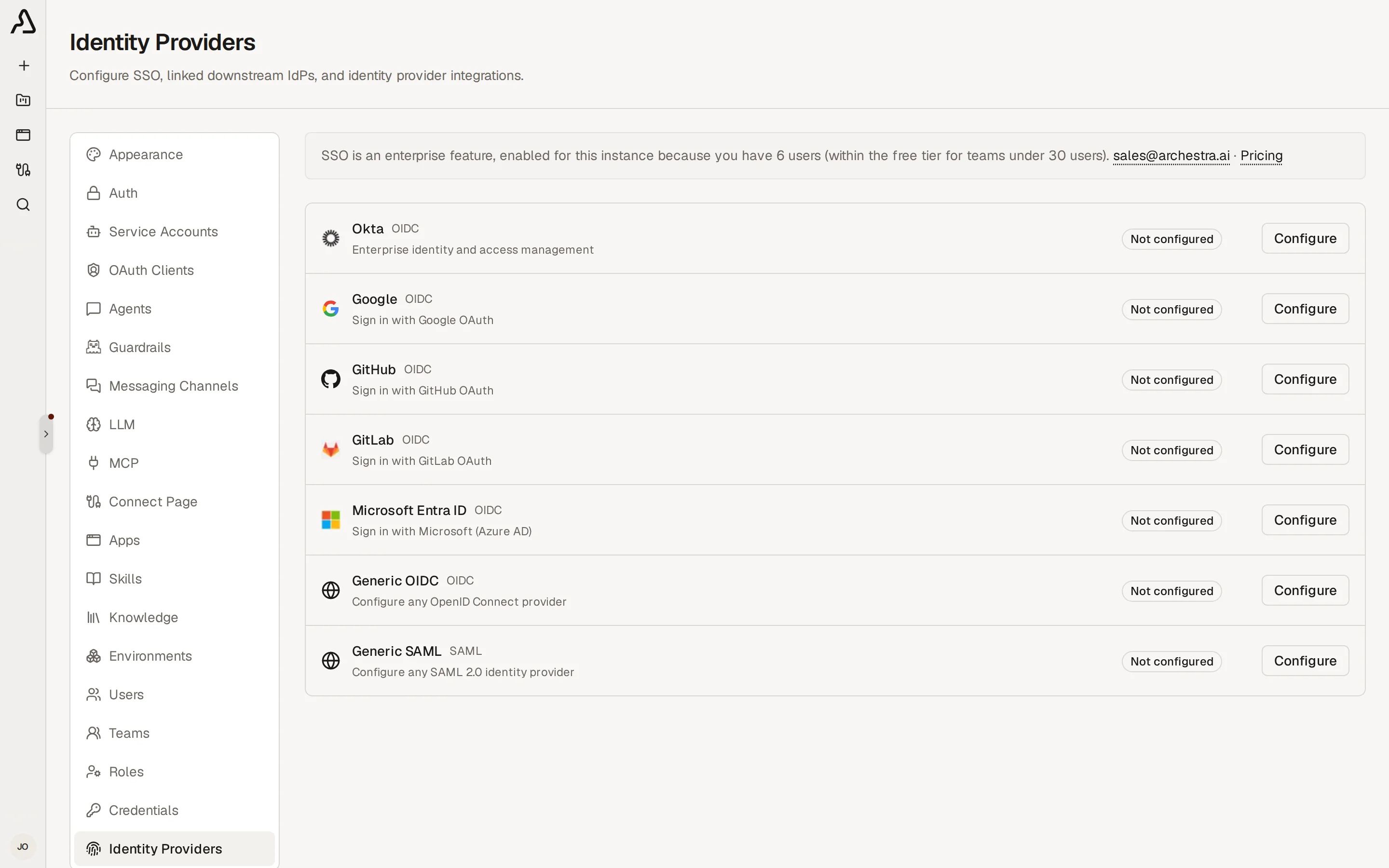
Supported Providers
| Provider | Protocol | Downstream Token Exchange | Setup Guide |
|---|---|---|---|
| Microsoft Entra ID | OIDC | On-Behalf-Of (OBO) flow | Microsoft Entra ID |
| Okta | OIDC | Token exchange (private_) | Okta |
| Google, GitHub, GitLab | OIDC | Requires RFC 8693 endpoint | Single Sign-On |
| Generic OIDC (Keycloak, Auth0) | OIDC | RFC 8693 token exchange | Single Sign-On |
| Generic SAML | SAML 2.0 | Not supported | Single Sign-On |
Adding a Provider
Configuring an identity provider requires the identityProvider:create permission and admin access in your IdP.
- In your IdP, register Archestra as a web application with the callback URL matching your protocol:
| Protocol | Callback URL |
|---|---|
| OIDC | https://<archestra-domain>/api/auth/sso/callback/<ProviderId> |
| SAML (ACS URL) | https://<archestra-domain>/api/auth/sso/saml2/sp/acs/<ProviderId> |
The <ProviderId> segment is case-sensitive: Okta, EntraID, Google, GitHub, or GitLab. For generic providers, use the exact Provider ID entered in Archestra.
- In Archestra, go to Settings → Identity Providers and click Enable on your provider card.
- Enter the Issuer, Client ID, and Client Secret (or SAML metadata).
- Configure optional Allowed Email Domains, Role Mapping, or Team Sync.
- Click Create Provider.
Test sign-in in an incognito window. To manage email and password account policies, see Account Security.
Explore
Single Sign-On
Sign users in with OIDC or SAML, map IdP claims to roles, and sync directory groups to teams
Microsoft Entra ID
Configure Microsoft Entra ID for SSO sign-in and On-Behalf-Of token exchange for MCP tools
Okta
Configure Okta for SSO sign-in and RFC 8693 token exchange for MCP tools
Account Security
Two-factor authentication, session lifetime caps, and CLI account recovery