
Chat
Built-in Chat interface for working with agents and MCP tools
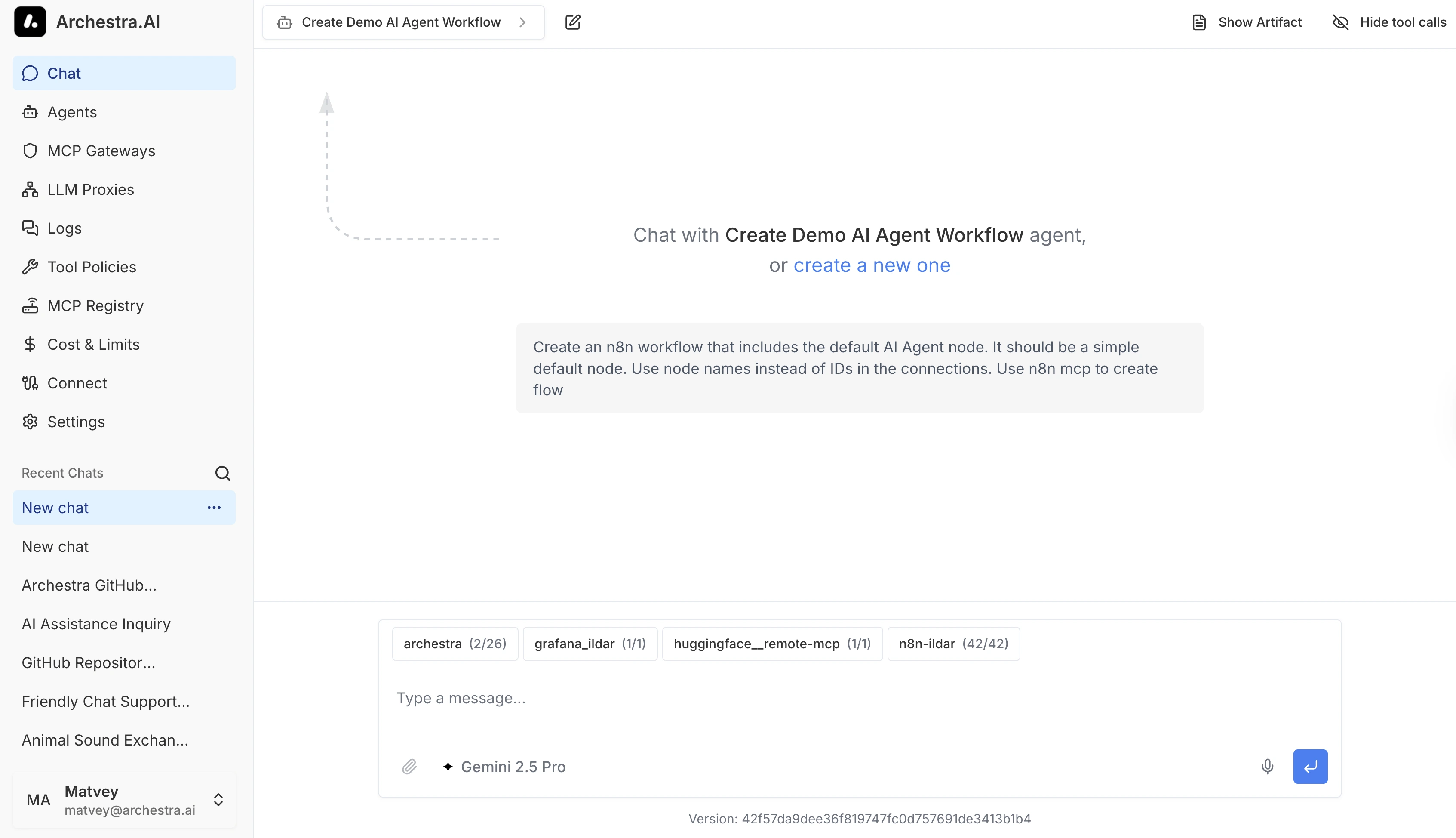
Archestra includes a built-in Chat interface for working with agents, MCP tools, files, browser actions, and model selection in one place.
Supported Providers
Chat supports the LLM providers configured for your workspace. See Supported LLM Providers for the full list.
Reasoning Depth
Reasoning models think before answering by default. A Low/Medium/High control sits next to the model picker so you can choose per chat. It shows the current level and opens to all three.
Low asks for as little reasoning as the model allows — on a Flash model that means skipping it. Medium reasons briefly. High reasons as deeply as the model can — useful for a tricky refactor, for example. Whenever the model reasons, it shows that reasoning in the conversation. Medium is the default, matching what these models do on their own, so a chat only changes behaviour when you ask it to.
The control appears only on models that take a reasoning level: Gemini 3 and newer, the OpenAI GPT-5 and o-series models, and the Claude models that already reason.
OpenRouter is covered too. Its models show the control whenever OpenRouter reports that the model reasons, which most of its catalog does. That includes models taking a thinking budget instead of a level — OpenRouter turns your choice into one for them.
Self-hosted models count too. A model you serve with vLLM or Ollama shows the control when Archestra can tell it reasons — Ollama reports that itself, and for vLLM the model registry answers. Sync your models after upgrading if a model you expect is missing it.
Available Commands
Type / in the prompt input to open available chat commands.
/compactsummarizes older conversation history to reduce context usage and help prevent hitting the selected model's context limit. The full chat history remains visible in the conversation.
When the agent has the code sandbox available, a message starting with ! (for example ! ls attachments/) runs the rest of the message as a shell command in the conversation's sandbox instead of asking the model. The command and its output appear in the conversation as a regular run_command tool call, so the agent sees the result in later turns. Output appears when the command finishes. Requires the sandbox: execute permission; without a sandbox, the message is sent as normal text. User-typed commands do not trigger PreToolUse/PostToolUse hooks — the user, not the model, initiated the call.
Chat Errors
Simplified chat errors explain the problem without exposing provider details or raw error output.
Your organization's support message appears beneath the explanation.
Copied error details include the explanation, support message, and available correlation IDs.
These IDs help administrators find the failed request in logs.
Message Queueing
Press Enter while a response is streaming to queue your message. Queued messages appear above the prompt input and send in order as each turn finishes — you can keep typing without waiting. Remove a queued message with its X, or press ArrowUp on an empty prompt to pull the newest one back for editing.
Queueing works during context compaction too. A message you send while the conversation is being compacted waits in the queue, then sends once compaction finishes — so a long chat never drops what you typed.
While a response streams, the send button becomes Stop. Clicking it or pressing Esc stops the response and discards any queued messages for that conversation. Nothing else is sent until you submit a new message.
MCP Elicitation
Some MCP tools can ask for additional information while they run. Chat shows these requests as a modal form, validates required fields, and resumes the tool call after you continue. If the request points to an external URL, Chat only opens HTTP or HTTPS links.
Browser (Playwright)
Agents with Playwright tools can navigate and interact with websites from Chat. The browser runtime is built in. Archestra runs one Playwright deployment for Default and each additional Environment. Browser traffic follows its Environment's network policy.
Each caller and conversation gets an isolated browser context. Browser state persists within a conversation but is not shared with other callers or conversations.
Context Compaction
Context compaction replaces older messages with a structured handoff summary while keeping recent turns verbatim, so a long chat can continue near the model's context limit. The original history stays visible, and compaction events appear in the conversation timeline. It is handled by the Context Compaction Subagent.
Chat Titles
Chat titles are generated by the Chat Title Generation Subagent.
Context Window Visualizer
The context window visualizer shows how the model's context window is filled for the current turn. Click the ring indicator in the chat toolbar to open it.
The indicator ring appears after the first message in a conversation. The ring color escalates as the window fills: green below 50 %, yellow from 50 %, orange from 75 %, red from 90 %.
Hover the ring for a summary: tokens used, and how much of the window is left before auto-compaction runs. Auto-compaction fires at 80 % — a tick on the panel's bar marks that point.
The panel breaks usage down by category:
| Category | What it counts |
|---|---|
| System prompt | The agent's instructions, sent verbatim on every turn. |
| Tools | The JSON schemas for every tool the agent can call. |
| Messages | The conversation history — user turns and assistant replies. |
| Tool results | Output returned from tool and knowledge-base calls. |
| Files | Attachments included in the conversation. |
Expand any category to see the largest individual contributors (top tools by schema size, top turns by length, and so on). The "Free space" row shows remaining capacity when the model's context length is known.
Estimates, not exact counts. The breakdown is computed before the request is sent, using the same character-per-token and bytes-per-token heuristics that drive auto-compaction. The provider's exact prompt size arrives afterward via per-step token usage and supersedes the estimate for the ring. The visualizer never mutates or truncates the request.
Use Compact now in the panel to summarize earlier turns before auto-compaction does it for you. When a compaction frees tokens, a note appears showing how many were recovered. See Context Compaction for how compaction works.
Ollama models often run with a smaller context window than the model architecturally supports. Archestra detects the effective window and sizes the ring to it — see Ollama Context Window.
Speech to Text
The microphone in the prompt input dictates into the message box. It listens in your own language, taken from your browser's language preferences — if your browser is set to German, so is the microphone. Browsers ship different language packs, so one that cannot listen in your language falls back to its own default rather than going silent.
File Attachments
Chat attachments are scoped to their conversation. To reuse files across related sessions, add them to a Project instead, where files are shared across all of the project's chats.
Chat, Project, and Knowledge Files compares all three places a file can live.
You can attach any file type. Images, PDFs, and common text documents (.txt, .md, .csv, .tsv, .json, .xml, .yaml, .toml) go straight to the model. Other files — a zip archive, for example — are saved to the chat's Files panel. When the agent has a code sandbox, those files are also staged there for the agent to process; without one, the agent can't read them and tells you so.
Large files are kept too. Anything the model can't take — the wrong file type, too big for the code sandbox, or simply too big to send — lands in the Files panel instead, ready to download, and the agent is told it is there. Admins set the maximum upload size; see Deployment.