
Scheduled Tasks
Run agents automatically on a repeating schedule
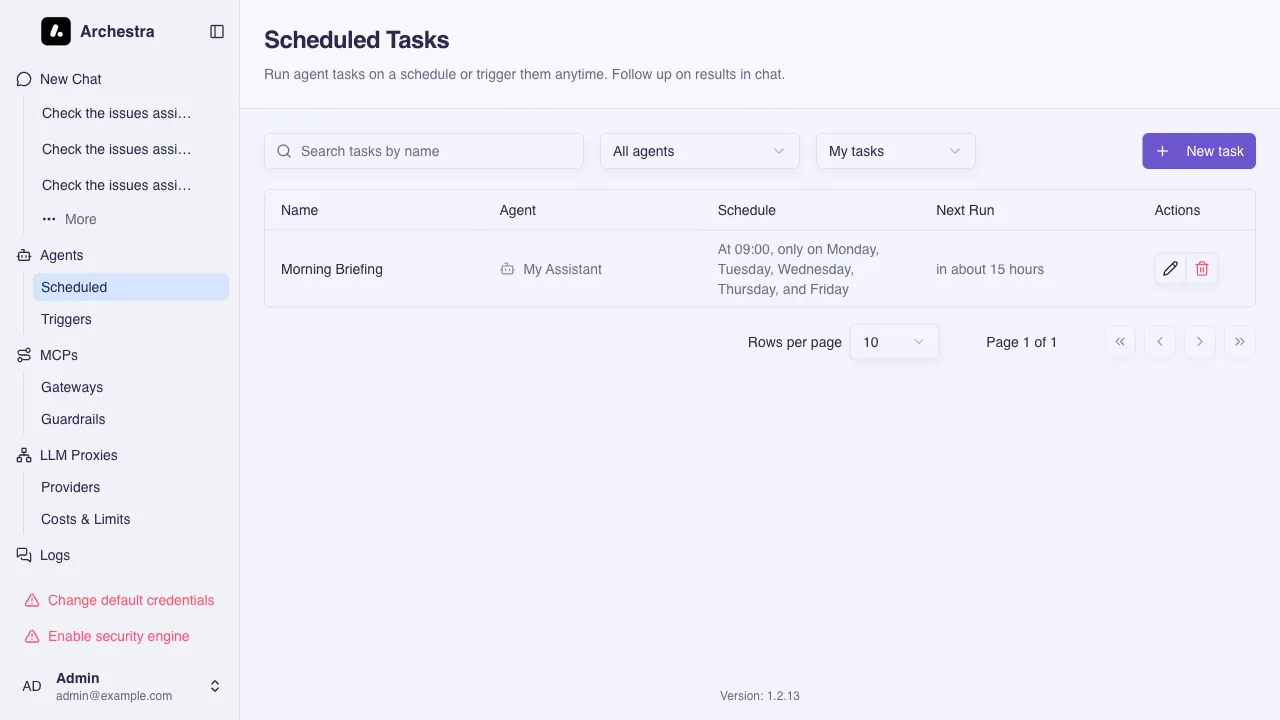
Scheduled Tasks run an agent automatically on a repeating schedule. Each run sends the configured prompt to the agent and records the full conversation. The task always runs under the permissions of the user who created it.
Common use cases: daily standup preparation (fetching tasks and summarizing progress before a daily meeting), or first-line support triage (periodically processing incoming support requests).
Schedule
The Hourly and Daily presets cover the common cases. For anything else, the Custom option accepts a standard 5-field cron expression (minute hour day month weekday), evaluated in the creator's timezone. For example, */15 * * * * runs every fifteen minutes and 0 9 1 * * runs at 09:00 on the first of each month.
Chat Follow-up
Every completed run preserves the full agent conversation. Open any run from the task's History to review the result. Task owners can continue chatting with the agent in the same context to ask follow-up questions, request changes, or dig deeper into the output.
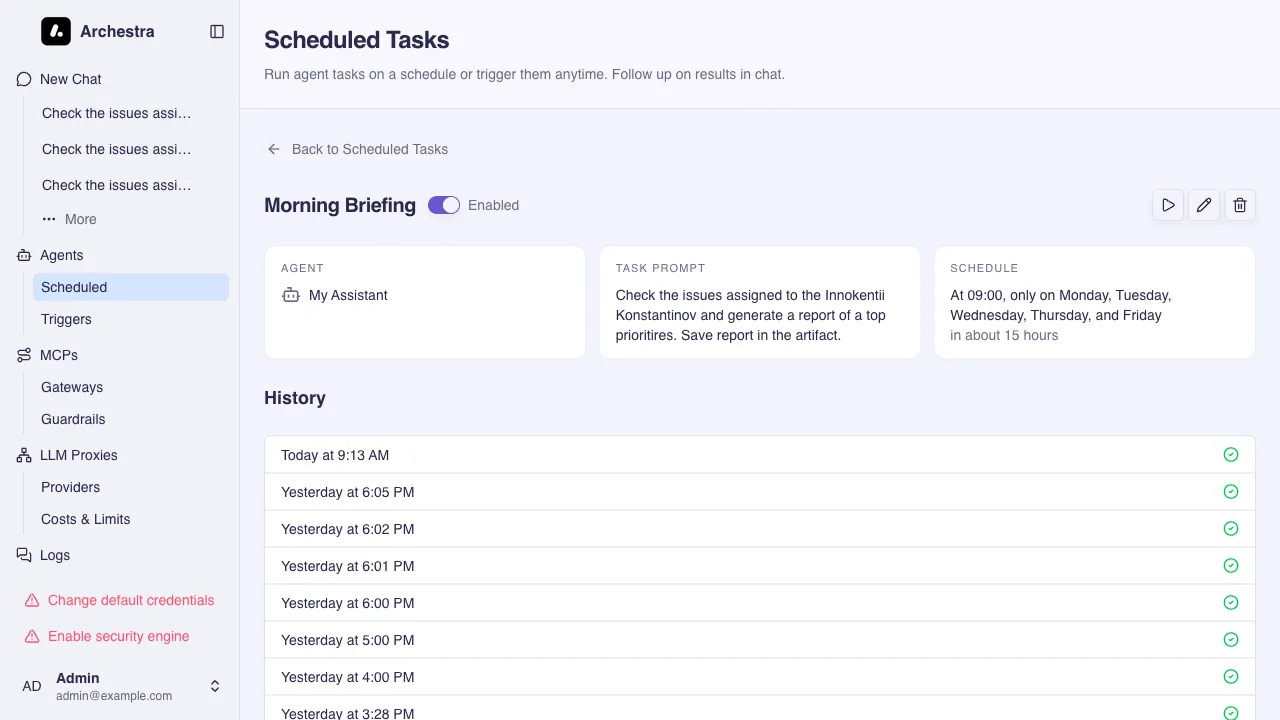
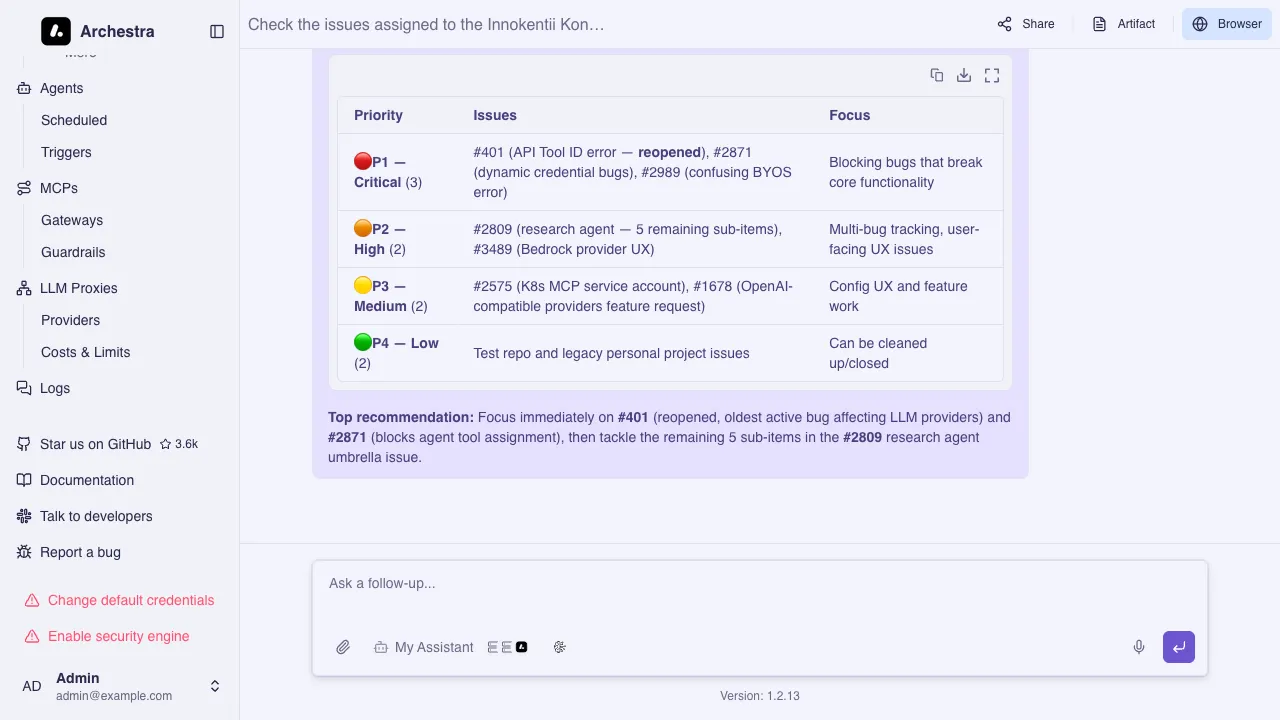
Each run opens as a chat. Users with scheduledTask:admin can view other users' run conversations, but only the conversation owner can continue them. To follow up on another user's run, start a new chat from the run conversation; the new chat copies the existing messages and runs under your permissions.
Permissions
The scheduledTask resource controls access. Without scheduledTask:admin, users only see the tasks they created. Users with scheduledTask:admin can view and manage all tasks across the organization. See Access Control for role configuration.