Sharing Skills
Share Archestra skills into Claude Code, Codex CLI, Copilot CLI, and Cursor through native plugin marketplaces
Archestra skills can be installed into your local Claude Code, Codex CLI, Copilot CLI, or Cursor IDE through each tool's native plugin marketplace. Archestra hosts a git repository that serves those marketplaces in parallel — Claude reads .claude-plugin/marketplace.json, Codex prefers .agents/plugins/marketplace.json, Copilot prefers .github/plugin/marketplace.json, and Cursor reads .cursor-plugin/marketplace.json. Codex and Copilot fall back to the Claude manifest only when their preferred manifest is absent; manifests are not merged.
Every shared skill is bundled into a single plugin so the user installs one thing instead of one-per-skill. The plugin name is the marketplace name (e.g. archestra-acme-corp-skills), and each skill lives at plugins/<marketplace-name>/skills/<slug>/SKILL.md in the repository. The slug is also written as the SKILL.md frontmatter name, per the Agent Skills spec, so the skill's slash command is well-formed (a skill named "Build App" installs as /build-app). Anthropic's official marketplaces follow the same one-plugin-per-toolkit convention.
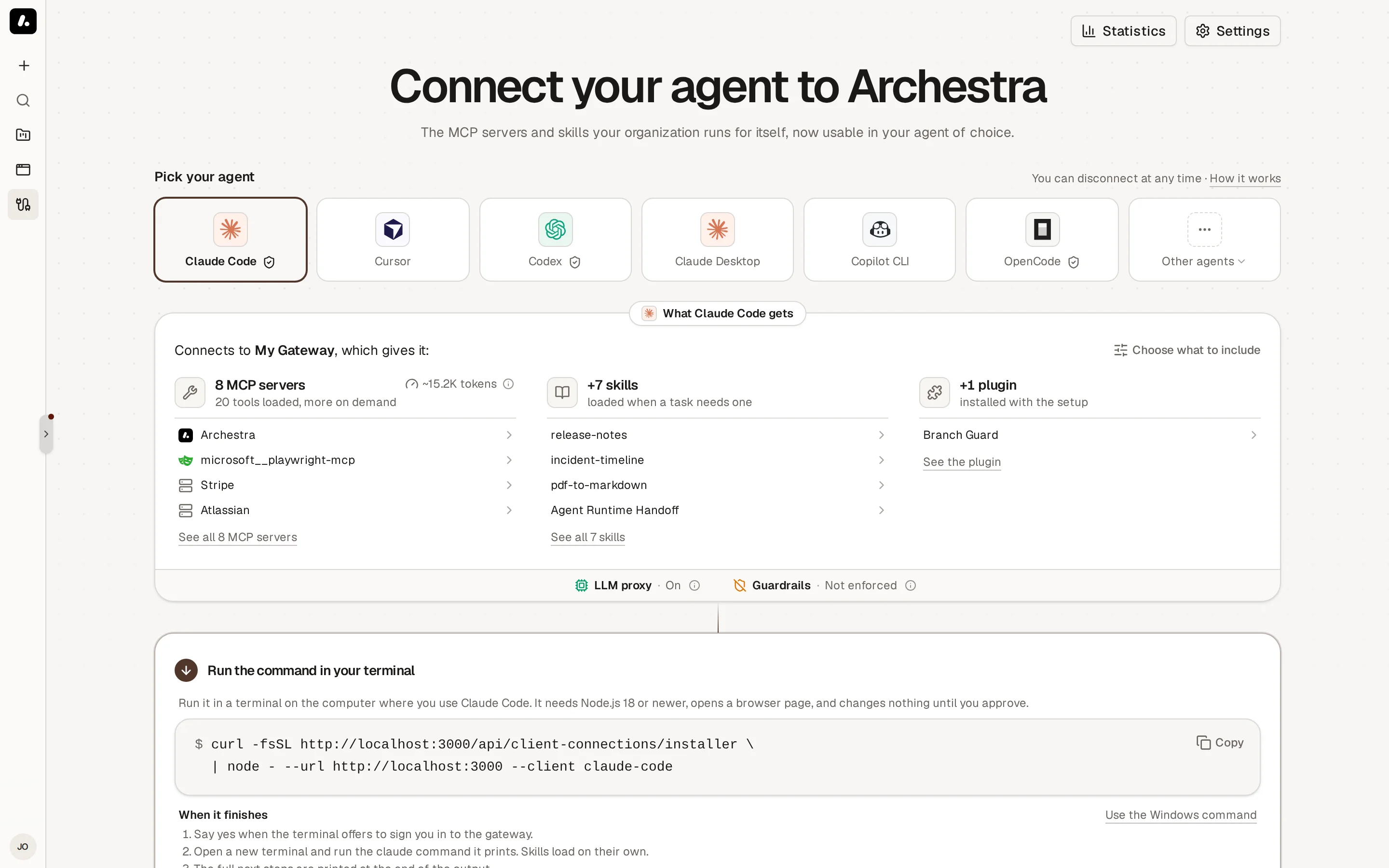
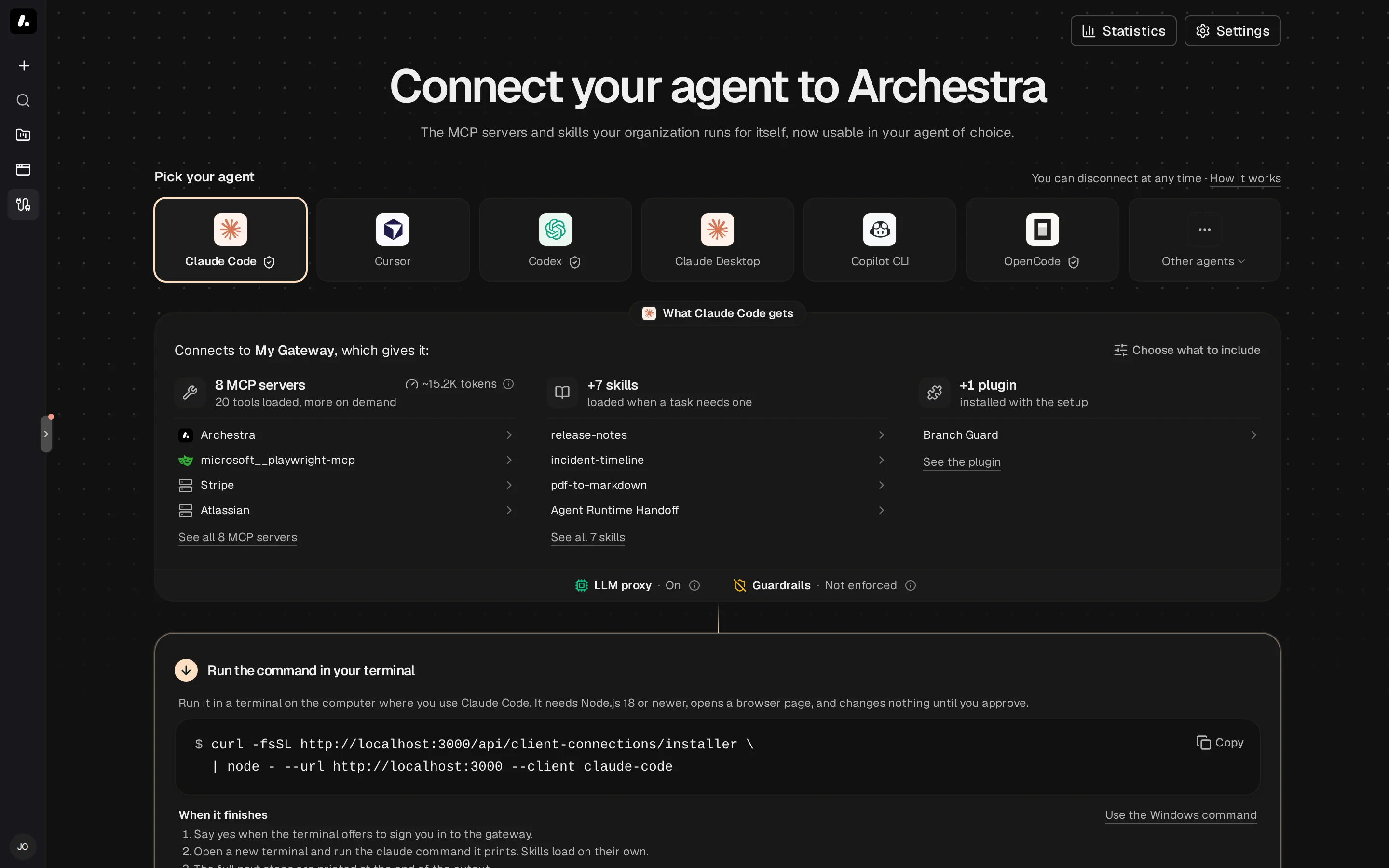
Skills live on the Connect page, alongside the MCP Gateway and LLM Proxy connection flows. For Claude Code, Codex, Copilot CLI, and Cursor the skills install is part of the one-command setup: the generated curl | bash command registers the marketplace for you. Anyone who can read skills gets that command — you do not need to be an admin to install the skills shared with you.

The review step lists the skills going into the setup. Deselect any you do not want to share.
The Shared Marketplace URL
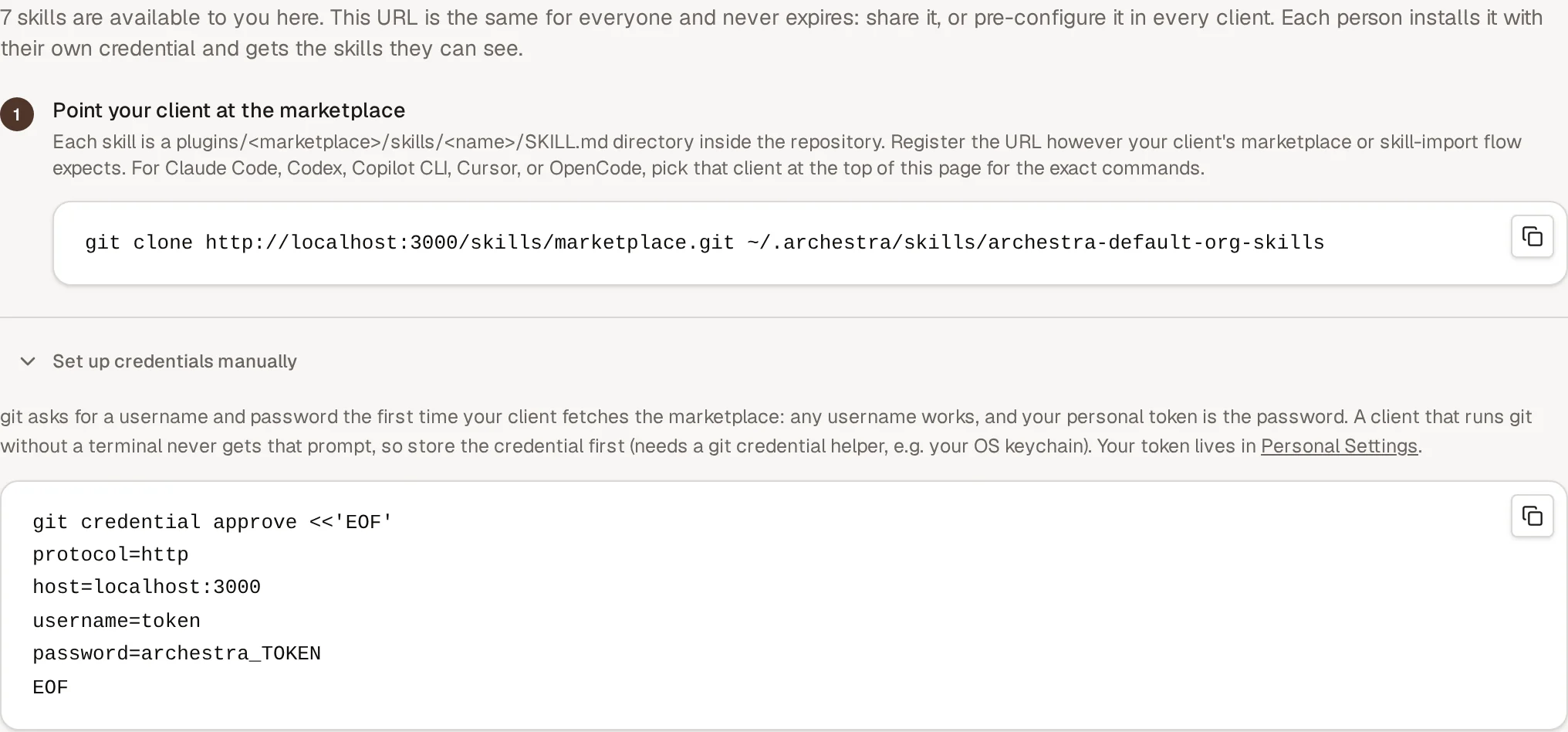
Every deployment serves one marketplace URL, https://<your-archestra-host>/skills/marketplace.git. It is the same for everyone, it never expires, and it carries no token — so you can put it in a wiki page, a dotfiles repo, or a preconfigured client image. Any installer that clones a git URL can use it, including the one-off npx runners.
Each person authenticates as themselves, so two people cloning the same URL get different skills. The setup command handles this for you: it registers the marketplace with a credential minted for your account, which grants one thing — cloning the marketplace as you. It is deliberately not your personal token, because plugin marketplace add stores whatever it is given in your local git config.
Registering the URL by hand instead, git asks for a username and password on the first fetch: any username works, and the password is the personal token from your Personal Settings page. A client that runs git without a terminal never shows that prompt, so the Connect page also offers a git credential approve command that stores the credential up front.

What the clone contains depends on who cloned it: the org-wide skills, the skills of the teams you belong to, your own skills, and anything shared with you by name. Two people installing the same URL can end up with different skills, and neither sees skills they could not already see in Archestra.
The same URL works for Claude Code, Codex, Copilot, and Cursor; only the install command differs:
Claude Code
claude plugin marketplace add <marketplace-url>
claude plugin install <marketplace-name>@<marketplace-name>
Codex
codex plugin marketplace add <marketplace-url>
/plugins # then select "Install Plugin"
Copilot CLI
copilot plugin marketplace add <marketplace-url>
copilot plugin marketplace browse <marketplace-name>
Cursor
/add-plugin <marketplace-url>
Anonymous Access
Admins can publish the marketplace without authentication under Settings → Skills → Skills marketplace access. Anonymous clones need no credential and carry the organization-wide skills only — personal and team skills are never part of that view. Anyone who can reach the deployment can then install those skills, so treat it as a public listing.
Who Can Install
Anyone who can read skills can install the shared marketplace, so members set up their own clients without an admin. Because the URL serves each person their own view, there is no per-skill choice in the setup command: it installs everything shared with you, and stays current as skills are added or removed. To share a fixed subset, use a snapshot link.
Creating, refreshing, and revoking snapshot links (below) requires the skill:admin permission. Publishing a snapshot link that contains executable plugins also requires plugin:admin.
A marketplace credential lives only as long as the account it belongs to: it is dropped when the person is removed from the organization, and a clone is refused the moment their role loses skill read access.
Plugins
Plugins can share the same generated marketplace as skills. They remain separate resources with their own approval and update lifecycle. See Plugins.
Marketplace Name
The marketplace name is generated at create time and frozen, since clients register marketplaces by name in their local config — changing it later would silently break every installed marketplace.
Format: <app-slug>-<org-slug>-<kind> (e.g. archestra-acme-corp-skills), where the kind records whether the marketplace carries skills, plugins, or both. The app slug comes from the org's appName appearance setting and falls back to archestra when no white-label name is configured; the org slug comes from the better-auth organization row and falls back to a slugified org name, then a hex prefix of the org id.
Snapshot Links
A snapshot link is the second way to share, for people who have no account on this deployment. It is a clone URL that embeds its own token and covers a fixed set of resources. Admins create one from the Connect page under Share a snapshot link instead.
The snapshot is taken at creation time. Adding, editing, or deleting skills afterwards does not update it — the step shows a "covers N of M skills" indicator when the link has drifted, and Refresh link issues a new token with the up-to-date skill list (the previous link is revoked at the same time). For security the clone URL is returned only at creation, so after a page reload the admin must refresh the link to reveal a new URL.
Anyone holding a snapshot URL can install the marketplace until it is revoked, and the token persists in the user's local git config after plugin marketplace add. Revoke the link when sharing ends, and prefer short TTLs (the step defaults to 30 days). Revoking deletes the underlying repository and makes future clone and pull requests return 404.
Existing local clones and already-installed plugins keep working after a revocation. Server revocation cannot delete executable code from a developer machine. Use the startup guard's reconfigure menu or the client CLI's plugin uninstall command on that machine to remove it.
Updates
When a skill or approved plugin payload changes in Archestra, a new commit is appended to the materialized repository with a deterministic SHA. Users who git pull (via claude plugin marketplace update or the Codex equivalent) fast-forward to the new revision instead of fetching unrelated histories. Every emitted plugin gets a real, monotonic SemVer (0.<revision>.0), so vendor CLIs recognize the update instead of ignoring a content hash in SemVer build metadata. Connected shell wrappers refresh the marketplace and installed plugins after an interactive session exits, at most once per day.
The shared marketplace URL also picks up skills that are added or removed later — the next fetch simply carries the current set. A snapshot link's resource set is fixed until an admin refreshes it.
Every clone is audit-logged with the skill and plugin IDs and the identity being served; raw tokens are never written to logs. Creating, rotating, and revoking a snapshot link also writes a redacted organization audit record.
Configuration
Deployment-side configuration lives in three environment variables documented in platform-deployment:
ARCHESTRA_GIT_BINARY_PATH— path to thegitbinary; the public endpoint shells out togit http-backend(CGI).ARCHESTRA_SKILL_MARKETPLACE_CACHE_DIR— directory holding materialized repos. Defaults to~/.archestra/skill-marketplace-cache. The authoritative history lives in the database, so the cache is safe to wipe; in prod, mount a persistent volume here to skip rebuilds on container restart. The shared URL materializes one small repository per person who has cloned it, since each of them gets a different set of skills.ARCHESTRA_PLUGINS_ENABLED— enables plugin authoring and automatic connection delivery. It is off by default; a blank value followsARCHESTRA_BETA.
The git committer identity stamped on materialized commits is hardcoded (Archestra Marketplace <marketplace@archestra.local>) because the deterministic-replay contract folds it into every commit SHA; making it deployment-configurable would orphan stored revisions the moment a new value rolled out.