
Skills
A skill teaches an agent how to do one task. It is a SKILL.md file of instructions, plus optional scripts and files.
Write a skill once, for example the steps to convert a PDF, and any agent can use it. Until the agent needs it, only the skill's name and description take space in its context. Skills follow the open Agent Skills specification.
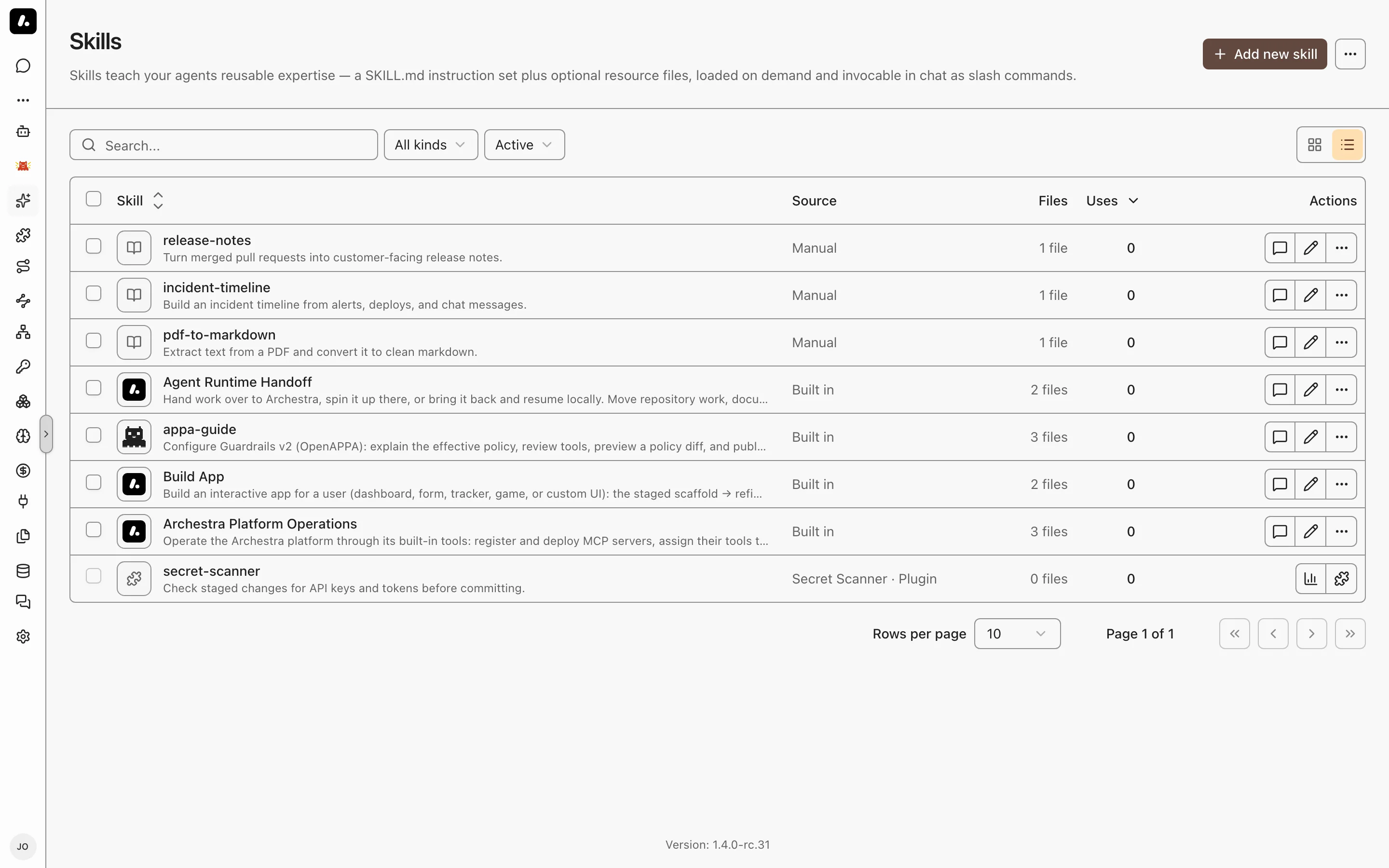
Using Skills
A skill runs in one of three ways:
- You call it. Type
/in chat and pick a skill, for example/pdf-to-markdown convert this report. The text after the name is the prompt, and it is optional. - The agent loads it. When a task matches a skill's description, the agent loads the skill on its own.
- Another agent runs it. The skill names that agent in its frontmatter. See Running a Skill in a Subagent.
Running a Skill in a Subagent
To run a skill in its own agent, name that agent in the skill's frontmatter:
---
name: deep-research
description: Multi-step research with citations.
agent: Research Bot
---
The named agent does the work with its own tools and returns only the result. The calling agent's context stays clean.
- The calling agent sees the skill as a tool, here
skill__deep_research. - Both agents must be in the same environment, and you need access to the named agent.
- It works only for a signed-in user. Scheduled and other automated runs do not get the tool.
How Skills Load
An agent reads a skill in three steps, so only what it needs enters its context:
list_skillsshows every skill's name and description.load_skillwith a name returns that skill'sSKILL.mdand a list of its files.load_skillwith a name and a file path returns that one file.
load_skill also puts the skill at /skills/<name> in the agent's Code Sandbox, so the agent can run its scripts. A connected client without a sandbox gets the files as text and saves them itself.
What to know:
- Template variables: add
templated: trueto a skill's frontmatter to use the same expressions as prompt templates, such as{{user.name}}. Archestra fills them in when the skill loads. See Writing Skills. - New agents get skill tools by default, plus tools to write skills from chat. To keep an agent away from skills, remove them in its tool picker.
Choosing an Agent's Skills
By default, an agent can use every skill its user can use. To narrow that:
- Pick skills per agent. On the agent's Skills setting, choose Manual and select the skills, or keep All and exclude some. See Agents.
- Limit a skill to environments. On the skill's Settings tab, pick its environments. Agents in other environments cannot see it.
Built-in Skills
Archestra ships these skills:
- Archestra Platform Operations: set up MCP servers, tools, team access, and policies through Archestra's own tools.
- Build App: build an interactive app from chat.
- Agent Runtime Handoff: move work between your machine and Agent Runtime.
- appa-guide: configure Guardrails. It appears only when guardrails are on.
Skills vs Agents
Start with one agent and many skills. Add another agent only when the work needs something a skill cannot change.
| Build a… | When the work needs… | Example |
|---|---|---|
| Skill | Know-how: steps, a format, scripts | "Write a release note", "Convert a PDF to Markdown" |
| Agent | Its own tools, model, knowledge, or access | A support agent with the ticketing tools and help-center docs |
| Skill in a subagent | A long task that would crowd the caller's context | Multi-step research that returns one summary |
| Subagent | A specialist that other agents call | A security reviewer that every coding agent asks |
Why skills first:
- One agent, many jobs. An agent loads a skill only when a task needs it, so a generic agent stays small.
- Write once, use everywhere. The same skill works in every agent, and installs in your coding agents.
- Change one place. Edit a skill, and every agent that uses it gets the change.