
Model Providers
Add each AI provider once. Chat, agents, and every app behind the LLM Proxy can use it, and none of them sees the key. Paste an OpenAI key, sign in with your ChatGPT subscription, or point at your own vLLM server.
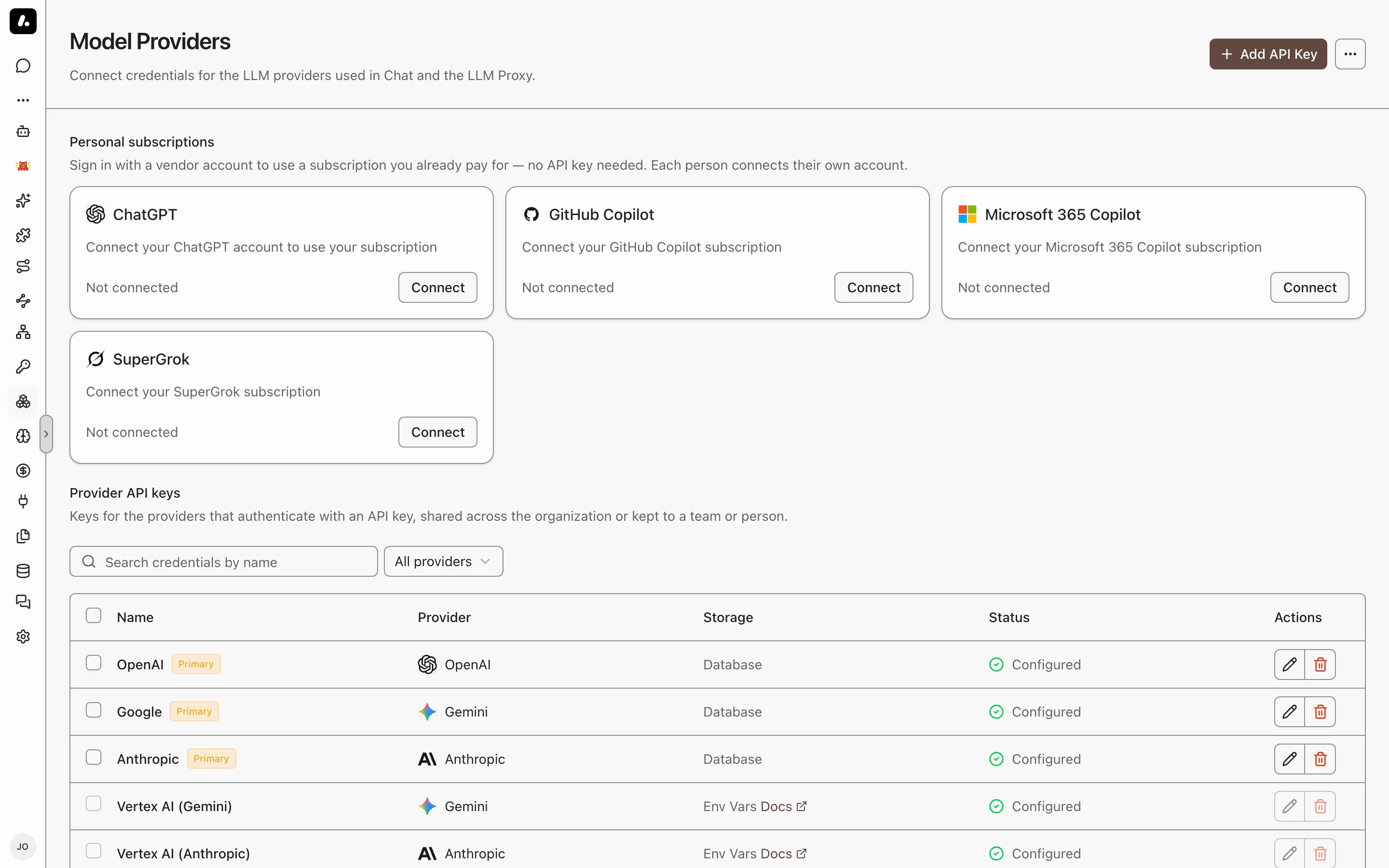
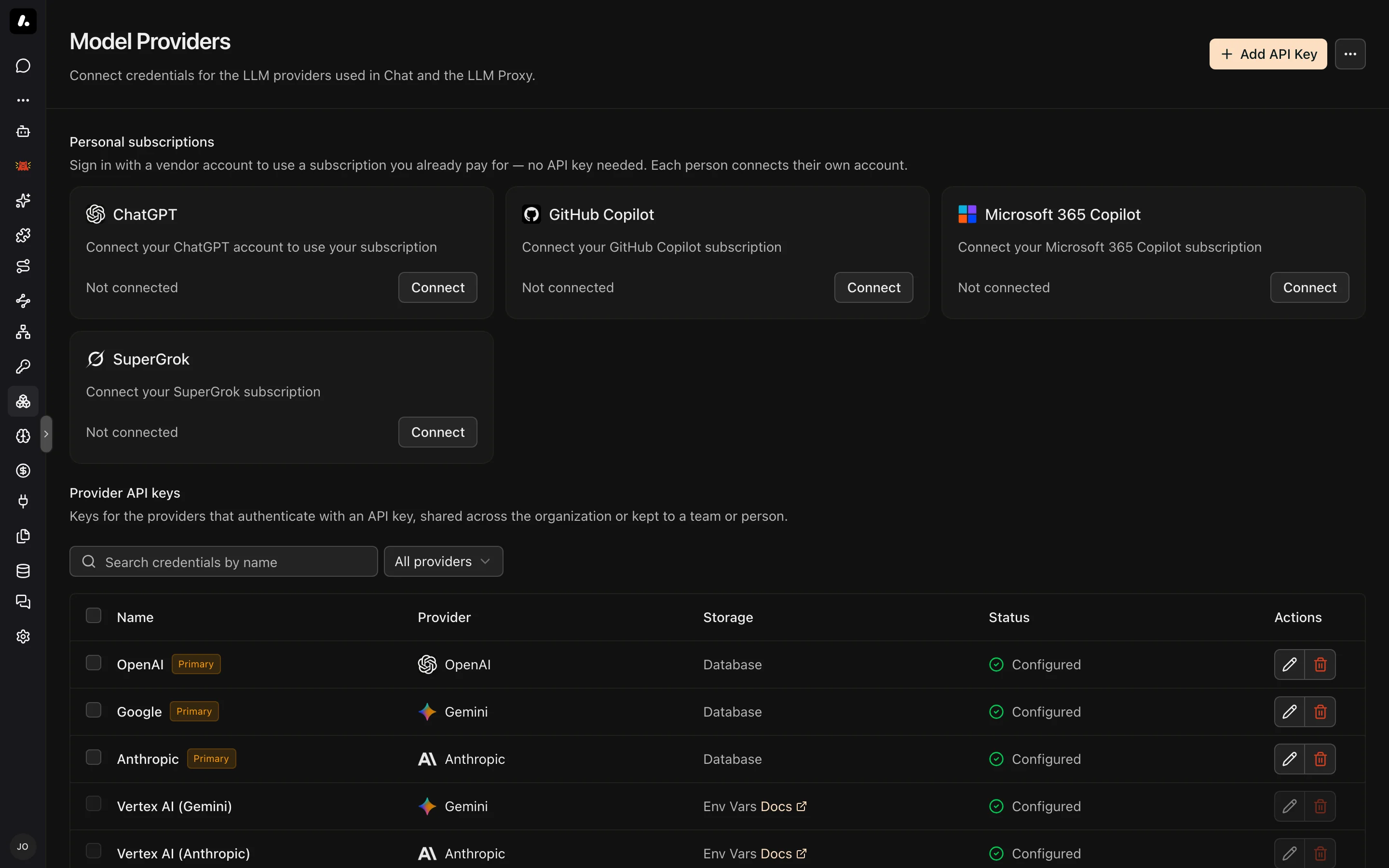
Connect a Provider
Connect with an API key that your company pays for by use, or with a subscription that a person already pays for.
With an API Key
Paste a key, and Archestra tests it and loads the provider's models.
- Go to Model Providers in the sidebar and click Add API Key.
- Pick the Provider and paste the API Key.
- Optionally open Advanced to mark the key Primary, set a Base URL for a proxy or self-hosted endpoint, or add Extra HTTP headers that every request to the provider carries.
- Click Test & Create. Archestra calls the provider with the key and syncs its models.
The new key appears in the Provider API keys table as Configured, and its models appear under Models. To choose who can use it, edit the key and open its Permissions tab.
You can also set a key through an environment variable, ARCHESTRA_CHAT_<PROVIDER>_API_KEY (for example ARCHESTRA_CHAT_OPENAI_API_KEY). It is the fallback when no stored key applies.
To hide a provider your company does not use, go to Settings → LLM → Model providers and switch Available off. It leaves every picker, and nobody can add a key for it. Its existing keys keep working. On the same page, you can give a provider a display name.
With a Subscription
Already pay for ChatGPT, GitHub Copilot, Microsoft 365 Copilot, or SuperGrok? Use it instead of a metered API key. On Model Providers, click Connect on the provider's card and sign in.
These credentials belong to one person and cannot be shared. An agent that uses one always runs on the chatting user's own subscription. A user who has not connected sees a sign-in prompt in chat. If the vendor rejects the sign-in later, click Connect again; the credential keeps its model and agent selections.
- ChatGPT: first turn on Enable device code authorization for Codex in ChatGPT under Settings → Security. It is off by default, and ChatGPT blocks the sign-in until you turn it on.
- SuperGrok: unavailable when Bring Your Own Secrets uses a read-only external Vault, because Archestra cannot store the rotating sign-in token there. Use an xAI API key instead.
- GitHub Copilot and Microsoft 365 Copilot have their own pages: GitHub Copilot, Microsoft 365 Copilot.
ChatGPT and SuperGrok use bills $0 in Costs. GitHub Copilot and Microsoft 365 Copilot use counts as metered. See Subscription vs Metered Cost.
Which Key Pays for a Chat
When several keys exist for one provider, the most specific one wins. Your team shares an OpenAI key, and you add your own. Your chats now run on yours, so your use stops counting against the team's key.
Chat and agents take the first match:
| Order | Key | Example |
|---|---|---|
| 1 | The key picked in the conversation | You switch a chat to the research team's key. |
| 2 | The key set on the agent | A support agent always bills the support team's key. |
| 3 | Your own key | You added a personal Anthropic key. |
| 4 | A key shared with your teams | Platform Engineering shares one OpenAI key. |
| 5 | A key shared with the organization | The company default key. |
| 6 | The ARCHESTRA_CHAT_<PROVIDER>_API_KEY environment variable | The key set at install time. |
When one level has several keys, the Primary key wins, then the oldest one.
- A subscription is used only by the person who connected it, even when an agent or a conversation picks it. Anyone else uses their own subscription, or gets a sign-in prompt.
- For vLLM, Ollama, and Azure, each key points at its own server. A key whose server does not host the model you picked is skipped for one that does.
- Clients that call the proxy pick their key through their authentication method.
Supported Providers
Each provider has its own proxy URL, https://<archestra-host>/v1/<path>, with the provider's own API. A client that works with the provider works with the proxy. Providers marked Router also work through the Model Router. A linked name has a setup page.
| Provider | Path | APIs | Router | Notes |
|---|---|---|---|---|
| Amazon Bedrock | bedrock | Converse, InvokeModel | Yes | API key, AWS access keys, or IAM role |
| Anthropic | anthropic | Messages | Yes | Also Claude on Microsoft Foundry and Vertex AI |
| Archestra | archestra | Chat Completions | No | Another Archestra instance as the upstream |
| Azure AI Foundry | azure | Chat Completions, Responses, Embeddings | Yes | API key or Microsoft Entra ID |
| Cerebras | cerebras | Chat Completions | Yes | |
| Cohere | cohere | Chat | Yes | |
| DeepSeek | deepseek | Chat Completions | Yes | |
| GitHub Copilot | github-copilot | Chat Completions, Responses | Yes | Personal sign-in only |
| Google Gemini | gemini | Generate Content, Embeddings | Yes | Google AI Studio or Vertex AI |
| Groq | groq | Chat Completions | Yes | |
| Jev | jev | Decisions | No | Scores content, such as a tool call. It does not chat. See Jev. |
| Kimi (Moonshot AI) | kimi | Chat Completions | No | China endpoint: set ARCHESTRA_KIMI_BASE_URL to https://api.moonshot.cn/v1 |
| Microsoft 365 Copilot | microsoft-365-copilot | Chat Completions | No | Personal sign-in only, no tools |
| MiniMax | minimax | Chat Completions | Yes | Text only |
| Mistral AI | mistral | Chat Completions, Embeddings | Yes | |
| Ollama | ollama, ollama-native | Chat Completions, Embeddings, native Chat | ollama only | No key needed |
| OpenAI | openai | Chat Completions, Responses, Embeddings | Yes | ChatGPT subscription through Connect |
| OpenAI-compatible servers | vllm | Chat Completions, Embeddings | Yes | vLLM, llama.cpp, LM Studio, SGLang, and others |
| OpenRouter | openrouter | Chat Completions, Embeddings | Yes | See OpenRouter Free Models |
| Perplexity | perplexity | Chat Completions, Responses | Yes | sonar models take no tools; vendor-prefixed models such as anthropic/claude-opus-5 do |
| xAI (Grok) | xai | Chat Completions | Yes | SuperGrok subscription through Connect |
| Zhipu AI | zhipuai | Chat Completions, Embeddings | Yes |
Each provider's default endpoint can be changed with its ARCHESTRA_<PROVIDER>_BASE_URL variable, listed under LLM Provider Configuration.
OpenRouter Free Models
OpenRouter's :free model variants cost nothing, though they still need an OpenRouter API key. The providers behind them may use your requests to train models, so do not send sensitive data. The openrouter/free model picks a free model for each request. When you add an OpenRouter key and the organization has no default model, Archestra makes openrouter/free the default.
Jev
Jev is TypeSafe's decision model. It scores content, such as a tool call, and does not chat. Send requests to https://<archestra-host>/v1/jev/decisions with Authorization: Bearer <your-api-key>.
To use Jev through OpenRouter, set the key's base URL to https://openrouter.ai/api/alpha/decisions. To change the default endpoint, set ARCHESTRA_JEV_BASE_URL.
Model Pricing, Limits, and Modalities
Archestra fills in each model's prices, context window, and input types for you. It syncs them from the provider and a public model registry. A self-hosted or very new model can have gaps. Set any value yourself, because each one changes how Archestra treats the model:
| Detail | What it changes |
|---|---|
| Pricing | The cost Archestra records for each request. Wrong prices give wrong cost reports and budgets. |
| Context window | When chat compacts a long conversation. |
| Max output tokens | How long one answer can be. Without it, a turn asks for 8,192 tokens, which can cut a long answer short. |
| Modalities | Which files chat sends to the model, and which models you can pick for embedding and OCR. A file the model cannot read goes to the conversation's Files panel instead. |
To change one, go to Models, edit the model, and open its Pricing, Limits, or Modalities tab. Your values stay through model refreshes. Clear a field to use the synced value again.