
Hooks
Run your own script at key moments in a chat. A hook is a short Python or shell script. It can add context when a chat starts, or check each tool call before and after it runs. Hooks use the same payload shape as Claude Code hooks, so many port with small changes.
Hooks run in the chat's code sandbox.
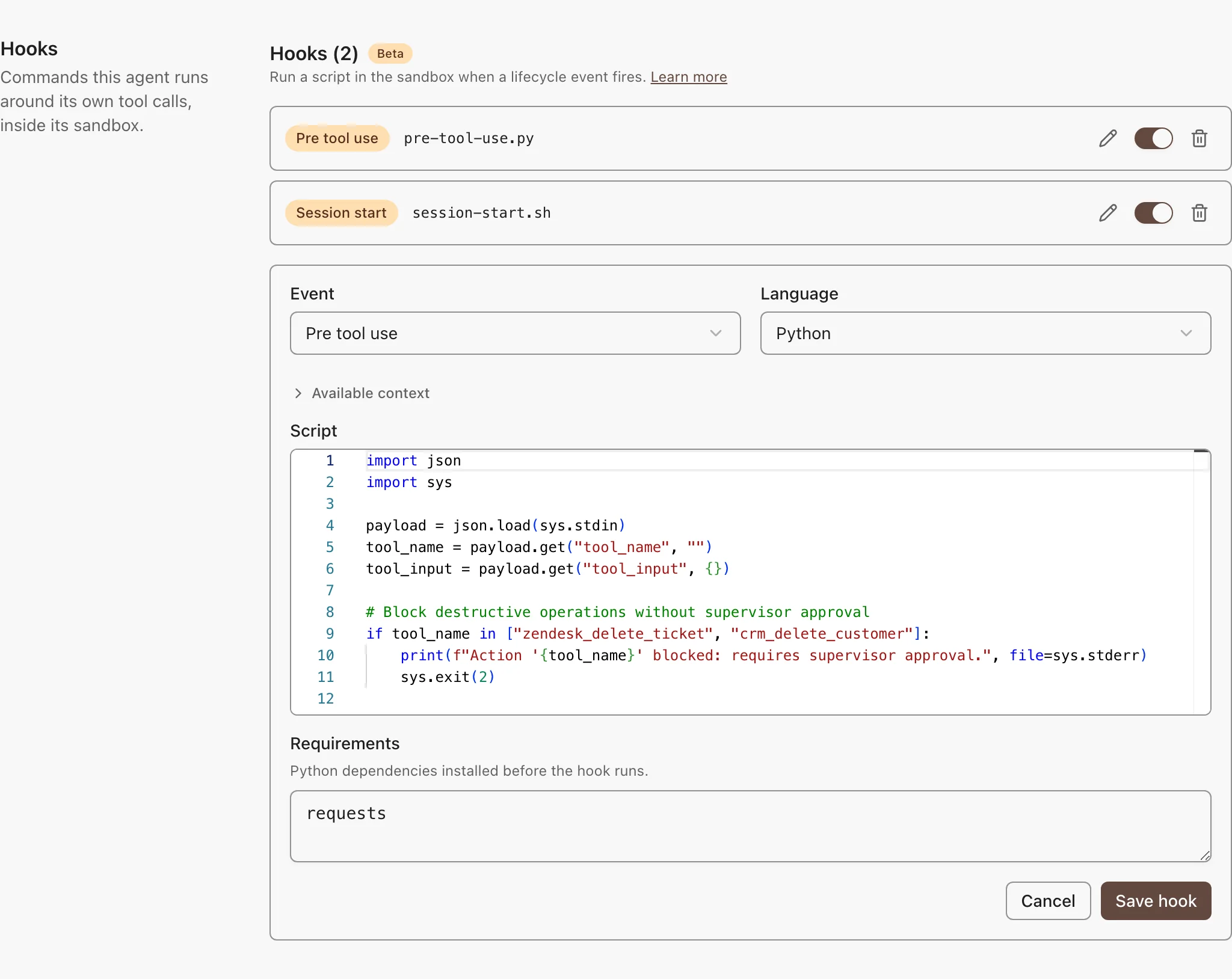
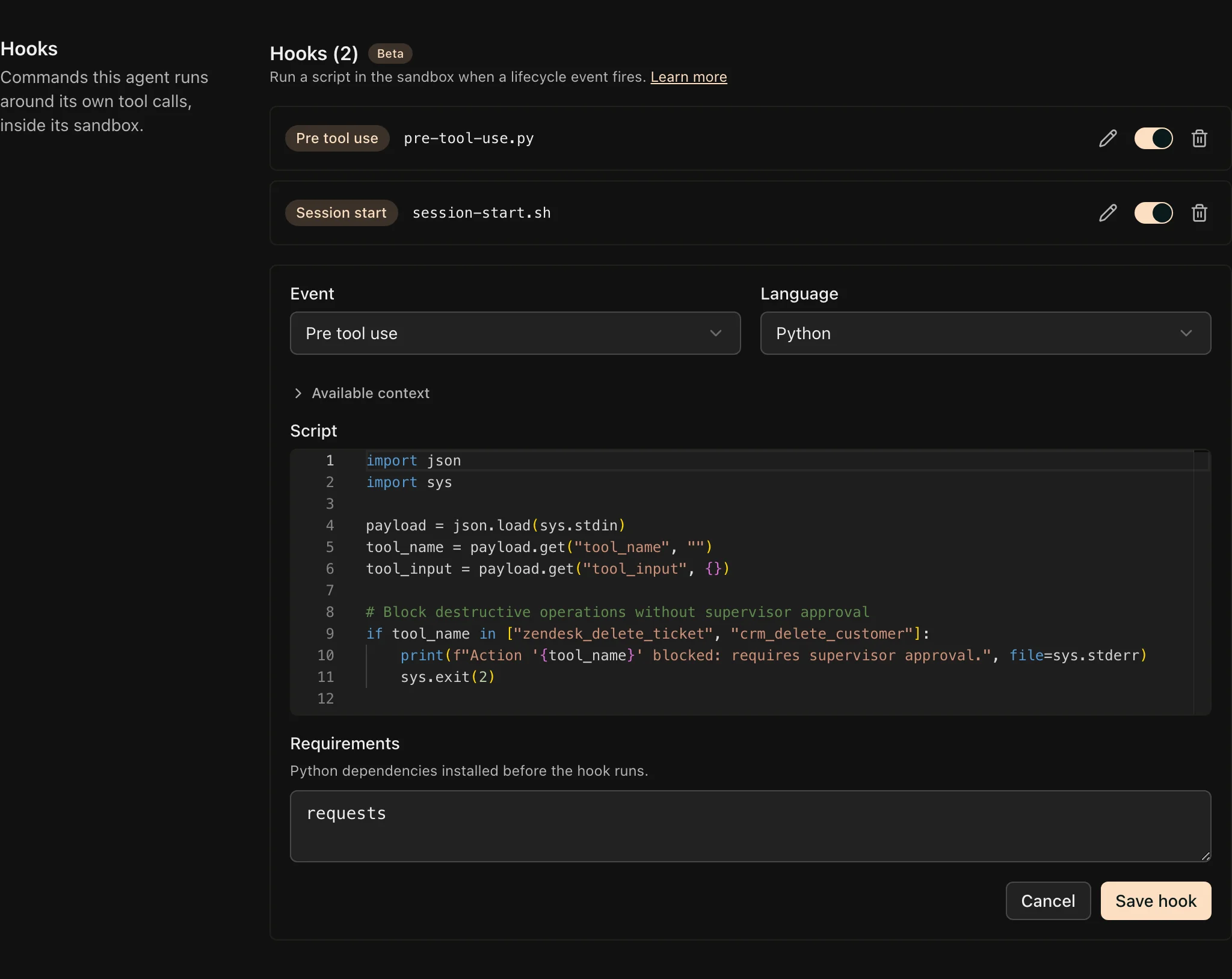
Add a Hook
- Open the agent and go to Tools, Skills & Knowledge → Hooks.
- Pick the event and the language: Python or shell.
- Write the script. Available context shows the payload that event sends.
- Click Save changes.
To turn a hook off, use its row toggle. A Python hook can list packages under Requirements. They install before the script runs.
Events
| Event | Fires | What the Script Can Do |
|---|---|---|
| Session start | When a chat starts | Add context. Its output goes into the agent's system prompt. |
| Pre tool use | Before each tool call | Block the call. Exit with code 2, and the error output becomes the reason the model sees. |
| Post tool use | After each tool call | Give feedback. Exit with code 2, and the error output goes into the tool result as [hook feedback]. |
Write the Script
The script reads one JSON payload from standard input. This hook blocks one tool:
import json
import sys

payload = json.load(sys.stdin)

if payload["tool_name"] == "slack__send_message":
    print("Slack messages need human review first", file=sys.stderr)
    sys.exit(2)
What to know:
- Exit codes: 0 continues. 2 blocks the call, or adds feedback. Any other code is ignored.
- Hooks fail open. A crash, or a run past 30 seconds, never stops the chat. To enforce a rule, use Guardrails.
- Payload fields: every event sends
hook_event_name,session_id,cwd, andpermission_mode. Tool events addtool_nameandtool_input. Post tool use addstool_response, cut at 50,000 characters.
Let an Agent Write Hooks
Assign the built-in list_hooks, create_hook, update_hook, and delete_hook tools to an agent. Then ask it, for example: "add a hook that blocks tool calls to the production database." Clients connected through the MCP Gateway, such as Claude Code, can use the same tools.