Using Claude Code Max Subscription
Route Claude Code through Archestra with a one-time setup script while your Claude subscription keeps paying for inference
If your team already pays for Claude Pro or Max, Claude Code can keep using that subscription while Archestra governs the traffic. The Connect page generates a one-time setup script that routes inference through an LLM proxy in passthrough mode, registers your MCP gateway for tools, and installs your organization's shared skills - one command, no manual config edits.

How passthrough works
Passthrough - the option tagged Good for reusing a subscription - leaves your credential untouched. The script points ANTHROPIC_BASE_URL at …/v1/anthropic/<proxy-id>, Claude Code keeps sending its own credential (the subscription OAuth token, or your API key), and the proxy forwards it to Anthropic unchanged: Anthropic still bills your plan, and Archestra never stores a provider credential.
For attribution, the script also adds two headers via ANTHROPIC_CUSTOM_HEADERS: your personal passthrough virtual key in X-Archestra-Virtual-Key, which ties every request to your Archestra user for logging, cost tracking and limits, and proxy policies; and X-Archestra-Agent-Id, which labels the traffic as Claude Code in the LLM logs.
If you'd rather use an Archestra-managed credential than a subscription, switch the proxy row under Review the setup to Virtual key - the script then writes ANTHROPIC_AUTH_TOKEN instead, a standard virtual key the proxy swaps for a stored provider key.
Prerequisites
- The
claudeCLI installed and onPATH- the script exits otherwise. - Read access to the LLM proxy and, for tools, an MCP gateway.
- Permission to create virtual keys (
llmVirtualKey:create). Without it the passthrough script still works, just without per-user attribution; the Virtual key option strictly requires it. - The Install shared skills checkbox on the Connect page requires the skill admin permission (
skill:admin); untick it if you don't need the bundle.
1. Generate and run the command
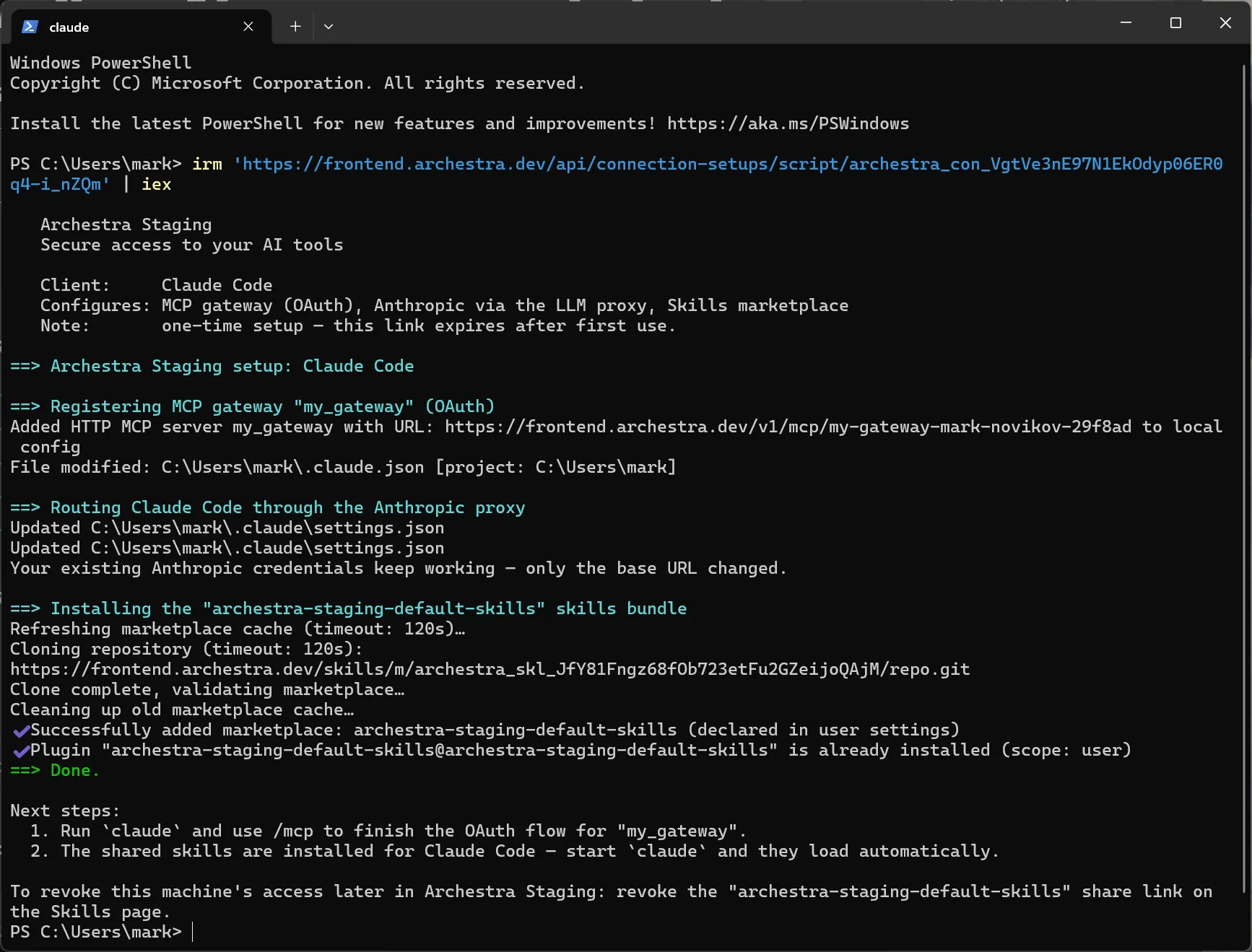
On the Connect page choose Claude Code, confirm the selections under Review the setup, and copy the command - curl … | bash on macOS/Linux, irm … | iex on Windows. It is single-use and expires in 15 minutes; Regenerate mints a fresh one.
Run it in a terminal. The script, in order:
- Registers the gateway with
claude mcp add --transport http <name> …/v1/mcp/<gateway-slug>. - Merges the proxy settings into
~/.claude/settings.json, backing up any existing file once to~/.claude/settings.json.archestra-backup. Your existing Anthropic credentials keep working - only the base URL changes. - Adds the shared-skills bundle as a Claude Code plugin marketplace and installs it.

The script is not undone automatically. To revert: restore the settings backup (if one was taken), run claude mcp remove <name>, and delete the Connection passthrough - <email> key on the Virtual Keys page (LLM Proxies → Credentials).
2. Authorize the gateway
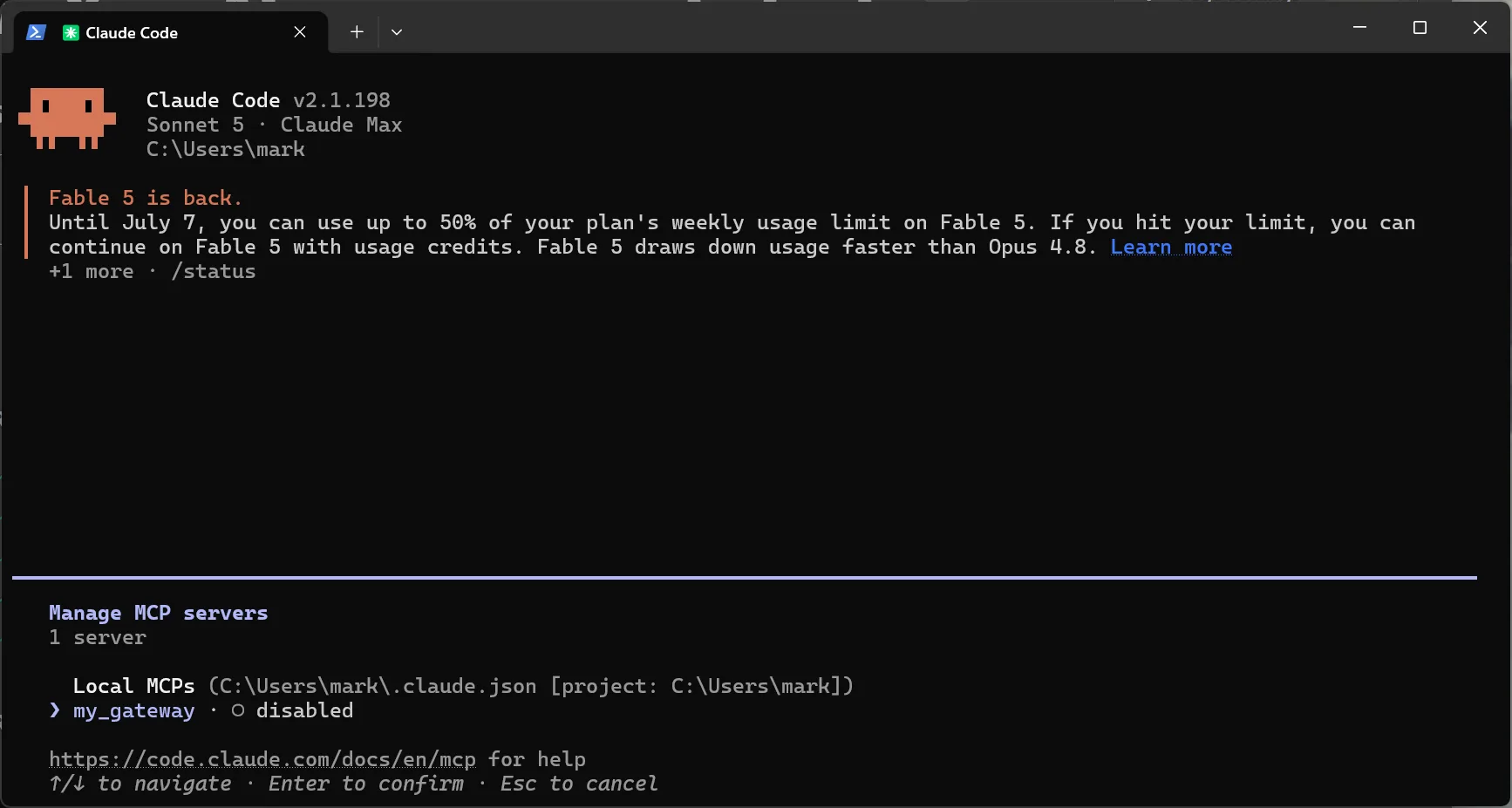
The gateway is registered but not yet authenticated. Start claude and run /mcp.

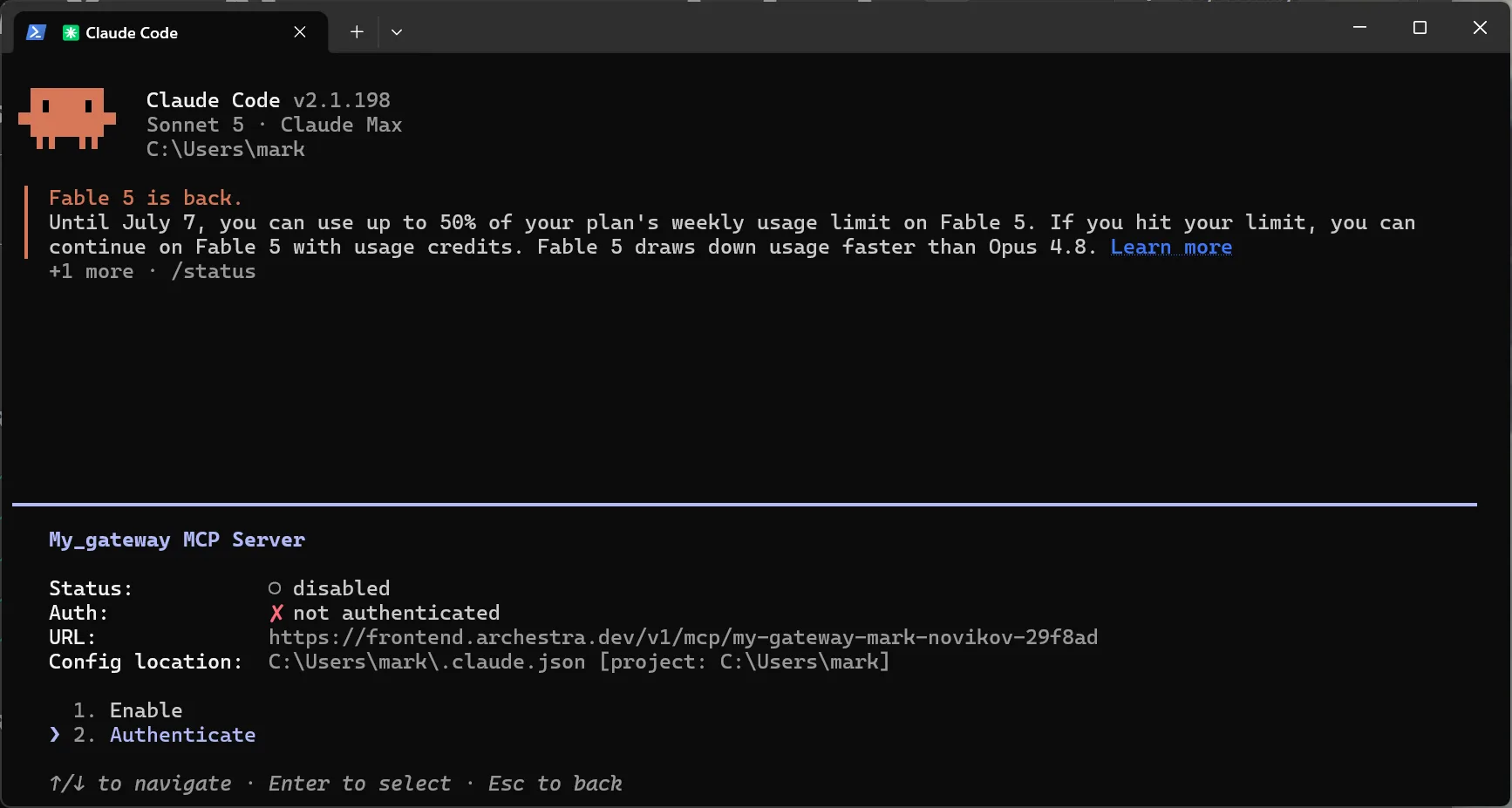
Select the new gateway - until the OAuth flow completes it is listed as disabled and not authenticated, which is expected.

Choose Authenticate. Claude Code opens your browser on Archestra's consent screen; sign in and click Allow. If the server still shows disabled afterwards, choose Enable.

Done
Inference now flows through your proxy - still billed to your subscription - with every request logged and attributed in Observability. The gateway authenticates tool calls as you, so your permissions and attribution apply, while upstream credentials follow each server's configuration (see MCP Authentication). The installed skills load automatically the next time claude starts and appear in the slash-command menu.