
Projects
A shared workspace to organize your work
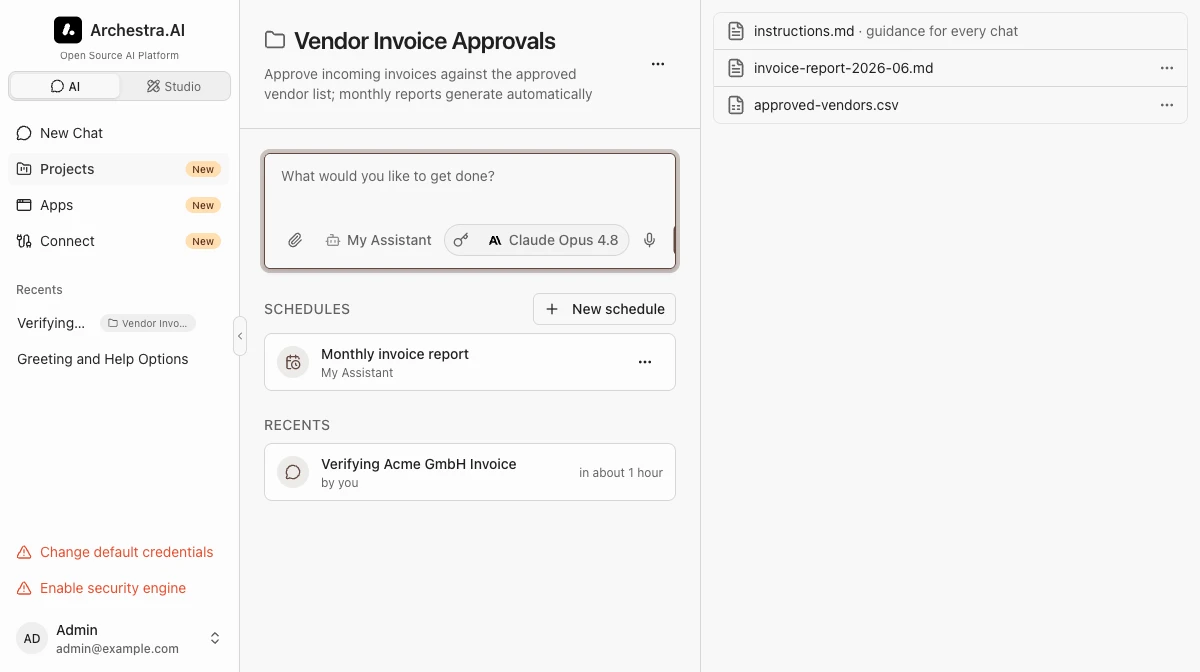
A project is a shared workspace for your chats, Agent Runtime sessions, files, instructions, and scheduled tasks. Projects are private until you share them with teams or the whole organization.
Ownership
You can transfer a project to another organization member. Files, instructions, schedules, and sharing stay intact. Existing chats and scheduled tasks keep their original authors and execution identities.
Creating a Project
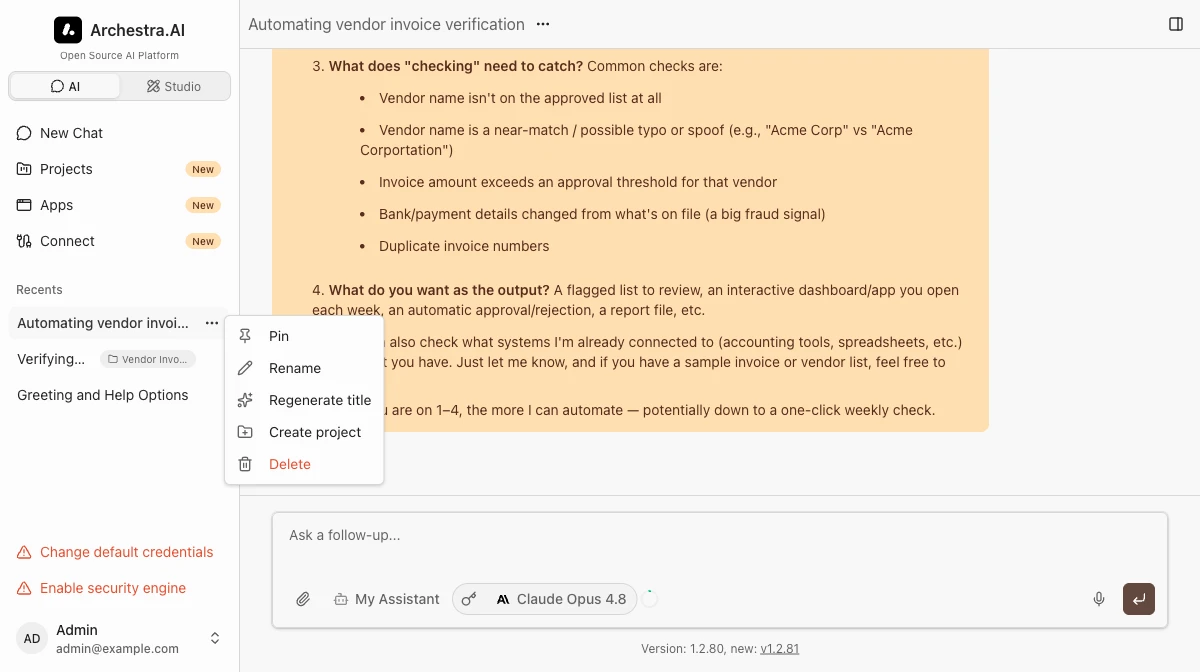
Start a project from the Projects page, or turn an existing chat into one with Create project in the chat's menu — the chat and its files move right in.
Use Change project to move a chat into an existing project. Use Remove from project to make it a regular chat again.
Selecting an Agent with a dedicated runtime in the project composer starts a run directly in that project. Its session appears on the project page alongside the project's chats. You can also open a run's sidebar menu and use Change project or Remove from project to organize an existing session.
Labels
Labels are key-value tags that organize projects — stage: review, for example. Add them under Advanced when you create or edit a project. The Projects page shows labels beside each name and lets you filter by them.
Files
When an agent saves a file in a project chat — a report, for example — it goes to the project. The project page lists them all, and every chat in the project can read them.
You can add your own files too: drag and drop them onto the Files panel. Text and Markdown files are editable right in the panel.
Not sure whether a file belongs in a chat, a project, or the knowledge base? See Chat, Project, and Knowledge Files.
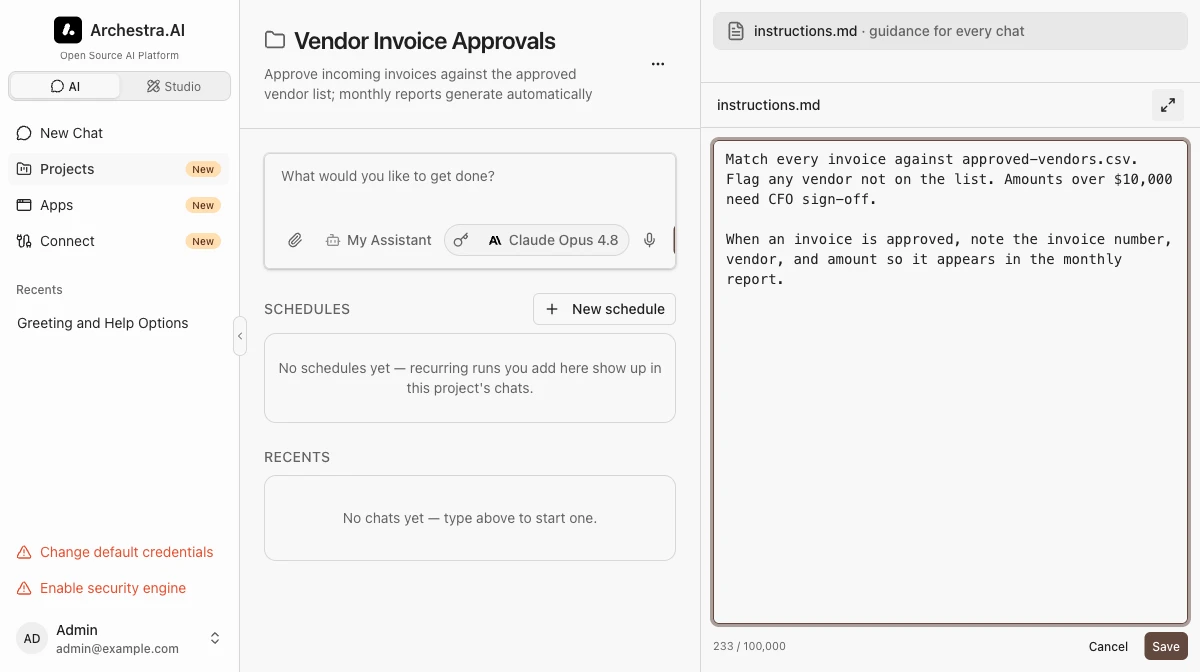
Every project has an instructions.md file, pinned at the top of the Files panel. Write the rules once, and every chat in the project follows them.
Scheduled Tasks
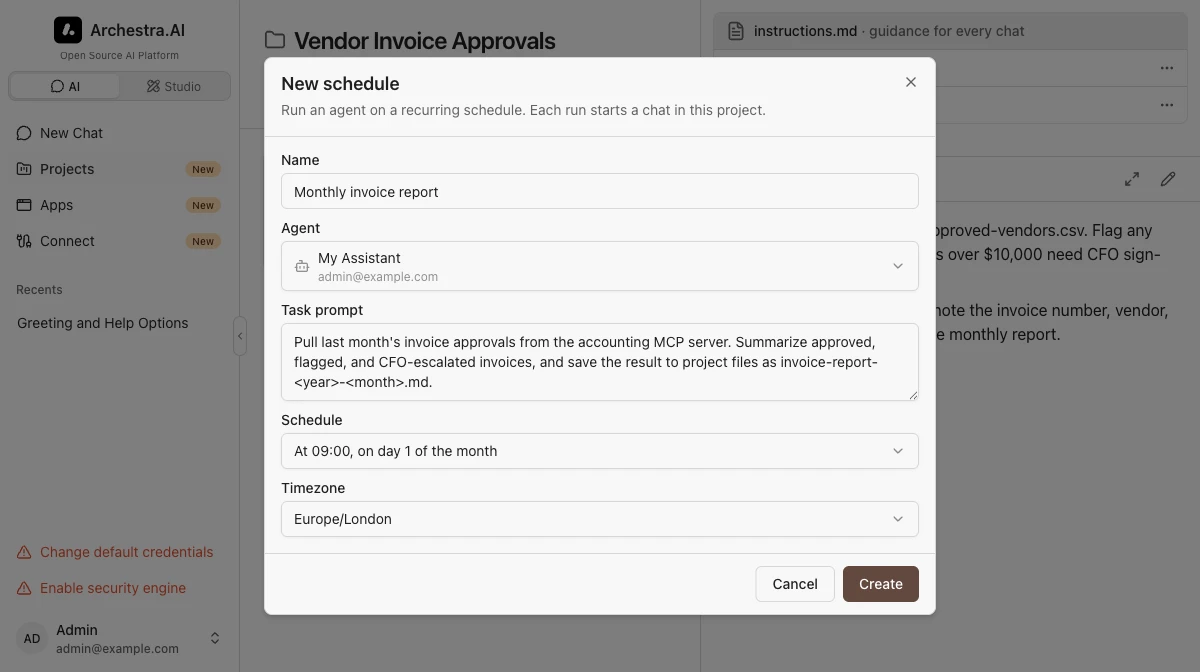
A schedule runs an agent for you on a recurring basis. Agents with a dedicated runtime start an Agent Runtime session in the project. Other agents start a chat. Open a scheduled run to follow its work and review the result. Runtime runs stay in progress until their task finishes.
Use Case: Vendor Invoice Approvals
A finance person approves incoming invoices against the company's vendor list. A monthly report is generated automatically:
- Files:
approved-vendors.csv, uploaded once and edited as vendors change, plus the reports the agent writes. - Instructions: "Match every invoice against approved-vendors.csv. Flag any vendor not on the list. Amounts over $10,000 need CFO sign-off."
- Chats: the daily work — "check this invoice from Acme GmbH". Every chat follows the instructions and can read the vendor list.
- A schedule: on the 1st of each month, an agent collects last month's approvals and saves a report into the project files.
- Sharing with the Finance team: everyone approves against the same list and reads the same reports.
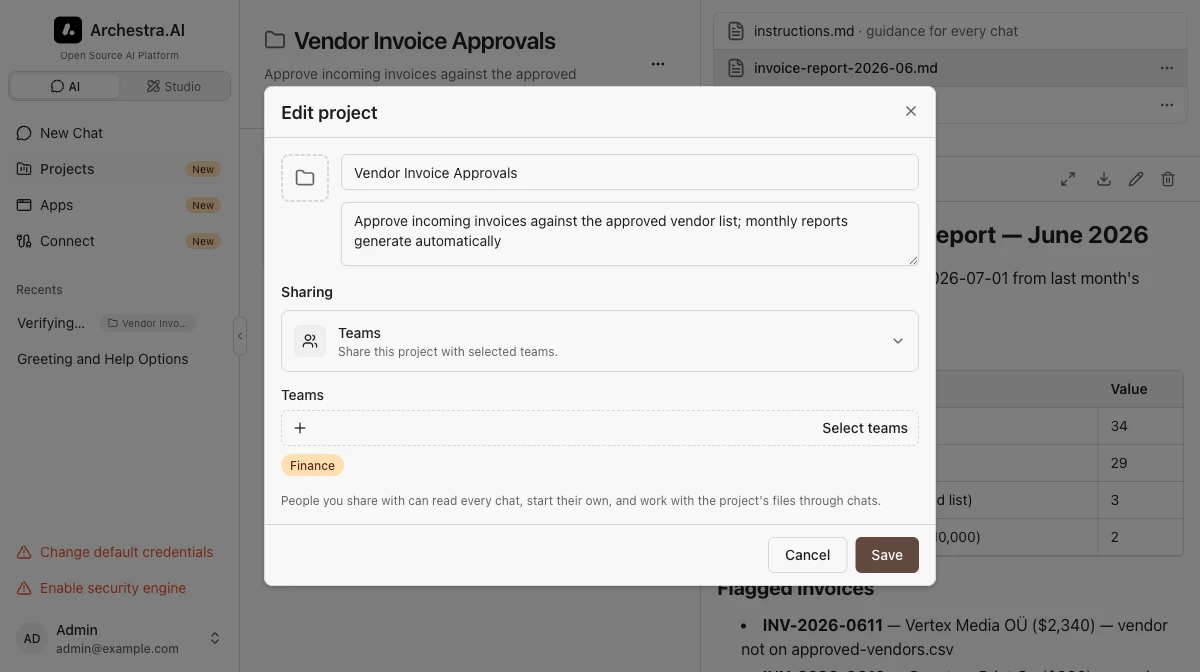
Everyone with access to a shared project can start their own chats and Agent Runtime runs and work with its files. You can share with any team you belong to — admins can share with any team in the organization. Reading other members' chats or runs takes a separate permission that admins have by default. Other members' runs are always read-only: you can follow their terminal output, but only the person who started a run can attach to its shell. Sharing with the whole organization — and deleting or unsharing an org-wide project — takes its own permission, which custom roles can withhold. Deleting a project keeps its chats and runs as unassigned items and hides its files and scheduled tasks; a project administrator switches the status filter to Deleted to open the trash and restore one, bringing them back. A global admin can also delete a project from the trash for good, with Delete permanently. That destroys its files and scheduled tasks, and nothing brings them back — the chats and runs still stay. See Access Control for permissions.