Logs
Know what every agent did, as whom, and what it cost. Archestra logs every model request, tool call, and admin change, from Chat, messaging channels, and connected clients. You do not turn anything on.
To forward Audit events to your SIEM, configure audit log export.
What Gets Logged
Logs shows every type on one timeline, newest first. Click a type's tile to see only that type and its own filters, and scroll to go further back.
| Type | One row per | Open a row for |
|---|---|---|
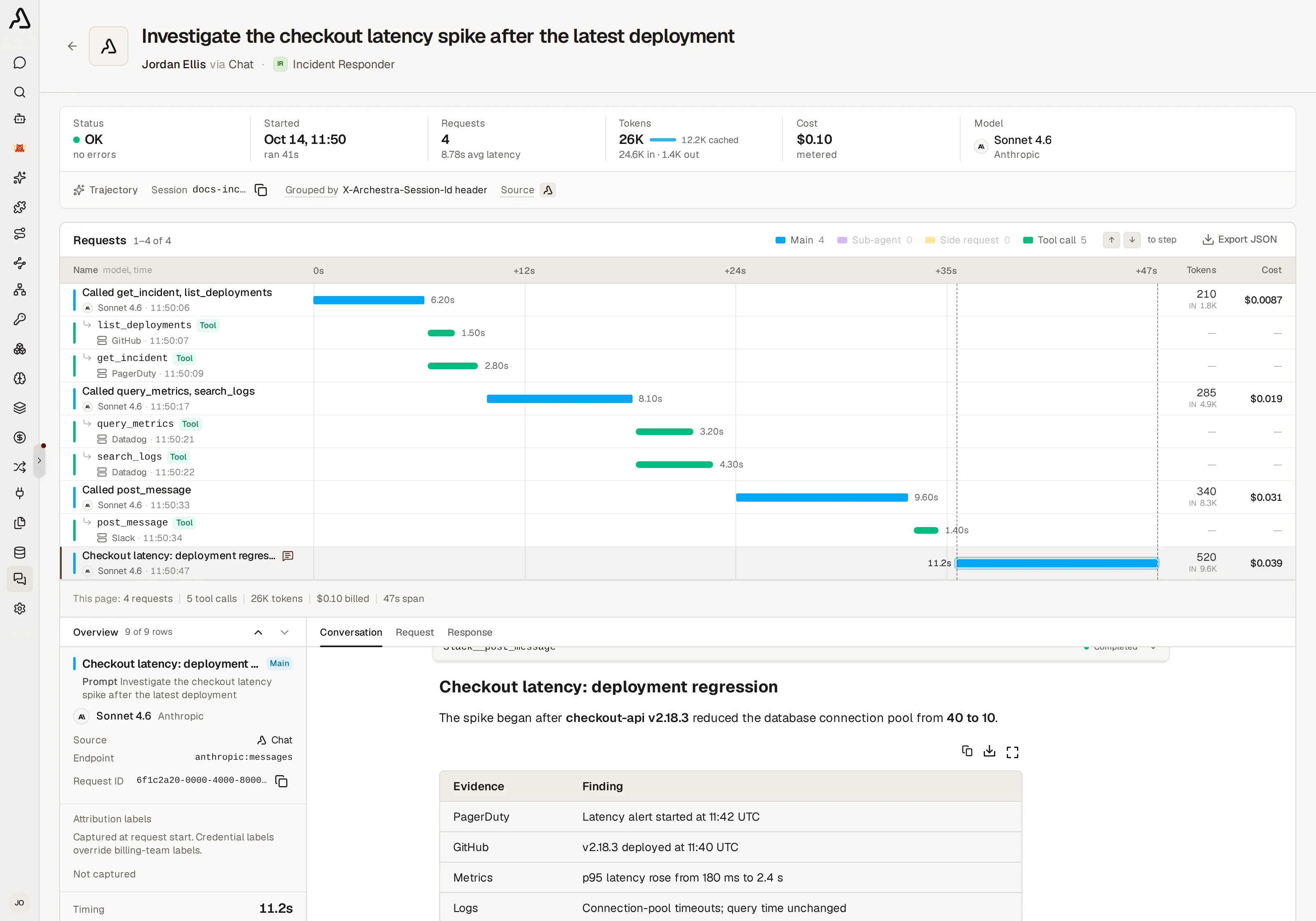
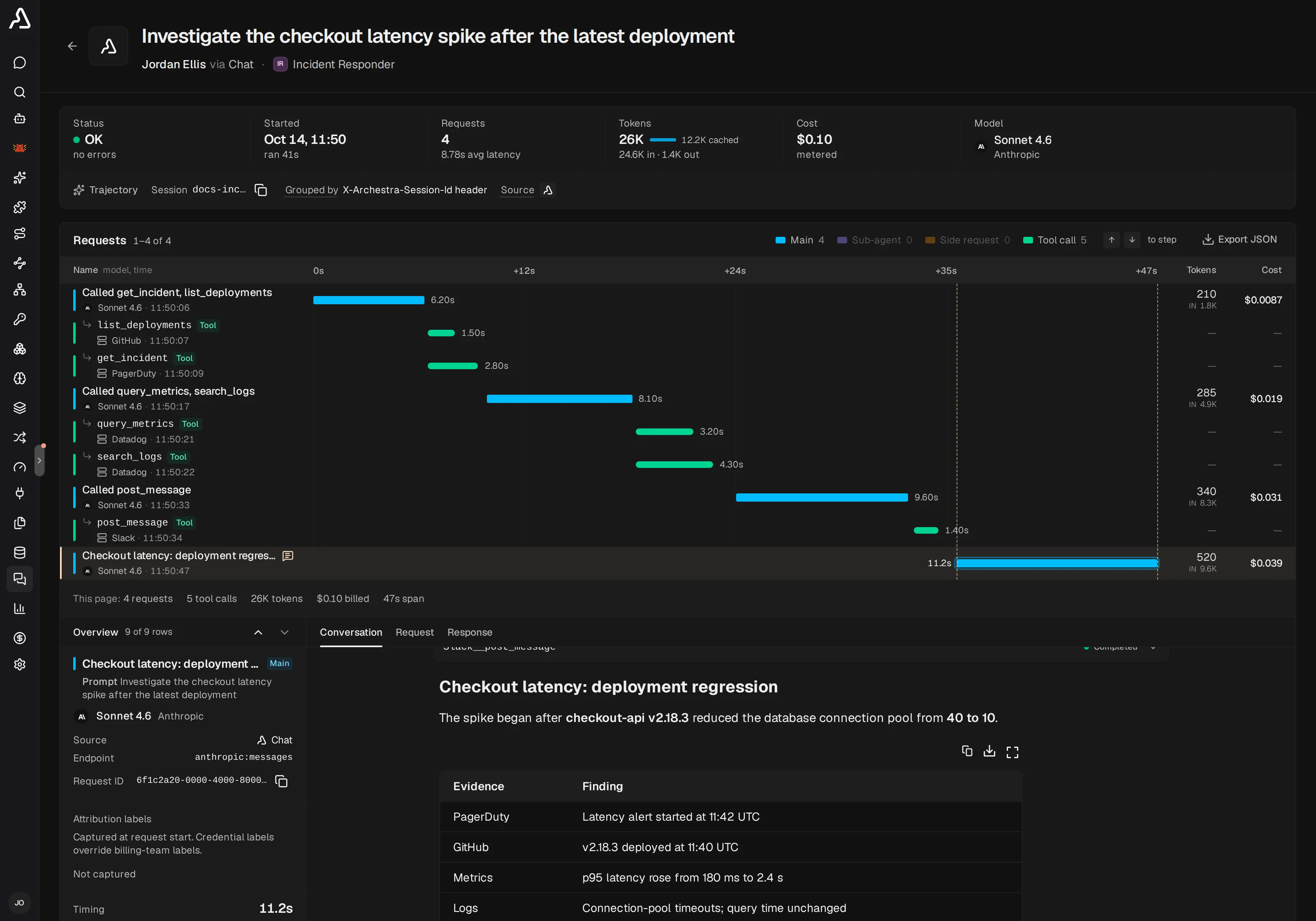
| LLM Proxy | Session: agent, model, tokens, spend | The whole conversation. Export JSON saves it. |
| MCP Gateway | Tool call: tool, gateway, account used, result | The arguments and the full result |
| Audit | Change: who, what, when, and if it succeeded | The values before and after, the source IP, and any admin acting as someone else |
| Guardrails | Request to a service used by Guardrails: service, tool, outcome. Or a yell: the report, who sent it, and whether it is resolved | The service request and reply, or the whole report |
| Client connections | Connection event: a client app connected, was authorized, refreshed its token, or disconnected | Who connected which app to which gateway, and when |
Open an LLM Proxy session to see every request and the MCP tool calls it triggered on one timeline; select a row for its timing, tokens, cost, conversation, and raw request and response. Requests handled by an auto router are marked auto→ and open to an Auto routing panel showing the router, tier scores, chosen model, and estimated savings. An MCP Gateway tool call shows where it sat in its session, or nearby calls from the same caller when it is not linked to one. Timing measures request processing before the log is saved, including the full stream for LLM requests. Older records may have no timing.
When your coding agent hands a task to a Remote Agent and brings it back, the run's requests join the session's timeline. Ran on shows when the work was in your client and when it was in Agent Runtime. Click an Agent Runtime stretch to open the run.
If a model response stream ends cleanly before its provider reports token counts, the request still appears in the session with any response received so far. Its token count shows Unknown rather than zero; zero means the provider actually reported zero.
A session's Status shows Failed when a request failed or a Chat turn ended in an error, even if every request row looks healthy. The session page lists those errors under Failed turns, as the user saw them, and marks the last request before each one Turn failed. Export JSON includes them.
To see who has connected agents and how much each is used, see Adoption.
Keep Prompts Out of the Logs
Keep the cost and audit trail without storing what people sent. Set ARCHESTRA_LOGS_CONTENT_MODE=metadata_only and restart Archestra. Each row still shows the agent, the model or tool, the account used, tokens, cost, and whether the call failed. Opening it shows Content not stored instead of the prompt, response, arguments, or result.
- Rows already stored keep their content.
- Traces leave the content out too, even when content capture is on.
- Chat history is not affected.
Keep Media in the Logs
By default, logs keep the conversation text but not the images, audio, and files in it. Each row shows Not kept: media logging is off where media was. To let Logs show and play media, go to Settings → LLM, turn on Keep media in logs, and click Save.
- The setting covers model requests and responses and MCP tool calls, from Chat, agents, and connected clients.
- Changing it needs
organizationSettings:updateand applies to new rows only. - Traces never carry media, whatever the setting.
Who Can Read Them
Each type has its own permission. Its read action shows your own records, and its admin action shows everyone's.
| Type | Your own | Everyone's |
|---|---|---|
| LLM Proxy, MCP Gateway | log:read | log:admin |
| Guardrails | guardrailsLog:read | guardrailsLog:admin |
| Client connections | clientConnection:read | clientConnection:admin |
| Audit | auditLog:read | auditLog:admin |
With clientConnection:read alone, Client connections lists only your own connect and disconnect events. Adoption covers every member, so it needs clientConnection:admin.
Sharing an agent or a gateway with someone does not let them read its logs.
What to Know
- Logs stay forever by default. To delete old records, set a retention window. Retention is an Enterprise feature. See Data Retention.
- Behind a load balancer, set
ARCHESTRA_. Otherwise audit records show the load balancer's IP, not the client's.TRUST_ PROXY - To send data to your own tools, use metrics and traces.