Available Integrations
Turn off the model providers, messaging channels, and knowledge connectors your organization does not allow, and rename the providers it does
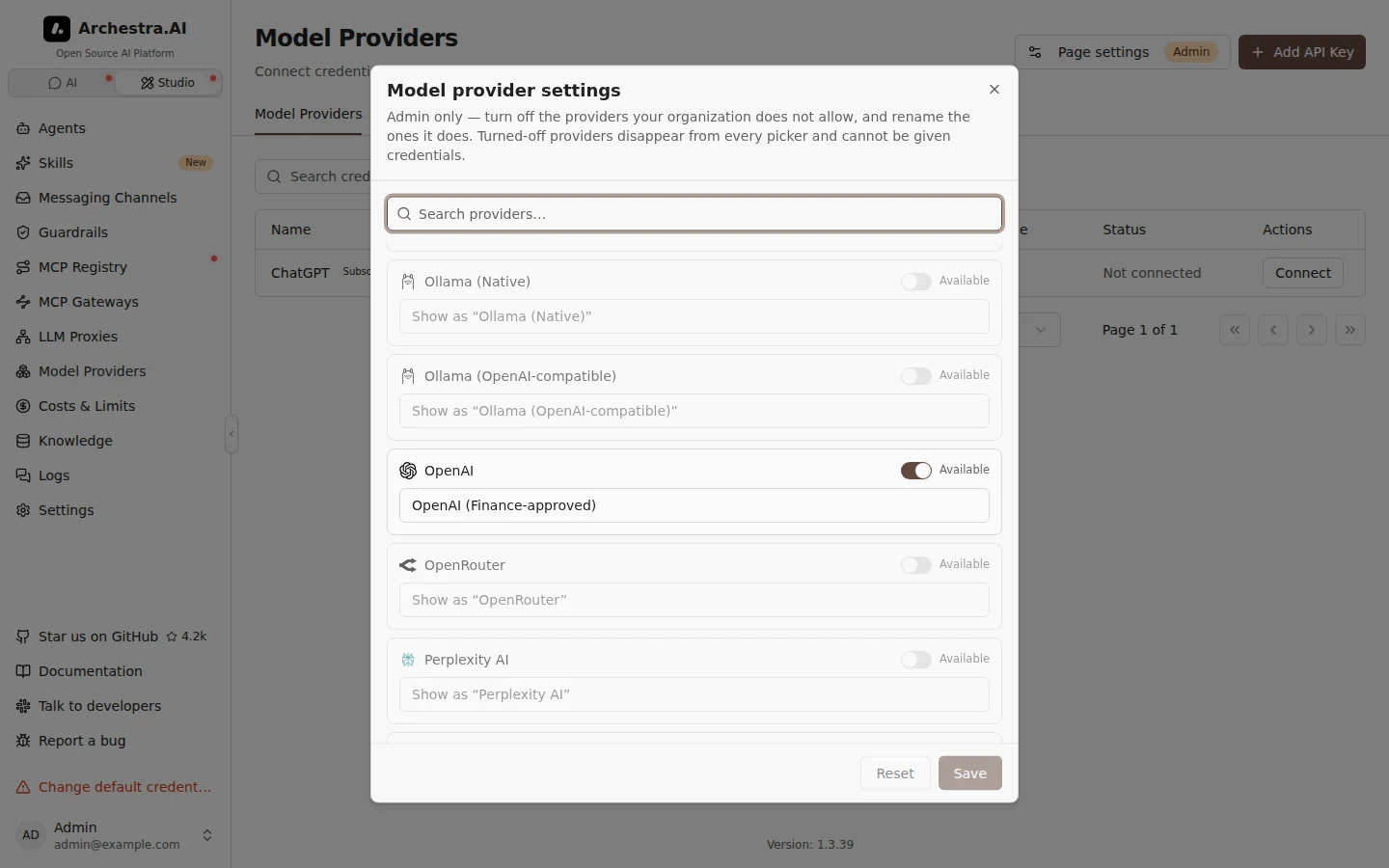
Archestra ships with a long catalog of model providers, messaging channels, and knowledge connectors. Most organizations only allow a few of them. As an admin you can turn the rest off, so nobody has to guess which ones are approved.
Each catalog has its own Page settings dialog, on the page where the catalog lives:
- Model providers — the Page settings button on Model Providers.
- Messaging channels — the Page settings button on Messaging Channels.
- Knowledge connectors — the Page settings button on Connectors.
Only admins see the button. It works the same way as the Connect page settings.
Turning an Integration Off
Switch Available off for anything your organization does not allow. A turned-off integration disappears from every picker, and the API refuses to configure it — so it stays off even for someone using the API directly or an old browser tab.
Turning a messaging channel off also stops it listening. A Slack bot that was already connected stops answering, and email stops reaching agents.
Credentials and connectors that already exist keep working, so turning a provider off never breaks live traffic mid-flight. They are marked as turned off in the list, and you can delete them when you are ready — a retired provider's key can no longer be edited or rotated.
Renaming a Model Provider
A model provider row also takes a name. It replaces the built-in one everywhere the provider appears — pickers, tables, and the setup copy on the connect page. Leave it empty to keep the name the provider ships with.
Vendor names stay as they are. Rename AWS Bedrock to "Northwind Model Cloud" and its region field still reads "The AWS region to send Northwind Model Cloud requests to", because AWS is the vendor and the region is theirs.
Messaging channels and knowledge connectors are on/off only. Each names a single external service, so renaming Slack would just make its own setup steps harder to follow.
Use Case
Northwind Robotics allows OpenAI and Gemini for model traffic, and nothing else. Their admin opens Page settings on Model Providers and switches off every provider but those two. She renames OpenAI to "OpenAI (Finance-approved)" so engineers know which one to pick.
An engineer opening Add API Key now sees exactly two providers. When one of them pastes an old Anthropic key into the API, the request is refused.